
Tired of the hype? Discover the 20 best AI tools in 2026 that Reddit users actually recommend for writing, coding, research, and everyday productivity.
Are you feeling overwhelmed by the sheer number of AI apps launching every single week? If your bookmark folder is filled with “game-changing” tools that you tested once and never opened again, you are not alone. There are hundreds of applications out there, but let’s be honest—you do not need 50 different subscriptions to be productive.
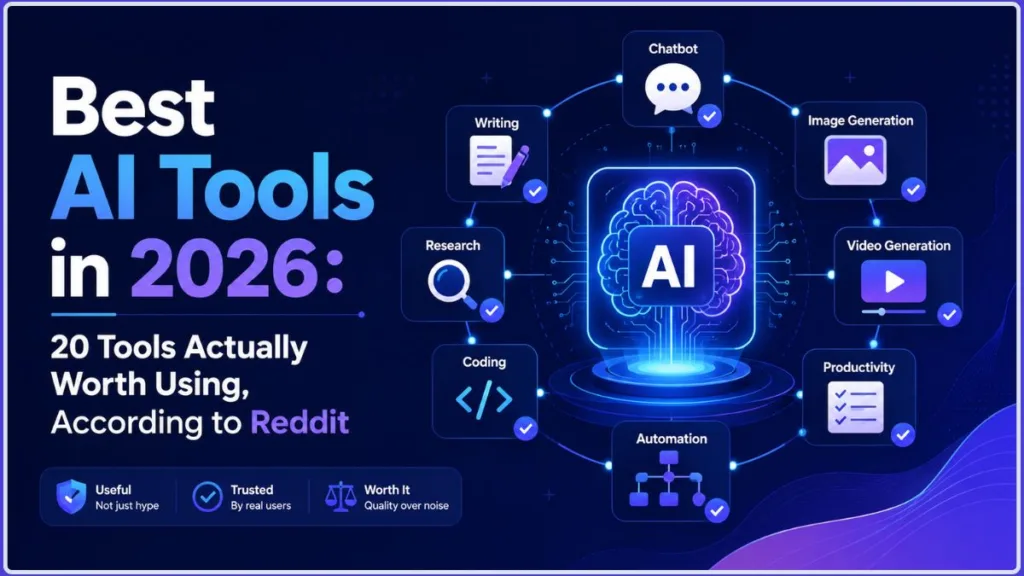
To find the best AI tools in 2026, we didn’t just look at the newest releases or flashy marketing pages. Instead, we went straight to the source of unfiltered honesty: Reddit. By analyzing community discussions, we found that the best AI tools Reddit users recommend aren’t always the most hyped. They are the tools that seamlessly fit into daily workflows, solve real problems without adding extra friction, and actually survive past the first month of use.
Whether you are looking for the best AI tools 2026 has to offer for writing, coding, research, or basic productivity, this guide skips the fluff. Here are the AI tools actually worth using, chosen based on real-world value, longevity, and community consensus.
How We Chose the Best AI Tools for 2026
When deciding which tools made the cut, we didn’t just rank them by how many features they have. We looked closely at how actual people interact with these platforms day in and day out. Here is the framework we used to find the true winners.
Real-World Use Over Hype
It is easy to get caught up in the “shiny object syndrome” of AI. We prioritized tools that you can actually use to finish a project, rather than tools that just make for cool tech demos. If an app requires you to completely break your existing habits just to use it, it didn’t make the cut. We focused on “ambient” AI—tools that naturally embed themselves into the environments where you already work.
Reddit Recommendations
We heavily analyzed recent Reddit threads (from communities like r/AI_Agents and r/AIToolsPerformance) to see what people are actually paying for. We looked for recurring recommendations, shared frustrations, and real workflow examples. When multiple users complain about a specific tool’s “robotic” writing or praise another for its seamless ecosystem, we factored that directly into our rankings.
Value for Money
Subscription fatigue is a massive friction point in 2026. Users are tired of paying $20 to $100 a month for tools that overlap in functionality. We evaluated whether a tool provides enough distinct value to justify a premium subscription, or if you are better off sticking to a generous free tier.
Specific Use Cases
No single AI is the best at everything. We evaluated these tools based on what they are specifically designed to do well—whether that is writing long-form content, conducting grounded research, generating code, creating video, or automating tedious background tasks.
Staying Power
The ultimate test of a great AI tool is whether you are still using it three months after signing up. We gave extra weight to applications that have high retention rates. If the Reddit community widely agreed that a tool becomes a permanent part of a minimalist tech stack, it earned a high spot on this list.
The 20 Best AI Tools in 2026
If you want to build a highly efficient, minimalist tech stack, these are the platforms you should be looking at. We broke down each recommendation so you know exactly what they do, what they cost, and what real users think of them.
1. ChatGPT — Best Overall AI Tool
Best for: General-purpose assistance and versatile, everyday problem-solving.
Why Reddit likes it: The community largely agrees that ChatGPT remains the ultimate “Swiss Army Knife” of AI. Redditors frequently keep it in their core stack for brainstorming, quick coding logic, and general knowledge queries because of its massive feature set.
What it does best: Handling diverse, everyday productivity tasks. From formatting raw data and analyzing images to walking you through a complex concept, it easily shifts between use cases.
Key features: Advanced voice mode, web search integration, custom GPT creation, data analysis, and image generation via DALL-E 3.
Free or paid: Offers a very capable free tier. The Plus plan ($20/month) gives you higher usage limits and access to the newest models.
Pros:
- Extremely versatile across almost every domain.
- Mobile app with voice mode is unmatched for on-the-go queries.
- Massive library of custom GPTs.
Cons:
- Reddit users frequently complain that ChatGPT “yaps” too much, often generating long walls of text that lack real substance.
- The writing style can sound overly robotic without heavy prompting.
Best alternative: Claude (for more natural writing).
Our verdict: As the best overall AI tool and the best AI chatbot 2026, ChatGPT is still the most accessible starting point for anyone.
Who should use ChatGPT? If you only want to manage one AI app and need it to do a little bit of everything—writing, math, coding, and scheduling—this is your best bet.
2. Claude — Best AI for Writing and Complex Work
Best for: Long-form writing, deep reasoning, and complex coding logic.
Why Reddit likes it: In recent Reddit discussions, users overwhelmingly praised Anthropic’s Claude (specifically the Pro and Max tiers). People are actively jumping ship from ChatGPT to Claude because it feels less robotic, formats responses beautifully, and handles massive documents without losing the plot.
What it does best: Producing human-sounding text and maintaining context over incredibly long conversations. It doesn’t just spit out generic answers; it follows nuanced instructions perfectly.
Key features: Massive 200K+ context window, Artifacts (for viewing code/designs side-by-side), and advanced agentic workflows like Claude Code and Cowork.
Free or paid: Free tier available. Pro is $20/month.
Pros:
- Widely considered the best AI for writing 2026.
- Follows complex, multi-step instructions better than competitors.
- Artifacts feature makes reviewing code and UI designs incredibly easy.
Cons:
- Strict usage limits, even on the paid Pro plan, which frustrates heavy users.
- Does not have native image generation built into the chat.
Best alternative: ChatGPT or Gemini.
Our verdict: If you are a writer, programmer, or researcher dealing with heavy text, Claude is easily the best AI for long-form writing and complex reasoning on the market right now.
3. Gemini — Best AI for Google Users
Best for: Deep integration with Google Workspace (Docs, Drive, Gmail). Why Reddit likes it: Redditors love Gemini for its ecosystem. One user brilliantly described their stack by calling Claude their “Senior Developer” and Gemini their “Secretary.” Because Gemini lives natively inside Google tools, you don’t have to copy and paste text like a “caveman.” What it does best: Summarizing your inbox, pulling data from your Google Drive, and formatting documents where you already work. Key features: Google Workspace integration, massive context window (1.5 Pro), Gemini CLI for developers, and multimodal (image/video) analysis. Free or paid: Free version available. Gemini Advanced is included in the Google One AI Premium plan.
Pros:
- Zero friction if your life is already built on Google Docs and Gmail.
- Excellent multimodal capabilities (analyzing images and videos).
- The best value if you also need cloud storage, as it bundles with Google One.
Cons:
- Sometimes struggles with complex coding logic compared to Claude.
- The chat interface can occasionally feel clunky.
Best alternative: Microsoft Copilot (if you use Office 365).
Our verdict: If you want the best AI for Google users, Gemini is unbeatable. It is the perfect administrative assistant that actually knows where your files are.
4. Perplexity — Best AI for Research
Best for: Fast, accurate web research with cited sources.
Why Reddit likes it: The community heavily relies on Perplexity to replace traditional Google searches. Users love that it cuts through SEO spam and gives you a direct, summarized answer while pointing exactly to where it got the information.
What it does best: Digging up current events, finding specific data points, and compiling research without the fear of AI hallucinations, because everything is tethered to a real web link.
Key features: Real-time web browsing, inline citations, Pro Search for multi-step digging, and Perplexity Pages for creating shareable reports.
Free or paid: Highly usable free tier. Pro plan is $20/month.
Pros:
- The ultimate best AI research tool 2026.
- Drastically reduces the chance of hallucinations.
- Saves hours of clicking through websites and reading ad-heavy articles.
Cons:
- Not designed for creative writing or heavy coding.
- Pro search credits can run out if you are doing extensive daily research.
Best alternative: ChatGPT (with search enabled).
Our verdict: When you need facts, statistics, or an AI search engine that shows its work, Perplexity is the first tool you should open.
5. Cursor — Best AI Coding Tool
Best for: Developers looking for an AI-first code editor.
Why Reddit likes it: Reddit users stress that the best tools are the ones you don’t have to remember to open. Cursor is the perfect example of “ambient AI.” Because it is a fork of VS Code, developers don’t have to change their habits; the AI is just naturally baked into their existing coding environment.
What it does best: Multi-file coding. Instead of copy-pasting snippets into a web browser, Cursor reads your entire codebase, understands the context of your project, and writes code across multiple files simultaneously.
Key features: Codebase indexing, inline code generation (Command K), AI chat side-panel, and support for multiple top-tier models (like Claude 3.5 Sonnet).
Free or paid: Free basic tier. Pro plan is $20/month.
Pros:
- The undisputed best AI coding tool 2026.
- Eliminates the friction of context-switching between your IDE and a browser.
- Familiar interface for anyone who already uses VS Code. Cons:
- Requires a slight learning curve to master the AI shortcuts.
- Heavy usage can burn through premium model requests quickly.
Best alternative: GitHub Copilot.
Our verdict: If you write code for a living, Cursor is a mandatory upgrade. It is the clearest example of how integrating AI directly into your workflow saves hours of manual labor.
6. Claude Code — Best AI Coding Agent
Best for: Autonomous coding tasks and terminal-based workflows.
Why Reddit likes it: Advanced users on Reddit are actively upgrading to higher Claude tiers specifically to access Claude Code. They love that they can give it a prompt in the terminal and let it browse the web, edit files, and run tests completely hands-off.
What it does best: Acting as a true autonomous agent. While standard coding assistants help you write lines of code, Claude Code can execute multi-step tasks across your local environment on its own.
Key features: Terminal integration, autonomous file editing, error debugging, and deep integration with the Claude ecosystem (Cowork).
Free or paid: Requires a paid Claude subscription (Pro or Max) and is billed via usage/tokens.
Pros:
- Represents the future of AI coding agents.
- Handles tedious repository-wide updates brilliantly.
- You do not need to leave your command line to use it. Cons:
- Highly technical; not beginner-friendly.
- Can burn through API tokens very quickly if you don’t optimize your workflow.
Best alternative: Open-source local agents or Cursor (for a more guided GUI experience).
Our verdict: Understanding the difference between an AI chatbot (ChatGPT), an AI coding assistant (Cursor), and an AI coding agent (Claude Code) is crucial. For developers who want to delegate entire tasks rather than just auto-completing lines, this is the best coding AI 2026.
7. NotebookLM — Best AI for Your Own Documents
Best for: Studying, researching, and querying large folders of specific PDFs or notes.
Why Reddit likes it: Users praise NotebookLM because it solves a massive problem: it only uses the information you give it. When you need an AI that absolutely will not make up facts, Reddit users point here.
What it does best: Digesting massive amounts of your personal data. You can upload dozens of research papers, meeting transcripts, or study guides, and NotebookLM will act as an expert strictly on those documents.
Key features: Grounded answers (with citations to your uploaded text), study guide generation, and incredibly popular AI Audio Overviews (turning your notes into a podcast).
Free or paid: Currently free to use.
Pros:
- The absolute best AI for PDFs and personal knowledge bases.
- Zero hallucinations outside of your source material.
- Audio Overviews are a game-changer for auditory learners.
Cons:
- It is not a general search engine; it cannot browse the live web for you.
- The interface is utilitarian and strictly focused on document analysis.
Best alternative: Claude (by uploading multiple files into a Project).
Our verdict: If you are a student, lawyer, or researcher dealing with heavy documentation, NotebookLM is your best AI for studying and synthesizing complex information.
8. Midjourney — Best AI Image Generator
Best for: Creating highly detailed, artistic, and photorealistic images.
Why Reddit likes it: Despite the interface friction, Reddit’s creative communities agree that Midjourney still produces the most aesthetically pleasing and realistic images on the market, beating out standard DALL-E 3 generations.
What it does best: Translating complex visual prompts into stunning, high-resolution art, marketing assets, and concept designs.
Key features: Incredibly high aesthetic baseline, character consistency tools, style referencing, and upscaling capabilities.
Free or paid: Paid only (plans start at $10/month).
Pros:
- The reigning champion and best AI image generator 2026.
- Unmatched detail in textures, lighting, and photorealism.
- The new web interface makes it much easier to use than the old Discord-only method.
Cons:
- No free tier available.
- Prompting requires a bit of practice to get exactly what you want.
Best alternative: DALL-E 3 (via ChatGPT) for ease of use, or Stable Diffusion for local control.
Our verdict: Whether you need assets for a blog post or concept art for a client, Midjourney is the best AI art generator worth paying for right now.
9. Runway — Best AI Video Generator
Best for: Creating cinematic video clips from text or static images.
Why Reddit likes it: As video generation has exploded, Reddit users frequently point to Runway (specifically its Gen-3 models) as the most accessible and high-quality tool for bringing static concepts to life.
What it does best: Text-to-video and image-to-video generation. It excels at creating B-roll, surreal animations, and dynamic camera movements from simple text prompts.
Key features: High-fidelity video generation, motion brush controls, lip-syncing, and advanced camera controls.
Free or paid: Offers free credits to test, but requires a paid plan (starting around $15/month) to remove watermarks and generate more content.
Pros:
- The best AI video generator 2026 for creatives and marketers.
- Motion brush allows you to animate specific parts of an image easily.
- Rapidly improving model quality.
Cons:
- Video generation is incredibly credit-heavy and gets expensive fast.
- Generations are usually short (5 to 10 seconds), requiring external editing to piece together longer narratives.
Best alternative: Luma Dream Machine or Sora (depending on public availability).
Our verdict: If you want to dip your toes into AI video creation for social media or creative projects, Runway offers the most robust and user-friendly toolkit available today.
10. Suno — Best AI Music Generator
Best for: Generating full, high-quality songs with vocals and instrumentation from a simple prompt.
Why Reddit likes it: The sheer “wow” factor. Redditors love Suno because it takes a zero-skill task (typing “make a catchy pop song about drinking coffee”) and returns incredibly realistic, radio-quality tracks in seconds. What it does best: Creating full-length musical tracks across almost any genre. It handles everything from the beat and melody to generating coherent, rhyming lyrics and realistic human-sounding vocals.
Key features: Text-to-song generation, custom lyric input, genre mixing, and audio extension tools.
Free or paid: Generous free daily credits. Paid tiers allow you to monetize the tracks.
Pros:
- Unquestionably the best AI music generator 2026.
- Insanely easy to use for total beginners.
- High-quality vocal synthesis that sounds shockingly human.
Cons:
- You do not have granular control over individual stems (like separating the bass from the drums).
- Free tier tracks cannot be monetized commercially.
Best alternative: Udio.
Our verdict: Whether you need a jingle for a local ad, background music for a YouTube video, or just want to make a funny song for a friend, Suno is one of the most magical AI tools currently on the internet.
11. Canva AI (Magic Studio) — Best AI Design Tool
Best for: Creating quick, professional visual assets without a design degree.
Why Reddit likes it: The community frequently recommends Canva as a “good enough” tool that prevents you from needing a professional designer for basic local ads, social media posts, and flyers. It sits comfortably in many minimalist tool stacks.
What it does best: Bridging the gap between raw AI image generation and a finished, usable product. You can generate an image and instantly drop it into a formatted flyer or Instagram post.
Key features: Magic Expand, Magic Eraser, AI presentation generation, and bulk content creation.
Free or paid: Generous free tier. Canva Pro (around $15/month) is required to unlock the best Magic Studio AI features.
Pros:
- Easily the best AI design tools 2026 option for non-designers.
- Incredible for churning out bulk social media content.
- Keeps all your brand templates and AI tools in one workspace. Cons:
- Does not offer the granular, pixel-perfect control of Photoshop.
- AI-generated images inside Canva are slightly lower quality than Midjourney.
Best alternative: Adobe Express.
Our verdict: If you need to produce finished marketing materials rather than just standalone images, Canva is the ultimate daily driver.
12. Notion AI — Best AI Productivity and Knowledge Tool
Best for: Organizing your life, taking notes, and managing personal or team projects.
Why Reddit likes it: Users love ambient AI—tools that live where you already work. Since many people already use Notion for their daily notes and wikis, having an AI that can read and format that specific data is incredibly useful.
What it does best: Summarizing meeting notes, rewriting rough drafts, and automatically extracting action items from long project briefs.
Key features: Q&A search across your entire workspace, automated database autofill, and one-click writing improvements.
Free or paid: Notion itself has a free tier, but Notion AI is an add-on subscription (usually $8-$10/month).
Pros:
- Highly effective as the best AI productivity tools 2026 choice for teams.
- No context-switching; the AI works directly on the page you are typing on.
- Excellent at parsing your internal knowledge base. Cons:
- Struggles with heavy creative writing or coding.
- Can feel intrusive if you just want a simple, distraction-free AI note taking tool.
Best alternative: Obsidian (with local AI plugins) or Google Keep with Gemini.
Our verdict: If your life or business runs on Notion, adding the AI feature is a no-brainer for fast summarization and organization.
13. Grammarly — Best AI Writing Assistant
Best for: Polishing emails, professional documents, and ensuring perfect grammar. Why Reddit likes it: While Reddit users often complain about ChatGPT sounding “robotic,” Grammarly is praised for doing the exact opposite. It tightens up your actual human writing without making it sound like a machine wrote it. What it does best: Real-time editing. It checks your tone, fixes awkward phrasing, and ensures clarity across everything you type, from emails to social media posts. Key features: Tone adjustments, rewrite suggestions, plagiarism checking, and browser/desktop integrations. Free or paid: Basic grammar checking is free. Premium (around $12/month) unlocks advanced AI rewrites and tone adjustments. Pros:
- Widely recognized as the best AI writing assistant 2026.
- Operates ambiently in the background of your browser and desktop.
- Essential AI grammar checker for non-native English speakers. Cons:
- The AI can sometimes suggest overly formal or stiff phrasing.
- Premium tier is quite expensive for just editing text.
Best alternative: ProWritingAid or simply using Claude for editing prompts.
Our verdict: For professional writers and business communicators who want to improve their own words rather than generating text from scratch, Grammarly remains essential.
14. n8n — Best AI Automation Tool
Best for: Building complex, automated workflows without paying massive monthly subscription fees.
Why Reddit likes it: This is a massive hit in Reddit communities right now. Users are tired of spending $400+ a month on Zapier for high-volume lead enrichment and data tasks. They are pivoting to n8n because you can self-host it and cut automation costs down to bare server fees.
What it does best: Connecting different apps, APIs, and AI models together to run background tasks completely on autopilot.
Key features: Advanced visual workflow builder, self-hosting options, deep AI model integrations, and unlimited executions (if self-hosted).
Free or paid: Free if you possess the technical skills to self-host it. Cloud-hosted plans are available for a monthly fee.
Pros:
- The smartest best AI automation tools 2026 choice for technical users.
- Saves thousands of dollars a year for high-volume AI workflow automation.
- Incredible flexibility for custom API connections.
Cons:
- Steep learning curve for beginners.
- Self-hosting requires server maintenance and technical knowledge.
Best alternative: Zapier or Make.com.
Our verdict: If you are running a business with heavy data processing and want to escape aggressive pricing tiers, n8n is worth the learning curve.
15. Zapier — Best No-Code AI Automation Tool
Best for: Beginners and non-technical users who want to connect their apps in minutes.
Why Reddit likes it: Even though advanced users complain about the price, Redditors acknowledge that Zapier is still the fastest, easiest way to get two pieces of software to talk to each other without writing a single line of code.
What it does best: Simple trigger-and-action automation. If you want an AI to draft an email every time a new row is added to a Google Sheet, Zapier does it instantly.
Key features: Massive library of 6,000+ app integrations, AI-powered workflow builder (just type what you want to automate), and multi-step Zaps.
Free or paid: Free tier exists but is extremely limited. Paid plans scale based on the number of tasks you run.
Pros:
- The best automation tools 2026 for absolute beginners.
- Unmatched ecosystem of app integrations.
- AI automation for beginners is simplified via text prompts.
Cons:
- Becomes incredibly expensive if you are processing thousands of tasks per month.
- Less control over complex logic branches compared to n8n.
Best alternative: Make.com (better visual builder, slightly cheaper).
Our verdict: If you have zero coding experience and value your time over your budget, Zapier is the easiest way to automate your digital life.
16. GitHub Copilot — Best AI Coding Assistant for Developers
Best for: Seamless code completion inside your existing IDE.
Why Reddit likes it: While Cursor and Claude Code are getting the hype for agentic workflows, many traditional developers on Reddit still swear by Copilot for its speed, in-editor flow, and excellent Pull Request (PR) reviews.
What it does best: Predicting what you are going to type next. It acts as an incredibly smart autocomplete that saves you from typing out boilerplate code.
Key features: Inline suggestions, VS Code and Visual Studio integration, chat panel, and enterprise-grade security.
Free or paid: Paid subscription (around $10/month for individuals). Free for verified students and open-source maintainers.
Pros:
- The industry standard and best AI coding assistant.
- Extremely low friction; it just works quietly in the background.
- Very affordable compared to running out of API credits on other platforms.
Cons:
- Not designed for autonomous, multi-file agentic tasks like Cursor.
- Can occasionally suggest outdated code snippets.
Best alternative: Cursor (if you want an AI-first editor) or Supermaven.
Our verdict: If you prefer to stay in the driver’s seat and just want a brilliant assistant to finish your sentences, Copilot is the gold standard.
17. Gamma — Best AI Presentation Tool
Best for: Generating beautiful slide decks and webpages from a single text prompt.
Why Reddit likes it: The community frequently highlights the painful “output gap”—getting raw text from an AI and having to spend hours formatting it. Gamma solves this instantly by turning text into fully designed, ready-to-present slide decks.
What it does best: Taking a rough outline or a simple idea and structuring it into a visually appealing presentation with images, layouts, and typography already handled.
Key features: One-click presentation generation, interactive embeds, flexible card-based layouts, and export to PowerPoint/PDF.
Free or paid: Freemium model with credits. Pro plan provides unlimited AI generation.
Pros:
- The undisputed best AI presentation maker 2026.
- Saves hours of dragging and dropping text boxes in traditional AI presentation tools.
- Designs actually look modern, not like basic corporate templates.
Cons:
- Granular design editing can be frustrating if you are used to PowerPoint.
- AI-generated images for the slides can sometimes miss the mark.
Best alternative: Canva Presentations.
Our verdict: If you frequently need to throw together business decks or educational slides at the last minute, Gamma will save your life.
18. Bolt.new — Best AI Web App Generator
Best for: “Vibe coding” and generating full-stack web applications directly in the browser.
Why Reddit likes it: A recurring theme in 2026 Reddit threads is the rise of “vibe coding”—using AI to build functional web apps and sales pages without knowing how to write code. Tools like Bolt.new are frequently highlighted for allowing non-technical founders to spin up working prototypes instantly.
What it does best: Going from a natural language prompt to a deployed, functional web application in minutes, handling the frontend, backend, and deployment environment all in the browser.
Key features: In-browser development environment, instant deployment, full-stack framework support, and chat-based iterative editing.
Free or paid: Freemium with usage limits. Paid tiers for more complex builds.
Pros:
- Incredible for rapid prototyping and validating ideas.
- Eliminates the nightmare of setting up local development environments.
- Perfect for non-technical users who want to build custom tools.
Cons:
- Complex, enterprise-level scaling still requires real software engineering.
- You are somewhat locked into their deployment ecosystem.
Best alternative: Lovable.dev or v0 by Vercel.
Our verdict: If you have an idea for a web app or an internal business tool but don’t know how to code, Bolt.new is the closest thing to magic on the internet right now.
19. Ollama — Best Local AI Tool
Best for: Running powerful AI models directly on your own computer with zero censorship and total privacy.
Why Reddit likes it: Power users on Reddit heavily advocate for local models to avoid monthly subscription fees, rate limits, and data privacy concerns. Ollama is constantly praised as the easiest way to get local AI running.
What it does best: Packaging complex open-source models (like Llama 3 or DeepSeek) into a simple, runnable application that works offline on your Mac, Windows, or Linux machine.
Key features: Complete offline functionality, zero data harvesting, access to uncensored models, and simple command-line installation.
Free or paid: 100% Free and open-source.
Pros:
- The absolute best local AI tools 2026 solution.
- Ensures 100% privacy for sensitive corporate or personal data.
- You never have to pay a recurring subscription to run AI locally.
Cons:
- Requires decent computer hardware (specifically high VRAM) to run fast, capable models.
- Drains laptop batteries incredibly quickly.
Best alternative: LM Studio (for a more visual, GUI-based experience).
Our verdict: If you value your privacy, want to escape the subscription trap, and have a reasonably powerful computer, you need to install Ollama.
20. OpenRouter — Best Multi-Model AI Option
Best for: Accessing every major AI model (Claude, GPT-4, Gemini, Llama) without paying for multiple $20 subscriptions.
Why Reddit likes it: The biggest complaint on Reddit right now is tool overlap. Instead of paying Anthropic, OpenAI, and Google $60 a month total, power users recommend putting $10 into OpenRouter and paying mere pennies per API call.
What it does best: Acting as a single unified hub. You can chat with Claude for coding, switch to GPT-4 for writing, and use an open-source model for brainstorming—all from one interface.
Key features: Pay-as-you-go pricing, unified API, free tier models, and model comparison routing.
Free or paid: Pay-as-you-go (prepaid credits). Offers free access to smaller open-source models.
Pros:
- The best multi-model AI platform for avoiding subscription fatigue.
- Significantly cheaper than standard $20/month plans for moderate users.
- Allows you to use multiple AI models seamlessly.
Cons:
- The interface is more geared toward developers and tech-savvy users.
- You do not get the slick native apps (like ChatGPT’s voice mode) that come with official subscriptions.
Best alternative: Poe.
Our verdict: If you want access to the absolute best models on the market but refuse to pay for multiple recurring subscriptions, OpenRouter is the ultimate lifehack.
Best AI Tools in 2026 by Use Case
To help you find exactly what you are looking for at a glance, here is a breakdown of the top tools mapped to their strongest use cases.
| What you need | Best AI tool |
|---|---|
| Overall AI | ChatGPT |
| Writing | Claude |
| Research | Perplexity |
| Google Workspace | Gemini |
| Coding | Cursor |
| Coding agents | Claude Code |
| Own documents | NotebookLM |
| Images | Midjourney |
| Video | Runway |
| Music | Suno |
| Design | Canva |
| Productivity | Notion AI |
| Editing | Grammarly |
| Automation | n8n |
| No-code automation | Zapier |
| Presentations | Gamma |
| Local AI | Ollama |
| Multiple models | OpenRouter |
Whether you are searching for the best AI for writing, the best AI for coding, or the best AI for images, this quick-reference guide ensures you are matching the right software to the right task.
Best Free AI Tools in 2026
You do not have to spend hundreds of dollars a month to build a capable workflow. If you are on a budget, there are excellent free options available.
- ChatGPT (Free Tier): Remains one of the best free AI tools 2026 has to offer. You get access to their flagship models, though you will hit usage limits faster than paid users.
- NotebookLM: Entirely free and backed by Google. It is the best option for synthesizing your own PDFs and study notes without paying a dime.
- Ollama: If you have the hardware, running open-source models locally gives you unlimited, private AI access for absolutely free.
- Canva & Gamma: Both offer incredibly generous free tiers that are more than enough for occasional social media graphics or school presentations.
When looking for free AI apps, be wary of third-party mobile apps charging weekly subscriptions. Stick to the official websites of the major providers, as their free tiers are vastly superior.
Which AI Tools Are Actually Worth Paying For?
One of the most common questions on Reddit is how to maximize your return on investment with AI subscriptions. Here is the realistic breakdown of when to pull out your credit card.
Worth Paying For If You Use It Daily
If you write code or long-form copy every single day for your job, upgrading to Claude Pro or Cursor Pro is a no-brainer. The time you save debugging or formatting easily pays for the $20 monthly fee within the first few hours of use.
Better to Stay on the Free Plan
If you only use AI a few times a week to draft an email, ask a random trivia question, or brainstorm a recipe, do not pay for a subscription. The free tiers of ChatGPT and Gemini are incredibly robust and will handle 95% of casual use cases.
Replace Multiple Subscriptions With One Tool
Do not pay for ChatGPT, Claude, and Gemini simultaneously. Pick the one that fits your ecosystem best (e.g., Gemini if you live in Google Docs) or use a pay-as-you-go aggregator like OpenRouter to access all of them for a fraction of the cost.
When a Specialist Tool Is Worth the Extra Cost
General LLMs are terrible at generating high-quality visuals or video. If your job relies on creative assets, paying for a specialized tool like Midjourney (for images) or Runway (for video) is absolutely necessary, as ChatGPT’s built-in DALL-E simply cannot compete with dedicated visual engines.
Do You Really Need 20 AI Tools?
The short answer is no. Hoarding AI tools leads to “app bloat,” causing you to waste time jumping between dashboards instead of actually working. Most highly productive people rely on a tight stack of 3 to 5 core tools.
A standard, highly effective stack might look like this:
- General AI: ChatGPT (for quick mobile queries and brainstorming)
- Research: Perplexity (for finding cited facts)
- Documents: NotebookLM (for digesting personal PDFs)
- Automation: n8n (for tying it all together)
If you are looking to build your own workflow, here are the best combinations based on your profession.
Best AI Stack for Students
- NotebookLM (for turning lectures and readings into study guides and audio podcasts).
- Perplexity (for citing sources in research papers).
- Grammarly (for proofreading essays).
Best AI Stack for Writers and Bloggers
- Claude (for drafting natural-sounding, long-form content).
- Perplexity (for researching current events and statistics).
- Canva AI (for generating quick blog headers and Pinterest pins).
Best AI Stack for Developers
- Cursor (for your primary IDE and multi-file editing).
- Claude Code (for delegating autonomous terminal tasks).
- ChatGPT (for quick, one-off logic questions on your phone away from the desk).
Best AI Stack for Content Creators
- Midjourney (for stunning thumbnails and concept art).
- Runway (for generating cinematic B-roll).
- Suno (for creating royalty-free background music).
Best AI Stack for Small Businesses
- ChatGPT (for drafting marketing copy and analyzing spreadsheet data).
- Zapier (for automating lead generation and email responses).
- Gamma (for generating client pitch decks instantly).
Best AI Stack for Researchers
- Perplexity Pro (for deep web scraping and verified sourcing).
- NotebookLM (for synthesizing massive folders of academic PDFs).
- Claude (for summarizing complex methodologies).
How to Choose the Right AI Tool
Before you sign up for yet another service, run it through this simple decision framework:
- What task are you trying to solve? Identify the exact friction point in your workflow (e.g., “I spend too much time formatting slides”).
- How frequently will you use the tool? If it is a daily task, it might be worth a premium subscription. If it is a monthly task, find a free alternative.
- Does another AI you already pay for do the same thing? Check if your current ChatGPT or Canva subscription has recently updated to include the feature you are looking for.
- Do you need a free or paid plan? Always exhaust a free trial or free tier before inputting your credit card.
- Do you need integrations with your existing workflow? If your team uses Google Workspace, Gemini will be much smoother to implement than a third-party app.
- Does the tool actually save you time? If you have to spend an hour heavily editing the AI’s output every time you use it, the tool is broken. Drop it.
Frequently Asked Questions
What is the best AI tool in 2026?
There is no single “best” tool, but ChatGPT remains the best overall assistant for general tasks, while Claude is widely considered the best for writing and complex reasoning.
What is the best AI tool according to Reddit?
Reddit users consistently highlight Claude Pro (for advanced coding and writing), Perplexity (for research), and Cursor (for developers) as the most reliable, long-term tools that justify their price tags.
What AI tools are actually worth using?
Tools that integrate seamlessly into your existing habits are the ones worth using. Applications like Notion AI, Cursor, and Grammarly succeed because they work ambiently in the background of tasks you are already doing.
What is the best free AI tool in 2026?
ChatGPT’s free tier is unmatched for general use. For students and researchers, Google’s NotebookLM is completely free and incredibly powerful. For private, unlimited use, Ollama is the best free local tool.
Is ChatGPT still the best AI?
It is the most versatile, but it is no longer the undisputed king of every category. Competitors like Claude often beat it in writing quality, and Perplexity easily beats it in web research.
Is Claude better than ChatGPT?
For long-form writing, coding, and following complex multi-step instructions, many power users and developers prefer Claude. However, ChatGPT still offers better voice capabilities, image generation, and third-party integrations.
Which AI is best for research?
Perplexity is the best for researching the live internet with citations. NotebookLM is the best for researching your own personal documents and PDFs.
Which AI is best for coding?
Cursor is currently the top choice for developers who want an AI-integrated code editor, while Claude Code is the leading choice for autonomous, terminal-based agent workflows.
Which AI tool is best for writing?
Claude produces the most natural, human-sounding text with the least amount of “AI fluff,” making it the favorite for bloggers, copywriters, and authors.
How many AI subscriptions do I actually need?
Most professionals only need one core subscription (like ChatGPT Plus or Claude Pro) combined with a few high-quality free tools (like NotebookLM or Canva). Avoid paying for multiple general LLMs.
Final Verdict
Building a productive digital workflow isn’t about collecting the most applications; it is about finding the ones that actually remove friction from your day.
- Best overall: ChatGPT
- Best for writing: Claude
- Best for research: Perplexity
- Best for Google users: Gemini
- Best for coding: Cursor
- Best for coding agents: Claude Code
- Best for personal documents: NotebookLM
- Best for images: Midjourney
- Best for video: Runway
- Best for automation: n8n
The biggest takeaway from the Reddit community in 2026 is clear: the best AI tool isn’t necessarily the one with the most aggressive marketing or the most features. It’s the one you consistently continue using because it genuinely makes your work easier, faster, and better.
Have you found a hidden gem of an AI tool that belongs in your daily stack? Share your setup in the comments below!
Visit Our Post Page: Blog Page
Discover more from Izoate
Subscribe to get the latest posts sent to your email.