
Forgot to add protection at checkout? Learn how to add an Amazon protection plan after purchase, check your eligibility, and explore 90-day coverage options.
You finally checked out and bought that new laptop, camera, TV, or heavy-duty appliance you have been eyeing on Amazon. But a few days later, a thought creeps in: What happens if I drop this? You realize you skipped the protection plan at checkout, and now you are wondering if it is too late to get coverage.
If you are currently kicking yourself for not checking the protection box, take a deep breath. Amazon protection options can vary widely depending on the product, your purchase date, and the available plans, but you are often not out of luck.
Keep in mind that while shoppers commonly call this “insurance,” Amazon and plan administrators typically use terms like “Protection Plan,” “Device Protection,” or reference a specific program or provider. Yes, you may be able to secure an Amazon protection plan after purchase, but it depends heavily on the product, the protection program, and your personal eligibility.
Quick answer: Yes, you may be able to add protection after buying an Amazon product, but eligibility depends on the product and protection program. Asurion Complete Protect currently covers eligible Amazon purchases made up to 90 days before enrollment, as well as eligible future purchases. For product-specific protection options, check your Amazon order details and product page for an available protection option.
Below, we will walk you through exactly how to check your eligibility, how to add a protection plan to an Amazon order, and what to do if the option seems to be missing.
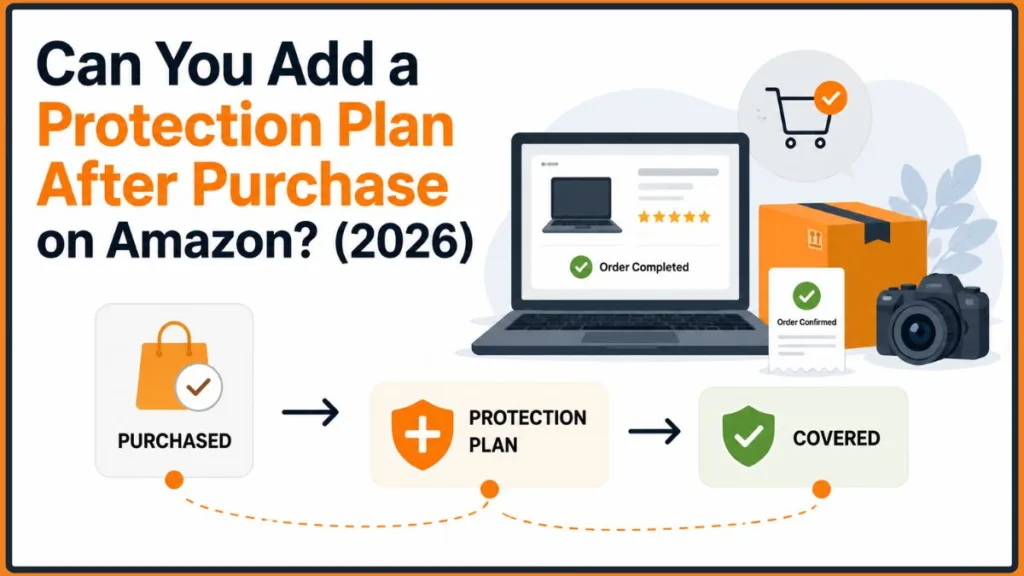
Can You Add a Protection Plan After Purchase on Amazon?
Yes, post-purchase protection can be available for eligible products. However, not every Amazon purchase automatically qualifies for a retroactive protection plan.
Whether or not you can secure Amazon device protection after purchase depends on several specific factors:
- Product category: Protection availability varies by product, category, seller, and protection program. Eligible products can include electronics, appliances, cameras, furniture, home-improvement products, and other qualifying items.
- Product price: Some product-specific protection plans may be priced or categorized according to the product’s price, while subscription programs such as Complete Protect work differently.
- Purchase date: Your enrollment window depends on the specific protection program and your product’s eligibility. Timing is critical when trying to add coverage after checkout.
- Seller: Protection availability can vary depending on the product listing, seller, and applicable protection program.
- Available protection plans: Offerings change constantly. Some options are subscription-based, while others are standalone product-specific plans tied to a single item.
- Country or region: Availability differs heavily based on your physical location and local regulations.
It is also important to know that an Amazon protection plan is not the same as a manufacturer’s warranty. Manufacturer warranties generally come directly from the manufacturer and cover qualifying defects in materials or workmanship during the applicable warranty period. Protection plans, on the other hand, cost extra and may provide additional coverage, including accidental damage where applicable.
How to Add a Protection Plan to an Amazon Purchase After Buying It
If you want to secure your device against future mishaps, here are the three most common methods to check your eligibility and add a protection plan to your order after your initial checkout.
Method 1 — Check Your Amazon Order Details
This is the fastest and most direct route to see if Amazon is currently presenting a product-specific protection option for your recent purchase.
- Sign in to your Amazon account. Make sure you are using the exact account you used to make the original purchase.
- Open Your Orders. Navigate to your complete order history dashboard.
- Find the product. Scroll through your recent history to locate the specific item you want to protect.
- Open View Order Details. Click into the specific invoice and details page for that item.
- Look for an available protection-plan option. You may see an Add a Protection Plan prompt if Amazon currently offers one for that purchase.
- Review the available plans and their eligibility requirements. Take a moment to read the fine print, checking the price and what is actually covered.
- Purchase only if the plan applies to your product. Once you confirm the details, you can add it to your cart and check out.
Tip: If you don’t see an Amazon add protection plan from order details option, check the product listing as well. Availability can vary by product and plan, and Amazon’s interface can change over time.
Method 2 — Check the Product Page
If checking your order details doesn’t reveal an option, you can sometimes find a retroactive plan on the product’s main public listing.
- Search for the exact product on Amazon. Alternatively, you can click the item directly from your order history to open its live listing.
- Check the product page for an available protection-plan option.
- Verify whether the plan applies to your specific product. Ensure the details state that it can be applied to previously purchased items, not just items currently in your cart.
- Review the requirements carefully. Always double-check the price, coverage, exclusions, and enrollment requirements before you proceed to checkout.
Method 3 — Check Asurion Complete Protect for Eligible Past Purchases
Asurion provides various protection programs available through Amazon, including Asurion Complete Protect. Asurion Complete Protect is a subscription-based protection program relevant to people who have already purchased eligible Amazon products, making it a distinctly different option from a standalone, product-specific plan.
Current information says eligible Amazon purchases made up to 90 days before enrollment can be covered, as well as eligible future Amazon purchases.
Here is what you need to know about Asurion Complete Protect:
- Current price: This program currently costs $16.99/month (plus applicable tax).
- Coverage limits: It features an aggregate coverage limit of up to $5,000 over a rolling 12-month period.
- No waiting period: Asurion says new Complete Protect subscribers can file a claim immediately, with no 30-day waiting period, subject to the plan’s coverage and eligibility terms.
- Additional perks: Beyond traditional product protection, current Complete Protect benefits may also include Norton 360 Deluxe, certain in-person tech services through uBreakiFix by Asurion, and product-care benefits for eligible furniture and major appliances.
Important Tip: If you decide to manually search for an Amazon Asurion protection plan after purchase, remember: don’t purchase a plan simply because it appears in search results. First verify that the plan applies to your specific product and purchase. Always check the current price, eligible products, coverage, exclusions, and limits before enrolling, as prices and terms can change over time.
How Long After an Amazon Purchase Can You Add Protection?
Your enrollment window depends entirely on the specific protection program and your product’s eligibility. Different protection offerings can have completely different requirements, so there is no single universal deadline.
For example, Asurion Complete Protect currently allows eligible Amazon purchases made within the previous 90 days to be covered after you enroll. This means eligible purchases made up to 90 days earlier may still qualify when you enroll in Complete Protect.
However, this is a feature of Complete Protect and does not mean every Amazon protection plan allows post-purchase enrollment for 90 days. Other product-specific protection options can have different requirements, so readers should always check the applicable plan terms for their specific purchase.
To figure out your timeframe:
- If you purchased recently: Check your order details or the product page immediately. The sooner you check, the more likely you are to fall within an allowed enrollment window.
- If you have an older purchase: Protection may no longer be available unless you qualify for a broader subscription program that accommodates older purchases.
What If the “Add a Protection Plan” Option Is Missing?
If you navigate to your order details and the Amazon protection plan option missing issue occurs, it can be incredibly frustrating. However, if you don’t see a protection option, several things could explain it.
The Product Isn’t Eligible
Not everything sold on Amazon can be protected. Some items simply do not qualify for post-purchase coverage under the protection programs currently available for that product.
The Enrollment Window Has Expired
Your purchase may be too old. If the applicable eligibility requirement isn’t met, Amazon may no longer present that protection option for the purchase, automatically hiding the prompt from your dashboard.
The Product Category Isn’t Covered
Protection availability varies by product and category. If you bought an item outside of covered goods for that particular program—like a basic accessory or a consumable product—the option will not appear.
The Seller or Listing Is Different
Protection availability can vary depending on the product listing, seller, and applicable protection program.
You’re Checking the Wrong Order
Make sure you’re signed in to the Amazon account used to make the original purchase. Also, make sure you are looking at the correct order history in your dashboard.
The Available Plan Has Changed
Amazon’s protection options can change. A plan that was offered on a similar item previously might not be the exact plan offered today, or Amazon is simply not currently presenting a protection option for that particular purchase.
Can You Add Protection to a Laptop After Buying It on Amazon?
Laptops are one of the most common devices people want to protect because they are expensive and highly portable. If you bought a laptop on Amazon without a plan, check your Order Details and the product page immediately to see if you are eligible for post-purchase coverage.
Can I add protection to a laptop after buying it? Yes, if your purchase meets the program’s requirements. A manufacturer’s warranty generally covers qualifying defects in materials or workmanship during its warranty period, while a protection plan may provide additional coverage such as accidental damage, depending on the plan.
Tip: Always check the specific terms before purchasing to confirm what is actually included.
Can You Add Protection to Other Devices After Purchase?
Laptops aren’t the only devices you might want to cover. The rules can shift depending on exactly what type of technology or home good you are trying to insure.
Here is a quick look at common products and their general post-purchase protection status on Amazon:
| Product | Post-Purchase Protection |
| Laptops | Depends on eligibility |
| Cameras | Depends on eligibility |
| TVs | Depends on eligibility |
| Tablets | Depends on eligibility |
| Phones | Depends on available plans |
| Appliances | Depends on product/plan |
| Gaming devices | Depends on eligibility |
What Does an Amazon Protection Plan Cover?
Depending on the plan, coverage can vary widely. A protection plan generally provides additional coverage beyond the manufacturer’s warranty. Manufacturer warranties generally cover qualifying defects in materials or workmanship during the applicable warranty period.
For eligible products, potential protection-plan coverage can include:
- Mechanical or electrical failures: Certain covered failures, depending on the protection plan and its terms. Some plans may coordinate with or supplement manufacturer coverage, so check the specific plan terms rather than assuming when coverage begins.
- Accidental damage, where included: Everyday mishaps that stop the device from working properly.
- Drops and cracks, where included: Common hazards for portable electronics like laptops and tablets.
- Spills and liquid damage, where included: Coffee spills and accidental submersions.
- Repairs: Covering the cost of parts and labor to fix the item.
- Replacement or reimbursement: Some plans may provide a replacement or reimbursement when an eligible item cannot be repaired.
For Asurion Complete Protect, current coverage can include certain mechanical or electrical failures and accidental damage from handling for eligible products, depending on the applicable terms. Other Amazon protection plans can have different coverage, so always read the specific plan terms before purchasing to know exactly what is included.
What Doesn’t an Amazon Protection Plan Cover?
Coverage and exclusions depend entirely on the specific protection plan you choose. It is crucial to know what you are not covered for before spending your money.
Generic exclusions often involve intentional damage, damage outside the plan’s terms, or issues covered exclusively by another warranty.
Normal wear and tear: Coverage varies by plan. For example, current Asurion Complete Protect terms include normal wear and tear, while other protection plans may treat it differently.
If discussing Complete Protect specifically, current terms exclude things such as:
- Loss: Misplacing the item is generally your responsibility.
- Theft: If the item is stolen, the plan will not replace it.
- Intentional damage: Purposefully breaking a device voids the coverage.
- Commercial-use breakdowns: Using consumer tech for heavy business operations may invalidate claims.
- Accessories: Items not included in the original product packaging (like aftermarket chargers or cases) are not covered.
These are Complete Protect exclusions, not universal Amazon protection-plan exclusions. Always review the current plan terms to understand exactly what is excluded for your specific purchase.
Amazon Protection Plan vs. Manufacturer Warranty
Trying to decide whether you need Amazon protection after purchase? It helps to understand the fundamental differences between what comes in the box and what you pay extra for.
Here is how warranties and protection plans generally compare:
| Feature | Manufacturer Warranty | Protection Plan |
| Mechanical defects | Usually addresses qualifying defects | Often included |
| Accidental damage | Usually limited / not included | May be included |
| Drops / spills | Usually not included | May be included |
| Repair / replacement | Depends on warranty terms | Depends on plan terms |
| Provider | Manufacturer | Amazon / plan administrator |
| Purchase after original order | Depends on manufacturer | Depends on eligibility |
Is It Worth Adding Amazon Protection After Purchase?
Deciding to spend extra money after checkout requires weighing the pros and cons of your unique situation and how you plan to use the item.
Consider protection if:
- The device is expensive: High upfront costs mean high replacement costs.
- Accidental damage would be costly: If you travel frequently, the risk of dropping the item increases.
- Repair costs are high: Specialized technology often requires expensive, proprietary parts.
- You use the device heavily: Daily wear and tear increases the likelihood of a mishap.
- It makes financial sense: Compare the protection-plan cost with the potential repair or replacement cost to see if the math works in your favor.
You may skip it if:
- The product already has strong coverage: Some premium items come with excellent, multi-year manufacturer warranties.
- The protection plan costs too much: If the plan costs a massive percentage of the item’s original value, it may not be worth it.
- You rarely use the device: Items sitting safely on a desk have a lower risk of accidental damage.
- The exclusions don’t cover your risks: If you are worried about theft, but the plan strictly excludes theft, do not buy it.
How to Check Whether Your Amazon Purchase Is Eligible
If you are ready to see if you can still protect your device, follow this quick step-by-step checklist to verify your options:
- Check Your Orders: Log in and navigate to your recent purchases dashboard.
- Open Order Details: Click into the specific item you want to protect.
- Look for Add a Protection Plan: See if an option is available directly on the invoice page.
- Check the product page: If it’s missing in orders, click the listing to check the main product page.
- Review the plan’s eligibility requirements: Ensure post-purchase addition is explicitly allowed for that program.
- Check the purchase/enrollment date: Verify you meet the timeframe requirement for that specific plan.
- Review coverage and exclusions: Know exactly what you are buying before submitting payment.
- Compare the plan price with the product’s value: Ensure the extra cost makes long-term financial sense.
Frequently Asked Questions
Can you add a protection plan after purchase on Amazon?
Yes, you may be able to add a protection plan after purchase on Amazon if the item is eligible and you meet the applicable enrollment requirements. Eligibility depends heavily on the product category, your purchase date, and the available plans at that time.
Can I add insurance to an Amazon purchase after buying it?
While commonly referred to as “insurance” by shoppers looking to protect their goods, Amazon officially offers “protection plans.” You can check your Order Details or product page for an available protection option, as long as the item and purchase date qualify.
How long after purchase can I add Amazon protection?
Your enrollment window depends entirely on the specific protection program. Asurion Complete Protect currently allows eligible Amazon purchases made within the previous 90 days to be covered after enrollment, while other product-specific protection options can have different requirements. Always check the fine print for your exact item.
Can I buy Asurion after purchasing something on Amazon?
You may be able to get Asurion protection after purchasing an Amazon product, depending on the program and the product’s eligibility. Asurion Complete Protect is one option that currently covers eligible Amazon purchases made up to 90 days before enrollment. Always verify the exact provider and plan presented for your product before paying.
Can I add protection to a laptop after buying it?
Yes, if your laptop is eligible and within the required enrollment window, you can add a protection plan. Check your Amazon Order Details to see if a product-specific plan is offered, or verify if a subscription program covers your model.
Why don’t I see the Add a Protection Plan option?
If you don’t see a protection option, several things could explain it: the product isn’t eligible, the enrollment period isn’t met, the category isn’t covered, the seller/listing affects availability, or Amazon is simply not currently presenting an option for that purchase.
Can I add protection after 30 days?
It depends on the protection program. Asurion Complete Protect currently allows eligible Amazon purchases made within the previous 90 days to be covered after enrollment, while other protection options can have different requirements. Do not assume a strict deadline applies to every plan without checking the terms first.
Does Amazon protection cover accidental damage?
Depending on the plan, some cover accidental damage like drops, cracks, and liquid spills. You must review the specific plan’s terms and conditions to see if accidental damage is officially included for your specific device.
Is Amazon protection the same as a manufacturer’s warranty?
No. Manufacturer warranties generally come from the manufacturer and address qualifying defects in workmanship or materials. Protection plans cost extra and may provide additional coverage, including accidental damage, depending on the applicable terms you select.
Can I add protection to an Amazon product I bought from a third-party seller?
Protection availability can vary significantly depending on the product listing, seller, and applicable protection program. Check your Order Details to see what is currently available for your specific third-party purchase.
Final Verdict
Yes, you may be able to add protection after purchasing an Amazon product, but eligibility isn’t universal. The fastest way to find out is to check Your Orders > Order Details and the product listing for an available protection-plan option.
Tip: If the option doesn’t appear, don’t assume that the purchase is simply too old. The item may not qualify for that particular program, the applicable eligibility requirements may not be met, or Amazon may not currently offer a protection option for that purchase.
Always check the product’s current eligibility and applicable protection terms to ensure you get the right coverage for your practical needs.
Visit Our Post Page: Blog Page
Discover more from Izoate
Subscribe to get the latest posts sent to your email.