
Tried everything but still stuck with WoW Forever Error Creating Character? Discover real solutions that actually work for faction locks, name errors, throttling, and timeouts.
Are you trying to create a character in World of Warcraft: Forever, but keep getting the frustrating “Error creating character” message? You select your race, choose a class, enter your character’s name, and click Finish, only to find that the game refuses to create your character. Even restarting the game or trying another name might not help.
You’re not alone. Since the November 4, 2026, launch, players have reported several character creation problems, including faction restrictions, repeated timeouts, unavailable character names, and generic errors that don’t explain what went wrong.
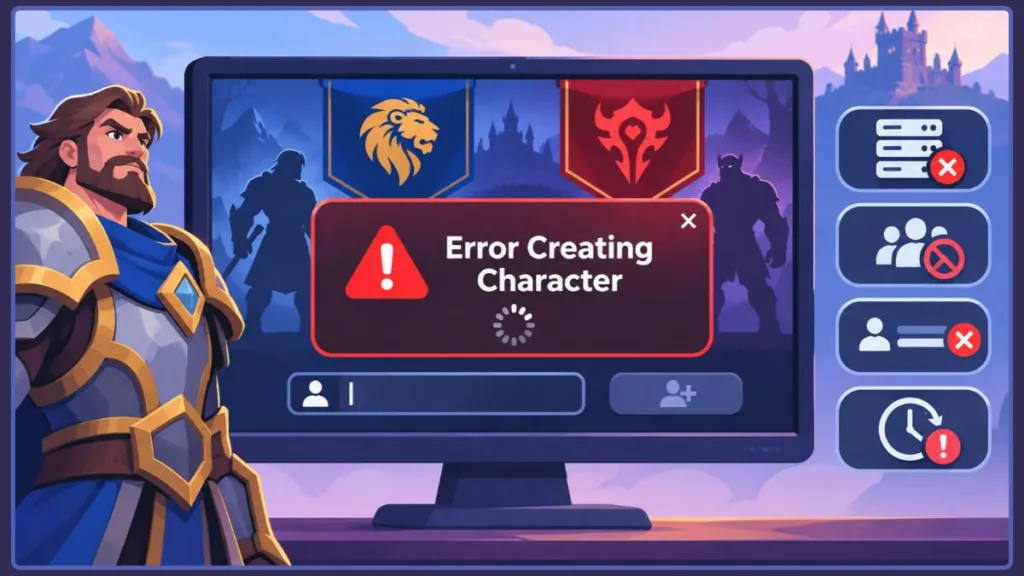
The confusing part is that not every character creation error has the same cause. Blizzard might restrict a faction to maintain population balance, reject an unavailable name, or prevent creation because of an account entitlement or temporary server issue.
The Short Version: Why Is WoW Forever Showing Error Creating Character?
The “Error creating character” message in WoW Forever is a general failure notification. The most likely causes include:
- Faction population restrictions: Blizzard temporarily blocks new characters for the dominant faction on certain PvP rulesets.
- One-faction restrictions: PvP rulesets don’t allow players to maintain both Horde and Alliance characters on the same account.
- Character name problems: Your complete first-and-second-name combination might already exist in your region or violate Blizzard’s naming policy.
- Character creation throttling or timeouts: The server temporarily limits creation attempts or fails to confirm a request.
- Account eligibility problems: Your account might not have an active subscription or the required Skyborne upgrade.
Before trying complicated fixes, check whether another faction is available, try a different name, and verify your account eligibility.
What Does “Error Creating Character” Mean in WoW Forever?
The “Error creating character” notification appears when WoW Forever cannot complete a character creation request. The message doesn’t identify why the request failed, making it difficult to choose the right solution.
How Does the Character Creation Process Work?
When you click the Finish button, your game client sends a character creation request to Blizzard’s servers. The server checks your selected ruleset, faction restrictions, character naming policy, regional name availability, and account entitlements before saving your character.
WoW Forever introduces additional character creation restrictions compared with traditional World of Warcraft. These include rulesets instead of conventional realms, faction restrictions on PvP rulesets, and a two-part naming system where complete character names must be unique across an entire region.
For example, one player might be trying to create a Horde Tauren Druid on a PvP ruleset where Horde creation is restricted. Another might be using a name that already exists on a different ruleset in their region. Both could encounter the same generic error, even though their problems require different solutions.
How Have WoW Forever Faction Restrictions Changed Since Launch?
Faction restrictions have changed several times since WoW Forever launched, which is important when troubleshooting character creation problems.
Here’s how the situation developed:
Late October 2026: A Blizzard forum representative explained that the game could temporarily restrict character creation for a faction if one side became significantly more populated than the other. Customer Support would not be able to remove this restriction manually.
November 4, 2026: During launch, players began reporting that Horde character creation was unavailable on PvP and Roleplay-PvP rulesets.
November 10, 2026: Blizzard explained that faction restrictions consider the overall population balance across each region’s PvP rulesets rather than relying on momentary population snapshots. The reported regional imbalance had reached approximately 55/45, with Blizzard aiming to bring faction populations closer to 50/50. (Official Blizzard faction balance update)
Mid-November 2026: Players continued reporting faction restrictions in different regions. Reports indicated that Horde character creation was restricted on North American PvP, while Alliance character creation was restricted on EU Roleplay-PvP. Some community discussions also described Horde restrictions on EU PvP.
The important thing to understand is that the restricted faction depends on your region and ruleset. It can also change as faction populations become more balanced.
Therefore, a character creation guide published during launch might not reflect the restrictions currently affecting your region.
Why Is WoW Forever Character Creation Not Working?
Let’s look at the different restrictions and technical problems that can prevent you from creating a character.
1. Faction Population Restrictions on PvP Rulesets
One of the major reasons players encounter character creation errors is Blizzard’s faction population balancing system.
On PvP rulesets, Blizzard can temporarily prevent players from creating characters for the dominant faction when one side becomes significantly more populated than the other.
For example, if Horde has a considerably higher population than Alliance on a particular regional ruleset, Blizzard may temporarily restrict new Horde characters.
There are three important things to remember:
- Existing characters are not automatically affected: The restriction prevents new character creation for the dominant faction.
- It’s a game restriction, not necessarily a bug: Your game client and account can work correctly even when the server refuses your character creation request.
- Customer Support cannot manually unlock it: Opening a support ticket won’t remove a population restriction.
If you’re encountering this problem, trying different character names or repeatedly restarting the game won’t resolve the underlying faction lock.
2. Generic Errors and the “Character Creation Throttled” Message
Sometimes WoW Forever displays the general “Error creating character” message or the more specific notification:
“Creation of that type of character is currently throttled.”
Blizzard hasn’t fully explained the exact conditions that trigger character creation throttling or how long it lasts.
Some players have reported seeing throttling alongside faction restrictions, particularly when trying to create Horde characters on PvP rulesets. In certain reports, the message was later replaced by the more specific population imbalance notification.
This suggests that throttling and faction restrictions can sometimes appear together. However, they should not automatically be treated as the same problem.
When you encounter either message on a PvP ruleset, check whether the other faction is available before spending time changing names or reinstalling the game. If a faction lock is responsible, those actions won’t resolve it.
3. Character Name Already Taken or Restricted
Character naming works differently in WoW Forever, and this can cause confusion for players familiar with older versions of World of Warcraft.
Every character has a first name and a second name. Blizzard requires the complete combination to be unique across your region, not just on the ruleset where you’re creating the character.
For example, suppose you create a character named “Thalor Ashgrove” on a Normal ruleset. You cannot use that exact combination again on PvP in the same region.
However, you can keep the first name and change the second name. For example, “Thalor Ashgrove” and “Thalor Ashgrave” are different combinations.
Blizzard also checks both names together against its naming policy. Splitting a restricted word between the first and second names doesn’t necessarily make it acceptable.
There are a few additional naming restrictions worth knowing:
- Regional name uniqueness: Your complete name combination must be available across your region.
- Restricted names: Names associated with major Warcraft lore characters or other restricted terms may be rejected.
- Roleplay naming conventions: Roleplay rulesets enforce stricter character naming requirements.
- Name-checking bugs: Blizzard fixed a name-checking issue on October 27, 2026, that incorrectly rejected some valid names containing “c-o-n”, including Connor and Falcon.
If your name is being rejected, try changing either part of the combination. You can also prepare several alternative names or use the in-game random name generator.
4. Character Creation Timed Out
Another problem players have reported is the “Character creation timed out” message.
This means the game did not receive confirmation that your character creation request had been completed within the expected time.
Blizzard hasn’t published one definitive technical explanation for these timeouts, so they may involve temporary server or request-processing problems.
However, there is something important you should check before attempting to create another character.
A timeout doesn’t always mean your character was never created.
A third-party troubleshooting guide recommends logging back into the game and checking the character list before trying again. The server may have processed your creation request without successfully returning confirmation to your client.
We recommend checking your character list first. This helps avoid unnecessary name changes and confusion about whether the character already exists.
If the character isn’t there, wait a little and try again.
5. Account Eligibility: Skyborne Access and Game Time
Sometimes the problem isn’t related to your selected faction, character name, or server. Your World of Warcraft account might not have the required access to create the character.
Two account-related issues are particularly important.
Skyborne Character Creation
The Skyborne race requires the Skyborne Heroic Pack or a higher qualifying digital upgrade.
A regular World of Warcraft subscription does not automatically provide access to this race.
You must also ensure that the purchase is associated with the exact WoW account you’re using to play. A Battle.net login can contain multiple WoW accounts, so purchasing the upgrade on one account doesn’t automatically unlock it on another.
Skyborne characters also lock their faction at creation, making your faction selection an important decision.
Expired Subscription or Missing Game Time
WoW Forever requires an active World of Warcraft subscription or Game Time.
If your subscription has expired or your Game Time is no longer active, you might be unable to proceed with character creation.
The Epic Pack includes 30 days of Game Time starting November 4, 2026. However, purchasing other content or having a different WoW account under the same Battle.net login doesn’t necessarily provide the required access to the account you’re currently using.
Which WoW Forever Ruleset Should You Choose?
Your selected ruleset can determine whether faction restrictions affect your character creation experience.
This is particularly important because characters cannot be transferred between rulesets later.
Here’s how the different rulesets compare:
| Ruleset | Can you create both factions? | Faction restriction risk | Important details |
|---|---|---|---|
| Normal | Yes | No reported faction population lock | Suitable for players who want their preferred faction |
| Roleplay | Yes | No reported faction population lock | Enforces stricter naming conventions |
| PvP | No, one faction per account | High | Population restrictions can prevent dominant-faction creation |
| Roleplay-PvP | No, one faction per account | High; restrictions reported in some regions | Combines PvP faction restrictions with stricter naming rules |
Your choice should depend on how you want to play.
If you want to play a particular faction without worrying about PvP population locks, Normal or Roleplay offers more flexibility because both factions are available.
If you prefer PvP, be prepared to choose whichever faction is currently available. Check community reports for your region before committing to a ruleset.
And if you’re playing with friends, agree on the same ruleset and faction before creating your characters. Otherwise, you might discover that one member of your group cannot create the faction everyone else has selected.
What Are WoW Forever Players Reporting?
The Blizzard community discussions provide useful examples of how these character creation problems appear in actual gameplay.
One player reported being able to create an Alliance character on an EU PvP ruleset but receiving the generic “Error creating character” message when attempting to create a Horde character.
Another player experienced repeated character creation timeouts and reported that every name they entered appeared to be taken. Trying different computers didn’t resolve the problem.
There was also a report involving a player who created two Alliance characters on a Roleplay realm before encountering the same generic error while attempting to create a Tauren Druid.
Other community reports described players receiving population imbalance messages repeatedly while their friends were able to create characters successfully.
These experiences highlight an important pattern: character creation can fail for one player or faction even when other players can successfully enter the game and create characters.
However, not every report has a confirmed explanation. In particular, the Roleplay realm report doesn’t establish whether the failure was caused by character limits, account restrictions, server problems, or another issue.
We should distinguish between what players experience and what Blizzard has officially confirmed.
How to Diagnose WoW Forever Character Creation Errors
Before trying different solutions, identify exactly where your character creation attempt is failing.
Start by checking these details:
- Which ruleset are you using? Check whether you’re playing on Normal, PvP, Roleplay, or Roleplay-PvP.
- Do you already have a character from the opposite faction? This is particularly important on PvP-type rulesets.
- Does every name fail or only certain names? If only some names are rejected, you might have a naming conflict.
- Does the error affect every race and class? If only one faction fails, a faction restriction is worth investigating.
- Is your subscription or Game Time active? Check your account eligibility.
- Are you trying to create a Skyborne character? Verify that the required upgrade belongs to the exact WoW account you’re using.
Your answers can help narrow down the problem. For example, if only one faction fails on a PvP ruleset, a population lock or the one-faction restriction is a likely explanation. If every name fails, investigate regional name availability or a wider creation issue. If only Skyborne creation fails, check your account’s content entitlement.
| What you’re experiencing | Possible cause | Can you resolve it? | What to do |
|---|---|---|---|
| One faction fails on PvP | Population restriction | Not directly | Try the other faction, another ruleset, or retry later |
| Selected name is unavailable | Name already used | Yes | Change either part of the name |
| Character creation throttled | Temporary creation restriction | Sometimes | Wait and try again |
| Character creation timed out | Server didn’t confirm the request | Sometimes | Relog and check your character list |
| Skyborne character unavailable | Missing entitlement | Yes, if eligible to purchase | Check the required pack on your account |
| Creation fails after subscription expiry | Missing Game Time | Yes | Renew or add Game Time |
How to Fix “Error Creating Character” in WoW Forever
Once you’ve identified the likely cause, follow these troubleshooting steps. Start with the easiest checks before making changes to your character or account.
Step 1: Stop Repeatedly Clicking Finish and Reset Your Session
When WoW Forever displays an error, avoid clicking Finish repeatedly.
Wait approximately one minute and attempt character creation once more.
If the error continues, follow this order on your Windows PC or Mac:
- Return to the character creation screen.
- Press Esc to open the Game Menu.
- Select Exit Game to close World of Warcraft: Forever.
- Open the Battle.net desktop app.
- Click your account profile icon in the upper-right corner and select Log Out if that option is displayed.
- Sign back in using the Battle.net account associated with your WoW: Forever license.
- Select World of Warcraft from the games list.
- Open the Game Version dropdown above the Play button and select World of Warcraft: Forever.
- If you have multiple WoW accounts, use the additional account dropdown to select the correct WoW account.
- Click Play and try creating your character once more.
The Game Version and account-selection steps follow Blizzard’s official WoW: Forever installation instructions.
This can help when you’re dealing with a temporary throttling restriction or a stuck session.
However, remember that restarting your game will not remove a faction population lock. If the error explicitly mentions population imbalance, move to the faction-related solution instead.
Step 2: Check Your Character List After a Timeout
If you receive a “Character creation timed out” message, don’t immediately start creating another character.
Follow these steps:
- If you’re still on the character creation screen, press Esc and select Exit Game.
- Launch World of Warcraft: Forever again through the Battle.net desktop app.
- Confirm that World of Warcraft: Forever is selected under Game Version.
- Select the same WoW account you used during the failed character creation attempt.
- Click Play.
- At the character selection screen, check the character list for the character you were attempting to create.
The server might have processed your creation request without successfully sending confirmation back to your game client.
If your character is already there, you don’t need to repeat the process. If it isn’t, wait briefly before trying again.
Step 3: Change Your First or Second Character Name
If you’re encountering a name availability error, try changing the complete name combination.
Follow these steps:
- Return to the character creation screen and open the name-entry section.
- Replace the existing first name with another available name.
- Keep the second name and check whether the complete combination is accepted.
- If it is still unavailable, replace the second name as well.
- If necessary, try a completely different first-and-second-name combination.
- Select the in-game random name generator if you cannot find an available combination.
Because the full two-part name must be unique across your region, changing either part can solve the problem.
We recommend preparing three or four complete name combinations before opening the character creator.
Avoid using names associated with famous Warcraft characters, and don’t try to bypass restrictions by splitting a prohibited word across the two parts.
If every name combination fails, stop changing names repeatedly and investigate whether the underlying problem is related to a server restriction or another character creation failure.
Step 4: Switch Rulesets and Try Again
If the character creation error continues, return to the ruleset selection screen.
Some third-party troubleshooting guidance suggests switching to another ruleset and then switching back before attempting character creation again.
To try this diagnostic check:
- Return to the ruleset selection screen using the available Back control in the character creation flow.
- Select a different ruleset, such as Normal or Roleplaying.
- Allow the game to load the selected ruleset.
- Return to the ruleset selection screen.
- Select your original ruleset again.
- Continue to character creation and check whether the same error appears.
The idea is to make the game recheck the available character creation options.
This may help identify a restriction that wasn’t clearly displayed by the original error message. However, it isn’t a guaranteed fix, and it won’t override a genuine faction population lock.
Treat this as a diagnostic step rather than a confirmed solution.
Step 5: Verify Skyborne Access and Your Subscription
If you’re trying to create a Skyborne character, check whether the correct account has the required upgrade.
Follow these steps on your Windows PC or Mac:
- Open the Battle.net desktop app.
- Select World of Warcraft from the games list.
- Locate the Game Version dropdown above the Play button.
- Select World of Warcraft: Forever.
- If multiple WoW accounts are available, open the additional account dropdown and select the account you intend to use.
- Compare the selected WoW account with the account that received your Skyborne purchase.
- Check your purchase details in the Battle.net Shop.
- Confirm that the selected WoW account has the Skyborne Heroic Pack or a higher qualifying upgrade.
To check your subscription or Game Time:
- Open the Battle.net Account Management website.
- Sign in using the same Battle.net account.
- Open Games & Subscriptions.
- Locate your World of Warcraft license and check its subscription or Game Time status.
- If Game Time has expired, use the available subscription or Game Time purchase option.
- Return to the Battle.net desktop app.
- Select the correct WoW account under Game Version and click Play.
On mobile, use a browser to access Battle.net Account Management. The account website can be accessed from a phone, but the actual WoW: Forever character creation process must be completed in the desktop game.
Make sure you own the Skyborne Heroic Pack or a higher qualifying upgrade.
While you’re checking your account, confirm that your World of Warcraft subscription or Game Time is active.
If your subscription has expired, renew it or add Game Time before trying again.
Restart the game after confirming your account access and attempt character creation once more.
Step 6: Choose the Other Faction or Another Ruleset
If you’ve identified a faction population lock on a PvP-type ruleset, changing your character name or restarting the game won’t solve it.
Your practical options are to:
- Choose the other faction: Try creating a character belonging to the faction that is currently available.
- Choose another ruleset: Normal or Roleplay can provide an alternative when you want to play your preferred faction without the same PvP faction population restrictions.
- Wait for the restriction to change: Blizzard may remove the lock when faction populations become more balanced.
To choose another ruleset:
- Return to the character creation or ruleset selection screen.
- Use the available Back control to return to ruleset selection if necessary.
- Select Normal or Roleplaying if you want to avoid the PvP one-faction restriction.
- Select the faction you want to play.
- Continue through race, class, appearance, and name selection.
- Review your selections before clicking Finish.
Blizzard’s official ruleset announcement confirms that players can create characters from both factions on Normal and Roleplaying rulesets, while PvP restricts an account to one faction.
Remember that characters cannot be moved between rulesets later, so consider your choice carefully before creating a new character.
If you already have a character from the opposite faction on a PvP ruleset, deleting it might allow you to switch factions.
However, be careful before doing this. Character deletion is difficult to undo, and you could lose a reserved or unavailable character name. Only delete a character when you’re certain you no longer need it.
Step 7: Check WoW Forever Server Status
If none of the previous steps resolves the problem, check whether other players are experiencing similar issues.
Follow these steps:
- Open a browser on your computer or phone.
- Visit Blizzard’s official World of Warcraft News page.
- Look for recent WoW: Forever announcements, maintenance notices, or faction-balance updates.
- Open the @BlizzardCS account on X.
- Check recent posts for reports involving World of Warcraft login problems, service interruptions, or maintenance.
- Compare the reported issue with your own region and the ruleset you’re using.
- If the reports describe a temporary outage, wait until Blizzard confirms that the service has recovered before trying again.
You should pay particular attention to reports involving the same region, ruleset, faction, and character creation error.
However, remember that a faction restriction does not necessarily mean the servers are down. The game can be operating normally while refusing a character creation request because of population balance or account eligibility rules.
Step 8: Report the Error to Blizzard
If character creation continues to fail after checking your faction, name, ruleset and account, report the issue through Blizzard’s official WoW Forever Bug Report forum.
To submit a report:
- Open the WoW Forever Bug Report forum in your browser.
- Sign in using your Battle.net account if prompted.
- Check the existing discussion topics to see whether another player has already reported the same problem.
- If you cannot find an existing report, select the forum’s New Topic option.
- Enter a descriptive title that includes the character creation error.
- In the message body, include the exact error message, your region, ruleset, race, class, and faction.
- Describe the steps you attempted before submitting the report.
- Review your information and select the forum’s Create Topic or Post option, depending on the displayed interface.
When reporting a new issue, include:
- The exact error message.
- Your region.
- Your selected ruleset.
- Your character’s race and class.
- Your selected faction.
- The troubleshooting steps you’ve already attempted.
Providing these details can help Blizzard identify patterns and investigate problems affecting multiple players.
Keep in mind that reporting a faction population restriction won’t make Customer Support unlock that faction manually.
Is WoW Forever’s Character Creation Error a Server Problem or a Game Restriction?
This is an important distinction because many players immediately assume that something is wrong with their computer or game installation.
Sometimes the problem really is related to Blizzard’s servers. For example, multiple players might experience timeouts, failed character creation requests, or other errors at the same time.
Signs of a wider technical issue include:
- Multiple players reporting the same error simultaneously.
- Character creation failing across different factions, races and classes.
- Different accounts experiencing the same problem.
- Players encountering the issue on different computers.
However, character creation can also fail when the servers are operating normally.
A faction population lock can prevent new characters from being created even when your login works perfectly. Similarly, the naming system can reject a name because it is already registered in your region.
That explains why Blizzard’s service announcements might show no outage even when you cannot create your character.
A server that is online doesn’t necessarily mean every character creation request is allowed.
This is also why reinstalling WoW Forever, changing computers, or troubleshooting your hardware is unlikely to help when the underlying cause is a faction, naming, or account restriction.
If you’ve checked your name, tried the available faction, verified your account, and still receive the same error, you might be encountering a restriction that cannot be removed from your side.
Before You Create Your Next WoW Forever Character
A little preparation can save you from repeating the same character creation problem.
First, decide which ruleset and faction you want to play. Since characters cannot be transferred between rulesets, choosing incorrectly can mean starting over.
If you’re playing with friends, agree on a shared ruleset and faction before everyone begins creating characters.
Next, prepare several complete character name combinations. Remember that names are unique across your entire region, including different rulesets, so your preferred combination might already be taken.
Finally, check that your subscription or Game Time is active and that your Skyborne purchase, if applicable, belongs to the correct WoW account.
These checks won’t prevent every possible server-side error, but they can help you avoid common restrictions before creating your character.
Frequently Asked Questions
Q: What does “Error creating character” mean in WoW Forever?
A: It’s a generic character creation failure message. It can involve faction restrictions, name availability, throttling, timeouts, or account eligibility. The exact message and your selected ruleset help identify the cause.
Q: Why can I create an Alliance character but not a Horde character?
A: On PvP-type rulesets, Blizzard restricts players to one faction per account. Additionally, the dominant faction can be temporarily locked to maintain population balance. Try the other faction or consider a Normal or Roleplay ruleset if you want to play your preferred side.
Q: Why do all my WoW Forever character names say they’re taken?
A: Your complete first-and-second-name combination must be unique across your region, including across rulesets. Try changing either name or use the in-game random name generator.
Q: Can Blizzard Support unlock a faction restriction?
A: No. Blizzard’s support guidance indicates that Customer Support cannot manually remove a faction population restriction. Your practical options are to wait, choose the other faction, or select another ruleset.
Q: How many characters can I create in WoW Forever?
A: The launch-related research covered here does not establish a published general character creation limit. The three-character cap applied to early name reservation, so don’t automatically assume you’ve reached a character limit unless the game displays a specific restriction. (Blizzard’s Early Name Reservation announcement)
Q: Why does WoW Forever say “Creation of that type of character is currently throttled”?
A: This message indicates that character creation for that type of character is temporarily restricted. Blizzard has not published the exact trigger or duration. Stop repeatedly clicking Finish, wait a few minutes, and try again.
Q: Why does WoW Forever character creation keep timing out?
A: The game did not receive confirmation that the character creation request completed. Check your character list before trying again because the character may already have been created.
Q: Why can’t I create a Skyborne character?
A: Skyborne requires the Skyborne Heroic Pack or a higher qualifying digital upgrade. Make sure the purchase belongs to the exact WoW account you’re currently using, not simply another WoW account under the same Battle.net login.
Final Thoughts
Encountering “Error creating character” in WoW Forever can be frustrating, especially when the game doesn’t explain what went wrong. However, the problem isn’t always related to your computer, game installation, or account.
The most important thing is to identify the actual restriction before trying random fixes. A faction population lock requires a different approach from a character naming conflict, while a timeout might simply require waiting and checking your character list.
If you’re facing a faction restriction, choosing the available faction or another ruleset might be your best option. If your character name is unavailable, try a different first-and-second-name combination. And if your issue is related to Skyborne access or Game Time, check your account eligibility.
Keep an eye on Blizzard’s official announcements and community discussions, too. Faction restrictions have already changed several times since launch, so the faction unavailable today might become available again as population balance changes.
Visit Our Post Poage: Blog Page
Discover more from Izoate
Subscribe to get the latest posts sent to your email.