
Does GoTyme keep showing “There is a technical error” before login? Learn how to fix GoTyme Error Code 3103000 with proven solutions and restore access to your banking app.
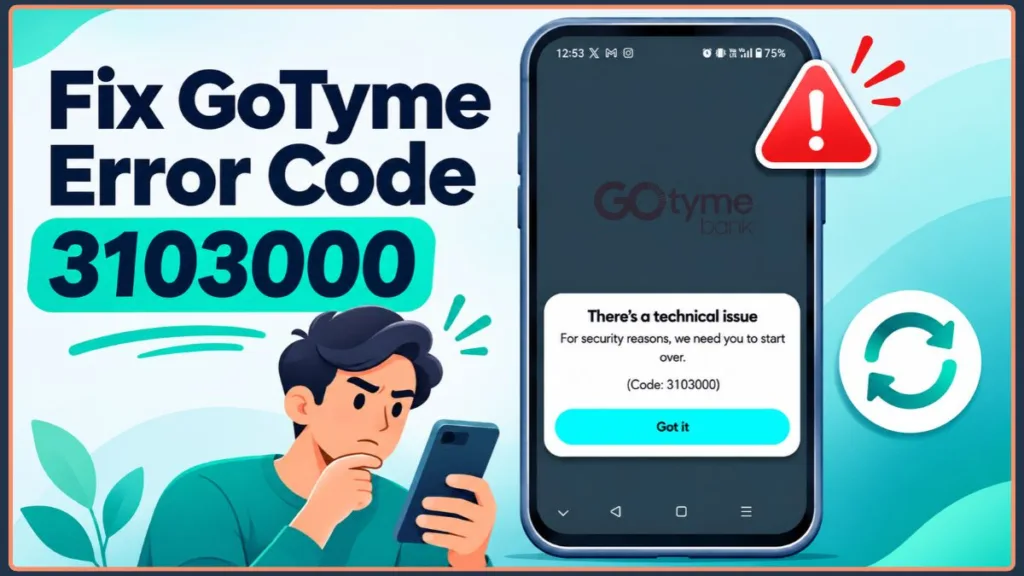
When the GoTyme Bank app blocks launch with a “technical issue” screen prompting you to start over, user reports show the code as either GoTyme Error Code 3103000 (7 digits) or GoTyme Error Code 310300 (6 digits). This code signals a technical launch or session verification failure—not an account lock or security review or a missing-funds event.
Your deposits remain protected while the app is unreachable. GoTyme Bank Philippines is regulated by the Bangko Sentral ng Pilipinas, and deposits are insured by PDIC up to ₱1 Million per depositor. Follow the server-first triage workflow below to confirm whether the disruption is server-side or device-side, resolve local blocks safely, and keep using your funds if the outage continues.
Quick Triage Summary: Do not clear app storage or submit repeated login attempts right away. 1) Confirm whether GoTyme’s login servers are down on the official GoTyme Service Status page. 2) If GoTyme is online, rule out public Wi-Fi, ad blockers, VPNs, device clock drift, Android Developer Options, or an outdated app/OS build. 3) Need to pay urgently while locked out of the app? Your physical GoTyme Visa debit card, Apple Pay, and Google Pay still spend directly from your main wallet.
Is Error 3103000 (310300) a GoTyme Server Outage or Your Phone?
Every time the GoTyme Bank mobile app opens, it completes an encrypted verification check (a launch handshake) confirming your app build, operating system integrity, and active session token. When that handshake breaks—whether due to a midnight backend rollout or a local phone setting—the app aborts startup and throws Error 310300 or Error 3103000.
Match what you are seeing to the most likely root cause before changing any settings:
| Observed Symptom | Most Likely Cause |
| Multiple users report 3103000 / 310300 simultaneously (often after midnight) | GoTyme backend interruption |
| Error starts on mall, hotel, cafe, or office Wi-Fi | Captive portal redirect, ad blocker, or firewall |
| App launches on another phone, or fails security checks on Android | Developer Options or USB Debugging active |
| Installed GoTyme Bank version predates recent wallet/dashboard patches | Outdated app build failing verification |
| Error appears after a time zone shift or manual clock edit | SSL/TLS certificate time mismatch |
| Phone runs an older OS or has less than 1 GB of free storage | Unsupported OS or failed cache write |
Device Compatibility & Storage Benchmark: On iPhone, GoTyme Bank | Philippines has a ~625 MB base app footprint, meaning near-full storage can silently interrupt startup and updates. Keep both iOS and Play-certified Android devices updated with at least 1 GB of free space so temporary session files can write cleanly.
How to Confirm a GoTyme Outage (Even When the Status Page Says Operational)
No local setting can override a server-side interruption. Spend 60 seconds checking GoTyme’s operational health before modifying phone settings:
- Check the official GoTyme Service Status page: Open a browser and visit the GoTyme Bank Service Status dashboard. Review Accounts & Investments > Mobile App: Login directly—card payments, Go Save, and over-the-counter deposit/withdrawal services can remain green even while mobile login is degraded.
- Check verified advisories: Review GoTyme Bank’s official social pages (@gotymebank) on Facebook, Instagram, and TikTok for scheduled maintenance notices or active incident updates.
- Scan live community threads: Open the r/DigitalbanksPh community on Reddit and sort posts by New. A cluster of fresh reports citing 310300 or 3103000 within the last hour confirms a widespread backend outage.
Status-Page Lag & Wait Rule: Official status dashboards can still display “All Systems Operational” during brief or localized post-maintenance hiccups. If live community threads confirm an active outage, close the app and wait 30 to 60 minutes rather than wiping local data.
5 Fix When GoTyme Won’t Launch Error 3103000
If both official feeds and user communities report normal service, the launch block sits on your connection or phone. Work through these five fixes in order.
Fix 1: Switch Off Wi-Fi, Ad Blockers, and VPNs Blocking the Login Screen
Public Wi-Fi networks with browser sign-in pages (captive portals), system-wide ad blockers, and encrypted VPN tunnels frequently prevent GoTyme’s login screen from loading.
- Turn off Wi-Fi and test on 4G/5G mobile data (or switch to a separate trusted home network).
- Pause or disconnect active VPN apps, ad-blocking apps, and filtered DNS profiles (AdGuard, NextDNS, Cloudflare WARP).
- On Android, disable Private DNS via Settings > Network & internet > Private DNS > Off (Samsung: Settings > Connections > More connection settings > Private DNS > Off).
- Toggle Airplane Mode on for 15 seconds, switch it off, and reopen GoTyme Bank.
Fix 2: Turn Off Android Developer Options and Sync System Time
GoTyme checks that your device runs in a standard, unmodified operating environment and validates encrypted SSL/TLS security certificates against your system clock.
- Turn off Android Developer Options: Go to Settings > System > Developer options (or Settings > Developer options), switch the master toggle Off, and verify USB Debugging is disabled.
- Enable automatic time sync:
- Android: Go to Settings > System > Date & time (Samsung: Settings > General management > Date and time) and turn on Set time automatically.
- iOS: Go to Settings > General > Date & Time and enable Set Automatically.
Observed Xiaomi & Poco Behavior: On some Android handsets—including Xiaomi and Poco models—GoTyme can still detect a cached developer flag even when the menu appears off. Toggle Developer Options On, turn it back Off, and restart the phone to clear the stale flag.
Fix 3: Install Pending GoTyme App Updates After Backend Rollouts
GoTyme pushes frequent under-the-hood patches and major interface releases—such as Apple Pay integration and revamped in-store deposit/withdrawal dashboards—which can cause older installed builds to fail launch verification.
- Android users: Open GoTyme Bank | Philippines on Google Play (published by GoTyme Bank Corporation) and tap Update.
- iPhone users: Open GoTyme Bank | Philippines on the Apple App Store and tap Update.
- Never sideload third-party APK installers outside official stores.
Fix 4: Clear Cache (Android) or Offload GoTyme (iOS) Without Wiping Login Data
Stalled background processes and corrupted temporary session files can trap the app in a launch loop even on the latest build.
- Swipe GoTyme Bank completely out of your recent apps switcher.
- On Android: Go to Settings > Apps > GoTyme Bank > Storage (or Storage & cache) and tap Clear cache. Choose Clear cache—not Clear storage—so broken temporary files reset without erasing local login data or forcing immediate SMS OTP and biometric re-verification.
- On iOS: Go to Settings > General > iPhone Storage > GoTyme Bank, tap Offload App, confirm, then select Reinstall App.
- Restart your phone before launching GoTyme Bank again.
Fix 5: Try One Clean Reinstall—and Stop If Error 3103000 Returns
Before uninstalling, confirm you have active access to your registered Philippine mobile SIM so you can receive the sign-in SMS OTP.
- Uninstall GoTyme Bank completely.
- Restart your phone to clear leftover temporary files.
- Download GoTyme Bank fresh from the official Google Play Store or Apple App Store.
When to Stop Reinstalling: During active backend instability, user reports show that a fresh reinstall can let the app open briefly before Error 310300 / 3103000 returns. If the error comes right back after one clean reinstall, stop uninstalling—the fault is on GoTyme’s servers and further reinstalls will not force a permanent fix.
Can You Still Spend or Withdraw Your GoTyme Balance Without the App?
An app launch failure does not stop card transactions automatically. Check Cards & Cards Management on the GoTyme Service Status page, then use this reference to see what still works without opening the app:
| Financial Action | Works Without the App? | Key Requirement or Limitation |
| In-store and online card payments | Yes (when Card Services are active) | Draws from your main GoTyme wallet via your physical GoTyme Visa debit card. |
| Tap-to-Pay (Apple Pay / Google Pay) | Yes (if already linked) | Works at Visa contactless terminals via Apple Wallet or Google Wallet without opening GoTyme. |
| ATM cash withdrawals | Yes | Withdraws from your main wallet using your physical Visa debit card and ATM PIN at supported ATMs. |
| Partner store withdrawals (DEWI) | No | Over-the-counter partner cash-outs (DEWI) require generating a live in-app barcode, which is unreachable during a launch loop. |
| Spending from Go Save accounts | No | Funds inside your up to 5 savings sub-accounts cannot be tapped by your debit card until moved to your main wallet in-app. |
| Outgoing InstaPay, PESONet, or QR Ph | No | Requires authenticated in-app approval and camera scanning. |
Outage-Proofing Your Balance: Once app access returns, keep a modest emergency buffer in your main GoTyme wallet rather than parking 100% of your balance inside Go Save. That keeps your physical Visa card, Apple Pay, and Google Pay ready if a future midnight update interrupts app login.
4 Troubleshooting Mistakes That Trigger a GoTyme Account Lockout
Troubleshooting a digital banking app carries stricter security consequences than fixing a standard app. Avoid these four mistakes while Error 3103000 / 310300 is active:
- Submitting repeated passcode and OTP attempts: If the app intermittently loads past the splash screen and fails mid-login, stop after two or three tries. Rapid failed sign-ins during server instability can trigger automated security holds, turning a brief outage into an account locked or under review.
- Wiping data or switching phones without your active SIM: Logging into a fresh installation or a new device requires your registered Philippine mobile number for SMS OTP plus live biometric verification. Avoid switching devices mid-outage if you cannot receive SMS right now.
- Retrying a transfer you already submitted: If Error 3103000 occurred right after tapping confirm on a payment or transfer, wait until you verify your transaction history or recipient balance before sending again so you do not accidentally double-send.
- Using GoTyme South Africa links or filing duplicate tickets: Search results occasionally mix in GoTyme South Africa (
gotyme.co.za) support portals. Verify that every status link and support address belongs to GoTyme Bank Philippines, and submit only one support ticket so your case queue is not delayed.
How to Contact GoTyme Bank Philippines (When In-App Chat and #GO8888 Won’t Connect)
Because in-app chat is inaccessible during a launch loop—and heavy outage spikes or overseas mobile networks can prevent the local shortcode #GO8888 from connecting—use GoTyme Bank Philippines’ 24/7 offline support channels if Error 3103000 continues hours after service stabilizes:
| Official PH Channel | Verified Contact Details | Best Used For |
| 24/7 PH Hotline | #GO8888 (#468888) | Fastest local option in the Philippines for urgent login blocks or lost-card locks |
| Official Email | help@gotyme.com.ph | Best fallback when #GO8888 is busy, for users traveling abroad, and for attaching error screenshots |
| Help Center | GoTyme Help Center | Official advisories and account recovery guides |
| Official Socials | Facebook, Instagram, TikTok (@gotymebank) | Checking verified maintenance and incident notices |
| GoTyme Kiosks | GoTyme Kiosk Locator | In-person guidance from a GoTyme Bank Ambassador (note: kiosks cannot override nationwide server outages) |
Include these four items in your email or call to speed up troubleshooting:
- The exact error code (3103000 or 310300) and a clear screenshot.
- Your phone model, OS version (Android or iOS), and installed GoTyme app version.
- Confirmation that you tested both Wi-Fi and mobile data.
- The approximate date and time the error began (plus any reference number if a transaction was interrupted).
Official Security Reminder: GoTyme Bank staff will never ask for your 6-digit passcode, one-time PIN (OTP), or card PIN/CVV by phone, email, or social media. Ignore unverified accounts replying in public outage comment sections.
FAQ: GoTyme Error 3103000
Will incoming InstaPay transfers and Go Save interest still process during Error 3103000?
Yes. Error 3103000 only affects the mobile app’s launch interface or login gateway and does not pause your underlying bank account. Scheduled Go Save interest and incoming InstaPay or PESONet deposits continue processing normally unless those specific services are also flagged disrupted on the GoTyme Service Status page.
Does reinstalling the GoTyme Bank app erase my balance or require re-submitting my ID?
No. Your account balance, Go Save goals, and transaction history are stored securely on GoTyme’s servers rather than on your phone. After reinstalling, sign back in using your registered Philippine mobile number, 6-digit passcode, and an SMS OTP—plus a brief biometric check if prompted to re-verify your device.
Can I fix Error 3103000 or reach GoTyme support while traveling abroad?
Yes. First, turn off any travel VPN and switch between hotel Wi-Fi and mobile roaming data, as overseas hotel portals often block banking app handshakes. If you need human support outside the Philippines—where local shortcode #GO8888 may not connect on foreign carriers—email help@gotyme.com.ph directly, and ensure your Philippine SIM has international roaming enabled before reinstalling so you can receive SMS OTPs.
How does GoTyme Error 3103000 differ from Error 3103500 and “Environment Not Secure”?
Error 3103000 (and 6-digit 310300) is an app-launch verification error tied to backend instability, network filters, or stale session files. Error 3103500 is an older login-session error from the same 3103xxx error group. By contrast, an “Environment Not Secure” warning points directly to a device-level security flag, such as active screen-overlay permissions or a rooted/jailbroken operating system.
What if Error 3103000 appeared right in the middle of an InstaPay transfer or bill payment?
Do not submit the transfer a second time until you confirm what happened to the first attempt. Check your email inbox, SMS alerts, and the recipient’s account first. If funds were deducted without reaching the recipient, the transfer is typically in a floating state and either credits or auto-reverses within 1 to 3 banking days; if it does not settle after that window, email help@gotyme.com.ph with the amount, exact timestamp, recipient details, and reference number (RRN).
Visit Our Post Page: Blog Page
Discover more from Izoate
Subscribe to get the latest posts sent to your email.