
Not every best seller is worth your money. Here’s how you can find real winners on Amazon and know for sure before you invest a single dollar.
Stop Guessing and Start Validating
If you’re reading this, you probably already know the golden rule of e-commerce: launching a brand is thrilling, but guessing what customers want can quickly drain your budget on inventory that just sits in a warehouse.
Amazon has millions of products, but you do not need expensive software or incredible luck to uncover profitable opportunities. Real customer demand leaves clear digital footprints if you know exactly where to look. Amazon itself provides multiple built-in signals that can help you discover popular products and evaluate whether the demand is strong enough to investigate further.
The key is knowing what to look for, where to find it, and how to connect one signal with another. Instead of choosing a product because it happens to appear near the top of a category, you can investigate its sales activity, competition, reviews, pricing, and demand before deciding whether it deserves more attention.
A best-selling product isn’t automatically a profitable product.
A product can sell thousands of units a day but still be a bad choice for a new seller because of heavy competition, razor-thin margins, seasonal demand, or high entry barriers.
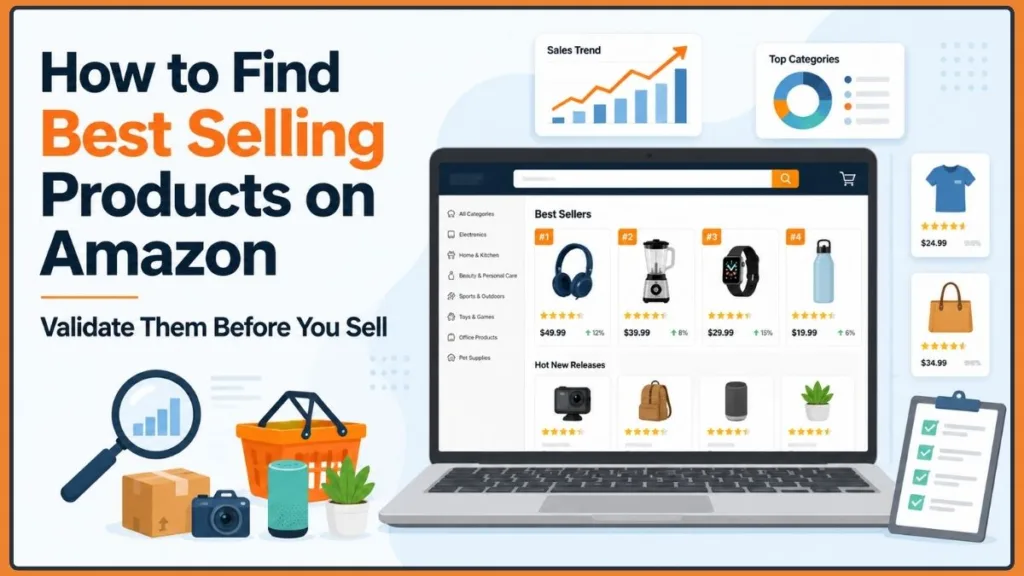
This guide will walk you through a practical, step-by-step workflow to help you find best selling products on Amazon. We will move beyond just finding popular items and focus on a proven process:
Find > Verify > Analyze > Compare > Calculate > Validate.
Set Your Selling Strategy Before You Start Product Research
Before you start your Amazon product research, you need to define your business model. The way you look for products to sell on Amazon changes drastically depending on how you plan to sell them.
Start by deciding what type of seller you are going to be. This matters because the same product can make sense for one business model and make little sense for another.
- Private Label: This involves creating your own branded products. You will need to do deep keyword and differentiation research to find gaps in the market where you can introduce an improved version of an existing product.
- Wholesale: You partner with existing, established brands to sell their high-velocity items. Your research will focus less on creating new demand and more on finding authorized distributor margins.
- Retail or Online Arbitrage: You buy discounted retail items, such as items from Walmart or Target, to flip on Amazon for a profit. You are looking for fast-moving products with immediate price discrepancies.
You also need to select your target marketplace. Keep in mind that consumer demand on Amazon US can differ entirely from what trends on Amazon UK, Canada, or India.
Before moving into product discovery, make sure the products you research actually fit the marketplace and selling model you have chosen.
Know What “Best Selling” Actually Means on Amazon
When you are looking for top selling items on Amazon, you need to understand the metrics that define a “top seller” from a business perspective.
The most common metric you will hear about is the Amazon Best Sellers Rank (BSR), also called sales rank. BSR is a ranking system that tells you how well a product sells on Amazon compared to other products in the exact same category.
Think of BSR as a comparison signal rather than a complete sales report.
It is important to understand that BSR updates based on sales velocity. A product with a BSR of #1 is currently the highest-selling product in its specific category. While BSR doesn’t tell you the exact number of units sold, lower BSR means higher sales volume.
Use BSR as a directional sales signal, not an exact sales forecast.
That distinction becomes important when you start comparing products. A BSR number only becomes useful when you know the category and subcategory it belongs to.
Start Finding Top Selling Products on Amazon for Free
If you are bootstrapping your research, here is how you can find Amazon best selling products for free.
You can begin without expensive product-research software by combining information Amazon already makes visible with a few free research methods.
The first seller discussion you provided highlights several of these methods, including browsing Best Sellers and Movers & Shakers, exploring categories and subcategories, checking review velocity and recent ratings, and comparing similar listings and variations.
The goal of this process is not to prove that one product is guaranteed to succeed. Instead, you are collecting enough evidence to decide which products deserve deeper research.
1. Find Your First Product Ideas on Amazon’s Best Sellers List
The most logical place to start is the Amazon Best Sellers page. As recommended in a recent seller community discussion on finding top-selling items, this page provides a real-time snapshot across all categories and is the perfect baseline for your research.
Instead of stopping at the broadest categories, start narrowing the market.
The secret here is not to look at broad categories like “Home & Kitchen”, which can be too competitive for new sellers. Drill down into narrow subcategories instead.
Keep clicking deeper into the categories until you find niche subcategories, and start recording recurring product types or interesting items.
As you work, create a simple research list containing:
- Product name
- ASIN
- Category
- Subcategory
- BSR
- Price
- Reviews
- Rating
- Visible sales information where available
The objective at this stage is discovery, not immediate purchasing.
You are looking for repeated patterns. If the same type of product appears across best-selling lists, subcategories, or related searches, it may deserve a closer look.
Do not treat the Best Sellers page as a shopping list. Treat it as a product-discovery database.
2. Spot Products Gaining Momentum With Amazon’s Movers & Shakers
Once you have looked at established best sellers, move to Movers & Shakers.
While the Best Sellers list shows established popularity, the Movers & Shakers tab shows you products that have experienced a sudden, significant increase in their sales rank over the past 24 hours.
This is an incredible tool for spotting emerging trends and products gaining popularity on Amazon before the market becomes saturated.
Best Sellers and Movers & Shakers answer two slightly different research questions:
Best Sellers: What is already selling strongly?
Movers & Shakers: What is gaining momentum?
That distinction can help you separate established demand from products that may be experiencing a sudden surge in interest.
The supplied Reddit discussion also lists Best Sellers and Movers & Shakers among the first places sellers should examine when they want to find products using free Amazon research methods.
3. Use Amazon Search Suggestions to Uncover Hidden Niches
You can use Amazon’s own search bar to uncover high-intent, long-tail product ideas. This strategy is frequently highlighted as a reliable manual workflow by active Amazon sellers.
Start with a broad seed keyword.
Type something like “garlic press” or “dog leash” into the search bar, but do not hit enter. Instead, examine the autocomplete suggestions that appear underneath the search box.
These suggestions represent what shoppers are actively typing into Amazon.
Now take those suggestions one at a time and investigate them.
Checking Depth of Relevance: Search those specific autocomplete terms. Look for opportunities where it is obvious customers are searching for something specific, but very few highly relevant products exist on the first page. As sellers note, if the number of highly relevant products is low, you have a prime opportunity to launch a new product and get ranked quickly.
The first Reddit discussion also highlights autocomplete as a manual research method and combines it with examining the number of relevant products returned for the query.
The workflow is simple:
Seed keyword > autocomplete suggestions > specific searches > relevant products > potential niche
One of the Reddit contributors describes this process directly: enter a keyword, review Amazon’s suggested keywords, and examine the depth of relevant products associated with those searches. Another contributor notes that autocomplete and visible units sold can provide useful free indicators, while warning against investing blindly without additional search-volume and competitor-sales data.
Verify That the Product Is Actually Selling
Once you find a product idea, you need to verify that it actually sells consistently.
This is where your research changes from product discovery to sales validation.
You already have a potential product. Now you need evidence that the product is active, not simply visible.
4. Use Best Sellers Rank (BSR) to Check Sales Directionally
You can find a product’s BSR by scrolling down to the “Product Information” section on any listing.
Remember, use BSR as a directional signal, not an exact forecast.
A BSR of 5,000 in “Tools & Home Improvement” represents a vastly different sales volume than a BSR of 5,000 in “Handmade Products.”
Compare a product’s BSR only to other products within the same subcategory.
The practical way to use BSR is to create comparisons within a narrow market. Rather than asking, “Is 5,000 a good BSR?” ask:
“How does this product compare with other products competing in the same subcategory?”
That gives the number useful context.
5. Confirm Sales With Visible “Units Sold in Past Month” Signals
Amazon now frequently displays a badge on search results and product pages that says something like “4K+ bought in past month.”
This is a massive gift to sellers doing manual Amazon product research.
If you see multiple products in your target subcategory displaying high monthly unit sales, you have an immediate, visible confirmation of strong Amazon sales volume to guide your directional idea of sales.
A contributor in the Reddit discussion specifically says that the number of units sold under each ASIN can provide a directional idea of sales. Another commenter notes that Amazon itself can provide some indication of product sales when you open the product detail page.
The key word here is directional. Visible sales signals can help you decide which products deserve investigation, but they should be considered alongside BSR, reviews, pricing, competition, and the other signals in this guide.
Use visible units sold as supporting evidence, not as the only reason to choose a product.
6. Compare Review Count With Review Velocity
A product with 10,000 reviews might look intimidating, but you need to look closer.
- Review count: This is historical customer feedback accumulated over the lifetime of the product. It shows market dominance but doesn’t always reflect current sales.
- Review velocity: This is how quickly new reviews are appearing. Filter the reviews by “Most Recent.” If the product hasn’t received a new review in three months, its sales have likely flatlined, regardless of its total review count. Steady, recent reviews confirm active daily sales.
This distinction matters because total reviews tell you about the product’s history, while recent review activity can help you understand what is happening more recently.
The first Reddit discussion specifically mentions review velocity and recent ratings as useful parts of manual Amazon product research.
When comparing products, look at both the historical review count and the pace of recent reviews. A product with fewer lifetime reviews but steady activity can tell a different story from an older product with a large review count and little recent activity.
Measure the Competition Before You Commit to a Product
Once you have evidence that a product sells, the next question is whether a new seller can realistically enter the market.
This is where you investigate market saturation, competitor strength, and opportunities to differentiate.
7. Gauge Market Saturation on Amazon’s Search Results
Type your product keyword into Amazon and look at the top right corner of the Search Engine Results Page (SERP).
Checking the competing products shown here will give you a rough idea of the immediate competition. Additionally, the sheer number of products listed in the broader subcategory can hint at the overall demand and market saturation.
If there are tens of thousands of competitors, it will be incredibly expensive to rank your product on page one.
Also look at the balance of sponsored (paid ads) versus organic results.
If the entire top half of the page is dominated by massive, recognizable name brands, it might be too difficult to compete.
The first Reddit discussion also points toward using Amazon search results and the depth of relevant competition as part of free market research.
Don’t stop at the number of competitors. Examine what those competitors actually look like.
The important question isn’t just “How many competitors are there?” It is “How strong are the competitors I would be entering against?”
8. Compare the Top Competing Products Side by Side
Create a simple spreadsheet to compare the top competitors on page one.
Compare their:
- Price
- Total Reviews and Ratings
- BSR
- Product features and variations
- Recurring customer complaints (read their 2-star and 3-star reviews)
This turns the search results into an actual research worksheet.
Read the 2-star and 3-star reviews closely. They can reveal recurring problems that may not be obvious from the product title, images, or five-star reviews.
Also compare product features and variations. If several competing products share nearly identical features and variations, that can indicate a standardized market. If customers repeatedly complain about a specific feature, that can point toward an opportunity for improvement.
This analysis helps you figure out how to make your product better than what is currently offered.
The first Reddit discussion recommends comparing similar listings and variations as part of the manual research process.
9. Find High-Demand, Low-Competition Gaps
The most profitable products on Amazon are rarely the overall #1 best sellers.
You are looking for the sweet spot:
high demand low competition products on Amazon
You want a product with proven sales velocity, manageable competitor review counts, and clear room for you to differentiate and improve the item.
This is where your earlier research starts to come together:
Demand + Sales Evidence + Manageable Competition + Differentiation
The product does not need to be the biggest seller in the entire category. What matters is whether it shows enough demand while leaving a realistic opening for a new or improved offer.

Test Whether Demand and Pricing Can Hold Up
A product might look great today, but you need to know if it will still sell in six months.
This is the point where you test whether the demand is durable and whether the market’s pricing can support your business.
10. Use Google Trends to Separate Sustainable Demand From Temporary Fads
Run your broad product keywords through Google Trends and set the timeline to the last 12 months or 5 years.
This is a common free method used by sellers to study seasonality and verify year-round demand.
You want to avoid investing heavily in a product that only sells for one month a year unless you are intentionally building a seasonal brand.
The first Reddit discussion specifically recommends Google Trends for studying seasonality.
When you review the chart, determine whether the interest is:
- Growing
- Stable
- Declining
- Seasonal
- Event-driven
Use the longer timeframe to determine whether a recent spike represents an actual trend or simply a temporary jump in interest.
Don’t confuse a sudden trend with sustainable demand.
11. Check Price Depth and Historical Pricing Before You Calculate Profit
Current selling prices can be deceiving.
A competitor might be artificially inflating their sales rank by temporarily dropping their price to break-even levels.
That means the number you see today may not represent the normal price environment of the niche.
To spot price depth, Amazon recently started showing pricing history directly through its AI assistant, Rufus.
You can simply ask Rufus for the item’s 30-day price history.
For long-term historical tracking, you can use a free browser extension like Keepa.
You want to see pricing stability.
Avoid niches with chronic price wars where competitors are constantly undercutting each other, as this will destroy your profit margins.
The first Reddit discussion also points sellers toward pricing history as part of the product-research process.
A product can have strong sales and still be a poor opportunity if competitors continually destroy the market price.
Go Deeper With Amazon Product Opportunity Explorer
If you already have a Seller Central account, you have access to one of the most powerful tools available: the Amazon Product Opportunity Explorer.
As confirmed by official Amazon guidance in seller forums, this tool is designed specifically to help you discover trending products and unmet customer demand using actual internal data.
The Explorer groups customer searches into specific niches to reveal market gaps.
You can use it to investigate:
- Real customer search volumes (viewing 90-day and 360-day history) and growth metrics.
- Average units sold, click shares, and conversion rates within specific niches.
- Unmet Demand: This metric shows you collections of search terms that have high search volume but surprisingly low conversion rates, meaning customers want the product but can’t find a satisfying option.
- Customer Review Insights, which aggregate positive and negative themes to show you exactly what features buyers want but aren’t getting.
This gives you a deeper layer of research beyond simply looking at individual product pages.
Instead of asking only, “Does this product sell?”, you can use the niche-level information to investigate the broader customer demand around the product.
The result is a more complete view of the market:
Product > Search Demand > Customer Behavior > Competition > Product Gaps
Know When Free Research Is Enough—and When to Use Paid Tools
You can get very far with free manual methods and Amazon’s internal tools.
Free Amazon product research is perfect for early-stage idea validation and learning how the Amazon ecosystem works.
The first Reddit discussion demonstrates how far a seller can go with free indicators: Best Sellers, Movers & Shakers, autocomplete suggestions, visible units sold, review activity, SERP competition, pricing history, subcategory depth, and Google Trends.
However, when you are finally ready to place a $5,000 or $10,000 bulk inventory order, guessing is no longer an option.
This is when serious sellers invest in dedicated third-party software like Helium 10, Jungle Scout, or AMZScout to save themselves from potential sourcing mistakes.
These tools can pull:
- Exact monthly search volumes
- Reverse-ASIN competitor lookups (to see exactly which keywords your competitors are ranking for)
- Precise profit margins after all FBA fees are deducted
The Reddit discussion itself makes a similar distinction: free indicators can provide a useful starting point, but one contributor warns that investing blindly without actual search-volume and competitor-sales data can still be risky and recommends paid research tools for more detailed validation.
The important point is that paid software does not replace the research process.
It can make that process faster and provide additional data when the financial stakes become higher.
Use These Metrics to Score Every Product You Research
Keep this quick reference guide handy when evaluating a potential product:
| Metric | What it tells you |
|---|---|
| BSR (Best Sellers Rank) | Directional sales performance relative to its specific category. |
| Units Sold | Visible, immediate sales signal (e.g., “1K+ bought in past month”). |
| Review Count | Historical customer adoption and market dominance. |
| Review Velocity | Evidence of recent, active sales (frequency of new reviews). |
| Price History | Pricing stability and margin safety (using Keepa or Rufus). |
| Search Interest | Overall market demand and seasonality (using Google Trends or Opportunity Explorer). |
Use this table as a practical checkpoint while researching each product.
The idea is not to find one perfect metric. Build a complete picture by combining several signals.
The two supplied Reddit discussions support this multi-signal approach through their references to units sold, autocomplete, Best Sellers, Product Opportunity Explorer, competition, pricing history, subcategory depth, and Google Trends.
Avoid These Common Amazon Product Research Mistakes
Avoid these classic beginner pitfalls:
- Choosing a product solely because it has a low BSR: A low BSR means it sells well, but it doesn’t mean you can realistically compete against the seller holding that rank.
- Copying Amazon Best Sellers blindly: If you source the exact same generic product as the top 10 sellers without differentiating it, you will have to lower your price to get sales, triggering a race to the bottom.
- Ignoring seasonality: Sourcing a summer pool toy in August means your inventory might arrive just as demand crashes for the winter.
- Assuming high sales equal high profits: A heavy, oversized product might sell 2,000 units a month, but Amazon’s FBA storage and fulfillment fees for large items might eat 95% of the profit.
Each mistake comes from relying too heavily on one attractive signal.
A strong sales signal is a reason to investigate a product—not a reason to buy inventory immediately.
Run This Step-by-Step Checklist Before You Invest
Before you pull the trigger on a product, run it through this validation checklist:
- Demand Test: Does the subcategory have multiple products showing steady monthly sales velocity?
- Competition Test: Do the top-ranking products on page one have review counts you can realistically compete against (e.g., mostly under 300-500 reviews)?
- Search Relevance: Does the Amazon search bar autocomplete suggest distinct long-tail keywords for your idea?
- Price Stability: Does historical Keepa pricing show minimal price erosion over the last 90 to 180 days?
- Profitability Check: Does your target sale price cover manufacturing, shipping, Amazon referral fees, and FBA fulfillment fees, while leaving you with a healthy profit margin (ideally 20-30%+)?
This checklist converts the research process into a simple go/no-go framework.
A product does not have to pass every signal perfectly, but the more of these checks it passes, the stronger your case becomes for deeper research before investing in inventory.
Do the research before you pull the trigger on inventory.
Amazon Best Selling Products FAQs: Get the Key Research Questions Answered
How do I find best selling products on Amazon?
Start by browsing the Amazon Best Sellers and Movers & Shakers pages to identify high-demand subcategories. Then, validate that demand by checking the Best Sellers Rank (BSR), recent review velocity, and visible “units sold” data on individual product listings.
Where can I find the Amazon Best Sellers list?
You can find it by navigating to amazon.com/bestsellers directly, or by clicking the “Best Sellers” link usually located in the top navigation bar of the Amazon homepage.
What is BSR on Amazon?
BSR stands for Best Sellers Rank. It is a number Amazon assigns to a product to indicate its sales performance relative to other products in that exact same category. A lower BSR (e.g., #1) means higher recent sales volume.
Can I find best selling products on Amazon for free?
Yes. You can use free methods like analyzing Amazon’s autocomplete search suggestions, checking review velocity, monitoring the Movers & Shakers page, and using free extensions like Keepa to track pricing history.
If you have a Seller account, the Product Opportunity Explorer is a free, powerful internal tool.
The second Reddit discussion specifically recommends Product Opportunity Explorer for researching trending products and customer demand.
Does a best-selling product mean it is profitable to sell?
No.
A product can be a best seller but still have terrible profit margins due to high manufacturing costs, expensive Amazon FBA fulfillment fees (for large/heavy items), or aggressive price-cutting by competitors.
You must calculate your exact margins before assuming a popular product is a profitable one.
Turn Your Product Research Into a Confident Buying Decision
Amazon Best Sellers can help you discover what customers are buying, but the real product-research work starts afterward.
Finding a winning product comes down to reading data, spotting market gaps, and validating customer demand before you spend your money on inventory.
The research process does not have to begin with expensive software.
You can start with Amazon’s own Best Sellers and Movers & Shakers pages, explore categories and subcategories, use autocomplete suggestions, check visible units sold, examine BSR and review velocity, study competing products, review pricing history, and use Google Trends to investigate seasonality. These are all methods or indicators raised in the seller discussions you provided.
Then, when a product continues to look promising, move into deeper research with Product Opportunity Explorer or dedicated tools such as Helium 10, Jungle Scout, or AMZScout.
Follow the process:
Find a bestseller > Verify the sales > Study the demand > Analyze the competition > Check the pricing trends > Calculate your profit > Validate the opportunity.
That sequence helps turn a simple product idea into a more informed Amazon product-research decision.
Have you tried using Amazon’s Product Opportunity Explorer, or do you prefer using third-party tools like Helium 10? Share your favorite product research strategies or ask any questions in the comments section below!
Visit Our Post Page: Blog Page
Discover more from Izoate
Subscribe to get the latest posts sent to your email.