
Struggling to locate a couple’s gift list in 2026? Learn how to find a bridal registry on Amazon using simple steps. From searching by exact name and Registry ID to navigating the mobile app. Find the perfect wedding gift fast today.
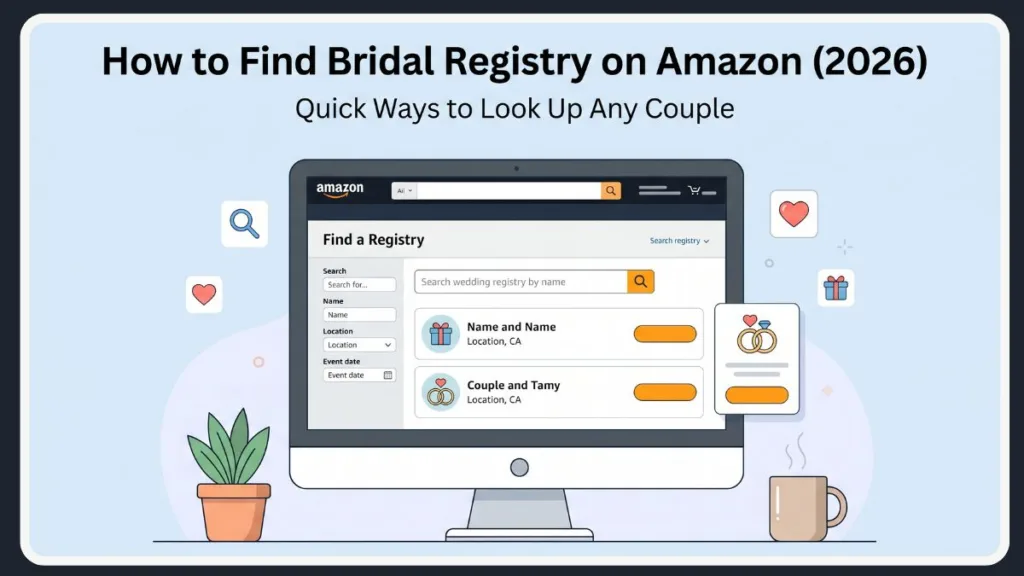
If you are trying to buy a gift for an upcoming wedding or bridal shower, there is a very high probability that the couple has already set up a gift list on Amazon. As the largest online retailer in the world, Amazon has become the default choice for modern couples who want to offer their guests an endless variety of gift options, fast shipping, and easy returns.
You search their name… and nothing shows up.
Or worse—you see 50 similar names and don’t know which one is right.
But here’s where most people get stuck: finding that specific registry isn’t always as intuitive as you might expect. There are hidden reasons why a search fails, and a quick trick most people miss. When you are rushing to buy a gift before the big day, the last thing you want is to be fighting with a search algorithm.
Quick Answer: Find a Wedding Registry on Amazon Fast
To find a specific registry on Amazon quickly, follow these exact steps:
- Go to Amazon and hover over “Accounts & Lists” in the top-right corner of your screen. You don’t necessarily need to be logged into an Amazon Prime account to do this, though being logged in helps streamline the checkout process later.
- Click “Find a List or Registry” under the “Your Lists” column on the right-hand side of the dropdown menu.
- Select “Find a registry.” This will take you to the dedicated search hub.
- Enter the name of either the bride or groom, and choose “Wedding Registry“ from the dropdown menu of list types.
- Click “Search.”
Quick Tip: This immediately displays matching registries with the couple’s name, location, and event date. Perfect for a fast Amazon gift registry lookup! If you see their names and the correct wedding date, simply click on the listing, and you will instantly have full access to their curated gift list.
How to Find a Bridal Registry on Amazon (Step-by-Step)
If the quick search didn’t yield the right results, let’s break down the process with more precision so you don’t miss any critical details. Amazon’s database holds millions of active lists, so precision is key.
Method 1: Search by Name (Most Common)
This is where most people start—and where most mistakes happen. If you’re wondering how to search a bridal registry on Amazon, this method works best if you have precise details.
- Navigate to the Registry search page as outlined above.
- Enter the first and last name of either the bride or the groom.
- Ensure the dropdown is set specifically to “Wedding Registry.” This is crucial because leaving it on the default setting might pull up someone’s birthday wish list instead.
- Use the location filters to add the couple’s city or state to narrow down the results dramatically.
Troubleshooting Name Searches: Can’t find it? Don’t worry, this is normal. Try experimenting with different name variations. If you searched for “Katie,” try “Katherine.” Alternatively, completely clear the search and use the partner’s name instead.
The Maiden Name vs. Married Name Trap: Another common hiccup happens around the couple’s last names. Some couples create their registry using their future married name, while others use their current maiden names. If the bride is taking the groom’s last name, try searching her first name combined with his last name. If they are hyphenating, try entering the hyphenated version. When in doubt, strip the search back to just the most unique first name of the couple.
Method 2: Search Using Registry ID
Here’s the part most people miss: every single registry generated on Amazon is assigned a unique alphanumeric code. If you have this code, you can skip the standard search completely and avoid all the confusion of name variations and location filters.
- Navigate to the standard Amazon search bar at the very top of the homepage.
- Paste the exact Registry ID into the search field and hit enter. This ID is usually a string of random letters and numbers.
- The system will bypass the standard search results and directly open the matching registry page.
Where do you find this ID? Look closely at the physical wedding invitation, the shower invite, or the save-the-date card. Couples often print the ID code right at the bottom of the card under the phrase “Registered at Amazon.” It can also be found buried in the fine print of digital email invites.
Method 3: Use Direct Registry Link
This is the easiest method if you have it. Often, couples will bypass the manual search process entirely by distributing a direct digital link to their guests. This eliminates user error entirely and takes you straight to the correct landing page.
Check your digital communications to see if the couple sent a URL via:
- A WhatsApp group message or text thread.
- A formal email invitation.
- A QR code or printed link on a physical wedding invitation. (If it’s a QR code, simply open your smartphone camera, point it at the code, and tap the link that pops up).
- A dedicated wedding website (like The Knot, Zola, or Joy). Couples often embed their Amazon link directly into their wedding website’s “Registry” tab.
Pro Tip: Just click the link. No manual searching is required!
Method 4: Browse Registry Section
If you only have partial information—perhaps you remember the month of the wedding but are unsure of the groom’s exact last name spelling—you can manually filter through the registry database. This requires a bit more patience, but it is highly effective.
- Go to the “Registry & Gifting” dashboard.
- Click “Find a Registry.”
- Leave the name field blank or partially filled, and rely heavily on the advanced filters.
- Sort the database by a specific location or a targeted event date range to manually locate the correct couple.
Filtering Tip: For instance, if you know the wedding is happening in October of this year in Austin, Texas, you can set the filters to “Texas” and “October” and simply scroll through the results until you spot a couple whose names you recognize.
How to Find a Registry on Amazon App
If you are shopping on the go using an iOS or Android device, the desktop steps will not apply. The mobile interface is designed differently to accommodate smaller screens, but the functionality remains the same. Here is how to navigate the app:
- Open the Amazon app on your smartphone or tablet. Ensure your app is updated to the latest version to avoid any menu layout glitches.
- Tap the ☰ (menu icon) located at the bottom-right corner of your screen.
- Select “Gifting & Registry” from the categorized menu options. You might need to scroll down slightly to find this under the “Shop by Category” section.
- Tap “Registry & Gift List” to enter the dedicated hub.
- Tap “Find a registry” near the top of your mobile screen.
- Enter the person’s name, ensure the registry type is set correctly, and hit search.
Mobile Tip: This mobile workflow perfectly satisfies anyone trying to figure out how to find a bridal registry on the Amazon app. It is especially useful if you are literally walking into the bridal shower and realize you forgot to buy a gift—you can purchase something off the registry from your phone in the parking lot and have it shipped directly to the couple’s house!
Why You Can’t Find a Wedding Registry on Amazon
This is exactly where most users get stuck. If you have tried all the steps above and are still staring at an empty search results page, here is why. It is rarely a glitch in the system; it almost always comes down to privacy settings, timing, or search parameters.
Registry is Private
Amazon offers robust privacy controls. If the couple set their list visibility to “Private” or “Shared Only,” their names are entirely hidden from the public search index. You will never find it by typing their name—you absolutely must acquire a direct link. Couples often do this while they are still building the list, so they don’t have guests judging an unfinished registry. If you suspect this is the case, your only option is to reach out and ask them for access.
Registry is Too New
If the couple literally just finished building their wishlist, it will not appear in the search bar instantly. Amazon’s database is massive and requires processing time to index new pages across its global servers.
- Wedding Registries: Take roughly 15 minutes to become searchable.
- Baby Registries: Can take anywhere from 1 to 6 hours.
- Custom Gift Lists: Can take up to a full 24 hours to index.
Timing Tip: If you know they just made it, grab a coffee and try your search again in half an hour.
Wrong Name or Filters
Double-check your inputs. The most common roadblocks include misspelled last names, searching for a casual nickname when they registered with their legal name, or accidentally leaving the search filter set to “Baby Registry” instead of “Wedding.” The Amazon search bar is quite literal; it won’t automatically correct “Jonathon” to “Jonathan” in the registry database like it does in normal product searches.
Searching Child Instead of Parent
Note: If you are actually searching for a baby registry rather than a bridal one, the system protects child privacy. You must search using the expectant parents’ names, not the baby. Amazon purposefully hides the names of minors from public search directories for safety reasons.

Alternative Ways to Find a Bridal Registry
If the Amazon database simply isn’t cooperating, step back and try these alternative avenues. Sometimes the smartest way to find the list is to bypass Amazon’s search engine entirely.
Check Email or Invitations
Dive back into your inbox or physical mail. Many couples explicitly print their registry links or navigation instructions directly onto the save-the-date cards.
Search Trick: If you threw the envelope away, check your email’s trash folder or search your inbox for the words “wedding,” “registry,” or the couple’s names.
Ask for a Direct Link
The most foolproof solution is often the most direct: reach out to the couple. A quick text asking, “Could you share your Amazon registry link with me?” saves everyone time.
Etiquette Tip: If you don’t want to bother the bride or groom during a stressful planning period, reach out to the Maid of Honor, the Best Man, or the parents of the couple. They almost always have the link saved and ready to share.
Try Other Platforms
Don’t assume Amazon is the only place they registered. It is highly common for couples to diversify. If they aren’t on Amazon, try doing a Walmart registry search or a Target registry search to see if they preferred a different retailer. Additionally, check universal registry sites like The Knot or Zola. These platforms allow couples to pull gifts from multiple different websites—including Amazon—into one single, easy-to-read list for their guests.
What is a Bridal Registry?
At its core, a bridal registry is a highly curated, digital inventory of gifts thoughtfully selected by an engaged couple. Historically, couples would have to walk through a department store with a barcode scanner to build these lists. Today, it is entirely digital and infinitely more customizable.
Instead of guessing what the newlyweds might need, a registry provides a clear roadmap. Guests can browse the exact items the couple desires, select a gift that fits their budget, and avoid buying a duplicate gift. It takes the anxiety out of gift-giving. You don’t have to worry about whether they will like the color of the blender you chose, because they picked it out themselves. Furthermore, the registry automatically updates to show when an item has been purchased, entirely eliminating the risk of the couple receiving three identical toasters.
How Amazon Wedding Registry Works
How Does a Wedding Registry Work on Amazon?
The ecosystem is incredibly simple. The engaged couple populates it with items across Amazon’s massive inventory. They can add anything from traditional flatware and bed sheets to camping tents and smart home devices. As guests navigate to the page and complete purchases, Amazon automatically updates the list. The purchased items are visually marked as “bought” so subsequent guests know to choose something else. One of the best features for guests is that you don’t even need to know the couple’s physical address; Amazon keeps their shipping address on file and securely routes your gift directly to their doorstep.
How to See Your Registry on Amazon
If you are the one who created the list and need to manage it:
- Ensure you are logged in to the account used to create the registry.
- Navigate to “Your Lists” in the top right menu.
- Click directly on your titled registry to view your items.
From this dashboard, you can see exactly who bought what, which is a lifesaver when it comes time to write thank-you notes. Amazon actually compiles a dedicated “Thank You List” that tracks the names and addresses of your gift-givers.
How to Share Your Wedding Registry
If you want to broadcast your wishlist to your attendees:
- Open your registry dashboard.
- Click the “Share” or “Invite” button located near the top navigation bar of the registry.
- Copy the direct URL to paste into your own digital invitations, or send the link directly via email or text. You can also link this URL directly to your third-party wedding website.
Types of Registries on Amazon
Amazon’s infrastructure supports far more than just weddings. The platform accommodates various major life events, meaning you can use these exact same search methods for almost any occasion:
- Wedding Registries: Optimized for couples building a home together. These often come with a “Completion Discount,” allowing the couple to buy whatever is left on their list at a 20% discount after the wedding date has passed. It also features an incredibly generous 180-day return policy for any gifts purchased off the list.
- Baby Registries: Tailored for expectant parents, featuring baby-specific categories, diaper funds, and group gifting options for expensive items like strollers and cribs.
- Custom Gift Lists: Designed for birthdays, housewarmings, graduations, or holiday wishlists. These operate similarly to standard wishlists but can be shared publicly with friends and family.
How to Create a Wedding Registry on Amazon
If you are the one walking down the aisle and need to initiate the process, it is highly recommended to do so several months before the wedding or bridal shower.
- Navigate to the Registry & Gifting section under your account menu.
- Click the prominent “Create a Registry” button.
- Fill out your event details, including your partner’s name, the wedding date, and the address where you want gifts to be shipped.
- Begin browsing Amazon and use the “Add to Registry” button on product pages. Be sure to add items at various price points so guests with different budgets have options. Consider enabling “Group Gifting” for big-ticket items so multiple guests can chip in on a single expensive gift.
- Navigate to your settings to dictate your privacy level. Keep it private while you build it, and switch it to public once you are ready for guests to start shopping.
FAQ: Quick Answers
How do I find a wedding registry on Amazon? Navigate to the “Find a List or Registry” portal under the Accounts menu, and search using the couple’s names combined with their city or state. Using both the name and location yields the most accurate results.
How to search a bridal registry on Amazon? Enter the full, legal names of the couple into the registry search bar and make absolutely sure the category dropdown menu is set to “Wedding Registry.” How do I find a specific registry on Amazon? If a name search fails, the most accurate ways to find a specific list are by pasting the exact Registry ID into the search bar or clicking a direct link provided by the couple.
How do I find my registry ID? Log into your Amazon account, open your specific registry dashboard, and navigate to your registry settings. Your unique ID code will be listed there alongside your event details.
How do I see my registry on Amazon? Simply hover over “Accounts & Lists” on the homepage and select your named registry from the “Your Lists” column.
Why is a registry not showing? It is highly likely that the registry is set to private, the account was created less than 15 minutes ago and hasn’t indexed yet, or you are searching using a misspelled name. Check the privacy settings first if you are the owner.
Do I need an Amazon Prime account to buy a gift off a registry? No. Anyone can search for a registry and purchase a gift, regardless of whether they have an Amazon Prime subscription. However, Prime members will receive their standard free shipping benefits on eligible items.
Will the couple be notified immediately if I buy a gift? Amazon updates the registry instantly so the item shows as “purchased” to other guests, preventing duplicates. However, they do not send an immediate push notification to the couple spoiling the surprise. The couple will only see who bought it if they actively check their “Thank You List” dashboard.
Final Thoughts
Finding a bridal registry on Amazon is an incredibly simple process—once you understand exactly where to look and how the search filters operate.
The vast majority of people who struggle to find a couple’s gift list are usually thwarted by easily fixable issues: typing a nickname instead of a full name, forgetting to adjust the location filters, or trying to search for a list that the couple has intentionally set to private. Navigating Amazon’s massive database requires just a little bit of exactness.
Final Tip: Follow the exact methods in this guide, and you’ll bypass the frustration, locate the correct registry in minutes, and get back to the fun part: picking out the perfect wedding gift to celebrate the happy couple.
Visit Our Post Page: Blog Page
Discover more from Izoate
Subscribe to get the latest posts sent to your email.