
Trying to find someone’s Facebook username? Here’s how to find it on desktop, mobile, and Messenger, plus what to do when the profile is private.
Have you ever tried to tag an old classmate in a photo, only to realize you don’t actually know their Facebook username? Or maybe you’re trying to send a friend’s profile link to someone else, but Messenger keeps showing their name instead of the actual link you need. It’s a small problem, but when you’re in a hurry, it can get surprisingly frustrating.
The good news is that finding someone’s Facebook username usually takes less than a minute once you know where to look. In this guide, you’ll learn how to find it on both desktop and mobile, along with a handy trick that can work even when someone’s profile is set to private.
First, What Exactly Is a Facebook Username?
Before you start searching, it helps to know exactly what you’re looking for. A Facebook username is the custom handle that appears in a person’s profile link — it’s the part that comes right after facebook.com/. For example, if someone’s profile URL is facebook.com/janedoe, then “janedoe” is their username.
Facebook Username, User ID, or Display Name? Here’s the Difference
This is where things can get a little confusing, so let’s clear it up:
Display name — This is the name you see on someone’s profile and in search results, such as “Jane Doe.” It isn’t always unique, which is exactly why usernames are useful.
Username — This is the custom handle in their profile URL, chosen by the user. Not everyone sets one.
User ID — This is a long string of numbers that Facebook assigns behind the scenes. If someone hasn’t picked a custom username, this number often appears in their profile link instead.
In other words, the name you see on someone’s profile isn’t always the link you actually need — and that’s usually the reason you’re looking for the username in the first place.
Why Would You Need Someone’s Facebook Username?
It might seem like a small detail, but a username does more than simply personalize a profile link. It makes a profile easier to find, tag, and share, instead of relying on a name that dozens of other people might have.
A clean username can also help you confirm that you’re looking at the right person’s profile, especially when you’re dealing with common names like “John Smith” or “Maria Garcia,” where search results can show dozens of similar profiles.
That’s also why platforms like Instagram, X (formerly Twitter), and TikTok use the same basic idea — a unique handle tied to your profile link — even though each platform uses slightly different terminology.
Here’s How to Find Someone’s Facebook Username on Desktop
Here’s the quickest way to find it from your computer:
- Open Facebook in your browser and log in.
- Search their name using the search bar at the top of the page.
- Click their profile from the search results to open it.
- Check your browser’s address bar. The text right after facebook.com/ is their username.
That’s it. This method works whether you want to grab the link to share it, double-check that you’ve found the right person, or simply satisfy your curiosity.
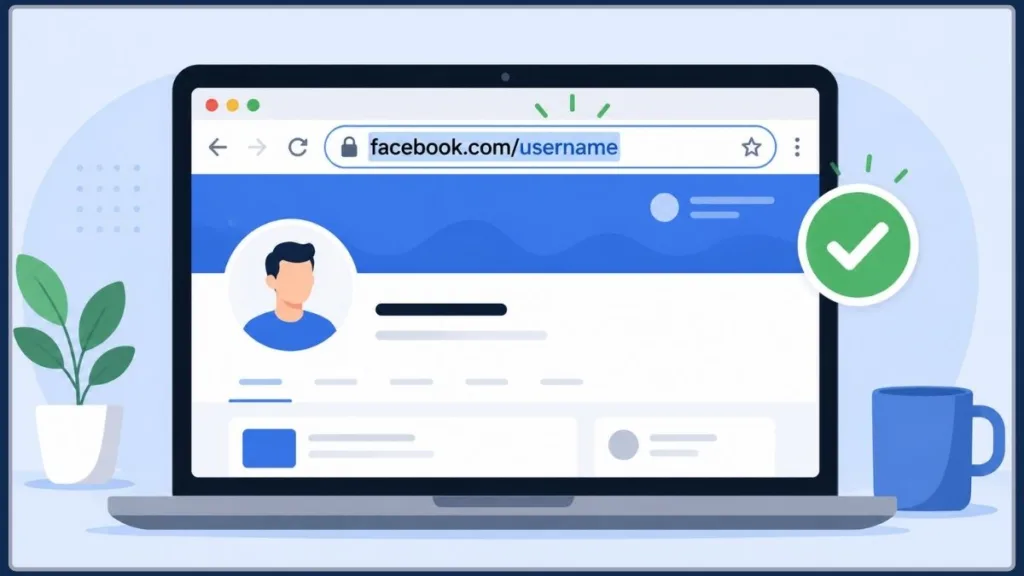
What If Their Facebook URL Only Shows Numbers?
If you open someone’s profile and the address bar shows a long string of numbers instead of a name, don’t worry — that’s completely normal.
It simply means they haven’t personalized their username, so Facebook is showing their default numeric ID instead. You can still use the full URL to share or bookmark their profile; it works the same way a custom username would.
Finding Someone’s Facebook Username From the Mobile App
Looking someone up on your phone works a little differently, but the process is still quick:
- Open the Facebook app and tap the search icon at the top of the screen.
- Type in their name and select the correct profile from the results.
- Tap the three-dot menu icon on their profile.
- Look for the link or “Copy Link” option — this will show or copy their full profile URL, with the username included right after facebook.com/.
If you don’t see a copy-link option immediately, tapping Share Profile usually brings up the same link.
Can You Find a Facebook Username Even When the Profile Is Private?
Here’s a handy trick that can help when someone’s profile is locked down and you can’t click through to see much of it.
- Search for the person by name in the Facebook search bar, just like before.
- Instead of clicking their name in the results, hover your mouse over their profile picture.
- Check the bottom-left corner of your browser window. Most browsers will show the underlying link there — and that link usually includes their username.
Tip: This works because the link is embedded in the page itself, even when the profile’s content is restricted. You’re not bypassing any privacy settings — you’re simply reading the URL that was already there.
This can be especially useful when you’re trying to reconnect with someone you know, but their strict privacy settings make it difficult to see enough of their profile to confirm it’s really them.
Already Chatting With Them? Try Messenger
Already have a conversation with the person? Messenger can actually be one of the quickest ways to get to their username, so you don’t have to search for them all over again.
- Open Messenger, either through the standalone app or the Messenger tab inside the Facebook app.
- Open your conversation with the person.
- Tap their name or profile photo at the top of the chat to open their profile details.
- Look for a “View Facebook Profile” or “See Profile” option and tap it. This will take you directly to their profile page, where you can check the URL just like before.
This method is especially useful on mobile, where switching between Facebook and Messenger to search someone’s name can feel like an unnecessary extra step.
Looking for a Business or Public Figure’s Facebook Username?
Personal profiles aren’t the only places where usernames appear. Pages for businesses, brands, and public figures use them too, although the process is slightly different.
- Search for the Page name using the Facebook search bar, just like you would for a person.
- Select the Page from the results. Pages are usually marked with a small icon or “Page” label to distinguish them from personal profiles.
- Check the address bar for the username, or scroll to the Page’s About tab, where many businesses list their username or vanity URL directly for easy reference.
Double-checking a business’s username this way is also a simple, practical way to confirm that you’re on the real Page before making a purchase or sending a message, instead of dealing with an imitation account using a similar name and profile photo.
Can’t Find Them in Search? Try These Other Methods
Can’t find the person easily through search? Maybe they have a common name, or you’re not completely sure how their name is spelled. A few other everyday methods can help:
Check a mutual friend’s friend list. If you both know someone in common, browsing that person’s friends list can often be the fastest way to spot the right profile.
Look through a shared group or recent comments. If you’re both in the same Facebook group, or they’ve commented on a mutual friend’s post, you can usually click directly through to their profile from there.
Try a reverse image search. If all you have is a profile picture, running it through Google Images or a similar tool can sometimes lead you back to the original Facebook profile — although this method is hit or miss because it depends on how the photo is indexed elsewhere online.
Check tagged photos. If you’re both in the same photo album, or a mutual friend has tagged them in a picture, clicking their tag will take you directly to their profile.
Look through event guest lists. If you’re both attending, or invited to, the same Facebook event, checking the guest list can be a quick way to find their profile without digging through search results.
Browse Facebook Marketplace listings. If you know they’ve bought or sold something locally, their seller profile on Marketplace links directly back to their main Facebook profile.
Search across other platforms. If someone uses the same handle across social media, checking their Instagram bio or X profile may sometimes reveal a direct link to their Facebook page, especially for creators and small business owners who cross-promote their accounts.
Still Can’t Find Their Username? Here’s What to Check
Sometimes even the methods above won’t turn up the right profile straight away. Here are a few common reasons why, along with what you can try instead:
Their name is spelled differently than you expect. Try common nicknames, maiden names, or alternate spellings — people don’t always use the exact name you’ve saved in your contacts.
They’ve limited who can find them in search. Some privacy settings restrict who can locate a profile through Facebook’s search bar entirely. In that case, checking mutual friends or shared groups is your best bet.
There are multiple profiles with the same name. Narrow your search using other details you know, such as their profile photo, hometown, workplace, or mutual friends, which usually appear alongside the name in search results.
The profile was deactivated or deleted. If none of the usual methods are finding anything, it’s possible the account no longer exists, or the person has temporarily deactivated it.
One Important Thing About Privacy
It’s worth saying this plainly: this guide is intended for reconnecting with people you already know — whether you’re tagging a friend, sharing a profile, or confirming you’ve found the right person before sending a message.
If someone has made their profile private or difficult to find, that’s usually intentional, and it’s worth respecting that rather than trying to work around it. A quick username lookup is one thing; using it to monitor someone who doesn’t want to be found is another.
Facebook Username Questions, Answered
Can two people have the same Facebook username?
No. Usernames are unique across all of Facebook, which is exactly what makes them such a reliable way to confirm you’ve found the right profile, even when several people have the same display name.
Do Facebook usernames ever expire or become available again?
Facebook generally holds onto a username for a period of time after someone stops using it or deletes their account, rather than releasing it immediately. It may eventually become available again, but this isn’t instant.
Can I find someone’s Facebook username without having a Facebook account myself?
It’s more limited without an account because many search and profile-viewing features require you to be logged in. However, if a person’s profile is public, it may still be viewable through a general web search, and the username will appear in the URL the same way.
Is it possible to find a username using just a phone number or email address?
Facebook doesn’t provide a direct, built-in way to search for profiles using a phone number or email unless that person has specifically enabled that type of lookup in their privacy settings, which many users turn off.
Why does someone’s username look different from their display name?
This usually means they’ve personalized their username separately from their real name, often to make it shorter, easier to share, or more consistent with the handles they use on other platforms.
So, What’s the Easiest Way to Find a Facebook Username?
Finding someone’s Facebook username really comes down to one simple move: search their name, open their profile, and check the URL. Add the hover trick for private profiles, and you’ll be able to track down almost anyone’s handle in under a minute.
Next time you’re trying to tag an old friend in a photo or share their profile with someone else, you’ll know exactly where to look. Got a method that’s worked well for you, or have you run into a tricky case that this guide didn’t cover? Drop a comment below — we’d love to hear about it.
Useful Resources
Need a little extra help? These resources can help you understand Facebook usernames, profile links, privacy settings, and Pages without having to dig through Facebook on your own.
Facebook Help Center — Usernames and Profile URLs: Want to know exactly what a Facebook username is and where it appears? Facebook’s official guide is a good place to start.
Facebook Help Center — Finding People on Facebook: Having trouble finding the right person? This resource covers Facebook’s basic search and people-finding options.
Facebook Privacy Center: If a profile is difficult to find or appears more restricted than expected, Facebook’s Privacy Center explains how privacy and visibility settings work.
Facebook Help Center — Blocking and Profile Visibility: This can help explain why a profile may not appear in search or why certain information isn’t visible.
Facebook Help Center — Facebook Pages: Looking for a business, brand, or public figure instead? This resource is useful for understanding how Facebook Pages work.
Facebook Help Center — Messenger: Already chatting with someone? Facebook’s Messenger help section can help you navigate conversations and profile-related options.
Visit Our Post Page: Blog Page
Discover more from Izoate
Subscribe to get the latest posts sent to your email.