
Roblox Error 1016 stopping you from logging in? Discover what the Origin DNS Error means and follow 6 simple fixes to get back into Roblox.
If you are currently logging in for a gaming session or trying to launch a critical Roblox experience and suddenly see a blank page with a connection failure, don’t panic. You are certainly not alone. This specific web routing error often strikes without warning, even when your internet connection is lightning-fast and other services are loading perfectly.
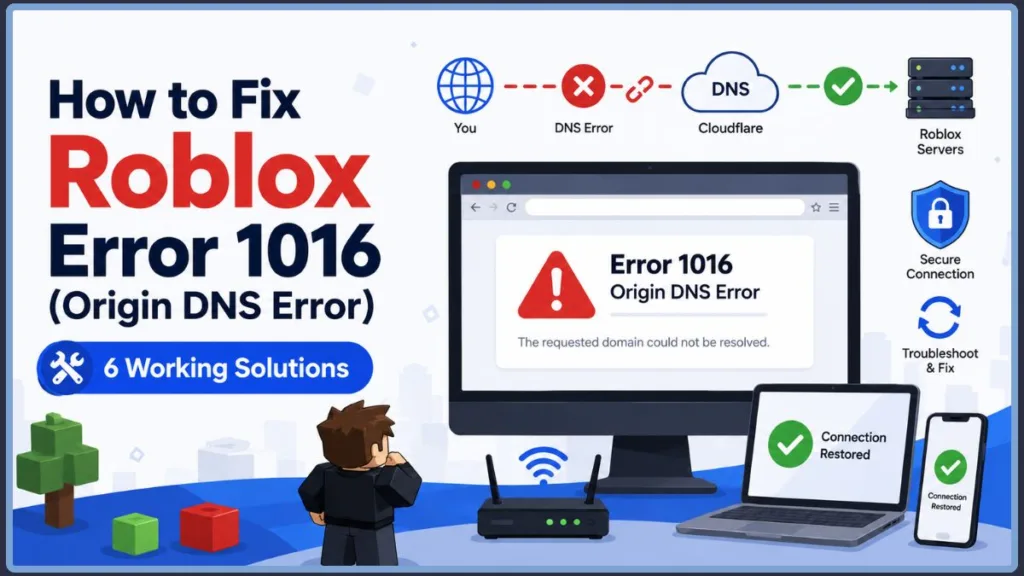
Many players report seeing this frustrating message on their screen:
Error 1016: Origin DNS Error (Cloudflare)
While it disrupts your gameplay, the good news is that this issue is usually temporary. Your account hasn’t been banned, and you haven’t broken your computer. This comprehensive guide will walk you through exactly what roblox error 1016 means, why it’s happening on your network, and the specific steps you can take to get back to gaming.
What Does “Error 1016 Origin DNS” Actually Mean?
To solve the problem, we first need to define what the error signals. Think of a roblox dns origin error like trying to mail a letter with the wrong zip code; the post office is working perfectly, but the system simply cannot find the final destination right now.
When your browser displays a Cloudflare error 1016 roblox, it means:
- Translation Failure: Your network’s Domain Name System (DNS) cannot translate the Roblox web address into the actual backend server location.
- Cloudflare Communication Block: Cloudflare, the web security and content delivery network that Roblox uses to protect its servers, cannot route your specific connection to the Roblox origin servers.
- Network-Side Issue: This is a communication constraint between your Internet Service Provider (ISP) and the website, not a bug in your downloaded Roblox client.
Why Is This Error Happening?
Based on typical web routing patterns, this error usually stems from one of three common triggers:
- Stale Local Cache: Your computer is holding onto outdated network pathways that no longer connect to Roblox’s current server IP addresses.
- ISP Routing Hiccups: Your Internet Service Provider is temporarily experiencing DNS routing failures when trying to communicate with Cloudflare’s security servers.
- Backend Maintenance: Occasionally, Roblox performs server updates that temporarily sever the connection to Cloudflare, resulting in a problem reaching servers 1016.
Error 1016 vs. Error 277: The Critical Difference
It is easy to confuse different Roblox codes, but knowing the difference helps you decide whether to troubleshoot your network or simply wait it out. For example, if you are experiencing Roblox Error 277, you are dealing with a completely different technical problem.
| Feature | Error 1016 (DNS Origin) | Error 277 (Lost Connection) |
| Source | Web Browser & Cloudflare | The Roblox Game Client |
| The Meaning | “I can’t find the website.” | “I lost connection to the game server.” |
| The Fix | Flush DNS & clear browser cache. | Check Wi-Fi stability or wait out the lag. |
Key Takeaway: If you see error code 1016, stop reinstalling the Roblox app. The issue is strictly tied to your web browser’s network routing.
How to Check If Roblox Server Infrastructure Is Down
Before you start messing with your network adapter settings, verify the system status. Sometimes the website appears to be up, but login servers are failing on a broader scale.
- Visit the Official Page: Head directly over to the official Roblox status page to check for server outages.
- Check Community Platforms: Search for is roblox down right now on community tracking platforms like Downdetector or check live gaming discussions on X (formerly Twitter) to see if others are dealing with the exact same issue.
- Read the Indicators: Green means all systems are operational. Yellow means a partial outage. Red means a major server outage, and you will just need to wait for the developers to fix it.
How to Fix Roblox Connection Error 1016: A 6-Step Workaround Guide
If the servers are online but you are still locked out, you can navigate around this block by refreshing your local network. You can try the following steps in order, starting with the easiest fixes.
1. Perform a DNS Cache Flush
Over time, your system stores outdated network paths. Performing a DNS cache flush forces your computer to look up fresh server addresses, which almost always resolves a browser connection timeout.
- Click your Windows Start menu and type cmd.
- Right-click the Command Prompt icon and select Run as administrator.
- Type
ipconfig /flushdnsexactly as shown and press Enter. - Wait for the success message, close the window, and try loading the website again.(If you are on a Mac, open Terminal and type
sudo dscacheutil -flushcache; sudo killall -HUP mDNSResponder)
2. Change Your DNS Server Addresses
Sometimes your ISP’s default router struggles to communicate with Cloudflare. Swapping to a faster, public option is a highly effective fix for roblox error 1016.
- Open your computer’s network adapter settings (Control Panel on Windows or System Settings on Mac).
- Right-click your active Wi-Fi or Ethernet connection and select Properties.
- Double-click on Internet Protocol Version 4 (TCP/IPv4).
- Select the option to Use the following DNS server addresses.
- Enter Google’s public servers: type 8.8.8.8 as your Preferred DNS and 8.8.4.4 as your Alternate DNS. (Alternatively, you can use Cloudflare’s 1.1.1.1).
- Save your settings and restart your browser.
3. Clear Your Browser Cache and Cookies
Since this error happens on the web client, outdated browser files in Google Chrome, Microsoft Edge, or Mozilla Firefox can cause false routing blocks.
- Open your browser and press Ctrl + Shift + Delete (or Cmd + Shift + Delete on Mac).
- Select the options to clear cached images and cookies.
- Click delete, then close and reopen your browser entirely.
4. Restart Your Home Network
Sometimes your router just needs a moment to reset its active connections. Physically unplug your modem and router from the wall, wait about 60 seconds, and plug them back in. This simple power-cycle clears out temporary routing bugs.
5. Temporarily Disable VPNs
Cloudflare actively monitors traffic and often blocks known VPN or proxy IP addresses to prevent automated bot attacks. If you are running a privacy tool in the background, temporarily turn it off and try reloading the page.
6. Avoid “Placebo” Local Fixes
If you are dealing with a roblox connection error 1016, do not uninstall and reinstall the game. Instead of wasting time reinstalling the official Roblox game client, focus strictly on your network settings. A 1016 is purely a web routing error, meaning your local game files are already working perfectly.
Roblox Error Codes: A Quick Reference
This quick reference table helps you identify whether a connection issue can be fixed on your computer or if you need to wait for Roblox’s engineering team.
| Error Code | Category | Meaning | Recommended Action |
| 1016 | Web/Network | Cloudflare DNS Error | Troubleshoot your network and DNS settings. |
| 277 | Connection | Disconnected from server | Check your local Wi-Fi stability. |
| 268 | Client | Unexpected client behavior | Remove third-party cheat extensions. |
| 400 | Web | Bad Request | Clear your browser cookies immediately. |
| 524 | Server | Authorization error | Wait it out; Roblox servers are down. |
How to Prevent DNS Errors in the Future
You can’t stop Roblox from having server maintenance, but you can prevent local network blocks from ruining your gaming sessions:
- Keep Public DNS Permanent: Leave your TCP/IPv4 settings on Google (8.8.8.8) or Cloudflare (1.1.1.1) for better long-term stability and faster web page load times.
- Use an Ethernet Connection: Whenever possible, switch to a wired Ethernet connection rather than Wi-Fi to avoid packet loss and routing drops.
- Keep Browsers Updated: Ensure your web browser is running the latest software version to maintain secure, up-to-date Cloudflare security handshakes.
Frequently Asked Questions (FAQ)
What does error code 1016 mean on Roblox?
It means your network cannot properly translate the web address to reach Roblox’s Cloudflare servers. It is a communication block between your internet connection and the website.
Is Roblox down when I see 1016?
Not necessarily. It usually indicates a local routing problem on your computer, though widespread 1016s can occasionally happen during massive Roblox server crashes.
How long does error 1016 last?
If the issue is on your end, it lasts until you clear your browser cache or flush your DNS. If it is a Roblox outage, it could last anywhere from a few minutes to a few hours.
Can I fix error 1016 myself?
Yes! Running a quick Command Prompt flush or changing your DNS server addresses using the numbered steps above usually fixes it immediately.
Final Thoughts
Dealing with roblox error 1016 is a frustrating side effect of modern web security—Cloudflare is simply doing its job to protect the platform, but your network got caught in a temporary communication block. While it’s annoying to have your session interrupted, remember that flushing your DNS or changing your server addresses will almost always solve it.
If you’ve tried all the troubleshooting steps and the servers are just completely down, you can use the downtime to check out alternative sandbox gaming platforms like Minecraft or browse new multiplayer releases on Steam while you wait for the developers to clear the traffic jam.
Which step finally got you back into your game? Let me know in the comments below, and if you’re still stuck, share your network setup so we can help you troubleshoot further!
Visit Our Post page: Blog Page
Discover more from Izoate
Subscribe to get the latest posts sent to your email.