
Does your stolen rifle disappear after a mission, death, or arrest in GTA 6? Learn how to save your stolen guns in GTA 6, store looted weapons in Jason and Lucia’s Personal Vehicle trunks, and avoid losing valuable pickups. From identifying weapon icons to using Weapon Lockers and managing your loadout, keep your firearms organised before the next shootout.
There’s nothing more annoying than surviving a messy GTA 6 shootout, picking up a perfectly good rifle from a downed enemy, and then watching it disappear after a mission, a quick nap, or a trip to the hospital. You went through all that trouble for nothing. Well, not exactly—you’re dealing with Rockstar’s new weapon system.
In Grand Theft Auto 6, Rockstar has overhauled weapon storage to work much closer to Red Dead Redemption 2. You can’t carry an invisible arsenal in your pockets anymore. With over 100 possible weapons available for Jason and Lucia across Leonida—and a strict on-foot carry limit of just four guns at a time—you need to pay attention to what you pick up and where you store it.
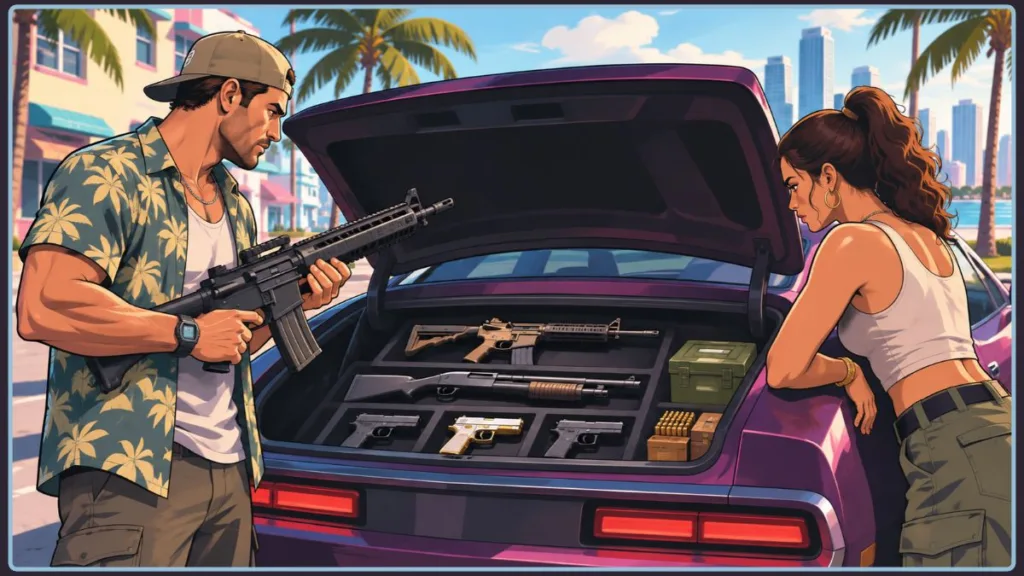
The trick to learning how to save guns in GTA 6 is understanding two things: your Personal Vehicle’s trunk and the difference between weapons you actually own and guns you’ve temporarily stolen. Get those two things right, and you’ll stop losing your favorite firearms every time a mission goes sideways.
Quick Answer: Which Guns Can You Actually Keep in GTA 6?
Before you start stuffing your trunk with every weapon you find, check its icon. GTA 6 separates weapons into three categories, and that little icon tells you whether a gun is yours permanently or just something you’re borrowing from a very unfortunate enemy.
- Owned Weapons (Light Blue Icon): These are yours permanently once you purchase them from Ammu-Nation or unlock them through the story. Drop one, die, or get Busted, and you can recover it for free from your Personal Vehicle’s trunk or an Ammu-Nation Weapon Locker.
- Unique Weapon Variants (Yellow/Gold Icon): Find one in the world and pick it up, and it’s permanently added to your arsenal. These work just like Owned weapons, even when you haven’t purchased the standard version of that gun.
- Unowned / Stolen Weapons (White / Gray Icon): These are temporary pickups. You can store them in your Personal Vehicle’s trunk between missions, but drop them, swap them out on foot, get Wasted/Busted, or lose the vehicle, and they’re gone for good.
The important part? A stolen gun isn’t automatically yours just because you’ve managed to carry it around for a while.
Owned vs. Unowned Weapons: Why Your Guns Keep Disappearing
Before you try to stash that shiny new shotgun you just looted, take a second to look at the small handgun icon next to its name. You’ll see it in your weapon wheel, beside a weapon on the ground, or on your minimap.
That icon color is doing more work than you might expect. It tells you whether the weapon is permanently saved, whether you can customize it with attachments, and what happens when you lose it.
| Weapon Type | Icon Color | How to Get It | Permanent? | Modifiable? | What Happens If Lost? |
| Owned | Light Blue | Purchased from Ammu-Nation or unlocked via story | Yes | Yes (attachments & wraps) | Recoverable at Weapon Lockers & Personal Vehicle trunk |
| Unique Variant | Yellow / Gold | Found in hidden world locations or illegal operation hideouts | Yes | No | Recoverable at Weapon Lockers & Personal Vehicle trunk |
| Unowned (Stolen) | White / Gray | Looted from enemies, police, or street pickups | No | No | Permanently lost if dropped, Wasted, or Busted |
Wondering how to keep stolen guns in GTA 6 permanently? Here’s where Rockstar draws the line: you can’t convert an unowned weapon (white/gray icon) into a permanently owned one.
To permanently own that weapon model—and unlock the ability to fit attachments and wraps—you need to buy it from Ammu-Nation. Until then, storing it in your Personal Vehicle’s trunk is your only option for holding onto a stolen gun.
How Each Weapon Category Behaves in Practice
Building Your Owned Arsenal Early
Your first opportunity to purchase permanent firearms arrives at Chuck’s Tackle & Shot in Key Lento during the Chapter 1 mission Gear Up.
Don’t sleep on these early purchases. Standouts such as the Fortune & Son Moreland 850 shotgun ($350 during Gear Up, down from $700) remain permanently tied to your profile once purchased—and heavier upgrades like the Duke 556 assault rifle ($1,450 via your BuckMe account) follow the same permanent-ownership rule once unlocked. Buying more base firearms also progressively unlocks additional attachments and products at Ammu-Nation.
Why Stolen Guns Keep Vanishing Mid-Session
That unowned weapon you picked up from an enemy isn’t particularly loyal. Unowned weapons—including looted melee weapons—can disappear under four common triggers:
- Getting Wasted or Busted: This wipes all unowned weapons along with any unbanked pocket cash.
- Picking Up Another Ground Weapon: When your weapon slots are full, grabbing another weapon forces you to drop one you’re already carrying. That dropped unowned gun is lost.
- Leaving a Weapon in a Stolen Car: If the vehicle despawns, anything stored inside goes with it.
- Reloading a Save: Reloading can clear unowned pickups, even those you’ve already placed inside a trunk.
Spotting and Keeping Unique Weapon Variants
Keep an eye on your minimap for a golden gun icon. You’ll usually find these weapons tucked away in special world locations or illegal operation hideouts.
Pick up a Unique Weapon Variant, and it’s permanently added to the shared arsenal for both Jason and Lucia—even if you haven’t purchased the standard version yet.
There’s one catch: Rockstar locks Unique Variants from receiving custom Ammu-Nation attachments.
Mission Key Valuables
Not everything you pick up during a story mission follows the same rules as a random stolen pistol.
Special unique key valuables collected during story missions are also treated as “owned” items. That means you can recover them from your Personal Vehicle’s trunk or a Weapon Locker if you’re killed mid-mission.
How to Save Guns in Your Car Trunk in GTA 6
Your Personal Vehicle is more than just something to drive around Leonida. Whether you’re using Jason’s ’70 Ganado or Lucia’s personal ride, the trunk acts as your mobile armory.
Think of it like the horse saddle system in Red Dead Redemption 2. You can’t carry everything on your character, so your vehicle handles the overflow.
Remember, you’re limited to two concealed sidearms and two long guns on foot. That makes GTA 6 car trunk storage essential when you want to swap loadouts, carry extra weapons, or temporarily hold onto stolen firearms.
On-Foot Carry Limits vs. Trunk Storage
Knowing what fits on your character makes managing your trunk much easier, especially before you head into a job.
| Carry Slot | Weapon Types | Visibility to NPCs & Police |
| Handgun 1 & 2 | Pistols, revolvers, compact SMGs | Concealed (invisible while holstered) |
| Long Gun 1 | Rifles, shotguns, SMGs, snipers | Visible slung across your back |
| Long Gun 2 | Rifles, shotguns, SMGs, snipers | Visible carried directly in your hands |
Everything else you own—along with any temporary stolen guns you’re trying to hang onto—stays inside your vehicle’s trunk.
Step-by-Step: Storing and Swapping Guns in Your Trunk
Don’t waste time cycling through your weapon wheel in the middle of the street. Head to your Personal Vehicle and use the trunk.
- Walk to the rear of your Personal Vehicle. Look for the vehicle marked with the light blue car icon on your minimap.
- Open the trunk. Press Triangle (PS5) or Y (Xbox Series X/S).
- Open your Loadout / Storage wheel. Hold L1 (PS5) or LB (Xbox), highlight the weapon you want to store, and select Stow Longarms (or stow your currently equipped sidearm).
- Close the trunk and walk away. Your stored guns will stay inside as long as the vehicle remains intact.
That’s it. You now have a mobile storage space for your extra weapons.
Quick-Swapping and Connected Storage Rules
Fast Swapping at the Trunk
You don’t need to empty your weapon slots one by one just to change your loadout.
While standing at your open trunk, hold L1 / LB to open your Loadout. Highlight a weapon category where you own multiple guns, such as Shotguns or Assault Rifles, and scroll through your stored options to equip a different model directly.
Synced with Weapon Lockers
Your registered Personal Vehicle’s trunk and Ammu-Nation Weapon Lockers share the same connected storage pool for all Owned and Unique weapons.
In other words, make a change at one location, and it automatically carries over to the other. You don’t need to manage two separate collections.
Summoning Your Armory
Your Personal Vehicle is always just a phone call away. Keeping your gear in a registered ride means you can have your heavy firepower delivered across Leonida.
You can even dip into the trunk mid-mission when your car is parked nearby, making it much easier to change weapons without returning to a shop.
Important: Don’t store weapons in stolen cars. Walk too far away, trigger a cutscene, or load a save, and a random street vehicle can despawn along with every unowned weapon inside it. Even your own Personal Vehicle isn’t a guaranteed safe for stolen pickups. Treat its trunk as a temporary holding spot for unowned enemy weapons because they can still be wiped if the vehicle is destroyed, abandoned, or, in some cases, when reloading a save.
How to Recover Lost Weapons at Ammu-Nation and Garages
Dropped a purchased rifle during a chaotic firefight? Got Wasted or Busted and suddenly your loadout looks empty?
Don’t panic and start buying everything again. Owned and Unique weapons can be recovered for free using a GTA 6 Weapon Locker.
Here’s what you need to do:
- Visit an Ammu-Nation store with a Weapon Locker or return to an owned safehouse garage.
- Walk up to the green Weapon Locker inside. It’s typically located toward the back of the store.
- Press the interaction prompt. Use L1 / LB to quickly select Manage Loadout, or press Triangle / Y to open Manage Weapons and view your complete collection.
- Browse by weapon class and press X (PS5) or A (Xbox) to re-equip missing guns directly to your character or transfer them straight to your Personal Vehicle’s trunk.
You don’t need to repurchase weapons that are already registered to your collection.
Where to Find Weapon Lockers (Watch Out for Pawn Shops)
Here’s an easy mistake to avoid: not every gun shop on the map has a Weapon Locker.
Most standard Ammu-Nation locations include a green Weapon Locker. It’s also where you can claim pre-order gear, including the GTA 6 Ultimate Edition bonus.
However, Pawn Shop variants typically don’t have one.
Before driving across Vice City, hover over the gun icon on your map and confirm that the specific shop lists a Weapon Locker. There’s no point making a cross-city trip only to discover the storage option isn’t there.
You can also access your full locker at owned garages, including:
- Shore Court (Pre-Order bonus)
- Paradise Garage (Ultimate Edition)
- New properties purchased through the Vice City Real Estate app on your phone
Still Can’t Find a Lost Gun? Check the “Variants” Tab
Sometimes a weapon isn’t actually missing. You’re just looking in the wrong place.
One of the easiest ways to mistake a saved weapon for a lost one is overlooking the Variants sub-menu inside the Weapon Locker.
When you open Manage Weapons, your collection is grouped by weapon class (Pistols, SMGs, Assault Rifles, Shotguns, etc.) and then by base model.
Here’s how to find an alternate model or Unique Weapon Variant:
- Select the weapon class and hover over its base weapon type. Examples include the Duke 556 Assault Rifle, Jason’s Girardi ES9 (where you’ll find the Duval Signature ES9 variant), or Lucia’s Klose K17 (where the Caminos Signature K17 variant lives).
- Press Triangle (PS5) or Y (Xbox) to open the Variants tab.
- Find your missing alternate model or Unique Weapon Variant and press X (PS5) or A (Xbox) to equip it back into your active loadout.
While you’re there, use the Weapon Locker to declutter your collection.
Once you’ve accumulated a large arsenal, scrolling through an overcrowded car trunk while cops or rival gangs are closing in becomes a serious liability. Keeping extra weapons in the locker makes your trunk faster and cleaner to navigate during combat.
Pro Tips to Avoid Losing Your Loadout
Knowing how weapon storage works is one thing. Keeping your equipment intact while you’re robbing, shooting, driving, and trying to avoid the police is another.
These habits will help you protect your permanent arsenal, make better use of stolen pickups, and avoid losing equipment when things get messy.
Holster Your Long Guns in Public
Press L1 / LB to holster or draw your weapons. When you’re walking past Vice City cops or civilians, stow visible rifles in your trunk rather than casually carrying them around.
NPCs will call the police if they see a drawn firearm. A visible longarm slung across your back is also a direct heat factor in GTA 6’s Wanted system. Get Busted, and the game will immediately strip any unowned guns you’re carrying.
Tip: Prefer tapping instead of holding to open your Loadout wheel? You can switch this under Settings → Accessibility.
Clear Red “Weapon Heat” the Right Way
If you fire a gun during a crime, that specific firearm can pick up Weapon Heat, flagged by a red weapon icon in your loadout.
For a sidearm, simply holstering or dropping it clears the heat. For a longarm, holstering isn’t enough—you have to stow it inside a trunk or drop it completely to avoid instant police identification.
Check Your Trunk for Purchased Supplies
Your Personal Vehicle’s trunk isn’t only for guns.
When you purchase extra ammo, body armor, or explosives at Ammu-Nation and the amount exceeds what you can carry on foot, the game automatically routes the overflow to your Personal Vehicle’s trunk rather than your pockets.
Always pop the trunk and collect your gear before driving out of the parking lot.
And while you’re stocking up, loot fallen enemies clean. Early-game ammo is scarce, so don’t leave useful supplies behind.
Protect Your Personal Vehicle if It Holds Stolen Guns (and Stash Bags)
Your Owned and Unique weapons are always safe, but unowned weapons are a different story.
Any white/gray-icon guns sitting in your Personal Vehicle’s trunk will be permanently destroyed if your vehicle blows up.
Getting Wasted or Busted can also put trunk stash bags at risk. You sometimes have a small chance of retrieving stash bags from an impound lot or the back of a police cruiser, but don’t count on that as your storage plan.
Drop Owned Guns Safely to Shake a Wanted Level
Police don’t track you based on one thing alone. They consider your appearance, outfit, vehicle, CCTV footage, partner proximity, and visible weapons.
Need to blend into a crowd quickly? You can safely drop an Owned longarm on the ground. It will automatically return to your Personal Vehicle’s trunk and Weapon Locker.
For an even quicker escape, keep a spare outfit in your trunk alongside your guns. Changing your appearance can help you drop the heat faster.
Stow Stolen Guns Before Picking Up Another Weapon
Both your long-gun slots or both your sidearm slots can fill up quickly.
When that happens, grabbing a fresh weapon off the floor forces you to drop something you’re already holding. And when the dropped weapon is an unowned pickup, you risk losing it permanently.
Before swapping to a new ground weapon, head back to your trunk and stow the unowned gun you’re carrying.
It takes a little extra time, but it’s better than watching a useful shotgun disappear because you got greedy with another pickup.
Watch Out for the Duplicate Weapon Limit
Even if you have open slots, GTA 6 caps how many copies of the exact same firearm you can haul on foot.
You can carry at most one owned copy and one stolen copy of the same gun model at the same time. Any additional duplicates stay stored in your Weapon Locker and trunk rather than your on-foot slots.
Fund Your Early Permanent Weapons from Jason’s Floorboard Stash
Want to start building a permanent arsenal before the story really gets going?
Before heading to Chuck’s Tackle & Shot in Chapter 1, pull extra cash from the stash under the floorboards in Jason’s bedroom. That gives you more money to purchase a permanent firearm and attachments sooner.
Once you unlock your BuckMe account in the Get a Bank Account mission, deposit your loose cash at ATMs.
That way, dying or getting arrested won’t wipe out the money you’ve set aside for your next Ammu-Nation purchase.
Balance Your Loadout for Stealth and Vehicle Combat
Carrying the biggest rifle everywhere isn’t always the smartest move.
Keep at least one suppressed handgun in a concealed slot for quiet robberies and stealth missions. Then stash a shotgun in your trunk for sudden close-quarters fights.
When you’re driving, take advantage of Drive-By Assist, which is enabled by default in Settings → Gameplay.
Also, check the Holster in Vehicle setting so you’re ready for car chases without stepping out of your vehicle while brandishing a gun.
Frequently Asked Questions
Can you permanently keep guns stolen from enemies in GTA 6?
No. Guns and melee weapons looted from enemies or police are marked with a white/gray icon, meaning they’re Unowned.
You can temporarily store them in your Personal Vehicle’s trunk, but you can’t modify them at Ammu-Nation. They’ll disappear permanently if you drop them, die, get Busted, or destroy the car.
How do you recover lost weapons after dying in GTA 6?
Any Owned weapon (light blue icon) or Unique Weapon Variant (yellow/gold icon) can be recovered for free at any time.
Visit the green Weapon Locker at an Ammu-Nation store or owned garage, or open your Personal Vehicle’s trunk.
Can’t see the gun in your main locker list? Open Manage Weapons, highlight its base weapon type, and press Triangle / Y to check the Variants tab.
How many guns can you carry at once in GTA 6?
You can carry up to four weapons on foot at a time:
- Two concealed sidearms (pistols, revolvers, or compact SMGs).
- Two visible long guns (one slung across your back and one held in your hands).
Every other owned weapon stays safely in your connected trunk and Weapon Locker storage.
Do Jason and Lucia share saved weapons?
Yes. Any weapon you purchase from Ammu-Nation and any Unique Weapon Variant you discover in the world unlocks for both Jason and Lucia.
Either character can equip these weapons from a Weapon Locker or Personal Vehicle trunk.
However, weapon modifications (attachments and wraps) and active equipped loadouts are handled independently for each character.
Why can’t I find a Weapon Locker at my local Ammu-Nation?
Not every Ammu-Nation store in Leonida includes a Weapon Locker. Specifically, Pawn Shop variants generally don’t have one.
Open your map and hover over the Ammu-Nation gun icon before traveling to confirm that a Weapon Locker is available at that location.
Do weapons stored in a car trunk save between sessions?
Only when they’re stored in a registered Personal Vehicle.
Weapons left in stolen or unregistered cars disappear when the vehicle despawns. Even inside your Personal Vehicle, Owned and Unique weapons save permanently, while unowned stolen pickups might not survive a save reload or vehicle destruction.
Can you customize stolen guns or Unique Weapon Variants at Ammu-Nation?
No. Attachments, optics, and weapon wraps can only be fitted onto Owned base weapons you’ve purchased from Ammu-Nation.
Neither temporary unowned pickups nor permanently unlocked Unique Weapon Variants can be modified.
Visit Our Post Page: Blog Page
Discover more from Izoate
Subscribe to get the latest posts sent to your email.