
Tired of manually reordering the same products every month? Learn how Amazon Subscribe & Save works, how to set it up in minutes, and how to save up to 15% on the everyday essentials you already buy.
You ran out of toilet paper again.
Not on a relaxed Saturday morning when a quick store run is no big deal. It was a Sunday night, or mid-week when your schedule was already packed, or right before guests arrived.
And the frustrating part? You bought that same pack on Amazon three months ago. And three months before that.
If there’s a product you keep buying on repeat — toilet paper, coffee, dog food, toothpaste, diapers, garbage bags, laundry detergent — Subscribe & Save is worth understanding. It automates those purchases, keeps your everyday essentials stocked, and saves you up to 15% on the products you already buy every single month.
But before you set it up, you probably have a few reasonable questions.
Will Amazon keep charging me automatically? Can I change the schedule if my needs shift? Is the price actually locked in, or could it creep up without me noticing? Do I need Prime to use it? And where do I even find my subscriptions after I sign up?
This guide answers all of it — what the program is, how the savings work, how to set it up in minutes, and how to stay in control of every delivery afterward.
What Subscribe & Save Actually Is
A lot of people spot the Subscribe & Save option on a product page, hover over it, and then back out because they’re not quite sure what they’re agreeing to.
Here’s the plain version.
Subscribe & Save is Amazon’s way of letting you automate repeat purchases of everyday essentials. You pick a product, choose how often you want it delivered, and Amazon handles the reordering from there. The item ships on your schedule, gets charged to your saved payment method, and arrives without you having to remember to place the order.
That’s the core of it. But a few things are worth clarifying before you set it up.
Is it a one-time purchase or recurring?
It’s recurring. That’s the whole point. Once you subscribe, Amazon sends the product on the interval you set — every month, every two months, every six months, whatever you choose — until you change it or cancel.
Will Amazon automatically charge me?
Yes. Amazon charges your saved payment method before each delivery. This is how the automation works. You’re not approving each order manually.
What happens after the first order?
Amazon continues sending the product on your chosen schedule. Before every delivery, they send a reminder email that shows the upcoming shipment date and the exact price you’ll be charged. You can use that email to skip, adjust, or cancel if anything needs to change.
Can I change things later?
Yes — and this is important. You can change the delivery frequency, update the quantity, skip a single delivery, or cancel entirely at any time. Nothing is locked in. No fees apply. Changes take effect immediately on any order that hasn’t shipped yet.
Do I need Prime?
No. Subscribe & Save is not a Prime benefit. Anyone with a free Amazon account can use it, access the full discount tiers, and get free standard shipping on auto-deliveries. Prime membership is not required for any of that.
That last point surprises a lot of people, so it’s worth repeating: you do not need to pay for Prime to set up Subscribe & Save.
How Much You Can Actually Save on Everyday Essentials
Saving money on the everyday essentials you already buy is one of the main reasons people set up Subscribe & Save — so the discount structure deserves a proper explanation rather than a quick mention.
Every Subscribe & Save order automatically gets 5% off the standard one-time purchase price. That applies from your very first delivery and continues with every shipment after it. No extra steps required.
The savings go meaningfully higher when you bundle.
When five or more subscriptions are scheduled to arrive at the same address on the same delivery day, Amazon bumps the discount to up to 15% across all of them. For Prime members with eligible baby products — diapers, formula, baby food — Amazon Family can push that further to up to 20% when bundled as part of a five-item delivery.
How the discount tiers break down
| Your Setup | Discount |
|---|---|
| 1 to 4 subscriptions in one delivery | 5% off each item |
| 5 or more subscriptions, same delivery day | Up to 15% off each item |
| Baby products with Prime (5+ items) | Up to 20% off eligible items |
How the five-item threshold actually works
Amazon groups your subscriptions around a monthly delivery day. When five or more eligible items are scheduled to arrive together on that day, the 15% discount kicks in automatically across all of them.
This doesn’t mean buying five things you don’t need just to hit a number. It means identifying five everyday essentials you’re already purchasing regularly and subscribing to all of them together. You reach the better discount on products you were going to buy anyway — you’re just automating the process and saving up to 15% at the same time.
To make this work, your subscriptions need to be aligned to the same delivery day. Subscriptions scattered across different dates in the month won’t combine for the higher tier. You can adjust individual delivery dates in your subscription dashboard to bring them together.
Will your price stay the same every time?
This is one of the most important things to understand before you set up Subscribe & Save — and most people only discover it after the fact.
Subscribe & Save does not lock in your price.
The amount Amazon charges each delivery reflects the current Amazon price at the time your order processes — not the price you saw when you first subscribed. Prices can go up. They can also go down. Either way, the rate you signed up at is not a permanent guarantee.
This isn’t a reason to avoid the program. It’s a reason to pay attention to the reminder email Amazon sends before every delivery.
That email shows exactly what you’re about to be charged. If the price has jumped significantly since your last order, you have time to skip the delivery or cancel the subscription before anything ships and before you’re charged.
The reminder email is your most practical tool as a subscriber. Get in the habit of reading it.
Stacking extra savings on your first order
Before subscribing to any product, scroll down the product page and check for a digital coupon. A lot of Subscribe & Save eligible items have a clippable coupon available that stacks on top of the subscription discount and applies to the first order.
The sequence matters here. Clip the coupon first, then subscribe. If you subscribe first and try to add the coupon afterward, you’ll likely miss it on that initial delivery.
Is the final price really lower than buying normally?
Usually, yes — compared to Amazon’s standard one-time price. But Amazon’s price isn’t always the cheapest available option for every product.
Before committing to a subscription, it’s worth a quick check against your local grocery store or pharmacy price. Subscribe & Save beats Amazon’s regular rate by 5% to 15%, but occasionally a sale elsewhere offers a better deal on a specific everyday essential. A little comparison upfront makes the decision more confident.
Who Can Use Subscribe & Save
The short answer: almost anyone shopping on Amazon in the US.
You don’t need Prime. You don’t need a special account type. You don’t need to commit to a minimum number of products or a minimum spend. A free Amazon account is all it takes to access the full discount tiers and free standard shipping on auto-deliveries.
Prime members get one meaningful extra benefit — the higher discount on eligible baby products through Amazon Family — but everything else in the program works identically regardless of membership status.
A note on first-delivery shipping
Auto-deliveries come with free standard shipping, but your very first delivery on a new subscription might carry a shipping charge if it falls below Amazon’s standard free shipping threshold. After that first order, subsequent auto-deliveries ship free.
Geographic availability
Subscribe & Save is available to US customers only. Some products are further limited to the 48 contiguous states, so shoppers in Alaska or Hawaii may occasionally find certain items unavailable for subscription delivery.
How to Set Up Amazon Subscribe & Save in Minutes
The whole process takes about two minutes. Here’s exactly how to do it.
Start with your order history, not the catalog
Before browsing Amazon’s Subscribe & Save section, go to Your Orders first.
Look for anything you’ve manually reordered more than once. If you’ve bought the same coffee, vitamins, cleaning spray, or pet food two or three times already, that’s a proven everyday essential — you already know you need it. Setting it up as a subscription is a smaller decision than picking something new from a catalog.
If you’d rather browse, Amazon’s dedicated section at amazon.com/subscribe-save only lists confirmed eligible products, so you’re not hunting through regular product pages trying to find the option.
On Desktop (Amazon.com)
Step 1 — Find the product page
Search for the everyday essential you want to automate. On eligible products, the page will show two purchase options side by side: a one-time price and a lower Subscribe & Save price. If you only see one price option, that particular listing may not be enrolled in the program.
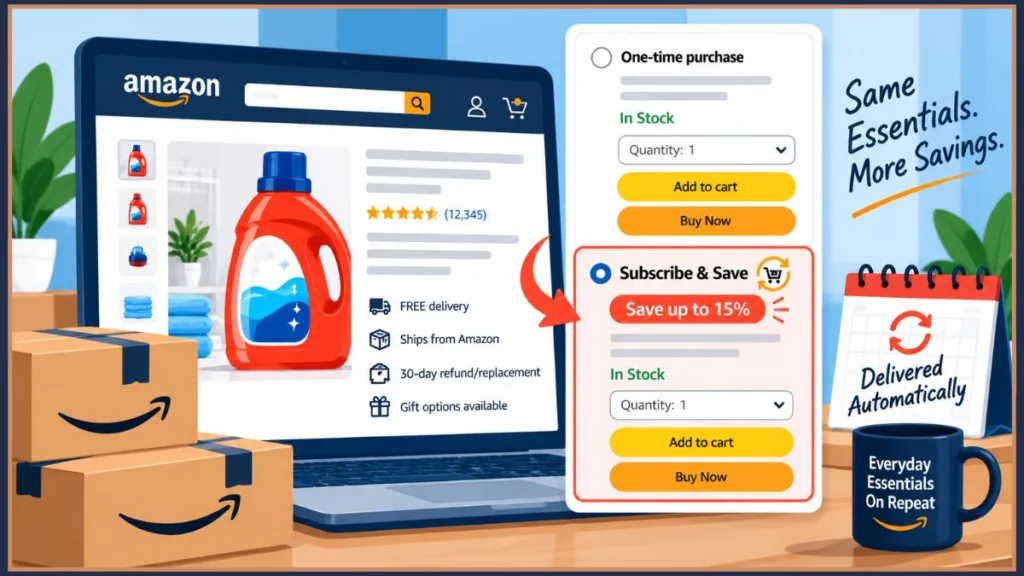
Step 2 — Select Subscribe & Save
Click it. The discounted price updates immediately so you can see exactly what you’ll save compared to a standard one-time purchase.
Step 3 — Choose your delivery frequency
This setting matters more than most people realize. Your options run from every two weeks out to every six months, with several intervals in between.
Amazon may suggest a frequency based on typical usage for that product type. Treat it as a starting point, not a rule. A household with two kids goes through dish soap faster than a single person does. Set the interval based on how quickly you actually use the product.
When genuinely unsure, start longer than you think you need. It’s easy to shorten the interval later from your dashboard. Dealing with excess stock you weren’t ready for is more annoying than adjusting a delivery date.
Step 4 — Set your quantity
Choose how many units you want per delivery.
Step 5 — Review and confirm
Click Subscribe Now or Review Subscription. Confirm your delivery address and payment method. Check the discounted price and first delivery date. Confirm. You’re set up and saving from the very first delivery.
On the Amazon App (iPhone and Android)
Open the app and sign in. Search for your product and open the listing. Tap the Subscribe & Save option on the product page. Select your frequency and quantity. Tap Subscribe Now. Confirm your address and payment details.
The whole thing takes under two minutes on mobile too.
Where to Find Your Subscriptions After You Set Up
This is one of the most common questions from people who are already subscribed — and it’s genuinely less obvious than it should be.
Everything lives in a section called Your Subscribe & Save Items.
On desktop
Click Account & Lists in the top right corner of Amazon.com. Select Your Account. Find Your Subscribe & Save Items and click it. You can also go directly to amazon.com/subscribe-save while signed in and it will take you straight to your dashboard.
On the Amazon app
Go to your Account tab or tap Your Orders. Look for Your Subscribe & Save Items in the options listed and tap it.
Inside the dashboard you’ll find every active subscription, every upcoming delivery date, and the scheduled charge for each one. This is also where you can make any changes — frequency, quantity, delivery date, payment method, or cancellation — all from one place.
Amazon also surfaces product recommendations here based on your order history, which can be a useful way to spot other everyday essentials worth automating.
Staying in Control: How to Change, Skip, or Cancel
Recurring purchases make some people nervous, and that’s understandable. The idea of Amazon charging you automatically on a schedule you might forget about is a legitimate concern.
Here’s the reality: recurring doesn’t mean permanent, and automated doesn’t mean uncontrollable.
You have full control over every subscription at every point. Here’s exactly what that looks like in practice.
Changing how often something arrives
Your usage changes. You stock up on something at a warehouse store. You’re going through coffee faster than usual. The delivery interval you chose three months ago doesn’t match your current reality.
Go to Your Subscribe & Save Items. Find the product. Click Edit on desktop, or tap the product image on the app. Select a new frequency. Save. The change applies to any order that hasn’t shipped yet.
Changing the quantity
Same process. Update the quantity field instead of the frequency before saving.
Skipping one delivery without canceling
This is the most underused feature in the program — and one of the most useful.
If the reminder email comes in and you’re still well-stocked on an everyday essential, you don’t have to let the delivery process. Go to Your Subscribe & Save Items, find the subscription, and select Skip Next Delivery. Confirm. Your subscription resumes normally on the following scheduled date. Discount stays intact. Nothing resets.
Use this whenever you’re getting ahead of your actual usage. It’s exactly what the feature is there for.
Canceling a subscription entirely
Go to Your Subscribe & Save Items. Select the product. Click Manage Subscription. Choose Cancel Subscription. Pick a reason from the options and confirm.
It’s immediate. No waiting period. No fee. No customer service call.
One thing worth knowing: if you cancel and later decide to resubscribe, Amazon may not offer the same discount that was available when you first set it up. Discounts can change over time. This isn’t a reason to stay subscribed to something you no longer need — but it’s useful context.
What Amazon can do on their end
A few things in the fine print are worth being aware of:
- Amazon can change discount amounts and program terms at any time. You’ll see changes reflected on future orders.
- Amazon can terminate a subscription without notice. If that happens, you won’t be charged for anything you didn’t receive.
- If a subscribed everyday essential becomes unavailable, Amazon will notify you and may suggest a replacement you can authorize or decline.
None of these scenarios are common, but knowing they exist means you won’t be caught off guard if one occurs.
What Everyday Essentials Are Actually Worth Subscribing To
Not everything on Amazon qualifies for Subscribe & Save. Sellers have to specifically enroll their products in the program, and many don’t — particularly for non-consumable items.
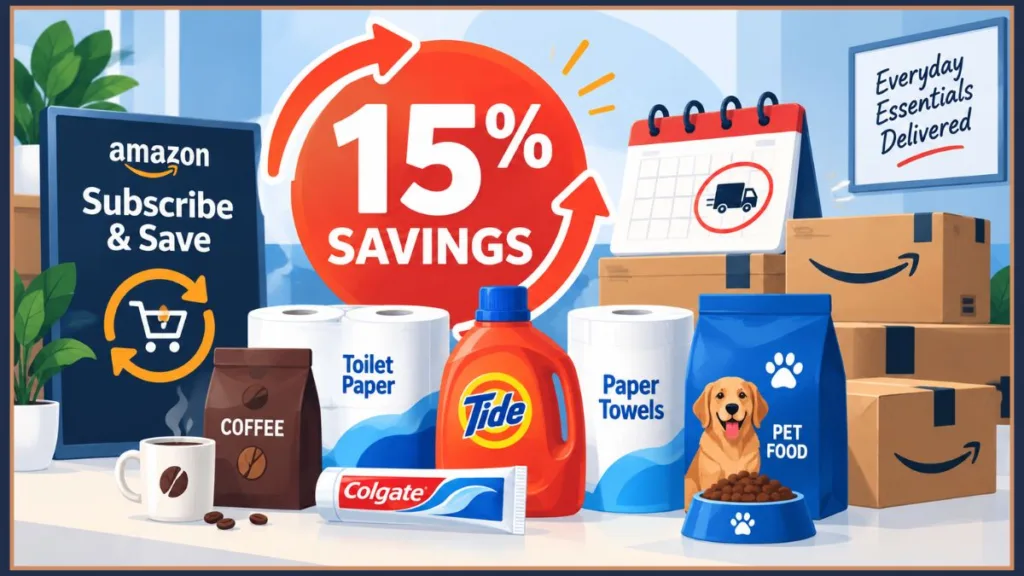
The everyday essentials that make the most sense as subscriptions share one quality: you use them up on a predictable schedule and you always need more.
Categories that work well
| Category | Common Examples |
|---|---|
| Household essentials | Toilet paper, paper towels, garbage bags, laundry detergent, dish soap, cleaning sprays |
| Personal care | Toothpaste, shampoo, conditioner, deodorant, razors, moisturizer, vitamins, mouthwash |
| Grocery and pantry | Coffee, protein powder, snacks, seltzer, shelf-stable foods, baking supplies |
| Pet supplies | Pet food, cat litter, flea treatments, pet supplements, treats |
| Baby products | Diapers, wipes, formula, baby food |
| Home maintenance | Air filters, water filters, vacuum bags, candles |
| Lawn and garden | Bug spray, plant food, bird seed, pool supplies |
Products that don’t make great subscriptions
- Things you only occasionally need or use irregularly
- Products where you regularly switch brands, sizes, or formulas
- Items with frequently fluctuating prices on Amazon
- Non-consumables — electronics, clothing, furniture, anything you’d want to inspect before buying
Specific everyday essentials worth considering
Dunkin’ Ground Coffee, Dark Roast Coffee is one of the most natural everyday essentials to set up on Subscribe & Save. You drink it every day, it runs out on a consistent schedule, and calibrating the delivery interval is straightforward. If you’re already buying a specific blend on Amazon, this is a low-effort first subscription that immediately starts saving you money.
Tide Pods 3-in-1 Laundry Detergent Laundry detergent is a reliable everyday essential for households with kids especially. Usage is consistent week to week, you never want to run out mid-wash, and the 15% discount tier makes a real difference on something you’re buying regularly anyway.
Colgate Total Whitening Toothpaste A textbook Subscribe & Save everyday essential. Everyone in the household uses it daily, you always need it, and having an extra supply creates no problem. A four-pack on subscription means you’re covered for months while saving up to 15% without thinking about it.
Huggies Baby Diapers One of the strongest use cases in the program, particularly for Prime members. Through Amazon Family, eligible diapers can reach up to 20% off when bundled with other subscriptions. And if there’s an everyday essential where running out creates an immediate problem, it’s diapers.
CeraVe AM Facial Moisturizing Lotion SPF 30 Daily skincare products work extremely well as subscription essentials because usage is completely consistent. You apply it every morning. You know roughly when a bottle runs out. Setting the right delivery interval is simple, and you’re never scrambling to reorder it.
One practical shortcut: Go to Your Orders and look for anything you’ve manually reordered more than twice in the past year. Those everyday essentials already proved themselves. Start there before browsing the full catalog.
Note: Specific prices, discount amounts, and coupon availability on individual products change frequently. Always check the current product page before subscribing to confirm what’s available.
Why You Can’t Find the Subscribe & Save Option on Some Products
If you’re on a product page and the Subscribe & Save option simply isn’t there, a few things might be going on.
The product isn’t enrolled
Sellers have to opt their listings into the program. Many don’t — particularly smaller sellers or those focused on non-consumables. Try finding the same product from a different seller, or go directly to amazon.com/subscribe-save where every listed product is confirmed eligible.
It’s a non-consumable
Electronics, clothing, tools, and furniture generally don’t qualify. Subscribe & Save is built around repeat purchases of everyday essentials you use up.
The seller removed it
Products that previously offered Subscribe & Save can have the option pulled at any time. If you had an active subscription and the option disappeared, check your dashboard to confirm whether it’s still running.
Geographic restrictions
Some products only ship within the 48 contiguous states. If you’re in Alaska or Hawaii, you may run into this occasionally.
Temporary availability
The option sometimes goes missing briefly due to stock levels or seller settings. Checking back in a day or two usually resolves it.
If you can’t find Subscribe & Save on a specific listing, going directly to amazon.com/subscribe-save and searching from there is the most reliable workaround.
Getting the Most Out of It: Habits That Actually Help You Save
Once the basics are running, a few simple habits make a meaningful difference in how much you actually save on everyday essentials.
Read every reminder email before it processes
This is the single most important habit to build. Amazon emails you before every upcoming delivery showing the exact price you’ll be charged and a direct link to manage the order. Skim it. Check the price. Check whether you actually need this shipment right now. That 30-second review prevents surprise charges, catches price increases before they hit your card, and stops excess stock from building up.
Build toward five subscriptions intentionally
If you currently have two or three subscriptions, you’re saving 5% off each everyday essential. Adding two or three more from products you already buy regularly jumps that to 15% across the board. Look at what you’re still reordering manually and convert five of those purchases into subscriptions together. You’re not buying extra things — you’re automating what you were already buying and unlocking better savings for doing it.
Align your delivery dates
Multiple subscriptions won’t automatically combine for the five-item discount unless they arrive together. Go into your dashboard and adjust individual delivery dates so they land on the same day each month. That alignment is what activates the higher savings tier.
Clip coupons before subscribing, not after
Check the product page for a digital coupon before clicking Subscribe & Save. Clip it first. Most of these coupons apply only to the first order and can’t be added retroactively once you’ve already subscribed.
Be selective about everyday essentials with unstable pricing
Since the program doesn’t lock in your rate, products that swing in price frequently are riskier subscriptions. Stable, predictable staples are the safest choices for consistent savings. For anything with more volatile pricing, the reminder email review becomes even more important.
Use your order history as your starting point
The best subscriptions are everyday essentials you’ve already bought more than once. Go to Your Orders, find what you’ve reordered manually, and migrate those purchases into subscriptions. You’re not exploring the catalog for new things to buy — you’re just removing the manual step from purchases you were already making and saving money in the process.
Quick Answers to Common Questions
Do you need Prime to set up Subscribe & Save?
No. The full program — including the 5% to 15% savings on everyday essentials and free standard shipping on auto-deliveries — is available with a free Amazon account. Prime members get an additional discount on certain baby products through Amazon Family, but that’s the only Prime-specific benefit.
Is there a fee to sign up?
No. Subscribe & Save is completely free to set up. You pay the discounted product price each delivery and nothing else.
Will Amazon keep charging me even if I forget about a subscription?
Yes — which is exactly why the reminder email matters. Amazon emails you before every delivery with the upcoming charge amount. If you no longer want a delivery, skip or cancel before it processes.
Can you subscribe to just one everyday essential?
Yes. No minimum required. You get the 5% savings on a single subscription. The 15% tier only kicks in when five or more everyday essentials arrive together on the same delivery day.
What happens if a subscribed product goes out of stock?
Amazon will notify you and may suggest a replacement. You can authorize it or skip that delivery entirely.
If you cancel and resubscribe later, do you get the same discount?
Not necessarily. Discount availability can change. You’ll get whatever savings rate is current when you resubscribe.
Can Amazon end a subscription without telling you?
Yes. Amazon reserves the right to terminate subscriptions at any time. If that happens, you won’t be charged for anything you didn’t receive.
Can you share Subscribe & Save benefits with someone else?
No. Benefits are tied to your individual account and can’t be transferred to another person per Amazon’s Terms & Conditions.
So Is Setting Up Subscribe & Save Actually Worth It?
For everyday essentials you’re already buying on repeat — genuinely, yes.
The 5% savings is modest on a single item. But 15% off five or more household staples you’re purchasing every month anyway adds up to a real number over the course of a year. More than the savings, though, the value for most households is the automation itself. Not having to remember to reorder laundry detergent, vitamins, pet food, and toilet paper removes something small but real from your mental to-do list every month.
The program works best when you stay mildly involved — reading reminder emails, adjusting frequencies when your usage changes, skipping deliveries when you’re ahead on stock. That amounts to maybe five minutes a month of attention, but it’s the difference between a program that quietly saves you money on everyday essentials and one that quietly charges you more than you expected.
The people who get the most savings from Subscribe & Save aren’t the ones who set it up and forget it. They’re the ones who start with everyday essentials they already know they need, pay attention to the reminder emails, and adjust things as life changes.
Start with three to five everyday essentials you already reorder manually. Set frequencies conservatively. Read the first few reminder emails carefully. Adjust from there once you have a sense of how the delivery cadence lines up with your actual usage.
After that, the essentials just show up — and you’re saving up to 15% every time they do. Which is exactly the point.
To get started, go to your Amazon Account and find Your Subscribe & Save Items — or search for any everyday essential you buy regularly and look for the Subscribe & Save option on the product page. You can also browse confirmed eligible products at amazon.com/subscribe-save.
Visit Our Post Page: Blog Page
Discover more from Izoate
Subscribe to get the latest posts sent to your email.