
Found a rifle worth keeping, but your GTA 6 loadout is already full? Learn how to store guns in your car in GTA 6, stow longarms in your trunk, and recover owned firearms through Weapon Lockers.
Finding a better rifle in GTA 6 feels great—until you realize Jason is already carrying two longarms, a couple of handguns, and everything else he needs for the next shootout. Now what? You can’t just shove another shotgun into your pocket like you did in GTA V. Leonida has other plans for your arsenal.
GTA 6 makes you manage your weapon loadout instead of carrying an entire gun shop everywhere. Your personal vehicle’s trunk acts as a mobile armory, while Ammu-Nation Weapon Lockers give you access to your owned firearms and unique weapon variants.
But there’s a catch. Not every gun you pick up belongs to you permanently. Purchased weapons can be recovered, unique firearms stay unlocked once collected, and enemy weapon pickups can disappear when you lose them. Understanding these differences will save you from buying the same gun twice or wondering where your favorite rifle went.
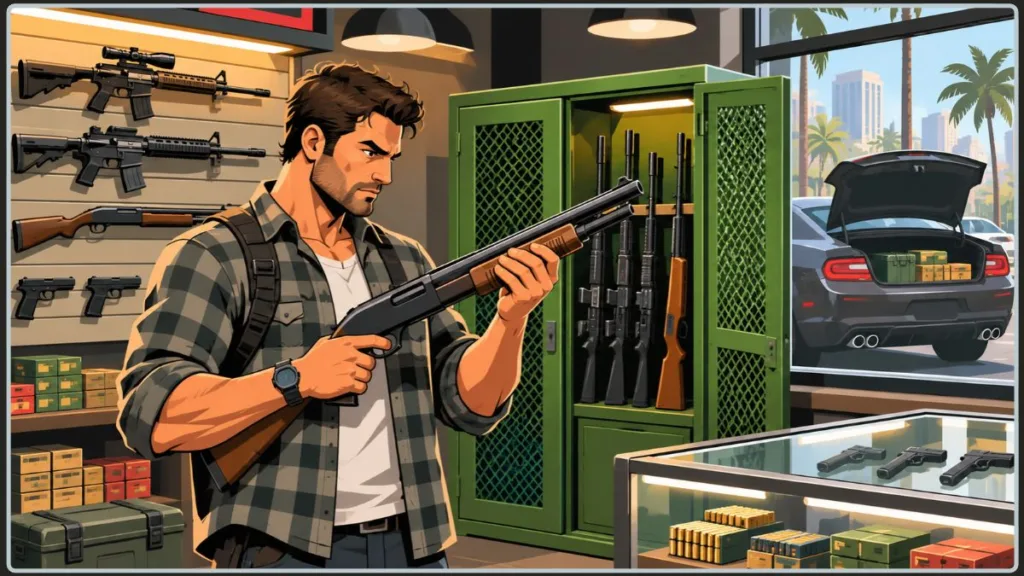
Here’s how to store weapons in GTA 6, retrieve your guns, manage your loadout, and keep your ammunition ready for the next encounter.
Quick Answer: To store weapons in GTA 6, walk to the rear of your personal vehicle, press Triangle (PS5) / Y (Xbox) to open the trunk, hold L1 / LB to open your Loadout menu, and press Square / X to Stow Longarms. To recover missing owned or unique weapons, use a green Weapon Locker at Ammu-Nation or an eligible garage.
Your Car Trunk Is Where All Those Extra Guns Go
Your personal vehicle isn’t just transportation anymore. It’s where you keep the extra firearms you don’t want hanging off Jason’s or Lucia’s back while exploring Leonida.
Whenever you find a useful shotgun or want to change your active rifles, head to the rear of your personal vehicle and open its trunk. You can manage your available weapons without visiting Ammu-Nation every time you want to change your loadout.
How to Store Weapons in GTA 6 Using Your Car Trunk
Follow these steps to put your extra firearms away:
- Walk to the rear of your personal vehicle until the trunk interaction prompt appears. (You can also pop the trunk from the driver’s seat by holding Left on the D-pad and flicking the right stick up.)
- Press Triangle (PS5) / Y (Xbox) to open the trunk.
- Hold L1 (PS5) / LB (Xbox) to open your Loadout menu.
- Highlight the weapon slot containing the firearm you want to put away.
- Use Left or Right on the D-pad to cycle through available weapons.
- Press Square (PS5) / X (Xbox) to activate Stow Longarms and put your rifle or shotgun away.
Your longarm is now stored, leaving you free to move around without carrying it on your character. To retrieve it, return to your personal vehicle, open the trunk, access the Loadout menu, and select the weapon you want to equip.
Important: Your vehicle trunk gives you quick access to your available loadout, but it isn’t the same as permanently owning every firearm you collect. A weapon’s ownership status still determines whether you can recover it later.
Don’t Trust a Stolen Car With Your Favorite Guns
You might be tempted to use a stolen vehicle as temporary storage. After all, why bother returning to your personal car when there’s another trunk sitting right outside?
Here’s the difference:
| Feature | Personal Vehicle | Unowned Vehicle |
| Store and transport items | Yes | Yes |
| Manage weapon loadout | Yes | No |
| Change saved outfits | Yes | No |
| Outfit storage | Up to 5 outfits | Not available |
| Protection from being wasted or busted | Owned/unique loadout protected (unowned pickups still lost) | Stored items are removed |
An unowned vehicle can still hold physical items, including a limited number of unowned weapon pickups. However, it doesn’t provide the same loadout management options as your personal vehicle, and if you lose access to that car, its contents can disappear with it.
If you prefer two wheels, owned motorcycles also give you weapon loadout access at the rear of the bike—just keep in mind that motorcycles cannot store saved outfits or carry stash bags, which require a car or truck trunk.
Our Recommendation: Use your registered personal vehicle whenever you want reliable access to your weapon collection. Treat stolen vehicle trunks as temporary storage rather than somewhere to keep anything important.
Not Every Gun You Pick Up Actually Belongs to You
This is probably the most important part of GTA 6 weapon management.
The game separates firearms into three categories: Owned Weapons, Unique Weapon Variants, and Unowned Weapons. Each category follows different rules, and confusing them is an easy way to lose a gun you thought you had saved. Check the weapon’s icon color in your Loadout before deciding what to do with it.
| Weapon Category | Icon Color | How You Obtain It | Ownership |
| Owned Weapons | Blue / light blue | Purchase from Ammu-Nation | Permanent |
| Unique Weapon Variants | Gold / yellow | Discover through exploration or missions | Permanent after collection |
| Unowned Weapons | White | Pick up from enemies or find in the world | Temporary |
Blue Weapons: Your Permanently Owned Guns
Purchased firearms are the safest weapons to build your arsenal around.
When you buy a weapon from Ammu-Nation, it becomes part of your permanent collection. You can equip it, store it in your personal vehicle, and recover it through an available Weapon Locker. Even if you drop an owned firearm or lose access to it, you never have to purchase it again.
There’s another useful detail: purchased weapons are shared between Jason and Lucia. You don’t need to buy the same firearm separately for each protagonist. However, their weapon modifications and equipment choices are managed independently, so you still need to customize each character’s setup separately.
Remember: Permanent weapon ownership transfers between Jason and Lucia, but individual weapon modifications and equipment choices do not.
Gold Weapons: Don’t Confuse Unique Variants With Standard Guns
Unique Weapon Variants are special firearms you discover through exploration and missions. Unlike ordinary purchased weapons, these variants are permanently unlocked once collected, and both Jason and Lucia can access them through their weapon collections.
However, there’s an important limitation: Unique Weapon Variants cannot be modified like regular owned firearms. If you’ve found a special version of a weapon and later purchased its standard model, don’t immediately assume the original has disappeared—it’s simply tucked under the weapon’s Variants menu.
To equip a unique weapon variant:
- Visit an Ammu-Nation that has a Weapon Locker.
- Approach the green locker.
- Press Triangle (PS5) / Y (Xbox) to open Manage Weapons.
- Select the weapon category containing your unique firearm.
- Look for the gold weapon icon (or highlight the base gun).
- Press Triangle / Y to open the Variants menu.
- Select the unique firearm you want to equip.
You can also track every unique variant you’ve collected via Progress > Weapons.
Useful Tip: Check Progress > Weapons before revisiting locations to search for a unique weapon you might have already unlocked.
White Weapons: The Guns You Can Actually Lose
Now for the annoying category. White weapons are firearms you pick up from enemies or discover in the world without permanently owning them.
You can use these guns and temporarily store a limited number in your vehicle’s trunk. However, picking one up doesn’t make it a permanent addition to your collection. Unowned weapons cannot be modified, and dropping them means losing them. You also lose them when you get wasted, busted, or have a car impounded—and unowned trunk stashes remain separated between Jason’s and Lucia’s cars.
The Golden Rule: Blue and gold weapons belong to your permanent collection. White weapons are temporary pickups, so don’t treat them like guns you’ve purchased.
Why Your Weapons Keep Disappearing in GTA 6 (Quick Fixes)
If a favorite gun or attachment suddenly vanished from your wheel or trunk, it almost certainly comes down to one of these four causes:
- Your unique weapon disappeared after buying the standard gun: Your trunk only shows one variant per weapon platform. Open a Weapon Locker, highlight the base gun, and press Triangle / Y to re-equip your gold variant from the Variants menu.
- A stolen gun vanished after dying, missions, or character swaps: White-icon pickups disappear permanently if you get wasted, busted, or drop them—and unowned guns stashed in trunks don’t transfer between Jason’s and Lucia’s personal vehicles.
- The Weapon Locker wiped your picked-up guns: Accepting the confirmation prompt while carrying unowned weapons discards them. Cancel the prompt and stash white-icon guns in your trunk first.
- Your rifle or shotgun attachments vanished: Before re-buying scopes, grips, or extended mags, inspect the firearm’s Modifications menu at Ammu-Nation—checking your owned mods at the counter often forces them to reappear in your weapon wheel.
Your Weapon Locker Is More Than a Place to Recover Guns
Think of your personal vehicle as your mobile armory and the Weapon Locker as the place where you manage your permanent collection. Your trunk gives you quick access to the weapons you’ve assigned to your vehicle, while Weapon Lockers let you inspect your entire arsenal and decide which firearms stay ready.
Where to Find Weapon Lockers in GTA 6
You can find Weapon Lockers inside most Ammu-Nation stores and select owned properties. Look for the tall green metal cabinet inside the shop to manage owned weapons, recover firearms, and equip unique variants.
However, don’t assume every gun shop has one—pawn-shop Ammu-Nation variants are an exception. To avoid traveling across Leonida for nothing:
- Open the GTA 6 Index.
- Navigate to GTA 6 Index > Weapons.
- Find a nearby Ammu-Nation location.
- Check its listed Features.
- Confirm the Weapon Locker feature is listed before heading over.
Certain property garages also include built-in Weapon Lockers, including the Paradise Garage in Watson Bay (Ultimate Edition), the Shore Court Garage (pre-order bonus), and the GTA+ Crosstown Garage.
How to Manage Weapons Without Filling Your Trunk With Everything
Once you’ve purchased several firearms, keeping every weapon active in your vehicle makes your Loadout unnecessarily cluttered. Instead, use the Weapon Locker to control which firearms appear in your personal vehicle:
- Approach the green Weapon Locker.
- Press Triangle (PS5) / Y (Xbox) to open Manage Weapons.
- Select the weapon category you want to organize.
- Highlight the weapon or slot you want to change.
- Press Square (PS5) / X (Xbox) to add or remove it from your personal vehicle’s trunk selection.
Keep the rifles, shotguns, and handguns you actually use available, and store the firearms you rarely equip. That way, you won’t waste time scrolling through unused guns during a firefight.
One More Warning: If you’re carrying unowned weapons when you approach a Weapon Locker, the game may ask you to discard them before entering the management screen. Cancel the prompt if you want to keep those pickups, then return to your vehicle trunk to organize your loadout first.
Your Trunk Can Restock More Than Your Weapons
Here’s something worth remembering before starting your next mission: your personal vehicle also acts as a resupply point. Ammu-Nation sells more than firearms—you can purchase ammunition, body armor, and explosives packs to prepare for upcoming encounters.
How Ammo Packs and Explosives Packs Work
When you purchase ammo packs and explosives packs from Ammu-Nation, they are delivered straight to your personal vehicle’s trunk. Walk to the rear of your car and use the trunk prompts whenever you need a refill:
- Ammo Pack: Replenishes ammunition for your equipped firearms.
- Explosives Pack: Replenishes your throwables and explosives.
Keeping spare packs in your vehicle means you don’t have to drive back to Ammu-Nation every time your ammo runs dry—especially handy before missions, robberies, or multi-stage firefights.
Preparation Tip: Restock ammunition and explosives before starting a mission. Your personal vehicle is a much better place to discover you’re running low than the middle of a firefight.
How to Keep the Right Weapons Ready for Every Encounter
GTA 6 doesn’t let you carry an unlimited collection of firearms. You have to decide what stays on your character and what remains in storage. Your Weapons tab contains the following loadout slots:
| Weapon Category | Available Slots |
| Sidearms | 2 |
| Longarms | 2 |
| Melee weapons | 1 |
| Explosives | 1 |
| Equipment | 1 |
| Hands | 1 |
The two-longarm restriction is particularly important. If you’re already carrying an assault rifle and a shotgun, you’ll need to manage your loadout before bringing another longarm into those slots.
Use the Items Tab to Manage Your Equipment
Your Loadout isn’t limited to firearms. Press R1 (PS5) / RB (Xbox) to switch from the Weapons tab to the Items tab, where you can manage accessories and gear:
- Masks and headwear
- Saved outfits
- Bags and gear
- Eyewear
- Other carried items
Your personal vehicle supports up to five saved outfits, making it easy to change your appearance before entering a different neighborhood or starting an activity—another major advantage over driving a random stolen car.
Check Weapon Attachments Before Spending More Money
GTA 6 lets you inspect weapon statistics and attached modifications directly through the Loadout menu. Suppressors and tactical flashlights can be toggled on or off anytime through your Loadout, while permanent modifications—including grips, magazines, and optics—require an Ammu-Nation visit.
You can also compare your equipped firearm directly against any weapon lying on the ground:
- Equip the firearm you want to compare.
- Approach another weapon lying on the ground.
- Hold L1 (PS5) / LB (Xbox) when the comparison interaction appears.
- Inspect the displayed weapon statistics.
Money-Saving Tip: Always compare weapon statistics before buying a different firearm. A newer gun isn’t automatically an upgrade over the one you already own.
Stop Walking Around Leonida With a Rifle on Your Back
Carrying a longarm everywhere isn’t always the smartest move. Unlike sidearms, rifles and shotguns remain visible on your body and can attract unwanted attention from civilians and Leonida police in populated areas.
You need to know the difference between holstering and stowing:
- Holstering: Conceals your active sidearm by switching to the Unarmed option.
- Stowing: Removes a longarm from your character and places it safely inside your vehicle’s trunk or Weapon Locker.
How to Put Away a Weapon Without Opening Your Trunk
If you’re carrying a sidearm and want to put it away:
- Hold L1 (PS5) / LB (Xbox) to open your Loadout.
- Use the right stick to highlight Unarmed (represented by the fist icon).
- Release the selection to conceal your sidearm.
(By default, climbing into a car automatically holsters your weapon—if you prefer staying armed for drive-bys, go to Settings > Gameplay > Combat > Holster in Vehicle and switch it to Manual.)
Keep in mind that selecting Unarmed doesn’t hide rifles or shotguns. Longarms stay visibly slung on your back until you stow them in your personal vehicle’s trunk or a Weapon Locker.
Remember: Selecting Unarmed and stowing a longarm are two different actions. If you want a rifle or shotgun off your character’s back, use your car trunk or a Weapon Locker.
Frequently Asked Questions
Can You Store Weapons in Any Car in GTA 6?
You can use unowned vehicle trunks to store and transport physical items, but only your registered personal vehicle provides full weapon loadout management and saved outfit access. Use your personal vehicle whenever you want reliable access to your owned weapon collection.
Can You Keep Weapons Stolen From Enemies in GTA 6?
You can temporarily store a limited number of unowned enemy weapons (white icon) in your vehicle’s trunk, but this doesn’t convert them into permanent purchases. Unowned weapons cannot be modified and are lost if you drop them, get wasted, get busted, or have the vehicle impounded.
Do Jason and Lucia Share Weapons in GTA 6?
Yes. Purchased weapons (blue icon) and collected unique weapon variants (gold icon) are shared between both protagonists. However, weapon modifications and equipment choices are managed separately, so you still need to customize each character’s loadout.
Can You Modify Unique Weapon Variants in GTA 6?
No. Unique Weapon Variants are permanently unlocked after collection, but you cannot customize them like standard purchased firearms. You can switch between eligible variants and your regular owned weapons anytime through a Weapon Locker.
How Do You Find an Ammu-Nation With a Weapon Locker?
Open GTA 6 Index > Weapons and check the Features listed for nearby Ammu-Nation stores. Most standard gun shops include a Weapon Locker, while pawn-shop Ammu-Nation variants do not.
Can You Carry More Than Two Longarms in GTA 6?
No. Your active loadout caps at two sidearms and two longarms, alongside dedicated slots for melee weapons, explosives, equipment, and hands. Store extra owned firearms in your personal vehicle’s trunk or a Weapon Locker.
Can You Remove Every Weapon From Your GTA 6 Loadout?
You can organize your weapon slots freely, but GTA 6 prevents you from removing your last remaining sidearm. If the Unequip option is grayed out while managing weapons, check whether you’re trying to remove your final handgun.
Do You Need to Visit Ammu-Nation to Change Weapon Attachments?
Not for every attachment. You can toggle suppressors and tactical flashlights directly through your Loadout. Other modifications—including grips, magazines, and optics—must be installed or swapped at Ammu-Nation.
Visit Our Post Page: Blog Page
Discover more from Izoate
Subscribe to get the latest posts sent to your email.