
Can’t load your MyPLAYER in NBA 2K? Seeing the 6f8ce31b error in MyCAREER or getting sent back to the main menu? Learn how to fix the NBA 2K 6f8ce31b error.
Getting locked out of an established MyPLAYER after dozens of hours of grinding attributes, badges, and storyline progress is one of the most frustrating problems in NBA 2K. When NBA 2K error code 6f8ce31b hits, you select your build in MyCAREER, watch the loading screen start, and immediately get kicked back to the main menu with an online-services connection warning.
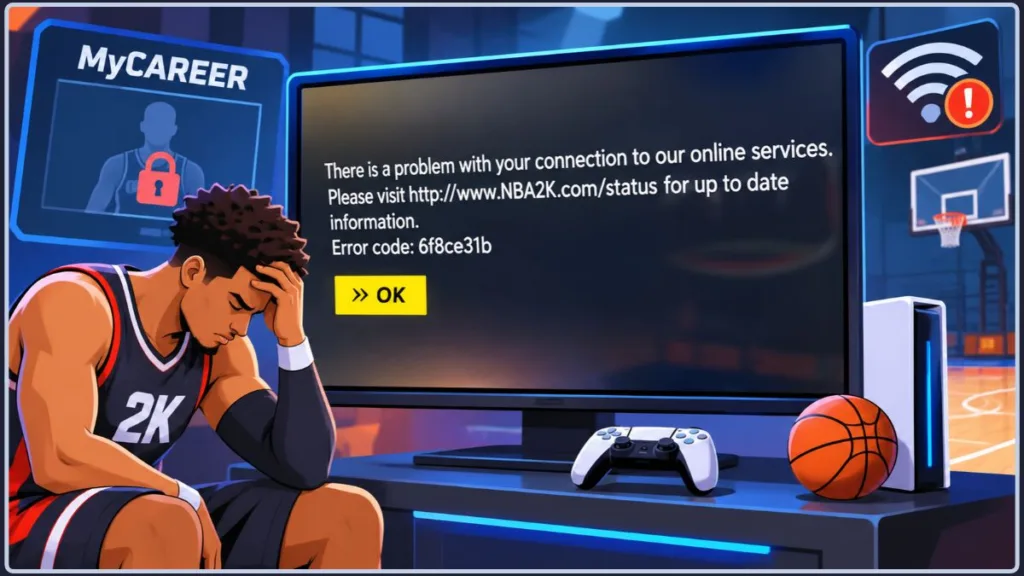
Before you delete saved data, clear Reserved Space, or reset your console, stop and diagnose the problem properly. Identify whether error code 6f8ce31b is affecting your individual MyPLAYER or your game’s overall online connectivity before changing anything that could put your saved progress at risk. In many cases, your internet connection and other builds are working normally—the loading block sits on one specific MyPLAYER slot.
NBA 2K24 Service Retirement Notice: 2K permanently retired NBA 2K24 online services on December 31, 2025, ending access to NBA 2K24 MyCAREER. The diagnostic checks and recovery tutorials below apply only to NBA 2K editions with active online services.
What NBA 2K Error Code 6f8ce31b Actually Means
NBA 2K error code 6f8ce31b is an online-services loading error that has appeared across past NBA 2K releases whenever MyCAREER fails to finish opening.
- What error message appears: The screen displays an alert citing a problem with your connection to 2K’s online services alongside error code 6f8ce31b.
- When you encounter it: You select an existing player file in the MyCAREER menu, the mode begins loading, and seconds later the game drops you back to the main menu.
- Why it surfaces during MyCAREER loading: Because MyCAREER depends on active online services to run, loading interruptions inside the mode routinely fall back to a general online-services error prompt.
- Why the alert does not prove your internet is faulty: Pay attention to where the error triggers. If you can open the main menu and enter other online modes cleanly—and 6f8ce31b appears only after selecting one MyPLAYER—your home internet connection is unlikely to be the culprit.
Do not assume error code 6f8ce31b means your MyCAREER save is permanently corrupted. Save corruption is not established as the universal cause of this error. Your build often remains listed on the selection screen with its progress intact, and rushing into file deletion puts recoverable data in danger.
Common Causes of Error Code 6f8ce31b (And How to Spot Yours)
Match what you see on screen to one of two categories before running any fix. Pinpointing the right bucket immediately keeps you from wasting time on your router or touching console storage unnecessarily.
| What You Observe | Likely Category | Recommended First Focus |
|---|---|---|
| One MyPLAYER fails while other builds or online modes load normally | Individual MyPLAYER loading or progression problem | Run safe in-game resets, then contact 2K Support |
| Every MyPLAYER build and all online modes fail to connect | Online service availability or local network problem | Verify 2K Online Services Status and test another network |
MyPLAYER Build or MyCAREER Loading Problems
In a single-build lockout, your affected MyPLAYER still displays its name and overall rating on the selection screen, yet kicks you back to the main menu every time you select it—while another build opens MyCAREER without issue. When a second slot loads cleanly, the problem is isolated to that specific player rather than your console hardware or full game installation.
MyCAREER Quest or Progression Issues
In NBA 2K23, error code 6f8ce31b frequently surfaced right after specific MyCAREER storyline milestones—most notably after completing the J. Cole quest. When a progression block traps a build like this, changing network settings will not clear it; you need either an in-game reset or backend review from 2K Support.
NBA 2K Update-Related Problems
Error code 6f8ce31b can also appear shortly after a game patch releases. Checking your console’s downloads queue for pending patches—then fully closing and relaunching NBA 2K so small in-game updates can apply—is a smart, zero-risk verification step. Do not assume every NBA 2K update triggers this error, but always rule out a missed patch early.
Online Services or Network Connection Problems
If no online mode works anywhere in NBA 2K, separate these two causes before troubleshooting further:
- Server availability: Active 2K servers may be down temporarily for maintenance or an outage, or an older title’s online support window may have permanently ended.
- Local connection interruption: An unstable Wi-Fi signal, strict router configuration, or brief ISP drop can cut off online access even when 2K’s servers are live.
3 Quick Fix Checks to Run First
Run these three zero-risk diagnostic tutorials in exact order. They protect your saved progress and tell you whether you are dealing with a connectivity issue or an isolated MyPLAYER lockout.
1. Check NBA 2K Online Service Status
- Open the official 2K Online Services Status page on your phone or computer.
- Locate your exact NBA 2K edition—do not rely on a general franchise indicator.
- Check the status listed for your specific platform (PlayStation, Xbox, PC, or Nintendo Switch).
- Verify whether your edition is active, experiencing temporary downtime, or permanently retired:
- NBA 2K24: Online services were permanently retired on December 31, 2025. Do not mistake this permanent retirement for temporary server downtime.
- NBA 2K25, NBA 2K26, and NBA 2K27: Each edition runs on its own scheduled online service availability period. Confirm live status for your title before moving forward.
When to move on: If 2K lists an active outage, wait for service to return instead of altering settings. If your edition and platform show active servers, go straight to Pre-Check 2.
2. Test a Different Network Connection
On a currently supported NBA 2K edition with active servers, run a brief network swap to rule out your home router or ISP:
- Enable a mobile hotspot on your phone, or prepare a second Wi-Fi network or wired Ethernet cable if you normally play on Wi-Fi.
- Switch your console or PC to the alternate connection:
- PS5: Go to Settings → Network → Settings → Set Up Internet Connection and connect to your hotspot or alternate network.
- Xbox Series X|S: Press the Xbox button, open Profile & system → Settings → General → Network settings → Set up wireless network, and pick the alternate network.
- PC: Open your taskbar network menu (or connect via Ethernet) and switch networks.
- Fully close NBA 2K so it is not suspended in the background, then launch the game fresh.
- Select your affected MyPLAYER in MyCAREER and check whether it loads.
When to move on: Treat this strictly as a diagnostic test for a local connection drop, not a guaranteed error code 6f8ce31b fix. If the alternate connection gets you in, troubleshoot your primary home router. If 6f8ce31b appears on the alternate network too, leave your network settings alone and proceed to Pre-Check 3.
3. Check Whether Your Other MyPLAYER Builds Work
Use this test to confirm whether the lockout affects your entire account or a single MyPLAYER slot:
- From the NBA 2K main menu, open MyCAREER to reach the player selection screen.
- Confirm your affected build still appears with its name and overall rating, then highlight a different existing MyPLAYER.
- Select that secondary build and wait to see if it loads cleanly into MyCAREER.
- Only have one MyPLAYER slot? Do not build a second player yet. Back out to the main menu and load another online mode—such as MyTEAM or Play Now Online—to confirm your account reaches 2K’s online services.
When to move on: If another MyPLAYER or online mode loads normally while your primary build triggers 6f8ce31b, you have confirmed a single-build lockout. Skip console-wide resets and start Method 1 below.
NBA 2K Error Code 6f8ce31b Fix
Once your pre-checks confirm you are on an active edition and the error is isolated to one MyPLAYER, follow these three methods in order. Start with the two unofficial in-game workarounds first—neither is officially confirmed by 2K and results are not guaranteed, but both leave your saved files untouched and carry zero risk to your progress.
1. Quickly Quit and Reload MyCAREER Twice
Attempt this method first. Timing matters—use the in-game Quit option, never your console’s close-app command.
- Open the MyCAREER player selection screen and select your affected MyPLAYER.
- Keep your controller ready as the game transitions into the MyCAREER menu.
- The moment the in-game menu becomes responsive—before the 6f8ce31b error prompt interrupts—navigate directly to the Quit option inside the game menu.
- Select Quit and wait for NBA 2K to return you cleanly to the main menu. Do not force-close the game from your console dashboard.
- Re-enter MyCAREER, select the same affected MyPLAYER, and repeat Steps 2–4 a second time.
- On your third attempt, select your original MyPLAYER and let it load normally without quitting.
When to move on: If 6f8ce31b kicks you out too fast to reach the in-game Quit button—or if the error still triggers on your third load—stop repeating this step and move immediately to Method 2.
2. Create a New MyPLAYER and Return to Your Original Build
Use this second unofficial in-game workaround when you cannot reach the Quit option fast enough or Method 1 does not clear the lockout.
- From the MyCAREER player selection screen, scroll to an empty MyPLAYER slot. Double-check that you are not overwriting your affected build or any other saved player.
- Select the empty slot to open the MyPLAYER Builder.
- Move quickly through the build screens without spending any VC or fine-tuning attributes (you will not keep this test build).
- Continue past the builder summary until you reach the team selection screen.
- Stop before selecting a team. Press Back/Cancel to exit team selection without confirming a team.
- Return to the original MyCAREER player selection screen, highlight your main MyPLAYER, and try loading it again.
When to move on: If your main build still kicks you back to the menu with 6f8ce31b, stop troubleshooting locally and move straight to 2K Support in Method 3.
3. Contact 2K Support to Recover Your Affected MyCAREER
When in-game resets fail, submitting an official ticket is the safest path to recover a locked MyPLAYER without risking your saved progress:
- Take a clear screenshot or photo of the 6f8ce31b error screen.
- Open the official NBA 2K Support Request Form.
- Select your NBA 2K edition and gaming platform (PS5, Xbox Series X|S, PC, etc.) from the form dropdowns.
- Enter complete diagnostic details upfront so support skips generic router scripts and reviews your build directly:
- Exact error code:
6f8ce31b - Platform username: Your PSN ID, Xbox Gamertag, or Steam ID
- Affected MyPLAYER build: Position, overall rating, recent quest or game progress, and approximate date and time the lockout began
- Pre-check results: Explicitly note whether your other MyPLAYER builds or online modes load normally
- Exact error code:
- Attach your screenshot of the error and submit your request.
- Keep the affected MyPLAYER save file intact while waiting so 2K Support can inspect your progression state on active titles.
Can You Still Fix NBA 2K24 Error Code 6f8ce31b in 2026?
No. Because 2K permanently retired NBA 2K24 online services on December 31, 2025, NBA 2K24 MyCAREER is no longer accessible and no troubleshooting step can restore it:
- Reinstalling NBA 2K24 cannot restore retired online services.
- Changing your network or switching to a hotspot cannot bring back MyCAREER.
- Clearing your console cache cannot restore discontinued server functionality.
- Offline game modes remain available where supported: server-dependent modes such as MyCAREER, MyTEAM, and online multiplayer are permanently offline, while local offline modes—including Play Now and offline franchise modes—remain playable.
How to Protect Your MyPLAYER Progress
Aggressive trial-and-error wipes out far more MyPLAYER builds than error code 6f8ce31b ever does. Follow four strict safeguards whenever a save refuses to load:
- Never delete saved data without understanding the consequences: Removing local or cloud save files prematurely can permanently erase a recoverable MyPLAYER—and leaving the affected save untouched lets 2K Support inspect it if you open a ticket.
- Verify cloud backups before reinstalling: Reinstalling is a last resort on supported editions, never a first step. Always verify your cloud save timestamp before uninstalling:
- PS5: Go to Settings → Saved Data and Game/App Settings → Saved Data (PS5) → Cloud Storage (requires PlayStation Plus) and verify your latest NBA 2K save timestamp.
- Xbox Series X|S: Keep your console online and signed in so Xbox Cloud Saves remain current before uninstalling.
- PC (Steam): Open your Steam Library, click your NBA 2K title, and confirm Cloud Status reads “Up to date”.
- Do not delete Reserved Space as a random troubleshooting step: Clearing Reserved Space blindly is unnecessary and puts local game data at risk.
- Avoid factory resetting your console: There is no verified connection between error code 6f8ce31b and console system settings, making a factory reset an unnecessary risk.
Frequently Asked Questions
What if I find 6f8ce31b error message on my screen?
Do not delete saves, clear Reserved Space, or reset your console. Check your edition on the 2K Online Services Status page, test a mobile hotspot and a second MyPLAYER (or another online mode) to isolate the cause, and then try the double in-game Quit reset or MyPLAYER Builder back-out before contacting 2K Support with your save untouched.
Does NBA 2K24 MyCAREER mode have a glitch?
NBA 2K24 MyCAREER had bugs like 6f8ce31b and badge resets while active, but being locked out today is not a glitch. 2K permanently shut down NBA 2K24 online servers, leaving only supported offline modes playable.
Why is NBA 2K not working? Why do I keep getting errors on 2K?
Repeated NBA 2K errors usually come down to four causes: server maintenance or retired servers, pending game or console updates, local Wi-Fi/router instability, or a single locked MyPLAYER slot. Check the 2K Online Services Status page first before changing console settings.
What does error code 56d85bb8 mean in NBA 2K26?
Error code 56d85bb8 is an online connectivity error that typically disconnects you mid-match in modes like Rec or Park due to server instability, IPv4 routing issues, dynamic IP conflicts, or blocked ports. Check 2K’s server status and test wired Ethernet or a hotspot; if disconnects persist, review your router’s static IP and port-forwarding settings—or verify game files on PC.
Why isn’t it letting me connect to 2K servers?
When every online mode fails to connect, rule out four common blockers: retired or offline servers on 2K’s status page, a suspended Xbox Quick Resume session (fully quit and remove NBA 2K from Quick Resume), pending game patches, or local router/ISP blocks (verify by testing a phone hotspot).
How to fix NBA 2K corrupted file?
If you get a genuine corrupted-file prompt on a supported NBA 2K edition, never overwrite your cloud backup—download your latest clean copy instead:
- PS5 / PS4 (PS Plus): Highlight NBA 2K → Options → Upload/Download Saved Data (or Settings → Saved Data and Game/App Settings on PS5) and download your cloud save.
- Xbox Series X|S: Go to My games & apps → NBA 2K → Menu → Manage game & add-ons → Saved data and let the console sync your cloud copy while online.
- PC (Steam): Restore via Steam Remote Storage and run Verify Integrity of Game Files (Properties → Installed Files).
- Nintendo Switch (Switch Online): Highlight NBA 2K → press + or – → Save Data Cloud → Download Save Data.
If your MyPLAYER still will not load, contact 2K Support before deleting anything else.
How do I uncorrupt my file?
No tool can directly repair a corrupted NBA 2K save—you must replace it with an undamaged backup from PlayStation Plus Cloud, Xbox Cloud Saves, Steam Cloud, or Nintendo Switch Online. If game installation files are damaged instead, verify files on PC or reinstall on console only after confirming your cloud save is current.
How to clear cache 2K?
Fully quit NBA 2K first so your progress saves, then clear your platform’s cache (note: this helps active editions only, not retired titles like NBA 2K24):
- PS5 / PS4: Hold power for 3 seconds to turn PS5 off, then hold power until the second beep (7 seconds), connect via USB, and select Clear System Software Cache. (On PS4, select Turn Off PS4, wait 10–20 seconds, and restart.)
- Xbox: Remove NBA 2K from Quick Resume, hold the physical power button for 10 seconds until fully off, pause, and restart.
- PC (Steam): Open Steam → Settings → Downloads → Clear Download Cache → OK.
- Nintendo Switch / Switch 2: Open System Settings → System → Formatting Options → Reset Cache (Switch 2: Data-Clear Options → Clear Cache) and select your profile.
Visit Our Post Page: Blog Page
Discover more from Izoate
Subscribe to get the latest posts sent to your email.