
Getting the Internal Auction Error in WoW: Forever? Stop reinstalling your game. Here are 6 proven ways to bypass the broken Auction House and sell gear.
You just finished a grueling grind, your bags are bursting with valuable loot, and you’re ready to hit the capital city to cash in. But the moment you try to list that gear on the WoW: Forever marketplace, the economy system completely locks you out.
Whether you are a casual leveler trying to offload some leftover crafting materials or a dedicated goblin working to control the server’s economy, these marketplace glitches bring gold-making to a screeching halt. When players cannot reliably trade crafting materials or upgrade their gear, the entire server economy stagnates, leading to weird price spikes on essential consumables.
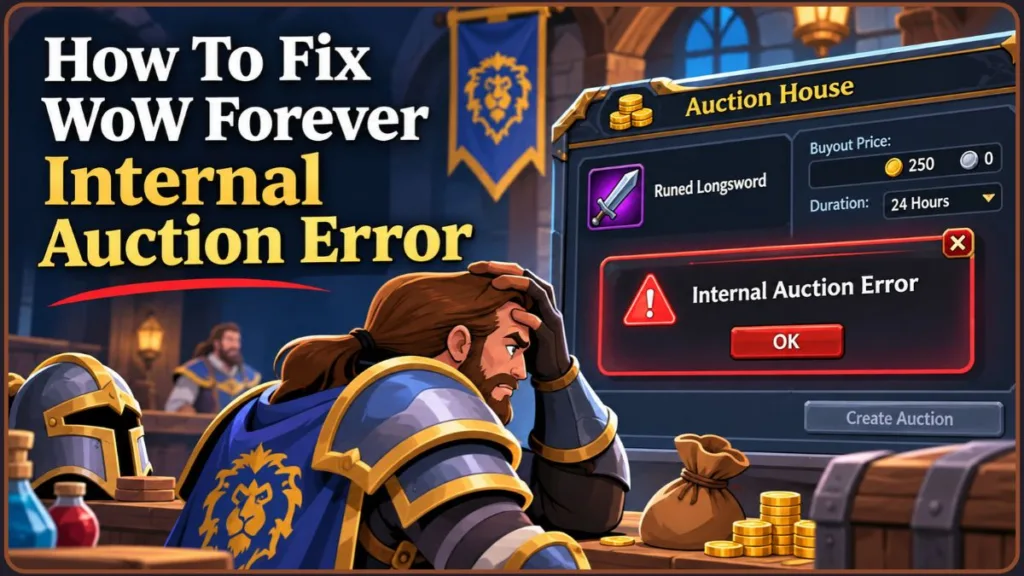
We are going to break down exactly why these errors are happening, how to bypass the posting restrictions, and what is actually going on with those broken uncommon gear listings so you can get back to business.
Why the WoW: Forever Economy is Crashing Under Pressure
Whenever a highly anticipated version of World of Warcraft launches, the underlying server architecture takes a massive hit. The WoW: Forever servers are handling an unprecedented wave of concurrent traffic.
Because the Auction House acts as a massive, real-time database, millions of people scanning, posting, and buying simultaneously causes severe database throttling. Furthermore, modern server architecture uses a layering or “sharding” system to handle population density. When you transition between layers, your client momentarily loses sync with the central economy database, increasing the likelihood of transactional errors. When the backend cannot process your client’s requests fast enough, the system throws an error.
Important: Server maintenance schedules heavily impact these bugs. If you notice severe lag when interacting with mailboxes or vendors, the auction database is likely struggling too. Wait for the servers to stabilize before attempting massive inventory sell-offs.
What Exactly is Triggering the “Internal Auction Error”?
You set your price, hit the post button, and hear that satisfying “cha-ching” sound—but the item stays sitting right in your inventory. This is the notorious Internal Auction Error.
Based on our analysis of recent data and bug reports, this glitch usually boils down to four specific technical bottlenecks:
- Database Desyncs: Your local client thinks the listing succeeded, but the server dropped the request entirely due to high load. (For example, documented cases show players experiencing severe UI glitches where Undercity characters falsely receive Stormwind mail, confirming massive backend confusion).
- Pricing Format Rejection: The backend is currently failing to parse specific mathematical values, specifically fractional copper amounts.
- API Throttling: Heavy economy add-ons send hundreds of queries per second, causing the server to temporarily lock your character out to prevent a crash.
- Ghost Bag Slots: Sometimes a failed transaction locks your inventory slot. The item appears to be in your bag, but the server considers it locked in transit, throwing an immediate error when you attempt to list it a second time.
6 Ways to Bypass the Internal Auction Error Right Now
Through extensive testing, we have found that you can actively bypass this glitch just by changing how you price and post your auctions. Here is exactly what you need to do.
- Remove all copper values. The absolute most common trigger for this error is listing an item with a copper value. The database is choking on the math. According to tested community workarounds, to fix this reliably, only use Gold and Silver for your listings. Instead of pricing a stack of linen cloth at 10s 99c, round it up and price it at exactly 11s.
- Match the current market price. If you are trying to sell equipment like green weapons or armor, do not try to undercut the lowest listing. Undercutting equipment is currently causing an immediate database rejection. Check the lowest price, and post your item at the exact current selling price instead.
- Disable scanning add-ons. Add-ons like Auctionator or TradeSkillMaster (TSM) flood the server with rapid requests. If you are playing during midday or evening rush hours, these add-ons exacerbate the internal error. Disable them temporarily and use the default UI to post your auctions.
- Perform a Full UI Reset (If Problems Persist). If turning off add-ons doesn’t work, your interface files might have corrupted data trapped in them. With the game closed, navigate to your WoW directory and rename your
Cache,Interface, andWTFfolders toCacheOld,InterfaceOld, andWTFOld. Reboot the game to force a clean slate. - Split your item stacks. If a full stack of 20 keeps throwing an error despite using whole silver values, try splitting it into two stacks of 10, or list a single item first. Creating a brand-new stack forces the game to generate a fresh item ID string, which can sometimes push past a localized database hiccup.
- Post Auctions During Off-Peak Hours. Since much of this ties directly to server stress, save your massive bag dumps for late at night or early in the morning when the database is processing requests smoothly.
Izoate Tip: If you hear the “cha-ching” sound but the item stays in your bag, do not spam-click the post button! Adjust your silver value to a round number and try again. Spamming the button will just get you temporarily locked out of the system.
Stop Confusing the “Internal Error” with the “Item Not Found” Bug
It is incredibly easy to confuse the Internal Auction Error with the “Item Not Found” bug.
If you try to buy a cheap stack of crafting materials and get an error, it is almost always because automated snipers or someone running TSM has already purchased the item. The interface does not refresh instantly, meaning you are trying to buy a ghost listing that no longer exists.
Pro Tip: When trying to buy fast-moving crafting materials during peak hours, manually searching the item name again forces a harder refresh than simply clicking the next page button, saving you from clicking on dead listings.
The “Missing Suffix” Bug: Why Green Gear Stats Are Hiding
This is a completely separate display bug that makes buying gear incredibly risky right now.
If you browse the marketplace and notice that items like the “Curved Dagger of the Owl” are grouped generically under “Curved Dagger” with their stats completely hidden, you have the Missing Suffix Bug—a widespread issue currently affecting numerous accounts, as highlighted in recent player bug logs.
The Code Level: What’s Actually Breaking the Suffixes?
In the game’s code, every single item has a “Base ID.” A basic Curved Dagger might have a Base ID of 1234. If it rolls random stats (like “+5 Intellect / +5 Spirit”), the game attaches a “Bonus ID” to signify it is now “of the Owl.”
Right now, the interface is completely failing to read the Bonus IDs, lumping every randomly enchanted item into one massive, unreadable stack. This is especially devastating for enchanters trying to find cheap materials to disenchant, or players building characters who desperately need specific stat distributions like “of the Monkey” (Agility/Stamina) or “of the Eagle” (Intellect/Stamina) to min-max their builds.
Warning: Do not gamble your gold on unverified gear. Because clicking the grouped items will not reveal the hidden stats, you could easily end up paying premium prices for a useless stat combination your class doesn’t even need.
Put the Cache Down: Why Reinstalling Won’t Fix the Auction House
Absolutely not. It is common to see people wasting hours completely reinstalling the game or deleting their WTF and Cache folders trying to fix the suffix display.
The missing suffix bug is a server-side display issue tied to specific accounts. This means local troubleshooting on your computer will accomplish nothing. The best course of action is to submit a ticket through the in-game bug reporter so the developers can track the affected accounts and roll out a backend fix.
Note: While a UI reset (renaming your WTF/Cache folders) can sometimes fix the Internal Auction Error caused by broken add-ons, it will never fix the Missing Suffix Bug. Save your bandwidth and skip the full game reinstall!
Common Questions About the Current Economy Glitches
- Will I lose my items or gold because of the Internal Auction Error? No. If the server drops your listing request, the item simply remains in your inventory. If the AH goes completely down for maintenance, mail and auction systems are usually the last to come back online. Give it a few minutes, and your items will appear in your mailbox safely.
- Should I just sell my items in Trade Chat instead? Absolutely. While the AH is struggling, the classic
/2 Tradechannel is thriving. Selling high-value gear directly to other players face-to-face completely bypasses the Auction House database, saving you from errors and the AH cut entirely. - Are my economy add-ons safe to use? Yes, but use them with caution during prime time. If you notice severe lag, pause your TSM sniper scans to avoid getting disconnected.
- How long until Blizzard fixes the Suffix Bug?Server-side display bugs are usually hotfixed during weekly maintenance windows, which typically happen on Tuesday mornings in North America and Wednesday mornings in Europe.
Navigating the Broken Market Until the Next Patch
High server load is the primary culprit for most of these economy desyncs. The launch windows of classic-style servers are always a bit messy, but the economy will stabilize as the initial rush dies down.
Until an official developer patch is released to stabilize the backend, stick to simple silver and gold pricing, avoid undercutting equipment, and pivot to direct player-to-player trading when necessary to save yourself the hassle of reinstalling the game. If you follow these practical workarounds, you will stay one step ahead of the competition and keep your gold reserves growing.
Visit Our Post Page: Blog Page
Discover more from Izoate
Subscribe to get the latest posts sent to your email.