
Are you unable to find an Amazon Wishlist using a person’s name? Learn why Amazon Wishlist search isn’t working and discover simple ways to fix Amazon’s Find a List feature when a Wish List doesn’t appear in search results.
Introduction
If Amazon Wishlist by person is not working, you’re not alone. Many users search for a friend’s or family member’s Wish List using Amazon’s Find a List or Registry feature, only to see no results, the wrong list, or no list at all.
In most cases, this doesn’t mean Amazon has removed the feature or that the Wish List has been deleted. The issue is usually caused by privacy settings, the Amazon marketplace you’re using, an incorrect display name, or a temporary search delay after the list was made public.
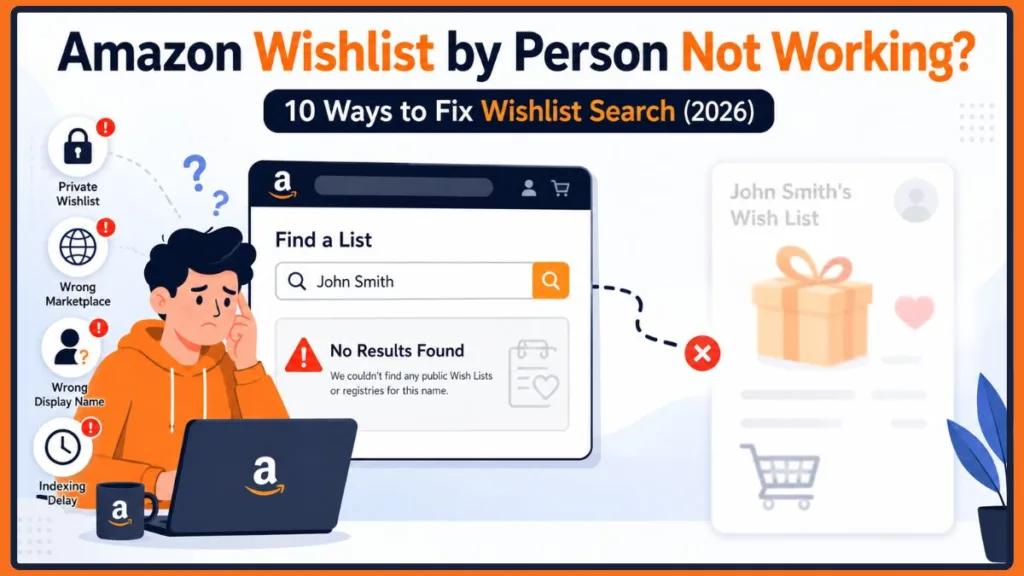
The good news is that these problems are often easy to fix once you identify the actual cause.
In this guide, you’ll learn why Amazon wishlist by person is not working, how Amazon searches for public Wish Lists and registries, and the most effective ways to fix common search issues. Whether you’re trying to find a birthday Wish List, a holiday Gift List, or another public registry, this troubleshooting guide will help you determine why the search isn’t working and what to do next.
Tip: If you haven’t searched for the list before, first read our guide on How to Find Someone’s Amazon Wishlist. This article focuses specifically on troubleshooting when the search by person or name doesn’t work.
At a Glance: Why Amazon Wishlist by Person Is Not Working
Before changing settings or assuming the feature is broken, compare your situation with the table below. It highlights the most common reasons Amazon wishlist search not working occurs and the quickest solution for each.
| What You See | Most Likely Cause | What You Should Do |
|---|---|---|
| No results found when searching by name | The Wish List is Private or Shared instead of Public | Ask the list owner to change the list visibility to Public or share the direct Wish List link. |
| The person doesn’t appear in Find a List | You’re searching on the wrong Amazon marketplace or using a different display name | Switch to the correct Amazon country site and search using the exact name associated with the Wish List. |
| The direct Wish List link works, but searching by name doesn’t | The list isn’t discoverable through search or hasn’t been indexed yet | Continue using the shared link or wait a while before searching again. |
| A registry appears but the Wish List doesn’t | You’re searching under the wrong list category | Check whether it’s a Wish List, Gift List, Wedding Registry, or Baby Registry. |
| The list was recently made public but still doesn’t appear | Amazon’s search index hasn’t updated yet | Wait some time and search again later. |
| The search suddenly stops working on one device | Browser cookies, cached data, or the Amazon app is causing the issue | Refresh the session, clear cache, or try another browser or device. |
Quick Tip: Start with the most common causes—check the list’s visibility, confirm you’re using the correct Amazon marketplace, and verify the person’s display name before trying more advanced troubleshooting.
The fastest way to identify the problem is to start with the most common causes. In the following sections, we’ll explain how Amazon’s search works and why Amazon Find a List not working is usually related to visibility, account settings, or marketplace differences rather than a platform-wide issue.
Understanding How Amazon Finds Wishlists
Knowing how Amazon’s Find a List or Registry feature works can save you a lot of unnecessary troubleshooting. Many users assume Amazon searches every Wish List on its platform, but that’s not how the system is designed.
When you search for someone’s Wish List, Amazon only displays lists that meet certain visibility and search requirements. If one of these requirements isn’t met, the search may return no results, even if the Wish List still exists.
Amazon Searches Publicly Discoverable Lists
For a Wish List to appear when someone searches by name, it generally needs to be Public or otherwise discoverable. A Private Wish List is visible only to its owner, while a Shared Wish List can usually be accessed only by people who have received the direct invitation or share link.
Because of this, someone may tell you their Wish List exists, yet it won’t appear in Amazon Find a List. In many cases, the list is simply using a visibility setting that prevents it from showing up in name-based searches.
Important: A Shared Wish List isn’t necessarily searchable by name. If search fails but the owner can send you a direct link, use that link to access the list instead.
Wish Lists and Registries Are Different
Another common reason for Amazon wishlist by name not working is searching in the wrong category.
Amazon separates different types of lists, including:
- Wish Lists for personal shopping and gift ideas.
- Gift Lists for special occasions.
- Wedding Registries.
- Baby Registries.
If someone created a registry instead of a standard Wish List, searching under the wrong category may prevent you from finding it.
Tip: If a person’s Wish List doesn’t appear, try searching the Wedding Registry, Baby Registry, or Gift List section instead.
Search Results Can Vary Between Amazon Marketplaces
Amazon also manages lists separately across regional marketplaces. For example, a Wish List created on one country’s Amazon website may not appear when searched from another marketplace.
If you’re searching on the wrong regional site, Amazon wishlist search not working could simply be caused by using the wrong marketplace instead of a problem with the list itself.
Important: Always search from the same Amazon marketplace (such as Amazon.com, Amazon.co.uk, or Amazon.in) where the list owner created the Wish List.
Understanding these basics makes it much easier to diagnose why a person’s Wish List isn’t appearing. Instead of assuming the feature is broken, you can narrow the issue down to visibility, search category, marketplace, or discoverability before moving on to more advanced troubleshooting.
Why Is Amazon Wishlist by Person Not Working?
If Amazon wishlist by person is not working, the issue is usually related to how the Wish List is configured rather than a fault with Amazon itself. Most search failures can be traced to a handful of common causes that affect whether a list can be found through Find a List or Registry.
Here are the most likely reasons you can’t find someone’s Amazon Wish List.
The Wish List Isn’t Public
This is the most common reason.
If the owner has set the list to Private, it won’t appear in Amazon’s search results. Even if they’ve shared the list with specific people, Shared lists may not be discoverable through a public name search.
If you’re unable to find the person’s Wish List but they can still open it themselves, ask them to review the list’s privacy settings.
Tip: For a Wish List to appear in Find a List, the owner should review its visibility settings and, if appropriate, make it Public or provide a direct share link.
You’re Searching on the Wrong Amazon Marketplace
Amazon marketplaces operate independently in many cases. Searching for a Wish List on one country’s website may not return results for a list created on another regional marketplace.
For example, if the list owner primarily uses a different Amazon region than the one you’re searching, the search may fail even though the list is active.
Always confirm you’re using the same Amazon marketplace as the person whose Wish List you’re trying to find.
Important: A mismatch between Amazon.com, Amazon.co.uk, Amazon.ca, or other regional sites is a common reason Amazon Find a List can’t locate someone’s Wish List.
You’re Searching with the Wrong Name
Amazon searches based on the name associated with the list, not necessarily the person’s everyday name.
Small differences can prevent a match, including:
- Using a nickname instead of a full name.
- Different spellings.
- Middle names or initials.
- Name changes after marriage.
- A custom display name entered when the list was created.
Trying another variation of the person’s name often resolves this issue.
Tip: If the first search doesn’t work, try the person’s full name, nickname, or another spelling they may have used when creating the Wish List.
The List Was Recently Made Public
If the owner recently changed the Wish List from Private to Public, it may not appear in search results immediately.
Search indexes sometimes need time to update before newly public lists become discoverable. Waiting and searching again later is often enough to resolve the issue.
Tip: Give Amazon some time to update its search index before assuming the Wish List can’t be found.
You’re Looking for the Wrong Type of List
Many users search for a Wish List when the person actually created a Gift List, Wedding Registry, or Baby Registry.
Since these list types are organized separately, choosing the correct search category is essential when using Amazon’s search tools.
Important: Make sure you’re searching the correct list type before concluding that the person’s Wish List doesn’t exist.
The Direct Link Works but Search Doesn’t
Sometimes the owner shares a direct Wish List URL, and it opens without any problems, yet searching by name still produces no results.
This usually indicates a discoverability issue rather than a broken list. In these situations, using the shared link remains the most reliable way to access the Wish List.
Tip: If the direct link opens successfully, the Wish List is likely active. The issue is usually with search visibility, not the list itself.
A Temporary Amazon or Device Issue Is Preventing the Search
Although less common, temporary problems with the Amazon app, browser cache, cookies, or your current session can interfere with Amazon wishlist search.
If the same search works on another browser or device, the issue is likely local to your current setup rather than the Wish List itself.
Quick Tip: Before changing any list settings, test the search in another browser, private window, or the Amazon mobile app to determine whether the issue is device-specific.
Now that you know the most common causes, the next section walks through the troubleshooting steps in order—from the quickest fixes to more advanced solutions—to help restore Amazon Find a List search as efficiently as possible.
How to Fix Amazon Wishlist Search Not Working
If Amazon wishlist by person is not working, avoid changing multiple settings at once. Instead, troubleshoot the issue methodically.
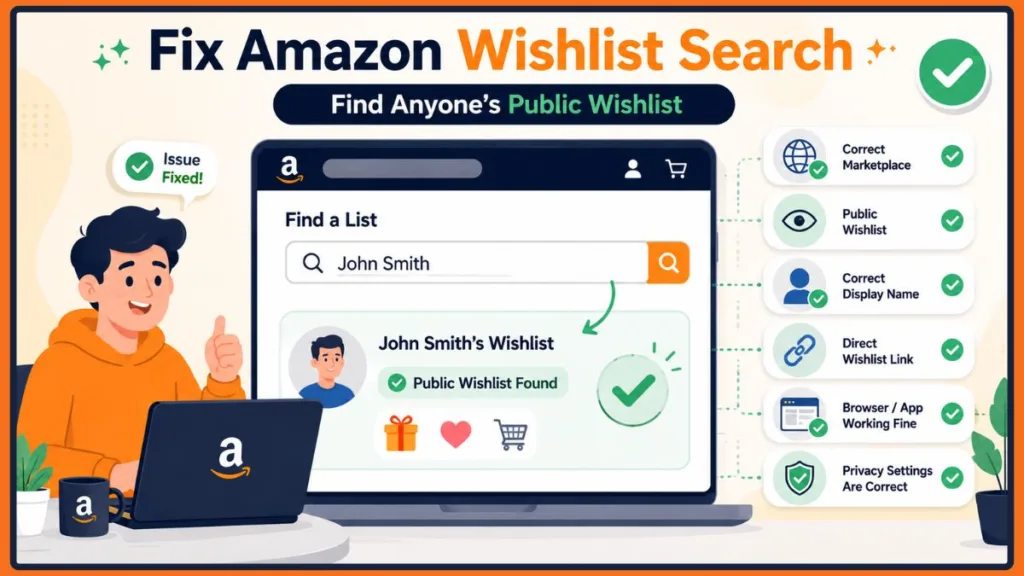
After completing each solution below, search for the person’s Wish List again. This makes it easier to identify what actually resolved the problem.
Verify You’re Signed Into the Correct Amazon Account
One of the first things to check is whether you’re signed into the correct Amazon account. While many Public Wish Lists can be viewed without special permissions, certain shared lists, invitations, and saved settings may only work properly when you’re using the intended account.
- Sign out of your Amazon account completely, close the Amazon website or app, and sign back in using the account you normally use for shopping.
- Search for the Wish List again after signing in to see whether the problem has been resolved.
- Check for multiple signed-in accounts if you’re using a shared computer or family device, as another Amazon account may already be active.
Tip: If you’re able to open the person’s shared Wish List link but can’t find it through search, the issue is likely related to discoverability or search settings, not your account.
Switch to the Correct Amazon Marketplace
Amazon operates separate marketplaces for different countries. A Wish List created on one regional Amazon website may not appear when you search from another.
- Confirm which Amazon marketplace the list owner uses, such as Amazon.com, Amazon.co.uk, Amazon.ca, or Amazon.in.
- Switch to the same regional Amazon website before searching again, as lists may not appear across different marketplaces.
- Search for the person’s Wish List again after changing the marketplace to verify whether it becomes discoverable.
Important: Using the wrong regional marketplace is one of the most overlooked reasons Amazon wishlist search not working occurs.
Ask the List Owner to Review Their Wishlist Privacy Settings
Even if someone tells you they created a Wish List, that doesn’t necessarily mean it can be found through Amazon’s search feature.
- Ask the owner to confirm that the Wish List is set to Public if they want it to appear in name searches.
- Ensure the privacy changes have been saved, especially if they recently updated the list settings.
- Verify the list wasn’t accidentally switched back to Private or restricted to invited users only.
- Request the direct Wish List link if the owner prefers not to make the list publicly searchable.
Quick Tip: A Private or Shared Wish List can still work perfectly through its direct link even though it won’t appear in Find a List.
Search Using Different Name Variations
Amazon searches the name associated with the Wish List, which isn’t always the person’s everyday name.
- Search using the person’s full name instead of a nickname.
- Try alternative spellings, maiden names, middle initials, or shortened names that may have been used when creating the Wish List.
- Ask the owner how their name appears on the Wish List if you’re unsure which display name was used.
- Repeat the search using different variations before assuming the list doesn’t exist.
Tip: Even small spelling differences can prevent Amazon from finding the correct Wish List.
Use the Shared Wishlist Link Instead
If the owner has already sent you their Wish List URL, use it instead of repeatedly searching by name.
- Open the shared Wish List link directly rather than searching through Find a List.
- Use the direct URL for future access, as it bypasses Amazon’s public search system.
- Understand that a working link confirms the Wish List exists, even if searching by person continues to fail.
- Consider search visibility or indexing as the likely cause if the direct link works but name searches don’t.
Important: A working direct link confirms the Wish List is active even if Amazon wishlist by person not working continues to affect search results.
Try Another Browser, Device, or Private Window
Sometimes the problem isn’t the Wish List at all—it’s your browser or device.
- Open Amazon in another browser to determine whether the issue is browser-specific.
- Try a private or incognito window, which starts a fresh browsing session without stored cookies.
- Clear Amazon cookies and cached files if the problem only occurs in your regular browser.
- Temporarily disable browser extensions, such as ad blockers or coupon tools, that may interfere with Amazon’s pages.
- Test the search on another computer or mobile device to rule out a device-specific problem.
Tip: Incognito mode creates a fresh browsing session, making it one of the quickest ways to test whether stored browser data is causing the problem.
Update or Reinstall the Amazon App
If Amazon wishlist search not working only happens inside the Amazon mobile app, the app may be using outdated or corrupted cached data.
- Check for available Amazon app updates and install the latest version.
- Force close the app and restart your phone before trying the search again.
- Clear the Amazon app cache on Android devices if cached data may be causing the issue.
- Reinstall the app if updating doesn’t resolve the problem, then sign back into your Amazon account.
Quick Tip: If the search works in a web browser but not in the Amazon app, the issue is almost always app-related rather than account-related.
Wait Before Searching Again
If the owner recently created the Wish List or changed its visibility from Private to Public, Amazon’s search system may need some time to update.
- Allow time for Amazon’s search index to refresh after a new Wish List is created or made public.
- Avoid repeatedly searching within a short period, as the list may not become searchable immediately.
- Use the direct Wish List link during the waiting period if the owner has already shared it.
Important: Newly published Public Wish Lists don’t always become searchable immediately.
What If Amazon Find a List Says “No Results Found”?
Seeing “No Results Found” doesn’t necessarily mean the person’s Wish List has been deleted. In most cases, Amazon simply couldn’t locate a publicly searchable list that matches your search.
Before assuming Amazon Find a List not working, go through the following checks:
- Confirm you’re searching on the correct Amazon marketplace. A Wish List created on another regional Amazon website may not appear on your current marketplace.
- Verify the spelling of the person’s name. Even a small spelling difference, nickname, or custom display name can prevent the correct list from appearing.
- Ask whether the Wish List is set to Public. Private or Shared Wish Lists generally won’t appear in public searches.
- Make sure you’re searching the correct category. The person may have created a Gift List, Wedding Registry, or Baby Registry instead of a standard Wish List.
- Use the direct Wish List link if it’s available. If the shared URL opens successfully, the issue is likely related to search visibility rather than the list itself.
- Wait if the list was recently made public. Amazon’s search index may take some time to recognize newly published Wish Lists.
Quick Checklist: Most Amazon Find a List no results messages are caused by Private visibility, wrong marketplace, incorrect display names, or temporary indexing delays, not because the Wish List has disappeared.
Common Amazon Wishlist Error Messages and What They Mean
1. “No Results Found”
This message usually appears when Amazon cannot find a publicly searchable Wish List that matches the name you entered.
The most common causes include Private visibility, searching from the wrong Amazon marketplace, using an incorrect display name, or searching before Amazon has updated its search index. Before trying again, verify the marketplace, check the spelling of the person’s name, and confirm that the Wish List is publicly discoverable.
2. “Cannot Access This List”
This error generally means the Wish List exists, but your account doesn’t currently have permission to open it.
The list owner may have changed the privacy settings, removed public access, deleted the original list, or replaced the previous share link. Contact the owner and ask them to review the current sharing settings or generate a new invitation link.
3. “You Do Not Have Permission”
This message indicates that your Amazon account isn’t authorized to access the Wish List.
In most situations, the owner intended to keep the list private or restricted it to invited users only. Ask them to review the sharing permissions, resend the invitation link, and verify that you’re signed into the correct Amazon account before opening it again.
Important: Permission errors are usually caused by sharing settings, not because Amazon wishlist by person not working.
4. “This List Is No Longer Available”
This message usually means the original Wish List can no longer be accessed.
The owner may have deleted the list, created a replacement, changed its privacy settings, or shared an outdated URL. If you still need access, ask the owner to provide the latest Wish List link.
Amazon Wishlist Search Tips to Avoid Future Problems
Following a few simple habits can prevent many of the common issues that cause Amazon wishlist search not working.
1. Keep One Primary Public Wishlist
Instead of maintaining several similar Wish Lists, keep one main Public Wish List for general gift ideas whenever possible.
Having multiple lists with nearly identical names can confuse both Amazon’s search results and the people trying to buy gifts for you.
2. Share the Direct Wishlist Link
Whenever someone asks for your Wish List, send them the direct URL instead of asking them to search by name.
A direct link avoids problems caused by marketplace differences, display name variations, search indexing delays, and privacy settings.
Tip: Sharing the direct Wish List URL is the most reliable way to ensure others always reach the correct list.
3. Use a Consistent Display Name
Choose a display name that friends and family can easily recognize.
Frequently changing your display name or using unusual nicknames can make your Wish List much harder to find through Amazon Find a List.
Keeping the same searchable name reduces confusion for everyone.
4. Review Your Wishlist Regularly
Take a few minutes every so often to review your Wish List.
Removing unavailable products, duplicate items, and outdated gift ideas keeps the list organized and makes shopping easier for anyone viewing it.
An up-to-date Wish List also reduces the chances of buyers encountering unavailable products.
5. Keep Your Shipping Information Updated
If friends or family purchase gifts directly from your Wish List, make sure the associated shipping address remains current.
Whenever you move or update your delivery information, review your Wish List settings so gift purchases continue to work correctly while Amazon keeps your personal address private.
Important: A well-maintained Wish List is easier to find, easier to shop from, and far less likely to cause search or checkout problems in the future.
When Should You Contact Amazon Customer Service?
If you’ve completed all the troubleshooting steps and Amazon wishlist by person not working is still unresolved, it may be time to contact Amazon Customer Service. This is especially helpful when the issue appears to be account-related or the Wish List behaves unexpectedly across multiple devices and browsers.
Before contacting support, gather the following information to help the support representative investigate the issue more efficiently.
- Copy the Wish List URL if you have access to the direct link, as this helps Amazon verify the exact list you’re referring to.
- Note the Amazon marketplace you’re using, such as Amazon.com, Amazon.co.uk, Amazon.ca, or Amazon.in, because search results can differ between regional websites.
- Write down the exact error message you’re seeing, such as “No Results Found,” “Cannot Access This List,” or “You Do Not Have Permission.”
- Record your device and browser information, including the operating system, browser version, or Amazon app version if you’re using the mobile app.
- Explain what you’ve already tried, such as changing browsers, clearing cache, using another device, or asking the list owner to review their privacy settings. This prevents repeating the same basic troubleshooting during the support session.
Tip: If the Wish List can’t be found on multiple devices, different browsers, and the correct Amazon marketplace—even after confirming it’s Public—the issue is more likely to require assistance from Amazon Customer Service.
Frequently Asked Questions
Why can’t I find someone’s Amazon Wishlist?
The most common reasons include the Wish List being set to Private, searching on the wrong Amazon marketplace, using an incorrect display name, or searching before Amazon’s index has updated. If possible, ask the owner to share the direct Wish List link.
Does an Amazon Wishlist have to be public?
Yes. If you want your Wish List to appear in Amazon’s Find a List search, it generally needs to be Public. Private lists remain visible only to the owner, while Shared lists are typically accessed through invitation or a direct link.
Can you still search Amazon Wishlists by name?
Yes, but only for eligible Wish Lists that are publicly discoverable. If the list doesn’t appear, verify the owner’s privacy settings, use the correct Amazon marketplace, and search using the exact display name.
Why is Amazon Find a List not working?
Amazon Find a List not working is usually caused by incorrect privacy settings, marketplace differences, display name mismatches, temporary indexing delays, or browser and app-related issues rather than a platform-wide problem.
Why does Amazon say “No Results Found”?
This message simply means Amazon couldn’t locate a matching publicly searchable Wish List based on your search. It doesn’t necessarily mean the Wish List has been deleted.
Why isn’t a public Amazon Wishlist showing up?
If a Wish List was recently changed from Private to Public, Amazon’s search index may need some time to update. Marketplace differences or searching with the wrong display name can also prevent the list from appearing.
Can Amazon Wishlists be searched by email?
Amazon’s Find a List feature is primarily designed to search using a person’s name. If searching doesn’t work, the direct Wish List link is usually the most reliable way to access the list.
How long does it take for a public Wishlist to appear?
There isn’t an official timeframe. In some cases, a newly created or recently published Public Wish List may not appear immediately while Amazon updates its search index.
Why can’t someone find my Amazon Wishlist?
Your Wish List may be Private, associated with a different display name, created on another Amazon marketplace, or still waiting to become searchable after recent privacy changes.
Does Amazon Wish List search work across different countries?
Not always. Wish Lists are often associated with the Amazon marketplace where they were created, so searching from a different regional website may not return the expected results.
What’s the difference between a Wish List and a Gift Registry?
A Wish List is generally used to save products for personal shopping or gift ideas, while Gift Lists, Wedding Registries, and Baby Registries are designed for specific occasions and may appear in separate search categories.
Is it better to share the Wishlist link instead of relying on search?
Yes. Sharing the direct Wish List URL avoids problems caused by privacy settings, display name variations, marketplace differences, and search indexing, making it the most reliable way for others to access your list.
Conclusion
If Amazon wishlist by person is not working, the problem is usually easier to solve than it first appears. In most situations, the issue comes down to Wish List visibility, Amazon marketplace differences, display name mismatches, or temporary search indexing delays rather than a fault with Amazon itself.
The best approach is to troubleshoot the problem step by step. Start by confirming that the Wish List is Public, verify you’re searching on the correct Amazon marketplace, and try different versions of the person’s name. If the Wish List still doesn’t appear, use the direct share link whenever possible, as it’s the most dependable way to access a specific list.
If you’ve worked through every solution in this guide and Amazon Find a List still isn’t returning the expected results, contacting Amazon Customer Service is the next logical step.
Final Tip: If you’re looking for step-by-step instructions on searching for a person’s Wish List from the beginning, be sure to read our guide on How to Find Someone’s Amazon Wishlist. This article focuses specifically on troubleshooting when Amazon wishlist by person is not working after you’ve already attempted the search.
Visit Our Post Page: Blog Page
Discover more from Izoate
Subscribe to get the latest posts sent to your email.