
Discover the best wireless chargers for iPhone in 2026. Compare MagSafe, Qi2, and 3-in-1 charging stations to find the right charger for your needs.
If you’re hunting for the best wireless charger for your iPhone, you already know the drill — a hundred listings that all look identical, acronyms like MagSafe, Qi2, and Qi2.2 thrown around like everyone’s supposed to already know the difference, and prices that swing anywhere from $15 to $150 for what looks like the same plastic puck. You just want your phone to charge reliably without frying your battery or sliding off the nightstand at 2 AM.
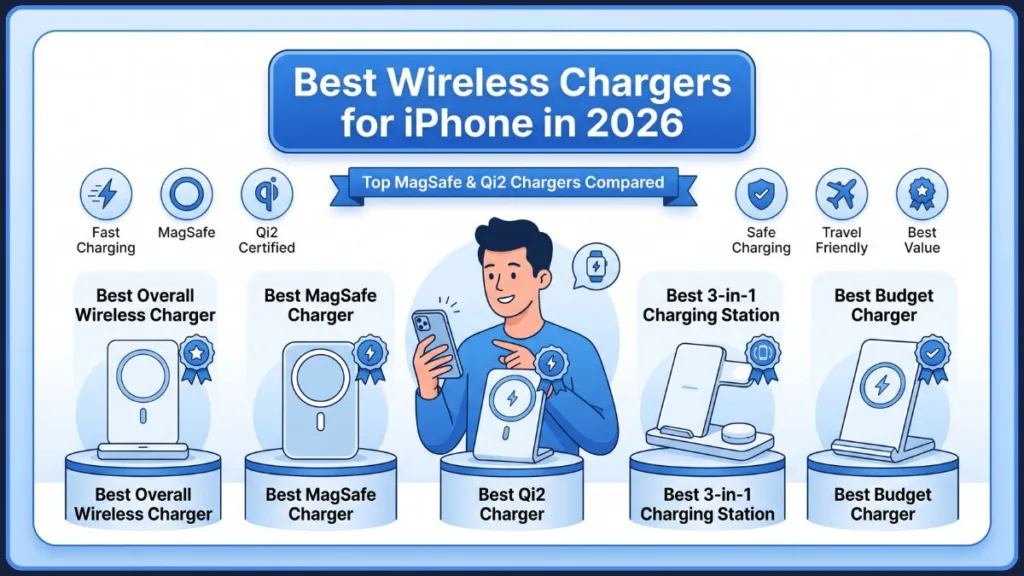
Here’s something worth knowing upfront: wireless charging finally caught up to its own hype in 2026. The “place your phone down and hope it’s aligned” era is over, replaced by magnetic snap-charging that actually works every time. You don’t need to buy the priciest charger on the shelf to get a great experience — but you do need to know what you’re actually paying for.
What Are The Best Wireless Chargers For iPhone
What follows is a plain-English breakdown of the best wireless chargers for iPhone available right now in the US market, organized by how you’ll actually use one — so you can pick based on your life, not a spec sheet. Whether you’re after the best MagSafe charger, the best Qi2 charger, a full wireless charging station for iPhone, or simply the fastest wireless charger for iPhone you can find under $30, there’s a pick below built around your specific situation.
Best Wireless Chargers for iPhone: Quick Verdicts
- Best overall MagSafe charger: Apple MagSafe Charger (25W, Qi2.2) — official, simple, future-proof for iPhone 16 and 17
- Best Qi2 charger for the money: Anker MagGo 15W Qi2 Pad — same alignment and speed as MagSafe at roughly half the price
- Best 3-in-1 charging station / wireless charging stand for iPhone: Anker MagGo 3-in-1 Stand — charges iPhone, Apple Watch, and AirPods together
- Best for travel: Anker MagGo Foldable 3-in-1 — folds to the size of a deck of cards
- Best budget pick: Spigen ArcField PF2101 — a Qi2 charging stand for $24, less than most flat pads cost
- Best 2-in-1 for desk or nightstand / best charger for iPhone 16: Belkin BoostCharge Pro 2-in-1 — iPhone plus Apple Watch, with a portable kickstand design
Quick Comparison: Best Wireless Chargers for iPhone 2026
Before the full breakdown, here’s how these best wireless chargers for iPhone stack up side by side. Use this table to narrow things down fast, then jump to the detailed review for whichever row matches what you need.
| Charger | Best For | Max Speed | Standard | Price |
|---|---|---|---|---|
| Apple MagSafe Charger | iPhone 16/17 owners, best MagSafe charger | 25W | MagSafe / Qi2.2 | $39–$49 |
| Anker MagGo 15W Pad | Budget MagSafe alternative, best Qi2 charger | 15W | Qi2 | $27.99 |
| Anker MagGo 3-in-1 Stand | Nightstand hub, wireless charging station for iPhone | 15W | Qi2 | $89.99 |
| Anker MagGo Foldable 3-in-1 | Travel, best 3-in-1 charging station | 15W | Qi2 | $109.99 |
| Spigen ArcField PF2101 | Budget, wireless charging stand for iPhone | 15W | Qi2 (stand) | $24 |
| Belkin BoostCharge Pro 2-in-1 | Desk or nightstand, best charger for iPhone 16 | 25W | MagSafe / Qi2.2 | $70–$100 |
Our Pick for Most iPhone Users: The Anker MagGo 15W Qi2 Pad offers the best balance of price, charging speed, and compatibility — it’s the single charger on this list most people should buy if they only want one.
Best Premium Choice: Apple MagSafe Charger (25W) — if you want the official badge, guaranteed long-term compatibility, and the simplest possible setup, this is it.
How We Selected These Wireless Chargers for iPhone
Even when you’re comparing curated picks rather than running your own lab tests, it matters to know what separates a genuinely good wireless charger from a listing with good marketing photos. Here’s the criteria we used to narrow down the best wireless chargers for iPhone in this guide:
- Qi2 certification — whether the charger uses true Magnetic Power Profile alignment or just has magnets glued in for show
- Charging speed — both the advertised wattage and what it actually delivers in real-world use
- Safety features — thermal monitoring, foreign object detection, and overcurrent protection
- User reviews — patterns across verified buyer feedback, not just the headline star rating
- Value for money — what you’re getting per dollar versus comparable chargers at the same price point
- Compatibility — confirmed support for specific iPhone models, plus Apple Watch and AirPods where relevant
This is the same lens we apply to every product mentioned below, and it’s worth keeping in mind as you compare any wireless charger you find elsewhere too.
What’s Actually Happening in the iPhone Wireless Charging Market
Before getting into specific picks, it helps to understand why the wireless charger aisle looks the way it does this year — because the context genuinely changes how you should shop.
For years, wireless charging was a compromise. Charging with a cord is quicker, but using a wireless charger on your desk or nightstand means that setting your phone down is all it takes to juice it up — the trade-off was speed, and a frustrating habit of phones simply not charging because they weren’t placed exactly right.
That’s changed. Magnetic alignment — first popularized by Apple’s MagSafe and now standardized industry-wide through Qi2 — solved the placement problem almost entirely. And on the speed side, Apple’s MagSafe charger and chargers based on the new Qi2 25W technology are now faster at 25W, though only with iPhone 16 or later. For the first time, wireless charging is closing in on wired speeds rather than lagging miles behind, which is part of why “fastest wireless charger for iPhone” has become such a common search this year — the gap between wired and wireless finally feels small enough to matter.
The result is a genuinely confusing-looking market that’s actually pretty simple once you understand three letters: Qi2. If a charger has it, you’re in good hands. If it doesn’t, you’re paying for a slower, older technology — possibly without realizing it.
The good news: “Wireless charger” doesn’t mean “compromise” anymore. It just means knowing what MagSafe, Qi2, and Qi2.2 actually mean before you buy.
How We Evaluate Wireless Chargers for iPhone
Every listing claims to be “fast” and “MagSafe compatible.” Those claims alone tell you almost nothing. Here’s what actually matters when you’re shopping in this category:
Magnetic alignment. A charger with true magnetic alignment (MagSafe or Qi2) snaps your iPhone into the exact right spot every time. A flat pad without magnets relies on you eyeballing it — and a few millimeters off-center can quietly cut your charging speed in half.
Real charging speed, not the speed printed on the box. A charger rated “15W” only delivers that if it’s MagSafe-certified or Qi2-certified and plugged into a strong enough wall adapter. Otherwise you might be getting old-school 7.5W without knowing it.
Heat management. Wireless charging naturally runs warmer than a cable. The better chargers include active thermal monitoring that throttles power before your phone gets uncomfortably warm.
Multi-device support. If you also own an Apple Watch or AirPods, a 3-in-1 charging station genuinely simplifies your life — but only if it can power all three devices without bottlenecking.
Case compatibility. Not every case lets a magnetic charger work properly. We factor in whether a charger is forgiving of cases, or whether you’ll need to take yours off every time.
Build quality and stability. A lightweight charger that slides across your desk the moment you lift your phone off it is a daily annoyance, not a minor quibble.
Best Wireless Chargers for iPhone in 2026: Detailed Reviews
Best Overall MagSafe Charger: Apple MagSafe Charger, 25W ($39–$49)
If you want the simplest, most reliable choice and you’re not trying to shave off every last dollar, Apple’s own MagSafe Charger remains the benchmark — and it’s not particularly close on raw compatibility. As far as the best MagSafe charger goes, this is still the one every third-party option gets measured against.
The current version is certified for Qi2 25W, meaning it can wirelessly charge Google’s Pixel 10 smartphones and other compatible devices at up to 25W speeds, not just iPhones. It’s available with either a one-meter or two-meter USB-C cable, with U.S. pricing ranging from $39 to $49, though it regularly goes on sale closer to $30.
It’s worth being precise here, since charger capability, supported iPhone models, and the required power adapter are three separate things that often get blurred together in marketing copy — and Apple’s specifications have changed more than once as new iPhone generations launched. As things stand: if you have an iPhone 16, iPhone 17, or iPhone Air, this charger can deliver its full 25W as long as it’s connected to a 30W power adapter on the other end (the adapter is not included in the box and must be purchased separately). Older iPhones can still use this same charger — it can wirelessly top up the battery of any iPhone from the last eight years, going all the way back to iPhone 8 — just at a slower 15W or 7.5W ceiling depending on the specific model, since the 25W speed is hardware-limited to iPhone 16 and later. Always double check Apple’s current support page for your exact model before assuming you’ll see the full 25W, since these specifications are revised periodically.
Important: No wall adapter is included, and no Apple Watch or AirPods charging zone is built in. You’re paying for the official badge, the magnets, and nothing else.
Best for: iPhone 16/17 owners who want guaranteed compatibility and don’t mind buying the wall adapter separately.
Best Qi2 Charger for the Money: Anker MagGo 15W Qi2 Pad (~$27.99)
If MagSafe’s price tag feels steep for what’s essentially a magnetic puck, this is the charger that proves you don’t need the Apple logo to get the same performance — and it’s our top recommendation if you’re looking for the single best Qi2 charger on the market right now.
It delivers the exact same 15W charging speed and precise magnetic alignment as Apple’s official charger, using Qi2 certification rather than Apple’s proprietary MFM module — at roughly half the cost. It also comes with an integrated 5-foot braided USB-C cable, which holds up noticeably better over daily use than the thin cables bundled with cheaper chargers.
Important tip: This specific model doesn’t include a wall adapter. To actually hit 15W, you need your own 20W+ USB-C Power Delivery (PD) brick. Plug it into an old 5W charger you’ve got lying in a drawer, and you’ll get a trickle instead of fast charging — the charger itself isn’t the bottleneck, your wall adapter is.
Our Pick for Most iPhone Users: The Anker MagGo 15W Qi2 Pad offers the best balance of price, charging speed, and compatibility.
Best for: Anyone who wants MagSafe-equivalent speed without the MagSafe price.
Best 3-in-1 Charging Station for Your Nightstand: Anker MagGo Wireless Charging Station, 3-in-1 (~$89.99)
If you’re tired of three separate cables tangled across your nightstand for your iPhone, Apple Watch, and AirPods, a proper 3-in-1 charging station solves that problem in one move. This is our pick for the best wireless charging stand for iPhone if you want all three Apple devices covered.
This stand charges your iPhone via 15W Qi2 magnetic alignment, your Apple Watch on a dedicated charging puck, and your AirPods on an integrated pad — all from a single 40W wall adapter (included). The adjustable angle is genuinely useful for nightstand use, letting your iPhone sit upright in StandBy mode so it doubles as a bedside clock and notification display overnight.
It’s worth knowing that the Apple Watch charging zone uses completely different hardware from the iPhone’s induction coil — more on that below — so a 3-in-1 stand isn’t one giant magnet doing triple duty. It’s three separate charging systems built into one housing, which is exactly why it’s worth paying a bit more for a stand versus a flat pad.
Best for: Multi-device Apple households who want one nightstand hub instead of a cable jungle.
Best for Travel: Anker MagGo Foldable 3-in-1 (~$109.99)
If you travel often, packing a separate cable and brick for your phone, a proprietary puck for your watch, and another pad for your AirPods adds real bulk and frustration to a carry-on. This charger solves that by condensing all three into a single foldable unit.
Folded flat, it measures roughly 3.50 × 2.36 × 0.98 inches — about the size of a deck of playing cards — yet it still pushes a full 15W Qi2 charge to your iPhone. It uses Anker’s ActiveShield 2.0 safety system, which relies on a 32-bit AI-powered processor to monitor temperature and adjust power output in real time, which matters more in a hot hotel room or a car dashboard than people tend to expect.
Important: As with the budget pad above, getting full performance requires a 40W USB-C PD wall charger on the other end. An underpowered or legacy multi-port charger will bottleneck the whole setup and prevent all three devices from charging at once.
Best for: Frequent flyers and hotel-hoppers who want one compact charger instead of three loose accessories.
If you’d rather travel even lighter, a flat puck-style charger like the Belkin BoostCharge Pro Portable Wireless Charger Pad is worth a look too — it folds into an extremely compact 15W MagSafe charger with a built-in kickstand for watching video, and comes in versions with ($80) or without ($60) a power adapter included.
Best Budget Pick: Spigen ArcField PF2101 (~$24)
Most stand-style wireless chargers run $40 to $80, which makes this one stand out: a Qi2-certified charging stand for less than what most flat pads cost.
It delivers magnetic alignment at the full 15W speed, with an adjustable viewing angle that lets you actually see your screen for notifications, FaceTime, or StandBy mode — something a flat pad simply can’t do. The trade-off for the low price is build quality: it’s plastic rather than the aluminum or glass you’ll find on premium stands, but for a desk or kitchen counter charger, that’s a reasonable compromise. It works with both iPhone and Android devices thanks to Qi2 certification.
Best for: Anyone who wants a stand (not just a flat pad) without paying stand-style prices.
Best 2-in-1 for Desk or Nightstand — Also a Strong Charger for iPhone 16: Belkin BoostCharge Pro 2-in-1 (~$70–$100)
If a full 3-in-1 station feels like overkill but you still want your Apple Watch charging alongside your iPhone, this is the sweet spot. It’s also worth a look if you’re specifically searching for the best charger for iPhone 16, since it’s built around the 25W Qi2.2 speed that model supports.
It supports Qi2 25W charging and is MagSafe compatible, in a design slim and sturdy enough to double as a travel charger if you need it to. It comes with both the cable and a 45W adapter in the box — no separate wall-brick purchase required — which is a meaningful value difference compared to chargers that make you buy the adapter separately. For households with one iPhone and one Apple Watch and no AirPods charging needs, this avoids paying for a third charging zone you won’t use.
Best for: iPhone + Apple Watch households who don’t need (or don’t want to pay for) AirPods charging too.
What Actually Matters When Buying a Wireless Charger for iPhone
MagSafe vs. Qi2 vs. Qi2.2: What’s the Real Difference?
This is genuinely the single most confusing part of shopping for a wireless charger, so let’s clear it up properly.
Qi started simple and universal but slow and easy to misalign. Apple then introduced MagSafe — faster, certified, and magnetic. Qi2 followed, combining MagSafe-like magnets with an open, universal standard for all brands. Now Qi2.2 is here, pushing wireless charging speeds up to 25W.
In practice, here’s what that means for your iPhone:
- Standard Qi (no magnets): Caps out around 7.5W to 10W on iPhone. Fine for slow overnight charging, frustrating for anything else.
- MagSafe: Apple’s proprietary magnetic system. Both MagSafe and Qi2 use magnetic alignment, so MagSafe iPhones (iPhone 12 and later) will snap onto Qi2 chargers and charge at up to 15W, or up to 25W with a Qi2.2-certified charger and a compatible device.
- Qi2: The open, brand-agnostic version of MagSafe’s magnetic alignment, delivering the same 15W speed without requiring Apple’s licensing.
- Qi2.2 (also called “Qi2 25W”): Introduced by the Wireless Power Consortium in July 2025, raising the maximum charging speed to 25W.
Key takeaway: In real-world testing, 15W MagSafe and 15W Qi2 chargers are evenly matched for charging speed — there’s no meaningful performance gap between them. So unless you specifically need the Apple-branded accessory ecosystem (MagSafe wallets, car mounts, battery packs), a certified Qi2 charger will get your iPhone charged just as fast for less money. Is Qi2 better than MagSafe, then? Not exactly “better” — at 15W they’re functionally identical in speed, and the real difference comes down to price and ecosystem lock-in rather than raw performance.
One more important nuance: non-certified “MagSafe-compatible” chargers — the kind with magnets but no official certification — are usually capped at just 7.5W. A charger can look magnetic and still be slow. Always check for an actual Qi2 or MFM (Made for MagSafe) certification, not just the word “MagSafe-compatible” in the listing title.
Why Magnetic Alignment Actually Matters (Not Just Marketing)
It’s easy to dismiss “magnetic alignment” as a buzzword, but the physics behind it explains a lot of real, everyday frustration with older wireless chargers.
Wireless charging works through electromagnetic induction — a coil in the charger and a coil in your phone need to line up closely for power to transfer efficiently. Older flat Qi pads left that alignment entirely up to you. Place your phone slightly off-center, and instead of charging properly, you’d lose energy as wasted heat — or your phone simply wouldn’t charge at all, which is exactly how people ended up waking up to a dead phone after “charging” all night.
Magnetic alignment fixes this by physically snapping your iPhone into the correct position every single time. The benefits go beyond convenience: precise alignment also means less wasted energy as heat, which in turn reduces thermal stress on your iPhone’s battery over the long run.
Does Wireless Charging Damage Your iPhone’s Battery?
This is one of the most common worries people have before buying a wireless charger, and it’s worth addressing directly: no, not inherently.
Modern iPhones include sophisticated battery management systems that prevent overcharging entirely — once your battery hits 100%, the power simply stops flowing, whether you’re on a cable or a wireless pad. What really affects battery health isn’t whether you charge wirelessly or with a cable — it’s heat, and how long the battery sits at full capacity. If you want to keep a closer eye on this over time, checking your iPhone’s battery health stats periodically in Settings is worth doing regardless of which charger you use.
In fact, the convenience of wireless charging can work in your favor here. Because dropping your phone on a magnetic pad is frictionless, you’re more likely to top it up for short bursts throughout the day rather than letting it drain to 0% and then charging fully back to 100% — and that kind of “snack charging” between roughly 50–80% is gentler on lithium-ion battery chemistry than deep charge cycles.
Tip: If you’re charging overnight specifically, a few small habits help: place your phone on a hard, flat surface like a nightstand rather than a bed or couch, since soft surfaces trap heat and block airflow, and remove thick cases before charging, since heavy or rugged cases hold heat in — which matters more with wireless charging since it naturally runs warmer than a cable. If you notice your iPhone running unusually hot on any charger, it’s also worth ruling out a background software issue rather than assuming the charger is automatically to blame.
Can You Wireless Charge Through a Case?
Yes, in most situations — but the material and thickness of your case matter more than people realize.
Standard polycarbonate, silicone, TPU, or leather cases under roughly 3–5mm thick generally don’t interfere with charging at all. Where things go wrong is with cases that have large metal components, thick PopSocket-style grips, or magnets that aren’t specifically aligned for MagSafe or Qi2 compatibility — inserting an unaligned piece of metal between the coils can disrupt the electromagnetic field, slow charging dramatically, and in some cases cause the charger to overheat as it tries to push power through the obstruction.
Important tip: If you use a wallet case, remove credit cards, transit passes, hotel key cards, or anything with an RFID chip or magnetic strip before placing your phone on a wireless charger. The induction process is strong enough to wipe magnetic strips and damage RFID chips sitting that close to the coil.
Why Won’t My Apple Watch Charge on My iPhone’s Wireless Pad?
This trips up more people than you’d expect. A standard iPhone wireless charging pad — even a MagSafe or Qi2 one — cannot charge an Apple Watch, no matter how you angle it.
The Apple Watch uses an entirely separate, proprietary charging standard built around a smaller, specifically-shaped coil designed to match the curve of the watch’s casing. The frequency and physical dimensions simply don’t match the flat induction coils built for phones. This is exactly why genuine 3-in-1 charging stations don’t rely on one giant universal coil — they pack in multiple distinct charging modules under one housing: one for the phone, one dedicated puck for the Apple Watch, and a separate pad for AirPods.
If you’re shopping for a multi-device charger, this is the detail that separates a real 2-in-1 or 3-in-1 station from a flat pad with extra real estate — make sure the listing explicitly mentions Apple Watch charging support, not just “charges multiple devices.” If your Apple Watch still won’t charge even on a charging puck specifically built for it, that’s usually a separate troubleshooting issue worth looking into on its own, rather than something the iPhone charger can fix.
What Wall Adapter Do You Actually Need?
This is the detail that quietly ruins more wireless charging setups than anything else. A wireless charging pad is purely a transmitter — it cannot generate more power than what it receives from your wall outlet.
A common and frustrating mistake: buying a high-end 15W or 25W wireless charger, then plugging it into an old 5W USB-A brick lying around the house. In that scenario, your expensive charger will only output a trickle of 5W, regardless of how capable it actually is.
Here’s the cheat sheet:
- 15W Qi2 or MagSafe charging needs a USB-C Power Delivery adapter rated at 20W or higher.
- 25W Qi2.2 / latest MagSafe charging needs a 30W USB-C PD adapter at minimum.
- 3-in-1 multi-device chargers (iPhone + Watch + AirPods simultaneously) generally need 40W or higher so nothing gets bottlenecked when all three devices are charging at once.
If your new wireless charger feels slower than expected, check your wall adapter before assuming the charger itself is defective — it’s the single most common culprit. Several chargers in this guide, including the Belkin BoostCharge Pro 2-in-1, solve this for you by including the right adapter in the box, which is worth factoring into the price comparison even if the upfront cost looks higher.
Frequently Asked Questions About Wireless Chargers for iPhone
Is MagSafe the same as Qi2? Not exactly, but they’re closely related. Both MagSafe and Qi2 use magnetic alignment, so MagSafe iPhones snap onto Qi2 chargers and charge at up to 15W, or up to 25W with a Qi2.2-certified charger and a compatible device. The core difference is licensing: MagSafe is Apple’s proprietary system, while Qi2 is an open standard any manufacturer can use.
Is Qi2 better than MagSafe? Not in terms of raw speed — at 15W, the two are evenly matched in real-world testing. Qi2’s real advantage is price and brand flexibility, since it’s an open standard any manufacturer can build for without paying Apple’s licensing fees. MagSafe’s advantage is the official Apple accessory ecosystem and guaranteed compatibility tracking with future iPhones.
What is the fastest wireless charger for iPhone? Right now, that’s any Qi2.2-certified charger — including Apple’s current MagSafe Charger — paired with iPhone 16, iPhone 17, or iPhone Air and a 30W+ USB-C PD adapter. That combination delivers up to 25W, which is the ceiling for wireless charging on any current iPhone. Older iPhone models will top out at 15W or 7.5W regardless of which fast charger you buy, since the limit is set by the phone’s hardware, not the charger.
Which iPhones support MagSafe and Qi2? MagSafe is supported by all iPhone models since the iPhone 12, except the iPhone SE and 16e. Qi2 support generally follows the same pattern, with the iPhone 13 and 14 gaining Qi2 compatibility through a software update.
Is it bad to wireless charge my iPhone overnight? No. Charging overnight is safe as long as you do it the right way — modern phones have battery management systems that prevent the kind of overcharging that used to damage older devices. The thing to actually pay attention to is heat, not the duration of the charge itself.
Can I use a wireless charger with an iPhone case on? Yes, for most cases. Standard cases under roughly 3–5mm thick made of silicone, TPU, polycarbonate, or leather charge wirelessly with no issues. Thick, rugged, or metal-backed cases are where problems start — they can slow charging noticeably or block it altogether, so it’s worth checking your case material before assuming a slow charge is the charger’s fault.
Does a thick phone case slow down wireless charging? It can. A thicker case can drastically slow the flow of energy to your phone, which is why most reviewers specifically test charging speed through different case thicknesses before recommending a charger.
Which wireless charger works with both iPhone and Apple Watch? Any genuine 2-in-1 or 3-in-1 charging station that explicitly lists Apple Watch support — the Anker MagGo 3-in-1 Stand and the Belkin BoostCharge Pro 2-in-1 in this guide both do. A flat single-coil pad, no matter how powerful, cannot charge an Apple Watch, since the watch uses entirely different charging hardware than the iPhone.
Are cheap wireless chargers safe for iPhone? Some are, but it depends entirely on certification, not just price. A genuinely Qi2-certified charger from a known brand at a low price (like the $24 Spigen pick in this guide) is safe. What’s risky is an uncertified charger with no listed safety features, vague “MagSafe-compatible” branding, and no clear manufacturer — those are the ones most likely to overheat, charge inconsistently, or wear out your battery faster over time.
Can I use a MagSafe charger on a non-iPhone, like a Pixel or Galaxy? Newer Qi2.2-certified MagSafe chargers, including Apple’s current model, can charge Google’s Pixel 10 series and other Qi2-compatible Android phones at up to 25W. Older or non-certified “MagSafe-compatible” chargers are less reliable across brands — not all magnetic chargers automatically work across platforms the way Qi2-certified ones do.
Do I need to buy a separate wall adapter? Often, yes. Many wireless chargers — including some of the most popular Qi2 pads — are sold without a wall adapter to keep the upfront cost lower. Check the listing carefully, and budget for a 20W+ (or 30W+ for 25W charging) USB-C PD adapter if one isn’t included. A handful of chargers, like the Belkin BoostCharge Pro 2-in-1, include the adapter in the box.
Final Verdict: Which of These Best Wireless Chargers for iPhone Should You Buy?
The honest answer is that the best wireless charger for your iPhone depends on what you’re actually trying to solve — not which one has the highest wattage printed on the box.
- If you want the simplest, most official option: go with the Apple MagSafe Charger — still the best MagSafe charger you can buy.
- If you want MagSafe-equivalent speed for less money: the Anker MagGo 15W Qi2 Pad is the smarter buy, and our overall pick for most people.
- If your nightstand looks like a cable drawer exploded on it: the Anker MagGo 3-in-1 Stand will fix that in one purchase.
- If you’re constantly living out of a suitcase: the foldable 3-in-1 travel charger earns its higher price tag.
- If you want a stand without paying stand prices: the Spigen ArcField PF2101 does the job for $24.
- If you want iPhone and Apple Watch charging without paying for an AirPods slot you won’t use: the Belkin BoostCharge Pro 2-in-1 is the better fit, and it ships with the adapter included.
One thing matters more than any individual spec on this list: make sure your charger and your wall adapter are actually matched to each other. A 25W charger plugged into a 5W brick will never perform like a 25W charger — and that single mismatch is responsible for more “this charger is slow” complaints than any actual product defect.
Got a wireless charger you swear by, or a horror story about one that never quite worked right? Drop it in the comments — we’d love to hear what’s actually working for people in 2026.
Visit Our Post Page: Blog Page
Discover more from Izoate
Subscribe to get the latest posts sent to your email.