
Diablo 4 login timed out? Discover the real cause behind Error 300008 and Error 300080, and learn how to quickly fix and the best ways to bypass Blizzard’s server queues.
You’ve got your build planned out, you boot up the game for the new season, and suddenly you are stuck staring at the gates of Sanctuary with a frustrating message: “Your login attempt has timed out. Please try again. (Code 300008).” Alternatively, you might encounter its twin code, Error 300080.
Before attempting drastic troubleshooting, keep this in mind: your hardware, local internet connection, and game files are almost certainly fine.
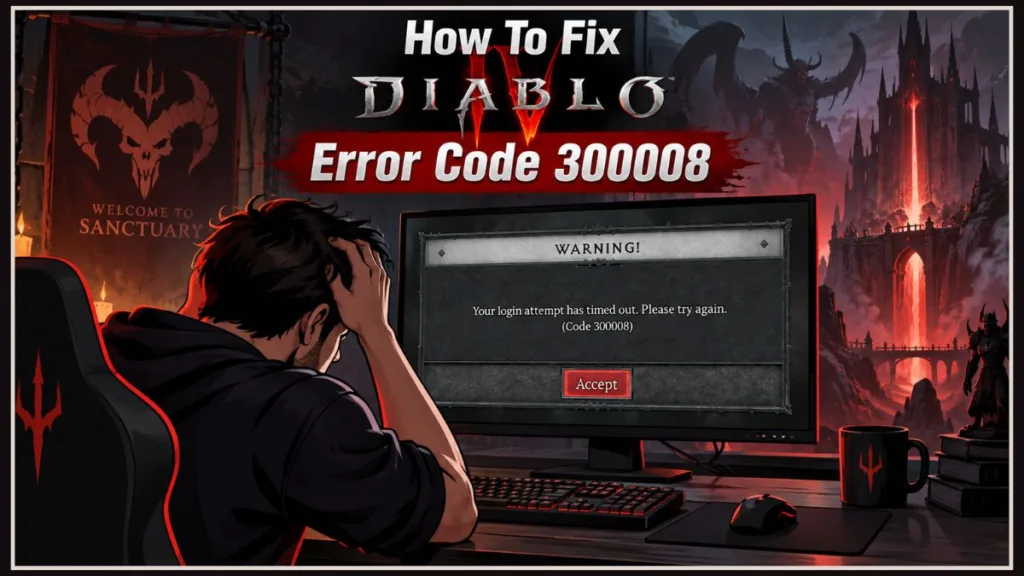
These server timeout errors are notorious during major content drops. This guide breaks down what is happening on Blizzard’s authentication servers, what you should avoid doing, and the practical steps you can take to get back into the game.
What Causes Diablo 4 Error 300008 and Error 300080?
At its core, Error 300008 is a server authentication failure. When you select “Start Game,” your client initiates a digital handshake with Blizzard’s login servers. If the servers are overloaded and fail to respond within a set window, your connection times out.
This typically happens due to two scenarios:
- Severe Server Congestion: During major traffic surges—such as Season 15 (Season of Hell’s Legacy) launches or major patch updates—Blizzard’s authentication queues become severely bottlenecked by returning players.
- “Ghost Session” Desync: If your client crashes or disconnects abruptly, the game servers may still register your character as actively online. Attempting to reconnect immediately causes the system to reject the handshake due to a duplicate active session.
What NOT to Do (Debunking Ineffective “Fixes”)
Searching for quick fixes often surfaces outdated forum posts or automated guides recommending harmful actions. Avoid the following:
- Do NOT run random Administrator terminal commands: Guides often suggest commands like
ipconfig /flushdnsornetsh int ip reset. Flushing your local DNS cache will not resolve Blizzard server-side capacity limits, and altering network adapter settings with elevated privileges can disrupt local network connectivity. - Do NOT reinstall the game client: Error 300008 is not caused by corrupted local files. Redownloading the full 80+ GB installation wastes time without resolving network handshake failures.
- Do NOT spam the login button: Submitting continuous, rapid reconnection requests can trigger automated rate-limiting protections on your IP address, further delaying your access to the queue.
How to Handle “Your Login Attempt Has Timed Out”
Because the bottleneck exists on the infrastructure side, client-side troubleshooting is limited. However, these steps ensure your client connects cleanly as server capacity opens up:
1. Wait Out the “Ghost Session” Window
If you experienced an abrupt disconnect or game crash, wait 5 to 10 minutes before clicking reconnect. This allows the backend servers to detect the dropped connection, clear your previous ghost session, and permit a fresh login.
2. Monitor Official Server Announcements
Before modifying any settings, confirm whether Blizzard has flagged an active service interruption:
- Check real-time operational alerts via the official Blizzard Customer Support Account on X (@BlizzardCS).
- Verify regional status updates and known issues on the Official Diablo IV Forums.
- Review widespread service alerts via the Battle.net Support Portal.
3. Switch Your Battle.net Authentication Region (PC Players)
PC players can route authentication handshakes through alternative login gateways to bypass localized server bottlenecks:
- Completely exit Diablo 4.
- On the Battle.net Desktop App, select the globe icon next to the game version.
- Switch to a different region (e.g., from Americas to Europe).
- Launch the game. (Note: Because Diablo 4 utilizes global character data, changing the authentication gateway does not alter character progression or match latency).
4. Perform a Clean Restart of Your Game Client or Console
Stale cache data from a failed handshake can sometimes cause repeated timeouts:
- PC: Fully exit both Diablo 4 and the Battle.net app (verify the process is terminated in the System Tray), then relaunch.
- PlayStation 5 / Xbox Series X|S: Quit the game application, power down the console completely, disconnect the power cable for 30 seconds to clear system cache, and reboot.
Official Word from Blizzard
Blizzard routinely acknowledges login delays and authentication errors during peak seasonal traffic. Addressing recent login stability issues, Blizzard Customer Support noted:
“We’re aware of an issue preventing some players from accessing Diablo IV. The team is actively investigating and working to resolve the issue as quickly as possible. We appreciate your patience and will share updates as soon as they are available.”
Authentication delays during launch windows generally stabilize within 1 to 3 hours. If you encounter persistent timeout errors during peak hours, allowing server traffic to subside is the most effective approach.
Frequently Asked Questions
Will Error 300008 cause me to lose my character or seasonal progress?
No. All character inventories, quest flags, and seasonal progression are saved continuously to Blizzard’s cloud database. A login timeout only prevents connection to the session manager; it does not touch stored save data.
Does Error 300008 affect both PC and console platforms?
Yes. Players across PC, PlayStation 5, and Xbox Series X|S share the same core Battle.net authentication infrastructure and experience identical timeout codes during high server loads.
Is Error 300008 caused by an issue with my Internet Service Provider (ISP)?
Rarely. Unless your local network is experiencing a total service outage, Error 300008 and Error 300080 are almost exclusively the result of server capacity bottlenecks on Blizzard’s end.
Visit Our Post Page: Blog Page
Discover more from Izoate
Subscribe to get the latest posts sent to your email.