
Did Amazon cancel your order even though you didn’t request it? Find out why Amazon cancelled your order, what happens to your money, how to check your refund, and what to do before ordering again.
Why Did Amazon Cancel My Order?
You ordered something on Amazon, received confirmation, and expected it to arrive. But now your order shows Cancelled—even though you never asked Amazon to cancel it. So, why did Amazon cancel your order? Was your payment declined, did the seller cancel it, or did Amazon stop the purchase because of an account security or verification issue?
The important thing is to find out what caused the cancellation before placing the order again. If the original problem involved incorrect billing details, a payment issue, or account verification, another purchase could face the same problem. And if the product is unavailable or the seller cannot fulfil it, simply trying again may not solve anything.
Don’t reorder the same item immediately. First, check the cancellation message, confirm the order status, and identify whether the issue came from your payment, your Amazon account, the product, or the seller.
There’s another concern shouldn’t overlook: your money. Your bank account or card may still show an amount related to the cancelled order. This can leave you wondering whether Amazon actually charged you, whether the transaction is still pending, or when you should expect a refund.
Amazon Cancelled My Order: What Should I Check First?
When you see Cancelled beside an Amazon order you never asked to cancel, it’s easy to assume something has gone wrong with your account or payment. But before changing your payment method or placing another order, take a closer look at the cancellation details. They can help you work out whether the problem came from Amazon, the seller, your payment method, or the delivery information.
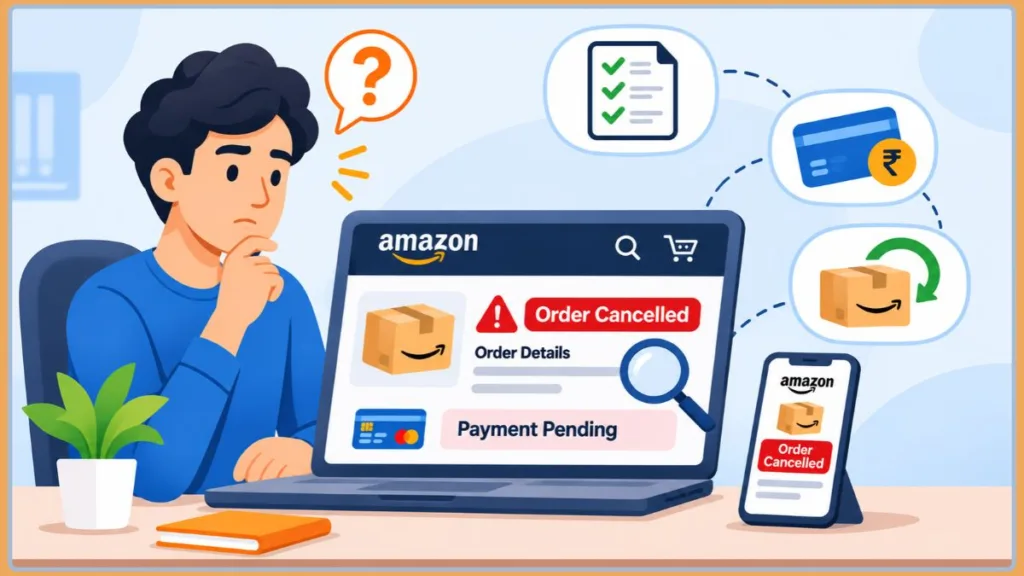
Here are the first things to check when your Amazon order is cancelled unexpectedly.
1. Check the Amazon Cancellation Email
Start with the email address linked to your Amazon account. Look for a message about the cancelled order and check your Spam or Junk folder as well. The notification may explain why Amazon cancelled the purchase or tell you what action is needed.
Pay attention to wording that mentions:
- Payment verification: Amazon couldn’t process or confirm your payment.
- Unusual activity: Amazon needs to verify your account or review the order.
- Product availability: The item is no longer available.
- Seller fulfilment: The seller couldn’t fulfil or ship the order.
- Order verification: Amazon couldn’t confirm certain order details.
You may also find a message asking you to review your payment information or complete an account verification step. Follow the instructions in the message rather than repeatedly placing the same order.
Important: An email saying your order was cancelled is not always a complete explanation. Check the order itself before deciding what caused the cancellation.
2. Open Your Orders and Review the Cancelled Purchase
If the email doesn’t explain what happened, sign in to Amazon and open Your Orders. Find the affected purchase and review its status and available order details.
Check that you’re looking at the correct item, especially if you placed several orders around the same time. Then look for any cancellation information or message associated with that purchase.
This is also useful when you’re searching for an Amazon order cancelled without notice. You may not have noticed the notification, or the email may not clearly explain the reason, but the order details can give you another place to investigate.
3. Look for Clues About Who Cancelled the Order
One important question is whether the issue came from Amazon or the seller. Not every cancelled order has the same cause, so don’t assume Amazon cancelled it because of a payment or account problem.
For example, a message explaining that a seller couldn’t fulfil the purchase points towards a seller-side cancellation. On the other hand, a request to verify your payment or account suggests that Amazon needs to resolve an issue before the order can proceed.
If the cancellation details don’t clearly identify the cause, avoid guessing. Check the seller and order information available in Your Orders, and contact Amazon Customer Service for clarification.
4. Check Your Payment Activity Before Trying Again
Next, look at the payment method you used for the cancelled order. Check your card, bank account, or other payment method to see whether the transaction is showing as pending or whether the payment appears to have been completed.
Don’t assume that seeing an amount in your bank account means Amazon has permanently collected the money. A pending transaction and a completed charge are not necessarily the same thing.
For now, make a note of the payment status before attempting another purchase.
Before moving on: Keep the cancellation email and order details handy. If Amazon hasn’t explained why the purchase was cancelled, this information will help you describe the issue when contacting customer support.
Once you’ve checked these details, you’ll have a clearer starting point for identifying why Amazon cancelled your order and which fix is relevant to your situation.
Why Did Amazon Cancel My Order? Common Reasons and How to Fix Them
Once you’ve checked your cancellation notification and order details, the next step is to identify what actually went wrong. Amazon doesn’t cancel every order for the same reason. Sometimes the payment doesn’t go through, sometimes the product becomes unavailable, and in other cases Amazon or a third-party seller may need to stop the order because something couldn’t be verified or fulfilled.
Here are the most common reasons Amazon cancels orders automatically, how to recognise each situation, and what you can do before trying to purchase the item again.
Amazon Couldn’t Authorise Your Payment
A payment authorisation problem is one possible reason your Amazon order was cancelled. This can happen when your bank declines the transaction, your card has expired, or the payment details you entered don’t match the information held by your bank.
For example, you might have entered an incorrect billing address, used an outdated card, or attempted to pay with a method that couldn’t be processed for that particular order. Even when your account has enough money, your bank may decline or fail to approve the payment attempt.
How to fix it:
- Open your Amazon account’s payment methods and check whether the card or payment method is still valid.
- Confirm that the billing address and other payment details match your bank records.
- Check whether your card has expired or whether there are sufficient available funds.
- If everything looks correct, contact your bank and ask whether it declined an Amazon payment attempt.
Sometimes a bank may decline a transaction without giving you a clear notification. Contacting the bank can help you find out whether the payment was blocked before you try again.
Tip: Don’t keep submitting the same payment repeatedly when it fails. Find out whether the issue is with your card, billing information, or bank approval first.
Amazon Flagged Your Order for Suspicious or Unusual Activity
Have you received a cancellation message mentioning unusual activity, account verification, or Amazon’s terms of use? In that situation, the cancellation may be related to an account or order security review.
Amazon may review an order when it cannot verify the transaction or needs additional confirmation about the account or payment. Certain situations, such as an unfamiliar purchasing pattern, a high-value order, or a gift card transaction, may be associated with additional checks. However, the exact signals Amazon uses aren’t publicly established, so you shouldn’t assume that any one activity automatically causes a cancellation.
This can be particularly confusing when Amazon cancels an order you didn’t cancel yourself. Your order may have been stopped while Amazon checks whether the purchase can be verified.
How to fix it:
- Read the cancellation email carefully and look for any request to verify your account or payment.
- Sign in to Amazon directly and check whether there are any verification instructions or account notifications.
- Complete the requested verification using the instructions provided by Amazon.
- Contact Amazon Customer Service if the message doesn’t explain what needs to be verified.
Avoid immediately placing several new orders or repeatedly changing payment methods when the cancellation mentions suspicious activity. First, resolve the verification issue or ask Amazon what action is required.
Important: A cancellation mentioning unusual activity doesn’t automatically mean your account has been permanently restricted. Check the actual message and follow the verification instructions before assuming there is a larger account problem.
The Product Went Out of Stock or Became Unavailable
Sometimes the problem has nothing to do with your payment or Amazon account. The product itself may no longer be available when Amazon or the seller attempts to process your order.
This can happen with high-demand products, limited-time deals, Lightning Deals, or items with rapidly changing stock levels. In some cases, the inventory shown when you placed the order may not match the stock available when the order is being prepared. An inventory discrepancy can therefore result in an unexpected cancellation.
You might find that the same product is still visible on Amazon even after your order has been cancelled. That doesn’t necessarily mean the original seller still has stock available.
How to fix it:
- Reopen the product page and check whether it is still available.
- Review the available sellers and see whether another seller has the item in stock.
- Check whether the product has a different delivery estimate or availability status.
- If the item is temporarily unavailable, wait until it is listed as available again before ordering.
If you’re trying to purchase a limited-stock item, remember that product availability can change between placing an order and fulfilment. Check the current listing rather than relying on the availability you saw during your first purchase.
A Third-Party Seller Couldn’t Fulfil Your Order
Not every product sold on Amazon is sold or shipped directly by Amazon. Many purchases come from third-party marketplace sellers, and these sellers may sometimes be unable to complete an order.
For example, the seller might discover that the item is out of stock, find that the product is damaged, or be unable to arrange shipping. A fulfilment or delivery problem can also prevent the seller from sending the order as expected.
This is one reason an Amazon seller might cancel your order even when your payment information and account appear to be fine.
How to fix it:
- Open the cancelled purchase in Your Orders and review the seller information.
- Check whether the cancellation message mentions stock, shipping, or fulfilment problems.
- Visit the product listing to see whether the original seller is still offering the item.
- Consider purchasing from another available seller if the product is still listed.
If the seller’s reason isn’t clear, contact Amazon Customer Service and ask for clarification. There’s little benefit in repeatedly ordering from the same seller when they have already indicated that they cannot fulfil the purchase.
The Product Had a Pricing or Listing Error
Another possible explanation is an error in the product listing. For example, a seller may have entered an incorrect product price, displayed an inaccurate offer, or applied a coupon incorrectly.
If the seller or Amazon identifies a pricing or listing error while processing the purchase, the order may be cancelled rather than fulfilled under the incorrect listing details.
This can be frustrating, especially when you placed the order at a price you considered a good deal. However, a product’s appearance on the website doesn’t guarantee that the original listing details will remain unchanged.
How to fix it:
- Revisit the product page and check its current price.
- Review the seller, product description, and available offers.
- Check whether the coupon or promotional discount is still valid.
- Contact Amazon Customer Service if you aren’t sure why the original purchase was cancelled.
Before placing another order, make sure the product price and offer details are correct. The item may still be available, but the original promotional price or coupon might no longer apply.
Your Billing Address, Delivery Address, or Shipping Location Caused a Problem
An incorrect or incomplete address can also interfere with order processing. If Amazon or the seller cannot verify the address, or the delivery location cannot be served, the order may be cancelled.
Common issues include:
- An incomplete or incorrectly entered delivery address.
- A billing address that doesn’t match your payment details.
- An address that cannot be verified or is considered undeliverable.
- A product that cannot be shipped to your selected location because of delivery restrictions.
- A regulated or restricted product that cannot be delivered to a particular destination.
For instance, you may have entered the correct street address but missed an apartment number, postal code, or other required detail. In another situation, the product itself may have shipping restrictions that prevent delivery to your location.
How to fix it:
- Open your Amazon address book and review the saved delivery address.
- Check the postal code, street address, apartment or house number, and contact details.
- Make sure your billing address matches the information associated with your payment method.
- Revisit the product listing and confirm that the item can be delivered to your selected location.
If the address is correct but Amazon still cancels the order, ask Customer Service whether the item has a delivery or shipping restriction. Don’t keep changing valid address details without first understanding what is preventing delivery.
Your Gift Card, Digital Purchase, or Preorder Needed Additional Verification
Some cancellations involve a particular type of purchase rather than a standard product order. Gift card transactions, digital purchases, and preorders can involve payment or verification requirements that differ from an ordinary purchase.
For example, a gift card-related order may need additional payment or account verification. If Amazon cannot confirm the transaction, the order may not proceed. However, using an Amazon gift card balance by itself does not establish that the purchase will automatically be cancelled.
Preorders can also involve a payment issue at a later stage. If the payment method needs to be authorised again closer to release or dispatch and the bank declines the attempt, the order may be affected.
How to fix it:
- Check whether the cancellation email requests additional account, identity, or payment verification.
- Review the payment method or gift card details associated with the purchase.
- For a preorder, make sure the selected payment method is still valid and can be authorised.
- Follow Amazon’s instructions or contact Customer Service if you cannot identify the verification issue.
Don’t assume that a cancelled gift card order means your gift card balance has disappeared. Check the transaction and balance information in your account, and ask Amazon for clarification if anything looks incorrect.
Before placing another order: Make sure you have addressed the specific problem behind the cancellation. A new purchase may be cancelled for the same reason if the original payment, verification, product availability, seller, or delivery issue hasn’t been resolved.
As you can see, why Amazon cancelled your order depends on what went wrong during payment, verification, product availability, or fulfilment. Once you’ve identified the reason, the next concern is often your money. What happens when Amazon cancels an order but your bank account or card still shows a charge?
Amazon Cancelled My Order but Charged Me: What Happens to My Money?
You checked your Amazon order and found that it was cancelled, but the payment still appears in your bank account, credit card, or payment history. Naturally, you’re wondering: Did Amazon take my money even though it cancelled the order?
Not necessarily. A cancelled Amazon order can still show a payment-related amount because the transaction may be pending rather than completed. In other situations, Amazon may have already collected the payment and needs to process a refund.
Before contacting your bank or assuming your money is lost, it’s important to understand which situation applies to your order.
Why Does a Cancelled Amazon Order Still Show a Pending Payment?
One common reason is a payment authorisation hold. When you place an order, Amazon may request authorisation from your bank or card issuer to check whether the payment can be approved.
Your bank may temporarily show this amount as pending or reduce your available balance. However, a pending authorisation doesn’t necessarily mean Amazon has collected the money as a completed payment.
If Amazon cancels the order before the payment is captured, the pending authorisation may simply be released. Depending on your bank, the amount might disappear from your transaction activity or become available again without appearing as a separate refund.
Here’s the difference:
| Payment status | What it means |
|---|---|
| Pending authorisation | Your bank has temporarily reserved the amount, but the payment may not have been completed. |
| Completed charge | The payment has been processed, so a refund may be needed after cancellation. |
| Refund processed | Amazon has initiated or completed the refund, but your bank may still need time to reflect it. |
Important: A pending amount is not the same as a completed charge. Check the transaction status with your bank before assuming Amazon has taken the payment permanently.
How to Check the Refund Status of a Cancelled Amazon Order
If your payment was completed before Amazon cancelled the purchase, check whether a refund has been initiated.
You can start by reviewing the cancelled order in your Amazon account.
- Sign in to your Amazon account.
- Open Your Orders.
- Find the order that shows as cancelled.
- Open its order details and look for available payment or refund information.
- Check the original payment method to see whether the transaction is still pending, has been reversed, or shows a completed refund.
The exact status and wording may vary depending on your payment method and Amazon marketplace.
Also, check the payment method you originally used. A refund may not appear immediately, even when Amazon has already started processing it.
If you paid using a gift card, check your Amazon gift card balance and transaction history as well. Don’t assume that a cancelled gift card order means the balance has been lost.
What Should You Do If Your Amazon Refund Hasn’t Arrived?
If Amazon cancelled your order but the money hasn’t returned, don’t immediately place another payment or assume that the refund has failed. First, establish whether you’re waiting for an authorisation hold to be released or a completed payment to be refunded.
Follow these checks:
Step 1: Review the cancellation and payment status.
Open the cancelled order and check whether Amazon shows any refund information. Also review your bank or card statement to confirm whether the original amount is pending or completed.
Step 2: Check the expected refund or release timeframe.
Refund processing times can vary depending on the original payment method, bank, and transaction status. A pending authorisation may be released differently from a completed payment being refunded.
Don’t rely on one fixed number of days as a guarantee. Check the timeframe shown by Amazon or ask your bank how long it normally takes to release a pending authorisation or reflect a refund.
Step 3: Contact Amazon Customer Service if the status is unclear.
If you cannot find refund information or the cancelled order still shows an unresolved payment, contact Amazon Customer Service. Keep your order details and transaction information ready so the support team can investigate the payment.
Step 4: Contact your bank or card issuer if necessary.
If Amazon confirms that the payment has been refunded or the authorisation has been released, but your account still shows the amount, ask your bank to check the transaction. The bank can help determine whether the amount is still pending or whether the refund has been received but not yet reflected in your account.
Before raising a payment dispute: Confirm the transaction status with Amazon and your bank. A temporary authorisation hold can look like a charge even when the payment was never completed.
Can You Get a Refund If Amazon Accidentally Cancelled Your Order?
If Amazon cancels an order you intended to keep, the payment outcome depends on whether the transaction was completed.
- If the payment was only pending: The bank may release the authorisation instead of issuing a separate refund.
- If Amazon completed the charge: Check the order’s refund status and follow up with Amazon if the refund information is missing or unclear.
- If you paid with an Amazon gift card: Review your gift card balance and transaction history to see whether the amount has been restored.
Remember that a cancelled order and a completed refund are two different things. Confirm what happened to the original payment before assuming the issue is resolved.
Once you’ve checked your payment and know where the money stands, you can move on to the next step: reordering the cancelled Amazon item without running into the same problem again.
Frequently Asked Questions About Amazon Order Cancellations
Can Amazon Restore a Cancelled Order, or Do I Have to Place a New One?
A cancelled Amazon order and a new purchase are two different things. Once an order is marked Cancelled, you generally cannot simply resume the original purchase as though it were paused.
If you still want the item, you’ll usually need to place a new order using the available product listing. This means the replacement purchase may have a different order number, price, seller, or estimated delivery date.
Before ordering again, check whether the original cancellation status is correct. If the order appears to have shipped or you believe it was cancelled by mistake, contact Amazon Customer Service and ask them to review the original purchase.
Will Amazon Honour the Original Price If I Reorder a Cancelled Item?
Not necessarily. When you place a new order, the product may have a different price, seller, or promotional offer from the one you originally purchased.
This can happen when an item goes out of stock, a seller changes its pricing, or the original offer is no longer available. Third-party sellers may also set different prices for the same product.
Before reordering, compare the current listing with your original order details. If the price has increased because of the cancellation, contact Amazon Customer Service and explain what happened. You can ask whether any price adjustment is possible, but don’t assume the original price will automatically be restored.
What Should I Do If Amazon Says My Order Was Cancelled but Tracking Shows It Shipped?
This situation needs a closer look because an order can contain multiple items or shipments with different delivery updates. For example, one item may be cancelled while another has already been dispatched.
Start by opening Your Orders, selecting the affected purchase, and checking Track Package. Review the available tracking numbers and delivery updates to see whether the package was actually handed over to the carrier.
If the carrier’s tracking page still shows that your package is in transit, contact the relevant support team:
- Ships from Amazon: Contact Amazon Customer Service and explain that the order status and tracking information don’t match.
- Ships from a third-party seller: Contact the seller through Amazon and ask them to confirm the shipment status.
Keep your order details and tracking number available when requesting help. Don’t assume the package is still coming just because a shipping label or tracking number exists. Check for an actual carrier update and ask Amazon or the seller to clarify the conflicting status.
Final Thoughts on Why Amazon Cancelled Your Order
Seeing an Amazon order marked as Cancelled when you never requested it can be frustrating, especially when you were expecting a delivery or your bank account still shows the payment. But an unexpected cancellation doesn’t automatically mean there’s something wrong with your account or that your money is lost.
The most important step is to understand why Amazon cancelled your order before attempting another purchase. Whether the issue involved payment authorisation, account verification, product availability, seller fulfilment, or delivery details, identifying the actual cause helps you decide what to do next.
If your Amazon order was cancelled but you were charged, make sure you understand whether the amount is a pending authorisation or a completed payment. And before reordering, confirm that the original issue has been resolved and the item is still available.
Don’t just place the same order again and hope it works. Resolve the reason behind the first cancellation to avoid running into the same problem with your next purchase.
Still unsure why Amazon keeps cancelling your orders? Contact Amazon Customer Service with your order details and ask them to clarify what is preventing the purchase from going through. Getting a clear explanation is the best starting point for resolving repeated cancellations and completing your next order with confidence.
Visit Our Post Page: Blog Page
Discover more from Izoate
Subscribe to get the latest posts sent to your email.