
Learn how Amazon Wish Lists work in 2026: create and share a list, buy gifts, manage purchase settings, and protect your shipping-address privacy.
Want to share your Amazon Wish List without exposing more personal information than necessary? This step-by-step guide explains how Amazon Wish Lists work in 2026, including how to create a list, add products, share a link, buy gifts, manage purchased items, and check privacy settings.
Whether you’re planning a birthday, a wedding, a housewarming, or simply saving products for later, an Amazon Wish List gives you one place to organize the items you want and share them with friends and family.
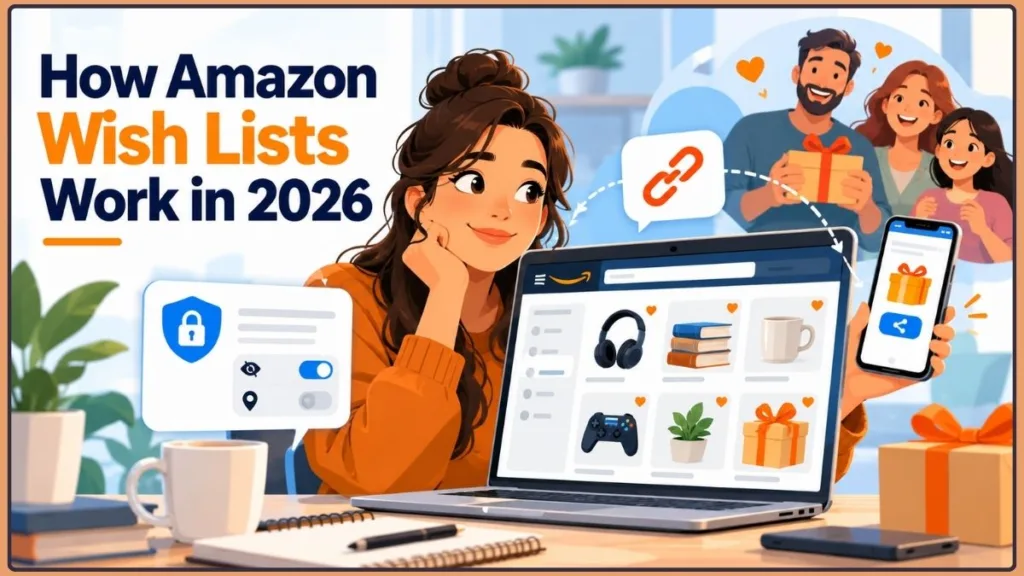
There is one important detail to check before sharing your list. Reports about Amazon’s March 2026 Wish List changes raised additional address-privacy concerns for people receiving gifts through third-party sellers. Knowing who can view a list is not the same as knowing how a delivery address may be handled during order fulfillment. The specific change discussed below was reported from notices sent to affected users; the available public help pages separately explain standard list visibility and list-management settings.
Here’s how the feature works, what to check before sharing a list, and how to avoid common mistakes.
If you need to share several products already sitting in your shopping cart, see our guide to how to share an Amazon cart with someone else.
Quick takeaway: An Amazon Wish List lets you save products and share gift ideas through one link. Before sending that link, check list visibility, shipping-address settings, and purchase-surprise settings. Each controls a different part of the experience.
| Setting | What it controls | What it does not guarantee |
|---|---|---|
| List visibility | Who can find or view your list | It does not by itself determine what address details may be used during fulfillment. |
| Shipping address | Where eligible gifts can be delivered | A hidden address on the list page does not guarantee that delivery information cannot be exposed later. |
| Don’t spoil my surprises | Whether purchased items may remain hidden from you temporarily | It does not control list access or address privacy. |
What Is an Amazon Wish List and How Does It Work?
An Amazon Wish List is a feature inside your Amazon account that lets you save products, organize gift ideas, and share selected items with other people. Instead of sending individual product links, you can create one list that friends and family can browse when choosing a gift.
You can also use a Wish List for personal shopping. For example, you might save home décor, electronics, books, beauty products, or other items you plan to purchase later. Amazon Lists can also help you follow prices and deals, with notifications available for eligible price drops, coupons, and offers through the Amazon app.
When someone buys an item from your list, Amazon provides options to manage purchased products and help prevent duplicate gifts. You can control who can access the list and whether purchases remain hidden as surprises.
The broader US retail market helps explain why organizing online shopping matters. According to the US Census Bureau’s second-quarter 2026 e-commerce report, seasonally adjusted US retail e-commerce sales were estimated at $340.2 billion in Q2 2026, accounting for 17.1% of total retail sales. E-commerce sales were 12.2% higher than in Q2 2025. The report’s estimates may be revised in later releases.
These figures describe the wider online retail market, not Amazon Wish List usage specifically. They provide context for the scale of online shopping, but they do not establish how many shoppers use Wish Lists or how much revenue those lists generate.
Data note: These are published Q2 2026 Census Bureau estimates, not final permanent totals. They provide context for online retail overall; they do not measure Amazon Wish List use, Wish List purchases, or the number of people who create lists.
However, there are a few practical details to understand before using or sharing a Wish List in 2026.
According to reports of notices sent to some Amazon users, starting March 25, 2026, Amazon removed the option to restrict purchases from third-party sellers for affected US Wish List settings. The notices reportedly went to users with publicly shared lists and delivery addresses attached. Coverage by 404 Media and TechSpot describes the change from those user notices. The reports do not establish that every Amazon account or every list behaves identically.
A seller or fulfillment partner may need a recipient’s shipping address to deliver an order. The privacy concern raised by the reported change is that the address could also become visible to the gift purchaser through delivery updates or shipment-tracking information. That is different from the limited address details shown on the Wish List page itself.
This is different from the information displayed directly on a Wish List page. Amazon’s current US help page says a list displays the recipient’s name, city, and state. That describes the list page itself; it is not a guarantee about the handling of delivery information throughout the entire order-fulfillment process.
Amazon Assistant, the company’s former browser add-on for shopping and saving products from other websites, was discontinued on March 28, 2023. Existing lists and previously saved products remained accessible through Amazon, but the discontinued tool itself could no longer be used.
Confirm the Amazon Assistant discontinuation date in Mozilla’s archived extension listing.
Despite these changes, Amazon Wish Lists remain useful for shopping and gift-giving. The important part is knowing which settings control the list, how purchase status works, and what information might be exposed when an item is shipped.
Privacy warning: A hidden street address on a Wish List page is not a guarantee that your address will remain private during delivery. Check the current Amazon.com shipping-address options before sharing a list, especially when third-party sellers may fulfill purchases.
A practical example: When should you use an Amazon Wish List?
Suppose you’re planning a birthday and want friends to choose gifts from different price ranges. You could create a birthday list, add several products, mark the items you want most as higher priority, and share a view-only link with your friends.
That gives gift-givers one place to browse instead of asking you to send individual product links. You still need to check that the products are available, the buying options are suitable, and the shipping-address settings match your privacy preferences.
This is an illustrative workflow based on Amazon’s documented list features, not a measured customer case study.
Izoate’s approach: Check three things separately before sharing a list: who can view it, what happens when someone buys an item, and how the delivery address is handled. One setting does not automatically solve all three.
Benefits of Using Amazon Wish Lists for Gifts and Shopping
Amazon Wish Lists address several everyday shopping problems by keeping your ideas in one place. The practical benefit is straightforward: people can choose from products you’ve already selected instead of guessing what you want.
Independent consumer research also supports the usefulness of shared gift lists. Deloitte’s 2025 Holiday Retail Survey, based on an online survey of 4,270 consumers conducted between August 27 and September 5, 2025, found that:
- 72% of surveyed consumers said wish lists make holiday shopping easier.
- 64% liked receiving gifts from a wish list because they were more certain they would use them.
These are general consumer survey findings, not statistics about Amazon Wish Lists alone. They help explain why a centralized list can be useful to both gift-givers and recipients.
Here are some common reasons to create an Amazon Wish List:
- Birthdays and holidays: Share the products you’d love to receive so friends and family have clear gift ideas.
- Saving items for later: Keep products in one place instead of searching for them again whenever you’re ready to buy.
- Avoiding duplicate gifts: Amazon’s purchased-item tracking and surprise settings can help gift-givers avoid buying the same item twice.
- Staying organized: Create separate lists for home décor, fashion, technology, books, beauty products, or other interests.
- Group gifting: Invite people to view or help build a list by adding items, changing priorities, or adjusting quantities.
Amazon also offers list privacy settings, sharing options, and features for managing purchased items. These tools help you organize your shopping and share gift ideas with the people you choose.
Wish Lists can also support a more deliberate approach to shopping. In Deloitte’s 2025 survey, 49% of respondents planned to add items to wish lists and wait for deals to stretch their holiday budgets. Amazon’s own Lists feature can help you keep products organized and, where available, receive notifications about eligible deals through the app.
Shopping tip: Use separate lists for different occasions or spending goals. Add comments, sizes, colors, and priorities when useful, and check current prices before buying. Saving an item makes it easier to find later, but it does not lock in its price or guarantee future availability.
Remember that visibility settings and address-handling rules are different things. A list’s privacy setting controls who can access the list, but it does not guarantee that your delivery address will remain hidden throughout every third-party fulfillment process.
How to make your Wish List more useful for gift-givers
Use the list to answer questions a gift-giver would otherwise need to ask.
For example, if you want a particular pair of headphones, add the correct model rather than a similar-looking product. If color or size matters, use the available comments or notes to explain your preference. Add products at different price points so people can choose gifts within their budgets.
These are practical recommendations based on the information Amazon lets users attach to list items. They are not claims that a particular list format increases purchases by a measured percentage.
Does Amazon Have Wish Lists in 2026? Key Changes to Know
Yes. Amazon still offers a free Wish List feature, which may appear as Lists in your account or app.
You can use it to save products, organize shopping ideas, revisit items later, follow prices, and share selected products with other people.
However, reports about how Amazon handles third-party-seller purchases from some publicly shared lists raised address-privacy concerns in 2026.
Amazon Wish List Privacy Change: What Changed on March 25, 2026?
According to reports about notices sent to affected Amazon users, the option to restrict third-party-seller purchases was removed for eligible Wish List items under the affected US settings. As a result, gift buyers may be able to purchase eligible third-party-sold products through those lists. Sellers and delivery partners may need the recipient’s shipping address to fulfill an order, and the reported notice warned that delivery updates and shipment-tracking information could expose the recipient’s address to gift buyers. The reporting concerns affected users and does not establish that every list or account behaves identically.
This change has several implications:
- Third-party seller purchases: According to reports about notices sent to affected users, the previous restriction preventing purchases from third-party sellers was removed for affected US Wish List settings.
- Address privacy: A seller or fulfillment partner may need the recipient’s address to deliver an order. The reported concern is that an address connected with an affected publicly shared list could also be exposed to a gift purchaser.
- Tracking information: The reported notice warned that delivery notifications or tracking details could expose more address information than the list page itself displays.
- Shared and public lists: People with access to a list may be able to purchase items from it. Public lists can reach a wider audience than lists shared with specific people.
- Browser extension limitations: Amazon Assistant, which previously supported saving products from other websites, was discontinued in March 2023.
Amazon’s current US help page confirms that you can add eligible products sold by third-party sellers to a list. The reported 2026 change concerns the ability to restrict purchases from those sellers—not simply the ability to add their products. Amazon’s public list-creation help page does not independently explain every detail of the reported March change, so the date and address-risk description here are attributed to the notices described by the news reports.
You can review the current instructions in Amazon’s official US guide to creating a list.
If you use a Wish List to receive gifts from a large audience, review both its privacy and shipping-address settings before sharing the link. A private list is useful for personal shopping, while a shared list is generally more appropriate for people you invite or those with whom you intentionally share its link.
Best practice: Before distributing a list publicly, confirm its current visibility setting, check whether a shipping address is attached, and review the relevant Amazon.com privacy guidance. Do not rely solely on the fact that your full address does not appear on the list itself.
Important: The 2026 address change should not be treated as a universal description of every Amazon marketplace. Amazon stores in other countries may have different seller-delivery controls, so check the policy and settings for the marketplace where your list is hosted.
How to interpret the 2026 privacy reports correctly
The March 25 date and the reported change to third-party-seller purchases come from news coverage of notices sent to affected Amazon users. Amazon’s public help pages separately describe standard list visibility, delivery addresses, and list-management controls; they do not provide a complete public explanation of every detail reported in those notices.
These sources address related but different parts of the process. The important distinction is between the address information displayed on a list and the information a seller or delivery partner needs to fulfill an order.
Amazon’s help content for other marketplaces may describe different controls, including third-party delivery agreements. Do not assume that a setting available in one Amazon country is available in the same form on Amazon.com.
For the US market, use the settings currently displayed in your account alongside the reported change, rather than relying on an old screenshot or a guide written for a different region.
How to Create an Amazon Wish List on a Computer
If you’ve ever wondered, “How do I create a Wish List on Amazon?”, the process is straightforward. You can create a list from your account and then customize its name, shipping address, privacy settings, and other preferences.
Steps to Create an Amazon Wish List on Desktop
- Sign in to your Amazon account using a desktop browser.
- Hover over Account & Lists at the top of the page.
- Select Your Lists.
- Select Create a List and enter a name, such as “Birthday Wish List.”
- Select Create List.
- Open the three-dot menu beside the list and select Manage List.
- Review the shipping address, privacy setting, and other available preferences.
- Select Save Changes to apply your settings.
You can repeat this process to create an unlimited number of lists. For example, you could have separate lists for birthdays, holidays, home improvements, technology, or everyday shopping.
The exact placement of these controls can change as Amazon updates its website. If a button is not where you expect it, open the list and look for its settings or management menu.
See Amazon’s official instructions for creating a list.
Quick tip: Give each list a clear name, such as “Birthday Wish List” or “Home Office.” Before sharing it, open Manage List and review both its privacy setting and shipping address. Do not assume the default settings are right for you.
How to Add Products to an Amazon Wish List
Once you’ve created a list, adding products is straightforward.
- Open the Amazon product page for an item you want to save.
- Select Add to List.
- Choose the Wish List where you want the product to appear.
- If available, use the heart icon beside a product’s image to save it to your default list.
- Open your list if you want to add comments, specify a quantity, or set an item’s priority.
These options make it easier to explain what you want and help gift-givers understand which products matter most.
Amazon also supports adding comments and priority levels to list items. Both list owners and invited people can add items, although the ability to manage list settings and access depends on their permissions.
Read Amazon’s official help page for creating and managing lists.
Organization tip: For gifts, include details that help someone choose the right product, such as the preferred size, color, model, or quantity. Use priorities to distinguish must-have items from products you would simply enjoy receiving.
How to Create an Amazon Wish List in the Mobile App
You can also create an Amazon Wish List directly from the mobile app.
- Open the Amazon Shopping app and sign in to your account.
- Tap the menu icon or the person/account icon, depending on your app version.
- Open Lists or Your Lists.
- Tap Create a List or the plus sign to start a new list.
- Enter a name for your list.
- Tap Create List.
- Open the list’s three-dot menu and select Manage List.
- Review your privacy, shipping-address, and other available settings before sharing the list.
If you cannot find a menu item in the location described above, look under your account or profile section. Amazon occasionally changes its mobile interface.
The current Amazon US instructions also explain how to create a list from the app’s person icon and Lists menu. You may see slightly different navigation depending on the app version.
Amazon Wish List Rules: Item Limits and Product Restrictions
Keep the following details in mind:
- Unlimited lists: Amazon allows you to create as many lists as needed.
- Invited contributors: Both list owners and invited people can add items.
- Product restrictions: Certain products cannot be added to a list. Examples include out-of-print books and cell phones with service plans. Amazon’s US help page also identifies out-of-stock products, items without release dates, products with quantity restrictions, and pharmacy items among the excluded categories for products sold by Amazon.
- Third-party sellers: Eligible products sold by third-party sellers can be added to your list. Depending on availability, the product page may display See Buying Options instead of Add to Cart, because the same item may not remain available from the same seller.
- Changing menus: The exact names and locations of menu options may vary by device and region.
These details can help you identify why a product might not appear in your list or cannot be added.
Troubleshooting tip: If you cannot add an item, check its availability and buying options first. The product may be restricted, out of stock, or available through a different seller. Menu labels can also differ between the website and mobile app.
How Amazon Wish List Purchases Work: Purchased Items and Surprise Settings
After you share your Wish List, friends and family can browse the products and decide what to buy. Amazon includes settings to help manage purchases and reduce the likelihood of duplicate gifts.
However, what the list owner sees may differ from what a gift-giver sees.
What Happens When Someone Buys an Item From Your Wish List?
When someone purchases an item through Amazon, its purchase status can be reflected in the list. Depending on the list’s settings, purchased products may no longer appear among the items that still need to be bought, or they may remain visible with purchase information.
Amazon provides a Keep purchased items on your list option. This means you should not assume that every purchased product will automatically disappear from every Wish List.
Amazon also provides the Don’t spoil my surprises setting. When this setting is enabled, purchased gifts may continue to appear as unpurchased to the recipient for several weeks. Amazon describes the feature as a way to hide which items have been purchased unless the recipient tries to buy an item that someone already bought.
If the recipient attempts to purchase an item that has already been purchased for them, Amazon may display a warning to help avoid a duplicate purchase.
These controls are designed to preserve the surprise, but they do not keep purchased items hidden indefinitely.
If you want to understand whether a Wish List reveals the buyer’s identity, read our related guide, Who Bought From My Amazon Wish List? Here’s What You Can and Can’t Find Out.
Gift-planning tip: If you want to keep a present secret, review the surprise settings before the occasion. If you are the gift-giver, check the list’s purchase status where available to reduce the chance of buying an item someone else has already selected.
How to Change Amazon Wish List Surprise and Purchase Settings
If you want to see which items have been purchased, you can review the list’s settings.
- Go to Your Lists and open the relevant Wish List.
- Select the three-dot menu.
- Choose Manage List.
- Find Don’t spoil my surprises.
- Check or uncheck the setting according to your preference.
- Review Keep purchased items on your list if you also want to control whether purchased products remain listed.
- Select Save Changes.
If you want gift purchases to stay secret, leave the surprise setting enabled. If you prefer to track purchases yourself, you can turn it off.
The surprise feature affects what the recipient sees about purchases. It does not control who can access the list or how delivery information is shared.
For the underlying feature descriptions, refer to Amazon’s guide to creating and sharing Wish Lists.
Important distinction: Purchase-surprise settings, list visibility, and shipping-address privacy are separate controls. Changing one does not automatically change the others.
How to Share an Amazon Wish List by Link or Invitation
Sharing your list is the next step if you want friends and family to buy gifts for you. Amazon also lets you invite others to help build a list when collaboration is useful.
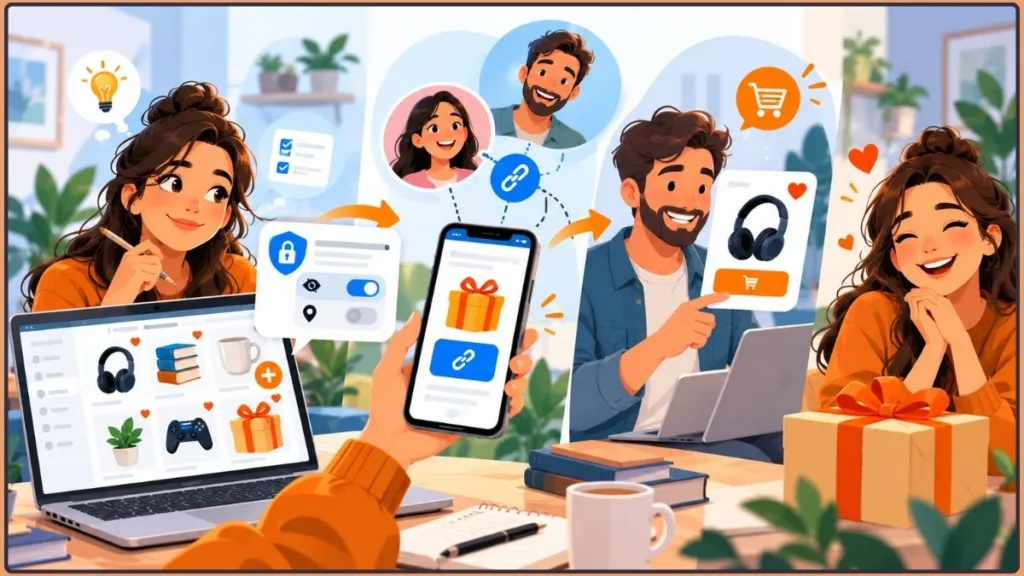
Steps to Share an Amazon Wish List
- Open Your Lists in your Amazon account.
- Select the Wish List you want to share.
- Select Invite or the available sharing button.
- Choose View only if people should browse the list without editing it.
- Choose View and edit if you want invited people to contribute by adding or removing items, changing quantities and priorities, or posting comments.
- Copy the link and send it to friends and family, or use the available email or text-message option.
The exact sharing options can vary by device and region.
For more detailed instructions on sending a list by link or email and choosing collaboration permissions, see our guide to sharing an Amazon Wish List on desktop and mobile.
Before sharing a link publicly, remember that list access and delivery privacy are separate considerations. A view-only link limits what recipients can change, but it does not prevent them from purchasing items or eliminate the potential address-privacy concerns associated with third-party sellers.
Before you share: Choose View only when people need to browse your list but should not change its contents. Reserve View and edit for people you trust to add, remove, or modify items. Then verify the list’s visibility and shipping-address settings separately.
Why Share an Amazon Wish List? Benefits and Permissions
Sharing a list offers several advantages:
- Easy gifting: Friends and family can browse your chosen products instead of guessing what to buy.
- Real collaboration: People with edit access can add or remove items, change quantities and priorities, and post comments.
- Control over access: The list owner can manage invitees through the available Manage people controls.
- Fewer duplicate gifts: Amazon’s purchase-tracking and surprise features can help gift-givers avoid purchasing the same product twice.
Learn more about Amazon’s list-sharing and permission settings.
Only the list owner can manage the list’s privacy settings, share or delete the list, and view or change its shipping address and recipient details. Invited people with edit access do not automatically gain every permission available to the owner.
One detail is particularly important: inviting someone to edit a private list can change it to a shared list. Review the resulting visibility before sending invitations, especially if you originally created the list for personal shopping.
Privacy reminder: A shared link makes it easier for invited people to access your list, but it is not a guarantee that your delivery address will remain hidden during order fulfillment. Choose collaborators carefully and review your address settings before sending the link.
How to Find and Access Amazon Wish Lists
Knowing where to look saves time, whether you want to review your saved products or find a friend’s gift ideas.
How to Find Your Amazon Wish Lists
- Sign in to your Amazon account.
- Open Account & Lists on desktop, or the relevant account section in the app.
- Select Your Lists or Lists.
- Choose the list you want to view.
From there, you can open saved products, manage settings, add items, or copy the list’s sharing link.
How to Find Someone Else’s Amazon Wish List by Name or Link
If you want to find someone else’s Wish List, you can ask them to share a direct link. This is usually the simplest approach because you know you’re opening the intended list.
Amazon also provides a Find a List or Registry option in supported interfaces. You may be able to search for another person’s list by name, depending on the available search features and the list’s visibility settings.
To find a list:
- Open Amazon and sign in if required.
- Look for Find a List or Registry in the Lists or gifting section.
- Enter the person’s name if the search option is available.
- Select the appropriate result if you find the correct list.
You can also ask the list owner to send the direct link by message or email.
For additional help, see our guide to finding someone’s Amazon Wish List.
Keep in mind that a standard Wish List is different from a wedding registry, baby registry, or other gift registry. Amazon offers separate discovery tools for registries and gift lists, so the steps may vary by list type. If you are having trouble locating a registry, our guide explains how to find an Amazon registry when search doesn’t work.
You can also review Amazon’s official guidance on finding Wish Lists and registries.
Finding-a-list tip: When possible, ask the person to send their direct Wish List link. It reduces the chance of opening the wrong list when several people have similar names.
How to Buy a Gift From Someone’s Amazon Wish List
Want to surprise a friend or family member with something they actually want? Buying from an Amazon Wish List helps you find the selected product without asking for individual links.
Steps to Purchase an Item From an Amazon Wish List
- Open the Wish List using the link the owner shared with you, or find the list through Amazon’s supported search options.
- Browse the saved products and choose the item you want to purchase.
- Select Add to Cart from the list page or product page. Depending on your region and the item, Amazon may display Add to Basket or See Buying Options.
- Follow the checkout instructions and select the appropriate delivery option.
- Add a gift message or request gift wrap if those options are available for the product.
- Complete the purchase through Amazon’s checkout process.
Read Amazon’s instructions for purchasing items from a Wish List.
Gift-buyer tip: Before checkout, double-check the product variant, quantity, seller, and delivery options. Prices and availability can change after an item is added to a Wish List, so confirm the current details instead of relying on the saved listing alone.
Amazon Wish List Buying Tips: Addresses, Prices, and Gift Options
There are a few things to understand before placing an order.
Shipping addresses: Amazon’s standard Wish List guidance explains that the list displays limited address details, such as the recipient’s name, city, and state. However, that does not guarantee that the recipient’s street address will remain hidden throughout the entire delivery process.
Based on reporting about notices sent to affected users, since March 25, 2026, purchases from affected publicly shared Wish Lists through third-party sellers may involve the recipient’s shipping address being handled by sellers and delivery partners. Delivery updates and tracking information could expose that address to the gift purchaser. The reports do not establish identical behavior for every list or account.
Buying an item elsewhere: If you purchase a listed product outside Amazon, you may see a Buying this elsewhere option that lets you mark the item as purchased. This helps the list owner and other gift-givers keep track of gifts bought outside Amazon. The person buying the product elsewhere must mark it appropriately for the list to reflect that purchase.
Prices and availability: Product prices, stock, and buying options can change between the time an item is saved and the time someone purchases it. An item may also have a different seller or fulfillment arrangement by the time the buyer checks out.
Gift messages and wrapping: These options depend on the item, seller, and delivery destination. Check the options available during checkout rather than assuming every Wish List purchase is eligible for gift wrapping or a gift message.
These details are worth reviewing before purchasing a gift, particularly if you are buying from a seller other than Amazon.
Key privacy distinction: A Wish List may display only limited address details, but the information required to deliver an order can be different. Never interpret the list’s visible address fields as a guarantee about every step of the fulfillment process.
Amazon Wish List Privacy Settings: Private vs. Shared vs. Public
Your privacy settings determine who can access your list. Before you share a Wish List, understand the difference between private, shared, and public visibility.
What Is the Difference Between Private, Shared, and Public Wish Lists?
Private Wish List
A private list is intended for your personal use. Other people generally cannot view it unless you change its settings or grant access through the available invitation options.
Private lists are useful for personal shopping, product research, or ideas you are not ready to share.
Shared Wish List
A shared list is intended for people you choose to let access it. Depending on the sharing option, people with the link may be able to view it, while invited contributors may also be allowed to edit it.
This setting is useful for birthdays, holidays, and gift ideas shared with friends or family.
Public Wish List
A public list can be discoverable by other Amazon users through supported search options. It may be useful when you want a wider audience to find your gift ideas, including for fundraising or public gifting.
However, public visibility also means that more people may access the list than you initially expect. If an address is attached to a shared or public list, third-party fulfillment can introduce additional privacy risks.
Regardless of the visibility setting, do not assume that the list itself controls every detail of how sellers and delivery partners handle the recipient’s address.
Best practice: Use the least public setting that meets your needs. A private list is suitable for personal shopping, while a shared list is often more appropriate when you want to send a gift link to specific people. Use public visibility only after considering the audience and address-privacy implications.
How to Change Your Amazon Wish List’s Privacy Setting
You can usually change the privacy setting through the list’s management controls.
- Open Your Lists and select the list you want to update.
- Select the three-dot menu.
- Choose Manage List.
- Find the Privacy setting.
- Choose Private, Shared, or Public, according to your needs.
- Select Save Changes.
Review each list individually, especially if you have created several lists over the years. Older lists may have different settings from the ones you use today.
What Information Can Other People See on Your Amazon Wish List?
Amazon’s current US Wish List help page says the list displays limited address details, including the recipient’s name, city, and state, rather than the complete street address directly on the list.
However, the address displayed on the list is not the same as the address information used to fulfill an order.
Following the reported March 25, 2026 change, Amazon reportedly warned that when gifts are purchased from affected publicly shared lists through third-party sellers, the recipient’s shipping address may be handled by sellers and delivery partners and could become visible to gift purchasers through delivery updates or shipment tracking. The reporting is based on notices sent to affected users, so do not assume every list or account has identical behavior.
For that reason, treat list visibility and delivery-address privacy as two separate issues.
Before sharing a list with people you do not know personally, review its shipping-address settings and consider using a non-residential delivery address if you need additional privacy.
Important warning: Do not rely on the word Private or Shared alone to determine how your address is handled during a purchase. Review the attached shipping address and current fulfillment guidance as separate parts of your privacy check.
How to Protect Your Address and Privacy When Sharing an Amazon Wish List
Amazon Wish Lists include privacy controls, but those settings are only one part of protecting your information. If you share a list publicly, take a few additional precautions.
1. Use Private or Shared Amazon Wish List Settings
- Avoid making a list public unless you genuinely need it to be searchable by a wider audience.
- Use a shared link for people you intend to give access to.
- Review the list’s privacy setting before sharing it on social media, a website, or another public platform.
Amazon’s own guidance explains how to change your list’s visibility. These controls help determine who can access the list, although they do not remove every risk associated with third-party shipping.
Actionable tip: Before posting a Wish List on a public profile, website, or social platform, open the list as its owner and verify its current visibility. If only a few people need access, share the link directly instead of making the list public.
2. How to Remove or Change the Shipping Address on an Amazon Wish List
Review the shipping-address section in Manage List.
Where your account’s settings allow it, select None or remove the attached shipping address if you do not want a home address associated with the list. The exact label and available options may differ, so check the controls shown in your account before saving your changes.
Without a delivery address attached, gift buyers may need to enter a delivery address themselves rather than sending a gift automatically to the list’s default address. This can make direct gifting less convenient, and the exact available behavior depends on the current Amazon.com checkout and list settings.
If you want people to send gifts directly to you while avoiding exposure of your residential address, consider a PO Box or another suitable non-residential delivery address that can accept the packages you expect.
Remember that removing an address from a Wish List is different from removing it from your general Amazon account address book. Amazon explains that changing your account address does not automatically change the address attached to an existing Wish List.
Address-privacy tip: Verify the actual shipping-address field attached to the list. Do not assume that deleting or changing your general Amazon account address automatically updates every existing Wish List.
3. Check Amazon’s “Sold By” and “Ships From” Details
Before purchasing from a list, check the product page’s Sold by and Ships from information.
These details help identify who sells the item and who fulfills the order:
- Sold by Amazon / Ships from Amazon: Amazon sells and fulfills the order.
- Sold by a third-party seller / Ships from Amazon: A third-party seller sells the product, while Amazon fulfills it.
- Sold by a third-party seller / Ships from the seller: The third-party seller sells and fulfills the order.
You can find this information near the buying controls on the product page. Amazon explains these labels in its official guide to ordering from a third-party seller.
However, checking these labels is not a complete privacy guarantee. According to reports about notices sent to affected users, the 2026 Wish List change removed the option to restrict third-party-seller purchases for affected publicly shared lists. A seller or delivery partner may need the recipient’s shipping address to fulfill an order, and the reported concern is that delivery updates could expose that address to a gift purchaser. Product availability and fulfillment arrangements can also change between the time a list item is saved and the time it is ordered.
For your own privacy, do not rely exclusively on the seller label as a substitute for reviewing your Wish List’s address settings.
Practical recommendation: Treat the seller and fulfillment labels as useful order information, not as a guarantee of address privacy. Check the current shipping and privacy settings before sharing a list with a broad audience.
4. Use Amazon Wish List Surprise Settings Correctly
If you want to preserve the surprise when someone buys a gift, leave Don’t spoil my surprises enabled.
This setting can keep purchased items appearing as unpurchased to the list owner for several weeks. Amazon may warn you if you try to purchase something that has already been bought for you.
If you prefer to monitor purchased items yourself, turn the setting off through Manage List.
The surprise setting affects what the recipient sees about purchases; it does not control who can access the list or how delivery information is shared.
Surprise tip: Keep Don’t spoil my surprises enabled if you want to avoid seeing gift purchases too early. If you turn it off, your purchase visibility may change. This setting does not replace the list’s privacy or address controls.
5. Consider Initials or a PO Box for Address Privacy
Some privacy guides recommend using initials instead of your full name in relevant shipping details where Amazon permits it. You can also consider a PO Box or another non-residential address if you share a list publicly.
Reporting about Amazon’s 2026 notice said Amazon recommended a PO Box or a non-residential address for people who want to protect their home address while continuing to share Wish Lists. This recommendation is reported from the notice, rather than from a detailed public help article describing the change.
However, use initials only when Amazon and the carrier accept them and the choice will not interfere with successful delivery. A valid recipient name and delivery address may be necessary for some orders.
A non-residential address can reduce the risk of exposing your home address through third-party delivery updates. Make sure the address is suitable for receiving the kinds of packages you expect.
Each of these measures complements the others. Review your list’s settings, choose an appropriate delivery address, and consider who might access the list before sharing it widely.
Privacy takeaway: If receiving gifts directly at home is essential, weigh that convenience against your privacy needs. A suitable non-residential delivery address may provide an additional layer of separation between a public gift list and your home address.
Amazon Wish List Ideas: Birthday, Holiday, Home, and Tech Examples
Not sure what to add to your Wish List? Organize it around an occasion, an interest, or the items you want to purchase over time.
Here are some examples to help you get started:
- Birthday Wish List: Add favorite beauty products, accessories, books, or small treats you would enjoy receiving.
- Holiday Wish List: Include cozy home items, gadgets, and gift-friendly products at different price points.
- New Home Wish List: Save kitchen essentials, décor, household accessories, and storage products.
- Student or Dorm Wish List: Add bedding, desk supplies, organizers, and other college essentials.
- Fashion and Beauty Wish List: Collect wardrobe staples, skincare products, and makeup you have been considering.
- Tech Wish List: Save chargers, headphones, accessories, and gadgets you want to buy or receive.
A useful list includes enough information to help people choose the right product without making the list unnecessarily complicated.
Amazon Wish List Template: Names, Categories, Priorities, and Notes
| List Element | What to Include |
|---|---|
| List name | Clear and descriptive, such as “Emma’s 25th Birthday” |
| Category | Birthday, holiday, home, fashion, technology, or another theme |
| Priority | Must-have, nice-to-have, or someday |
| Budget range | Lower-priced, mid-range, and higher-priced options for different budgets |
| Notes | Size, color, preferred brand, model, or other useful details |
A mixture of price points makes your Wish List more accessible to people with different budgets. Comments and priorities can also help gift-givers understand which items matter most.
You can also use separate lists for gifts and personal shopping. For example, a birthday list can be shared with friends, while a private list can hold products you are researching or waiting to buy when the price changes.
List-building tip: Include a range of prices and add useful product details where appropriate. This makes the list more practical for gift-givers with different budgets and reduces uncertainty about the item you want.
Example: How to Organize a Birthday Wish List
Consider someone who wants to share gift ideas with relatives, coworkers, and close friends. Instead of putting every product into one unstructured list, they could:
- Use a clear title such as Birthday Wish List.
- Add products at different price points.
- Give higher priority to the items they want most.
- Add the correct product variant and useful notes, such as size or color.
- Use view-only sharing for gift-givers.
- Check the shipping-address setting before sending the link.
This illustrative example shows how Amazon’s documented list features can support an everyday planning task. It is a practical workflow, not a claim about measured conversion rates or a reported customer case study.
How Amazon Wish Lists Work for Third-Party Sellers
Amazon Wish Lists are primarily a shopping and gifting feature, but they also intersect with the marketplace because shoppers can save eligible seller products to their lists.
If you sell on Amazon, it helps to understand what this means and what it does not mean.
Can Amazon Sellers See or Control Wish Lists? What Sellers Should Know
- Products can be saved: Shoppers can add eligible products sold by third-party sellers to their lists. This allows customers to save products for later or share them with potential gift-givers.
- Sellers do not manage customers’ lists: Sellers cannot directly control a shopper’s Wish List or change its privacy settings.
- Shipping information may be shared for fulfillment: When a third-party seller fulfills an order from an eligible Wish List, the seller and relevant delivery partners may need the recipient’s shipping address. Reports about Amazon’s 2026 notices said the option to restrict third-party purchases was removed for affected publicly shared lists; those reports also raised concerns about the address becoming visible to gift purchasers through delivery information.
- Information must be handled responsibly: Sellers should use order and delivery information for legitimate fulfillment purposes and follow Amazon’s policies and applicable privacy requirements.
Amazon’s address-related handling has changed over time. Do not assume that an older third-party delivery agreement or opt-out setting remains available for US Wish List purchases after March 25, 2026.
Seller takeaway: Wish Lists allow shoppers to save products, but sellers do not control the shopper’s list or its privacy settings. Treat address and delivery information obtained through a legitimate order as sensitive fulfillment data, and follow Amazon’s current policies.
How Amazon Sellers Can Make Products More Appealing to Wish List Shoppers
If you want your products to be worth saving, focus on the quality of the shopping experience.
- Use clear, high-quality product images.
- Write accurate and detailed product titles and descriptions.
- Keep pricing competitive.
- Maintain reliable inventory and avoid unnecessary stockouts.
- Earn genuine customer reviews through good products and service.
These practices help shoppers understand what your product offers and make informed purchasing decisions. Avoid tactics that manipulate the system or attempt to game Wish List behavior.
This advice also fits a wider retail pattern highlighted by Deloitte’s 2025 holiday research: shoppers were looking for value and deals, while retail experts emphasized that value involves more than simply offering the lowest price. For sellers, accurate descriptions, reliable availability, and clear product information are practical ways to help buyers evaluate products.
The survey does not establish that these tactics directly increase Amazon Wish List saves.
Listing tip: Make product details accurate and easy to understand. Clear images, informative descriptions, competitive pricing, and reliable stock help customers evaluate products without relying on misleading claims or artificial engagement.
Can Amazon Wish Lists Get You Free Stuff? What to Know
You may come across posts claiming that Amazon Wish Lists are a way to receive free products. It is important to understand what the feature actually does.
An Amazon Wish List does not automatically provide free products or give you a way to claim items without payment.
Instead, it lets you share products you would like to receive. Someone else can choose to purchase an item for you, but the purchase depends on their decision and the applicable buying conditions.
Here is what to remember:
- Wish Lists do not provide free products automatically: They store and organize products you want.
- Another person must choose to buy the gift: Someone may purchase an item from your list if they want to give it to you.
- A Wish List is not a free-product claim system: Treat it as a way to share gift ideas, not a way to claim products for nothing.
Amazon Wish List Scams: Warning Signs and Safety Tips
Be careful with messages or websites that promise free Amazon products in exchange for personal information or payment.
Common warning signs include:
- Messages promising free products if you share personal details.
- Requests to click unfamiliar links or sign in through unofficial websites.
- Anyone asking you to pay a fee to “unlock” a Wish List benefit.
Never share your Amazon password or payment details in response to an unsolicited message. Check the destination of links before signing in, and be cautious about the personal information attached to a public list.
The Federal Trade Commission’s phishing guidance recommends treating unexpected messages with caution and avoiding links or attachments that could lead to fake sign-in pages. If a message claims there is a problem with your Amazon account, do not reply or use the message’s link. Open the official Amazon app, type Amazon’s address into your browser yourself, or contact the company through a phone number or website you already know is genuine. Do not rely only on the sender name or caller ID, because those can be faked.
The FTC has also reported that consumers lost nearly $3 billion to impersonators in 2024. That figure covers impersonation scams generally, not Amazon Wish List scams specifically, but it shows why messages requesting money or personal information deserve scrutiny.
Security warning: An Amazon Wish List is a way to save and share products, not a program that automatically gives you free items. Be cautious of requests for passwords, payment details, or fees to unlock supposed Wish List rewards. If a message claims there is a problem with your Amazon account, open the official Amazon app, type the website address yourself, or contact Amazon through a verified channel instead of following the message’s link.
Amazon Wish List Limitations: Prices, Availability, Privacy, and Purchases
Amazon Wish Lists are useful, but they do not guarantee that every saved item will remain available, that every purchase will stay a surprise, or that every shipping detail will remain private.
- Prices and availability can change: An item may cost more, become unavailable, or have different buying options by the time someone purchases it. Amazon Lists can help you keep track of products and deals, but saving an item does not lock in its price.
- Some products cannot be added: Examples include out-of-print books and cell phones with service plans. Amazon also restricts certain other products, including some out-of-stock items, pharmacy items, products without release dates, and items with quantity restrictions.
- Public lists can reach a wider audience: A public list may be discoverable by people beyond your intended recipients, depending on Amazon’s search and visibility options.
- Address privacy is not guaranteed throughout fulfillment: Reporting on notices sent to affected users said the March 2026 change removed the option to restrict third-party-seller purchases for affected publicly shared lists. A seller or delivery partner may need the recipient’s delivery address, and tracking updates could expose it to the gift purchaser. The reports do not establish an identical outcome for every list or account.
- The old browser add-on is discontinued: Amazon Assistant stopped working on March 28, 2023. Existing lists and products previously saved through the tool remained accessible, but the old add-on is no longer available.
- Purchases made elsewhere may need to be marked manually: If a gift-giver buys a product outside Amazon, the list may not automatically reflect the purchase. The buyer may need to select Buying this elsewhere.
- Shared accounts can reveal order information: Gift-givers’ orders appear in their own Amazon order history, so anyone sharing an account should consider this when trying to keep gifts secret. For more information, see our guide to managing Amazon order visibility and keeping purchases private.
- Amazon may change its interface: Menu names, settings, and the exact steps can vary by device and region.
- Seller availability can change: Some products may be available from several sellers, and the available seller may change between the time an item is added and the time it is ordered.
- A list is not a guarantee of fulfillment: A saved item may be discontinued, out of stock, or otherwise unavailable by the time a gift-giver tries to purchase it.
Understanding these limitations helps you set realistic expectations and decide which list settings work for your needs.
Key takeaway: A Wish List helps you organize and share product choices, but it does not lock in a price, guarantee stock, prevent all duplicate purchases, or guarantee complete address privacy. Check the product and list settings before relying on them for an important gift.
Final Takeaways: How to Use Amazon Wish Lists Safely in 2026
Amazon Wish Lists give you a practical way to organize shopping ideas, save products for later, and help friends and family choose gifts. You can create multiple lists, add products, set priorities, follow deals, and share one link instead of sending individual product pages.
Consumer research helps explain why this matters. Deloitte’s 2025 Holiday Retail Survey found that 72% of respondents said wish lists make holiday shopping easier, and 64% liked receiving gifts from a list because they were more likely to use them. These findings refer to wish lists generally, but they underline the value of making gift preferences clear.
However, Amazon’s March 2026 changes make privacy an important part of using the feature, particularly if you receive gifts through third-party sellers.
To get started:
- Create a list: Open Account & Lists > Your Lists on desktop, or the relevant Lists section in the Amazon app.
- Add products: Use Add to List or the heart icon on eligible product pages.
- Manage your settings: Choose Private, Shared, or Public, and review your shipping-address preferences.
- Share the link: Send it to friends and family or invite people to view or edit the list.
- Manage purchases: Review the purchased-item and surprise settings to decide how gifts appear.
- Protect your address: Do not assume that a hidden street address on the list will remain private during third-party fulfillment. Consider removing the attached address or using a PO Box or other non-residential address when appropriate.
- Review prices and availability: Saving a product can help you keep track of it, but it does not guarantee that the product will remain available or cost the same later.
Final checklist: Before sharing your Wish List, confirm that the list is visible to the right audience, check the attached shipping address, choose appropriate sharing permissions, and understand how purchased items and surprise settings work.
Checking these settings periodically helps you make informed decisions about what you share and how you receive gifts.
Amazon may continue updating its list features, menus, and delivery policies. Review the current settings before sharing a list widely rather than relying on an old screenshot or an outdated set of instructions. For the 2026 address-privacy change specifically, distinguish Amazon’s public help guidance about list display from the news reports describing notices sent to affected users; both are relevant, but they are not the same type of source.
Amazon Wish List FAQs: Sharing, Purchases, and Privacy
Is There a Wish List Feature on Amazon?
Yes. Amazon offers a free Wish List feature that allows you to save products, organize them into lists, and share them with other people. You can use a list for personal shopping, birthdays, holidays, and other gift-giving occasions.
How Do Amazon Wish Lists Work?
You create a list, add eligible products, choose the available privacy settings, and share the link with other people. When someone buys an item through Amazon, its purchase status may appear in the list’s purchase information. The Don’t spoil my surprises setting can keep purchases appearing as unpurchased to you for several weeks.
The exact behavior depends on the list settings, whether the purchase was made through Amazon, and the available options for the item.
How Do You Create an Amazon Wish List?
Sign in to Amazon, open Account & Lists, and select Your Lists. Choose Create a List, enter a name, and select Create List. Then open Manage List to review privacy, shipping-address, and other preferences. You can add products using Add to List or the heart icon on eligible product pages.
Can Someone Buy From My Amazon Wish List Without Seeing My Address?
Amazon’s standard list display shows limited address details, such as the recipient’s name, city, and state, rather than directly displaying the full street address on the list.
However, that does not guarantee complete address privacy. According to reports about notices sent to affected users, since March 25, 2026, eligible third-party-seller purchases can be made from affected publicly shared lists without the previous option to restrict those purchases. The recipient’s shipping address may be handled by sellers and delivery partners and could become visible to gift buyers through tracking updates or delivery information. The reports do not establish that all accounts and lists behave identically.
If you are concerned about exposing your home address, review your list’s settings and consider removing the attached address or using a PO Box or other non-residential delivery address.
Is It Worth Using an Amazon Wish List?
For many people, yes. Amazon Wish Lists are free, easy to use, and helpful for saving items or sharing gift ideas. They can make birthdays, holidays, and other occasions easier to organize.
The feature also supports practical shopping behaviors such as keeping products together and tracking price changes. Before sharing a list, choose an appropriate privacy setting, review the shipping address, and understand the potential privacy implications of third-party seller purchases.
How Do You Change Amazon Wish List Privacy Settings?
Open Your Lists, select the relevant list, and choose the three-dot menu. Select Manage List, find the privacy setting, choose Private, Shared, or Public, and save your changes.
Review the shipping-address section separately. Changing a list’s visibility does not automatically guarantee that your address will remain private during every delivery or third-party fulfillment process.
Remember: Amazon Wish Lists make saving and sharing gift ideas easier, but privacy depends on more than one setting. Review list visibility, address handling, and purchase preferences whenever you prepare to share a list.
Visit Our Post Page: Blog Page
Discover more from Izoate
Subscribe to get the latest posts sent to your email.