
Who bought from your Amazon Wish List? Here’s what you can and can’t find out — gift messages, the Purchased filter, and Registry tools explained.
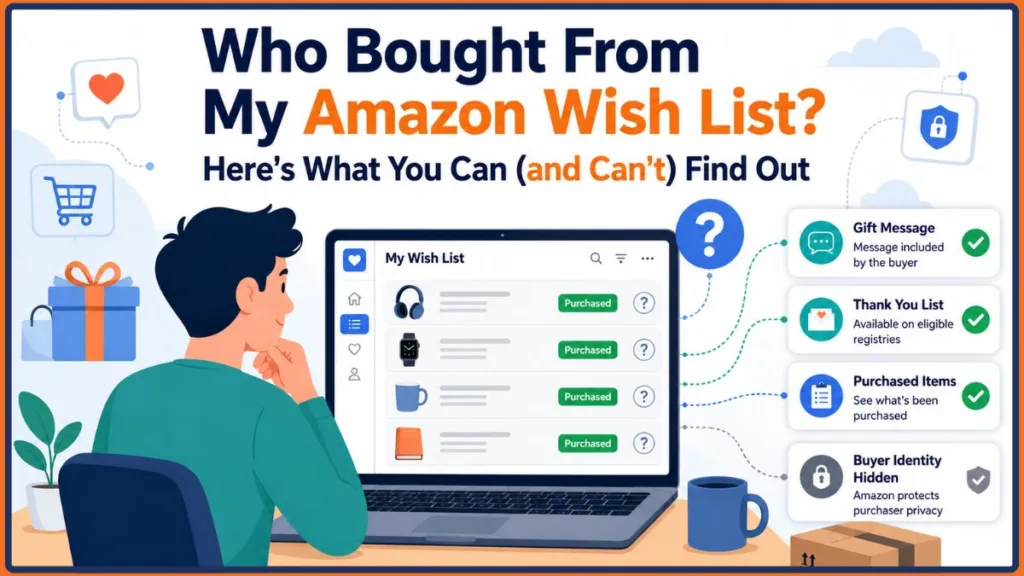
Can you see who bought something from your Amazon List? Usually no. Standard Amazon Wish Lists don’t reveal the buyer’s identity. However, eligible Amazon Registries may provide a Thank You List, and buyers can choose to identify themselves by including a gift message. Amazon intentionally protects purchaser privacy by default.
You open your Amazon package expecting another everyday delivery, only to realize someone bought an item right off your Wish List. Naturally, your next question is: Who sent this? If you have ever searched for a way to see who bought what on your Amazon List, you are not alone. It is one of the most common questions Amazon shoppers ask — and the answer is a little more nuanced than most people expect.
Whether you want to send a heartfelt thank-you, prevent duplicate purchases, or simply satisfy your curiosity, this guide walks you through every practical method available. From filtering purchased items on your list to encouraging gift messages before purchases happen, you will find clear, step-by-step guidance that actually works.
Rather than relying on rumors, unofficial tools, or outdated workarounds, this guide focuses only on Amazon’s supported features, current privacy practices, and practical methods that genuinely work. Every recommendation here is based on how Amazon’s system currently operates — so you can move forward with confidence.
Note: This guide reflects Amazon’s features at the time of writing. Menu names, list options, Registry tools, and available features may vary depending on your Amazon marketplace, region, account type, and future interface updates. If something looks slightly different on your account, the general approach will still point you in the right direction.
Key Takeaways
Before diving in, here is a quick summary of what this guide covers:
- Standard Amazon Wish Lists generally do not reveal the identity of the buyer — this is intentional and by design.
- Gift messages are the easiest and most reliable way to identify who sent a gift from your list.
- Eligible Amazon Registries such as Wedding or Baby Registries may include a Thank You List that provides more gifting information than a standard Wish List.
- The Purchased filter — where available — lets you see which items on your list have been bought, but does not show who bought them.
- Amazon prioritizes purchaser privacy, and no third-party app or browser extension can safely or legitimately bypass that protection.
Can You See Who Bought What on an Amazon List?
Before diving into the steps, it helps to understand what Amazon actually shows you — and what it deliberately keeps private.
Short Answer: Usually no for standard Amazon Wish Lists. However, if you are using an eligible Amazon Registry or the buyer chooses to include identifying information such as a gift message, you may be able to identify who sent the gift. Otherwise, Amazon intentionally protects purchaser privacy.
Amazon’s system is designed to encourage generous, pressure-free gifting. When someone buys from your list, they are not required to identify themselves. The platform marks the item as purchased to prevent duplicates, but it stops short of revealing exactly who clicked the buy button.
Here is what Amazon generally does and does not share:
What Amazon typically shows you:
- That an item has been marked as purchased
- An email notification confirming a purchase was made, depending on your notification settings
- Any gift message the buyer chose to include
- Delivery and shipping status of the incoming item
What Amazon does not show you:
- The name of the person who purchased the item
- The buyer’s account information or contact details
- Any indication of who viewed your list
Understanding this distinction upfront saves a lot of frustration. The goal is not to work around Amazon’s privacy protections but to use the tools that are already available to piece together the answer.
Understanding How Amazon Shows Purchased Gifts
Amazon Wishlists are built to make gift-giving easier for everyone involved. You add items you want, share the list with friends and family, and they can purchase directly from it without any guesswork. It is a simple system that works well for birthdays, holidays, and everyday gifting occasions.
However, Amazon also prioritizes the privacy of the people doing the buying. This is intentional. The platform wants buyers to feel comfortable purchasing gifts without worrying about follow-up pressure or awkward acknowledgment. As a result, the identity of the purchaser is protected by default unless they choose to share it themselves.
The “Purchased” label you see on your list simply means the item has been bought and removed from the active purchasing queue. It prevents two people from accidentally buying the same thing. What it does not tell you is anything about who made that purchase.
This privacy-first approach is consistent across most of Amazon’s list types, though there are some differences depending on which type of list you are using — more on that in the next section.
Why You Might Want to Know Who Bought What
There is nothing intrusive about wanting to know who sent you a gift. In most cases, the motivation is entirely positive. Here are the most common reasons people look into this:
- Expressing gratitude: A personal thank-you means more when it is directed to the right person rather than sent as a generic message to everyone.
- Avoiding duplicates: Knowing who bought what helps prevent others from purchasing the same item before it arrives.
- Understanding the gesture: Seeing who thought of you and picked something specific from your list can be genuinely meaningful.
- Proper acknowledgment: Misattributing a gift to the wrong person can create unnecessary confusion or even hurt feelings.
- Keeping your list organized: Tracking what has been purchased helps you update your list and keep it relevant for future occasions.
Regardless of your reason, the methods covered in this guide rely entirely on Amazon’s official features and straightforward communication — no workarounds or risky tools required.
Key Amazon Terms Explained
Before exploring the different list types, it helps to understand exactly what these terms mean — especially if you are new to Amazon’s gifting features.
Amazon Wish List: A shareable list of products that lets friends and family purchase gifts for you without needing to ask what you want. Items can be added from anywhere on Amazon and the list can be set to public, shared, or private.
Amazon Registry: A specialized Amazon gift list designed for weddings, baby showers, housewarmings, and other major life events. Eligible Registries may include additional gift management tools such as the Thank You List, making them better suited for occasions where identifying gift-givers matters.
Understanding the difference between these two options is important because they behave differently when it comes to what purchase information is visible to you as the list owner.
Amazon Wish List vs Gift List vs Registry: What Is the Difference?
Many users set up a list on Amazon without realizing there are actually several different list types available, each with slightly different features. Understanding which type you are using matters because it directly affects how much purchase information is visible to you.
Wish List
A standard Wish List is the most common type. It is flexible, easy to share, and works well for everyday gifting occasions. However, it offers the least visibility into who made a purchase and does not include advanced gifting management tools.
Gift List
A Gift List is similar to a Wish List but is typically created for a specific occasion such as a birthday or holiday. It functions in much the same way and offers similar levels of buyer privacy. Most of the same limitations apply.
Registry
A Registry is designed for significant life events such as weddings, baby showers, housewarmings, or other major occasions. Amazon currently supports several Registry types including:
- Baby Registry — for parents expecting a new arrival
- Wedding Registry — for couples planning their wedding
- Gift Registry — for other milestone occasions
Registries come with more structured gifting features compared to standard lists. On eligible Registries, you may have access to a Thank You List, which is designed to help you track received gifts and identify gift-givers more easily. This makes Registries a meaningfully better option when knowing who sent a gift matters to you.
Here is a quick comparison to help you understand the differences:
| Feature | Wish List | Gift List | Registry |
|---|---|---|---|
| Shows purchased items | Yes | Yes | Yes |
| Gift messages supported | Yes | Yes | Yes |
| Thank You List | No | Usually No | Eligible Registries only |
| Buyer identity visible | Usually hidden | Usually hidden | Sometimes available |
| Advanced gifting tools | No | No | Yes |
| Best For | Everyday shopping | Birthdays and holidays | Weddings, baby showers, and major events |
Which list type is right for you?
- Choose a Wish List for general, everyday gifting where simplicity matters most.
- Choose a Gift List when you want a dedicated list for a specific upcoming occasion such as a birthday or holiday.
- Choose a Registry when you are planning a major life event and want better gift management tools, including the possibility of identifying gift-givers through the Thank You List where supported.
The key takeaway is straightforward. If knowing who sent a gift genuinely matters to you and you are planning ahead, setting up an Amazon Registry gives you meaningfully better tools than a standard Wish List from the start.
How to See Purchased Items on Your Amazon Wishlist
Now for the part most people are looking for. If you want to see which items have already been bought from your list, Amazon provides a filtering option that makes this straightforward on accounts and list types where it is supported.
Note: Some Amazon Wish Lists and Registry types allow you to filter purchased items. Availability varies depending on your account, marketplace, list type, and region. Depending on your Amazon marketplace, account type, and current interface, menu names and available options may also look slightly different. However, the overall process is similar across most supported regions.
Step 1: Go to Amazon.com and Sign In
Open a desktop browser and head to your Amazon marketplace. Sign in to your account using your email and password. This feature is generally more accessible on desktop and may not be fully available through the Amazon mobile app.
Step 2: Navigate to Your Lists
Once signed in, look toward the top of the page for your account menu. Depending on your Amazon region, marketplace, and current interface, this may appear as Hello, [Your Name] or a similar account label. Look for Your Lists within that menu and select See More if that option appears.
Menu names and navigation paths may look slightly different depending on your marketplace and any recent interface updates.
Step 3: Select the Wishlist You Want to Check
You will see all of your saved lists displayed, typically in a side menu or list view. Click on the specific Wishlist you want to review.
Step 4: Find the Filter and Sort Option
Once you are on your Wishlist page, look for a Filter and Sort option near the top of the list, often positioned close to the search field. The exact label and placement may vary slightly depending on your account and interface version.
Step 5: Select the “Purchased” Filter
If available on your account, a dropdown menu will appear with filtering options that typically include:
- Unpurchased — shows only items that have not yet been bought
- Purchased — shows all items that have been bought from your list
- All Items — shows everything currently and previously on your list
Select Purchased and the page will refresh to display the items that have been bought from your list.
What the Purchased Filter Shows You
The Purchased filter confirms which items have been bought. It does not display the name of the buyer or any information about who made the purchase. Think of it as a confirmation tool rather than an identification tool — useful for keeping your list organized and avoiding duplicates, but not a way to identify the gift-giver.
Why Can’t I See Purchased Items on My Amazon List?
If you followed the steps above and the Purchased filter is missing, or purchased items are not showing up as expected, you are not alone. This is one of the most common points of confusion for Amazon Wishlist users, and there are several straightforward reasons it can happen.
You are using the Amazon mobile app instead of a desktop browser
The Filter and Sort feature, including the Purchased filter, is generally more reliable and consistently available when accessed through a desktop browser. If you are currently on the app, try switching to a browser on your computer or laptop and check again.
Your list type does not support the Purchased filter
Not every list type displays this option. Standard Wish Lists may show it on some accounts but not others. If you are using a basic list rather than an eligible Registry, this feature may simply not be available for your specific list.
The purchase has not yet synchronized
Sometimes there is a short delay between when a purchase is made and when it appears as purchased on your list. If you received a purchase notification but the item is not yet marked, give it a little time and check back.
Your Amazon marketplace or region does not support the feature
Amazon operates differently across regions and marketplaces. A feature that is available on Amazon.com in the United States may not appear in the same way on Amazon.co.uk, Amazon.ca, or other regional storefronts. If you are outside the US, availability may vary.
The buyer purchased the item outside your shared list
If someone found the item independently and bought it without going through your Wishlist link, it will not appear as purchased on your list. The purchased status only reflects items bought directly through your list.
Your account type does not include this feature
In some cases, account-level differences may affect which list features are available to you. This is less common but worth keeping in mind.
What should you do if none of these apply? Try refreshing the page, clearing your browser cache, or accessing your list from a different browser or device. If the feature still does not appear, it is possible that your current list type or marketplace simply does not support it at this time. In that case, the other identification methods covered in this guide — such as checking for gift messages and email notifications — remain fully available to you.
How to Identify Who Bought From Your Amazon List
Seeing that an item was purchased is only half the puzzle. If you want to know who actually bought it, here are the most reliable methods available through Amazon’s official features.
Check Your Email Notifications
Depending on your Amazon list type and notification settings, you may receive an email when an item is purchased or shipped from your list. These notifications typically do not reveal the buyer’s identity, but they can still be a useful starting point.
A purchase notification generally includes:
- The name of the item purchased
- An estimated delivery timeframe
- Occasionally, partial shipping details
Use the delivery timeframe as a clue. Cross-reference it with upcoming occasions or recent conversations with friends and family to help narrow down who might have sent the gift.
Keep in mind that not every account or list type generates these notifications automatically. Check your notification preferences in your account settings if you are not receiving them.
Look for Gift Messages
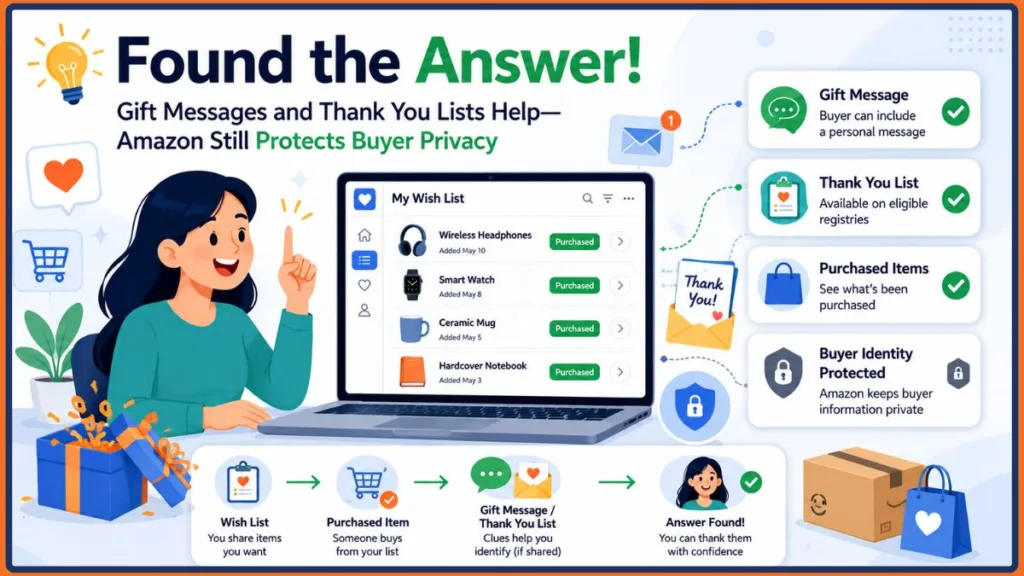
This is the single most reliable way to identify a gift-giver and it requires no detective work at all. When someone purchases from your list, Amazon gives them the option to include a gift message at checkout. If they choose to do so, that message will either arrive with the package or be included in your delivery notification.
To increase the chances of receiving a gift message:
- Add a note to your Wishlist description warmly encouraging buyers to include a message
- Mention to close friends and family that you appreciate personalized notes with gifts
- Check delivery emails and packaging inserts carefully when items arrive
Encouraging gift messages ahead of time is the most practical and pressure-free way to find out who is behind a purchase.
Check for Gift Receipts
Amazon gives buyers the option to include a gift receipt with their purchase. A gift receipt may contain a personalized note or the buyer’s name, depending on how they completed the checkout process.
When a gift arrives, check inside the packaging for any printed receipt or slip. If the item was sent as a gift, there is a reasonable chance a receipt was included. Digital gift receipts may also appear in your delivery confirmation email in some cases.
Use the Thank You List on Eligible Registries
If you set up an Amazon Registry for a wedding, baby shower, or similar major event, you may have access to a Thank You List feature where supported. This tool is designed to help Registry owners track which gifts have been received and identify gift-givers, making it easier to write thank-you notes afterward.
To check if this feature is available on your Registry:
- Go to Your Lists and select your Registry
- Look for a Thank You List or similar gifting management option within your Registry tools
- If available, it will display purchase details including any information the buyer chose to share
This feature is not available on standard Wish Lists or Gift Lists. It is specific to eligible Registry types and may not appear on every account or in every Amazon marketplace.
Try Social Sleuthing
Sometimes the most effective approach is also the simplest. A casual, low-pressure conversation with friends and family can often surface the answer without any awkwardness.
A few approaches that tend to work well:
- Post a general thank-you on social media mentioning that something arrived from your Wishlist. The buyer may respond or react in a way that identifies them naturally.
- Casually mention the item in conversation — “I got something I had on my list, I love it!” — and observe the reactions around you.
- Send a light message such as “Hey, did you happen to send me anything recently? Something from my list arrived and I want to make sure I thank the right person.”
Keep the tone warm and genuine. Most people are happy to reveal themselves when approached with appreciation rather than pressure.
Look for Occasional Clues in Delivery Information
In some cases, a shipping label or package insert may include the sender’s name or a return address. However, this depends entirely on how the gift was shipped and fulfilled. Items shipped directly by Amazon from its own fulfillment centers typically do not include the buyer’s name on the label.
This is not a reliable or recommended primary method for identifying a buyer. Treat any information found on packaging as a possible bonus clue rather than something you can consistently count on.
Methods to Identify Gift-Givers at a Glance
| Method | Reliability | Privacy Risk | Effort Required |
|---|---|---|---|
| Email Notifications | Moderate | Low | Low |
| Gift Messages | High | Low | Low |
| Gift Receipts | Moderate | Low | Low |
| Thank You List (Eligible Registries Only) | Moderate | Low | Low |
| Social Sleuthing | Moderate | Medium | Medium |
| Delivery Information | Very Low | Low | Low |
What Happens If the Buyer Chooses to Stay Anonymous?
This is an important question that does not always get a clear answer — so here it is.
If someone purchases from your Amazon list and deliberately chooses not to include a gift message or any identifying information, Amazon will not reveal who they are. There is no feature, setting, or account option that overrides a buyer’s choice to remain anonymous.
Here is what that means in practice:
- Amazon Customer Service generally cannot disclose purchaser identities for privacy reasons. Even if you contact Amazon directly, they are not in a position to share who bought a specific item from your list.
- Anonymous gifting is intentional on Amazon’s platform. The system is built to support it, and there is no back door around it.
- The buyer would need to identify themselves voluntarily — either through a gift message at checkout, a follow-up conversation, or by reaching out to you directly after the purchase.
- Assuming or guessing the sender without evidence can sometimes create unnecessary tension. If the identity genuinely matters to you, the most respectful approach is a gentle, open inquiry rather than a targeted assumption.
The honest reality is that some gifts will arrive without a clear sender, and that is a completely normal part of how Amazon’s gifting system works. It is not a bug or a missing feature — it is a deliberate privacy choice that Amazon makes on behalf of its buyers.
Why You Should Avoid Apps That Claim to Reveal Amazon Wish List Buyers
If your search for answers leads you to browser extensions or third-party apps that claim to reveal who purchased from your Amazon Wishlist, stop and close that tab.
No legitimate application can bypass Amazon’s privacy protections. Amazon’s system is built specifically to prevent external tools from accessing buyer identity data, and any app or extension claiming to do otherwise is either misleading you or putting your account at serious risk.
Here is what these tools can actually do to your account:
- Compromise your login credentials by requesting access to your Amazon account
- Expose your personal and payment information to unknown third parties
- Install malware on your device through browser extension permissions
- Violate Amazon’s Terms of Service, which could result in account suspension
The risks far outweigh any potential benefit. There is no safe shortcut here. Stick to the methods outlined in this guide — all of which rely on Amazon’s own features and straightforward communication.
How to Optimize Your Wishlist Settings to Encourage Identification
While you cannot require anyone to reveal themselves, you can make it easy and natural for gift-givers to do so. A few simple adjustments to your list can make a noticeable difference.
Write a Helpful Wishlist Description
Use the description field to warmly thank anyone who purchases from your list and gently encourage them to include a gift message. Something like: “Thank you so much for visiting my list! If you do purchase something, I would love a little note so I can thank you personally.”
Create Separate Lists for Different Groups
Instead of one large public list, consider creating separate lists for different circles — one for close family, one for friends, one for colleagues. When an item is purchased, the smaller pool of people with access to that specific list makes it much easier to naturally narrow down who sent the gift.
Keep Your List Current
An up-to-date Wishlist signals that you are actively using it and encourages more thoughtful, personalized purchases. People who feel genuinely engaged with your list are more likely to include a message when they buy.
Amazon List Visibility Settings: Who Can See Your List
Controlling who can access your Wishlist in the first place is one of the most effective ways to manage your overall gifting experience. Amazon currently offers three official visibility options for every list.
Public
Your list is discoverable by anyone searching Amazon and can be accessed by anyone with the direct link. This setting works well when you want maximum reach but offers the least control over who views and purchases from your list.
Shared
Only people who have your direct list link can view and purchase from it. This is a good middle-ground option that gives you control without making the list completely private. It is generally the recommended setting for most people sharing a list with a specific group.
Private
Only you can see the list. This is useful for personal planning purposes but naturally prevents anyone else from purchasing gifts from it.
How to Change Your List Visibility
- Go to Your Lists and select the list you want to update
- Look for a Manage List or settings option — the exact label may vary depending on your Amazon interface
- Under the Privacy setting, choose your preferred option — Public, Shared, or Private
- Save your changes
Keeping your list set to Shared and distributing the link only to trusted friends and family is generally the best way to balance accessibility with a sensible degree of control over who can see and purchase from it.
Common Mistakes to Avoid When Trying to Identify a Gift-Giver
Even with the best intentions, it is easy to approach this the wrong way. Here are the most common mistakes people make when trying to find out who bought from their Amazon list:
- Assuming Amazon will simply tell you — Standard Wish Lists do not reveal buyer identities in most cases. Going in with this expectation leads to unnecessary frustration.
- Missing the gift message — Many people overlook a gift message tucked inside the packaging or included in a delivery email. Always check carefully before concluding that no message was sent.
- Confusing your order history with Wishlist activity — Your order history shows only purchases you made yourself. Items bought by others from your list do not appear there.
- Downloading third-party apps or extensions — As covered above, these tools are not legitimate and pose real security risks to your account.
- Making assumptions without evidence — Pressuring or accusing someone about a gift based on a hunch can create unnecessary tension. Approach the situation with patience and an open mind.
- Expecting the same experience across all list types — Features available on an eligible Registry may not exist on a standard Wish List. Always confirm which type of list you are working with before drawing conclusions.
The Real Limitations of Identifying Gift-Givers on Amazon
Even after using every method in this guide, there may be times when you simply cannot identify who sent a gift. That is worth accepting upfront.
Here is what Amazon’s system will generally not provide, regardless of what you try:
- The name or account details of the person who purchased an item from a standard Wish List
- Any notification that identifies a buyer by name
- A purchase log that attributes specific items to specific people
Amazon designed this system deliberately. Protecting buyer privacy encourages more spontaneous and generous gifting. It removes the social pressure that can sometimes make gift-giving feel transactional or obligatory. While it can be genuinely frustrating when you just want to say thank you properly, the intention behind the privacy model is a thoughtful one.
The most practical takeaway is this: if identifying gift-givers matters to you, the best time to act is before purchases are made — by encouraging gift messages, setting up a Registry for major events, and sharing your list only with the people you know personally.
Final Thoughts on How to See Who Bought What on an Amazon List
Amazon Wishlists make gift-giving wonderfully convenient, but they are not designed to make gift identification equally simple. Understanding how the system works helps you set realistic expectations and use the right tools effectively.
To summarize what actually works:
- Use the Purchased filter on your Wishlist — where available — to confirm which items have been bought
- Check your email notifications for purchase confirmations and delivery clues, keeping in mind that these vary by account and settings
- Look for gift messages and gift receipts — these remain the most reliable ways to identify a buyer
- If you set up an Amazon Registry, check for the Thank You List feature where it is supported
- Try casual, warm conversation to surface the answer without applying pressure
- Adjust your list visibility settings to control who has access in the first place
If your goal is to thank the person who sent a gift, the best approach is to encourage gift messages before purchases happen or to use an eligible Amazon Registry that supports the Thank You List feature where available. If neither option is available and the gift arrives anonymously, that is completely normal — because Amazon intentionally protects buyer privacy, and that protection applies to everyone using the platform.
Skip the third-party apps, rely on Amazon’s official features, and when all else fails, just ask. Most people are genuinely happy to take credit for a thoughtful gift.
Frequently Asked Questions
Q1: Can you see who bought something from your Amazon Wish List?
In most cases, no. Amazon generally does not reveal the buyer’s identity on standard Wish Lists. If the buyer included a gift message, or if you have an eligible Registry that supports the Thank You List feature, you may be able to identify who sent the gift. Otherwise, Amazon protects purchaser privacy by default.
Q2: What happens if the buyer chooses to stay anonymous?
If a buyer does not include a gift message or any identifying information, Amazon will not reveal who they are. Amazon Customer Service generally cannot disclose purchaser identities for privacy reasons. The buyer would need to identify themselves voluntarily through a message or direct conversation.
Q3: What does the Purchased filter show on an Amazon Wishlist?
Where available, the Purchased filter shows which items on your list have been bought. It confirms that a purchase was made but does not display any information about who made it. Availability of this filter varies depending on your account, list type, and Amazon marketplace.
Q4: What is the Amazon Thank You List?
The Thank You List is a gifting management feature available on eligible Amazon Registries such as Wedding and Baby Registries. It helps Registry owners track received gifts and identify gift-givers, making it easier to send thank-you notes. This feature is not available on standard Wish Lists or Gift Lists.
Q5: Can gift messages reveal who sent a gift from my list?
Yes. Gift messages are the most reliable way to identify a sender. When someone purchases from your list, Amazon gives them the option to include a personal message at checkout. If they do, that message will typically arrive with the package or appear in your delivery notification.
Q6: Does Amazon send purchase notifications when someone buys from my list?
Depending on your Amazon list type and notification settings, you may receive an email when an item is purchased or shipped from your list. These notifications generally do not reveal the buyer’s name but can provide useful clues such as delivery timeframes.
Q7: Can I see purchased items on the Amazon mobile app?
The Filter and Sort feature and the Purchased filter may not be fully accessible or consistently available on the Amazon mobile app. For the most reliable experience, try accessing your Wishlist through a desktop browser where these options are generally more available.
Q8: Does Amazon Prime affect Wish List privacy or purchase visibility?
No. Having an Amazon Prime membership does not change what purchase information is visible to you on your Wishlist. The same privacy rules generally apply regardless of membership status.
Q9: Can the buyer see my shipping address when purchasing from my Wishlist?
Amazon generally protects your shipping address during Wish List purchases, but the exact information shared can depend on your list settings, fulfillment method, and Amazon marketplace. Review your list privacy settings before sharing your list publicly to make sure you are comfortable with what is visible.
Q10: Are third-party apps or browser extensions that claim to reveal Wish List buyers safe to use?
No. Avoid any app or browser extension that claims to reveal who purchased from your list. These tools cannot legitimately bypass Amazon’s privacy protections and may pose serious risks to your account security and personal data.
Q11: Can I track who viewed my Amazon Wishlist?
No. Amazon does not currently offer a feature that shows who has viewed your Wishlist. That information is not available to list owners in any marketplace or account type.
Q12: What is the difference between an Amazon Wish List and a Registry?
A Wish List is a general, flexible list for sharing desired items with others and works well for everyday gifting. A Registry is designed for significant life events such as weddings or baby showers and may include additional features — such as a Thank You List on eligible Registries — that offer slightly more visibility into who purchased a gift.
Q13: How do I create separate Wishlists for different groups of people?
Go to Your Lists in your Amazon account and look for the option to create a new list. Give each list a name, set its privacy level, and share the link only with the intended group. This approach can help you naturally narrow down potential gift-givers when purchases are made.
Q14: What happens when someone buys the last item on my Wishlist?
In most cases, Amazon marks the item as purchased on your list, which helps prevent other buyers from purchasing a duplicate. The item typically remains visible on your list with a purchased label.
Q15: What should I do if I notice suspicious activity on my Wishlist or Amazon account?
Contact Amazon Customer Service as soon as possible if you notice anything unusual. Review your list visibility settings to restrict access if needed, and avoid sharing your list link publicly if you have any concerns about unauthorized viewing or purchases.
Discover more from Izoate
Subscribe to get the latest posts sent to your email.