
Connect with other Monopoly GO players and trade stickers without linking your Facebook account. Generate quick invite links or sync your phone contacts today.
If you are currently deep in the dice-rolling trenches, you already know that playing Monopoly GO with friends is the absolute best way to earn in-game rewards, blast through boards, and trade those elusive gold stickers. But let’s be honest: linking your personal Facebook account to a mobile game isn’t for everyone. Whether you don’t use Facebook, you are actively protecting your data, or you just want to keep your late-night gaming life separate from your family photos, you aren’t locked out of the app’s social features.
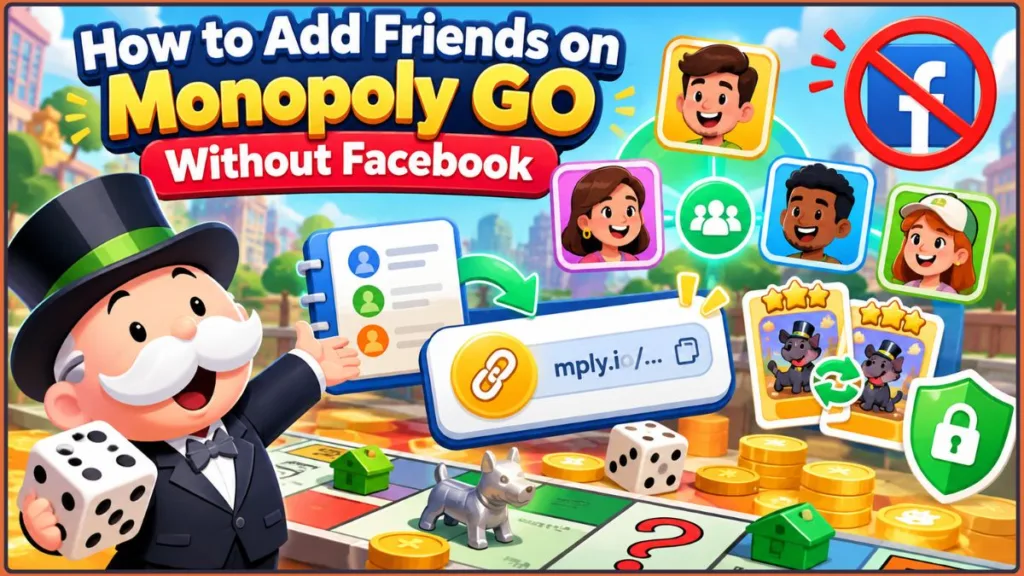
It is entirely possible to add players, fill your invite bar, and dominate the game without ever touching a social media button. Here is exactly how to add friends on Monopoly GO without Facebook so you can seamlessly build your trading empire.
Why You Should Add Friends in Monopoly GO
Before we get to the “how,” here is the “why.” Building a solid friend list isn’t just about having real people to play with; it is a core game mechanic that dictates how fast you level up and progress through the boards.
- Sticker Trading: If you want to escape “dice poverty,” you have to finish sticker albums. The only way to complete albums and get those massive dice payouts is by trading duplicate stickers with friends.
- Community Chest: Opening the daily Community Chest for big cash rewards requires active friends on your list to help unlock the multiplier.
- Bank Heists & Shut Downs: The more friends you have, the more targets you have for rent and heists! Plus, it is incredibly satisfying to successfully Bankrupt a friend rather than a random game bot.
Community Chest Tip: Keep at least 10–15 active players on your list so your daily Community Chest friend-assist spots fill up instantly every morning.
Method 1: Generate and Share Your Monopoly GO Invite Link (The Best Way)
If you spend any time in online trading communities like the r/MonopolyGoTrading subreddit, this is the method everyone relies on. It is fast, secure, and doesn’t require sharing personal contact info or your real name.
Here is how to get your Monopoly GO invite link:
- Open Monopoly GO and tap the “Friends” tab at the bottom right of the screen.
- Tap the “Invite” button.
- Look for the Yellow Invite Button. (Ignore the blue Facebook one!)
- Tap “Copy Link.” Your custom URL will be copied to your clipboard and will look something like
https://mply.io/...
Now that you have your link, you can paste it absolutely anywhere! Send it via text message or WhatsApp to your IRL contacts, or post it in Reddit communities and Discord servers to find active new trading partners. Using a Monopoly GO invite link is the safest way to connect with online players without compromising your personal profiles.
Pro Tip: Save your personal invite link in your phone’s text shortcuts or notes app so you can paste it into trade threads or chats within seconds.
Method 2: Sync Your Phone’s Contact List
If you want to connect with people you already know in real life, syncing your phone contacts is the fastest route to skip the manual copy-pasting.
Here is how to do it:
- Go to the “Friends” tab in the game.
- Select “Contacts.”
- Follow the prompt to allow Monopoly GO access to your phone’s contact list.
The Big Incentive: The game really wants you to do this, so they bribe you. Players usually earn up to 30 free dice rolls the first time they sync their contacts! If you want to add friends on Monopoly GO, syncing contacts is the fastest route for people you already know in real life, and those 30 extra dice could be exactly what you need to finish a tournament.
Privacy Tip: Once you collect your 30 free dice bonus, you can go into your device settings anytime to disable contact permissions if you no longer wish to share access.
Method 3: How to Accept Someone Else’s Monopoly GO Invite Link
If another player sends you their custom link to secure a sticker trade, adding them is just as simple. You don’t need to generate your own link for this.
Here is how to add them:
- Tap the
mply.ioinvite link directly from the text message, Discord chat, or Reddit thread on your mobile device. - A pop-up will ask if you want to open the link in Monopoly GO. Tap “Open” or “Allow.”
- The app will launch automatically.
- A New Friend confirmation pop-up will appear on your screen showing their in-game username and profile icon. Tap the button to accept or acknowledge the addition, and they will instantly be added to your Leaderboard.
Link Tip: If someone sends you an invite link that fails to trigger the game app directly, long-press the link to copy the URL and paste it into your default browser address bar.
How to Actually Send a Sticker to Your New Friend
Since trading is the main reason players actively want to send friend requests, here is exactly how to execute a trade once your new friend is safely on your list.
Here is how to send a duplicate sticker:
- From the main game board, tap the “Album” icon at the bottom of your screen.
- Scroll through your albums and tap on a sticker where you have an extra copy (this is indicated by a +1 or higher number on the card).
- Tap the “Send to Friend” button located at the bottom of the sticker pop-up.
- Scroll through your friends list, select the newly added player you want to trade with, and tap “Send.”
Trading Limit Tip: Monopoly GO limits players to sending 5 stickers per day. Save your daily send slots for critical trades that complete sets or yield high dice returns.
Is It Safe to Share Your Monopoly GO User ID Online?
When looking for trustworthy trading partners online, you might wonder if it’s safe to post your information publicly. There is a massive difference between your shareable Invite Link and your backend User ID (found deep in the game’s settings menu).
Rest assured that sharing the mply.io invite link on forums or Reddit is completely safe and standard practice for trading stickers. It only allows someone to send you a friend request in-game. However, you should avoid posting your actual backend User ID numbers. Scammers, trolls, or support hackers could potentially misuse your actual ID number to mess with your account recovery. Stick to the yellow invite link!
Security Tip: Never share screenshots of your full in-game settings screen in public forums, as your backend ID number is clearly displayed near the bottom.
Monopoly GO Friend Request Not Working? Here is the Fix
Sometimes Scopely’s servers lag, or mobile operating systems block the handoff. Is your Monopoly GO friend request not working? Try these community-tested fixes:
- The link opens the App Store instead of the game: This is a known, incredibly frustrating glitch. Tell the person you invited to close the game completely in the background, clear their default mobile browser history (like Safari or Chrome cache), and click your link again.
- Opening links from within another app: If you tap an invite link inside an app like Reddit, Discord, or Facebook Messenger, their built-in in-app browsers can sometimes block the game from opening properly. Fix: Copy the link and paste it directly into your phone’s main native browser (Safari or Google Chrome).
- You have hit the maximum friend limit: Monopoly GO does have a hard cap on how many friends you can have on your Leaderboard at one time. If the links stop working entirely and the game doesn’t tell you why, you might need to go into your Leaderboard and remove inactive players to make room for new ones.
- Outdated game version: If you and your trading partner are running different versions of the game on iOS or Android, the link routing might fail quietly. Make sure both players head to their respective App Stores to download the latest update.
- No notification: Sometimes the game’s servers just lag. If you know someone clicked your link but they aren’t showing up to receive a sticker, have both players restart the Monopoly GO app. Usually, they will magically appear on the leaderboard when you log back in.
Troubleshooting Tip: If invite links continuously drop you onto an empty browser screen, ensure that third-party cookies and popup redirects are enabled in your mobile browser settings.
How to Remove a Friend in Monopoly GO
Adding friends is great, but what if an online “friend” keeps ruthlessly targeting your landmarks for Shut Downs and smashing your shields? You can easily enact your revenge by deleting them entirely.
- Navigate to the Leaderboard tab at the bottom right of the screen.
- Find the offending player’s name on your list.
- Tap their name, and select the “Remove” button.
Shield Tip: Removing a persistent attacker from your leaderboard immediately stops them from specifically selecting your landmarks during targeted Shut Downs.
Wrapping Up: Time to Start Your Trading Empire!
Playing Monopoly GO with friends (absolutely no Facebook required) is entirely possible and refreshingly easy to set up using the yellow invite link or your phone’s contact list. You can protect your data, keep your gaming private, and still completely dominate the sticker trading economy.
Want to start building your trading network right now? Drop your Monopoly GO invite links in the comments below, let people know what stickers you are hunting for, and start trading!
Visit Our Post Page: Blog Page
Discover more from Izoate
Subscribe to get the latest posts sent to your email.