
Want to pre-order GTA 6 for a friend or family member? Discover how to gift GTA 6 to someone on PS5 and Xbox, avoid region-locked codes, and choose the safest way to make their gaming surprise special.
Grand Theft Auto 6 is easily the most requested gift of the decade, and chances are, someone in your life is begging for it right now. With everyone eager to explore the massive, modern take on Vice City when the game officially launches on November 19, 2026, the hype is unprecedented. But if you don’t spend your weekends navigating console dashboards, figuring out how to purchase a modern video game for another person can be a massive headache.
Between digital storefront restrictions, confusing console naming conventions, and region-locked codes, the process isn’t as simple as it used to be. Platform holders have created strict rules to prevent fraud, which means clicking a “buy” button and sending a digital copy straight to a friend is rarely an option.
If you need to figure out how to buy GTA 6 for someone else, you are in the right place. We will walk through the safest, most practical ways to gift GTA 6 on PlayStation and Xbox without wasting your hard-earned money.
What to Check Before Buying GTA 6 as a Gift
Before spending a dime, you need to verify a few critical details about the person receiving the gift. Skipping this checklist is the absolute fastest way to buy a game they can’t actually play.
1. Verify the Recipient’s Exact Console
Video games do not work across different brands, and this specific release is incredibly demanding on hardware. GTA 6 is exclusively available for the PlayStation 5 and Xbox Series X|S.
If your friend or family member has an older machine—like a PlayStation 4, an Xbox One, or a Nintendo Switch—this game will not work. Always double-check exactly what hardware sits under their TV.
Check for Digital-Only Consoles
Even if they own a brand-new console, you need to look closely at the machine itself. Both Sony and Microsoft sell “digital-only” versions of their hardware, like the PlayStation 5 Digital Edition or the Xbox Series S. These machines do not have disc drives. If you hand someone a physical retail box and they own a digital-only console, they will have absolutely no way to insert the game.
Sneaky Fact-Finding Tip: Not sure which console version they have? Next time you visit, look closely at the front of the machine. If there is a visible, thin slit for a disc to slide into, they can accept physical media. If the console is a completely smooth, solid block of plastic with no slots, it is 100% digital-only!
Game File Size and Storage Requirements
Modern titles are incredibly massive. While official file sizes are always subject to change before launch, massive open-world releases routinely demand huge amounts of space, and Rockstar has officially confirmed that GTA 6 requires a staggering 212GB of free console storage at launch. If you plan to give a digital code, it is worth gently reminding the recipient that they might need to delete a few older applications to make room for this massive download. Digital pre-loading actually begins on November 10, 2026, giving players just over a week to get those massive files downloaded before release day.
Important Storage Idea: If you know their console’s internal hard drive is always full, buying them a compatible storage expansion card (like an M.2 SSD for PS5 or a Seagate expansion card for Xbox) makes an incredible companion gift that solves the space issue immediately.
2. Match the Digital Code to Their Account Region
Crucial Warning: PlayStation and Xbox digital codes are strictly tied to specific countries. If you live in the United States and buy a digital code or gift card for a friend living in the UK, the code will not work on their account. Always buy store credit matching the exact currency and region of the recipient. Check out official PlayStation region guides to understand how strict these digital borders are.
If you accidentally buy for the wrong region, the console will throw an immediate error (such as PlayStation’s notoriously frustrating WS-45480-1 mismatch code). Because digital codes are rarely refundable once revealed, a region mistake is basically throwing money away.
How to secretly check their region:
- Ask them casually what currency shows up when they browse the digital store.
- Check the back of any physical game boxes they currently own for rating symbols (ESRB means North America, PEGI means Europe, CERO means Japan).
- If buying digital credit from sites like Amazon, triple-check that the listing title explicitly says “US,” “UK,” or “Global.”
3. Understand How Physical Copies Work
You might think the easiest solution is to run to a local retail store and grab the physical box so you have something to wrap. However, the physical edition of GTA 6 does not contain a disc. Instead, the plastic case just holds a piece of paper with a digital download code. The recipient still needs a strong internet connection to install it. To make matters worse for long-time fans, Rockstar has confirmed that the physical box won’t even include the classic fold-out paper map of the city—it is now a separate purchase from their online store.
A Note on Data Caps: If your recipient lives in a rural area or uses an internet plan with strict monthly data caps, downloading a massive 212GB file could result in expensive overage charges from their internet service provider. Keep this in mind before making the purchase.
If they live in an area with painfully slow internet, even a “physical” gift will require them to spend days downloading the files from the publisher’s servers.
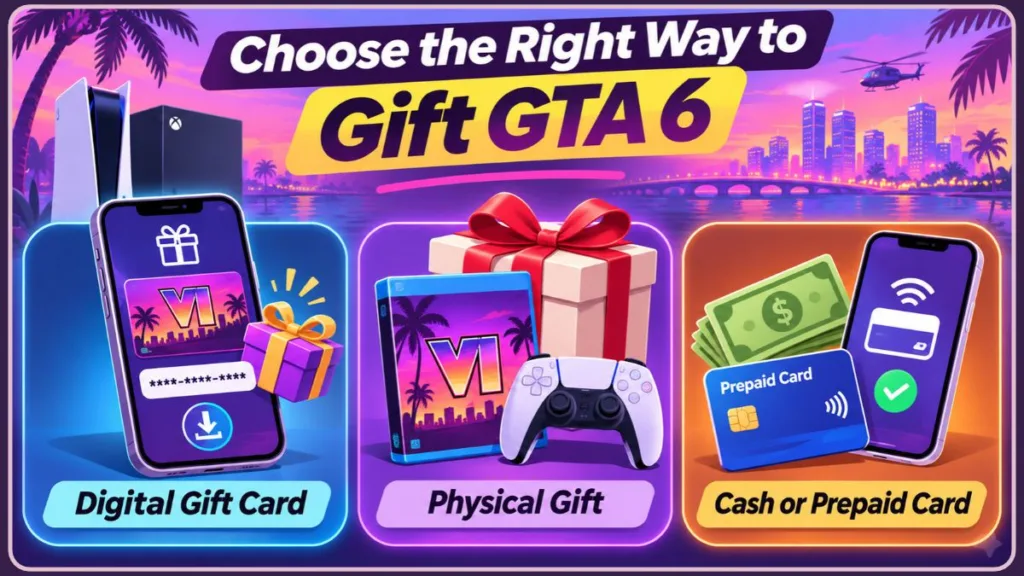
How to Gift GTA 6 on PlayStation 5
If your recipient plays on PlayStation, there is a major hurdle: Sony simply does not allow anyone to gift a game on PlayStation 5 directly through their digital store. You cannot buy a copy on your account and beam it over to theirs.
The only reliable workaround is to buy GTA 6 with a PSN gift card. Here is the safest way to handle it:
- Verify their region: Confirm the country their PlayStation Network (PSN) account is registered in.
- Buy the gift cards: Purchase a PlayStation Store gift card that covers the full price of the release (the Standard Edition is priced at $79.99 USD, while the Ultimate Edition will cost more), plus any applicable state or local taxes.
- Deliver the gift: Give the physical card or the 12-digit digital code to your recipient.
- Redeem and buy: The recipient will go to the PlayStation Store on their PS5 console menu, scroll to the top right to select More (the three dots), and choose Redeem Code. Once the funds hit their wallet, they can buy the game themselves. (For more help with this step, Sony has a dedicated code redemption guide).
Bonus Rewards Tip: If you give them a gift card and they buy the game digitally on their own account, they will automatically earn PlayStation Stars points for the purchase. They wouldn’t get these valuable loyalty points if you handed them a physical retail box!
Buying Digital vs. Physical PSN Cards
- Physical Cards: Great for stuffing into greeting cards, but you must make sure the cashier properly activates the card at the register. If it isn’t scanned correctly, the code will show as “invalid” at home.
- Digital Delivery: Buying a digital code from a trusted retailer like Amazon sends the 12-digit code straight to your email, completely bypassing the risk of cashier activation errors.
What to Do If a PlayStation Store Code Fails
If the code fails upon entry, don’t panic. Share these quick troubleshooting steps:
- Check for typos: The most common mistake is confusing the letter “O” with the number “0”, or “I” with “1.”
- Check wallet limits:
Pro Tip: PlayStation Network accounts have a strict maximum wallet limit. If adding your gift card pushes their digital wallet balance over $250 USD (or local equivalent), the console will reject the code. They need to spend down their existing balance first!
How to Gift GTA 6 on Xbox Series X|S
Microsoft makes things slightly easier. Xbox features a built-in digital gifting system, but there is a major catch: you generally cannot gift a GTA 6 digital pre-order directly before launch day (November 19, 2026).
If you want to buy it before release day, you will need to buy an Xbox Gift Card and follow the exact same workaround as the PlayStation method above.
However, if you are buying it after the official launch, you can gift GTA 6 Xbox Series X digitally right from your screen:
- Open the Microsoft Store on an Xbox console or through a web browser on your computer.
- Search for Grand Theft Auto VI.
- Instead of clicking “Buy,” look for and click the Buy as gift option (it looks like a little gift wrap icon).
- Enter the recipient’s Xbox Gamertag or the email address associated with their Xbox account.
- Pay for the purchase, and Microsoft will automatically send them a message with the code to download it.
Multiplayer Requirement Reminder: Grand Theft Auto is famous for its chaotic online multiplayer mode. Make sure your recipient has an active subscription to Xbox Game Pass Core or Ultimate (or PlayStation Plus for PS5 users), otherwise they will only be permitted to play the single-player story campaign.
How to Find a Missing Xbox Gift Code Email
Sometimes Microsoft’s automated emails get caught in spam filters. If they never receive the gift email:
- Log into your Microsoft account on a web browser.
- Navigate to your Order History.
- Find the gift purchase and click View Gift Code.
- Copy the 25-digit code displayed there and text it directly to your friend.
Note: Digital gifts sent directly through Xbox must be redeemed within 14 days, or they may expire.
Giving Cash or Prepaid Cards for GTA 6
For parents, grandparents, or non-tech-savvy buyers who are terrified of buying the wrong digital code, there is a completely stress-free alternative.
Simply send the exact funds via Venmo, CashApp, or Apple Pay, or purchase a generic Visa/Mastercard prepaid gift card. To make it feel special, place the prepaid card inside a custom-made, themed greeting card.
This entirely eliminates the risk of region-locking, buying for the wrong console, or navigating pre-order restrictions. They get the money, and they handle the technical side themselves.
Watch Out for Activation Fees: If you opt for a generic Visa or Mastercard prepaid card from a grocery store, remember that you will usually pay a $4 to $6 activation fee at the register. A direct Venmo or Apple Pay transfer avoids these sneaky extra fees entirely.
Ways to Present Cash or Prepaid Gift Cards
If you want to make handing over cash feel more like a proper, tangible gift, try these fun presentation ideas:
- Print a Fake Cover: Print out the official box art in color, and slide it into an old, empty DVD case with the prepaid card taped inside.
- The “Care Package” Box: Wrap the gift card inside a box filled with Vice City-themed items, like sunglasses, a Hawaiian shirt, or flamingo decals.
- The Nostalgia Play: Hide the gift card or cash inside the plastic case of an older entry in the series, like GTA V.
Common Questions About Gifting GTA 6
Can I gift a GTA 6 pre-order on Xbox?
Generally, no. Microsoft’s direct gifting system usually disables the “Buy as gift” button for titles that have not launched yet. To handle a pre-order, buy them an Xbox Store gift card so they can secure it themselves.
How to buy a digital PS5 game for someone else?
Sony does not support direct digital gifting. The only way to handle this is to purchase PlayStation Store gift cards that cover the total cost and pass those codes along.
Does the physical copy of GTA 6 have a disc?
No, the physical retail boxes do not include a playable disc. They only contain a paper insert with a digital download code, and Rockstar even removed the physical map from the standard boxes.
How to buy GTA 6 for a child account?
The game is rated M for Mature. If the recipient uses a child account with parental controls turned on, they might be blocked from viewing or redeeming the code, even if they have gift card funds. A parent will need to temporarily adjust the child account’s age restrictions and spending limits in the console’s Family Management settings first.
Will GTA 6 be available on PC at launch?
No. Rockstar Games has confirmed that the initial release is exclusive to PlayStation 5 and Xbox Series X|S consoles. A PC release usually follows a year or two later, so do not try to buy PC codes for this launch.
What happens if I buy a gift card for the wrong region?
Unfortunately, digital gift codes are usually non-refundable once revealed. If you buy a US code for a UK account, the only way it can be used is if the recipient creates a brand-new, secondary PlayStation or Xbox account registered to the United States.
Can I upgrade from the Standard Edition to the Ultimate Edition later?
Yes. If you provide a gift card that only covers the Standard Edition, the recipient can usually purchase a digital “Ultimate Upgrade” pack through their console’s digital store later on to grab the extra cosmetic items and bonuses.
Visit Our Post Page: Blog Page
Discover more from Izoate
Subscribe to get the latest posts sent to your email.