
Stuck with an Amazon unrefundable gift card balance? Learn the exact steps to reverse accidental refunds and the safest workarounds to cash out your money.
Trapped by an Amazon Unrefundable Gift Card Balance?
We have all been there. You are doing your monthly budget, realize you could really use some extra cash for rent or groceries, and suddenly remember—you have $150 just sitting in your Amazon account. You log in to transfer it to your bank, only to hit a frustrating digital brick wall.
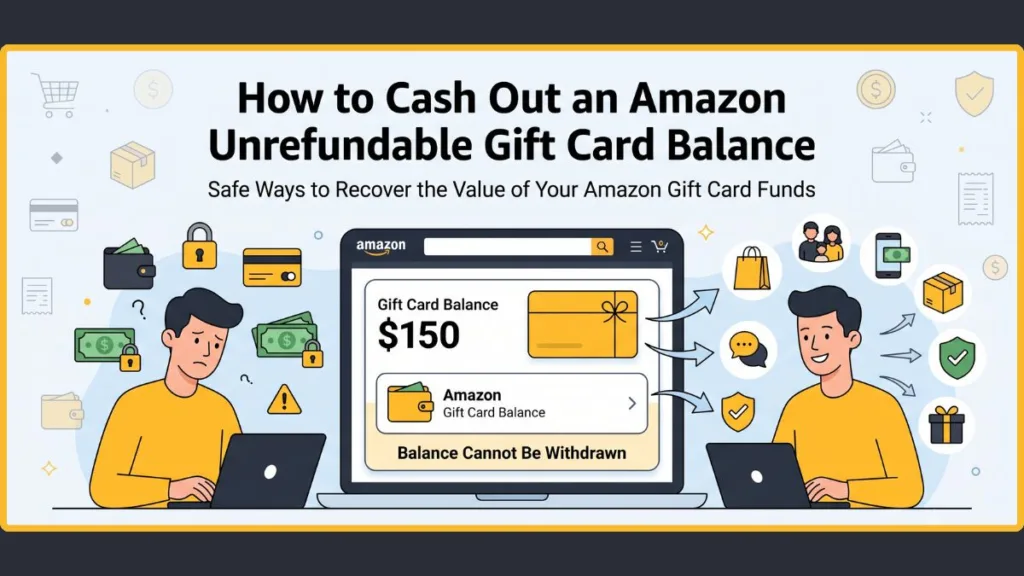
Having your own money locked behind a storefront when you desperately need it in your checking account is incredibly stressful.
The Core Problem
By design, an Amazon unrefundable gift card balance is exactly what it sounds like. Whether you received a gift card for your birthday, accidentally purchased one, or processed a return that defaulted to your Amazon Wallet, Amazon’s official policy is incredibly strict. Once funds are locked into your account balance, they cannot be transferred to a bank, withdrawn as cash, or even moved to another Amazon user.
Your cash is essentially trapped in the Amazon ecosystem.
What This Guide Will Cover
But before you resign yourself to buying paper towels or gadgets you don’t actually need just to use up the funds, do not panic. While there is no magical “withdraw” button, there are proven ways to navigate the system.
In this guide, we are going to break down:
- The actual rules behind the Amazon gift card refund policy (and why they are so strict).
- How to get your money back if a return was accidentally credited to your gift card balance instead of your bank.
- What to do if you purchased an eGift card by mistake.
- The safest, most reliable workarounds to essentially “cash out” your locked balance today.
Key Takeaway: You cannot directly transfer an Amazon balance to a bank account, but by understanding Amazon’s customer service loopholes and using creative workarounds, you can still extract the full value of your money.
The Official Amazon Gift Card Refund Policy (The “Bad” News)
If you are looking for a quick fix, this section is going to feel like taking a cold shower. However, to beat the system, you first have to understand the rules of the game.
When you purchase or receive an Amazon gift card (or have a return credited to your Amazon balance), you are bound by Amazon’s official Gift Card Terms and Conditions. The policy is absolute and clearly states the following restrictions.
The Core Restrictions
According to Amazon’s official documentation, your gift card balance cannot be:
- Redeemed for cash: You cannot hit a “withdraw” button and send the funds to your checking account, PayPal, or Venmo.
- Transferred to another account: You cannot simply transfer your $50 balance to your spouse’s or friend’s Amazon account. The funds are hard-locked to the account where the claim code was originally redeemed.
- Used to buy other gift cards: In the past, people used their Amazon balance to buy Visa Vanilla prepaid cards or competitor gift cards (like Apple or Steam) to essentially move their money off the platform. To combat fraud, Amazon has heavily restricted this practice. You can rarely use a gift card balance to purchase third-party digital or physical gift cards.
- Refunded to a credit card: Once a physical or digital eGift card is claimed, the transaction is considered final.
Does the “Unredeemed” Exception Apply to You?
There is one major caveat to the non-refundable rule: unredeemed digital gift cards.
If you bought an eGift card for someone else, sent it to the wrong email address, or simply changed your mind, you might be able to get a refund. As long as the 14-digit claim code has not been added to an Amazon account, you can often contact Amazon customer service and have the purchase canceled and refunded to your original credit card.
The moment that code is claimed, however, the refund door slams permanently shut.
The State Law Loophole (For Tiny Balances)
There is a slight legal exception to Amazon’s ironclad rule, but it only applies if you have a few dollars left in your account.
Certain states have “cash-back” laws designed to prevent retailers from keeping the spare change left on gift cards. If you live in one of these states, you are legally entitled to request a cash refund for small balances. For example:
- California, Colorado, and Massachusetts: You can request a cash refund if your balance is under $5.00.
- Rhode Island and Vermont: You can request a refund for balances under $1.00.
Unless you are trying to cash out three dollars, you will need to rely on the workarounds we cover later in this guide to extract the value of your trapped funds.
Why is the Balance Unrefundable? (The “Why”)
When you are staring at a locked gift card balance that you cannot transfer to your bank, it is incredibly easy to assume Amazon is just being greedy. While locking in consumer spending is absolutely part of their business model, the primary reasons for this strict policy are heavily tied to international law and cybersecurity.
Here is why Amazon’s system is designed to trap those funds.
1. Stopping Fraud and Money Laundering
This is the single biggest reason for the restriction. Gift cards are the currency of choice for online scammers.
Imagine a fraudster steals a credit card and uses it to buy a $500 Amazon gift card. If Amazon allowed users to cash out their balances or transfer them to a bank account, that scammer could instantly convert stolen credit into “clean,” untraceable cash.
By hard-locking the funds to the specific Amazon account where the card was redeemed, Amazon breaks the money-laundering chain. The money can only be used to purchase physical or digital goods, which require a shipping address or leave a digital paper trail. This makes it significantly easier for law enforcement to track the stolen funds.
2. Regulatory Compliance (Amazon is Not a Bank)
Under financial law, Amazon gift cards are classified as closed-loop prepaid payment instruments. This is a fancy legal term meaning the funds are designed to be used only within a specific ecosystem (Amazon).
If Amazon allowed you to withdraw cash, transfer money to friends, or deposit your balance into a checking account, they would legally cross the line into acting as a bank or a money transmitter (like PayPal or Western Union). Operating as a money transmitter requires adhering to incredibly strict, expensive, and complex government regulations across the globe. Keeping gift cards strictly for purchasing goods avoids this massive legal burden.
3. The Business Angle: “Breakage” and Merchant Fees
While the legal and security reasons are valid, it is impossible to ignore the financial benefits for Amazon.
- Avoiding Lost Fees: Every time you use a credit card to buy a gift card or load your Amazon balance, Amazon pays a processing fee (usually 1.5% to 3%) to the credit card company. If Amazon allowed you to refund that balance to your bank, they would lose money paying fees for a transaction that resulted in zero actual sales.
- The Power of Breakage: In the retail industry, breakage is the term used for gift card balances that are lost, forgotten, or simply never spent. A few dollars left here and there across millions of accounts eventually adds up to massive, pure profit for the company.
Understanding these restrictions helps explain why hitting a digital brick wall is so common—the system is working exactly as designed. But as we will cover next, there are still ways to get around it.
“Amazon Refunded to Gift Card Instead of Bank” – How to Fix It
If you recently returned an item and realized the money went to your Amazon gift card balance instead of your credit card, you are not alone. This is one of the most common complaints among shoppers.
Why It Happens
When you initiate a return on Amazon, the system asks how you want to receive your refund. By default, Amazon often pre-selects “Amazon Gift Card balance” because it processes faster (usually within a few hours) compared to a bank transfer (which takes 3–5 business days). If you click through the return screens too quickly, it is incredibly easy to miss this dropdown menu.
The Golden “Zero-Touch” Rule
If you want to reverse this, there is one absolute rule you must follow: Do not spend a single cent of that balance.
Amazon customer service agents can sometimes perform a manual reversal, moving the funds from your gift card back to your original payment method. However, the moment you use even a fraction of that specific refunded amount on a new purchase, the system permanently locks the transaction, and an agent will be unable to reverse it.
Step-by-Step: How to Request a Manual Reversal via Chat
Navigating Amazon’s automated customer service bot to reach a real human can feel like a maze. Here is the exact path to connect with a live chat agent who can help:
- Log in to your Amazon account on a desktop browser or the mobile app.
- Go directly to the Contact Us page (you can usually find this by scrolling to the very bottom footer and clicking “Help,” or by typing “customer service” into the main Amazon search bar).
- Select “Something Else” when the automated system asks what you need help with.
- Select “I need more help.” This phrase is the magic key to bypassing the bot.
- Choose “Request a chat with an associate.”
- What to say: Keep it brief and polite. Say exactly this: “Hello. I recently returned an item, but the refund was accidentally credited to my gift card balance instead of my original credit card. I have not touched the balance. Could you please manually reverse this and send the refund to my original payment method?”
Pro Tip: If the first agent tells you it is impossible, politely end the chat and try again. Customer service reps have varying levels of system permissions. A different, more experienced agent might be able to process the reversal for you.
Bought an Amazon Gift Card by Mistake? Here is What to Do
The sinking feeling of hitting “Buy Now” on a $100 digital gift card, only to realize you sent it to a typo-ridden email address—or didn’t mean to buy it at all—is universal.
If you just made an accidental purchase, the clock is ticking, but you have a narrow window to get your money back. The outcome depends entirely on one single factor: whether or not the card has been redeemed.
The Grace Period: Unredeemed vs. Redeemed
Amazon’s strict “no refunds” policy has a small, unofficial loophole for digital eGift cards.
- If the card is UNREDEEMED: You have a very high chance of getting a refund. If the recipient hasn’t opened the email, or the 14-digit claim code has not been entered into any Amazon account, customer service can usually cancel the voucher and refund your original payment method.
- If the card is REDEEMED: The refund door slams permanently shut. Once that claim code is tied to an Amazon account balance, the transaction is finalized, and customer service agents are systemically blocked from reversing it.
How to Fix a Typo or Wrong Email Address
If you bought an eGift card as a present but sent it to the wrong email address, you don’t necessarily need a refund—you just need to redirect it.
As long as the card hasn’t been claimed by whoever owns that wrong email address, you can fix this yourself without contacting support:
- Go to Your Orders on Amazon.
- Locate the gift card order.
- Click View gift card details (or Resend gift card).
- Update the recipient’s email address and hit Resend. The original email link will be instantly deactivated.
How to Get a Refund for an Accidental Purchase
If you simply bought the card by mistake and want your money back entirely, do not try to fix it through the automated return menus. You need to speak to a human.
Follow the exact same chat bot bypass steps outlined in Section IV: navigate to Contact Us > Something Else > I need more help > Request a chat with an associate.
Tell the agent: “I accidentally purchased a digital gift card and need the order canceled and refunded. The claim code has not been redeemed.” As long as they can verify the code is untouched, they will usually void the card and process your refund within 3 to 5 business days.
What About Unauthorized Purchases?
If you logged in and saw that someone used your saved credit card to buy Amazon gift cards without your permission, this falls under fraud, not a simple mistake.
Do not use the standard customer service chat for this. Instead:
Explain that your account was compromised. Amazon can track exactly which account claimed the stolen gift card, lock that scammer’s account, and work with your bank to reverse the charges.
Call your bank or credit card issuer immediately to report the fraudulent charge and freeze your card.
Contact Amazon support and explicitly ask to be transferred to the Fraud Department.
Workarounds: How to Cash Out an Amazon Gift Card Balance
Since you cannot directly transfer your Amazon gift card balance to a bank account, you have to get creative. If you need that locked money to pay for real-world expenses, here are the most effective workarounds to essentially “cash out” your funds.
1. Buy Stuff for Friends and Family (The Safest Method)
This is the most reliable, zero-risk way to convert your Amazon balance into cold, hard cash.
Instead of buying things you don’t actually need, reach out to friends or family members who frequently shop on Amazon. Offer to purchase the items they were already planning to buy (like dog food, diapers, or electronics) using your Prime account and locked balance. Have them ship the items directly to their house, and in exchange, they can send you the exact amount in cash via Venmo, Zelle, or PayPal.
It is a win-win: they get their items with free Prime shipping, and you get your cash without losing a percentage to exchange fees.
2. Can You Buy Third-Party Gift Cards? (Proceed with Caution)
Addressing a very common question: Can I just buy a Visa Vanilla card or an Apple gift card with my Amazon balance?
The short answer is no.
Historically, this was the most popular loophole. Users would use their Amazon balance to buy Visa prepaid cards or third-party gift cards (like Steam, Google Play, or Target) and use them elsewhere.
However, to combat money laundering and fraud, Amazon has heavily cracked down on this practice. Currently, Amazon’s system will almost always block you from purchasing third-party physical or digital gift cards if you try to use your existing gift card balance at checkout.
3. Use Amazon Pay for Real-World Bills
If you cannot convert the balance to cash, the next best thing is using it to pay bills you were going to pay anyway.
Amazon Pay is a service that lets you use your Amazon account to pay for goods and services on third-party websites. Depending on your region, you can often use your Amazon gift card balance (via Amazon Pay) to cover everyday expenses on partner sites, such as:
- Utility bills (electricity, water, gas)
- Mobile phone recharges and broadband bills
- Movie tickets or travel bookings
- Certain subscription services
When checking out on a third-party website, look for the “Amazon Pay” button. If the merchant allows it, you can select your gift card balance as the funding source, freeing up the actual cash in your checking account for other needs.
4. Gift Card Exchange Platforms (For Unredeemed Cards Only)
If you are holding a physical Amazon gift card or an eGift card code that you have not yet claimed to your account, you can sell it for cash.
Platforms like Raise, CardCash, or Gameflip allow you to sell unwanted gift cards to other users. Here is what you need to know:
- You will take a loss: You won’t get dollar-for-dollar value. Most Amazon gift cards sell for 85% to 92% of their face value.
- The code must be untouched: Once you scratch off the back of a physical card or type the claim code into your Amazon account, it cannot be sold on these platforms.
A Warning on “Account Selling”: Never trust forums or Reddit users offering to “buy your Amazon account balance.” Attempting to transfer funds through unauthorized channels or giving a stranger your login details violates Amazon’s terms of service and will almost certainly result in a permanently banned account and stolen funds.
Warning: Beware of Account Restrictions
When you are desperate to access your funds, it can be tempting to look for shortcuts. However, trying to bypass Amazon’s restrictions through unauthorized channels is a massive risk. Amazon employs aggressive, highly sensitive fraud-detection bots, and triggering them will make your situation much worse.
The “Account Buying” Scam
If you search for ways to cash out your balance on Reddit or online forums, you will inevitably find users offering to “buy your Amazon account balance” or “transfer your funds” for a fee. Do not engage with these offers. These are almost always scams designed to steal your login credentials or take your balance without ever paying you. Furthermore, granting a stranger access to your account is a direct violation of Amazon’s Terms of Service.
Account Bans and Locked Funds
If Amazon’s security bots detect highly suspicious behavior—such as attempting to transfer funds through unauthorized methods, using third-party software to manipulate checkout, or continuously buying high-value digital goods solely to resell them—they will flag your profile.
The penalty for this is severe. Amazon will permanently suspend your account, cancel any pending orders, and completely confiscate your remaining gift card balance. Stick to the safe workarounds, like buying physical goods for friends and family, to ensure your account remains in good standing.
People Also Ask (FAQ)
Can you transfer an Amazon gift card balance to a bank account? No, you cannot directly transfer an Amazon gift card balance to a bank account. Amazon’s terms and conditions explicitly state that gift card funds are non-transferable and cannot be redeemed for cash. To extract the value, you will need to buy items for friends in exchange for cash or use Amazon Pay for real-world bills.
Can I transfer my Amazon balance to another account? Once a gift card has been redeemed and added to an Amazon account, the balance is permanently locked to that specific account. You cannot transfer those funds to a spouse, friend, or secondary Amazon account.
Why did Amazon refund to my gift card balance instead of my credit card? When you return an item purchased with a credit card, Amazon’s default return menu often pre-selects the “Amazon Gift Card balance” option because it processes faster. If you do not manually change the refund method back to your original credit card during the return process, the funds will go to your Amazon wallet.
Can you use an Amazon gift card to buy other gift cards? Currently, Amazon heavily restricts using your existing gift card balance to buy third-party gift cards (like Apple, Steam, or Visa prepaid cards). This policy is in place to prevent fraud and money laundering on the platform.
How do I return an unused Amazon gift card? If you purchased a digital eGift card by mistake and the 14-digit claim code has not been redeemed by anyone, you can contact Amazon customer service via live chat. Explain the mistake, and an agent can usually cancel the unredeemed voucher and issue a full refund to your original payment method.
Conclusion
Realizing you have an Amazon unrefundable gift card balance when you need actual cash is a highly frustrating experience. While Amazon’s strict anti-fraud and compliance policies mean there is no magic “withdraw” button, you are not entirely out of luck.
If your balance is the result of an accidental purchase or a defaulted return, remember the golden rule: do not touch the funds, and contact customer service immediately for a manual reversal. If you are stuck with a legitimate gift card balance, safely cashing it out by acting as a personal shopper for friends and family is your best bet to get the money back into your checking account.
Have you ever had to fight Amazon customer service for a gift card refund, or do you have a creative workaround we missed? Let us know in the comments below!
Visit Our Post Page: Blog Page
Discover more from Izoate
Subscribe to get the latest posts sent to your email.