
Want to switch between Michael, Franklin, and Trevor in GTA 5 Story Mode or GTA Online? Learn how to change characters in GTA 5 on Xbox, PlayStation, and PC with this complete guide.
Welcome back to Los Santos! Whether you are diving into the game for the first time on your PS5 or booting up a fresh save via Steam, the massive open world can feel a bit overwhelming if you only play as one person. You might just need a quick refresher on the controls.
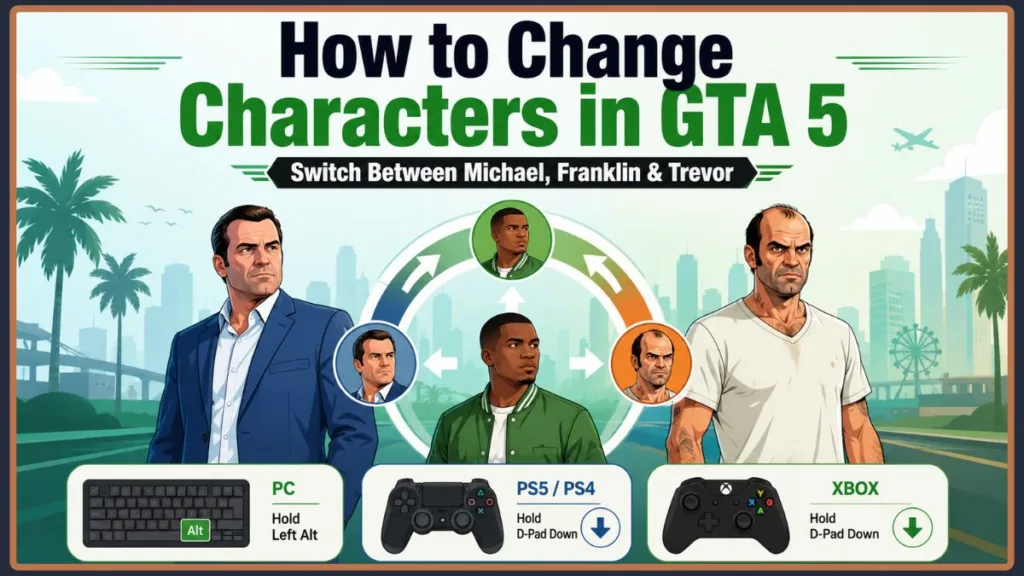
If you are trying to figure out how to switch characters in GTA 5, you are in the right place. Maybe you need a specific skill for a tricky heist, or you just want to drop in and see what kind of chaotic situation Trevor has gotten himself into. Knowing exactly how to use the character wheel is essential for surviving and thriving. In this guide, you will learn the exact buttons to press across every platform, plus how to fix common glitches that can randomly lock your character wheel. We will also dive into expert tricks, character unlock requirements, and how to transform into almost anyone using the game’s Director Mode.
How to Unlock All Three Characters: Unlocking Michael, Franklin, and Trevor in Story Mode
Before you can freely swap between protagonists Franklin, Trevor, and Michael, you need to actually unlock them by progressing through the main Story Mode.
- Franklin: After the initial snowy prologue, Franklin is the first character you control in Los Santos.
- Michael: You will unlock the ability to switch to Michael after completing the early mission titled “Complications“.
- Trevor: The wildcard of the group becomes playable after finishing “Mr. Philips“ (Mission 16). Note: After unlocking Trevor, Michael and Franklin will temporarily go into hiding and be unplayable for a short time.
- Full Roster Access: You regain total freedom to swap between all three characters after completing the mission “Friends Reunited“.
Why You Should Swap Between Michael, Franklin, and Trevor for Maximum Gameplay Value
If you find yourself stuck playing the same types of missions, changing your perspective is the best way to keep things fresh. Jumping between distinct storylines prevents the game from feeling repetitive and allows you to experience the overarching plot from entirely different angles. Plus, you get access to completely different hobbies, vehicles, and side missions.
Leverage Unique Special Abilities to Dominate Los Santos
Beyond just experiencing a different storyline, each protagonist brings a powerful advantage to the table. When you change characters in Grand Theft Auto 5, you can activate the following skills:
- Franklin: Need to navigate tight traffic at breakneck speeds? Use his special ability to slow down time while driving.
- Michael: If you are caught in a massive shootout, trigger his bullet time in combat for precision headshots and crowd control.
- Trevor: When things get overwhelmingly chaotic, activate his rage mode, which drastically reduces the damage you take while letting you deal massive hits to enemies.
Tactical Advantages: Using the Character Wheel During Story Missions
Sometimes, the game will actually prompt you to swap characters mid-mission. When you place your crew at different vantage points—like keeping Michael on a rooftop with a sniper rifle while Franklin moves in on the ground—you gain a massive upper hand. Utilizing these tactical advantages makes completing complex objectives much easier.
Expert Tip: The Free Health and Vehicle Repair Character Swap Exploit
Here is a brilliant secret many players miss: switching characters can actually save your life and your wallet. If your current character is severely injured or their car is badly damaged (but not completely destroyed), simply switch to a different protagonist and immediately switch back. The game will automatically restore your original character to full health and magically repair your vehicle for free, saving you a trip to Los Santos Customs.
How to Change Characters in GTA 5 Across All Platforms: Step-by-Step
Ready to swap? The process is incredibly simple, but the buttons you need to press depend heavily on your setup. Here is how you access the GTA 5 character wheel depending on your hardware.
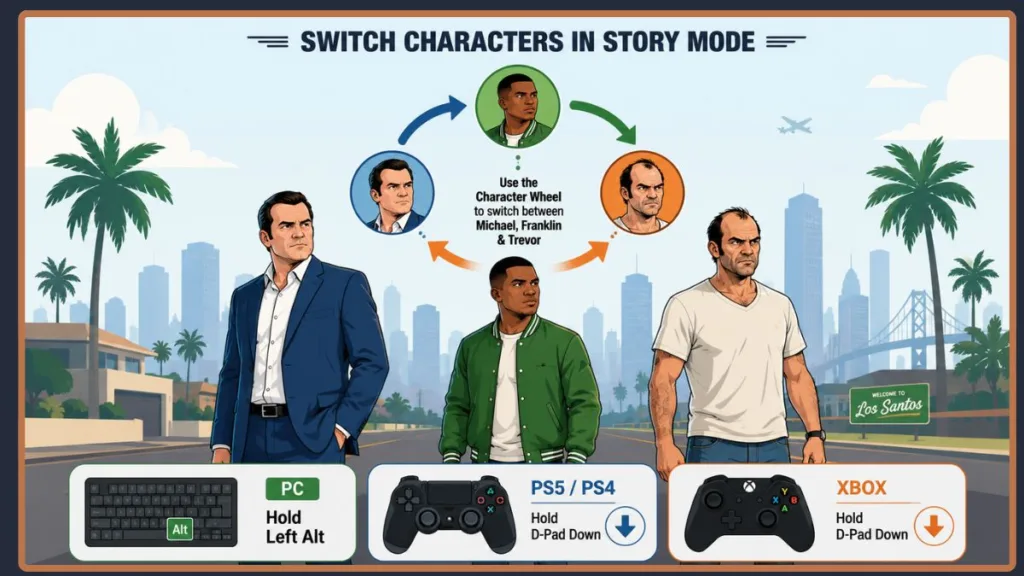
Understanding the Character Wheel Visuals: When you pull up the wheel, pay attention to the colors and numbers. The number below a character’s portrait shows how many missions they currently have available. If a character’s slot is flashing white, it means the game wants you to switch to them to progress the current mission. If a slot is flashing red, that character is in immediate danger, and you need to switch to them immediately to save them!
PC Controls: How to Switch Characters in GTA 5 on Keyboard
If you are playing on a computer, you can jump between protagonists using your keyboard:
- Hold down the Left Alt key during free roam to bring up the character wheel in the bottom right corner of your screen.
- Use your mouse or your arrow keys to highlight the protagonist you want to play.
- Release the Left Alt key to confirm your choice. The camera will zoom out and pan across the map to drop you into your new character’s shoes.
Console Controls: GTA 5 Change Character Steps for PS4, PS5, and Xbox
If you prefer kicking back with a console, whether you are using a PlayStation DualSense or an Xbox controller, the steps are identical:
- Hold down the D-Pad Down button on your controller while in free roam.
- Use the right analog stick to navigate the on-screen wheel and highlight Michael, Franklin, or Trevor.
- Release the D-Pad Down button to initiate the character swap.
Cannot Switch Characters in GTA 5? How to Fix Character Wheel Glitches
If you are pressing the right buttons but the character wheel refuses to open, you are not alone. People dealing with the same problem often find that the game has temporarily restricted this feature. Here is what to look out for and how to fix a character switch glitch.
Storyline and Mission Restrictions: Why Your Character Wheel is Locked
During specific parts of the campaign, such as the Prologue missions, or when a specific character is absolutely vital to your current objective, the game purposely locks the wheel. If you have a high wanted level or are actively being chased by the police, you also might not be able to swap. To fix this, simply lose the cops or finish your current mission.
The Mission Marker Glitch: Accidentally Opening the Radio Wheel
Have you ever tried to swap characters, only to accidentally bring up the radio wheel instead? This is a very common glitch caused by standing too close to a mission markers (the glowing circles on the ground). If this happens, you just need to walk or drive a short distance away from the mission marker to re-enable the character wheel.
Quick Fix for the “Stuck Character” Glitch When Others Are Greyed Out
Sometimes, the game glitches and completely greys out your other characters for no apparent reason. If you are stuck as one character (e.g., stuck as Trevor) and cannot switch, try this community-proven fix:
- Pull up your in-game phone and call one of the other protagonists to “Hang Out”.
- If they are busy, call the other one.
- Go complete the hangout activity, or wait for them to call you back for a mission. This almost always forces the game to unfreeze the character wheel.
The Pause Menu Alternative: A Workaround for Broken Buttons
If your D-pad or Alt key simply isn’t registering, there is a slower workaround. Press the Options/Menu button to open the pause menu, navigate to the Online tab, and scroll down to Swap Character. You can choose Michael, Franklin, or Trevor from this menu as long as you are in free roam.
Switching to Your GTA Online Character from Story Mode: Seamless Multiplayer
You don’t have to navigate through endless menus to jump into multiplayer via the PlayStation Network or Xbox Live.
If you look at the bottom slot on the character wheel, you will notice a spot dedicated to your GTA Online account avatar. You can use this exact same character wheel method to seamlessly transition directly from Story Mode to GTA Online into a lobby with your friends!
How to Switch Characters in Director Mode: Total Freedom
If you want to take a break from the main trio, GTA 5 features a fantastic sandbox tool called Director Mode. This mode allows you to swap your character out for literally hundreds of different NPCs, from Los Santos police officers and gang members to aliens, seagulls, and dogs!
- Open your Interaction Menu (Hold the Touchpad on PlayStation, View button on Xbox, or press ‘M’ on PC).
- Scroll down and select Director Mode.
- You will spawn in an acting trailer. From the top-left menu, select Actors.
- Browse through categories like Beach Bums, Emergency Services, or Animals, and press confirm to instantly swap into that character model.
Note: Director Mode is disabled if you are in a vehicle, on an active mission, or currently have a wanted level.
Conclusion
Switching characters in GTA V is one of the best ways to fully experience everything the game has to offer. Remember, simply holding the Left Alt key on your keyboard or the D-Pad Down button on your controller gives you instant access to the diverse world of Los Santos.
Who is your favorite character to free-roam with? Have you ever switched to Trevor only to find him in a completely ridiculous, unexplained situation? Let me know about your experiences, or ask any questions about Director Mode in the comments below!
Visit Our Post Page: Blog Page
Discover more from Izoate
Subscribe to get the latest posts sent to your email.