
Can you convert Facebook friends to followers? Learn how to change Facebook friends to followers, enable followers, use Professional Mode, and grow beyond the 5,000 friend limit.
If you are looking to scale your social media presence this year, you might be wondering exactly how to change Facebook friends to followers. First and foremost, you are definitely not alone. In fact, many users want to make this transition for a variety of common reasons.
For instance, you might be quickly approaching the 5,000 friend limit and need more room to grow. Alternatively, you could be focused on building a dedicated creator audience, or perhaps you just want to clean up a very large friends list. Furthermore, many people are curious about using Professional Mode to unlock advanced insights.
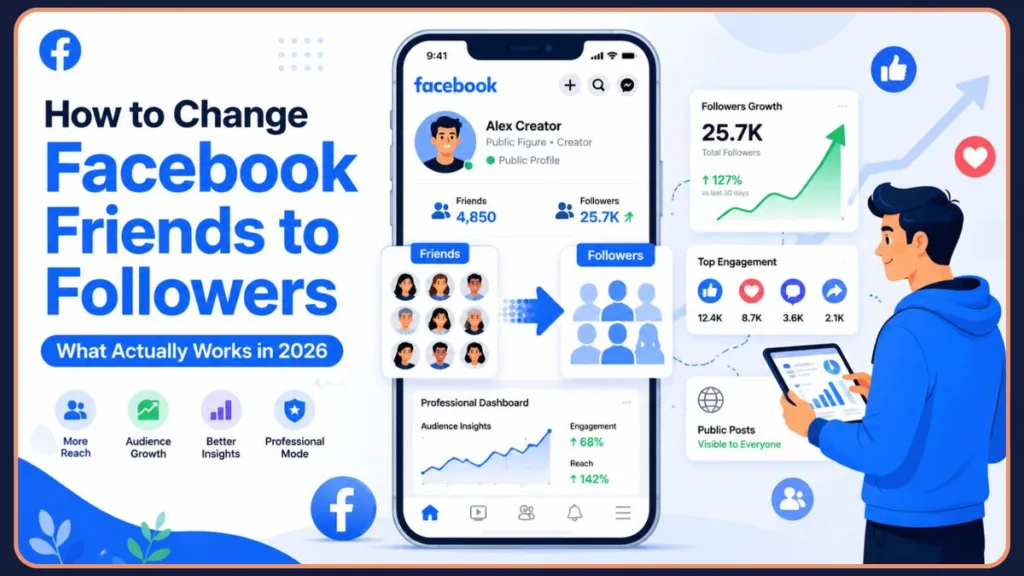
However, before we dive deep into the strategies, we need to clarify one very important detail upfront. Facebook does not currently provide a one-click “Convert Friends to Followers” button. Consequently, you cannot simply press a magic button and instantly turn all your existing friends into pure followers.
But do not worry! In this comprehensive guide, you will learn exactly how the system works, the best alternative workarounds, and step-by-step methods to smoothly transition your profile for maximum growth. Let’s get started on optimizing your social media strategy!
As the digital creator economy continues its explosive growth in 2026, establishing a public presence is no longer just for celebrities. With Meta shifting its algorithms to heavily favor engaging, public-facing content (especially short-form video), unlocking your profile to a broader audience is the single most important step you can take to build your brand, secure sponsorships, and monetize your content.
Can You Convert Facebook Friends to Followers?
No, Facebook does not currently offer a tool that automatically converts friends into followers. However, you can enable followers, use Professional Mode, and manually transition your audience while maintaining your reach.
Who Should Change Facebook Friends to Followers?
This strategy works best for:
- Content creators
- Influencers
- Coaches
- Freelancers
- Public figures
- Small business owners
- Users approaching Facebook’s 5,000-friend limit
Quick Summary
| Goal | Recommended Action |
| Get more followers | Enable public followers |
| Access creator tools | Turn on Professional Mode |
| Remove inactive friends | Unfriend manually |
| Keep personal connections | Maintain close friends |
| Avoid 5,000 limit | Focus on followers |
Can You Convert Facebook Friends to Followers?
The Short Answer
Unfortunately, no direct conversion feature exists on the platform today.
Furthermore, there is no bulk conversion tool available to cleanly wipe your friends list and transfer those profiles into your follower count. In short, there is absolutely no Facebook setting that turns all friends into followers with a single click.
Why People Think This Feature Exists
You might be asking, “Why do so many tutorials claim this is possible?” Typically, this stems from widespread Professional Mode confusion.
Additionally, there are ongoing creator profile misconceptions. Many people mistakenly believe that switching to a creator account magically drops all their friends into a follower-only bucket. Finally, some of this confusion dates back to old Facebook page migration myths, where years ago, Facebook briefly allowed users to convert personal profiles into Business Pages, converting friends to Page likes. That feature is long gone!
To add a bit more historical context, Meta intentionally removed the profile-to-page migration tool because it led to widespread abuse and artificial audience inflation. Today, the platform prioritizes authentic engagement. They want your followers to actively choose to follow your public updates, rather than being forced into a follower bucket just because they accepted a friend request from you five years ago.
How to Transition From Friends to Followers Manually
Since an automatic button does not exist, you must rely on strategic workarounds. This is the content gap competitors are completely missing. Here are three highly effective options.
Which Option Is Best for You?
Making the transition can feel overwhelming, but mapping your exact goals to the right strategy simplifies the entire process. Use this decision tree to pinpoint the path that best aligns with your long-term social media objectives:
- Want to keep personal relationships?→ Keep friends and enable followers. This is the safest approach if you primarily use Facebook to stay in touch with family and close acquaintances but still want the option for outsiders to subscribe to your public thoughts.
- Approaching 5,000 friends?→ Remove inactive friends and grow followers. If your network is bloated with people you barely know or accounts that no longer engage with your content, clearing the clutter is essential. Removing dormant connections opens up space while allowing true fans to follow you natively.
- Building a creator brand?→ Turn on Professional Mode. This is the ultimate growth hack for 2026. If your goal is monetization, advanced audience insights, and unlocking the Creator Fast Track program, flipping the switch to Professional Mode is non-negotiable.
- Running a structured business?→ Consider a Facebook Page. If you need to run targeted Meta advertising campaigns, require multiple staff members to manage an inbox, or want to keep your personal life entirely separate from your corporate entity, a dedicated Business Page remains the gold standard.
Best Way to Change Facebook Friends to Followers
If your goal is to grow an audience:
- Enable public followers.
- Turn on Professional Mode.
- Keep close contacts as friends.
- Remove inactive friends if needed.
- Encourage people to follow instead of sending friend requests.
Option 1: Keep Friends and Enable Followers
This route is best for small creators, personal brands, and business owners.
- Pros: You maintain your personal connections without awkward conversations. Meanwhile, new interested parties can follow you effortlessly.
- Cons: You still run the risk of eventually hitting that pesky 5,000 friend limit.
Option 2: Remove Friends and Encourage Them to Follow
This approach is best for public figures, influencers, and creators approaching 5,000 friends.
To execute this, you must learn how to remove friends manually by visiting their profile and clicking “Unfriend.” Subsequently, how followers work afterward is simple: if your settings are public, they can still follow your public updates. However, the potential risks include hurting people’s feelings or losing immediate engagement from close peers.
Option 3: Create a Professional Public Profile Strategy
The most balanced method is to adopt a hybrid strategy. First, keep close contacts as friends. Second, politely let everyone else follow your public journey. Finally, use audience controls effectively by adjusting the privacy of individual posts (switching between “Public” and “Friends Only”) to maintain boundaries.
Swipe File: How to Announce Your Transition
If you are shifting from a purely personal profile to a creator presence, clear communication is key. You can prevent hurt feelings by posting a polite public update. Feel free to copy and paste this template:
“Hi everyone! Over the next few weeks, I’ll be transitioning this profile to focus more on my [insert niche/business/creative work]. Because Facebook limits friends to 5,000, I’ll be cleaning up my friends list to make room. If we aren’t close offline, I may transition our connection—but don’t worry! My profile is completely public now. You can simply hit the ‘Follow’ button on my page to stay connected and keep seeing my content. Thank you all so much for your support!”
How to Enable Followers on Facebook
If you want to start building an audience, your very first step is to allow people to follow you. Here is exactly how to do it.
On Mobile App
- Open the Facebook app and tap the Menu icon in the bottom corner.
- Scroll down and tap on Settings & Privacy, then select Settings.
- Scroll down to the Audience and Visibility section.
- Tap on Followers and public content.
- Finally, under Who can follow me, change the setting from Friends to Public.
On Desktop
- Log in to Facebook on your computer.
- Click your profile picture in the top right corner.
- Select Settings & privacy, and then click Settings.
- On the left-hand menu, click on Privacy, then navigate to Public Posts.
- Look for the Who Can Follow Me option and switch the dropdown menu to Public.
How to Turn On the Follow Button
To ensure your new audience can actually find you, you need to make the Follow button visible on your profile.
Once you have adjusted your Public Posts settings, the Follow button will automatically appear to anyone who is not currently your friend. Specifically, ensuring the Who Can Follow Me setting is set to Public is the golden rule. Furthermore, review your overall Visibility settings to guarantee your public posts are easily discoverable.
As an additional tip for 2026, we highly recommend utilizing the “View As” feature. Navigate to your profile, click the three dots (…), and select View As. This allows you to see your profile exactly as the public sees it, ensuring that your Follow button is prominently displayed right where your “Add Friend” button used to be.
How to Use Professional Mode to Grow Followers
If you are serious about building a personal brand, Professional Mode is your best friend.
What Professional Mode Actually Does
First, let’s address some common Reddit concerns:
- Does Professional Mode create a new profile? No, it upgrades your existing personal profile.
- Does it create a Facebook Page? No, it simply adds creator features to your current account.
- What happens to friends? They remain your friends and stay on your friends list.
- What happens to followers? You keep all existing followers, and your overall follower count is prominently displayed on your profile.
Benefits of Professional Mode
Switching this mode on provides massive advantages:
- Follower insights: See detailed demographics of your audience.
- Creator tools: Access a dedicated dashboard to manage your content.
- Monetization eligibility: Earn money through Stars, Reels play bonuses, and in-stream ads.
- Audience analytics: Track which posts generate the most engagement.
2026 Facebook Monetization Updates: What You Need to Know
If monetization is your primary goal, 2026 has brought massive changes that make Professional Mode more lucrative than ever before.
Meta recently consolidated its fragmented creator payouts into the unified Facebook Content Monetization program (CMP). Previously, creators had to juggle separate bonuses for Reels, long-form videos, and static posts. Under the new CMP structure, you can earn from a diverse portfolio—Reels, long-form videos, photos, text posts, and even public Stories—all contributing to a single, performance-based payout model.
Furthermore, Meta launched the Creator Fast Track program this year. Designed for creators who have already built an audience on Instagram, TikTok, or YouTube (minimum 20,000 followers), this invite-only program offers guaranteed monthly pay just for posting eligible Reels. Tiers range from $100 to $3,000 per month, completely decoupled from Facebook view counts, making it a highly reliable income stream for digital entrepreneurs. Finally, the barrier to entry for Facebook Stars (the platform’s tipping feature) has been dramatically lowered, now requiring only 500 followers for 30 consecutive days.
How to Enable Professional Mode
- Navigate directly to your Facebook profile.
- Click or tap the three dots (…) located right next to the “Edit Profile” button.
- Select Turn on Professional Mode from the menu.
- Review the welcome prompts and tap Turn On to complete the setup.
What Happens When You Reach Facebook’s 5,000 Friend Limit?
Can You Have More Than 5,000 Friends?
In short, no. Facebook strictly caps personal profiles at 5,000 friends to maintain server performance and encourage intimate networking.
What Happens to New Friend Requests?
Once you reach Facebook’s 5,000-friend limit, you cannot accept additional friend requests. People can still follow your public updates if follower settings are enabled.
From an algorithmic perspective, hitting this limit is actually detrimental to your engagement if you aren’t converting that momentum into followers. A stagnant friends list of 5,000 people who rarely interact with your content will signal to the Facebook algorithm that your posts aren’t interesting, throttling your organic reach. Transitioning your focus to a constantly growing follower base ensures your content is pushed to fresh, highly engaged audiences.
Why Many Creators Switch to Followers
When creators search for the facebook 5000 friends limit followers solution, they are usually feeling the squeeze. Switching entirely to a follower-based strategy allows for infinite growth. Consequently, you can reach millions of people without ever worrying about a digital cap.
Can You Convert Pending Friend Requests Into Followers?
This is a major topic of discussion across social media forums.
How Pending Requests Work
When someone sends a request, they wait in your pending queue. Technically, while they wait, they follow your public posts.
Can You Accept Them as Followers Instead?
No, you cannot individually approve someone just as a follower.
Current Facebook Limitations
Because of the platform’s architecture, a pending request is strictly an invitation for a two-way friendship.
Alternative Solution
The best alternative solution is to simply leave the request pending or hit “Decline.” If your follower settings are set to public, they can still navigate to your page and hit “Follow” independently.
Can You Have Followers Without Professional Mode?
Yes, absolutely! You do not need to be a declared creator to build an audience.
Followers Feature vs Professional Mode
Here is a clear comparison table to help you decide:
| Feature | Followers Enabled | Professional Mode |
| Follow button | Yes | Yes |
| Insights | No | Yes |
| Monetization | No | Potentially |
| Creator tools | Limited | Yes |
Professional Mode vs. Facebook Pages in 2026
As you evaluate your options, you might wonder if you should just create a dedicated Facebook Business Page instead. Recently, Meta initiated a major update categorizing all traditional Facebook Pages into two distinct types: Business and Creator.
While a dedicated Page is essential if you plan to run sophisticated Meta advertising campaigns or need multiple staff members to manage an inbox, Professional Mode is universally recommended for solo creators and personal brands. It keeps your personal profile as the central hub, is vastly easier to grow from scratch (as people naturally engage more with human profiles than corporate entities), and grants you immediate access to the unified monetization tools without forcing you to build an audience from zero.
What Happens If You Turn Off Professional Mode?
This is a very high-volume concern. If you decide the creator life isn’t for you, turning it off is easy.
- Will You Lose Followers? No, your current followers will remain intact.
- What Happens to Content? Your existing posts stay exactly where they are.
- Can You Turn Professional Mode Back On? Yes, you can toggle it back on at any time.
- Should You Disable It? Generally, no. Unless the extra notifications bother you, it is usually harmless to leave it enabled.
Facebook Friend-to-Follower Conversion Myths
Because there is so much conflicting information out there, let’s clear the air with some facts:
- Myth #1: Professional Mode converts friends into followers. False. Your friends stay exactly as they are on your friends list.
- Myth #2: Facebook has a bulk conversion tool. False. There is no magic button to wipe your list and convert those people.
- Myth #3: Turning off Professional Mode removes followers. False. Your followers remain entirely unaffected.
- Myth #4: Followers can see private posts. False. They only see the posts you explicitly set to “Public.”
Common Mistakes When Switching From Friends to Followers
Navigating the shift from a personal network to a public-facing creator profile is rarely seamless. Many users unknowingly sabotage their own reach by falling into a few easily avoidable traps. Here are the most prevalent mistakes to watch out for, directly addressing the biggest frustrations seen across digital marketing forums and Reddit communities:
- Leaving follower settings disabled: This is the most fundamental error. If your “Who Can Follow Me” setting is restricted to “Friends,” all your efforts to gain an audience will hit a brick wall. People who stumble upon your profile will only see an “Add Friend” button, or worse, no way to connect with you at all.
- Making every post public: While growing an audience requires public content, broadcasting everything publicly compromises your privacy. Sharing intimate family photos or sensitive life updates with thousands of strangers can lead to security risks or unwanted attention. Always utilize the audience selector tool to segregate creator content from personal updates.
- Removing friends too quickly: Purging your friends list in a massive, overnight sweep can trigger Facebook’s spam filters, potentially resulting in a temporary shadowban or account restriction. Furthermore, abruptly unfriending hundreds of people can damage real-life relationships. It is far better to conduct a gradual, strategic cleanup of inactive accounts over several weeks.
- Ignoring privacy settings: Failing to audit your historical data before opening the floodgates to followers is a massive oversight. Without utilizing the “Limit Past Posts” feature, new followers could potentially scroll back years into your timeline, viewing deeply personal content you never intended for public consumption.
- Expecting Professional Mode to convert friends automatically: As emphasized throughout this guide, turning on Professional Mode does not magically shift your friends into a separate follower bucket. Assuming it does often leads to frustration when users realize they are still hard-capped at the 5,000 friend limit. You must actively manage both lists to succeed.
Privacy Settings You Should Check Before Enabling Followers
Before opening your digital doors, addressing privacy is crucial.
Can Followers See Private Posts?
No. If you set a post to “Only Me” or “Specific Friends,” your public followers will never see it.
Can Followers See Friends-Only Posts?
Absolutely not. Followers are completely restricted from viewing any content tagged explicitly for “Friends.”
How to Control What Followers Can See
Always double-check the audience selector tool before you hit publish. You can manually toggle every single post between Public and Friends.
If you want to get granular, you can also utilize Facebook’s Restricted List. By adding specific friends to this list, they remain your friend on the platform but will only be able to see your public content, effectively treating them exactly like standard followers without the drama of officially unfriending them.
How to Block Specific Followers
If someone is bothering you, navigate to their profile, tap the three dots, and select Block. This immediately removes them from your followers list.
How to Hide Sensitive Content
To protect older, sensitive content, use the “Limit Past Posts” tool in your privacy settings. This changes all previous public posts to “Friends Only” in one fell swoop.
Troubleshooting: Facebook Followers Option Not Showing
Sometimes, technology just doesn’t cooperate. If you are stuck, check these common culprits.
- Why the Follow Button Is Missing: Ensure your “Who can follow me” setting is officially set to Public.
- Why Followers Settings Are Not Available: Sometimes, locking your profile entirely hides the follower options. Try unlocking your profile first.
- Age and Account Restrictions: If your account lists you as under 18, Facebook automatically restricts public followers for safety reasons.
- Professional Mode Not Appearing: This feature is still rolling out regionally. Ensure your Facebook app is fully updated to the latest 2026 version. Additionally, check your “Profile Status” in settings to ensure you have no community standard violations, which can permanently block access to Professional Mode.
- Public Posts Settings Not Showing: If the menu isn’t visible, try making a public post as a test to see if it triggers the settings.
Official Facebook Resources
For further peace of mind and the most up-to-date documentation, you can refer to Meta’s official resources:
- Facebook Professional Mode Help Center – Official Meta guide explaining creator tools and eligibility.
- Followers and Public Content Settings – Meta documentation for managing who can follow your profile.
- Facebook Privacy Controls – Official guide for controlling who sees your content.
Frequently Asked Questions
How do I convert Facebook friends into followers?
Currently, there is no direct conversion button. You must manually enable the Follow feature and encourage your audience to follow your public updates.
Is there a bulk way to change Facebook friends to followers?
No, Facebook does not offer a bulk transfer or conversion tool for personal profiles.
Can Facebook automatically change friends into followers?
No. While friends inherently follow your updates, they still count against your 5,000 friend limit and do not automatically convert into standalone followers.
Can I remove friends and keep them as followers?
If you unfriend someone, they may still follow you if your “Who can follow me” setting is set to Public, but it is not guaranteed unless they manually hit the Follow button.
What happens to existing followers when I turn on Professional Mode?
Your existing followers remain attached to your profile. Turning on Professional Mode does not remove or reset your follower count.
If I unfriend someone, do they automatically become a follower?
Not necessarily. While they might still follow your public posts if your settings allow it, it is safer to assume you’ll lose them as a direct connection unless they purposefully click your Follow button.
Can I convert 5,000 Facebook friends into followers?
No, there is no tool to bulk convert your maxed-out friends list. You will need to slowly unfriend inactive people and encourage them to follow you instead.
Can I accept friend requests as followers instead?
No, you cannot accept a request purely as a follower. You can simply decline the request, and if your profile is public, they can choose to follow you independently.
Why do some people have followers without Professional Mode?
Because you do not need Professional Mode to have followers! Any standard user can navigate to their audience settings and change “Who can follow me” to Public.
Will people know if I remove them as a friend?
Facebook does not send a notification when you unfriend someone. However, they may eventually notice if they check your profile and see the “Add Friend” button again.
Can followers see private Facebook posts?
No, followers can only view content that you explicitly publish with the “Public” privacy setting.
Can I have followers without Professional Mode?
Yes, simply change your public post settings to allow “Public” followers without ever turning on Professional Mode.
Do I lose followers if I disable Professional Mode?
No, your follower count will remain the same even if you revert to a standard personal profile.
Does Professional Mode create a separate profile?
No, it simply adds new tools and dashboard features directly to your existing personal account.
How do I clean up my Facebook friends list without losing reach?
Gradually unfriend inactive accounts while simultaneously posting high-quality public content to attract them back as standard followers.
What happens after reaching 5,000 friends?
You will no longer be able to accept new friend requests. Consequently, you must rely entirely on the Follow button to grow your audience further.
Conclusion
In conclusion, while Facebook currently doesn’t support direct friend-to-follower conversion, you are far from out of luck.
Ultimately, we highly recommend the best approach for modern creators: actively enable followers, and then boldly turn on Professional Mode if needed. By choosing to keep close contacts as friends while simultaneously allowing a wider audience to follow your journey, you achieve the perfect balance.
Embracing this model not only future-proofs your profile against the strict 5,000 friend limit but also sets you up perfectly to take advantage of the platform’s increasingly powerful creator monetization tools. The initial transition takes a little bit of manual cleanup, but the long-term payoff in reach and engagement is incredibly rewarding.
Take a moment right now to dive into your account settings. Encourage readers to check their follower settings and privacy controls before making changes. Are you ready to take your social media game to the next level? Drop a comment below and let us know what kind of content you plan to share with your new followers!
Visit Our Post Page: Blog Page
Discover more from Izoate
Subscribe to get the latest posts sent to your email.