
Tired of the same default base background? Learn how to change your Clash of Clans scenery and easily customize your village settings.
After months of upgrading walls, rearranging defenses, and grinding through Town Hall levels, many Clash of Clans players eventually reach the same point: the village starts looking exactly the same every time they log in. Even if your base is stronger than ever, staring at the default background day after day can make the game feel visually repetitive. Replacing these default backgrounds with a fresh village environment is a great way to break that visual monotony and showcase your progression.
For other players, the frustration starts after buying a premium scenery. You spend money on a seasonal or limited-time design, only to realize you cannot immediately figure out where the option to equip it is hidden. Some players even assume the scenery failed to unlock because it does not appear where they expected.
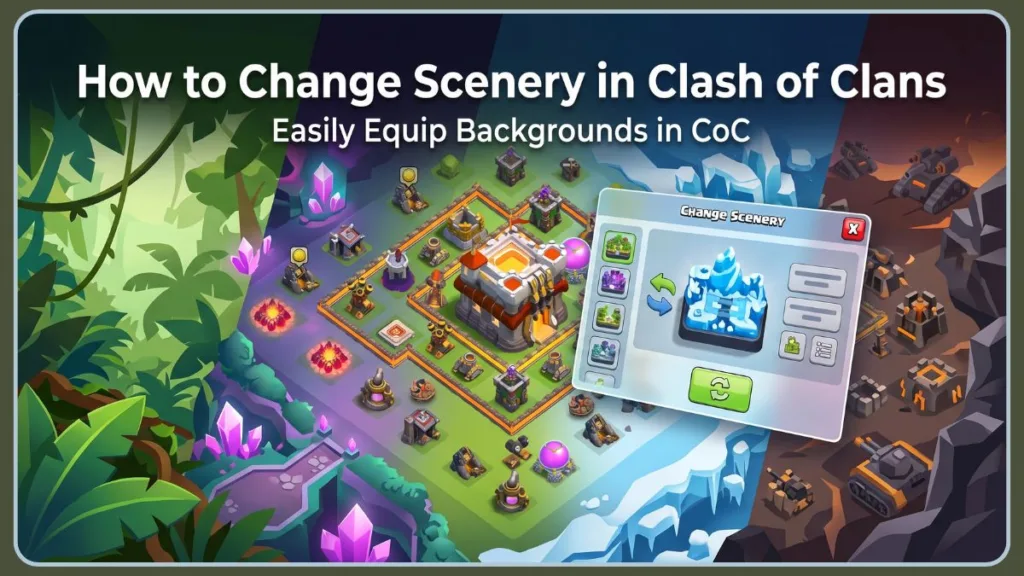
Then there is another issue longtime players regularly talk about in the community: certain sceneries look incredible in screenshots but become difficult to play with during actual attacks. Dark environments, heavy animations, or visually crowded backgrounds can make buildings blend together, which is especially annoying during war attacks where quick visual recognition matters.
Thankfully, changing scenery in Clash of Clans is simple once you know where the settings are located. In this guide, you will learn how to change scenery in your Home Village, how Builder Base scenery works separately, how to unlock more themes for free, and what to do if the Change Scenery option is missing or not working properly.
What Scenery Actually Does to Your Village
Scenery changes the background and surroundings around your village in Clash of Clans. It is a purely cosmetic feature, which means it does not improve troop strength, increase defenses, or provide gameplay advantages during battles.
You can use different sceneries for your Home Village, Builder Base, and certain War Base layouts. Most players use scenery simply to personalize their village, match seasonal decorations, or make their base stand out during multiplayer attacks and clan wars.
How to Change Your Home Village Scenery Step by Step
Changing scenery only takes a few seconds once you know where the setting is located. The important part is knowing which village you are currently viewing before looking for the option.
1. Open Your Home Village and Tap the Town Hall
Start by opening Clash of Clans and switching to your Home Village, which is the main village where your Town Hall, army camps, and primary defenses are located.
Your Town Hall is usually positioned near the center of the village because it acts as the core structure of your base. Tap on the Town Hall, and a menu will appear at the bottom of the screen. Inside that menu, you will see the Change Scenery option.
A lot of players think the feature is missing because they accidentally opened the Builder Base instead of the Home Village. If you do not see the Change Scenery button, check whether you are currently in the correct village before trying anything else. Switching back through the boat on the shoreline usually fixes the problem immediately.
Once you tap Change Scenery, the scenery menu will open and display every scenery currently unlocked on your account.
2. Preview a Scenery Before You Commit to It
Before applying a scenery permanently, use the eye icon preview feature inside the scenery menu. This lets you see exactly how your village will look without fully equipping the scenery first.
This extra step matters more than many players expect. Some premium sceneries use:
- Darker lighting
- Fog effects
- Glowing animations
- Highly detailed terrain designs.
While they can look impressive visually, they sometimes make buildings, traps, and walls slightly harder to identify during attacks.
This is one reason some experienced players switch back to lighter or simpler sceneries after testing premium ones for a few days. Competitive players especially prefer cleaner environments because they provide a clearer visual read of the base during fast attacks.
Previewing the scenery first helps you avoid equipping a design that looks great in promotional images but feels visually cluttered during gameplay.
If you unlock multiple sceneries over time, previewing also makes it easier to match themes with seasonal decorations, hero skins, or obstacle layouts already placed around your base.
3. Apply Your Chosen Scenery with the Swap Button
Once you find the scenery you want to use, tap the Swap or Select button to apply it. The change happens instantly, and your village background updates immediately without requiring a restart.
If a recently purchased scenery is not appearing in the menu, restart Clash of Clans and check for pending game updates before assuming the purchase failed. Some scenery purchases may also take a few moments to sync properly if your internet connection briefly drops during the transaction.
After the scenery is equipped, other players visiting your base during attacks or clan wars will also be able to see it.
How Builder Base and War Base Scenery Work Differently
One of the biggest sources of confusion in Clash of Clans is that scenery settings are handled separately for different village types.
Your Builder Base uses its own scenery system managed through the Builder Hall, not the Town Hall from your Home Village. This means changing scenery in your main village does not automatically apply the same theme to the Builder Base.
To change Builder Base scenery:
- Switch to the Builder Base using the boat.
- Tap the Builder Hall.
- Open the Change Scenery menu.
- Select and apply your preferred scenery.
Avoiding Confusion with Independent War Base Layouts
War Base scenery also works independently. If you are editing a war layout, the scenery shown there may differ from the one currently active in your Home Village.
This separation is the most common reason players believe a scenery is broken or missing because changing scenery in one layout does not affect the others.
How to Unlock More Sceneries Without Spending Gems
If you only see the default Classic Scenery in your menu, it simply means you have not unlocked additional themes yet. Clash of Clans offers both free and premium ways to expand your scenery collection.
Free Sceneries Tied to Town Hall Upgrades
A small number of sceneries unlock naturally as you progress through Town Hall levels.
| Scenery | Unlock Requirement |
|---|---|
| Classic Scenery | Default |
| Jungle Scenery | Town Hall 14 |
| Magic Scenery | Town Hall 15 |
These free unlocks give long-term players some visual variety without requiring purchases. For most free-to-play users, reaching Town Hall 14 to earn the Jungle Scenery or Town Hall 15 for the Magic Scenery provides highly anticipated visual upgrades to their CoC base backgrounds. However, the number of free sceneries is still fairly limited compared to the premium cosmetic collection available in the Shop.
If you are currently below Town Hall 14, you will likely only have access to the Classic Scenery unless you purchased additional themes separately.
Where to Find Premium and Seasonal Sceneries
Most sceneries in Clash of Clans are premium cosmetics available through special events or limited-time offers.
Premium sceneries typically appear through:
- The Cosmetics section of the Shop
- Special Offers
- Seasonal event bundles
- Certain Gold Pass reward tracks
Historically, brand new premium sceneries launch at a standard price of $6.99 USD, while exclusive aesthetic rewards are occasionally tied directly into the Gold Pass tiers.
Some sceneries are designed around specific themes such as:
- Fantasy kingdoms
- Icy landscapes
- War zones
- Jungle environments
- Seasonal celebrations like Halloween and Lunar New Year.
Navigating the One-Year Shop Rotation System
Missing a scenery during its first release does not always mean it is gone permanently. Older sceneries often rotate back into the Shop months later, especially during large seasonal events or anniversary updates. In fact, most limited-time real-money Clash of Clans cosmetic items become permanently available for purchase in the Shop’s Cosmetics section exactly one year after their initial release.
Because of that rotation system, many players wait for favorite themes to return instead of buying every release immediately.
How the Scenery Randomizer Works and What It Actually Does
After unlocking multiple sceneries, you can enable the Scenery Randomizer feature from the scenery menu.
The randomizer allows Clash of Clans to rotate between selected sceneries automatically whenever your village reloads. For example, the scenery may change when you:
- Reopen the game
- Switch villages
- Reload the Home Village after an attack.
Preventing Scenery Changes During Active Gameplay Sessions
A lot of players misunderstand how this feature works and expect the scenery to continuously rotate while they are actively playing. That is not how the system functions.
The randomizer only changes scenery during village reloads, not in real time during gameplay sessions.
If your scenery seems to “randomly” change occasionally, this feature is usually the reason.
Can Scenery in Clash of Clans Actually Affect How You Play?
Scenery does not provide:
- Stat boosts
- Troop improvements
- Defensive advantages
- Hidden gameplay benefits.
Every scenery in Clash of Clans is purely cosmetic.
Balancing Visual Aesthetics with Competitive Clarity
However, there is one subtle way scenery can influence the player experience: visual clarity.
Highly animated, darker, or heavily detailed sceneries can sometimes make structures blend into the environment more than usual. During casual farming attacks, this rarely matters much. During competitive war attacks, though, quickly identifying buildings, walls, and defensive placement becomes more important.
That is why some experienced players intentionally use simpler or brighter sceneries even when they own more visually dramatic premium themes.
Cleaner sceneries generally provide the easiest visual readability during fast attacks and base planning.
Frequently Asked Questions
How do you unlock more sceneries in Clash of Clans?
You can unlock additional sceneries by:
- Upgrading your Town Hall
- Purchasing premium cosmetics from the Shop
- Participating in seasonal events
- Collecting certain Gold Pass rewards.
Free options are limited, but premium releases rotate regularly throughout the year.
Can you get free sceneries in Clash of Clans?
Yes. Clash of Clans currently offers a few free sceneries tied to Town Hall progression. The Jungle Scenery unlocks at Town Hall 14, while the Magic Scenery unlocks at Town Hall 15.
Can other players see your scenery?
Yes. Other players visiting or attacking your base can see the scenery currently equipped on your village. Many players use rare or seasonal sceneries specifically to make their villages stand out during multiplayer battles and clan wars.
Why is the Change Scenery option missing?
The most common reason is being inside the Builder Base instead of the Home Village. Since scenery settings are handled separately, the option only appears when tapping the correct building for that specific village. Restarting the app or updating the game can also fix missing menu issues after purchases or updates.
Can you use different scenery for Builder Base?
Yes. Builder Base scenery is completely separate from Home Village scenery. You can equip different themes on each layout independently through the Builder Hall scenery menu.
Why does my scenery keep changing automatically?
This usually happens because the Scenery Randomizer feature is enabled. The randomizer rotates between selected sceneries whenever the village reloads.
Do premium sceneries return to the Shop?
Many older sceneries eventually return during seasonal events, anniversaries, or special cosmetic rotations. While not every scenery comes back quickly, missing one release does not always mean it is permanently unavailable.
Which scenery is best for visibility during attacks?
Simpler and brighter sceneries usually provide the clearest visibility during attacks. Highly animated or darker themes can sometimes make buildings harder to distinguish quickly, especially during competitive war battles.
Final Thoughts
Changing scenery is one of the fastest ways to make your Clash of Clans village feel fresh again without rebuilding your entire layout. Whether you prefer simple classic themes, fantasy environments, or limited-time seasonal cosmetics, swapping scenery only takes a few seconds once you know where the settings are located.
Free players can still unlock a small collection of sceneries through Town Hall progression, while premium players have access to a much larger rotating cosmetic catalog through events and Shop offers.
Even a small visual change can make returning to your village feel fresh again.
Which Clash of Clans scenery are you currently using on your village, and have you ever switched back because a scenery made attacks harder to see?
Visit Our Post Page: Blog Page
Discover more from Izoate
Subscribe to get the latest posts sent to your email.