
Looking for the latest qBittorrent download? Learn how to download qBittorrent safely from the official website, install it on Windows, Mac, or Linux, and start using it in minutes.
Finding a lightweight, reliable, and completely ad-free torrent client can feel like an impossible task today. You have probably noticed that many popular file-sharing tools are now bloated with junkware, hidden crypto miners, or annoying pop-up advertisements. If you are tired of clicking through endless promotional screens just to manage your downloads, it is time for a change.
This is where the qbittorrent download comes in as the ultimate, clean solution. In this guide, I will show you exactly how to navigate the qbittorrent download official path safely and avoid sketchy third-party hosting sites. I will also walk you through a clean qbittorrent install and break down the absolute best qBittorrent latest version features so you can get the most out of your network.
Takeaway: You do not have to settle for bloated, ad-heavy software; qBittorrent offers a clean, open-source alternative that respects your computer’s resources.
What Is qBittorrent and How Does This Free BitTorrent Client Work?
At its core, a qbittorrent client is a piece of software that allows you to download and share files over a peer-to-peer (P2P) network. Instead of downloading a file from a single central server, your client connects to multiple other users (called “peers” and “seeds”) who already have the file. You download small pieces of the data from all of them simultaneously, which drastically speeds up the transfer process.
You might be wondering how does qBittorrent 64bit work on modern systems. Because it is written natively in C++ and optimized for 64-bit architecture, it efficiently utilizes your system’s memory and processor without bogging down your machine. This means it can handle massive files, thousands of active connections, and high-speed bandwidth allocation entirely in the background while you work or play games without experiencing lag.
Takeaway: qBittorrent uses a decentralized network to download files from multiple sources at once, utilizing a highly optimized 64-bit engine to keep your PC running smoothly.
Is qBittorrent Free? Pricing, Supported Platforms, and System Requirements
Before you commit to a new software tool, it is important to know exactly what it costs and whether it will actually run effectively on your daily devices.
Is qBittorrent free?
Yes, you can grab a q torrent free download right now, and it will remain free forever. Unlike other software that locks essential features behind a “Pro” version or sneaks in a limited 30-day trial, qBittorrent gives you complete access to every single feature from the moment you open the application.
How much does qBittorrent cost?
qBittorrent costs absolutely zero dollars. It is an open-source project maintained entirely by a dedicated community of volunteer developers and funded by optional donations. Because there is no corporate agenda driving the software, there are no hidden subscription fees, no paywalls, and absolutely no bundled advertisements trying to sell you something.
What platforms does qBittorrent run on?
Whether you are on a brand new laptop or reviving an old desktop, qBittorrent is designed for maximum compatibility across multiple operating systems.
Here is where you can install the latest stable release (Version 5.2.3):
- Windows: Fully supports the qbittorrent client Windows 11 and Windows 10 (for both x64 and ARM64 architectures).
- macOS: Compatible with modern Apple Silicon and older Intel-based Mac computers.
- Linux: Available universally as an AppImage or directly through most distribution package managers.
- FreeBSD & OS/2: Officially supported for advanced users running alternative open-source setups.
To show why this matters, here is a quick look at how qBittorrent compares to standard commercial torrent clients:
| Feature | qBittorrent | Commercial Clients (e.g., uTorrent) |
| Cost | 100% Free | Often requires a “Pro” paid upgrade |
| Advertisements | None | Frequent banner and pop-up ads |
| Source Code | Open-source (Transparent) | Closed-source (Proprietary) |
| Platform Support | Windows, Mac, Linux, FreeBSD | Usually limited to Windows and Mac |
Takeaway: qBittorrent is a completely free, open-source application that runs seamlessly across Windows, macOS, and Linux without any hidden costs, advertisements, or premium tiers.
How to Download and Install the Latest Version of qBittorrent on Windows, Mac, and Linux
Getting your new torrent client up and running is incredibly simple, but you have to be careful about where you get the installation files. Because it is such a popular open-source tool, third-party sites often bundle fake versions with malware. You should only ever trust the qbittorrent official site for your setup files.
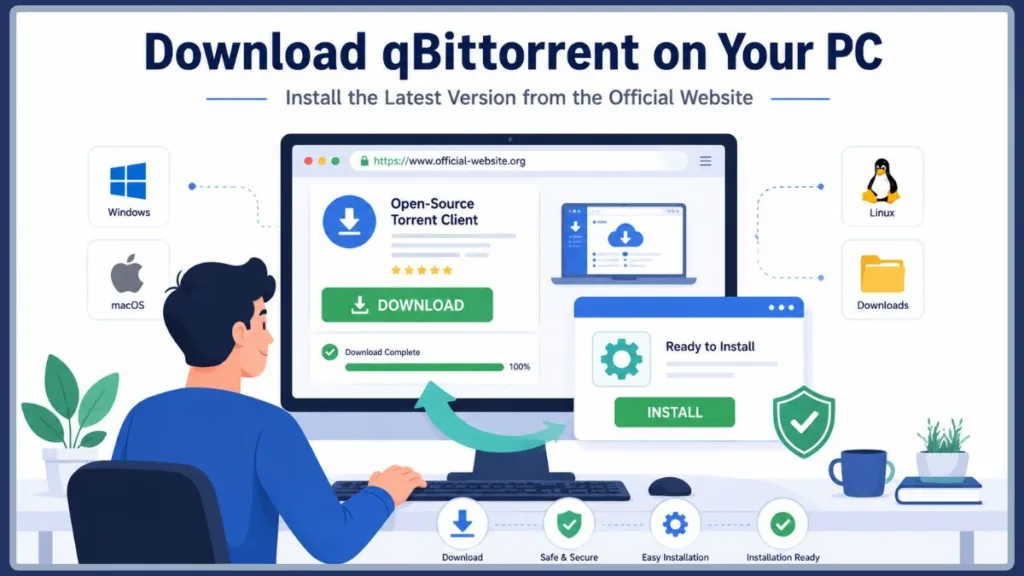
Warning: Never pay for a copy of this software and avoid third-party app stores. Always use the secure qbittorrent org download page to ensure you are getting the genuine, ad-free application.
Here is how you can perform a clean, secure qbittorrent install in just three easy steps:
- Open your preferred web browser and navigate directly to the qbittorrent download official repository at qbittorrent.org.
- Navigate to the “Download” section and select the correct package for your desktop machine (such as the qBittorrent 64-bit installer for maximum modern performance).
- Run the downloaded file. Follow the standard installation prompts to complete the setup without worrying about having to decline hidden third-party browser toolbars or bundled ads.
Takeaway: Always download directly from the official repository to guarantee a safe installation, and choose the 64-bit installer for the best performance on modern hardware.
qBittorrent Download and Installation Guides for Windows 11, Windows 10, macOS, and Linux
Whether you are switching from an older, bloated client or setting up a brand new desktop machine, grabbing the right file version is essential for a smooth experience. Let’s break down exactly what you need based on your operating system.
How to Set Up Your qBittorrent Download for Windows 10 & 11
If you are a PC user, getting your qbittorrent download for windows running is a breeze. First, head to the official site and locate the Windows section. You will want to grab the correct architecture for your system, which is almost always the download the qbittorrent Windows x64 version.
If you need to download qbittorrent for Windows 10, the standard 64-bit installer will work perfectly. Upgrading to a newer machine? The exact same installer doubles as the dedicated qBittorrent Windows 11 download, meaning you do not have to hunt for a separate file. Just run the installer, allow it through your Windows Defender firewall when prompted, and you are ready to start sharing.
Getting Your qBittorrent Download Latest Version for Mac
Apple users often feel left out in the cold when it comes to open-source tools, but thankfully, that is not the case here. To get the qbittorrent download latest version mac file, simply look for the macOS .dmg file on the official soruceforge download page.
Once the file finishes downloading, just double-click the .dmg file and drag the qBittorrent icon right into your Applications folder. When you first open it, macOS might prompt you with a security warning since it is an open-source tool downloaded from the internet. Simply go to your System Settings, navigate to Privacy & Security, and click “Open Anyway” to bypass the restriction.
Grabbing the qbittorrent download latest for pc
Are you running an older operating system or perhaps a lightweight Linux distribution? If you are simply searching for a fast qbittorrent download for linux pc free, the official site has you covered with AppImage files for Linux and even legacy 32-bit versions if your hardware requires it.
Whenever you are looking for a reliable qbittorrent pc download, make sure you check the release date. Updating to a qbittorrent new version (like the recent 5.2.3 release) ensures you have the latest security patches and bug fixes. Whether you need a standard qbittorrent download windows 10 or a qbittorrent download latest version for windows, keeping your software up to date is the easiest way to prevent crashes and maximize your download speeds.
Takeaway: Grabbing the correct, up-to-date installer for your specific operating system ensures maximum stability, speed, and security across Windows, Mac, and Linux environments.
Frequently Asked Questions & Advanced Troubleshooting
Once you have your client installed, you might have a few questions about getting the most out of your setup or protecting your privacy. Let’s cover the most common issues people run into and how you can fix them immediately.
Is qBittorrent safe to use?
Yes, it is entirely safe to use. Because it is an open-source project, the source code is publicly available for developers and security researchers to inspect for vulnerabilities. Unlike commercial software that might hide data-tracking scripts, qBittorrent has no hidden motives, no bundled malware, and no integrated advertisements.
However, you still need to practice safe downloading habits. While the software itself is secure, the actual torrent files you download from the internet can contain viruses. Always verify the source of your downloads, read user comments on the hosting site, and keep your Windows Defender or antivirus software running in the background.
Takeaway: The qBittorrent application is perfectly safe and free of malware, but you must still scan the individual files you choose to download from the web.
How do I use the qBittorrent search engine?
One of the most powerful features of this software is its built-in search functionality, which allows you to find files without ever opening a web browser. To use it, you first need to enable it by clicking on View in the top menu and selecting Search Engine.
You will likely be prompted to install Python, which is the programming language the search plugins rely on. Once Python is installed, simply click the Search tab, click on Search plugins, and then select Check for updates to load the default trackers. You can now type your query directly into the search bar, and the client will scrape multiple torrent sites at once to find the most heavily seeded files.
Takeaway: Enable the Search Engine from the View menu and install Python when prompted to easily search for torrents directly inside the client.
Do I need a VPN to use qBittorrent?
Technically, no, the software functions perfectly fine without a Virtual Private Network. However, using a high-quality VPN is highly recommended for anyone engaging in peer-to-peer file sharing.
When you download a torrent, your IP address is visible to everyone else sharing that same file. A VPN masks your real IP address, protecting your identity and location from other users. Additionally, many Internet Service Providers (ISPs) actively throttle or slow down network traffic that they identify as P2P sharing. Routing your connection through a secure VPN tunnel prevents your ISP from seeing what you are doing, ensuring you get the maximum possible download speeds.
Takeaway: While not strictly required, using a VPN protects your privacy by hiding your IP address and prevents your internet provider from intentionally slowing down your downloads.
Why is my qBittorrent download not working?
If your download is stuck at 0% or moving incredibly slowly, there are three common culprits you should check right away.
- No Active Seeds: If a torrent has zero “seeders” (people who have the complete file and are sharing it), your download cannot progress. Try finding a different torrent file with a higher seed count.
- Firewall Block: Windows Defender or your third-party antivirus might be blocking the application’s network access. Open your firewall settings and ensure that the qBittorrent
.exefile is allowed through both public and private networks. - Outdated Software: Sometimes, old software versions struggle to connect to modern network trackers. Upgrading to a qbittorrent new version (like the 5.2.3 release) is often the quickest way to resolve hidden connection bugs.
Takeaway: If a file won’t download, check your firewall permissions, ensure the torrent has active seeders, and verify that you are running the most recent version of the software.
Is qBittorrent better than uTorrent?
For the vast majority of modern users, yes, qBittorrent is significantly better than uTorrent. Years ago, uTorrent was the undisputed king of file sharing, but it was eventually acquired by a corporate entity that began packing the free version full of intrusive banner ads and auto-playing video advertisements.
qBittorrent was explicitly built as an open-source alternative to uTorrent. It mimics the classic, lightweight interface that old-school users loved, but it completely strips out the junkware and premium paywalls. It uses fewer system resources, loads faster, and respects your privacy.
| Feature Comparison | qBittorrent | uTorrent (Free Version) |
| User Interface | Clean, minimalist, and ad-free | Cluttered with banner ads |
| Search Engine | Built-in (Requires Python) | Web-browser dependent |
| Resource Usage | Extremely low | Higher (due to ad scripts) |
| Trust Factor | Community-driven open source | Corporate-owned proprietary |
Takeaway: qBittorrent provides the same intuitive interface you remember from older torrent clients, but completely eliminates the aggressive advertisements and high resource usage found in uTorrent today.
Download qBittorrent Safely and Get Started with the Latest Version
Making the switch to a clean, open-source torrent client is one of the easiest ways to improve your daily PC experience. By ensuring you get your qbittorrent download directly from the official repository, you protect your system from malware while gaining access to incredibly powerful tools like the built-in search engine and advanced bandwidth management.
Whether you just set up your qbittorrent download for windows or finally grabbed the Mac version, you are now ready to handle massive file transfers securely and privately.
Are you switching over from an older client like uTorrent, or did you just get the new version up and running for the very first time? Drop your experiences, favorite search plugins, or any troubleshooting questions in the comments down below!
Visit Our Post Page: Blog Page
Discover more from Izoate
Subscribe to get the latest posts sent to your email.