
Can’t log into Digimon UP? Learn how to fix Error 19001, 21102, and 11006 with simple troubleshooting steps for Android and iPhone, plus server and device compatibility tips.
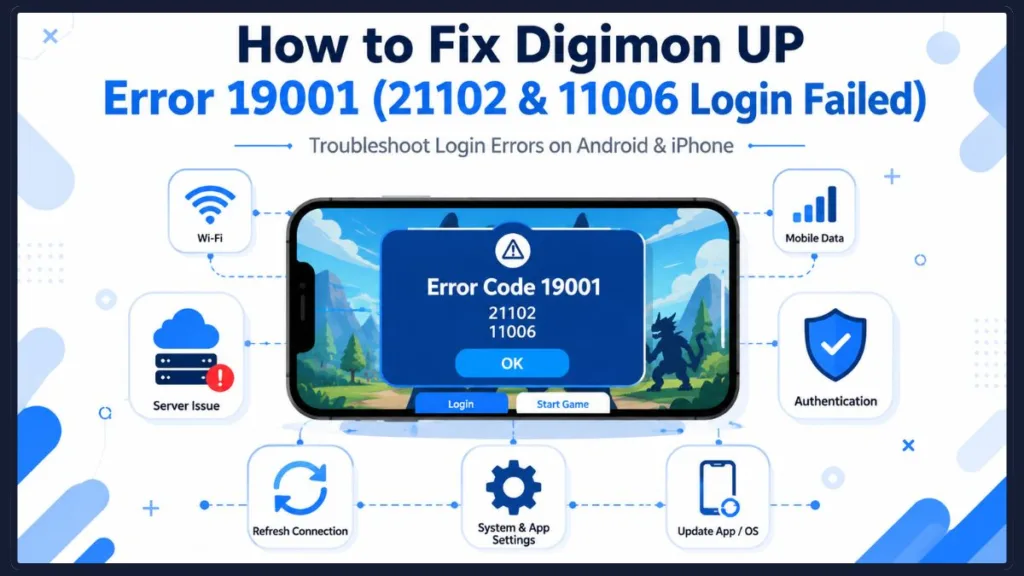
If you have been eagerly refreshing your screen trying to dive into the digital world for the July 15th launch, you are likely hitting a massive brick wall right at the title screen. You are definitely not alone. Thousands of players across both iOS and Android are currently staring at Digimon UP error code 19001, often right alongside error 21102 or error 11006.
It is incredibly frustrating when an app you pre-downloaded from the Google Play Store or Apple App Store simply refuses to let you in. In this guide, we will walk you through exactly what is causing this login block, the hardware quirks the community has recently discovered, and the practical steps you can take to get the game running.
What Is Digimon UP Login Error 19001?
Before trying to fix your device, it helps to know what is actually going wrong behind the scenes. Error code 19001 and error 21102 almost always trigger together as a server timeout or authentication failure.
Because the game just launched globally, massive player influxes are currently hammering the Bandai Namco servers. The issue is usually tied to one of three things: cross-sea network latency, a missing background framework on your phone, or specific device hardware conflicts.
Quick Tip: If you are seeing an endless “system maintenance” screen, it is always a good idea to check the official Digimon webpage or social media channels to see if there is a scheduled global downtime before changing your phone settings.
Troubleshooting: How to Fix Digimon UP Error 19001
If you are tired of waiting for the developers to patch the servers, you can try the following steps to force your way past the login screen.
1. Check Your Device Hardware Compatibility
A major discovery from the community testing the game is that Digimon UP seems to be severely struggling with older hardware architectures.
If you are playing on an older device like a Pixel 5 or even a slightly older flagship like the Pixel 7 Pro, players are consistently getting the 19001 and 21102 error codes. Conversely, the game tends to boot up perfectly on newer models like the Pixel 10 Pro XL. If standard fixes are not working for you, your phone’s architecture might be conflicting with the game’s current build. You should leave a detailed review on the App Store or Google Play Store with your specific phone model so the developers can patch this hardware compatibility bug.
2. Toggle Between Wi-Fi and Cellular Data
Sometimes, your internet service provider’s routing can trigger a false positive for a network timeout. You can bypass this by manually switching your connection type.
- Swipe down on your phone to open your quick settings menu.
- Turn off your home Wi-Fi router connection.
- Switch to your carrier’s LTE or 5G cellular data.
- Restart the game and attempt to log in.
This forces the game to establish a completely fresh connection to the servers, which can sometimes bypass a temporary regional network block.
3. Clear the App Cache and Storage
Corrupted temporary files from the initial pre-download phase can easily cause the app to hang or crash entirely. If you are an Android user, you can wipe these clean:
- Go to your phone’s Settings and tap on Apps.
- Find and select Digimon UP.
- Tap on Storage & cache.
- Select Clear Cache.
Pro Tip: If clearing the cache fails, you can also try tapping Clear Storage. However, this might delete your local game data. Make sure your account is linked to your Google or Apple ID before trying this step so you don’t lose your progress!
While you are in your settings, Android users must update Google Play services. If your device is missing the latest Google Play framework, the game will fail its background authentication, resulting in an immediate 19001 error.
If you are playing on an iPhone or iPad, ensure you have manually updated the Digimon UP app from the App Store and updated your iOS to the latest version, as outdated system files can block Apple Game Center authentication.
4. Try a VPN or Game Booster
Because the game’s core servers are located overseas, cross-sea network latency is a massive trigger for the Digimon UP network timeout screen.
Routing your connection through a mobile VPN or a dedicated game booster can stabilize your ping. A booster can automatically find a transmission path with less packet loss, allowing your phone to successfully communicate with the game’s authentication servers.
A Crucial Warning: Do Not Switch Servers!
If one of the troubleshooting steps above works and you finally bypass the login errors, you need to be extremely careful about your server selection.
Crucial Warning: You must pick a server and stick to it. The community has quickly discovered that if you change servers from the main menu later on, the game will instantly delete your active Digimon and wipe all your leveling progress. There are no warning prompts before this happens!
Once you are in, stay exactly where you are to protect your account.
What to Expect Once You Actually Log In
If you haven’t made it past the title screen yet, it is best to set your expectations for what you are actually troubleshooting for.
While the early marketing material gave off a strong RPG or virtual pet vibe, Digimon UP is heavily structured as an idle auto-battler. Instead of manually commanding your partner Digimon in turn-based combat, the game functions more like a reward claim simulator. You will spend most of your time waiting for idle timers to tick down so you can upgrade your stats.
Additionally, the game features very heavy monetization. Prepare yourself for frequent “view ad to receive a reward” buttons covering your menus, alongside aggressive prompts for battle passes and premium currency.
While launch-day server overloads and hardware bugs are currently making Digimon UP error code 19001 a nightmare for fans, trying different network connections or utilizing a game booster are your best bets for getting online.
Have you managed to get past the 19001 error? Drop a comment below sharing which phone model you are using and if a specific VPN or troubleshooting step helped you finally get into the digital world!
Visit Our Post Page: Blog Page
Discover more from Izoate
Subscribe to get the latest posts sent to your email.