
Want to recover accidentally deleted chats in 2026? Learn how to find deleted messages on Facebook Messenger using real solutions. Stay in control of your Messenger data today.
We have all been there. A slight slip of the thumb, and suddenly a crucial conversation is gone.
Whether it is a string of memories with a loved one or an important work chat, accidentally deleting a Facebook Messenger conversation is a stressful experience.
Reddit support threads are full of users trying to recover years of data wiped out by a single misclick—or a well-meaning relative cleaning up a shared device.

If you are searching for how to find deleted messages on Facebook Messenger, take a deep breath.
Can permanently deleted Messenger conversations come back? Here is the bottom line: your chances of recovery depend entirely on whether the chats were archived, synced to another device, or permanently deleted.
This guide cuts through the noise. We will set realistic expectations, bust common data recovery myths, and walk you through the practical workarounds that can help save your chat history.
🎯 Quick Answer: Deleted Messenger messages can only be recovered if they were archived, synced to another device, included in a recent phone backup, or if they are still available on the other participant’s account.
Before You Try Anything: The “What Not to Do” Checklist
Before attempting any recovery steps, make sure you don’t accidentally destroy your remaining chances of finding the data.
- ⚠️ Do not log out of old devices: If an old phone or tablet still has the messages in its local cache, connecting to Wi-Fi might trigger an auto-sync that deletes them.
- ⚠️ Do not reset your Messenger PIN immediately: What happens if I reset my Messenger PIN? Resetting your Secure Storage PIN can overwrite your encrypted backup keys. If you need to verify your PIN status, you can do so safely by navigating to Settings > Privacy and safety > End-to-end encrypted chats > Message storage within the Messenger app.
- ⚠️ Do not install random APK recovery apps: Legitimate-looking software downloaded outside official app stores can compromise your data.
- ⚠️ Do not overwrite phone backups: Avoid triggering a manual iCloud or Google Drive backup, as it might overwrite an older file containing your text history.
Deleted vs Unsent vs Disappearing Messages on Messenger
Users constantly confuse different types of missing messages. It is vital to understand what happened to your chat before trying to fix it:
- Deleted Chats: This removes the message history entirely from your account view. It does not affect the other person’s inbox.
- Unsent Messages: If you or a contact use the “Unsend” feature, the message is removed from the conversation for everyone.
- Disappearing Messages: Secret conversations with a timer enabled naturally self-destruct after the set duration and cannot be recovered.
- Archived Chats: Why are archived chats different from deleted chats? These are tucked away out of sight but remain fully intact on your account, whereas deleted chats are removed from your view completely.
First: Check Archived Chats Before Assuming Messages Are Deleted
It is incredibly easy to accidentally swipe and “Archive” a chat instead of deleting it. This is the most common reason people think they have lost a conversation.
Archived chats are hidden from your main inbox to reduce clutter, but they are completely recoverable because they still live on Meta’s servers.
How to unarchive messages on iPhone and Android
Finding your hidden archive on the mobile app is straightforward:
- Open the Messenger app.
- Tap the three horizontal lines (menu icon) in the top-left corner.
- Tap on Archive (the cardboard box icon).
- Scroll through the list to find your conversation.
- To restore it: Swipe left on the chat (iOS) or tap and hold (Android), then select Unarchive. It will instantly pop back into your inbox.
How to find hidden chats on Desktop
If you are using a web browser:
- Go to Facebook.com and click the Messenger icon in the top right.
- Click See all in Messenger.
- Click the three dots (options) next to “Chats” in the left sidebar.
- Select Archived chats.
- Find your conversation, click the three dots next to it, and choose Unarchive chat.
💡 Community Insight: On mobile screens, the swipe gesture to archive a chat is right next to the delete option. A massive number of users eventually find their entire history safely sitting in the Archive folder. Always check here first.
The Reality Check: Can You Retrieve Permanently Deleted Messages?
If you checked your Archive and the chat isn’t there, it is time to review the facts. We want to save you hours of fruitless searching.
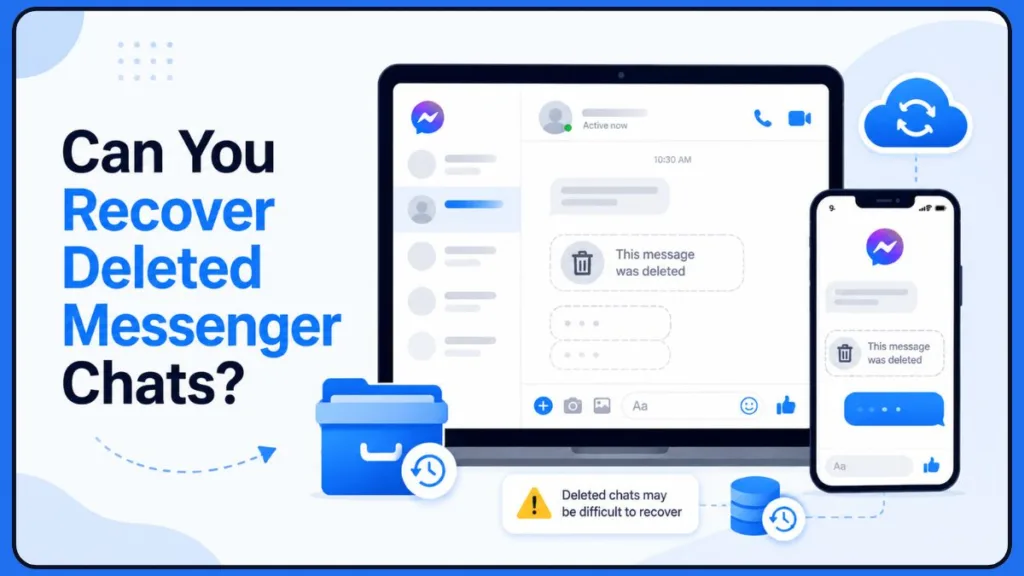
If you tapped “Delete” and confirmed it, that message is generally removed from Meta’s active servers and is no longer accessible through normal user recovery methods.
Is there a deleted messages folder in Messenger?
Unlike your computer or email account, Facebook Messenger does not feature a “Trash” or “Recycle Bin” folder. Once a deletion command is confirmed, the action is absolute.
Are deleted Messenger messages stored on Meta servers?
Once deleted by a user, the data is marked for permanent removal from the live infrastructure. While Meta may retain back-end system logs for compliance purposes, these are entirely inaccessible to individual users and support agents.
Can encrypted Messenger chats be recovered?
By default, Meta now uses end-to-end encryption for Messenger. This secures your messages on your specific device via a Secure Storage PIN, rather than sitting openly on an online server. If you delete them locally, the digital keys are destroyed, meaning they are often truly gone.
Meta Support Limitations
Meta support typically does not assist with individual deleted-message recovery requests. Their customer service systems are fully automated regarding user-deleted files and cannot retrieve data from server archives.
Try These Recovery Methods Before Giving Up
While Meta itself offers almost no recovery assistance, there are still a few technical workarounds worth trying before giving up entirely.
⚠️ Caution Note: Even these methods are not guaranteed, but they represent the few remaining recovery possibilities users have reported successfully.
Recover Messages From Another Device
Can synced Messenger conversations be restored? Yes, because of local device storage, old phones, iPads, or desktop browsers that haven’t connected to the internet recently might still display the chat.
- Act fast: Turn on “Airplane Mode” on that old device before opening Messenger so it doesn’t sync with the server. Screenshot what you need immediately.
Can Messenger PIN restore deleted chats?
If you log into Messenger on a brand-new device, it will ask for your “Secure Storage PIN” to restore your encrypted chat history.
Sometimes, forcing this fresh sync can pull down a cloud backup of messages, depending on when your primary device last backed up its encryption keys. You can verify your sync status in the Messenger app by going to Settings > Privacy and safety > End-to-end encrypted chats.
Recover Messages From Notification History (Android Only)
Can Android cache recover Messenger messages? Yes, if you deleted a message you just received, Android devices keep a hidden log of incoming alerts (available on devices running Android 11 or newer).
- Go to Settings > Notifications > Notification History.
- If enabled, you can read the text of the deleted message directly in the system log.
Method 4: Ask the Other Participant (The Only Guarantee)
Deleting a conversation on your end does not delete it from the other person’s phone.
The most guaranteed way to recover your lost information is to reach out and ask the friend or colleague to send screenshots or copy-paste the chat history.
Method 5: Restore From Phone Backup
If you have full-device cloud backups enabled (like Google Drive or iCloud), a backup taken before you deleted the messages might contain the app data.
Restoring your phone to a previous backup is a drastic step, but remains a viable option if the messages are legally or personally vital.
Why are deleted Messenger chats missing from Facebook downloads?
If you search online for message recovery, most guides will tell you to use Facebook’s “Download Your Information” tool. We need to bust this myth.
Downloading your Facebook data rarely brings back an explicitly deleted chat. Why does Facebook data download show empty messages? The tool exports what currently exists on your account. If it is gone from your inbox, it will not be in the downloaded file.
What this tool CAN recover:
- Existing active chats
- Archived conversations
- Shared media and photos
- Older synced messages that may have glitched out of the interface
The JSON Workaround (For Massive Chat Histories)
There is one brilliant way to use this tool for deleted chats: Ask the other person in the chat to download their data.
If you need years of conversation history, the other person can request a download of their messages.
- Have them go to Settings > Accounts Center > Your information and permissions > Download your information.
- Select Messages and choose the format. They can export the file in HTML (which renders instantly in any web browser) or JSON format.
💡 Pro Tip: This data often exports as raw HTML or a JSON file. How do I read Messenger JSON files? You can easily drag and drop that file into a free online JSON viewer or HTML reader to make the text look like a normal, readable conversation again. HTML format is usually recommended because it requires no extra tools to read.
Common Messenger Recovery Myths & Scams to Avoid
When people are desperate to recover data, scammers take advantage. Protect yourself by avoiding these traps:
Fake Messenger Recovery Apps
Never download sketchy “One-Click Restore” APKs or mobile apps. They are almost always malware or phishing traps designed to steal your personal data or hijack your Facebook account.
Device-Level Recovery Limitations
Can rooted Android phones recover Messenger chats? You might see ads for desktop tools (like Dr. Fone or UltData) that plug into your phone and scan its local cache.
There is only a very slim chance these work for Messenger, even on rooted devices. They typically only succeed if the deletion happened mere moments ago before the phone’s memory overwrote the cache files. Don’t pay expensive software licenses expecting guaranteed results.
Scam Recovery Websites
Never give your login credentials or codes to platforms claiming they have a backdoor into Meta’s systems. No third-party tool can directly recover deleted chats from Meta’s servers.
How to Protect Your Facebook Messages in the Future
Take these preventative steps today so you never have to panic about lost messages again.
- Archive Instead of Delete: Train your muscle memory to swipe and archive. This hides the chat but keeps the data safe forever.
- Protect Your Messenger PIN: Ensure your Secure Storage PIN is memorized so you never lose access to encrypted chat backups.
- Enable Device Backups: Keep daily cloud backups active on your smartphone so you always have a restore point.
- Export Facebook Data Regularly: Use Meta’s Accounts Center to download your information quarterly and save the file securely.
Frequently Asked Questions (People Also Ask)
Does Messenger save deleted chats anywhere?
Once you permanently delete a message, it is completely wiped from Meta’s active servers and your device’s local storage. Messenger does not feature a temporary holding folder or recycle bin.
Are archived Messenger chats the same as deleted chats?
No. Archived messages are simply hidden from your main inbox to keep it tidy, but they remain fully intact on Meta’s servers. You can view or restore them at any time.
Why are my Messenger chats missing after encryption?
Meta’s end-to-end encryption stores message histories securely. On a new device, your past messages might remain hidden until you enter your Secure Storage PIN to unlock them.
Does Messenger store deleted chats on other devices?
Yes, in specific situations. If an old tablet or laptop was logged into Messenger but has remained completely offline since before you deleted the chat, the messages will still reside in that device’s local cache.
Does Facebook keep deleted messages on their servers?
No. Once a message is deleted by a user, it is removed from the active data infrastructure. This is why downloading your Facebook account data will not produce permanently removed chats.
Can Facebook support recover deleted chats?
No. Meta’s customer support team does not handle individual chat recovery requests, nor do they possess a way to bypass server-level automated deletions resulting from routine user actions.
Visit Our Post Page: Blog Page
Discover more from Izoate
Subscribe to get the latest posts sent to your email.