
Getting the ‘Shoot! Well, this is unexpected’ Airbnb 500 error? Discover how to fix Airbnb Error 500 quickly and save your booking right now.
Keep getting error 500 on Airbnb checkout? Are you trying to book a stay but suddenly running into an Airbnb 500 error? Trust us, you’re not alone. We see this frustrating Airbnb glitch show up while you are logging in, during checkout, when sending messages, or even while you are simply browsing listings—and we know it often appears at the worst possible moment for you.
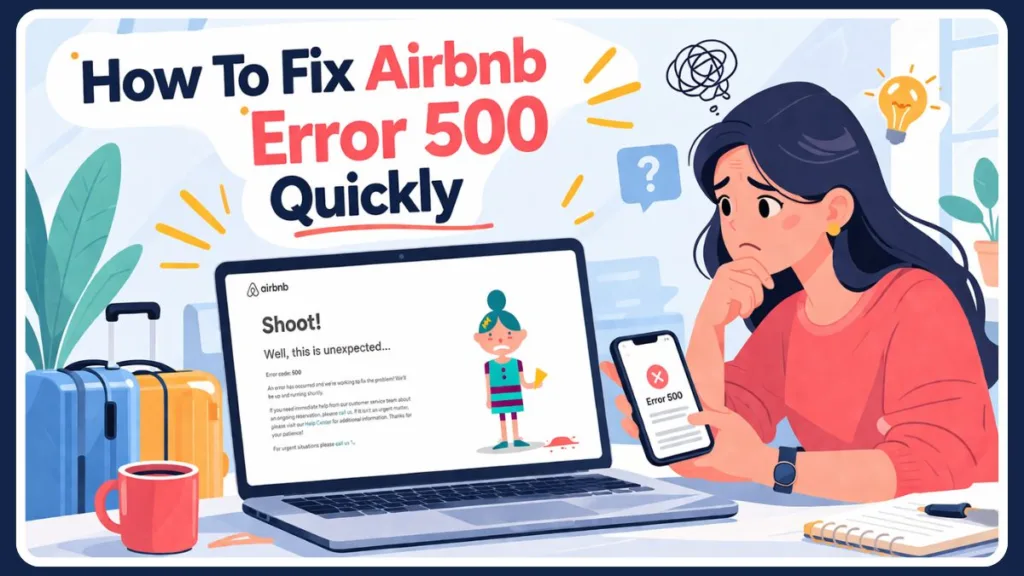
We understand why you might panic when you see this error because it interrupts your bookings or payments. But we’re here to tell you the truth: this Airbnb server error is usually temporary and fixable. In most cases, it’s not your fault, and with the right steps, we can help you resolve it quickly so you can continue your booking without stress.
What Does Error Code 500 Mean on Airbnb?
If you are asking us, “what does error code 500 mean on Airbnb?”, we can tell you it is an Internal server error. This means Airbnb’s system failed to process your request properly.
Let us put it in simple terms for you:
- Airbnb’s server encountered an unexpected issue.
- Your request (booking, login, payment) could not be completed.
- The problem is usually on Airbnb’s side, not yours.
We look at this type of error as part of standard web responses. Unlike a 400 error (which usually means a bad request on your end), we want you to know the difference between error 400 and 500 on Airbnb is that a 500 code specifically indicates a server-side failure.
Why is my Airbnb app showing error 500?
This can occur for your account due to several reasons:
- Temporary server overload when too many users are active
- Backend system glitches or bugs
- Payment processing issues
- Maintenance or recent Airbnb server outages
- Session or login conflicts
Step 1: Check If Airbnb Is Down Right Now (We Suggest You Do This First!)
Because a 500 error is an internal issue, we recommend the very first thing you should do is check the Airbnb current server status. If the site is down globally, we promise no amount of troubleshooting on your phone or computer will fix it.
Here is how we suggest you check instantly:
- Check Downdetector: Search for Downdetector Airbnb status or Downdetector Airbnb outages to see if other users are reporting an outage to us right now.
- Check Social Media: Go to X (formerly Twitter) and search “Airbnb down” or check Airbnb’s official support handle @AirbnbHelp.
- Look for Global Signs: If the website won’t load for you and your app is crashing, it is likely a widespread outage.
If we see that Airbnb is down, the only real solution we can give you is to wait a few minutes to a few hours until their engineering team restores the services.
Common Situations Where Airbnb Error 500 Shows Up
We want to help you understand when this error occurs so you can diagnose your problem faster.
Keep getting error 500 on Airbnb checkout
We find this is the most common scenario for you, usually indicating server overload or a payment gateway crash.
Important Warning from us: If you clicked “Confirm Booking” and immediately got a 500 error, we strongly advise you do not try booking again right away. We suggest you check your email for a confirmation and check your bank app for a pending charge so you can avoid double-bookings.
Airbnb error code 500 when trying to log in
You might ask us, “Why can’t I log into Airbnb today?” We often see you getting this on the Airbnb login page if your session has expired, or if authentication servers are temporarily down.
Airbnb error 500 when messaging host
Sometimes your inbox won’t open, or we see the Airbnb host dashboard down error appear for you. We know this usually happens due to temporary backend API failures when your messaging system connection timed out.
What We Tell You to Do When Airbnb Says Internal Server Error (60-Second Fixes)
If we check and Airbnb’s servers are not down globally, the glitch might be a miscommunication between your device and their system. We suggest you try our rapid checklist first, especially if you need to know how to fix Airbnb error code 500 on mobile:
- Refresh the page: A simple hard refresh or swiping down on your app can reset an Airbnb connection timed out loop for you.
- Switch your network: Disconnect your phone from WiFi and use your mobile data to force a new connection.
- Swap devices: If you are on the mobile app, we suggest you try logging in on a desktop browser.
- Log out and log back in: This forces the system to generate a fresh, uncorrupted session for you.
Our Step-by-Step Advanced Troubleshooting
If our quick fixes didn’t work for you and the servers are online, we want you to follow these advanced steps.
1. Clear browser cache Airbnb
Your browser cache stores temporary files to load your pages faster, but we know corrupted old data can cause server conflicts for you.
- We suggest you go to your browser settings.
- Clear your cache and cookies (specifically for Airbnb).
- Restart your browser and try your booking again.
2. Update or reinstall the Airbnb App
We find outdated apps often contain code that can no longer communicate with servers. We recommend you check the Apple App Store or Google Play Store for an update. As a last resort, we see some Android users try to download older version of Airbnb app (Android) if a recent update is buggy, but doing a clean reinstall of the newest version is usually safer for you.
3. Disable VPNs or browser extensions
We see many users search for the best VPNs to bypass Airbnb connection errors, but ironically, we know VPNs and ad-blockers actually cause issues for you by intercepting server communication. We advise you to turn off your VPN and temporarily disable extensions, then retry.
What We Suggest if You Cannot Complete Your Booking
If you’ve tried everything we suggested and the site is completely broken, you might be looking for the best alternatives to Airbnb when site is down. We watch many users pivot and decide to book Vrbo instead of Airbnb during prolonged outages. We find checking Vrbo vs Airbnb reliability is common for frequent travelers like you who need an immediate backup plan.
How You Can Contact Airbnb Support for Error 500
If the problem persists for you and you need to report Airbnb app glitch, we recommend you reach out to their team.
- Open an Airbnb support ticket online: You can log into the Airbnb help center error 500 portal (if accessible to you) to request help.
- Call Airbnb customer service right now: We suggest you look up the Airbnb support phone number 24/7 for your region for immediate assistance.
- X (Twitter) Support: You can send a direct message to Twitter @AirbnbHelp.
- Community Forums: We recommend you check the Airbnb host community forum or search Reddit Airbnb error 500 to see if hosts and guests have found a localized workaround for you.
If your booking was affected by a payment glitch, support can also assist you if you need to cancel Airbnb reservation during server error or claim compensation for Airbnb outage if you were double-charged.
Frequently Asked Questions We Receive
What does error code 500 mean on Airbnb? We can confirm it is an “Internal Server Error,” meaning Airbnb’s server failed to process your request due to a technical issue on their end.
Why is my Airbnb app showing error 500? We usually see it happen due to temporary server overload, a crashed payment gateway, or session authentication errors on your account.
How do I know if Airbnb is down for everyone? We advise you to check an outage tracking site like Downdetector, or visit social media platforms like X (Twitter) to see if other users are complaining to us about an Airbnb server error.
Who do I contact for an Airbnb 500 error? Most 500 errors fix themselves, but if you are stuck, we recommend you contact @AirbnbHelp on X, or use the Airbnb Help Center to request a call from support.
Final Thoughts
We know an Error 500 Airbnb message can be highly frustrating, especially when it interrupts your travel plans. However, we want you to remember that it is almost always a temporary, server-side issue.
By checking the Airbnb website status first like we advised, trying our quick fixes, and patiently waiting out global outages, you can resolve the issue without much effort. We believe with the right approach, you can get past this error and finalize your booking smoothly.
Visit Our Post Page: Blog Page
Discover more from Izoate
Subscribe to get the latest posts sent to your email.