
Getting an Amazon “Payment Revision Needed” alert in 2026? Learn how to fix Amazon Payment Revision Needed using simple steps. From spotting scam emails to verifying your account and updating your payment method. Stay in control of your Amazon security today.
You’re checking out on Amazon — or maybe just glancing at your order history — and you spot it: “Payment Revision Needed.” Your first thought is probably, “Did something just go wrong with my card?” Your second thought, especially if the message showed up in an email or text instead of your account, might be, “Wait… is this even real?”
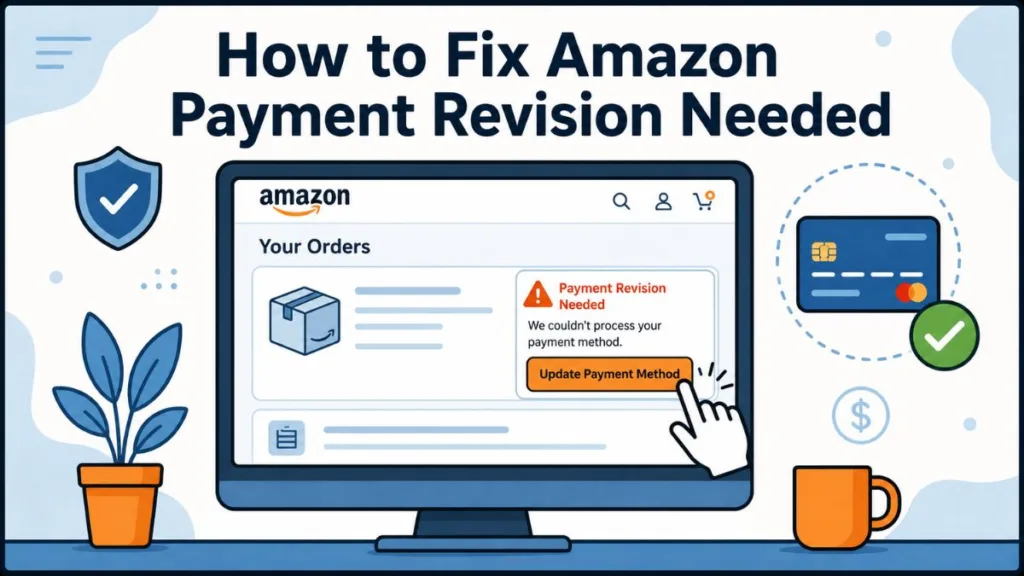
Good news: in most cases, this message is exactly what it sounds like — a routine payment hiccup that takes a few minutes to fix. But because the phrase is so common, it’s also become a favorite disguise for scammers trying to catch you off guard. This guide walks you through what the message actually means, how to tell a genuine Amazon notice from a fake one, and exactly how to fix it either way.
Key Takeaways
- “Payment Revision Needed” simply means Amazon couldn’t successfully charge the payment method on your order.
- It’s not automatically a scam — but the exact wording is also copied by phishing emails and texts because it creates urgency.
- The safest way to check if it’s real is to open your Amazon account directly, not click any link in a message.
- Fixing a genuine payment issue usually just means updating your card or billing details in your account.
What Does “Payment Revision Needed” Mean on Amazon?
In plain terms, this message means Amazon tried to charge your payment method for an order and the charge didn’t go through. It’s a routine part of how Amazon processes payments, not a punishment or an account-security warning by itself.
Common Reasons You’re Seeing This Message
A handful of everyday issues tend to be behind it:
- Your card has expired since you last saved it to your account
- Insufficient funds or available credit to cover the order
- Incorrect card details, like a mistyped number or expiration date
- A billing address mismatch between what’s saved on Amazon and what your bank has on file
- Your bank flagged the charge as potentially fraudulent and blocked it
- Card restrictions, such as a spending limit or international/online transactions being switched off
- Occasionally, a temporary hiccup on Amazon’s end, though this is far less common than the reasons above
Is “Payment Revision Needed” a Scam?
Here’s the honest answer: the phrase itself is a legitimate Amazon payment status. But because it’s so widely recognized, scammers do reuse the exact same wording in fake emails and texts to make you panic and click without thinking. Amazon itself has flagged this kind of urgency-driven impersonation as one of its more common scam patterns.
So the message isn’t automatically dangerous — but where it showed up, and how it’s asking you to respond, matters a lot.
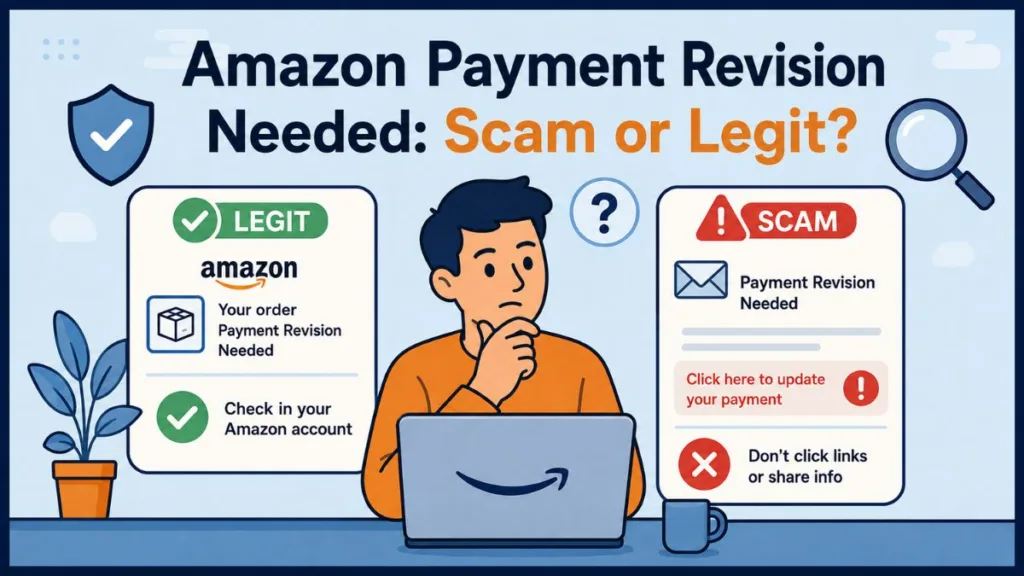
When It’s Likely the Real Amazon Message
- It appears inside your Amazon account, under Your Orders or your notifications
- It’s tied to an order you actually placed
- It doesn’t ask you to enter sensitive details through a link — it just prompts you to review your payment method in your account
When It’s Likely a Scam
- You received an unexpected email or text, and nothing matching it shows up when you check your account directly
- The message uses urgent or threatening language (“your order will be cancelled,” “act within 24 hours”)
- It uses a generic greeting instead of your name
- It pushes you to click a link to “update your payment” rather than simply directing you to sign in normally
How to Tell If an Amazon Payment Revision Message Is Real
Check Your Account Directly — Not the Link
This is the single most reliable step. Open the Amazon app, or type amazon.com into your browser manually (don’t click through from the message). Go to Your Orders or your Message Center, and see if the same payment notice shows up there. If it doesn’t, treat the original message with suspicion.
Inspect the Sender — But Don’t Rely on It Alone
Checking whether an email comes from an @amazon.com address is a reasonable first filter, but it isn’t foolproof — sender addresses can be spoofed to look convincing. Combine it with other checks:
- Look for grammar and spelling errors
- Hover over any links (without clicking) to see if they actually lead to amazon.com
- Watch for a reply-to address that doesn’t match the sender
Check Your Bank or Card Statement
If you’re worried a charge went through that you don’t recognize, look closely at how it’s labeled. Amazon purchases typically show up under descriptors like “AMZN Mktp US” or “Amazon.com,” though the exact wording can vary by bank and purchase type (subscriptions, digital content, and Whole Foods orders each use their own labels). If a charge doesn’t match anything you can trace to an actual order, that’s worth following up on with your bank.
Red Flags of a Fake Amazon Payment Revision Email or Text
Keep an eye out for:
- Urgent or threatening tone, like warnings your order or account will be cancelled
- Links that don’t lead to amazon.com when you hover over them
- Requests for your full card number, CVV, or password directly in the message
- Unexpected texts from unfamiliar numbers claiming to be Amazon
Amazon will never ask you to provide sensitive account or payment information through an email or text link.
How to Fix a Genuine “Payment Revision Needed” Error
If you’ve confirmed the notice is legitimate — it shows up inside your account and matches a real order — here’s how to clear it:
- Go to Account & Lists → Your Account → Your Payments.
- Review your saved card details — number, expiration date, and billing address — and correct anything that’s out of date.
- Add a new card if the saved one has expired or was declined, and remove old or unused cards to avoid confusion.
- Return to your order and confirm the updated payment method, or wait for Amazon to automatically re-attempt the charge.
If It Still Doesn’t Work, Check With Your Bank
If you’ve updated everything on Amazon’s end and the message keeps coming back, the block may be on your bank’s side. Confirm:
- You have enough available funds or credit
- Online or international transactions are enabled on your card
- There’s no fraud hold currently on your account
Why Does Amazon Keep Saying Payment Revision Needed?
If the message keeps reappearing after you’ve made updates, it’s usually because the change hasn’t fully registered, your bank is repeatedly declining the charge, or there’s still a mismatch (like an old billing address) that hasn’t been corrected. If you’ve double-checked everything and it’s still stuck, it’s worth reaching out to Amazon Customer Service directly rather than repeating the same fix.
What to Do If You Already Clicked a Suspicious Link
If you clicked a link from a message you now suspect was fake:
- If you haven’t entered any information yet — close the page and don’t go back to it.
- If you already entered your password or card details — change your Amazon password immediately, update your payment method, and enable two-step verification on your account.
- Report it. You can forward suspicious messages to Amazon at reportascam@amazon.com, or report phishing texts and calls to the FTC at reportfraud.ftc.gov.
FAQs About Amazon Payment Revision Needed
What does “Payment Revision Needed” mean on Amazon?
It means Amazon attempted to charge your payment method for an order and the charge wasn’t successful, for reasons like an expired card, insufficient funds, or a bank block.
Is the Amazon Payment Revision Needed email real?
It can be — but only if it matches a notice you can also find inside your actual Amazon account. If you can’t find a matching order or message there, treat it as suspicious.
Why does Amazon say payment revision needed when I have money?
Available balance isn’t the only factor — an expired card, an outdated billing address, or your bank flagging the transaction for fraud review can all trigger it even when funds are available.
How do I fix Payment Revision Needed on Amazon?
Go to Your Payments in your Amazon account, update or replace the problematic card, and confirm the order again. If it persists, check with your bank for holds or restrictions.
Does Amazon send payment revision texts?
Amazon primarily communicates account and order issues through your account’s Message Center. If you receive a text about a payment problem, verify it by checking your account directly rather than tapping any link in the text.
What should I do if I clicked an Amazon payment revision link?
If you entered any personal or payment information, change your Amazon password right away, update your payment method, and turn on two-step verification. Report the message to Amazon at reportascam@amazon.com.
Final Thoughts
Seeing “Payment Revision Needed” can be unsettling for a second, but in the vast majority of cases, it’s just Amazon letting you know a charge didn’t go through — nothing more dramatic than that. The habit worth building is simple: whenever a payment message shows up in your inbox or texts, skip the link and go straight to your Amazon account to check it for yourself. That one step protects you whether the message turns out to be completely legitimate or someone trying to take advantage of a familiar phrase.
Visit Our Post Page: Blog Page
Discover more from Izoate
Subscribe to get the latest posts sent to your email.