
Struggling with “An error occurred in e4mc” in Minecraft (2026)? Learn how to fix e4mc LAN not working using simple step-by-step solutions. Get your multiplayer world running again fast.
It is incredibly frustrating when you click “Open to LAN” and the game immediately displays the vague e4mc minecraft error: “An error occurred in e4mc.” You will typically encounter this issue instantly upon opening to LAN or when a friend can’t join e4mc and experiences a “Connection timed out” message.
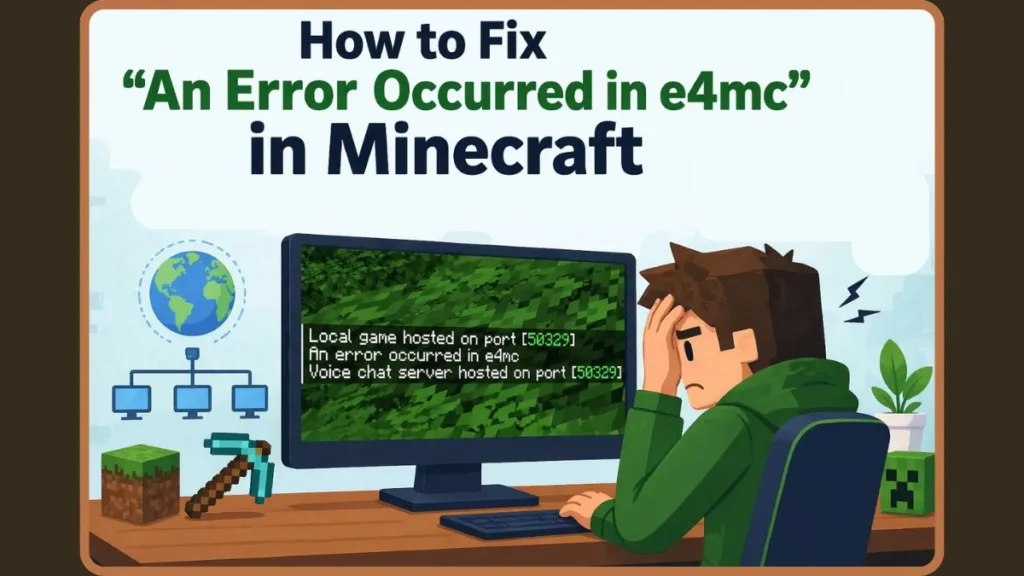
This guide explains why e4mc is not working and provides the precise steps to get your multiplayer world back online.
Quick Fix Summary
If you need a quick fix e4mc error solution, try these immediate troubleshooting steps first:
- Check the e4mc relay server status: The public proxy servers might be offline.
- Disable your VPN: Running a VPN alongside e4mc causes network overlap and instantly breaks the connection.
- Remove conflicting mods: Temporarily disable network optimization mods like Krypton or Sodium.
- Update to Java 17: e4mc relies on modern Java architecture.
- Switch your network: Connect your PC to a mobile hotspot to bypass strict ISP or firewall blocks.
What is e4mc in Minecraft?
e4mc (Easy 4 Minecraft) is a widely used minecraft lan over internet mod for Fabric. It acts as a reverse proxy, securely tunneling your local server to e4mc’s public relay servers. Your friends connect to that public server, and the traffic is routed back to your computer. You only need this mod when you want to play multiplayer without port forwarding and without a dedicated server host.
How to Fix “An Error Occurred in e4mc”
To resolve the e4mc mod error minecraft, you must identify and eliminate the root cause. Follow these step-by-step fixes:
1. Relay Server Outage (Check Server Status)
e4mc relies on regional relay servers. If the servers are overloaded, you will receive an e4mc relay connection failed error.
- The Fix: Visit the official e4mc status page or Discord. If servers are marked as “Degraded,” you simply have to wait for the developers to restart them.
2. The Double-Tunnel Conflict (Disable VPN Software)
Using a VPN (like Hamachi, Radmin VPN, or ZeroTier) alongside e4mc is the most common mistake. e4mc pushes your game to the global internet, while VPNs create a Virtual LAN. This forces the game to tunnel twice, resulting in an immediate e4mc vpn conflict.
- The Fix: If you are searching for e4mc not working with vpn, you must choose one method. To resolve the e4mc hamachi issue, turn off your VPN software completely and ensure background processes are closed in Task Manager.
3. Mod Conflicts (Run a Clean Setup)
Performance mods (Sodium, Lithium, C2ME) or network-altering mods (NoChatReports, Krypton) aggressively rewrite network packets, stripping out the data e4mc needs for its handshake.
- The Fix: Move all mods out of your
.minecraft/modsfolder except e4mc, Fabric Loader, and Fabric API. If the game works perfectly, slowly add your mods back in small batches to identify the culprit.
4. Java Version Mismatch (Update to Java 17)
e4mc is coded for modern environments and will fail silently on Java 8 or Java 11.
- The Fix: Install Java 17. In your launcher settings, update your JVM arguments to ensure the game has enough memory:
-Xmx4G -Xms2G.
5. ISP or Firewall Blocking QUIC (Allow Access / Hotspot Test)
e4mc utilizes the QUIC protocol for low-latency connections. Strict university networks and antivirus firewalls often block QUIC traffic by default.
- The Fix: Open your Windows Firewall settings and allow
javaw.exethrough both Private and Public networks. To verify if your ISP is the problem, connect your PC to a mobile hotspot. If e4mc generates a link on cellular data, your home router is restricting traffic.
Advanced Troubleshooting & Log Reading
If the basic steps fail, open your .minecraft/logs/latest.log file using Notepad and search for the specific error string.
- If You See
RuntimeException: null: This requires an e4mc runtimeexception fix. Occurring inQuiclimeSession.java, this means the relay server timed out. The Fix: Force the mod to use European servers to bypass localized crashes. Open your.minecraft/config/e4mc.tomlfile and change the setting to:relay.region = "eu". - If You See
InvalidCredentialsException(Status 401): This requires an e4mc invalid credentials error fix. e4mc does not support offline mode or cracked clients. The Fix: You must log in using a legitimate, premium Microsoft/Mojang account via the official Minecraft launcher. - If You See
DefaultPromise.setFailure: Your computer is actively blocking the QUIC network protocol. The Fix: Completely disable your antivirus shields temporarily. - Corrupted Configuration: Old configuration data often causes an e4mc tunnel error. The Fix: Perform a clean installation. Delete the e4mc
.jarfile and any e4mc files inside your config folder, then download a fresh copy from Modrinth or CurseForge. Never recycle old config files.
Alternatives & When to Use e4mc
If the relay servers are completely down, you can use these e4mc alternatives minecraft (the best minecraft lan alternative tools):
- Playit.gg: The absolute best drop-in replacement. It creates a reliable public tunnel and requires zero technical setup.
- Ngrok: A powerful, general-purpose command-line tunnel, though the free tier resets your IP address frequently.
- ZeroTier: Creates a Virtual LAN that bypasses strict NAT firewalls entirely, but all players must install the client software.
Decision Matrix: Should you use e4mc?
- Friends are on the same Wi-Fi: No (Just use the vanilla LAN button).
- You are using a VPN: No (Double-tunneling will break it).
- You want a 24/7 Server: No (e4mc only works while the host is playing).
- Friends are remote, no router access: Yes (This is exactly what e4mc is built for).
FAQ & Error Prevention
To prevent errors from returning, keep your mods updated to the latest stable releases, avoid using experimental snapshot versions, and never launch a VPN before booting an e4mc modpack.
Why is e4mc not working in Minecraft?
The vast majority of issues are caused by public relay server outages, VPN interference, strict firewalls blocking QUIC, or heavily modified clients.
Does e4mc work with VPN?
No. Running Hamachi or Radmin VPN alongside e4mc causes a network conflict resulting in an instant error.
How to fix e4mc LAN not showing?
Ensure the host’s firewall is allowing Java through public networks, and verify the connecting players are typing the generated link correctly.
Can friends join without port forwarding?
Yes. e4mc uses a reverse proxy tunnel to bypass router configurations entirely.
Why does e4mc fail randomly?
Random failures during active gameplay are almost always caused by instability on the public proxy servers dropping your tunnel.
Visit Our Post Page: Blog Page
Discover more from Izoate
Subscribe to get the latest posts sent to your email.