
Getting the “You were banned by this experience or its moderators” Error Code 600 in Roblox? Don’t panic. Follow this complete 6-step guide to understand the ban and appeal it.
If you are currently trying to join a Roblox experience and are suddenly blocked by an error screen, you are certainly not alone.
When this issue pops up, you will usually see the specific, frustrating message below:
“You created or used an account to evade an enforcement action taken against another account within this experience.”
Seeing this pop-up can be confusing, especially if you know you haven’t broken any rules or attempted to bypass a restriction.
The good news is that Roblox Error Code 600 indicates an experience-level restriction rather than a Roblox-wide account termination. In fact, many players on Reddit report encountering this exact error even when they believe their accounts were not previously restricted. While these Reddit reports represent community experiences and are not official Roblox confirmation, they show that this is a widespread concern.
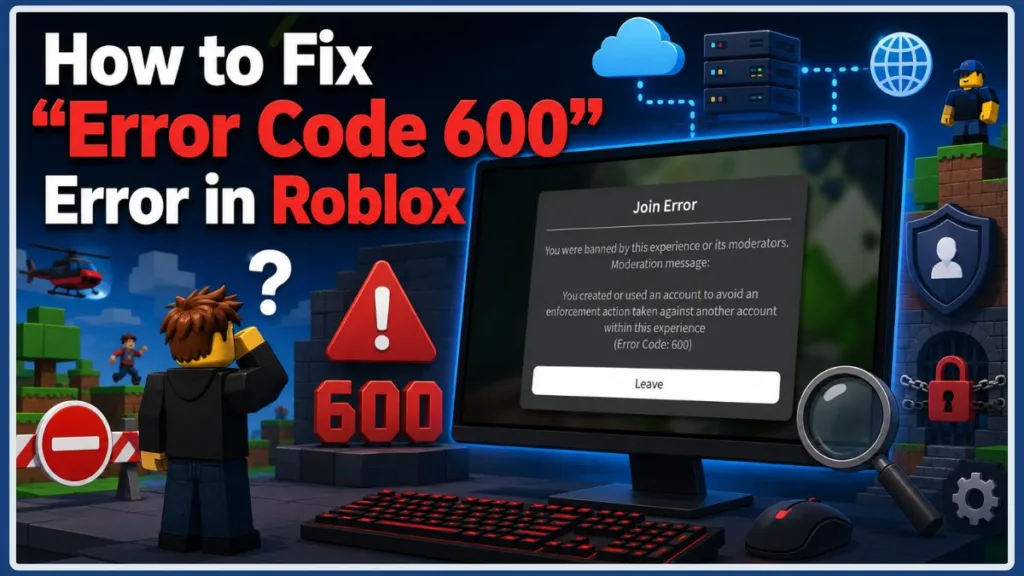
In this comprehensive guide, we will walk you through what Roblox Error Code 600 means, why it happens, how experience-level bans work, what to do if you believe the enforcement was issued incorrectly, and how to fix Roblox Error Code 600.
What Does Roblox Error Code 600 Mean?
To better understand the problem, it helps to break down what this code actually signals.
Roblox officially states that Error Code 600 indicates that an account has been banned by the experience creator for violating Roblox Community Standards within that experience. This is an experience-level restriction, not automatically a Roblox-wide account termination. You can generally continue using other Roblox experiences and platform features unless you have a separate Roblox account moderation action.
It is essential to understand the difference between platform restrictions and experience restrictions:
- Roblox Account Moderation: A platform-level moderation action affecting the Roblox account.
- Experience Ban: A restriction issued by an experience creator that blocks access to that specific experience.
- Suspected Ban Evasion: The Error Code 600 message may indicate that an account was created or used to evade an enforcement action involving another account within the experience.
Important Clarification: Although the Error Code 600 message may mention evading an enforcement action involving another account, Roblox does not publicly document the exact technical methods used to identify suspected ban evasion. Avoid assuming that a specific IP address, device, network, or hardware identifier is responsible.
Why Does Roblox Say “You Created or Used an Account to Evade an Enforcement Action”?
If you are wondering why am I getting Roblox Error Code 600, it helps to examine the exact phrasing of the warning screen:
- The message refers to suspected enforcement evasion within the experience.
- It does not explain exactly how the account was identified.
- Roblox does not publicly document the technical detection method.
- Having multiple accounts is not automatically wrongdoing.
- Creating additional accounts to bypass the restriction is not a reliable solution.
- If the message is incorrect, contact the experience creator and request a review.
Why Does Roblox Error Code 600 Happen?
The exact circumstances behind an Error Code 600 restriction can vary by experience. Roblox’s official documentation identifies the error as an experience-creator ban, while the message shown to some players may specifically mention evading an enforcement action involving another account.
1. You Were Banned From the Experience
The most straightforward reason is that the experience creator has banned your account from that experience. Experience creators can establish and enforce rules for their experiences.
2. Suspected Ban Evasion
The Error Code 600 message can indicate that an account was created or used to evade an enforcement action involving another account within the experience. However, Roblox does not publicly explain exactly how experience creators identify suspected ban evasion.
3. An Incorrect or Mistaken Enforcement
Some players report receiving Error Code 600 even though they believe they did not violate the experience’s rules or attempt to evade a restriction. Reddit discussions include users disputing the reason for their restriction. These reports show why an appeal may be appropriate if you believe the enforcement was issued incorrectly.
4. Multiple Accounts
Having multiple Roblox accounts is not, by itself, proof of wrongdoing. However, if the Error Code 600 message indicates suspected enforcement evasion, creating or switching accounts is not a reliable way to regain access to the experience.
5. Shared or Public Network Reports
Some Roblox players on Reddit report encountering Error Code 600 while using public Wi-Fi or other shared networks. Community members sometimes speculate that shared network connections may contribute to mistaken enforcement. However, Roblox does not publicly confirm that simply sharing an IP address causes Error Code 600.
Quick Checks Before You Try to Fix Roblox Error Code 600
Before jumping into appeals or technical settings, run through this diagnostic checklist to narrow down what is happening:
- Does Error Code 600 appear in only one Roblox experience?
- Can you still play other Roblox experiences normally?
- What exact message appears with Error Code 600?
- Have you previously used another Roblox account in the affected experience?
- Was another account you used previously restricted from that experience?
- Are you using a shared, school, workplace, or public network?
- Does the error appear on the same account across different devices?
If you can play other experiences normally, that strongly suggests the problem is limited to the affected experience rather than your Roblox installation.
How to Fix Roblox Error Code 600: 6-Step Guide
If you need a Roblox Error Code 600 fix, follow this step-by-step process.
Step 1: Confirm That the Problem Is Limited to One Experience
Open Roblox and attempt to join another experience. If other experiences work normally, the problem is probably not a general Roblox installation issue.
Tip: If other experiences work normally, don’t immediately reinstall Roblox. An experience-level enforcement is stored server-side and normally isn’t removed by reinstalling the client.
Step 2: Read the Full Error 600 Message
If the message states, “You created or used an account to evade an enforcement action,” it indicates that the experience’s enforcement is related to suspected ban evasion. However, the message does not reveal the exact technical method used to make that determination.
Step 3: Check Your Other Roblox Accounts
Think about whether you previously used another account in that experience, or if another account was restricted there. This does not automatically mean Roblox has technically linked the accounts through a specific device, IP address, or network. However, relevant account history may be useful when explaining your situation to the experience creator.
Step 4: Stop Trying to Bypass the Experience Ban
Creating new accounts, repeatedly switching accounts, using VPNs, or changing networks are not reliable fixes. Attempting to circumvent a restriction may be interpreted as ban evasion.
Step 5: Contact the Experience’s Developer or Appeal Team
For an Error Code 600 experience ban, Roblox Support cannot remove the ban or contact the experience creator on your behalf. Roblox recommends contacting the experience creator directly. You can look for official contact options through:
- The experience page
- The experience’s Roblox community/group
- The creator’s Roblox profile
- Official social links
- Official support pages
- Official appeal forms
What to Include in Your Roblox Error Code 600 Appeal:
- Your Roblox username
- Your Display name (if relevant)
- The exact Experience name
- Error Code 600 and the exact error message
- The approximate date/time of the restriction
- A clear, polite explanation of why you believe the enforcement is incorrect
- Relevant screenshots
- Any relevant evidence supporting your case
Step 6: Wait for the Appeal to Be Reviewed
An appeal may not be immediate. Don’t spam appeals. Don’t create more accounts to bypass the restriction. Don’t attempt to circumvent the restriction. Wait for the experience moderation team to review your case.
Can You Fix Roblox Error Code 600 by Reinstalling Roblox?
Usually, no. Reinstalling Roblox may help resolve ordinary application problems, but it normally will not remove an experience-level ban.
Steps like clearing your cache, restarting your device, restarting your router, changing your DNS, or updating Roblox may fix technical problems, but they are not expected to remove an experience-level enforcement.
If you’re wondering can reinstalling Roblox fix Error Code 600, the answer is almost always no.
Can Public or Shared Wi-Fi Cause Roblox Error Code 600?
Some players on Reddit report encountering Error Code 600 while using shared, public, school, or workplace networks, but Roblox does not officially say that shared Wi-Fi causes Error 600.
Switching to a trusted network can be useful as a diagnostic test, but it does not prove what caused the restriction.
Why Am I Getting Roblox Error Code 600 on a New Account?
If you are wondering why you are getting Error 600 on a new Roblox account, creating a new account does not necessarily resolve an experience-level restriction.
New accounts are not a guaranteed workaround. The Error 600 message may indicate suspected enforcement evasion, and creating more accounts to bypass a restriction is not reliable.
While having multiple accounts is not automatically wrongdoing, community reports show that restrictions can carry over to new accounts.
Is Roblox Error Code 600 a Permanent Ban?
There is no universal duration for Error Code 600. Some experience bans may be temporary, and some may be permanent. The duration depends on the experience’s enforcement policy and the experience creator’s action. An appeal may result in the restriction being removed.
Can You Appeal Roblox Error Code 600?
Yes. If the affected experience provides an appeal or moderation process, you can request a review.
If you’re looking for how to appeal Roblox Error Code 600, Roblox recommends contacting the experience creator directly. Roblox Support cannot remove an experience creator’s ban or contact the creator on your behalf.
- Find the creator’s official support or appeal channel.
- Explain the situation calmly.
- Provide evidence.
- Avoid duplicate appeals.
- Wait for the review.
Is Roblox Error Code 600 a Roblox-Wide Ban?
To help clarify how this restriction works, here is a simple comparison:
| Type of Restriction | What It Affects |
| Experience Ban (Error 600) | Access to a specific Roblox experience |
| Roblox Account Moderation | Your Roblox account and access to Roblox platform features |
| Suspected Ban Evasion | An experience may restrict an account if it believes an existing experience restriction is being circumvented |
Error Code 600 generally points to an experience-level restriction rather than a Roblox-wide account termination.
How Long Does Roblox Error Code 600 Last?
There is no universal expiration period for Roblox Error Code 600. Temporary bans exist, and permanent bans can exist. The experience creator’s rules determine the duration.
If you’re wondering how long Roblox Error Code 600 lasts, check the affected experience’s rules or appeal information rather than relying on claims about a universal 60-day expiration.
Common Roblox Error Code 600 Fixes That Don’t Actually Remove the Ban
If the error represents an experience-level enforcement action, these technical troubleshooting steps are not reliable ways to remove the restriction:
- Reinstalling Roblox
- Clearing Roblox cache
- Restarting device
- Restarting router
- Changing DNS settings
- Using a VPN
- Creating a new account
- Switching devices
Using a VPN to bypass an experience restriction is not a reliable solution and may be interpreted as an attempt to circumvent the restriction.
What If You Were Banned by Mistake?
If you are dealing with a Roblox Error Code 600 false ban or believe you received the error for no reason, follow this recovery path:
- Don’t panic.
- Capture a screenshot of Error 600.
- Identify the affected experience.
- Check its official appeal process.
- Explain your situation clearly and concisely.
- Mention relevant account history if necessary.
- Provide evidence.
- Wait for the moderation team to respond.
- Avoid ban-evasion attempts while waiting.
What If Nothing Works?
If other Roblox experiences work normally and Error Code 600 appears only in one experience, the problem is likely related to that specific experience rather than your Roblox installation.
At this point, avoid repeatedly reinstalling Roblox, creating new accounts, or trying to bypass the restriction. Instead, contact the experience creator through an official support or appeal channel and ask for the restriction to be reviewed.
If the creator does not provide an appeal process or declines your appeal, there may not be a technical workaround available to restore access.
Frequently Asked Questions (FAQs)
What does Roblox Error Code 600 mean?
Roblox Error Code 600 generally indicates that your account has been banned from a specific experience by the experience creator.
Why am I getting Error Code 600 when I didn’t do anything?
Some players report receiving the error even when they believe they did not violate the experience’s rules or attempt to evade a restriction. Because the exact circumstances can vary, contacting the experience creator and requesting a review is the appropriate next step.
Can I fix Roblox Error Code 600 by reinstalling Roblox?
Reinstalling Roblox may help with ordinary technical problems, but it normally will not remove an experience-level restriction.
Why am I getting Error 600 on a new Roblox account?
Creating a new account does not guarantee that you will regain access to an experience where you are restricted. If the Error 600 message specifically refers to evading an enforcement action involving another account, repeatedly creating accounts is not a reliable solution.
Can I appeal Roblox Error Code 600?
Yes. If the affected experience provides an appeal or moderation channel, you can request a review directly from the experience creator.
Is Roblox Error Code 600 permanent?
Not necessarily. The duration depends on the experience’s enforcement policy and the outcome of any appeal.
Can public Wi-Fi cause Roblox Error Code 600?
Some players on Reddit report encountering Error 600 while using shared networks. However, Roblox does not publicly confirm that simply sharing an IP address causes Error Code 600.
Can a VPN fix Roblox Error Code 600?
No. A VPN is not a reliable way to remove an experience restriction, and attempting to use one to bypass the restriction may be interpreted as circumvention.
Can I still play other Roblox games after Error Code 600?
Yes. An experience-level restriction does not automatically mean your Roblox account has been banned from every experience.
Does Roblox Support remove Error Code 600?
For an Error Code 600 ban issued by an experience creator, Roblox Support cannot remove the experience ban or contact the creator for you. Roblox recommends contacting the experience creator directly.
Is Roblox Error Code 600 the same as Error Code 267?
No. While both can relate to being kicked or restricted, they are different error messages and should not be treated as the exact same issue. Error Code 600 specifically refers to an experience-level ban issued by the experience creator for violating community standards within that experience.
Final Conclusion
Error Code 600 is generally an experience-level ban or restriction, meaning it is not automatically a Roblox-wide account termination. If you receive a Roblox Error Code 600 banned from an experience message, technical workarounds such as reinstalling Roblox, changing DNS settings, or using a VPN are not reliable ways to remove an experience enforcement.
If you believe the restriction is incorrect, gather your evidence and contact the affected experience’s creator through its official support or appeal channel. Reddit reports show that some users experience confusing or disputed Error Code 600 enforcements, but those reports do not establish exactly how Roblox’s internal detection methods work. By going directly to the creator, you have the best chance of resolving your Roblox Error Code 600 ban evasion issue.
Visit Our Post Page: Blog Page
Discover more from Izoate
Subscribe to get the latest posts sent to your email.