
Is ChatGPT not responding and showing an “Error in Message Stream” message on your iPhone? Let’s understand what this error means, why it happens, and how to fix it with simple troubleshooting methods.
For professionals, developers, and researchers who rely heavily on ChatGPT for complex workflows, encountering an error in message stream chatgpt iphone notification mid-generation is a critical disruption. This error halts data output, breaking the prompt execution and bringing productivity to a standstill.
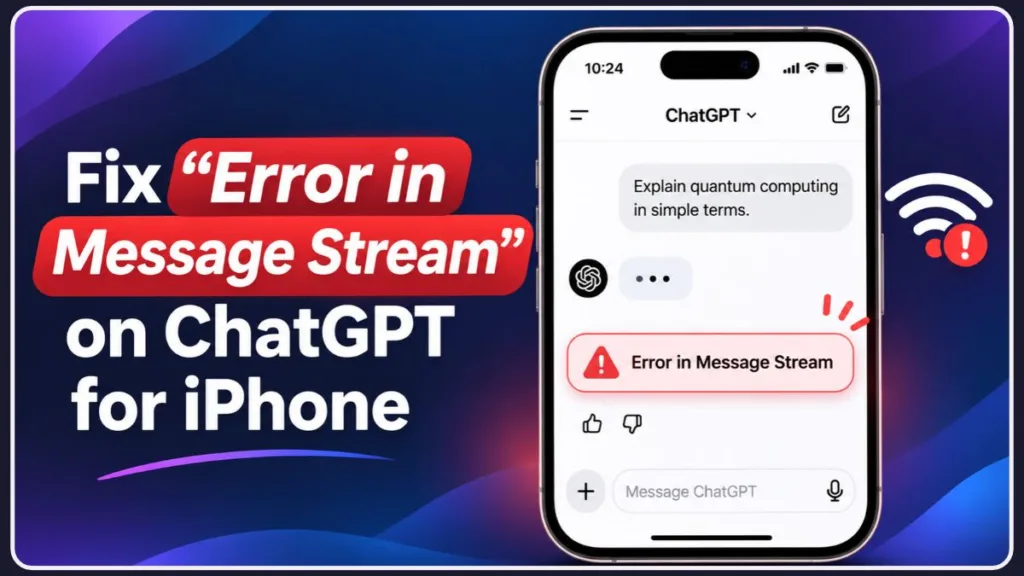
Extensive technical testing and expert analysis confirm that this chatgpt app error iphone issue is rarely a hardware fault on your local device. In the vast majority of cases, the root cause is isolated to OpenAI network instability, backend deployments, network handoff failures, or API session timeouts.
Why Does the ChatGPT App Say “Error in Message Stream”?
To troubleshoot effectively, we must first understand the point of failure. The ChatGPT iOS app relies on a continuous TCP connection to stream text tokens in real-time. The chatgpt message stream error in ios triggers when this connection is unexpectedly severed. Here are the primary backend and network triggers:
- Platform Overloads and UI Deployments: When OpenAI executes a new interface update or sustains massive traffic spikes, backend load balancers can temporarily drop active connections. The infrastructure drops your stream, resulting in the immediate error.
- The “Long Chat” Timeout: Power users frequently push the API to its limits. If you request deep research, massive code generation, or heavy calculations, the computational time can span 20-30 minutes. The system backend enforces a hard time out before the final payload can be delivered to your device.
- The “Web Browsing” Trigger: Engaging the built-in web browsing feature to scrape heavy, JavaScript-dense websites often causes the parsing engine to fail. ChatGPT struggles to render these complex DOM structures, causing the stream to crash abruptly.
- Network Handoffs: If your iPhone transitions from Wi-Fi to cellular data, or if a VPN momentarily drops packets, the IP address changes. This creates a chatgpt network connection issue ios that severs the active token stream.
6 Ways to Fix the ChatGPT Message Stream Error on iOS
If your execution is halted, follow these diagnostic steps to restore ChatGPT functionality on iOS. We have sequenced these step-by-step tutorials from the least invasive check to a full local cache reset.
1. The “Wait it Out” Approach (Verify System Health)
Before altering any local iOS settings, wait 3 to 5 minutes. Server-side load balancing often completely resolves itself once traffic normalizes. During this window, verify the official OpenAI operational dashboard to determine if you are caught in a widespread openai error in message stream outage.
Diagnostic steps:
- Open Safari and navigate to status.openai.com.
- Review the top banner. If it displays “All Systems Operational,” the fault is likely localized to your session or device.
- If you observe yellow or red bars under the chatgpt.com segment, the platform is experiencing an active incident. No local troubleshooting will bypass this; wait for engineers to deploy a fix. Check OpenAI’s Help Center for incident updates.
2. Force a “Fresh Session” Token
If the backend is operational, your local session token may be corrupted. The most efficient resolution is to force the API to authenticate a new session token. Simply log out of the application, force close the process from iOS memory, and log back in to establish a clean state.
Step-by-step tutorial:
- Within the ChatGPT app, tap the sidebar menu icon (top left).
- Tap your Name/Profile at the bottom of the interface.
- Scroll down and tap Sign Out.
- Access the iOS App Switcher by swiping up from the bottom of your screen.
- Locate the ChatGPT app card and swipe it upward to terminate the process.
- Relaunch the ChatGPT app and log back in using your credentials.
3. The “Context Migration” Workaround for Stuck Chats
If a specific, resource-heavy thread is permanently stuck looping the stream error, continuous retries will only exhaust your usage limits. Deploy the context migration trick: initiate a brand new chat and input a brief summary of the previous thread’s parameters. This effectively bypasses the glitch associated with that specific corrupted chat ID.
Step-by-step tutorial:
- Open the “broken” chat generating the persistent error.
- Long-press the last successful output or critical code snippet and select Copy.
- Tap the New Chat icon (top right) to initialize a fresh thread.
- Paste the copied data using this prompt structure: “Here is the context of our active task: [Paste Text]. Acknowledge this data and wait for my next instruction,” or “Resume generating the script precisely from this endpoint.”
4. Break Down Long Prompts and Disable Web Browsing
Avoid executing massive, multi-part outputs in a single API call. For extensive coding or writing tasks, instruct the model to generate responses in smaller chunks. Furthermore, if the application repeatedly crashes on a specific query, try disabling the Web Browsing feature, as anti-bot protocols on external sites frequently block OpenAI’s crawlers, breaking the stream.
Step-by-step tutorial:
- To optimize prompt payloads: Instead of commanding, “Write a complete 2,000-word Python application with the database schema and API routes,” utilize smaller, sequential prompts. Begin with: “Write ONLY the database schema for this application. Await my confirmation before proceeding.”
- To disable web browsing: Do not explicitly instruct the AI to “search the web.” If utilizing a custom GPT programmed to search, manually revert to the base ChatGPT-4o model via the top toggle. This forces the AI to rely exclusively on its internal training data rather than executing external HTTP requests.
5. Disable VPNs and Reset iOS Network Routing
A fluctuating connection will terminate a token stream instantly. Disable any active VPNs on your iPhone, as they frequently introduce routing delays and packet loss to OpenAI’s endpoints. Next, toggle Airplane Mode to flush the DNS and force your iPhone to negotiate a fresh, clean connection with your router or cellular tower.
Step-by-step tutorial:
- Disable VPN: Open the iOS Settings app. Locate the VPN toggle and switch it to Off/Not Connected. (For third-party clients like NordVPN, open the respective app and execute a disconnect).
- Reset Network State: Swipe down from the top right of your screen to access the Control Center.
- Tap the Airplane icon (it will turn orange).
- Hold this state for 10 seconds.
- Tap the Airplane icon again to turn it off. Verify that your Wi-Fi or Cellular icons have fully stabilized before submitting a new prompt.
6. Offload the ChatGPT App to Clear Corrupted Cache
If the application UI remains unresponsive, the local cache must be purged. Navigate to Settings > General > iPhone Storage > ChatGPT > Offload App. This action deletes temporary corrupted files and application binaries without wiping your user data or local chat histories. Afterward, simply tap the icon to reinstall it (or fetch it from the Apple App Store).
Step-by-step tutorial:
- Open the iOS Settings app.
- Navigate to General > iPhone Storage (allow the list to populate).
- Select ChatGPT from the application list.
- Tap the Offload App button and confirm the action when prompted.
- Once the process completes, the button will switch to Reinstall App. Tap it. The system will reinstall fresh binaries while retaining your chat data intact.
What to Do If the ChatGPT App Still Isn’t Working?
If you have executed all network and cache resets and the iOS app remains completely broken, the immediate workaround is to temporarily use the Safari web browser. Navigating to chatgpt.com via a mobile browser effectively bypasses app-specific API glitches and iOS rendering bugs.
Escalate to OpenAI Engineering Support
If the web browser fallback also fails and the error persists persistently across multiple sessions, you must escalate the anomaly directly to the developers.
Step-by-step tutorial for submitting a support ticket:
- Navigate to the OpenAI Help Center using your mobile or desktop browser.
- Tap the chat bubble icon located in the bottom right corner of the screen to open the support assistant.
- Select Messages, then tap Send us a message.
- Navigate through the automated routing by selecting ChatGPT, followed by Bug Report or Technical Issue.
- Submit your diagnostic payload: clearly state your iPhone model, exact iOS version, ChatGPT app version, and list the exact local troubleshooting steps you have already executed. This ensures you bypass baseline automated replies and reach human support faster.
A note on severe backend desyncs: During catastrophic network desyncs, the application behavior can degrade significantly. Technical testing has recorded instances where the Voice Mode begins outputting in different languages (such as Hindi) or utilizes strange accents simultaneously with stream errors. This erratic behavior is a definitive indicator of major infrastructure issues—suspend usage for at least an hour.
What Are the Best Free ChatGPT Alternatives for Workflow Continuity?
If ChatGPT is undergoing a prolonged downtime incident and you are operating under strict deadlines, the required protocol is to pivot to another AI tool to maintain workflow continuity. The ecosystem of AI chatbots has matured, offering enterprise-grade platforms with unique features, flexible pricing plans, and specialized benefits.
To deploy an effective backup strategy, review our comprehensive analysis here: Top 14 Free ChatGPT Alternatives to Boost Your Productivity
In this technical breakdown, we benchmarked 14 of the best free ChatGPT alternatives designed to sustain your operations, including:
- Surfer AI: Engineered for digital marketers requiring strict SEO-optimized content generation.
- Google Gemini: Optimized for advanced deep learning tasks and native Google ecosystem integration.
- Claude 3: Built for safe, ethical AI conversations featuring a highly intuitive user interface and massive context windows.
- Perplexity AI: The standard for students and researchers requiring immediate, cited summarizations of dense academic papers.
- Microsoft Copilot: The premier choice for business productivity and secure team collaboration directly integrated within Microsoft Office.
Integrating a reliable backup AI assistant into your tech stack guarantees that a single ChatGPT stream error will never compromise your productivity.
Frequently Asked Questions (FAQs)
What do you mean by error in message stream in ChatGPT? A “stream error” signifies that the continuous, real-time TCP connection between OpenAI’s infrastructure and your device has been unexpectedly severed. Because the model outputs responses token-by-token (streaming), any drop in the network routing or data transfer hiccup will forcefully terminate the generation before the payload is complete.
What is this error in ChatGPT: “streaming interrupted waiting for the complete message”? This is a specific variation of the standard stream error protocol. It indicates that ChatGPT’s backend is attempting to transmit the remaining text tokens, but the data packet was dropped in transit. This is highly prevalent when compiling long blocks of code or when the system fails to parse scraped data from the Web Browsing tool.
Why is streaming interrupted on my ChatGPT app? Streaming interruptions are generally traced to three vectors: compute bottlenecks from high traffic, your iOS device transitioning between Wi-Fi and Cellular data (IP reassignment), or the submitted prompt demanding a generation time that exceeded the API’s hard timeout limit (typically 2-3 minutes).
What happens if a ChatGPT message stream breaks? Upon a stream break, generation stops immediately. The UI will display an incomplete response, and the architecture does not support a command to simply “resume” that exact active output state. You must explicitly prompt the model to “continue from where you left off” or initiate a request to regenerate the response entirely.
How do I fix a ChatGPT error? Standard diagnostic procedure dictates checking status.openai.com for widespread outages, forcing the app to close to clear state memory, toggling your network connection to reset routing, or breaking your long prompts down into smaller, modular instructions.
Why does my ChatGPT keep saying error in message stream? Persistent stream errors indicate that your active chat thread’s context might be corrupted, or your local network configuration (particularly if running a VPN) is generating micro-disconnects. Isolate the variable by initializing a brand-new chat thread and temporarily disabling your VPN.
What does stream error mean? In networking terms, it means the two-way flow of data (the stream) between your local client and the host server was cut off prematurely, halting the data transfer.
Is ChatGPT down right now? It says error in message stream. Not necessarily. While a message stream failure can serve as an indicator that the platform is down or under high load, it is equally likely to be a temporary glitch localized to your session state or your iPhone’s local internet connection. Always verify overall health via status.openai.com before proceeding with local troubleshooting.
Final Diagnostics
The error in message stream on your iPhone is almost exclusively an architecture timeout or the direct result of a prompt that is too complex for a single HTTP continuous stream. By strictly managing your prompt lengths and monitoring OpenAI’s backend stability, you can preemptively mitigate the vast majority of these disruptions.
Visit Our Post Page: Blog Page
Discover more from Izoate
Subscribe to get the latest posts sent to your email.