
Getting MW4 Dev Error 6068 and unable to play? Find out how to fix the crash and get Modern Warfare 4 running smoothly again on your PC.
Crashed out of Call of Duty: Modern Warfare 4, received a “Dev Error 6068” prompt, and cannot work out what caused it? Launch-window PC gaming discussions show the same hardware-configuration confusion: players initially blame the game servers before being directed to their local graphics settings. Those individual threads are anecdotal, not proof of universally broken code. The important distinction is that Dev Error 6068 is a client-side DirectX communication failure, not a server-side disconnect or account ban.
To fix Dev Error 6068 in MW4, you must stabilize your GPU and OS environment by disabling overlays, expanding virtual memory, running system file repairs, removing factory overclocks, performing a clean driver installation, and lowering in-game Video Memory (VRAM) targets. This error occurs when the game engine loses communication with your graphics hardware or Windows core files. Lowering your settings does not guarantee a fix if the underlying driver or OS is corrupted, which is why a methodical hardware and software diagnostic is required.
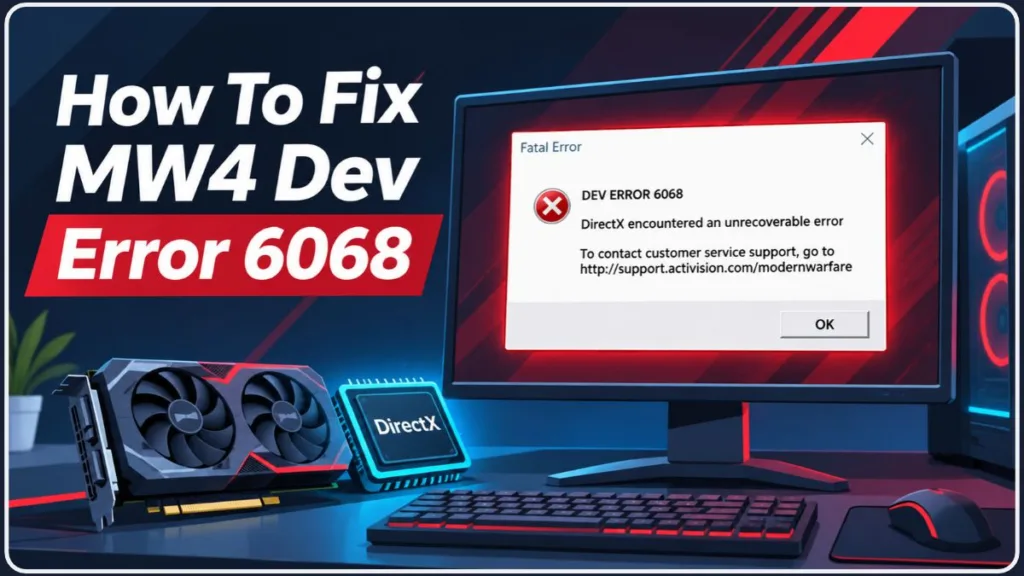
This guide explains what Dev Error 6068 means, how to isolate the cause on your PC, which settings to change, and what to check if the crash persists.
Research note (checked November 9, 2026): The troubleshooting paths, DirectX requirements, and error classifications are checked against Activision’s PC Troubleshooting Guide and official MW4 System Requirements. The latest launch patch notes available for this review are dated November 6, 2026. Community posts are treated as individual reports—not as evidence that a specific hardware configuration affects most players. Recheck official support channels after patches, because game-engine stability and driver compatibility can change.
Key takeaway: Dev Error 6068 is a localized DirectX/GPU crash. If maintaining a heavy overclock or using third-party recording overlays is important to you, review the stability trade-off before launching MW4.
Quick Answer: How to Fix Dev Error 6068 in MW4
Follow these steps to isolate and resolve Dev Error 6068 in MW4:
- Launch Steam or Battle.net as an Administrator to prevent basic read/write permission errors.
- Close all background applications, specifically GPU tuning software (MSI Afterburner) and overlays (Discord, GeForce Experience).
- Expand your Windows Virtual Memory (Pagefile) to prevent memory-exhaustion crashes.
- Repair core Windows OS files using SFC and DISM command-line scans.
- Remove any GPU or RAM overclocks, including factory XMP/EXPO profiles, to test baseline hardware stability.
- Perform a clean installation of your graphics drivers using Display Driver Uninstaller (DDU).
- Open the MW4 Graphics menu and lower the Video Memory Scale to 70% or below.
- Verify the integrity of your game files through Steam or Battle.net.
Quick tip: You fix this error by addressing your local PC environment, not by restarting your router. If the game continues to crash, start again by completely removing all third-party overlays and ensuring Windows has adequate pagefile allocation.
Activision explains DirectX failures and PC crashes in its official MW4 PC Troubleshooting guide.
How to Fix MW4 Dev Error 6068: Step-by-Step Instructions
The key distinction is between a hardware failure, which requires replacing parts, and a software instability, which is what Dev Error 6068 represents. Both sit within PC troubleshooting, but they serve different purposes.
Step 1: Run as Administrator and Disable Overlays
Start at your Windows desktop. Right-click your game launcher (Battle.net or Steam) and select Run as Administrator. Missing read/write permissions can interrupt DirectX processes and trigger immediate crashes.
Next, close any software that injects an overlay into MW4. The Call of Duty engine is highly sensitive to third-party hooks. If you are using Discord, NVIDIA GeForce Experience, AMD Adrenalin overlays, or capturing software like OBS, disable their in-game overlay features before launching the game.
Background applications that monitor or tune hardware, such as MSI Afterburner, RivaTuner Statistics Server (RTSS), or NZXT CAM, frequently conflict with DirectX 12. Activision identifies background applications as a primary cause of client-side crashes.
Step 2: Increase Windows Virtual Memory (Pagefile)
DirectX crashes in Call of Duty often occur when the system runs out of virtual memory during heavy asset streaming.
Expand your Windows Pagefile size to ensure the engine has enough overhead:
- Press the Windows key, type Advanced System Settings, and press Enter.
- Under the Performance section, click Settings.
- Navigate to the Advanced tab and click Change under Virtual memory.
- Uncheck “Automatically manage paging file size for all drives.”
- Select the drive where Windows is installed (usually C:), click Custom size, and set both the Initial and Maximum sizes to 1.5x to 3x your physical RAM (e.g., for 16GB RAM, enter 24576 to 49152 MB).
- Click Set, then OK, and restart your PC.
Step 3: Repair Windows Core Files (SFC and DISM Scans)
Because DirectX relies heavily on core Windows files, corrupted OS architecture can trigger Error 6068. Repair the OS without reinstalling drivers by running native Windows scans.
- Press the Windows key, type cmd, right-click Command Prompt, and select Run as Administrator.
- Type
sfc /scannowand press Enter. Allow the scan to reach 100%. - Once complete, type
DISM /Online /Cleanup-Image /RestoreHealthand press Enter. - Restart your computer after the operations finish.
Step 4: Revert Overclocks to Baseline
If your GPU or RAM is overclocked, revert to factory default speeds.
Modern Warfare 4 pushes hardware to its thermal and voltage limits. An overclock that appears stable in benchmarking software or other games may still trigger a Dev Error 6068 DirectX timeout in MW4.
Do not confuse factory settings with out-of-the-box motherboard configurations. Some motherboards automatically apply aggressive memory overclocks (XMP or EXPO). If you experience repeated 6068 crashes, disable XMP/EXPO in your BIOS to test your system at true baseline speeds.
Warning: Navigate your BIOS menus carefully. Altering incorrect CPU voltage or boot configurations can prevent your PC from starting. Only modify the XMP/EXPO memory profile settings when testing baseline stability.
Step 5: Clean Install Graphics Drivers
Corrupted shader caches or overlapping driver files cause systemic DirectX failures. Do not simply click “Update” in your GPU software.
- Download the latest WHQL-certified driver for your NVIDIA, AMD, or Intel GPU.
- Download Display Driver Uninstaller (DDU).
- Boot Windows into Safe Mode.
- Run DDU to completely strip existing graphics drivers and registry keys.
- Restart Windows and install the fresh driver.
Expert recommendation: Look for the best overlap between a “Studio” or “WHQL” driver and MW4 compatibility. A stable, slightly older driver is a stronger candidate than a beta driver chosen only because it is brand new.
How to Compare Dev Error 6068 Crash Triggers
Use this simple editorial score to compare crash triggers before changing random settings. It is a diagnostic aid created for this guide, not an official MW4 analytic tool. First rule out server disconnects (which generate different error codes). Then score your crash symptoms from 0 to 2 in these categories:
| Factor | 0 points | 1 point | 2 points |
| Crash Timing | Randomly in menus | Mid-match during explosions | Instantly upon launching the game |
| Hardware State | Stock speeds, cool temps | Factory overclocked (XMP) | Manually overclocked / Undervolted |
| VRAM Usage | Low (Under 60%) | Pushing VRAM limit (80%+) | Exceeding VRAM limit (Red bar) |
Add the three scores for a total out of 6. A 5–6 indicates severe hardware instability (prioritize Step 4 and lowering VRAM). A 3–4 points to a driver or OS issue (prioritize Step 3 and Step 5). A 0–2 is usually a software conflict (prioritize Step 1: disabling overlays). This score does not override basic troubleshooting—it makes your reasons for applying a specific fix explicit.
Step 6: Lower Video Memory Scale in MW4
After launching the game safely, navigate to the Graphics settings. Look for the Video Memory Scale target.
By default, MW4 may attempt to allocate 90% of your GPU’s VRAM. If your system runs out of memory during a match, DirectX drops the connection and generates Dev Error 6068.
Lower this slider to 70% or 60%. This forces the game engine to leave a buffer for Windows background tasks, preventing memory-exhaustion crashes.
Before confirming: Read the VRAM usage bar at the bottom of the Graphics menu. Do not rely on your GPU’s total advertised memory; rely on the in-game estimation.
Step 7: Verify Game Files
Corrupted installation files will fail to load assets, triggering a DirectX crash.
- Battle.net: Click the gear icon next to MW4 -> Scan and Repair.
- Steam: Right-click MW4 -> Properties -> Installed Files -> Verify integrity of game files.
Always verify the result instead of assuming a reinstall is necessary.
What Activision Confirms—and What Remains Unverified
Before treating a persistent Dev Error 6068 as a broken patch, verify the current documented issues.
| Evidence status | What can responsibly be said |
| Officially documented | Activision’s November PC support documentation states that third-party overlays, outdated Windows builds, and unstable overclocks cause DirectX timeouts. |
| Community-reported | A player in a November Reddit discussion claimed rolling back to a specific August NVIDIA driver stopped all 6068 errors. |
| Not established by these sources | That the game engine is fundamentally broken for all PC players, or that downgrading drivers is a guaranteed fix for all hardware configurations. |
This distinction matters: one community report can suggest a troubleshooting step, but it cannot establish the cause or prevalence of a bug. If the game continues to crash after the basic checks, record your hardware specs, the driver version, and the exact menu where the crash occurs before contacting Activision Support.
Troubleshooting caution: Under-volting your GPU is a community-reported workaround for Dev Error 6068, not a confirmed fix officially endorsed by Activision. If it does not help, revert to stock settings.
MW4 Dev Error 6068 FAQs: Causes, Fixes, and Troubleshooting
1. What is Dev Error 6068 in MW4? It is a DirectX crash indicating that the Call of Duty engine has lost communication with your graphics card or encountered OS-level file corruption.
2. Does Dev Error 6068 mean my GPU is dying? No. While it is a hardware-related communication error, it is almost always caused by software conflicts, unstable overclocks, memory limits, or corrupted drivers, not physical hardware death.
3. Will reinstalling MW4 fix Dev Error 6068? Not necessarily. Verifying your game files is faster and equally effective for corrupted assets. If the issue is your GPU driver or Windows Virtual Memory, reinstalling the game will not fix the crash.
4. Why did I get Dev Error 6068 after the latest patch? Game updates can change how the engine utilizes VRAM or shader caches. A previously stable system may become unstable, requiring you to clear your shader cache, repair OS files, or lower settings.
5. Does XMP or EXPO cause Dev Error 6068? It can. XMP and EXPO are factory memory overclocks. If your RAM is slightly unstable at these speeds, the MW4 engine will aggressively expose that instability via a DirectX crash.
6. Can Discord cause MW4 to crash? Yes. The Discord in-game overlay hooks into the game’s rendering pipeline. Disabling the overlay in Discord settings is a primary troubleshooting step.
7. What VRAM setting prevents Dev Error 6068? Lowering the Video Memory Scale in the MW4 Graphics menu to 70% or below leaves enough overhead for Windows, reducing VRAM-exhaustion crashes.
8. Should I run MW4 in DirectX 11 to fix this?Modern Warfare 4 is built exclusively for DirectX 12. Command-line arguments forcing older DirectX versions (like -d3d11) are obsolete and will not work.
9. Does NVIDIA DLSS or AMD FSR cause Dev Error 6068?Upscaling technologies do not directly cause the error, but toggling them off during troubleshooting can help isolate the problem by changing how the GPU processes frames.
10. What If Dev Error 6068 is still happening after a clean driver install? Verify that you do not have hidden overclocks applied in your BIOS and ensure your Virtual Memory is properly allocated. If the game remains unstable, check the Activision Known Issues page to see if a recent patch introduced a specific hardware conflict for your GPU series.
Editorial Note: Internal-Link Opportunities for Related MW4 Guides
To help readers explore related technical troubleshooting, add links to relevant existing articles where they fit naturally.
| Suggested article | Recommended anchor text | Placement |
| MW4 PC Optimization guide | best MW4 PC settings | Step 6 VRAM section |
| MW4 Packet Burst fix | fix MW4 packet burst | Introduction |
| MW4 Shadowban checking | check MW4 account status | Introduction |
These are internal-link opportunities, not claims that matching articles already exist. Link to a relevant published page—or create a supporting article—only when it adds meaningful information for readers.
How We Verified MW4 Dev Error 6068 Troubleshooting
The core troubleshooting steps and DirectX mechanic explanations were compared with Activision’s official PC Troubleshooting guide and system requirements. Diagnostic statements were compared with the November 6, 2026 launch patch notes and linked community hardware discussions. Where an official source disagrees with community workarounds—such as relying on beta drivers—the discrepancy is disclosed rather than silently presenting Reddit advice as fact.
This guide does not claim that its diagnostic score is an official rating. No unrelated market statistics have been added: player-count data would not help a reader fix a DirectX crash.
Official MW4 Sources and Additional Troubleshooting References
Use official sources for engine requirements and documented issues; use third-party guides for comparison and community discussions only for anecdotal troubleshooting.
- Official Call of Duty: PC Troubleshooting Guide — Primary source for DirectX requirements, driver conflicts, and overlay troubleshooting.
- Official MW4 Launch Patch Notes — Launch updates and documented fixes, including date-specific stability improvements.
- Activision’s Current MW4 Known Issues Page — Live list of identified PC crashes and available workarounds.
- Official Modern Warfare 4 Trello Board — Activision’s tracker for ongoing engine fixes.
- Display Driver Uninstaller (Guru3D) — Industry-standard software for executing the clean driver installation required in Step 5.
- Reddit: MW4 PC Crashes — Community reports about VRAM usage and possible under-volting workarounds; anecdotal, not proof of a widespread bug.
MW4 Dev Error 6068: Final Checks Before Launching
To fix Dev Error 6068 in MW4, disable all third-party overlays, allocate sufficient virtual memory, verify your Windows OS files, remove overclocks, clean install your graphics drivers via DDU, and lower your Video Memory Scale in-game.
Keep three points in mind:
- Treat the crash as local. It is a hardware/driver communication error, not a network server issue.
- Prioritize stability over speed. Factory overclocks and limited virtual memory are the leading causes of DirectX timeouts in Call of Duty titles.
- Verify the result. Test your settings in a private match before queuing for public Multiplayer to avoid match penalties.
Before downloading random fixes, compare your system’s current state with the requirements. The better choice is the diagnostic step that removes the most meaningful instability from your hardware environment.
Visit Our Post Page: Blog Page
Discover more from Izoate
Subscribe to get the latest posts sent to your email.