
Is your GE dishwasher not draining wastewater properly and displaying an FTD error code? Learn how to fix GE dishwasher FTD error, understand its causes, and get your dishwasher working again.
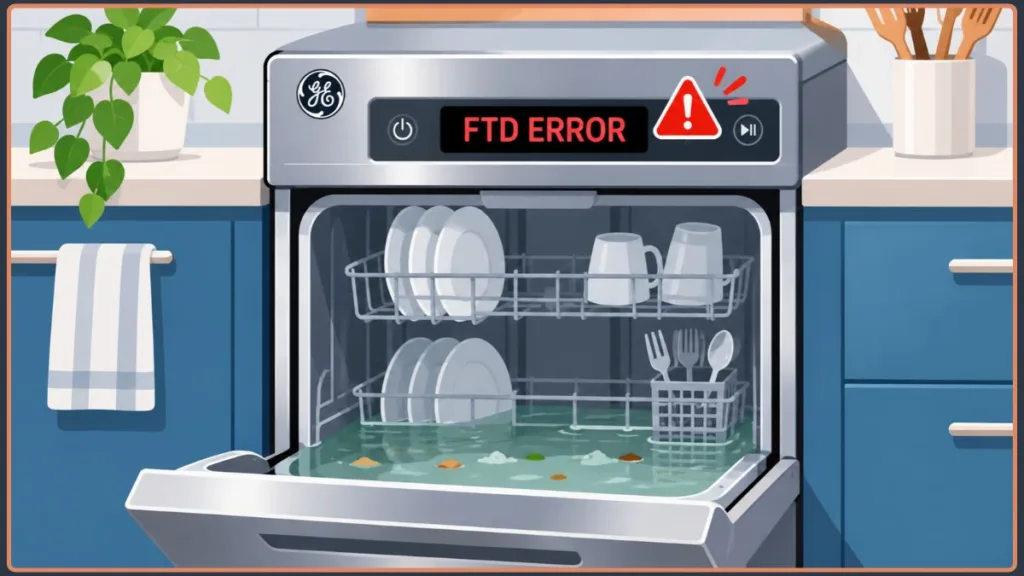
Why Does My GE Dishwasher Stop Mid-Cycle and Show the FTD Error?
Your GE dishwasher may stop mid-cycle when it detects that water isn’t draining as expected. During a normal wash cycle, the appliance periodically removes dirty water through its drain pump and sends it into the household drainage system.
If the dishwasher cannot remove the water within the expected time, its electronic control system may interrupt the cycle and display the FTD error.
Several problems can cause this interruption, ranging from a simple blockage to a malfunctioning component.
What Does GE Dishwasher FTD Error Code Mean?
The GE dishwasher FTD error code stands for Failure to Drain.
It indicates that the dishwasher has detected an unsuccessful or incomplete drainage operation. When the dishwasher finishes a wash or rinse stage, its drain pump pushes wastewater out through the drain hose. The water then travels toward the kitchen sink drain or garbage disposal. If something prevents this water from flowing out properly, the dishwasher may detect that the tub hasn’t emptied as expected and display the FTD code.
For example, food particles might block the drain filter, a kinked hose might restrict water flow, or a faulty drain pump might fail to remove wastewater.
GE also identifies FTD and F56 as codes associated with a failure-to-drain condition. However, the exact error codes and diagnostic procedures can vary between dishwasher models.
Important: The FTD error doesn’t automatically mean your drain pump is broken. You should check the drainage system for blockages before replacing any components.
What Causes a GE Dishwasher FTD Code?
Several issues can prevent your GE dishwasher from draining properly. Here are the most common possibilities:
1. Clogged Dishwasher Filter or Sump: The dishwasher filter catches food particles and other debris during wash cycles. Over time, grease, food scraps, and other materials can accumulate around the filter and restrict water flow. The sump, which collects water near the bottom of the dishwasher, can also become blocked by foreign objects. If wastewater cannot reach the drain pump freely, the appliance may display the FTD error.
2. Blocked or Kinked Drain Hose: The drain hose carries wastewater from the dishwasher to the kitchen sink plumbing or garbage disposal. If the hose becomes bent, crushed, or clogged with debris, water cannot flow through it properly. This can prevent the dishwasher from emptying within the expected time.
3. Faulty Drain Pump or Impeller: The drain pump is responsible for pushing wastewater out of the dishwasher. If its motor stops working or the pump becomes obstructed, water may remain inside the tub. Small objects, such as food particles, seeds, or broken glass, can also become trapped around the pump impeller and interfere with its operation.
4. Blocked Garbage Disposal or Sink Drain: Many dishwashers share a drainage connection with the kitchen sink or garbage disposal. If the sink drain or disposal inlet becomes clogged, wastewater may struggle to leave the dishwasher. A recently installed garbage disposal can also cause drainage problems if its dishwasher inlet knockout plug hasn’t been removed.
5. Incorrect Dishwasher Detergent: Using regular dish soap or too much detergent can create excessive suds inside the dishwasher.
These suds may interfere with normal drainage and cause the appliance to display an error. Always use detergent specifically designed for automatic dishwashers.
Important: Never use ordinary dish soap in an automatic dishwasher. Excessive suds can interfere with normal dishwasher operation.
6. Faulty Drainage Detection System: Your GE dishwasher uses sensors and electronic controls to monitor different operating conditions, including water levels. If the relevant sensor, wiring, or control system provides an incorrect signal, the dishwasher may not recognize the drainage condition correctly.
However, a sensor problem should not be your first assumption. Check the filter, hose, sump, and other accessible drainage components before investigating electrical or electronic faults.
Why Does My GE Dishwasher Stop Mid-Cycle Even When There Is No Water?
Sometimes, your GE dishwasher may display the FTD code even when you cannot see standing water inside the tub. This can make it difficult to understand why the dishwasher reports a drainage problem.
A small amount of residual water may remain in the sump even when the main tub looks empty. Alternatively, an intermittent blockage or problem with the drainage detection system may prevent the appliance from recognizing the actual water condition correctly.
Quick Tip: If your GE dishwasher displays the FTD code but has no visible water, inspect the filter, sump, drain hose, and garbage disposal connection before considering a faulty sensor or control system.
Why Is My GE Dishwasher Turning On but No Water?
If your GE dishwasher turns on but doesn’t fill with water, the problem may involve its water supply system rather than the FTD drainage system.
A closed water supply valve, blocked inlet hose, faulty water inlet valve, or door latch problem can prevent the dishwasher from filling properly. Check the water supply connection and consult your dishwasher’s manual for model-specific troubleshooting instructions.
Remember: A dishwasher that doesn’t fill with water has a different problem from one that fails to drain. Check the water supply system separately rather than assuming every issue is related to the FTD error.
How to Clear FTD Error on GE Dishwasher?
To clear the GE dishwasher FTD error, you must first identify and fix the drainage problem. Before inspecting internal components, turn off the dishwasher and disconnect its electrical power. Keep a towel or container nearby to collect any remaining water.
Where Is the FTD Sensor Located on a GE Dishwasher?
FTD (Failure to Drain) is an error code, not the name of a dedicated sensor. GE dishwashers use drainage components and electronic controls to monitor water removal. Depending on the model, a pressure sensor or another water-level detection system may also be involved.
If your model has a separate pressure sensor, consult its parts diagram or service manual to identify its exact location. You can find your dishwasher’s model number on the label around the door frame or inner tub edge.
Important: An FTD error doesn’t automatically indicate a faulty pressure sensor. Check the filter, sump, drain hose, and drain pump before investigating the sensor or control board.
How to Check the FTD Sensor?
If your GE dishwasher has a separate pressure sensor, follow these inspection steps:
- Disconnect the power: Switch off the circuit breaker or unplug the dishwasher.
- Locate the sensor: Use your model-specific parts diagram to identify the pressure sensor.
- Inspect the wiring: Check its connectors for looseness, corrosion, moisture, or visible damage.
- Check the sensor: Look for contamination or blockages if the manufacturer’s service instructions permit inspection.
- Test the sensor: Use a multimeter or appropriate diagnostic procedure according to your model’s service specifications.
If the sensor or wiring appears damaged, have it professionally diagnosed before replacing any components.
Note: GE uses the PrS error code for an invalid pressure-sensor signal. If your dishwasher displays PrS, the pressure sensor or its wiring deserves particular attention.
Steps to Fix the GE Dishwasher FTD Error
Try these GE dishwasher FTD error troubleshooting steps in order, starting with the easiest checks.
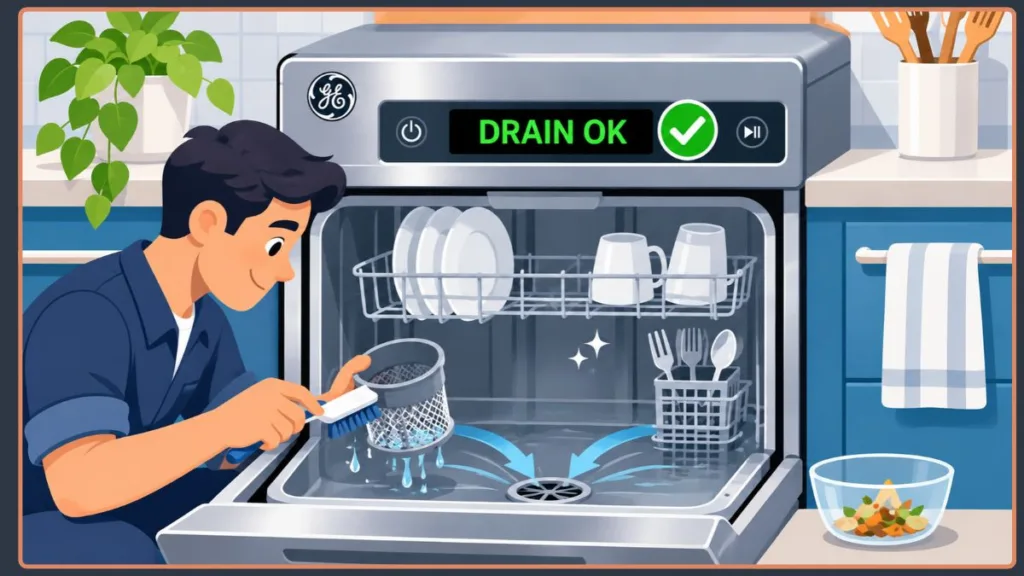
Step 1: Clean the Dishwasher Filter and Sump
- Remove the lower dish rack and locate the filter.
- Remove it according to your model’s instructions.
- Rinse it under warm water to remove food particles and grease.
- Inspect the sump for debris, seeds, broken glass, or other obstructions.
- Remove accessible debris and reinstall the filter.
Step 2: Inspect the Drain Hose
- Locate the drain hose connection underneath the kitchen sink.
- Check for kinks, bends, crushed sections, or visible blockages.
- Inspect the accessible connections for leaks or debris.
- If necessary, disconnect and flush the hose safely to remove internal obstructions.
Replace the hose if it is damaged or cannot be cleared.
Step 3: Check the Garbage Disposal and Sink Drain
- Run the garbage disposal to clear accumulated food debris.
- Check whether the kitchen sink drains normally.
- Inspect the dishwasher drain connection for blockages.
- If the disposal was recently installed, ensure its dishwasher inlet knockout plug has been removed.
- If your installation has an air gap, inspect and clean it according to its instructions.
Safety Tip: Never put your hands inside a garbage disposal. Disconnect its power before inspecting or servicing the connection.
Step 4: Inspect the Drain Pump and Impeller
If the filter, hose, and plumbing connections are clear, inspect the drain pump for obstructions or signs of failure.
Look for symptoms such as:
- Unusual humming or buzzing during drainage.
- No noticeable draining sound.
- Water remaining in the tub after the drain cycle.
- An FTD error that keeps returning.
Debris can become trapped around the pump impeller and prevent it from rotating properly. If the pump is damaged or its motor has failed, it may need replacement.
Pump removal and electrical testing should be performed by someone familiar with dishwasher repairs.
Step 5: Check the Chopper Assembly or Screen
Some GE dishwasher models have a chopper assembly or screen that helps manage food debris.
If your model includes one, consult its service documentation to locate and inspect it. Remove accessible debris and check for damage. A broken or obstructed assembly may require professional repair.
Step 6: Check the Drainage Sensor and Wiring
If the FTD error persists after checking the drainage components, investigate the water-level detection system and its electrical connections.
Inspect accessible wiring for loose connectors, corrosion, or damage. If your dishwasher also displays a PrS error, have the pressure sensor and its wiring tested according to the model’s service specifications.
If the sensor and drainage components appear functional, the electronic control board may require further diagnosis.
Step 7: Run a Test Cycle
After fixing the suspected problem:
- Restore electrical power to the dishwasher.
- Run an appropriate short wash or test cycle according to your owner’s manual.
- Check whether the dishwasher drains wastewater normally.
- Confirm that the FTD error doesn’t return.
If the error appears again, stop repeatedly resetting the appliance. The underlying drainage or electrical problem may require professional diagnosis.
What If Your GE Dishwasher Shows FTD but Has No Water?
If your GE dishwasher displays the FTD error but has no visible standing water, the problem may involve residual water, an intermittent blockage, or an issue with the drainage detection system.
Possible explanations include:
- Water has already drained: The dishwasher may have experienced a drainage problem earlier in the cycle, but the water drained before you inspected it.
- Residual water in the sump: A small amount of water may remain in the lower sump even when the main tub looks empty.
- Intermittent blockage: Food debris or a partially clogged drain hose may restrict water flow occasionally.
- Faulty drainage detection: A sensor, wiring, or control issue may cause the dishwasher to detect an incorrect water-level condition.
Start by checking the filter, sump, drain hose, and sink connection. If everything appears clear but the FTD error persists, have the drainage system and its detection components professionally inspected.
Important: Don’t automatically replace the drain pump or pressure sensor just because you cannot see standing water. Diagnose the actual problem first.
How to Force Reset GE Dishwasher?
A temporary electronic fault may sometimes cause your GE dishwasher FTD error to remain on the display. Performing a power reset can restart the electronic controls and help clear a temporary error.
Follow these steps to force reset your GE dishwasher:
- Turn off the dishwasher: Stop the current cycle and switch off the appliance.
- Disconnect power: Unplug the dishwasher if safely accessible or turn off its circuit breaker.
- Wait: Leave the dishwasher without power for approximately one to two minutes.
- Restore power: Reconnect the appliance or turn the circuit breaker back on.
- Restart the dishwasher: Select an appropriate wash cycle and check whether the FTD error disappears.
Some GE dishwasher models also have a dedicated Start, Reset, or Cancel/Reset procedure. Check your owner’s manual for the correct button sequence.
Can resetting permanently clear the GE dishwasher FTD error?
Not necessarily. A power reset may clear a temporary electronic fault, but it cannot fix a clogged filter, blocked drain hose, or defective drain pump. If the FTD code returns, inspect the drainage system instead of repeatedly resetting the appliance.
How to Prevent the GE Dishwasher FTD Error
Regular maintenance can help keep your GE dishwasher’s drainage system clear and reduce the chances of the GE dishwasher FTD error appearing again. If you want to avoid wondering what causes a GE dishwasher FTD code, follow these simple maintenance tips:
- Clean the filter regularly: Remove trapped food particles, grease, and debris before they restrict water flow and cause your dishwasher to stop mid-cycle.
- Scrape off large food scraps: Remove leftover food from plates before loading them into the dishwasher to prevent debris from entering the sump and drain system.
- Check the drain hose: Make sure it isn’t kinked, crushed, or clogged, as restricted water flow can trigger a Failure to Drain (FTD) error.
- Keep the sink drain clear: If your dishwasher shares a drainage connection with the kitchen sink, prevent food debris from building up in the plumbing.
- Clean the air gap: If your installation includes an air gap, inspect it periodically and clear away any accumulated debris.
- Use the correct detergent: Always use automatic dishwasher detergent. Avoid ordinary dish soap, which can cause excessive suds and interfere with proper drainage.
- Maintain the garbage disposal: Run the garbage disposal before starting the dishwasher if both appliances share a drain connection. This helps prevent food waste from blocking the shared drainage path.
Important: Regularly cleaning the filter, checking the drain hose, and keeping the sink drain clear can help prevent drainage problems and reduce the likelihood of recurring GE dishwasher FTD errors.
Frequently Asked Questions
Can I Use My GE Dishwasher With an FTD Error?
It’s best to avoid running repeated wash cycles while the GE dishwasher FTD error remains unresolved. The dishwasher may be unable to drain wastewater properly, leaving dirty water inside the tub. Identify and fix the drainage problem before using the appliance again.
Does the FTD Error Mean the Drain Pump Is Faulty?
No. The FTD error indicates a Failure to Drain, but it doesn’t necessarily mean the drain pump is defective. A clogged filter, blocked sump, kinked drain hose, obstructed air gap, or blocked garbage disposal connection can also cause the error. Check these possible causes before considering a drain pump replacement.
Is the GE Dishwasher FTD Error the Same as F56?
Yes. GE uses FTD and F56 to identify a failure-to-drain condition. Both codes indicate that the dishwasher hasn’t drained water properly.
Why Does My GE Dishwasher Keep Showing the FTD Error?
If your GE dishwasher keeps showing the FTD error, the underlying drainage problem may still be present. Check the filter, sump, drain hose, air gap, and garbage disposal connection for blockages. If these areas are clear but the error keeps returning, the drain pump or drainage detection system may need further inspection by a qualified technician.
Can Resetting a GE Dishwasher Clear the FTD Code?
A power reset may clear a temporary electronic fault and remove the FTD code from the display. However, resetting won’t fix a physical blockage or defective component.
Getting Rid of the GE Dishwasher FTD Error
The GE dishwasher FTD error indicates a drainage problem, but it doesn’t always mean a major component has failed. In many cases, identifying the cause and clearing a blockage can restore normal operation.
Follow the troubleshooting steps above, and if the error continues to appear, consider having the drain pump and drainage detection system inspected by a qualified technician. You can also contact GE Appliances Support for further technical assistance, troubleshooting guidance, or repair options.
Before contacting support, keep your dishwasher’s model number and a description of the error handy to help the support team assist you.
Remember: Don’t ignore a recurring FTD error or rely on repeated resets. Fixing the underlying problem is the best way to prevent it from returning.
Visit Our Post Page: Blog Page
Discover more from Izoate
Subscribe to get the latest posts sent to your email.