
Understand why you have so many Microsoft Visual C++ Redistributables, which ones you need, and whether you should keep or uninstall them to avoid application errors and keep your PC running smoothly.
Have you ever opened Windows Settings or Control Panel and wondered why your computer has so many Microsoft Visual C++ Redistributables installed? You might see different version numbers, release years, and both x86 and x64 packages, making you question whether you actually need all of them. If you are wondering, “Why do I have multiple Visual C++ Redistributables installed on my PC?”, well, you are not alone.
The good news is that having multiple Visual C++ Redistributables is generally normal because different applications, games, and older programs depend on specific runtime libraries to function correctly. Their installers often add the required packages automatically, which is why you might accumulate several versions over time.
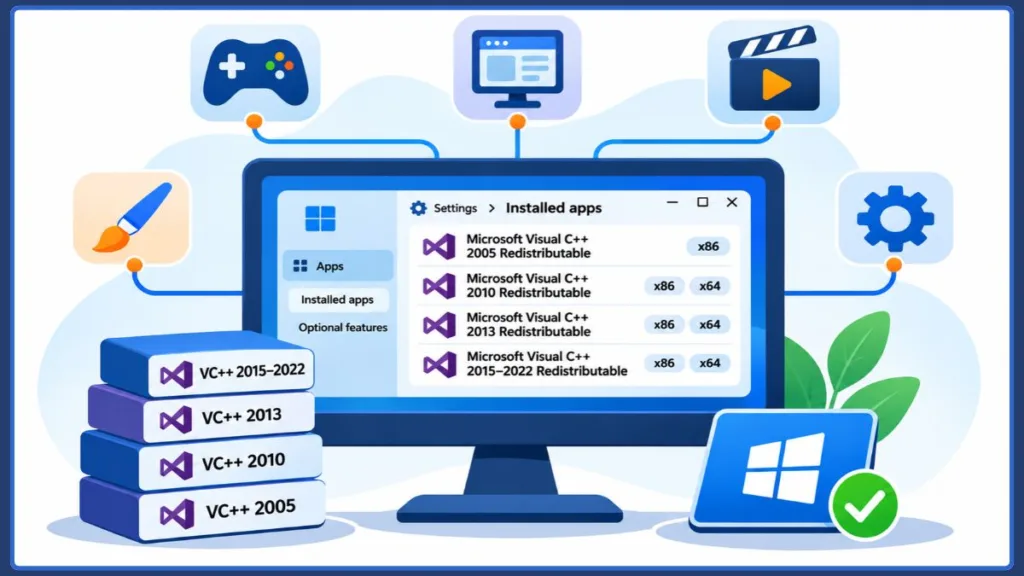
Important: You do not need to delete these packages simply because they look outdated or unnecessary. Removing a runtime that another application depends on can cause missing DLL errors or prevent programs from launching.
Let’s understand what these redistributables do, why you have so many, and whether you can safely remove them.
What Is Microsoft Visual C++ Redistributable and What Does It Do?
Microsoft Visual C++ Redistributable is a package of runtime libraries and components that allows applications developed using Microsoft’s Visual C++ tools to run properly on Windows. These Microsoft Visual C++ runtime components provide essential functions that developers can use without having to include every required library inside their applications.
When developers build C++ software, they often rely on shared Microsoft libraries to handle common programming tasks, such as memory management, input and output operations, and other runtime functions. The Visual C++ Redistributable package installs these C++ runtime libraries on your computer so compatible applications can access the components they need.
In simple terms: A Microsoft Visual C++ Redistributable package provides the supporting files that certain Windows programs need to work correctly. Compatible applications use these components automatically, so you don’t normally need to open or run the redistributable yourself.
You might also encounter different types of DLL files associated with Microsoft Visual C++ runtimes, including:
- MSVCP: Contains components of Microsoft’s C++ Standard Library implementation.
- VCRUNTIME: Provides Microsoft Visual C++ runtime components required by C++ applications.
- MSVCR: Refers to Microsoft C runtime library components used by certain runtime generations.
These Visual C++ runtime DLLs provide specific programming functions that applications may depend on. If a required DLL is missing or unavailable, you might encounter a Microsoft Visual C++ runtime error, a missing DLL message, or a program that fails to start.
Important: Some software installers include a Microsoft Visual C++ Redistributable package automatically because the application depends on its runtime libraries to function properly.
Why Do I Have Multiple Visual C++ Redistributables Installed on My PC?
You have multiple Microsoft Visual C++ Redistributables installed because different applications require different versions of the Visual C++ runtime libraries. Games, desktop applications, and professional software often depend on specific runtime components to function correctly.
When you install a program, its setup process may check whether the required Microsoft Visual C++ Redistributable package is already installed. If it’s missing, the installer can add it automatically.
Here are the main reasons you might see so many Visual C++ Redistributables in Windows.
Different Applications and Older Programs Require Different Runtime Versions
Applications developed using different versions of Microsoft Visual C++ may depend on different C++ runtime libraries.
For example:
- An older desktop application might require Visual C++ 2013 Redistributable.
- A newer program might use the Visual C++ 2015–2022 runtime family.
- Older games and business applications may still depend on runtime libraries from their original development environments.
These Microsoft Visual C++ Redistributable versions aren’t all interchangeable. Installing a newer runtime doesn’t automatically replace separate legacy runtime generations because older applications may still require their original libraries.
This is why you can have multiple Visual C++ versions installed side by side, particularly when using older games, business software, and applications that haven’t received updates in years.
Important: An older-looking Visual C++ Redistributable isn’t necessarily unnecessary. Removing a runtime that an application depends on can cause compatibility issues or missing DLL errors.
Games and Software Install Microsoft Visual C++ Redistributables Automatically
PC games and desktop applications commonly install Microsoft Visual C++ Redistributables as part of their setup process.
Here’s how automatic runtime installation typically works:
- You install a game or application.
- Its installer checks whether the required Visual C++ runtime libraries are available.
- If they’re missing or an appropriate version isn’t installed, the setup program runs the required redistributable installer.
- The runtime components become available to the application.
For example, one PC game might require an older Visual C++ runtime, while another needs a newer version. Their installers can add the necessary packages without requiring you to download them manually.
This is why you might find multiple Microsoft Visual C++ Redistributables in Windows, even if you don’t remember installing them individually.
Why Do I Have Both x86 and x64 Visual C++ Redistributables?
You might have both x86 and x64 Visual C++ Redistributables installed, even if your computer runs 64-bit Windows. This is normal because 64-bit Windows supports both 32-bit and 64-bit applications.
The difference is based on application architecture:
- x86: Supports 32-bit applications.
- x64: Supports 64-bit applications.
For example, a 32-bit game might require the x86 redistributable, while a 64-bit application needs the x64 package. Their runtime libraries aren’t interchangeable.
You may therefore need both architectures to run different programs on the same computer.
Remember: Having both x86 and x64 Visual C++ Redistributables on 64-bit Windows isn’t unnecessary duplication. Keep both if your installed applications depend on them.
Visual C++ Redistributable Differences: Why Multiple Versions Can Coexist
Microsoft Visual C++ Redistributables differ by runtime generation, compiler toolset, and application architecture. These differences explain why some versions can coexist while others share the same runtime.
There are two important groups to understand:
- Visual C++ 2005–2013: These are separate runtime generations. Applications may require their corresponding redistributable packages, allowing multiple older versions to remain installed side by side.
- Visual C++ 2015 and later: These releases use the shared v14 runtime family. Supported applications built with newer MSVC toolsets can use a compatible, newer v14 Redistributable.
For example, applications developed with Visual Studio 2017, 2019, 2022, and 2026 can generally use the latest supported v14 runtime, provided its version meets their build requirements.
| Runtime generation | Compatibility |
|---|---|
| Visual C++ 2005–2013 | Separate runtime generations can coexist. |
| Visual C++ 2015 and later v14 releases | Share a binary-compatible runtime family. Newer compatible packages update the existing v14 runtime. |
Microsoft recommends using the latest supported v14 Redistributable for compatible applications. You can check the official Microsoft Visual C++ Redistributable documentation for supported versions, architecture-specific downloads, and compatibility details.
Good to know: Installing the latest v14 Redistributable doesn’t remove separate legacy runtime generations such as Visual C++ 2013 or earlier. Those packages may still be required by older applications.
Why Do Visual C++ Redistributables Remain After Uninstalling Programs?
You might uninstall a game or application but still find its Microsoft Visual C++ Redistributable in Windows. This happens because multiple programs can share the same runtime libraries and DLL files.
For example:
- You install Game A, which requires a particular Visual C++ runtime.
- You install Game B, which also depends on that runtime.
- Both games use the shared redistributable installed on your computer.
- You uninstall Game A, but Game B still needs the runtime.
The shared package can remain installed because removing it could affect other applications that depend on its DLL files.
This is one reason you might still see so many Microsoft Visual C++ Redistributables after uninstalling games and applications.
Important: A Visual C++ Redistributable that remains after uninstalling a program isn’t necessarily leftover software. Another application might still depend on its runtime libraries.
Is Microsoft Visual C++ Redistributable Necessary?
Yes, Microsoft Visual C++ Redistributables are necessary for applications that depend on their C and C++ runtime libraries. Whether Microsoft Visual C++ is necessary on your computer depends on the software you use.
Many Windows applications rely on these runtime components to access functions provided by Microsoft’s C and C++ libraries. Without the appropriate redistributable, an application might:
- Fail to launch or crash during startup.
- Display a missing DLL error.
- Show a runtime error involving files such as
MSVCP140.dllorVCRUNTIME140.dll. - Stop working correctly because a required runtime component is unavailable.
These packages provide shared runtime libraries that compatible applications can use automatically. You don’t need to open or manage them regularly.
Their presence also doesn’t automatically indicate malware, unnecessary software, or a Windows problem.
Recommendation: If your applications are working correctly, leave your installed Visual C++ Redistributables alone. You generally don’t need to remove or replace them simply because multiple versions appear in Windows.
Can I Uninstall Microsoft Visual C++ Redistributables?
Yes, you can uninstall Microsoft Visual C++ Redistributables through Windows Settings or Control Panel. However, check whether your installed applications depend on a package before removing it. Multiple programs can share the same runtime, so uninstalling one package may affect several applications.
What Happens If You Uninstall a Required Visual C++ Redistributable?
Removing a runtime that an application needs can cause:
- Missing DLL errors: Windows cannot find a required runtime file.
- Applications failing to launch: Programs may display errors during startup.
- Games crashing: Some games may fail to start or run correctly.
- Runtime errors: Applications may report problems involving files such as
MSVCP140.dllorVCRUNTIME140.dll.
If an application stops working after you remove a redistributable, reinstalling the required package from Microsoft may restore its missing components.
Important: Other programs may use the same runtime, so removing one redistributable can affect more than the application you originally associated with it.
Can You Remove Older or Duplicate Visual C++ Redistributables?
Similar-looking Visual C++ Redistributables aren’t necessarily duplicates. They may belong to different runtime generations or support different application architectures.
Before removing a package, check:
- Version: Identify its runtime generation and version number.
- Architecture: Check whether it’s x86, x64, or ARM64.
- Application requirements: Confirm whether your installed programs still depend on it.
- Developer documentation: Check the software manufacturer’s requirements if you’re unsure.
Recommendation: If you can’t confirm that a redistributable is unnecessary, leave it installed. Removing it usually offers little benefit.
How to Uninstall Microsoft Visual C++ Redistributables in Windows
If you’ve confirmed that a package is unnecessary, you can remove it using either method.
Method 1: Through Windows Settings
- Press Windows + I to open Settings.
- Go to Apps → Installed apps.
- Search for Microsoft Visual C++.
- Find the specific package you want to remove.
- Click its three-dot menu and select Uninstall.
- Confirm and follow the instructions.
Method 2: Through Control Panel
- Press Windows + R.
- Type
appwiz.cpland press Enter. - Find Microsoft Visual C++ Redistributable.
- Select the specific version.
- Click Uninstall or Uninstall/Change.
- Follow the on-screen instructions.
Caution: Don’t uninstall every Visual C++ entry to clean up your installed apps list. Remove only packages you’ve verified are unnecessary.
Do Microsoft Visual C++ Redistributables Slow Down Your Computer?
No, multiple Visual C++ Redistributables don’t normally slow down your computer. They provide runtime libraries rather than applications that constantly run in the background.
Do Visual C++ Redistributables Consume RAM or CPU?
Simply having these packages installed doesn’t mean they’re continuously consuming RAM or CPU resources.
Applications load their required runtime components when needed. For example, a game uses its Visual C++ libraries when you launch it.
If your PC is running slowly, check resource-intensive applications, startup programs, available RAM, and storage space instead.
Performance tip: Uninstalling Visual C++ Redistributables won’t meaningfully improve PC performance and could cause application errors.
How Much Storage Space Do Microsoft Visual C++ Redistributables Use?
Visual C++ Redistributables occupy disk space, but their requirements vary by runtime version and architecture.
Removing necessary packages just to reclaim storage isn’t worthwhile. If you need more space, remove temporary files, unused applications, and large downloads instead.
How to Download and Reinstall Microsoft Visual C++ Redistributables
If an application displays a missing DLL error or reports a corrupted Visual C++ runtime, you may need to repair or reinstall the appropriate package.
Always download redistributables from Microsoft’s official website, not third-party DLL websites.
Microsoft Visual C++ Download: Get the Latest Supported Redistributable
Microsoft provides downloads for different Visual C++ runtime generations and processor architectures on its official page:
Download the Latest Supported Microsoft Visual C++ Redistributable
Choose the package your application requires:
- X86: For 32-bit applications.
- X64: For 64-bit applications.
- ARM64: For supported ARM-based Windows devices.
On 64-bit Windows, you may need both x86 and x64 packages.
Important: The latest v14 Redistributable doesn’t replace older runtime generations. Applications requiring Visual C++ 2013 or earlier may still need their corresponding packages.
Microsoft Visual C++ 2015 to 2022 Redistributable Package x64 Download
If you’re looking for the Microsoft Visual C++ 2015–2022 Redistributable Package x64, use Microsoft’s current supported v14 installer:
Microsoft Visual C++ x64 Redistributable Download
For 32-bit applications, use the x86 installer:
Microsoft Visual C++ x86 Redistributable Download
These installers provide the latest supported v14 runtime family, covering compatible applications built with Visual Studio 2015 and later supported toolsets, including Visual Studio 2026.
Version note: The current download links provide the latest supported v14 runtime, not a package limited to Visual C++ 2015–2022.
How to Reinstall a Missing or Corrupted Visual C++ Redistributable
If a program reports a missing DLL or runtime error, follow these steps:
- Identify the missing component: Check the error message for the DLL name or required runtime version.
- Open Microsoft’s download page: Visit the official Visual C++ Redistributable documentation.
- Choose the correct architecture: Download the x86, x64, or ARM64 package required by your application.
- Run the installer: Open the downloaded executable and follow the instructions.
- Repair if necessary: For an existing v14 installation, Microsoft’s installer supports the
/repaircommand-line option. Use the Repair option if available. - Restart if requested: Follow the installer’s restart instructions.
- Test the application: Open the affected program to check whether the error is resolved.
If the problem continues, check for other missing dependencies or repair the affected application.
Security tip: Don’t download individual DLL files from unofficial websites. Reinstall the appropriate Visual C++ Redistributable from Microsoft instead.
Frequently Asked Questions
Is Microsoft Visual C++ Necessary for Windows 11?
Windows 11 doesn’t require every Visual C++ Redistributable for its own operation. However, applications that depend on specific Visual C++ runtime libraries still need the corresponding packages to run correctly. If you’re using older software or PC games, you may need additional redistributables for compatibility.
Are Microsoft Visual C++ Redistributables Safe?
Yes, genuine Microsoft Visual C++ Redistributables are safe and legitimate software components. Their presence on your computer doesn’t indicate malware or a security problem. Always download Microsoft Visual C++ packages from Microsoft’s official website and verify the publisher before running an installer.
Do You Need Visual C++ Redistributables After Upgrading to Windows 11?
Yes, you may still need Microsoft Visual C++ Redistributables after upgrading to Windows 11. Your installed applications retain their runtime dependencies, and upgrading from Windows 10 doesn’t automatically make older Visual C++ runtime packages unnecessary.
Final Thoughts
Having multiple Microsoft Visual C++ Redistributables installed on your PC is normal and usually nothing to worry about. Different applications rely on different runtime libraries, and Windows can use these components whenever compatible software needs them.
The best approach is to keep the redistributables your applications depend on rather than removing them simply because they look outdated. If a program reports a missing DLL or Visual C++ runtime error, use the appropriate Microsoft installer to restore the required components.
Visit Our Post Page: Blog Page
Discover more from Izoate
Subscribe to get the latest posts sent to your email.