
Is your Riot Client stuck on an infinite update loop? Here are the verified, community-tested steps to fix League of Legends Error Code 004 quickly.
You sit down ready for a quick match, but instead of the play button, you are hit with League of Legends Error Code 004. If your Riot Client is stuck on an infinite “checking size” loop for a tiny update—eventually throwing a patching failed error—you are certainly not alone.
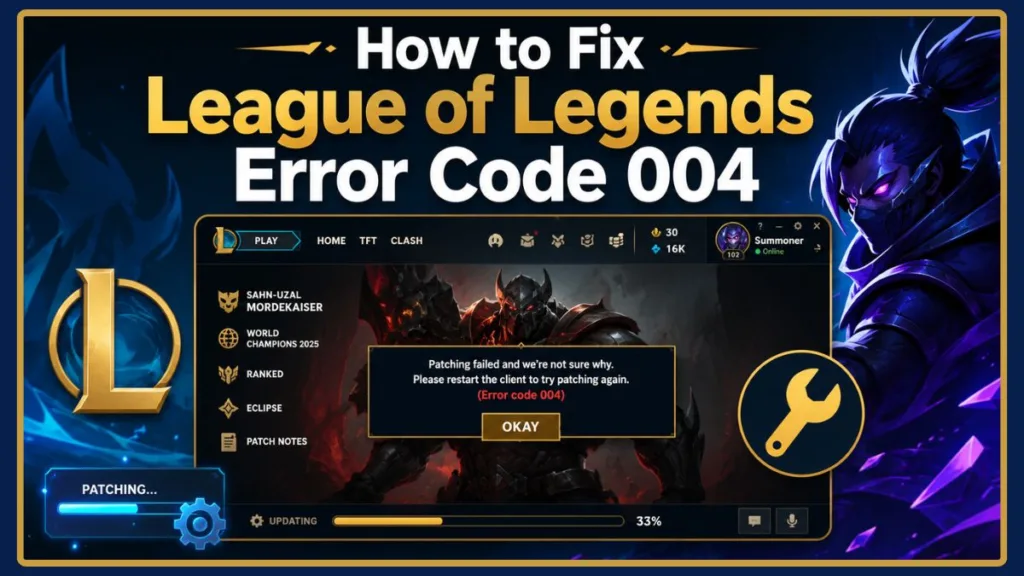
This is a notoriously frustrating patch installation issue that regularly pops up during routine updates. When it happens, you’ll typically see a message like this:
Plaintext
Something went wrong while updating.

Error Code: 004

Please restart the Riot Client and try again.
Note: The exact wording may vary slightly depending on your Riot Client version, but the troubleshooting steps remain exactly the same.
While the official Hextech Repair Tool is helpful, it doesn’t always resolve the problem on its own. If you’re experiencing this right now, skip the generic advice. Here are the actual, verified fixes working for players right now.
Quick Answer: How to Fix LoL Error Code 004
League of Legends Error Code 004 usually appears when the Riot Client cannot install the latest game patch. The issue is commonly resolved by:
- Restarting your PC
- Reinstalling Riot Vanguard
- Running the Riot Client as Administrator
- Deleting the Config and Logs folders
- Installing pending Windows updates
- Allowing Riot Client through Windows Firewall
- Reinstalling the game only if nothing else works
Tip: If this error appeared immediately after a Riot update and many players are reporting it, the problem may be caused by a temporary Riot-side patching issue.
Error 004 Troubleshooting Summary
| Symptom | Likely Cause | Try First |
|---|---|---|
| Stuck on “Checking Size” | Corrupted config or Vanguard | Restart PC, delete Config/Logs |
| Error Code 004 after update | Patch issue | Check Riot Service Status |
| Update repeatedly fails | Vanguard or permissions | Reinstall Vanguard |
| Fresh install still fails | Riot-side issue | Wait for official fix |
What Does Error Code 004 Mean in League of Legends?
Error Code 004 means the Riot Client failed to successfully install the latest game update. The patch may download successfully to your computer but fail during the verification stage or while trying to replace older game files. This conflict prevents the update from completing and stops the game from launching normally.
What Causes League of Legends Update Error Code 004?
When you see Error 004 League of Legends, the Riot Client is attempting to download and write new game files to your hard drive, but something on your system is interrupting the process.
According to official troubleshooting guides and player reports, this usually happens because of:
- Riot Vanguard Conflicts: Riot Vanguard is Riot’s anti-cheat software. Because it starts with Windows and runs in the background, problems with Vanguard can sometimes prevent League of Legends from installing updates correctly.
- Missing Permissions: Your client lacks the administrator rights needed to overwrite old game files.
- Insufficient Storage: Make sure your drive has sufficient free storage for the Riot Client to download and unpack the latest update.
- Corrupted Configuration Files: Leftover data from previous patches is confusing the client.
- Aggressive Firewalls: Your antivirus software is mistakenly flagging the update as a threat.
What Players Are Reporting About LoL Patching Failed Error 004
When troubleshooting this specific error, it helps to know what is actually working for the community right now. Based on player reports, here is what others are experiencing:
- Many players fixed the issue simply by restarting their PC.
- Reinstalling Riot Vanguard helped numerous users bypass the update loop.
- Several players reported that deleting the Config and Logs folders allowed the Riot Client to recreate clean files and finish patching.
- Some users experienced the issue immediately after a recent Riot patch was deployed.
- Others found that reinstalling the game alone didn’t immediately resolve the error, pointing to background services like Vanguard as the real culprit.
While these community fixes have helped many players, Riot hasn’t officially confirmed a single root cause for every Error Code 004 case. Different systems may require different solutions.
Note: These are community experiences gathered from forum discussions and are not official Riot recommendations.
Check Riot Server Status for Widespread Patching Issues
If Error Code 004 suddenly appears after a new Riot update and many players are reporting the same issue, the problem may not be caused by your computer at all.
Before diving into advanced troubleshooting, you should check to see if the servers are healthy. You can check the official Riot Service Status page, look at recent Riot Support announcements, or review current community discussions to see if it’s a widespread outage.
Tip: If Riot is experiencing a widespread patching issue, waiting for an official fix may be the fastest and safest solution.
How to Fix Error Code 004 in League of Legends (Step-by-Step)
If the servers are running smoothly and you want to fix LoL error 004 quickly, try the following steps in order. We have organized these from the fastest solutions to the most advanced.
Before You Begin Troubleshooting
Before making any changes to your system, run through this quick checklist:
- Close Riot Client completely, including exiting from the Windows system tray.
- Restart Riot Client to see if a simple refresh triggers the patch.
- Verify your internet connection is stable.
- Ensure you have enough free disk space for the new patch files.
- Check Riot Service Status for known outages.
- Back up any custom configuration files before deleting them.
1. Restart Your PC to Reset the Riot Client (The Quickest Fix)
It sounds incredibly basic, but a surprising number of players in the community report that a simple PC restart instantly fixes the issue.
Restarting your computer closes stuck Riot Client and Vanguard processes, clears temporary system state, and allows Windows to start the update with a fresh session. Before you start deleting files or altering settings, reboot your PC and try again.
2. Reinstall Riot Vanguard to Stop Update Conflicts
If a restart didn’t work, your next target is the anti-cheat software. Because Vanguard integrates deeply with Windows, it frequently causes this specific League of Legends update error. Forcing a clean installation of the anti-cheat is a highly effective workaround.
- Open your Windows Settings and navigate to Apps (or Installed Apps).
- Search for Riot Vanguard in your app list.
- Click on the app and select Uninstall.
- Restart your computer.
- Open the Riot Client and launch League of Legends.
The client will automatically detect that Vanguard is missing and prompt a fresh, uncorrupted download of the anti-cheat.
Important: Restart your PC after uninstalling Riot Vanguard. Skipping the restart may prevent the anti-cheat from reinstalling correctly.
3. Clear the Vanguard Boot File (Advanced Anti-Cheat Fix)
Sometimes a standard Vanguard uninstall fails or leaves corrupted background services running. According to recent community discussions, some players found that manually clearing these services stops the patch installation issues.
- Open your File Explorer, navigate to your C:\Windows folder, and locate the file named vgkbootstatus.dat. Delete it.
- Press the Windows key, type CMD, right-click on Command Prompt, and select Run as administrator.
- Type
sc delete vgcand press Enter. - Type
sc delete vgkand press Enter. - Restart your computer, open the Riot Client, and allow the game to reinstall the missing Vanguard files.
Note: These commands remove the Vanguard background services. They will reinstall automatically when you launch the Riot Client.
4. Install Windows Updates and Delete LoL Config Files
Outdated system files can easily clash with the game. Press the Windows key, type Windows Update, and install any pending updates.
If your system is completely up-to-date, corrupted game configuration files might be the culprit. Several players reported that deleting the Config and Logs folders forces the client to re-evaluate its files, which may allow the Riot Client to regenerate fresh configuration files during the next launch.
- Close the Riot Client completely (ensure it is closed in your system tray as well).
- Open File Explorer and navigate to your Riot Games folder (usually located in your C: Drive).
- Open the League of Legends folder.
- Locate the Config and Logs folders and delete both of them.
- Right-click your Riot Client desktop shortcut and select Run as administrator.
Running the client as an administrator gives it the necessary permissions to regenerate those folders cleanly and finish the patch.
Note: The Config and Logs folder fix is based on community reports and is not an official Riot recommendation.
5. Add a Windows Firewall Exception for the Riot Client
Sometimes, Windows Defender or third-party antivirus software (like Norton or McAfee) will mistakenly flag the background patching process as a malicious download, triggering Riot client error 004.
- Press the Windows key and type Firewall & network protection.
- Click on Allow an app through firewall.
- Click Change settings (you will need administrator privileges to do this).
- Scroll down and ensure that both League of Legends and the Riot Client have the Private and Public boxes checked.
- Click OK to save your changes.
Additionally, if you are using Wi-Fi, try plugging in an Ethernet cable. Unstable wireless connections can interrupt the download mid-process, causing the patching to fail.
6. Perform a Clean Reinstall of League of Legends (The Last Resort)
If you have tried everything above, verified you have sufficient storage space, and the game still refuses to patch, you likely have deeply corrupted files.
Important: If available in your Riot Client, try the built-in Repair option to verify and replace damaged game files before performing a complete reinstall.
If the repair fails, you will need to completely wipe the ecosystem from your hard drive:
- Uninstall League of Legends, the Riot Client, and Riot Vanguard through your Windows Apps menu.
- Open your File Explorer, go to your C: Drive, and delete the entire Riot Games folder to wipe out any leftover logs.
- Empty your Recycle Bin.
- Head to the official Riot Games website, download a fresh installer, and run it as an administrator.
Frequently Asked Questions: LoL Patching Failed Errors
What is League of Legends Error Code 004?
Error Code 004 is a patching error that occurs when the Riot Client fails to successfully install the latest League of Legends update. It typically happens because the client is blocked from writing new files to your hard drive.
Is Error Code 004 caused by Riot servers?
It can be. If a new game patch is bugged or the update servers are overwhelmed, you may experience Error Code 004. Always check the official Riot Service Status page to see if there is a known, widespread issue before modifying your system files.
Can Riot Vanguard cause Error Code 004?
Yes. Riot Vanguard is Riot’s anti-cheat software, and because it runs in the background at all times, it can occasionally conflict with Windows updates or game patches, preventing new files from installing correctly.
Why is League of Legends stuck on “Checking Size”?
When the client is stuck on “Checking Size,” it is struggling to verify the files it needs to download against the files already on your computer. This is often caused by corrupted configuration files, a lack of administrator permissions, or interference from your firewall.
Should I reinstall League of Legends?
You should only reinstall the game as a last resort. Most players can fix Error Code 004 by restarting their PC, reinstalling Vanguard, or running the Riot Client as an administrator.
Does deleting the Config folder fix Error Code 004?
According to many player reports, deleting the Config and Logs folders forces the Riot Client to generate fresh, uncorrupted files the next time it launches. This can often resolve the error without needing a full game reinstall.
Wrapping Up: Final Thoughts on Riot Client Error 004
Ultimately, League of Legends Error Code 004 is usually a temporary patch installation problem. While the infinite update loop can test your patience, most players can resolve it without having to reinstall Windows or the entire game.
We highly recommend starting with the easiest fixes first: restarting your PC, restarting the Riot Client, reinstalling Riot Vanguard, and running the client as an Administrator. However, if the problem appeared immediately after a major Riot update and many other players are experiencing it, waiting for Riot to resolve the patch on their end may save you a lot of unnecessary troubleshooting.
Visit Our Post Page: Blog Page
Discover more from Izoate
Subscribe to get the latest posts sent to your email.