
Get your Facebook recommendations back and learn how to fix “Recommendable but At Risk,” including the originality warning and problem content.
Did you open your Facebook Professional Dashboard and see “Recommendable, but at risk” sitting next to a yellow warning icon?
If so, you probably also saw this line underneath it:
“We’re still suggesting your profile to new people, but we’ve noticed content that could mean we can’t recommend you anymore.”
And right below that, a second warning that points to the actual cause:
“The originality of your content can affect your profile.”
That combination — vague reassurance plus a pointed warning — is exactly what makes this message so unsettling. Facebook doesn’t tell you which post triggered it, and creators who search for answers usually find a mix of official-sounding advice, outdated blog posts, and Reddit threads full of conflicting theories.
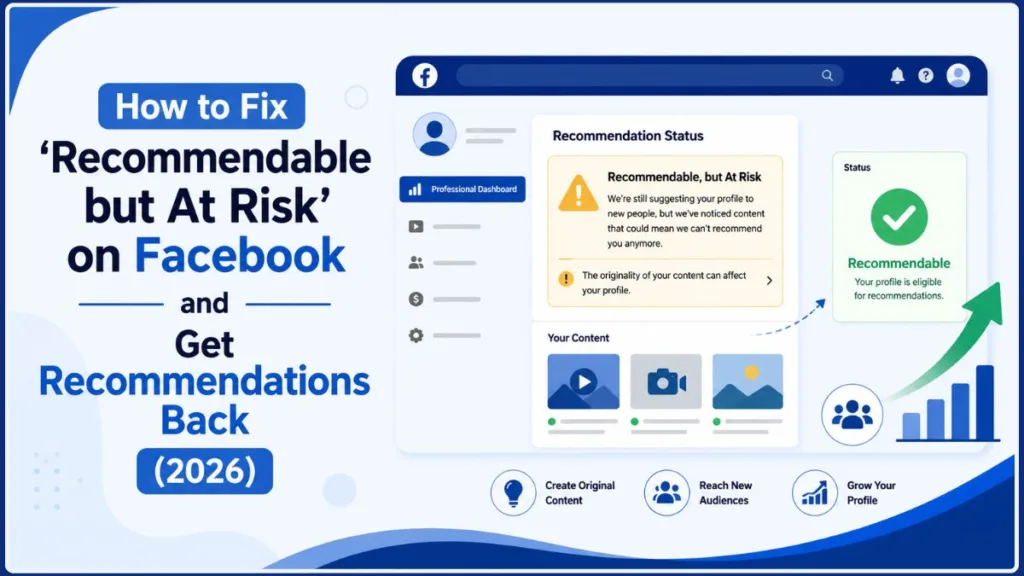
Here’s the short version: “Recommendable, but at risk” is a warning, not a suspension. Facebook is telling you your profile can still be recommended to people who don’t follow you, but that your recent content — specifically its originality — could put that eligibility in danger if the pattern continues.
This guide walks through what the status actually means, why originality is the trigger, what Meta’s updated 2026 guidelines say counts as original, and the concrete steps you can take to fix a Facebook originality warning and work toward getting full recommendation eligibility back.
What Does “Recommendable But At Risk” Mean on Facebook?
Facebook is still willing to recommend your profile — but it’s flagging something in your recent activity that could change that.
The wording matters here. Facebook says it’s “still suggesting your profile to new people,” which tells you the account hasn’t hit a full recommendation block yet. Think of it as a progression rather than a single on/off switch:
| Status | What it generally means |
|---|---|
| Recommendable | Your profile is currently eligible to be shown to people who don’t follow you |
| Recommendable, but At Risk | You’re still recommendable, but Facebook has flagged a risk to that eligibility |
| Recommendations Suspended | Recommendation distribution has been restricted |
| Not Recommendable | Your profile currently isn’t eligible for recommendations at all |
Meta has actually built a dedicated “Recommendation Status” indicator into the Professional Dashboard, designed specifically to give creators more visibility into whether an account-level issue is limiting how far their content can reach beyond existing followers. So this screen isn’t a glitch or a one-off message — it’s a standard part of how Meta now communicates recommendation eligibility to creators.
Why recommendations matter in the first place: recommendations are how Facebook surfaces your content to people who don’t already follow you — through Reels, Feed, and other discovery surfaces. If that eligibility gets restricted, your existing followers can usually still see your posts, but you lose one of the main paths to reaching new people. That’s why creators who rely on non-follower growth tend to take this warning seriously, even though it isn’t a full suspension.
What does “the originality of your content can affect your profile” mean?
This is the actual clue Facebook is giving you, and it’s worth separating from a related but different concept: copyright.
- A copyright question is about whether you had the legal right to use someone else’s work.
- An originality/recommendation question is broader — it’s about whether what you posted adds enough creative value to deserve distribution to new audiences.
You can pass a copyright check and still have an originality problem. Giving credit to the original creator, for example, is good practice, but it doesn’t automatically make reused content “original” in Meta’s eyes. Neither does adding captions or speeding up someone else’s clip. The real question Meta is asking is closer to: did you create the value the viewer is actually getting?
Is “Recommendable But At Risk” the Same as a Ban?
No. The screenshot explicitly says Facebook is still recommending your profile to new people — that’s a meaningfully different state from Facebook recommendations suspended, where distribution has actually been restricted.
That said, don’t treat the warning as harmless. Meta has been direct about where this leads if the underlying content pattern doesn’t change: continued posting of largely unoriginal material can eventually get an account deprioritized, marked non-recommendable, and in some cases demonetized. The “at risk” label exists precisely because you still have room to change course before that happens.
Why Is My Facebook Profile “Recommendable But At Risk”?
Since the screenshot points to originality, that’s the right place to start. Facebook’s recommendation guidelines have historically been held to a higher bar than its basic Community Standards — content can stay up on the platform without violating any rules and still be considered unsuitable for recommendation. That’s an important distinction if your account looks “clean” everywhere else but is still flagged here.
Important context before you dig in: this isn’t a brand-new March 2026 idea. Meta first announced a crackdown on unoriginal and repurposed Facebook content back in July 2025, and Instagram had already been quietly removing repost/aggregator accounts from its own recommendation system since 2024. The March 2026 announcement formalized and extended that same standard — clearer definitions, a public policy page, and an appeals process — rather than introducing the concept from scratch. If you’re seeing this warning now, it’s the platform-wide version of a standard that’s been tightening for close to two years.
With that background, here are the content patterns worth auditing on your own profile.
1. Reposting Other People’s Videos
The clearest trigger is uploading content someone else created as if it were your own — a downloaded Reel, a reposted TikTok or YouTube clip, or footage lifted from another Facebook creator.
This doesn’t mean any third-party clip is automatically a problem. Meta’s guidance leaves room for third-party material when a creator meaningfully transforms it — adding real analysis, new information, or a substantial improvement to the story. The issue is when the borrowed clip is still doing all the work and your contribution is cosmetic.
A useful gut-check: instead of asking “did I edit this?”, ask “what value did I actually add?”
2. Making Only Minor or Cosmetic Changes
This is where a lot of creators get caught off guard, because it feels like real editing work.
Meta specifically calls out adding borders, inserting captions, and changing playback speed as examples of edits that don’t make reused content original. Other cosmetic changes that fall into the same bucket:
- Adding a watermark or logo
- Cropping or resizing the frame
- Flipping or mirroring the video
- Swapping the background music
- Placing a reaction GIF or headline over someone else’s footage
None of these change who created the underlying material or what new value the viewer gets. A 20-second clip that took you 15 minutes to edit can still register as low-originality if the core creative work belongs to someone else.
3. Low-Value Reaction or Commentary Content
Reaction content isn’t banned — but Meta holds it to a higher bar than it used to. Simply watching a clip and reacting with facial expressions, stitching clips together, or narrating what’s already visible on screen (without adding meaningful context) is treated as unoriginal.
What separates a “safe” reaction video from a risky one usually comes down to whether you’re adding something the viewer couldn’t already get from the original — explaining why something happened, correcting a claim, providing missing context, or teaching a related skill.
There’s no official formula here (no “add 30% commentary and you’re covered”). Meta’s language is about substantive contribution, not a specific word count or time ratio.
4. Compilation and Aggregation Content
Stitching together clips from multiple creators into one Reel technically produces a new file — but that alone doesn’t make it original in Meta’s framework. A “top 5 funniest moments” Reel with no real narration or structure reads very differently to Facebook than a researched breakdown that explains why those clips went viral, with your own commentary tying them together.
5. A Repeated Pattern, Not Just One Post
This is the part creators most often miss: Facebook isn’t only evaluating individual posts, it’s also looking at your overall publishing pattern. A single questionable Reel probably isn’t what triggered your warning — a pattern where most of your recent output is reposted, minimally edited, or lightly repackaged material is far more likely to be the cause.
That’s why the right audit question isn’t “did Facebook remove anything?” It’s: “what share of what I’m publishing is actually mine?”
What Counts as Original Content on Facebook (2026 Guidelines)?
Meta’s clarified definition, published in its March 2026 creator update, breaks down into three practical buckets.
Content You Create Yourself
The safest category, by far. This includes anything you personally filmed, recorded, wrote, or designed — tutorials, screen recordings, product demos, your own photography, original graphics, or commentary where you’re clearly the primary creator.
Example: A screen-recorded “3 ways to fix Wi-Fi problems on Windows 11” video, narrated by you, showing each step — versus downloading someone else’s Windows tutorial and slapping your logo on it. Same topic, very different originality profile.
Transformative Content
Third-party material isn’t automatically disqualifying. It counts as original when you add something genuinely new on top of it — fresh information, real analysis, or a meaningful improvement to the story. News breakdowns with your own added context, technical explainers that use a clip as a reference point, or fact-checks that test a claim all fall into this category — if your contribution is the main reason someone would watch.
Quick Reference: Original vs. Unoriginal
| Content type | Likely original | Likely unoriginal |
|---|---|---|
| Video you filmed yourself | ✅ | — |
| Tutorial you created and narrated | ✅ | — |
| Screen recording with your own explanation | ✅ | — |
| Third-party clip + substantial original analysis | ✅ | — |
| Re-uploaded viral video | — | ❌ |
| Someone else’s Reel with your logo added | — | ❌ |
| Reposted video with only captions added | — | ❌ |
| Reposted video with speed changed | — | ❌ |
| Clips stitched together with no real narration | — | ❌ |
| Silent reaction with no added context | — | ❌ |
Treat this table as a practical guide, not a guarantee. Meta doesn’t publish an exact scoring formula, and enforcement decisions ultimately come down to its own systems and reviewers.
How to Fix “Recommendable But At Risk” on Facebook
There’s no single toggle that instantly restores full recommendation status. Meta allows appeals, but it’s also clear that continuing to publish mostly unoriginal content is what pushes an account toward non-recommendable and demonetized status. So the real fix is a genuine content audit and strategy shift, not a workaround.
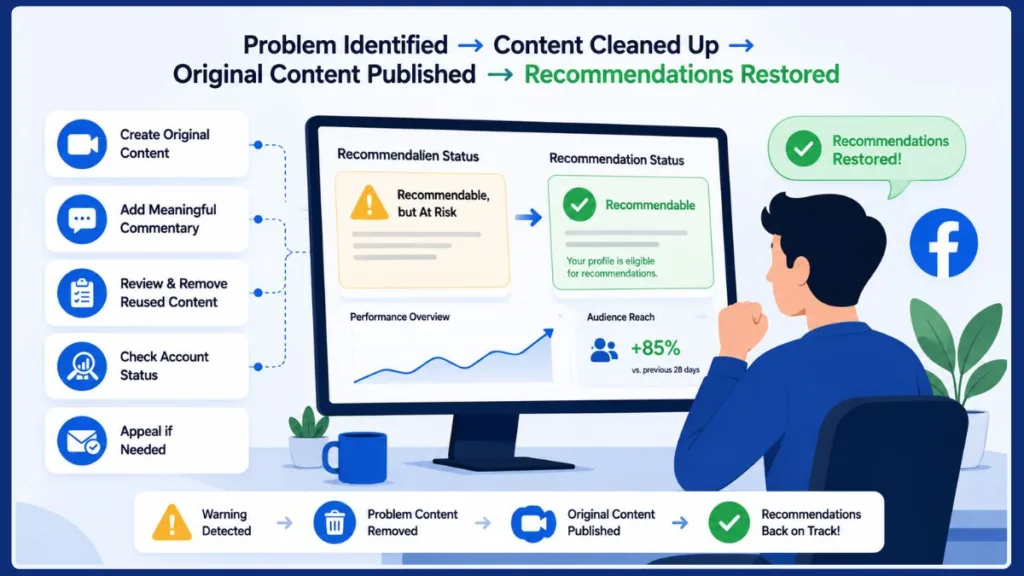
Step 1: Review Your Recent Posts and Reels
Go through what you’ve published recently — not just posts Facebook flagged or removed, since this warning is about recommendation eligibility, and flagged content can remain fully visible. For each post, ask:
- Did I create this myself, or download it from somewhere else?
- Is someone else’s footage doing most of the work?
- Did I add real commentary, or just captions?
- Would a viewer get something meaningfully new from my version?
A simple spreadsheet helps. Sort posts into Original, Transformative (third-party material + real added value), Questionable (mostly cosmetic changes), and Clearly Reused.
Step 2: Identify the Unoriginal Content
Once you’ve sorted your recent posts, look for patterns rather than single examples: downloaded Reels, reposted TikTok/YouTube content, minimally-edited reuploads, compilations, and reaction videos with thin commentary. These are the posts most likely contributing to an account-level originality flag.
Step 3: Remove or Archive the Worst Offenders — Don’t Mass-Delete
Be deliberate here. Wiping your entire content library isn’t an official recovery method, and there’s no reliable evidence that mass deletion resolves a recommendation warning on its own — in fact, creators in Facebook and Meta-focused communities have described cases where deleting large amounts of content didn’t change their status at all. Treat those as individual reports, not proof either way.
A more sensible order:
- Clearly reused content
- Minimally edited third-party content
- Low-value compilations
- Borderline reaction content
- Leave genuinely original material alone
For Facebook Pages, individual posts can typically be hidden rather than permanently deleted, which gives you a reversible way to clean up your feed while you evaluate the rest.
Step 4: Change What You Publish Next
Shift your content mix toward things where you’re clearly the source of value: original tutorials, your own product demos, commentary that adds real analysis instead of reposting a full clip, and original graphics instead of recycled ones. The test to apply to every post: “Why should someone watch my version instead of the original?” If the honest answer is “because I added captions,” it’s not enough.
Step 5: Publish Consistently — Not Just Once
One original Reel doesn’t undo an established pattern, and Meta doesn’t publish a “post five original videos and the warning clears” rule. Focus on a sustainable, mostly-original publishing rhythm rather than a short burst of activity meant to game the system.
Step 6: Check Your Account and Page Status Directly
Facebook maintains separate status tools for Community Standards issues and recommendation/monetization eligibility — which is exactly why some creators see a “clean” account with no policy violations while still carrying a recommendation warning. Check the Recommendation Status section of your Professional Dashboard directly rather than relying only on a general “no violations” indicator, and screenshot what you find in case you need it later for a support request or appeal.
Step 7: Appeal If Facebook Offers a Review Option
Meta says creators can appeal originality decisions through the Professional Dashboard, and that it’s continuing to work on enforcement accuracy. If you’re offered a review, keep it factual:
- What content was flagged
- What you created yourself
- What third-party material (if any) was used, and how
- What original commentary, analysis, or production you added
A concrete explanation (“I filmed the footage and wrote the narration myself; the 4-second third-party clip is used only as supporting context”) gives a reviewer something specific to evaluate. Vague appeals (“this isn’t fair”) rarely help.
Note on the Oversight Board: it does hear certain Meta content appeals, but it’s not a general-purpose escalation path for every recommendation warning. You generally have to go through Meta’s own internal review first, and only specific categories of decisions are eligible for Oversight Board review.
A Word of Caution: Don’t Pay for a “Guaranteed Fix”
There’s a small but growing market of paid “audits” and “recovery” services aimed at creators dealing with recommendation and monetization restrictions. Some are legitimate diagnostic services; others overpromise. Never hand over your Facebook password, login codes, or account access to anyone claiming they have an inside contact at Meta who can quietly fix your status — that’s a common scam pattern, not a real recovery channel. Legitimate Meta communication comes through your account’s official Support/Help sections, not unsolicited DMs or third-party “fixers.”
How to Fix “The Originality of Your Content Can Affect Your Profile”
Since this is the exact line Facebook shows you, here’s a focused checklist built around it.
Stop reposting third-party content as your primary strategy. Instead of downloading a viral clip, build your own version from the ground up — your own footage, your own explanation, your own conclusion.
Add real value when you do use outside material. Useful additions include original analysis, new facts, expert commentary, a step-by-step explanation, missing context, testing, comparison, or your own storytelling. A caption on top of someone else’s video usually isn’t enough — and there’s no official “51% original” threshold to hit. Meta’s language is about substantial creative contribution, not a formula.
Make your own content the default, not the exception. Your voice, footage, screen recordings, photos, graphics, and analysis should be doing most of the work across your recent posts.
Audit your back catalog, not just new uploads. Pages that grew through viral reposts often have a large historical archive that no longer matches the direction they want to go. A simple three-label system works well:
| Label | Action |
|---|---|
| Clearly original | Keep |
| Original but borderline | Review individually |
| Clearly reused / minimally changed | Consider removing or archiving |
Watch for repeat patterns, not just one-off posts. Meta’s stated position is that continued posting of primarily unoriginal content — not a single post — is what eventually pushes an account toward non-recommendable and demonetized status.
Does the Originality Warning Affect Reach?
It can, because recommendations specifically drive discovery among people who don’t already follow you. If that eligibility is restricted, you lose one channel for new-audience growth, even if your existing followers see no change at all.
Meta’s public position is straightforward: creators who transform content with genuine creativity remain eligible for recommendation in Reels and Feed, while content lacking substantial creative value gets deprioritized. In practice, that can mean less non-follower exposure, slower audience growth, and reduced viral potential.
What we can’t tell you with precision: Meta doesn’t publish exact reach-loss percentages tied to this warning, and creator-reported experiences online vary a lot — some describe steep, sudden drops in non-follower views after a full suspension; others say certain formats (like static image posts) kept getting some reach even while video reach dropped sharply. Treat these as individual data points that illustrate the range of possible outcomes, not a benchmark for what will happen to your account.
Can “Recommendable But At Risk” Affect Facebook Monetization?
Potentially — but keep the two systems conceptually separate.
- Recommendation eligibility governs whether Facebook can surface your content/profile to new audiences.
- Monetization eligibility governs whether and how you can earn from content and monetization programs.
You can encounter any combination: recommendations at risk with monetization untouched, recommendations suspended with monetization still active, or both restricted at once. Meta’s March 2026 announcement is explicit that continued unoriginal posting can eventually result in an account being both non-recommendable and demonetized — which is the direct link between the two systems.
Creators in Facebook and Meta creator communities frequently report confusion here — seeing monetization or recommendation restrictions with no obvious Community Standards violation showing on their dashboard, and getting only general guidance about “account patterns” from support rather than a specific offending post identified. That mismatch between what the dashboard shows and what the account is actually being penalized for is one of the most consistent complaints from creators dealing with this warning — treat it as a real, common frustration rather than evidence of a specific bug or conspiracy.
Will fixing your content automatically restore monetization? There’s no guarantee, and no official recovery timeline. Improving your originality mix is still the right move — it’s just not a promise of immediate restoration.
“Recommendable But At Risk” vs. “Recommendations Suspended”
These are not interchangeable terms, and the difference matters for how urgently you should act.
| Status | Meaning | Recommendation eligibility |
|---|---|---|
| Recommendable | Currently eligible to be recommended | ✅ |
| Recommendable, but At Risk | Still recommendable, but flagged as at risk | ⚠️ |
| Recommendations Suspended | Distribution has already been restricted | ❌ |
| Not Recommendable | Not currently eligible for recommendation | ❌ |
The warning covered in this guide is the earlier, less severe state. You still have room to change course. Creator reports about Facebook recommendations suspended describe a noticeably more disruptive experience — sharp reach drops and longer, less predictable resolution timelines. But be skeptical of any claim that there’s a fixed countdown (e.g., “you’ll be suspended in exactly 7 days”) — Meta hasn’t published anything like that, and there’s no solid evidence for a universal timeline.
Can AI-Generated Content Cause Facebook Recommendation Problems?
Not automatically — but the way you use AI matters a lot.
Meta’s guidance doesn’t state that AI-generated content is banned from recommendations. The same originality standard applies: does the content add substantial creative value? Using AI tools to help draft a script, build graphics, or assist with editing around your own idea is very different from mass-producing near-identical videos with generic AI narration, recycled clips, and templated graphics.
That second pattern — high-volume, low-effort, AI-assisted content — is exactly the kind of “content flooding” Meta has said it’s trying to push back on as part of the same originality effort, alongside spam and reposted material. Separately, Meta has also introduced “Made with AI” labeling requirements for photorealistic AI-generated video, audio, and images, which is a disclosure requirement rather than a recommendation penalty — but low-effort AI content that fails to earn genuine engagement will still struggle in the same way any low-effort content does.
Be wary of blanket claims that “Facebook bans AI content” — that’s an oversimplification. The safer framing: use AI as a production tool, but make sure the idea, information, and final value are genuinely yours.
Should You Delete All Your Facebook Reels?
No — not as a first move. There’s a real difference between auditing and removing clearly problematic content versus wiping your entire library.
Mass deletion has no official backing as a recovery method, and it comes with its own costs — you lose historical engagement, comments, and content that may still have value. A more sensible triage:
- High-risk: reuploaded content, downloaded videos, copied viral clips, minimal edits
- Medium-risk: compilations, reactions, or heavily third-party videos with limited original contribution
- Low-risk: your own footage, tutorials, demonstrations, explanations, and original graphics
Work through that list deliberately rather than deleting everything at once.
How Long Does “Recommendable But At Risk” Last?
There’s no published official timeframe — Meta hasn’t stated a fixed number of hours, days, or posts required to clear the warning, and you should be skeptical of anyone who claims otherwise. Creator-reported timelines online vary widely, from short-lived warnings to restrictions that stretch on for weeks, and outcomes appear to depend on the account’s overall pattern rather than a fixed clock.
Focus on what’s actually in your control:
- Stop publishing clearly unoriginal material
- Review and clean up questionable back-catalog content
- Publish genuinely original work consistently
- Check your Recommendation Status directly
- Appeal when a review option is offered
- Monitor your reach and status over time, rather than guessing
Also be cautious of unrelated “fixes” circulating in creator communities — changing your profile picture, adding external links, or waiting a specific number of days. There’s no credible evidence any of these actions independently restore recommendation eligibility.
Can You Get Facebook Recommendations Back?
Potentially — but there’s no one-click guarantee. Your best path combines:
- Fix the content problem — stop repeatedly publishing material likely to be flagged as unoriginal
- Improve your content mix — make your own footage, commentary, and creative work the core of your output
- Review your account status directly — read whatever explanation Facebook does provide, even if it’s general
- Use the appeal process when you genuinely believe a decision is wrong
- Monitor rather than guess — track your Recommendation Status and Insights over time instead of relying on unverified “hacks”
Common Mistakes to Avoid
- Reposting viral videos for quick reach. It can work short-term, but it directly conflicts with where Meta’s recommendation system is headed.
- Assuming credit equals originality. Tagging the original creator is good practice, but it doesn’t answer the originality question on its own.
- Making only cosmetic edits — speed changes, borders, captions, watermarks — and treating that as a real transformation.
- Reposting the same content across multiple Pages. Recycling doesn’t multiply value; it multiplies the same originality problem.
- Ignoring the warning and continuing the same posting pattern. This is the single biggest mistake, since Meta has told you directly what the issue is.
- Deleting everything without auditing first. Mass deletion isn’t a verified fix and has real downsides.
- Trusting “guaranteed 7-day fix” claims. No official Meta source supports a fixed recovery timeline.
Frequently Asked Questions
What does “Recommendable but at risk” mean on Facebook? It means Facebook is still recommending your profile to new people, but has flagged something — in this case, content originality — that could affect that eligibility if it continues.
Why is my Facebook profile at risk of losing recommendations? Most commonly, a pattern of reused, minimally edited, or low-value reaction/compilation content. A single post is less likely to be the sole cause than an overall pattern in your recent publishing.
How do I fix “Recommendable but at risk” on Facebook? Audit your recent content, identify reused or minimally-transformed material, stop repeating that pattern, shift toward genuinely original work, check your Recommendation Status directly, and use the appeal option if one is offered. There’s no official instant fix.
What does “the originality of your content can affect your profile” mean? It’s Facebook’s direct statement that how original your published content is can affect whether your profile stays eligible for recommendations — separate from, and broader than, copyright compliance.
What does Facebook consider unoriginal content? Duplicated uploads and edits that don’t add substantial creative value — examples Meta gives include added borders, captions, and speed changes, plus reaction or narration formats that add nothing beyond what’s already visible.
Does reposting TikTok videos affect Facebook recommendations? It can, especially with little or no meaningful transformation. Adding a username, border, or basic captions doesn’t make reused content original.
Can deleting unoriginal posts fix Facebook recommendations? It can be part of a sensible cleanup, but there’s no guarantee deletion alone restores your status — some creators report no change after removing large amounts of content.
Does unoriginal content affect Facebook monetization? It can. Meta has said continued posting of primarily unoriginal content may eventually lead to an account being both non-recommendable and demonetized. Recommendation and monetization eligibility are related but separate systems.
Can AI-generated content affect Facebook recommendations? Not automatically. The same originality standard applies regardless of the tools used — high-volume, low-effort AI content is more likely to be flagged than AI-assisted content built around a genuinely original idea.
How long does Facebook take to restore recommendations? There’s no official timeframe. Reported experiences online range from short warnings to multi-week restrictions. Don’t rely on a fixed day count unless Facebook gives you one specifically for your account.
What’s the difference between “Recommendable but at risk” and “Recommendations Suspended”? “At risk” means you’re still recommendable with a flagged concern. “Suspended” means recommendation distribution has already been restricted. This guide covers the earlier, less severe status.
Final Takeaway
Seeing “Recommendable, but at risk” on Facebook is worth taking seriously, but it isn’t a ban. The screenshot itself says your profile is still being suggested to new people — the warning exists so you have time to change course before it becomes something more serious, like recommendations being suspended entirely.
The clearest signal Facebook gives you is content originality. Start there: review your recent Reels and posts for reuploads, minimally edited reposts, low-value reactions, and compilations. Shift your publishing toward content where you’re clearly the source of value, check your Recommendation Status directly in the Professional Dashboard, and use the appeal process if you genuinely believe a decision was wrong.
At the same time, don’t expect a single fix or a guaranteed timeline — Meta hasn’t published one, and creator experiences online vary too much to treat any individual account as a template for your own. The most reliable path is also the most boring one: make more of your own content, add real value when you use outside material, and give the recommendation system a consistent, genuine pattern to evaluate.
Have you seen this exact warning on your own Page or profile? The most useful next step is exactly what’s outlined here — compare it against what you’ve actually been posting lately, not against what worked for someone else.
Visit Our Post Page: Blog Page
Discover more from Izoate
Subscribe to get the latest posts sent to your email.