
Need to submit your Jeevan Pramaan Life Certificate from the USA? Learn how to complete your annual pension verification in 2026.
Trying to submit your Indian pension’s annual Life Certificate from the USA without travelling back to India? You might have already installed the Jeevan Pramaan app and Aadhaar Face RD, only to encounter a server connection error, an application update failure or an international-user restriction during face authentication.
The difficulty is that the official Jeevan Pramaan Face Authentication service is available only in India. Consequently, installing the applications on your Android phone or iPhone does not guarantee that you can generate your Digital Life Certificate while living in the United States.
However, you still have options to complete your annual pension verification.
You can obtain a Life Certificate through the Indian Embassy or Consulate, approach an eligible certifying bank official, or use another certification method accepted by your Indian Pension Disbursing Agency.
There are also unofficial configurations involving an Indian VPN connection or an Indian SIM with international roaming that some overseas users have reported using successfully. These are not officially supported alternatives, and you should not depend on them for your annual pension verification.
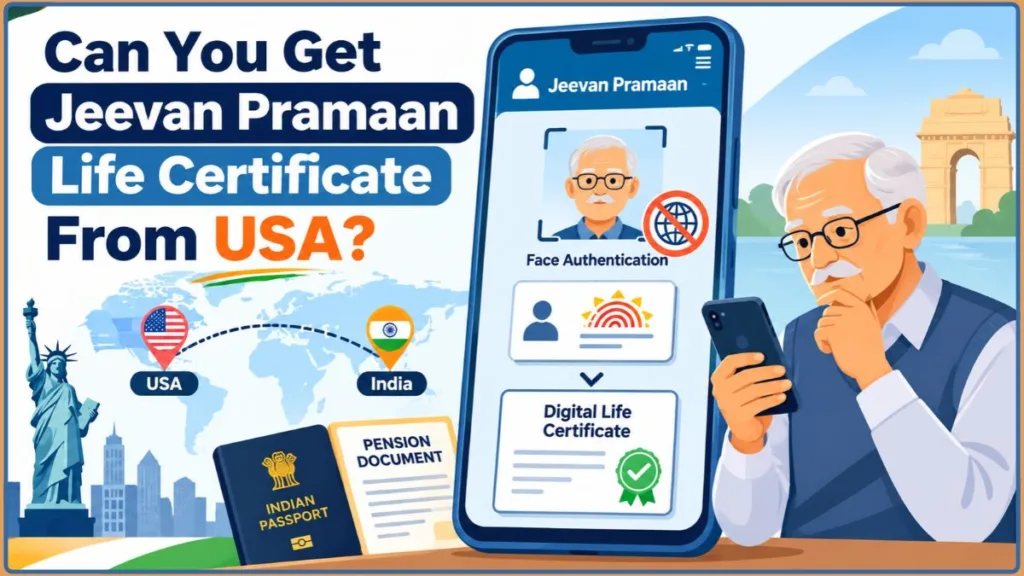
Let’s look at how to access Jeevan Pramaan, download the required applications, understand the reported USA workarounds, troubleshoot common errors and obtain an accepted Life Certificate without returning to India.
Can I Get a Jeevan Pramaan Life Certificate from the USA?
Yes, you can complete your Indian pension’s annual Life Certificate requirement from the USA, but the official Jeevan Pramaan Face Authentication app cannot be used outside India.
To understand the difference, you need to distinguish between generating a Digital Life Certificate through Jeevan Pramaan and submitting a conventional Life Certificate through an accepted overseas authority.
Jeevan Pramaan is an Aadhaar-based Digital Life Certificate (DLC) service that uses biometric authentication to verify a pensioner’s identity.
After successful authentication, the system generates a unique Pramaan ID and electronically makes the certificate available to the Pension Disbursing Agency.
You do not normally need to deliver a physical copy of a successfully generated Digital Life Certificate to your bank because it is made available electronically.
The problem arises when you try to complete the mobile face authentication process from the USA.
The official Jeevan Pramaan FAQ specifically states that its Face Authentication app can only be used in India.
Therefore, changing your phone’s time zone, installing Aadhaar Face RD or connecting to an Indian VPN does not change the service’s official geographical restriction.
What Are Your Options for Getting a Life Certificate from the USA?
You have three practical routes to investigate.
| Method | How it works | Important consideration |
|---|---|---|
| Jeevan Pramaan mobile app | Aadhaar-based face authentication | Official face authentication is restricted to India |
| Indian Embassy or Consulate | Obtain an attested Life Certificate | Follow the mission’s application requirements |
| Eligible bank or authorized certifier | Get your Life Certificate signed and certified | Obtain approval from your pension authority |
For Central Government pensioners living abroad, overseas certification arrangements may involve authorized bank officials, notaries, bankers, magistrates and Indian diplomatic representatives, subject to the applicable requirements.
Our recommendation: Check your pension disbursing bank’s accepted overseas certification methods before spending money on VPN subscriptions or international roaming plans.
How to Do Jeevan Pramaan from Outside India?
Before attempting to generate your Digital Life Certificate, understand the difference between the official service and the unofficial configurations sometimes used by overseas pensioners.
The official position remains unchanged: Jeevan Pramaan Face Authentication is intended for use in India.
Nevertheless, two configurations have been associated with individual reports of successful authentication from the USA.
Method 1: Using an Indian VPN and India Time Zone
One reported approach involves using an Android phone connected to an Indian VPN server.
The configuration combines an Indian VPN location with India Standard Time (IST).
Here is how the reported method is configured:
- Install the official Jeevan Pramaan and Aadhaar Face RD applications, provided they are available for your device and account region.
- Open your Android phone’s Settings.
- Navigate to System > Date & Time or the equivalent settings on your device.
- Disable the automatic time-zone setting.
- Select India Standard Time (IST).
- Connect your VPN to an Indian server.
- Open Jeevan Pramaan and check whether the application completes its initial update and registration screens.
- Proceed with the operator and pensioner information if the application allows you to continue.
Some individual configurations have involved changing VPN server locations and connection protocols when the application fails to complete its update process.
Important: An Indian VPN changes your apparent network location. It does not establish official eligibility to use a government authentication service outside India. Do not purchase a VPN subscription expecting it to bypass the Jeevan Pramaan geographical restriction.
Method 2: Using Jio International Roaming Without a VPN
Another reported configuration uses an Indian Jio SIM with international roaming instead of a VPN.
The approach involves accessing Jeevan Pramaan through the Indian SIM’s mobile data connection while physically residing in the USA.
The reported procedure is:
- Install Jeevan Pramaan and Aadhaar Face RD on your iPhone, if the applications are available for your App Store region.
- Activate a Jio international roaming plan that supports mobile data in the USA.
- Open your iPhone’s Settings > General > Date & Time.
- Disable Set Automatically.
- Select an Indian time zone.
- Turn off Wi-Fi.
- Enable mobile data through your Indian Jio SIM.
- Open Jeevan Pramaan and attempt the initial operator registration.
- Save the Pramaan ID if the certificate is successfully generated.
An individual overseas experience described using a ₹599 international roaming pack with 1 GB of data for seven days.
However, that is a historical reported price, not a confirmed current Jio offer.
Check Jio’s official website for current USA roaming availability, data allowances and pricing before activating a plan.
Which method should you try?
Neither method is officially supported for overcoming the international-user restriction. A VPN or roaming connection may behave differently depending on the device, application version and authentication service.
Do not treat either configuration as a replacement for an accepted Embassy, Consulate or bank-issued Life Certificate.
How to Install Jeevan Pramaan App in USA?
You need the correct Jeevan Pramaan application and its supporting Aadhaar authentication service before attempting to generate a Digital Life Certificate.
The official government website provides download information for Android, iOS and Windows applications.
However, remember that downloading an application and successfully using its face authentication service overseas are two separate things.
Official Jeevan Pramaan App Download Links
Use the following official application resources.
| Application | Download link |
|---|---|
| Jeevan Pramaan official download portal | Open government download page |
| Jeevan Pramaan for Android | Find it on Google Play |
| Jeevan Pramaan for iPhone | Open Apple App Store |
| Aadhaar Face RD for Android | Download from Google Play |
| Aadhaar Face RD for iPhone | Find it on Apple App Store |
| Jeevan Pramaan user manuals | Open official manuals and downloads |
The Apple App Store listing identifies the JeevanPramaan application as a National Informatics Centre (NIC) application. Its published compatibility requirement is iOS 14 or later.
Note: Application availability can vary according to your Google Play or Apple App Store account region. An application may not appear in a USA-based store even when it is listed on the Indian store.
Do not install modified APK files or authentication applications from unfamiliar websites.
Jeevan Pramaan App: What Do You Need to Install?
According to the current official Jeevan Pramaan download page, the published mobile application requirements are:
| Device | Requirement |
|---|---|
| Android | Android 10.0 or above |
| iPhone | iOS 14.0 or above |
| Android device condition | Unrooted device |
| iPhone condition | Unrooted device |
| Android face authentication | Jeevan Pramaan and Aadhaar Face RD |
| iPhone face authentication | Jeevan Pramaan and Aadhaar Face RD |
| Windows application | Windows 10/11 with a compatible external biometric device |
For mobile face authentication, you do not need a separate fingerprint scanner or iris scanner. The application uses your phone’s camera to capture the pensioner’s face.
The Windows application follows a different procedure and requires a compatible biometric fingerprint or iris device.
How to Install the Android Applications?
Follow these steps to install Jeevan Pramaan and Aadhaar Face RD on your Android phone:
- Open the Google Play Store.
- Search for Jeevan Pramaan.
- Verify the official application listing before installing it.
- Open Google Play again.
- Search for Aadhaar Face RD.
- Install the application published by UIDAI.
- Allow the necessary permissions when prompted.
- Keep both applications updated through their official listings.
Important: Aadhaar Face RD is a supporting registered-device service. It does not replace the main Jeevan Pramaan application.
How to Install the iPhone Applications?
You can also install Jeevan Pramaan on a supported iPhone.
Follow these steps:
- Open the Apple App Store.
- Search for JeevanPramaan.
- Verify that the developer is the National Informatics Centre (NIC).
- Install the application if it is available in your region.
- Search separately for AadhaarFaceRD.
- Install the official UIDAI authentication service if available.
The official iOS application supports iOS 14 or later. However, its Aadhaar-based face authentication functionality is intended for use in India.
Jeevan Pramaan Face App: How Does Aadhaar Face RD Work?
The Jeevan Pramaan Face Authentication app uses your phone’s camera to capture the pensioner’s face and complete Aadhaar-based biometric verification.
The Aadhaar Face RD application provides the supporting authentication service.
The general process involves:
- Opening the Jeevan Pramaan application.
- Completing operator authentication.
- Entering the pensioner’s Aadhaar and mobile information.
- Providing the required consent.
- Opening the Aadhaar Face RD authentication service.
- Capturing the pensioner’s face using the phone camera.
- Waiting for the authentication result.
The actual pensioner must complete the face authentication process. Another person can operate the application, but they cannot use their own face as a substitute for the pensioner’s identity.
Remember: Installing Aadhaar Face RD does not remove the international-user restriction. The official Face Authentication service remains limited to India.
Can We Use an iPhone for Jeevan Pramaan?
Yes. The official application supports iPhones running iOS 14 or later.
However, distinguish between application compatibility and overseas authentication availability.
Your iPhone may support the application, and you may be able to install both JeevanPramaan and AadhaarFaceRD, but that does not mean you can complete face authentication from the USA.
An overseas user has reported success with Jio international roaming, but it is not an officially guaranteed procedure.
If you cannot find AadhaarFaceRD in your US App Store, check the official application listing and contact your pension disbursing authority about alternative submission methods.
How to Use Jeevan Pramaan App for Life Certificate Online?
Once you are eligible to use the official service and are completing authentication in India, you can generate your Digital Life Certificate by following the application registration and pensioner verification process.
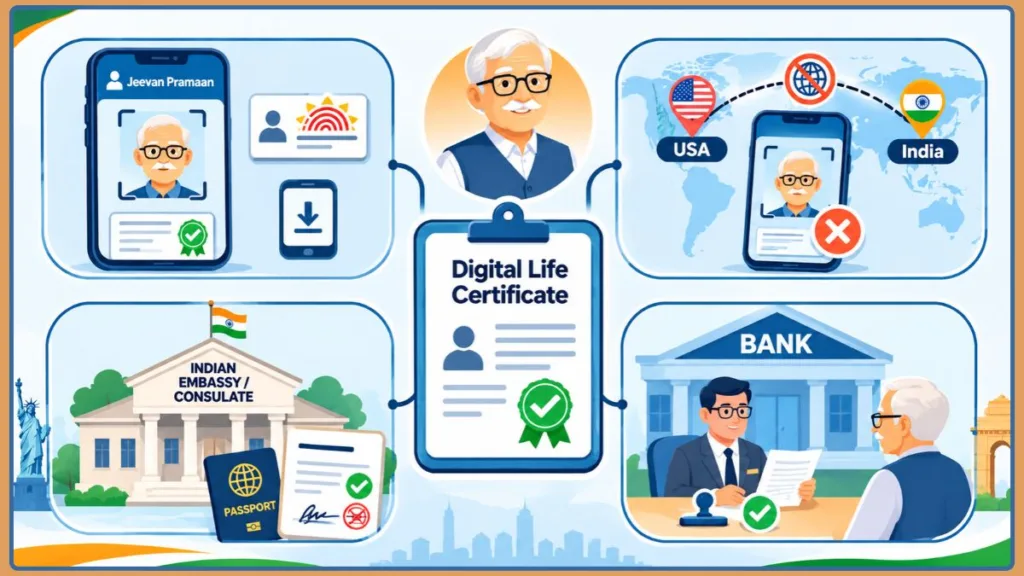
Keep the pensioner’s information ready before opening the application.
Step 1: Complete Device and Operator Registration
Open the Jeevan Pramaan application and select your preferred language.
The application first asks you to complete device registration and operator authentication.
An operator is the person operating the application.
For example, if you are helping your mother or father generate their Life Certificate, you can act as the operator.
The pensioner can also act as their own operator.
During the initial registration, the application generally requires:
- Operator Aadhaar number.
- Operator mobile number.
- Operator email address.
- OTP verification.
- Operator name.
- Required authentication consent.
Enter the requested information and follow the instructions to complete operator authentication.
Step 2: Enter the Pensioner’s Information
Once the operator registration is complete, proceed to pensioner identification.
Enter the pensioner’s information carefully.
Keep the following details available:
- Pensioner’s Aadhaar number or supported Virtual ID.
- Pensioner’s registered mobile number.
- Name as recorded in Aadhaar.
- Pension type.
- PPO number.
- Pension account number.
- Bank name.
- Pension Sanctioning Authority.
- Pension Disbursing Authority.
The application may request additional pension-related information depending on your pension category.
Check the information against the pension records before continuing.
Incorrect details, especially the PPO number, bank account information or pension authority, can result in rejection of the Digital Life Certificate.
What Is the Operator Name in Jeevan Pramaan?
The operator name in Jeevan Pramaan refers to the person completing the initial device registration and operating the authentication process.
For example, suppose you are helping your father generate his Life Certificate.
You can register yourself as the operator using your own required information. After completing this process, you enter your father’s pension information separately during pensioner identification.
If your father is completing the process independently, he can act as both the operator and pensioner.
Do not confuse the operator’s identity with the pensioner’s details. The pensioner must complete their own Aadhaar-based authentication.
Step 3: Complete Aadhaar Face Authentication
After entering the pensioner’s information, proceed with biometric authentication.
For mobile face authentication:
- Allow camera access.
- Open the Aadhaar Face RD service when prompted.
- Position the pensioner’s face clearly in front of the camera.
- Make sure the lighting is sufficient.
- Keep the face straight and within the scanning area.
- Follow the instructions displayed on the screen.
- Complete the face scan.
- Wait for the authentication result.
Avoid strong shadows, poor lighting and unnecessary head movements during the scan.
Do not close the application while authentication is running.
Step 4: Generate Your Digital Life Certificate
After successful Aadhaar authentication, Jeevan Pramaan generates the Digital Life Certificate.
The application displays a unique Pramaan ID and sends an acknowledgement to the mobile number provided during pensioner identification.
Save this number immediately.
You can use your Pramaan ID to retrieve the certificate, check its status and refer to the submission when contacting your pension disbursing bank.
However, remember that generating a Pramaan ID does not automatically mean that every pension-related verification requirement has been completed.
Your certificate remains subject to the applicable Pension Sanctioning or Disbursing Authority’s approval.
Why Isn’t the Jeevan Pramaan App Working Outside India?
The main difficulty is the official geographical restriction on Aadhaar Face Authentication.
Even if you successfully install both applications, you may encounter problems during application updates, server communication, operator registration, OTP verification or pensioner face authentication.
Some of the issues encountered during overseas attempts include:
- Jeevan Pramaan stuck on Checking for Updates.
- Failed to Connect with Server.
- Error 904.
- Error 9913.
- Error 9708 after OTP verification.
- Aadhaar Face RD network errors.
- International-user restrictions.
- Jeevan Pramaan unavailable in the US App Store.
These errors do not necessarily share the same cause.
First identify the stage where the application fails before attempting another configuration.
Why Am I Getting an Error in the Jeevan Pramaan App?
An error in Jeevan Pramaan can occur during different stages of the application process.
For example, an update failure occurs before pensioner identification, whereas an Aadhaar Face RD error may appear during biometric authentication.
Use the following table to identify the problem.
| When the error occurs | What to investigate |
|---|---|
| Application opening | Installation and device compatibility |
| Checking for updates | Application connectivity and service availability |
| OTP verification | Mobile number and OTP delivery |
| Operator registration | Operator information and authentication |
| Pensioner identification | Aadhaar details and pension information |
| Face scanning | Camera permissions, Face RD and service availability |
| Certificate generation | Authentication result and pensioner details |
If you are accessing the service from the USA, remember that an ordinary network connection error and an official geographical restriction are two different problems.
Changing your VPN or reinstalling the application cannot guarantee that an overseas authentication request will be accepted.
Why Does Jeevan Pramaan Say “Failed to Connect with Server”?
The Failed to Connect with Server message indicates that the application has not successfully communicated with the required service.
This can interrupt the process before you reach pensioner identification.
Start with these checks:
- Confirm that your internet connection is working.
- Check whether Jeevan Pramaan and Aadhaar Face RD are updated.
- Close the applications and reopen Jeevan Pramaan.
- Check whether your device has unexpectedly changed its date and time settings.
- Identify whether the error occurs during application updates or face authentication.
- Check whether your network is routing the application through your VPN, if you are using one.
- If you are using Jio roaming, confirm that mobile data is active and Wi-Fi is disabled.
If the application continues to display the same message, do not assume that your internet connection is the only problem.
The official international-use restriction may prevent the authentication process from completing even when your network is working correctly.
Jeevan Pramaan Error 904, 9913 and 9708
Some overseas attempts have encountered Jeevan Pramaan Error 904, Error 9913 and Error 9708 during the authentication process.
However, there is no confirmed official code-specific explanation for these three errors in the published Jeevan Pramaan documentation.
Therefore, avoid treating any single configuration as a guaranteed fix.
Error 904
If you receive Error 904 while opening Aadhaar Face RD or proceeding with biometric verification, check:
- Whether Aadhaar Face RD is installed correctly.
- Whether the application is compatible with your device.
- Whether the necessary permissions are enabled.
- Whether the authentication service is accessible in your current location.
Error 9913
If Error 9913 appears during authentication, check your application installation and network connectivity.
If you are using a VPN, remember that changing servers does not establish official eligibility for overseas authentication.
Error 9708 after OTP verification
If you encounter Error 9708 after entering the OTP, remember that OTP verification and face authentication are separate stages.
Receiving an OTP successfully does not mean that Aadhaar face verification has been completed.
Check your application installation and connection before trying again.
If the errors continue, use an accepted overseas Life Certificate submission method instead of repeatedly purchasing VPN subscriptions or switching network configurations.
Jeevan Pramaan Stuck on Checking for Updates
You may open Jeevan Pramaan and find that it remains stuck on Checking for Updates.
This can happen before you reach the operator registration screen.
Try these basic troubleshooting steps:
- Close Jeevan Pramaan and Aadhaar Face RD.
- Check whether both applications are available through their official store listings.
- Confirm that your device meets the published application requirements.
- Check your internet connection.
- If you decide to reinstall, remove the applications and obtain them again from their official sources.
- Reopen Jeevan Pramaan and check whether the update screen completes.
Some overseas configurations have involved uninstalling the applications, reinstalling them and changing the network connection before reopening the application.
However, this is not an officially confirmed solution.
If the application remains stuck during the update process, do not repeatedly reinstall it expecting the international-use restriction to disappear.
Jeevan Pramaan Showing International Users Restriction
You might encounter a message indicating that face recognition for obtaining a Jeevan Pramaan certificate is not accessible to international users.
This is different from an ordinary internet connection error.
The official Jeevan Pramaan FAQ explicitly states that its Face Authentication app is available only in India.
The iPhone application listing also identifies Aadhaar-based face authentication and AadhaarFaceRD as India-only services.
If you encounter this restriction, the most practical option is to use an accepted overseas Life Certificate submission procedure.
You do not need to travel back to India simply because the mobile face authentication process is unavailable.
Jeevan Pramaan App Not Available in US App Store or Play Store
Another problem is that Jeevan Pramaan or Aadhaar Face RD may not appear when you search your USA-based application store.
Application availability can differ according to your account’s country or regional store settings.
Check these official resources:
- Jeevan Pramaan application download page
- Jeevan Pramaan on Apple App Store
- Aadhaar Face RD on Google Play
- Aadhaar Face RD on Apple App Store
If the listing says that an application is unavailable in your region, do not download a modified APK from an unknown website.
Also remember that successfully installing both applications does not remove the official restriction on using face authentication outside India.
Jeevan Pramaan Login: How to Download Your Life Certificate?
After successfully generating your Digital Life Certificate, you can use the official pensioner login facility to download its PDF copy.
You do not need to generate another certificate simply to download the acknowledgement.
Official Jeevan Pramaan Pensioner Login: https://jeevanpramaan.gov.in/v2.0/ppouser/login
Jeevan Pramaan Life Certificate Download
Follow these steps to download your generated Life Certificate:
- Open the official Login page.
- Find the Pramaan ID field.
- Enter the Pramaan ID received after successful certificate generation.
- Complete the CAPTCHA.
- Select Generate OTP.
- Enter the OTP received for authentication.
- Complete the login process.
- View and download the PDF version of your Digital Life Certificate.
Save the downloaded certificate on your phone or computer.
Keep both the PDF and Pramaan ID available when contacting your Indian pension disbursing bank.
Jeevan Pramaan Gov In: View Life Certificate
The official Jeevan Pramaan website provides the pensioner login facility to retrieve your Digital Life Certificate.
You can use the direct link:
View and Download Jeevan Pramaan Life Certificate
You must already have a generated Pramaan ID to access your certificate.
Opening the login page does not generate a new Life Certificate. You must first complete the required registration and authentication process.
How Can I Check My Jeevan Pramaan Status Online?
You can check whether your Digital Life Certificate has been accepted or rejected by downloading it through the official pensioner login facility.
Follow these steps:
- Open the Jeevan Pramaan Pensioner Login.
- Enter your Pramaan ID.
- Complete the CAPTCHA.
- Generate and enter the OTP.
- Access the Digital Life Certificate.
- Download the PDF and check its status.
The official FAQ confirms that downloading the generated DLC is the way to check its acceptance or rejection status.
If your certificate is rejected, contact your Pension Disbursing Agency. Incorrect pension particulars can cause rejection, and you may need to generate another certificate with the correct information.
Important: A successfully generated Pramaan ID is not the same as confirmed acceptance by your pension authority.
How to Get a Life Certificate for NRI Pensioners in the USA?
If you cannot generate Jeevan Pramaan from the USA, you can still investigate official alternatives for submitting your Indian pension’s annual Life Certificate.
You have several options, depending on your pension scheme and the requirements of your Pension Disbursing Agency.
These include:
- Obtaining a Life Certificate through the Indian Embassy or Consulate.
- Getting certification from an eligible Indian bank official operating overseas.
- Using an accepted Notary Public, banker or magistrate certification where permitted.
The Department of Pension and Pensioners’ Welfare has specified overseas Life Certificate arrangements for Central Government pensioners and family pensioners.
Get a Life Certificate from the Indian Embassy or Consulate
You can obtain a pension Life Certificate through the Indian diplomatic mission responsible for your US residential address.
The Indian Embassy and Consulates provide Life Certificate services for eligible pensioners.
Depending on your jurisdiction, you may be able to apply directly through the Consulate or use the VFS Global application route.
Start with these official resources:
| Service | Official website |
|---|---|
| Embassy of India, Washington, D.C. | Miscellaneous Consular Services |
| Consulate General of India, Houston | Life Certificate |
| Consulate General of India, San Francisco | Life Certificate |
| VFS Global | India Miscellaneous Services in USA |
| MEA eSEWA | Indian Consular Services Portal |
Before applying, identify which Indian diplomatic mission covers your residential state.
The application method, document checklist, fees and postal requirements can differ between jurisdictions.
Example: Applying Through the Houston Consulate
The Consulate General of India in Houston provides pension Life Certificate services through its Consular Section and VFS Global.
Its published postal application procedure requires the following documents:
- Download and complete the Miscellaneous Application Form.
- Attach the applicant’s photograph.
- Obtain a recent medical certificate from a registered medical practitioner. The certificate must be no older than 15 days and confirm that the applicant was examined and alive on the examination date.
- Include a notarized copy of the pension book or bank pension documents if you want the PPO number recorded on the Life Certificate.
- Include the original and a photocopy of the Life Certificate form supplied by your Indian pension authority, if available.
- Include the required notarized passport documentation and proof of valid US immigration status.
- Provide proof of your US residential address.
- Include a prepaid, trackable, self-addressed return envelope.
The Houston Consulate specifies a fee of US$2 towards the Indian Community Welfare Fund (ICWF) for a pension Life Certificate.
Its published postal processing time is 10 working days from receipt of a complete application.
For in-person applicants, the Consulate states that the medical certificate and notarized documents are not required. Applicants should bring their original passport, proof of residence and completed application form.
The published in-person timing is 10:00 AM to 12:30 PM, with same-day processing.
You can find the current requirements and application form here: Consulate General of India, Houston – Life Certificate
Important: These requirements are specific to the Houston Consulate. Check its official page before preparing or mailing your documents.
Example: Applying Through the San Francisco Consulate
The Consulate General of India in San Francisco provides an eSEWA-based application route for pension Life Certificates.
Its published process involves:
- Register through the MEA eSEWA portal.
- Select the Life Certificate for Pension Purpose service.
- Complete the application and upload the required documents.
- Wait for the Consulate’s online document scrutiny.
- Submit the required documents in person or by post after scrutiny, following the Consulate’s instructions.
For Indian passport holders, the published checklist includes:
- Passport documentation.
- Proof of valid US visa status.
- US residential address proof.
- Pension book or bank pension documents, where applicable.
- The relevant supporting application documents.
For postal submissions, the Consulate requires notarized copies of applicable documents and a prepaid, trackable, self-addressed return envelope.
The published pension-purpose fee is US$2 towards ICWF, payable through the specified cashier’s check or money order arrangement.
Separate document requirements apply to US passport holders with OCI status.
Apply through: Consulate General of India, San Francisco – Life Certificate
Recommendation: Do not use the Houston checklist when applying through San Francisco or another Consulate. Follow the specific instructions of your jurisdiction.
Submit a Life Certificate Through an Eligible Foreign Bank
Another option is to obtain certification through an eligible bank official.
The Department of Pension and Pensioners’ Welfare’s October 15, 2024 memorandum describes the available overseas arrangements for Central Government pensioners.
These include:
- A bank official signing the Life Certificate when the pensioner draws their pension through a qualifying bank included in the Second Schedule to the Reserve Bank of India Act, 1934.
- An authorized agent producing a Life Certificate signed by a Magistrate, Notary, Banker or Diplomatic Representative of India.
- Certification by an authorized official of the Indian Embassy, High Commission or Consulate.
SBI also provides specific instructions for NRI pensioners.
According to SBI’s published senior citizen facilities, an NRI pensioner can obtain a Life Certificate from:
- An authorized official of the Indian Embassy, High Commission or Indian Consulate.
- A Notary Public.
- An officer of an Indian Public Sector Bank attached to its branch in the country where the pensioner resides.
SBI specifies that the certificate should be obtained annually in November and forwarded to the pension-paying branch.
However, you should not assume that every local American bank officer or notary can automatically certify your Indian pension Life Certificate.
Contact your Indian pension disbursing bank first. Ask whether it accepts the proposed certifier, the required certification format and any additional attestation.
Official reference: SBI – Facilities for Senior Citizens and NRI Pensioners
Send Your Attested Life Certificate to Your Pension Disbursing Authority
If you obtain a physical Life Certificate through an Indian Consulate, eligible bank officer or another accepted certifying authority, follow the submission instructions provided by your pension disbursing bank.
Before sending your certificate, confirm the following:
- Whether your pension authority requires its prescribed Life Certificate form.
- Whether the certificate must contain your PPO number.
- Whether notarized copies are required.
- Whether a medical certificate is necessary.
- Whether the original certificate must be mailed.
- Which address should receive the completed document.
- Whether the bank accepts postal or scanned submissions.
Keep your postal tracking number and application acknowledgement until the pension disbursing authority confirms receipt and processing.
Important: Do not assume that an Embassy-issued Life Certificate has automatically been recorded in your pension account. Confirm its receipt and acceptance with your Indian pension-paying branch.
What Is the Deadline to Submit a Life Certificate for Pensioners in 2026?
For pensioners following the standard Central Government annual Life Certificate schedule, the 2026 submission window is:
| Pensioner category | Submission start date | Regular deadline |
|---|---|---|
| Pensioners below 80 years | November 1, 2026 | November 30, 2026 |
| Pensioners aged 80 years and above | October 1, 2026 | November 30, 2026 |
The November 2026 submission campaign runs from November 1 to November 30. Pensioners aged 80 and above have the additional facility to submit from October 1.
As of November 18, 2026, the regular submission window is already open.
If you live in the USA and need an Embassy or Consulate-issued certificate, allow enough time for document verification, appointments and postal delivery.
Do not wait until November 30 to begin preparing your application.
The standard schedule should not be assumed to apply identically to every pension scheme. Confirm your deadline with your own Pension Disbursing Agency.
Is It Mandatory to Submit a Life Certificate for Pensioners?
Yes. Pensioners covered by annual Life Certificate requirements generally need to establish their continued eligibility to receive pension payments.
However, using the Jeevan Pramaan app is not mandatory for every pensioner.
The official Jeevan Pramaan FAQ describes the Digital Life Certificate as an additional facility alongside existing Life Certificate submission methods.
You can therefore use another accepted method if you cannot complete Aadhaar Face Authentication from the USA.
Depending on your pension arrangement, this may include certification through an Indian diplomatic mission, an eligible bank official or another permitted certifying authority.
What Is the Time Limit to Submit a Life Certificate?
For pensioners following the standard Central Government annual schedule, the regular submission period is November 1 to November 30.
Pensioners aged 80 and above can begin submitting from October 1.
For the 2026 cycle, the regular deadline is November 30, 2026.
If your pension authority follows a separate schedule, use the deadline communicated by that authority.
If you miss the deadline, contact your pension disbursing bank immediately and ask how to submit the pending certificate and restore pension processing.
Frequently Asked Questions
Can I Get a Jeevan Pramaan Life Certificate from the USA Without Travelling to India?
Yes, you can complete your Indian pension’s Life Certificate requirement without travelling to India. However, the official Jeevan Pramaan Face Authentication service is restricted to India. You can use an accepted Embassy, Consulate or eligible bank certification method instead.
Does Jeevan Pramaan Work with a VPN in the USA?
Some overseas users have reported successful attempts using an Indian VPN server and India time-zone settings. However, this is not an officially supported way to overcome the geographical restriction, and successful authentication is not guaranteed.
Can I Generate Jeevan Pramaan Without a VPN?
An individual overseas configuration has involved using an Indian Jio SIM with international roaming and mobile data. However, this is not an officially supported alternative to the India-only face authentication service.
Can I Use Jeevan Pramaan on an iPhone in the USA?
The official application supports iOS 14 or later, but its Aadhaar Face Authentication service is intended for use in India. Installing the application on an iPhone in the USA does not guarantee successful certificate generation.
Is Aadhaar Face RD Mandatory for Jeevan Pramaan?
Aadhaar Face RD is required for the supported mobile face authentication process. However, you do not need a separate fingerprint or iris scanner when using face authentication because the phone camera captures the pensioner’s face.
What Documents Are Required for an NRI Life Certificate?
Requirements depend on the Indian Consulate and pension authority. Common documents include a passport, US immigration status, US address proof, pension book or bank pension documents, PPO details and the prescribed Life Certificate form.
How Can I Check Whether My Jeevan Pramaan Certificate Was Accepted?
Open the official Jeevan Pramaan Pensioner Login, enter your Pramaan ID, generate an OTP and download the PDF. Check the certificate’s status to see whether it has been accepted or rejected.
What Should I Do If Jeevan Pramaan Keeps Showing an Authentication Error?
Identify whether the error occurs during application updates, OTP verification or Aadhaar Face RD authentication. Check application compatibility, permissions and network connectivity. If the official geographical restriction prevents authentication, use an accepted overseas Life Certificate submission method.
Is the Pramaan ID Valid for Life?
No. A Pramaan ID is not valid for life. The validity period of your Digital Life Certificate depends on the rules specified by your Pension Sanctioning Authority. You need a new certificate when the previous certificate’s validity expires.
Do I Need to Submit My Downloaded Jeevan Pramaan PDF to the Bank?
Normally, no. A successfully generated Digital Life Certificate is electronically made available to the Pension Disbursing Agency. However, you should still download the PDF to check its status and keep a copy for your records.
Final Thoughts
Submitting your Indian pension’s annual Life Certificate from the USA can become complicated when Jeevan Pramaan, Aadhaar Face RD or overseas network verification fails.
You can investigate the reported Indian VPN and Jio international roaming configurations, but neither method is guaranteed because the official Face Authentication service is restricted to India.
The better approach is to identify an accepted submission method before spending unnecessary time troubleshooting the same application errors.
You can obtain a Life Certificate through the Indian Embassy or Consulate, investigate eligible overseas bank certification or use another certifier permitted by your pension authority.
Once your certificate is generated or physically submitted, verify that your Indian pension disbursing bank has received and accepted it.
Your goal is not simply to generate a Pramaan ID. It is to complete your annual pension verification successfully while living in the USA, without making an unnecessary journey back to India.
Visit Our Post Page: Blog Page
Discover more from Izoate
Subscribe to get the latest posts sent to your email.