
Struggling to earn Microsoft Rewards points? Discover 10 legit ways to maximize your earnings in 2026, plus tips to avoid getting restricted.
You search with Bing most days. You click through a few Rewards activities when you remember. And your points balance still creeps up slower than you’d like.
Then you stumble across someone online talking about pulling in 10,000, 20,000, or even more Microsoft Rewards points a month, and you’re left wondering what you’re missing.
Here’s the thing — it’s almost never a secret trick.
The people racking up big monthly totals are usually just tapping into more corners of the Microsoft ecosystem than you are. Depending on where you live, your account level, and which Microsoft services you already use, you could be earning through Bing searches, Microsoft Edge, daily dashboard activities, mobile searches, Xbox, gaming, Game Pass, and eligible Microsoft Store purchases. Microsoft itself is upfront that what you can earn — and how much — shifts depending on your market.
In this guide, you’ll get a practical breakdown of how to earn more Microsoft Rewards points in 2026, which methods are actually worth your time, which shortcuts to steer clear of, and how to turn all of this into a simple daily habit instead of a second job. Everything here is grounded in Microsoft’s own official guide on how to earn Microsoft Rewards points, so you’re not relying on outdated forum advice.
New to Microsoft Rewards? Sign up here and you can get up to 1,320 bonus points just for completing the Welcome Quest — an easy head start before you even get into your daily routine.
Why Do Some People Earn So Many Microsoft Rewards Points?
If you’re relatively new to the program, it’s easy to picture Microsoft Rewards as one simple loop: search with Bing, collect points, redeem them for something. That’s part of the picture, but it’s far from the whole thing.
Microsoft’s own Rewards information points to earning opportunities spread across PC and mobile Bing searches, Microsoft Edge, the Rewards dashboard, Xbox, and select gaming activities. It also notes clearly that not every earning method shows up in every country, and that daily caps can differ from one region to the next.
That’s really the whole explanation for why two people can have wildly different monthly totals. One person opens Bing occasionally and calls it a day. Another checks their dashboard daily, searches from more than one device, dips into Xbox activities, and might even have access to Game Pass-related bonuses.
So the next time you see someone’s screenshot showing a much bigger balance than yours, don’t assume they’ve cracked some code. More often than not, they’re simply pulling from more earning categories than you are.
Tip: Your own Rewards dashboard is the most reliable source of truth here, since what’s actually available to you depends on your account and your region.
How to Get More Microsoft Rewards Points
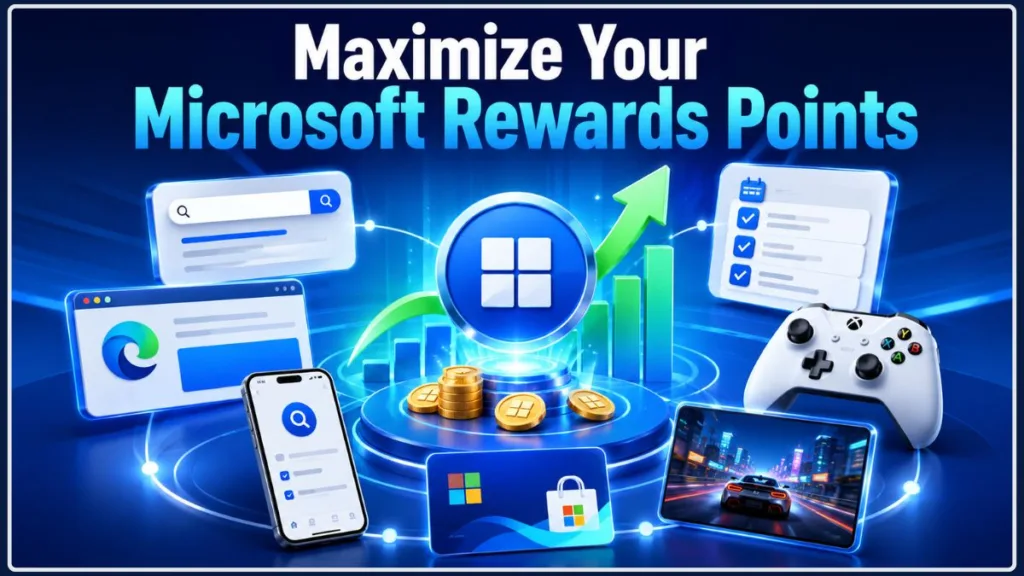
If you want your balance to grow faster, stop treating Bing searches as the only lever you can pull. Here’s what’s worth checking, based on the earning methods Microsoft lists in its official Rewards support guide.
1. Make Your Bing Searches Count
Bing searches are still the most straightforward way to build up Rewards points. Any time you’re already searching for something, doing it through Bing lets those eligible searches quietly add to your balance. Microsoft also supports mobile searching through the Bing app and Microsoft Launcher on Android, though which of these you can use depends on where you’re located.
The trick is keeping your searches looking like, well, actual searches.
Don’t sit there typing gibberish just to burn through your daily allowance as fast as possible. Microsoft’s guidance is pretty direct about this — spread your searches out across the day instead of firing off a burst of them back-to-back.
A better rhythm looks like this:
- Search Bing when you actually need an answer
- Use it for your everyday questions and research
- Let your searches spread naturally throughout the day
- Avoid forcing extra searches just to hit a number
This approach is both safer for your account and a lot less exhausting than trying to manufacture dozens of searches in ten minutes.
2. Put Microsoft Edge to Work
Where it’s available, Microsoft Edge can unlock extra Rewards potential on top of your regular searches. Microsoft’s current program details mention added earning tied to searching with Bing inside Edge, though the specific amount depends on your market and Rewards level.
If you’re already comfortable in Microsoft’s browser, this one barely requires any extra effort.
You don’t need to overhaul your whole browsing routine — just fold Edge into things you’re already doing, like:
- General web browsing
- Bing searches
- Checking your Rewards dashboard
- Using other Microsoft services
- Researching things you needed to look up anyway
The goal is layering legitimate earning on top of habits you already have, not building new ones from scratch.
3. Make Checking the Dashboard a Daily Habit
Skipping your Rewards dashboard is one of the easiest ways to leave points sitting on the table.
Microsoft treats the dashboard as the hub for market-specific opportunities, and its support pages mention activities like quizzes, trivia, and other tasks that can show up there. These are worth your attention because they don’t require dozens of searches to complete.
Build the habit of opening it once a day and scanning for:
- New activities
- Quizzes and trivia
- Bonus opportunities
- Search progress
- Xbox or gaming tasks
- Any other promotions on offer
None of these individually feels like much, but staying consistent with them adds up over weeks and months in a way that’s easy to underestimate.
4. Don’t Skip the Quizzes and Daily Activities
It’s tempting to ignore the smaller tasks because they only hand out a modest number of points. Don’t.
Microsoft Rewards is built around stacking several small activities rather than relying on one big source, and quizzes and trivia are specifically called out as part of that mix.
The appeal here is how little effort they take. You’re not spending money, buying anything, or grinding through a game for hours — you’re just clicking through a quick task that’s already sitting in your dashboard.
Treat these as easy wins. Your goal isn’t finding one activity that hands you thousands of points instantly — it’s collecting everything that’s already available to you.
5. Bring Your Phone Into the Routine
Your PC isn’t the only device that matters here. Microsoft supports mobile Bing searches, including through the Bing app, and Android users also have Microsoft Launcher as an option. Just keep in mind that mobile earning isn’t switched on everywhere.
A few easy ways to work this in:
- Search Bing on your phone for things you’d look up anyway
- Check the Bing app for activities tied to your account
- Pull up your dashboard from your phone
- Look for anything mobile-specific
Just don’t turn your phone into a search-farming device. Use it as another natural extension of things you’re already doing, not a new obligation.
6. Tap Into Xbox
If Xbox is already part of your life, make sure you’re checking what’s connected to Rewards there too.
Microsoft lists select games and quests on Xbox as part of its earning methods, though what’s actually offered depends on your market and account.
This is often the real dividing line between someone who earns a modest amount and someone earning significantly more. A person relying purely on Bing has access to a narrower slice of the program than someone combining Bing, Edge, mobile, Xbox, and gaming activities together.
If you’re an Xbox user, get in the habit of checking your available Rewards or gaming sections instead of assuming search points are the only thing on the table.
7. See What Game Pass Adds to the Mix
Game Pass is another reason some Rewards users pull ahead of everyone else. What exactly you can earn through it depends on the current program, your account, your country, and your subscription tier — but if you’re already subscribed, it’s worth checking what’s available.
Here’s the important distinction: use Game Pass because you actually want Game Pass. Don’t sign up purely because you think it’ll turn into a points windfall.
If gaming through Game Pass is already part of your routine, any Rewards activities tied to it are a nice bonus layered on top.
Tip: Before subscribing to anything purely for the points, do the math. Compare the subscription cost against the real value of the rewards you’d actually redeem.
8. Check for Eligible Gaming Activities
Gaming can factor into your strategy whenever your account has eligible gaming tasks attached to it — this might include specific games, quests, or other gaming-related activities.
The important part is checking what’s actually showing up in your account right now, rather than following an outdated list from an old video or forum post. Microsoft updates these activities regularly, and it’s upfront that earning methods and limits differ by market — so a method someone described a year ago may no longer be live.
9. Look for Eligible Microsoft Store Opportunities
Certain Microsoft Store purchases can also feed into your Rewards balance, though Microsoft notes this isn’t available everywhere.
Think of this as a bonus attached to purchases you already planned to make, not a reason to buy something you don’t need. If you were going to pick up an eligible Microsoft product anyway, it’s worth checking whether it qualifies for points.
Spending $50 to earn a handful of Rewards points isn’t a good trade. The better mindset is simple: spend because you need it, and let the points be a side effect — not the reason.
10. Combine Every Category Instead of Leaning on One
This is really the biggest takeaway from watching how high earners actually use the program. Big monthly totals rarely come down to one magic method — they come from stacking several legitimate sources together.
For you, that combination might look something like:
Bing searches + Edge + daily dashboard activities + mobile + Xbox + gaming + eligible Game Pass activities
You won’t necessarily have access to every category, and that’s completely normal — Microsoft is clear that earning methods and limits vary by market.
So instead of asking “what’s the one fastest trick?”, a more useful question is: “which of these categories are actually open to my account, and which ones can I fit into my day naturally?”
That mindset shift alone will get you further than chasing a single shortcut.
How Many Microsoft Rewards Points Can You Earn Per Day?
There’s no single daily cap that applies to every Rewards user. Microsoft says as much directly — limits and terms shift by country and region, and they can also vary by the specific activity you’re doing.
As one example, Microsoft’s India-specific Rewards page shows different search-related limits for Level 1 and Level 2 accounts, which says a lot about why copying a number you saw from someone else’s account rarely lines up with your own.
If someone online claims a higher daily total than what you’re seeing, it could come down to:
- A different country or region
- A different Rewards level
- Different activities available to their account
- Xbox or mobile options you don’t have
- Game Pass-related bonuses
- An entirely different program setup
Don’t treat someone else’s ceiling as your own.
This trips up a lot of people. You read a claim online about how many points someone earns daily, only to find your own account tops out well below that.
That doesn’t mean anything is wrong with your account. Microsoft is upfront that earning methods and limits differ by market, and points you back toward the dashboard for what’s specific to your situation.
Before comparing your numbers to a Reddit post, video, or screenshot, ask yourself:
- Is that person in the same country as me?
- Do they have the same Rewards level?
- Do they have Game Pass?
- Is that screenshot even current?
Any one of those can completely change the comparison.
How Many Microsoft Rewards Points Can You Earn in a Month?
Your monthly total really comes down to two things: how many earning opportunities your account has access to, and how consistent you are about using them.
That’s exactly why it wouldn’t be honest to promise every reader a fixed number — 10,000, 20,000, or otherwise — as a guaranteed monthly outcome. One person might only have a handful of easy tasks available each day, while another has several extra categories unlocked.
It’s also worth remembering that Microsoft lets Rewards points expire after 12 months of no earning activity, so if you’re saving up toward something, staying at least a little active matters.
Rather than fixating on hitting a specific monthly number, aim to build a routine that actually fits what your account offers.
When you see someone report a big monthly haul, they’re usually combining several sources at once:
- Daily Bing searches
- Mobile activity
- Microsoft Edge
- Dashboard tasks
- Xbox
- Gaming quests
- Game Pass-related activities
- Eligible purchases
They may also simply be in a market that offers more earning options than yours. That’s exactly why a large monthly figure from a stranger online shouldn’t be treated as a realistic target for everyone.
How to Maximize Points Without Getting Restricted
Here’s where trying too hard to earn “more” can actually work against you.
Microsoft maintains dedicated support documentation covering earning limits and search restrictions, and it’s clear that search points can temporarily stop if your activity doesn’t resemble normal, human searching.
Microsoft’s own recommendation is to spread searches out across the day rather than clustering them together.
Resist the urge to blow through your entire search allowance in a five-minute burst. Spacing things out is exactly what Microsoft recommends.
Typing random letters or meaningless queries just to rack up a number is precisely the kind of pattern Microsoft flags. Rapid clicking through articles or bookmarking in bulk purely to generate activity falls into the same category.
Avoid:
- Bots
- Macros
- Automated search scripts
- Browser automation built to farm points
- Any tool designed to fake Rewards activity
Microsoft is explicit that programs, bots, and macros aren’t permitted for searching.
Pretending you’re in a different country through a VPN isn’t a smart way to unlock more points either. What you can earn is tied to your actual market, and trying to game that puts your account at unnecessary risk.
Trying to multiply your earnings by juggling several accounts undermines the whole point of the program and can create real problems for you down the line. Your safest bet is sticking to your one legitimate account and the activities Microsoft actually makes available to it.
Repeated rule-breaking has real consequences — Microsoft says continued abuse can lead to account suspension and the loss of points you’ve already earned.
Warning: A handful of extra points isn’t worth risking your entire Rewards account and balance.
Common Mistakes That Keep Your Points Low
Relying only on Bing searches. Searching matters, but it shouldn’t be the only box you check. Take a look at what else your dashboard is offering.
Never opening the dashboard. This is one of the simplest fixes available. New activities show up there regularly, and Microsoft specifically routes users to it for market-specific details.
Forgetting your phone. If mobile earning is live in your region and you’re not using it, you’re skipping a source of points that’s sitting right there.
Skipping daily activities. These feel small individually, but ignoring them day after day can quietly cost you a lot over a full month.
Overlooking Xbox. If you’re a console user, check what’s connected to Rewards instead of assuming Bing is your only option.
Assuming another country’s limits apply to you. A screenshot from someone in a different market tells you nothing reliable about your own account, since Microsoft confirms methods and limits vary by region.
Spending money just to chase points. Rewards should complement purchases you’re already making — not talk you into ones you weren’t planning.
Trying risky shortcuts. Bots, macros, rapid-fire searches, and other artificial tactics are far more likely to get you restricted than to boost your balance.
Burning too much time on it. If you’re spending an hour a day squeezing out a handful of extra points, it’s probably not worth the trade-off anymore.
The best approach is one that folds naturally into habits you already have.
A Simple Daily Microsoft Rewards Routine
You don’t need a spreadsheet or a checklist app to stay on top of this — a light daily rhythm is plenty.
Morning: Open your dashboard first. Look for daily activities, quizzes, bonus tasks, new gaming opportunities, and your current progress. Then get in a few of your normal Bing searches.
Throughout the day: Search Bing whenever you’d naturally need to. If Edge is already part of your browsing, use it for eligible activities. If Xbox or mobile services are part of your routine, check in on what’s available there too.
Evening: Take one more pass at the dashboard before you’re done for the day and knock out anything quick that’s still left. Then stop — you don’t need to force extra searches or grind out gaming sessions just to nudge your total slightly higher.
Tip: Consistency beats intensity here. A ten-minute routine you’ll actually stick to is worth more than a two-hour one you’ll abandon within a week.
Microsoft Rewards Points by Country and Region
Where you live genuinely changes what your Microsoft Rewards experience looks like. Microsoft states outright that earning methods, available rewards, and daily limits can vary by market.
So someone in India isn’t necessarily seeing the same program as someone in the United States or the United Kingdom — and that gap extends to what you’ll find in:
- YouTube videos
- Reddit threads
- Blog posts
- Social media screenshots
- Older Rewards guides you might come across
An article written a couple of years ago might describe limits or activities that simply don’t match what your account shows today. Always treat your own dashboard as the current source of truth before adopting a strategy you read somewhere else.
Microsoft runs a dedicated India Rewards page, which is a good example of why checking your local program details matters more than copying numbers from another country. It lays out different Level 1 and Level 2 earning details and repeats the same point — methods and limits shift by market.
If you’re earning in India, treat that local dashboard as your definitive reference rather than a global guide.
Is Microsoft Rewards Worth It?
For most people, yes — as long as you’re using it naturally rather than forcing it.
It makes the most sense when Rewards-eligible activity is already part of your life: you search the web regularly, browse with Edge, play on Xbox, use supported games, rely on Microsoft services, or occasionally buy something eligible from the Microsoft Store. In those cases, Rewards is simply converting things you’re already doing into a small bonus.
It makes a lot less sense when you’re buying things you don’t need, subscribing to services purely to chase points, spending hours on tiny bonuses, or trying to manipulate your account through automation or a fake location.
It’s also worth remembering that Microsoft’s own terms make clear Rewards points don’t carry cash value, and what you can redeem them for depends on the specific reward.
Treat the program as a bonus layered onto habits you already have — not a source of income.
Frequently Asked Questions About Microsoft Rewards
How can I get more Microsoft Rewards points?
Use as many of the legitimate earning categories available to your account as you can — Bing searches, Edge, dashboard activities, mobile, Xbox, gaming, and eligible purchases, depending on what your market supports.
What’s the fastest legitimate way to earn Microsoft Rewards points?
There isn’t one universal fastest method, since availability and limits differ by market. Combining several eligible activities will get you further than relying on searches alone.
How many Microsoft Rewards points can I earn per day?
There’s no single number that applies to everyone. Microsoft confirms limits vary by country and region, and different activities can carry different caps.
How many Microsoft Rewards points can I earn per month?
It depends on your market, which activities you have access to, your Rewards level, your device usage, and how consistent you are. Don’t treat someone else’s monthly total as a guaranteed outcome for your account.
Does Microsoft Edge give extra Rewards points?
In supported markets, yes — Edge can unlock additional earning tied to Bing searches, though the exact amount depends on your region and Rewards level.
Can I earn Microsoft Rewards points on my phone?
Yes, where it’s supported. Microsoft lists mobile Bing searches, the Bing app, Microsoft Launcher on Android, and Microsoft Store activity as mobile options, though availability varies by region.
Can Xbox help me earn more points?
Yes. Microsoft includes select Xbox games and quests among its earning methods, though what’s actually offered depends on your market and account.
Does Game Pass increase Rewards earnings?
It can, for some accounts — but what’s available depends on the current program, your market, and your subscription. Don’t subscribe purely for the points unless it already makes sense for you otherwise.
Why am I not getting points for my Bing searches?
You may have hit an earning limit, or Microsoft may have temporarily paused search points because your activity didn’t look like normal searching. Spreading searches out and avoiding repetitive patterns is the best fix.
Why are my points lower than someone else’s?
The most likely reason is that your accounts simply have different earning opportunities — different market, different Rewards level, and possibly different services attached.
Can I use a VPN to earn more points?
No — using a VPN to fake your region isn’t a legitimate strategy and puts your account at risk. Stick to what’s actually available for your real market.
Do Microsoft Rewards points expire?
Yes. Microsoft says points expire if your account has no earning activity for 12 months.
Final Thoughts: The Best Way to Get More Microsoft Rewards Points
If there’s one real “secret” here, it’s that there isn’t one.
You don’t need a generator, a bot, an automated script, or a risky workaround. You just need to actually use what’s available to you.
Search with Bing when you’re already searching. Use Edge if there’s a bonus attached to it in your market. Check your dashboard daily. Knock out the quick quizzes and activities. Look into Xbox, mobile, and gaming opportunities if those services are already part of your life. And let eligible purchases add a little extra when you’re already buying something.
Above all, remember that Microsoft Rewards doesn’t look the same for everyone. Your country, your Rewards level, and the services tied to your account all shape what you’re able to earn.
So don’t stress about matching someone else’s 20,000-point month. Build a routine around what’s actually open to you, stay within Microsoft’s rules, and let your balance grow at its own natural pace.
How many Microsoft Rewards points do you usually earn each month? Drop your experience in the comments.
Haven’t joined Microsoft Rewards yet? Sign up through this link and grab up to 1,320 bonus points after you complete the Welcome Quest — a quick way to kick-start your balance before applying everything you just read. For the full, up-to-date list of earning methods straight from the source, you can also check Microsoft’s official Rewards support guide.
Visit Our Post Page: Blog Page
Discover more from Izoate
Subscribe to get the latest posts sent to your email.