
Looking to join the viral retro photo trend? Learn how to make 1980s AI photos with ChatGPT in 2026 using the best prompts, styles, and step-by-step methods for creating realistic 80s-inspired portraits.
If you have been scrolling through Instagram lately, you have probably noticed a flood of vintage-looking portraits taking over your feed. People are transforming their modern selfies into nostalgic, 1980s-style photographs, and it is easier to do than you might think.
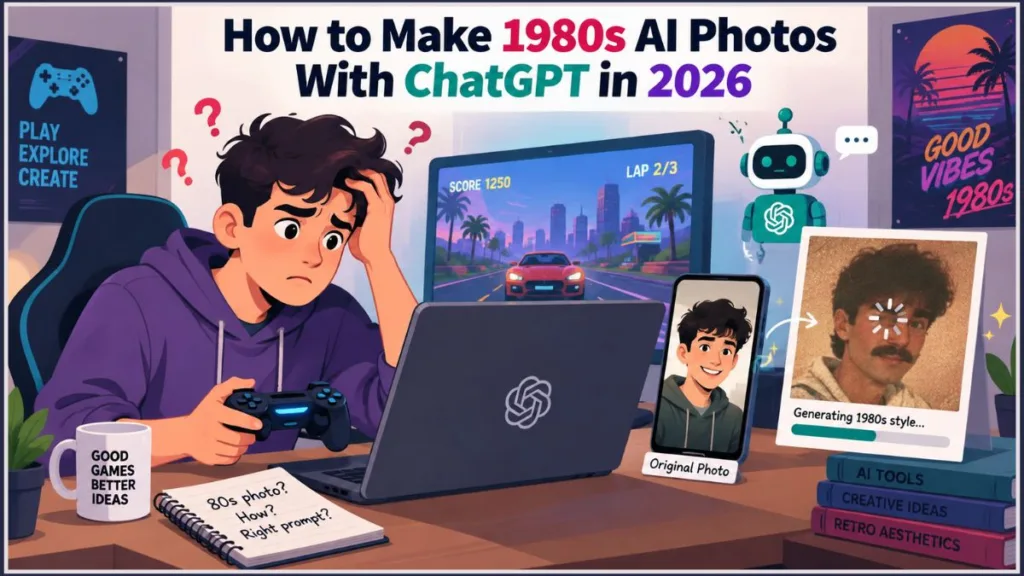
You might assume these are just standard photo filters, but they are not. Instead of simply slapping a sepia tone over your picture, users are leveraging artificial intelligence to completely rebuild their outfits, hairstyles, lighting, and backgrounds. By using tools like ChatGPT, you can generate authentic-looking 80s images—from glamorous Bollywood posters to grainy family album snapshots—while keeping your actual face and identity entirely intact.
If you want to try another method for creating the same nostalgic effect, check out our guide on how to turn a photo into an 80s photo and learn how to give your pictures a more authentic 1980s retro look.
What Is the 80s AI Photo Trend? (And Why It’s Everywhere)
The 80s AI photo trend is a viral social media craze where you upload a modern photo to an AI image generator and prompt it to reimagine your picture in the distinct visual style of the 1980s.
Because AI actually reconstructs the environment rather than just filtering it, the results look like genuine vintage photographs. When you try this trend, you can expect these defining visual characteristics:
- Voluminous, feathered, or heavily curled hairstyles
- Period-appropriate clothing, like bright silk sarees, loose tailored shirts, or high-waisted trousers
- Statement jewellery and bold accessories
- Warm studio lighting and soft focus
- Subtle film grain to mimic older cameras
- Slightly faded, analogue colours
Depending on what you ask the AI to do, you can recreate popular styles like a classic 1980s Bollywood portrait, an Indian family-album photo, a Hollywood-style studio shoot, a cinematic film still, or even a vintage magazine cover.
How is AI transforming Instagram photos into 1980s-style portraits?
To get started, you upload an existing photograph to an AI tool. The AI scans your image, maps your facial structure, and then interprets the decade-specific style you requested in your text prompt.
From there, the AI seamlessly manipulates the rest of the image. Here is how your prompts directly influence the final output:
- Wardrobe and Hair: Generates era-accurate clothes and hairstyles.
- Environment: Replaces your modern background with a retro setting.
- Lighting and Texture: Applies overarching photography styles, like studio flash or analogue film grain.
This is why specific, detailed prompts matter. If you just ask the AI to “make it look 80s,” you will get a generic, cartoonish result. Telling the AI exactly what to wear, how to light the scene, and what kind of camera texture to mimic is how you get a hyper-realistic image.
What Is Instagram’s Latest AI Photo Trend?
Social media trends move quickly. Users have recently shifted away from earlier AI image trends—like those Studio Ghibli avatars or 3D digital figurines—and are now fully leaning into these nostalgic 1980s-style portraits.
You will see this trend dominating Instagram feeds and Stories. Instead of just posting their finished photos, users are actively sharing the text prompts they used and encouraging followers to participate. A major driving force behind this is Instagram’s “Add Yours” sticker, which creates a continuous chain of retro makeovers. The Bollywood-inspired interpretation has become incredibly popular, allowing people to imagine themselves as classic 80s cinema icons.
Why are 1980s AI photos becoming popular on Instagram?
- Nostalgia-driven visual style: The 80s aesthetic feels warm, familiar, and cinematic.
- Easy creation using AI tools: You don’t need complex Photoshop skills to join in.
- Highly customizable portraits: You can be a disco star, a vintage bride, or a retro college student.
- Bollywood and retro-cinema influence: The trend taps heavily into vintage Indian cinema and pop culture.
- Easy participation: The Instagram Stories “Add Yours” sticker makes jumping on the trend frictionless.
What Is the ChatGPT ’80s Photo Trend?
The ChatGPT ’80s photo trend refers specifically to using OpenAI’s ChatGPT platform to generate these vintage images.
If you want to try it, the basic workflow is a straightforward, step-by-step process:
- Upload a clear photo to ChatGPT.
- Ask ChatGPT to recreate it as an image from the 1980s.
- Describe the desired aesthetic in your text prompt.
- Specify the details: Mention the exact clothing, hairstyle, accessories, lighting, and setting you want.
- Preserve your identity: Explicitly ask ChatGPT to retain your recognisable facial features and natural skin tone.
- Refine the prompt if your first result doesn’t look quite right.
Depending on how you word your request, your result can range from a simple, candid retro portrait to an elaborate, dramatic Bollywood poster-style image.
What Can You Create With the 1980s AI Photo Trend on ChatGPT?
Because the AI builds the image based on your instructions, you aren’t stuck with a single look. You can create several different types of 1980s style AI images:
- Classic Bollywood portrait: This look relies on warm studio lighting, period clothing (like printed silk sarees or wide-collar shirts), retro hairstyles, and subtle film grain to mimic old promotional photos.
- Old family-album portrait: This recreates a genuine memory. It features everyday 1980s clothing, simple indoor settings, analogue-camera texture, and slightly faded colours.
- Classic Hollywood portrait: If you want something dramatic, this style focuses on glamorous studio styling, period-accurate hair and makeup, dramatic lighting, and soft-focus photography.
- 1980s wedding album portrait: This style simulates a vintage ceremony. It includes traditional wedding clothing, floral garlands, a studio backdrop, direct camera flash, and a faded print appearance.
- Retro magazine cover: This generates a glossy studio portrait with warm saturated colours, a vintage printed-paper texture, and blank space left for you to add cover typography.
- 80s disco portrait: For a high-energy look, this style adds sequinned outfits, bold makeup, feathered hair, and dramatic, colourful stage lighting.
How to Make a 1980s AI Photo Using ChatGPT (Step-by-Step Guide)
If you want to generate your own retro portraits, follow these numbered steps to get the most realistic results.
Step 1: Open ChatGPT
- Start a new conversation on the ChatGPT mobile app or desktop site.
- Make sure you are using an image-capable version of the platform (such as a Plus subscription or the relevant free access tier that supports image generation).
Step 2: Upload a clear photo
- Tap the + button and upload a photograph.
- Choose an image where your face is well-lit and easy to see.
- Warning: Avoid uploading photos with sensitive information in the background, like ID cards or financial documents.
Step 3: Describe the 1980s style you want
- Be explicit in your text prompt.
- Mention the 1980s decade specifically and describe the overall aesthetic you are going for, rather than just relying on vague instructions like “make it vintage.”
Step 4: Describe clothing, hairstyle and accessories
- Add specific period details.
- Give the AI examples to work with, whether you want the look of classic Bollywood, a casual family album, or a formal studio portrait.
Step 5: Tell ChatGPT what to preserve
- This is the most critical step to avoid the AI generating a stranger’s face.
- Explicitly instruct the AI to preserve your facial features, natural skin tone, recognisable appearance, and expression where appropriate.
Step 6: Refine the generated image
- AI generators rarely get it perfect on the first try. If something is off, tell ChatGPT to fix it.
- Ask it to correct inaccurate clothing, fix the hairstyles, or adjust the lighting, grain, colours, or background.
Step 7: Share your 1980s AI photo on Instagram
- Once you have an image you like, save the finished photo to your device.
- Post it to your Instagram Feed or Stories, and don’t forget to use the “Add Yours” sticker to encourage your friends to participate.
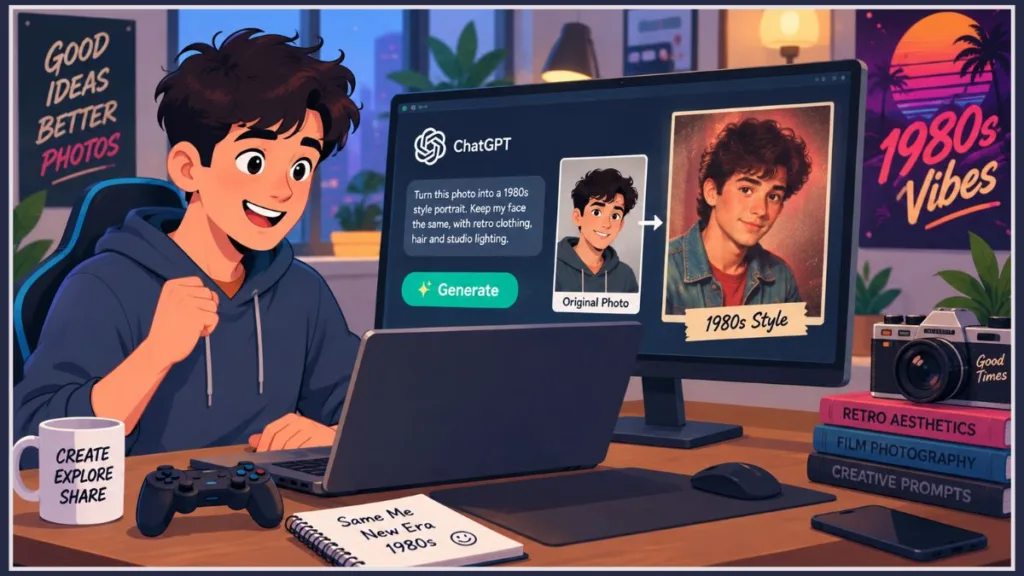
The Best 1980s AI Photo Prompts for ChatGPT (Copy & Paste)
Copy and paste these exact prompts into ChatGPT to get the best results. Just remember to upload your photo first!
- Classic 1980s Bollywood portrait prompt: “Transform this photo into an authentic 1980s Bollywood film-inspired portrait. Retain my natural facial features and give period-appropriate 1980s Indian clothing, hairstyle and accessories, with warm studio lighting, soft focus, subtle film grain and slightly faded colours. Make it look like a real photograph taken in India in the 1980s. Avoid excessive vintage effects, sepia tones or artificial-looking ageing.”
- 1980s Bollywood hero prompt: “Turn this photo into a stylish 1980s Bollywood hero look. Preserve my face and skin tone exactly. Add a loose tailored shirt, high-waisted trousers, neatly combed hair, a thick moustache and warm, slightly faded studio lighting.”
- 1980s Bollywood heroine prompt: “Transform this photo into a glamorous 1980s Bollywood heroine portrait. Keep my facial features and natural skin tone unchanged. Give me voluminous curled hair, a bright silk saree, statement jhumka earrings, warm studio lighting and the soft grain of an old film photograph.”
- 1980s disco portrait prompt: “Recreate this photo as a retro disco-era heroine still. Keep my facial features intact. Add a shimmering sequinned outfit, bold eyeshadow, feathered hair and dramatic coloured stage lighting in the background, styled like an old disco film poster.”
- 1980s family-album prompt: “Recreate this photograph as an Indian family picture from the mid-1980s. Include period-appropriate clothes and hairstyles, a simple indoor setting, soft lighting, realistic film colours and the texture of an analogue camera.”
- 1980s wedding album prompt: “Recreate this as a 1980s wedding album photograph. Preserve the facial features of everyone in the photo. Add traditional wedding attire from that era, garlands, a studio backdrop, soft flash lighting and the faded colour tones of an old print.”
- 1980s film-camera portrait prompt: “Reimagine this photo as though it was shot on a film camera in the 1980s. Preserve my facial features exactly. Add visible film grain, slightly muted colours, a candid pose and soft natural light, avoiding any modern digital sharpness.”
- 1980s magazine cover prompt: “Turn this photo into the cover of an old Indian film magazine from the 1980s. Keep my face unchanged. Add bold cover-style typography space, a glossy studio portrait finish, warm saturated colours and a slightly worn, printed paper texture.”
- 1980s film poster prompt: “Recreate this photo as a cinematic 1980s film poster. Keep my face and skin tone natural. Add warm dramatic lighting, a painted backdrop style, and the bold, colourful aesthetic of old hand-painted cinema posters.”
- Hero-heroine duet poster prompt: “Recreate these two photos as a 1980s Bollywood duet poster. Keep both faces and skin tones natural. Add coordinated retro outfits, a painted backdrop, warm dramatic lighting and the bold, colourful style of old hand-painted film posters.”
- Retro film-reel portrait prompt: “Turn this photo into a cinematic 1980s film-reel still. Preserve my face and natural skin tone. Add warm amber lighting, a soft vignette, subtle film scratches and grain, and a nostalgic, slightly dramatic expression to match an old movie frame.”
1980s AI Photo Trend Analysis: How AI Outperforms Basic Filters
If you are wondering why this works so much better than standard apps, it comes down to how AI processes images. An ordinary vintage filter just puts a color overlay on top of your modern clothes and modern background. AI, however, actually analyzes your image and modifies multiple visual elements at once. It builds entirely new outfits, hair textures, and lighting environments that match the era.
This capability is exactly why detailed prompting is so important. The AI needs strict boundaries. If you don’t explicitly request that it preserves your face and natural skin tone, the AI will likely generate a completely new person that just happens to be standing in the same pose.
You also need to watch out for common generation problems. AI image models still struggle with fine details. Before you post, always check your image for:
- Distorted fingers or hands
- Incorrect or physically impossible jewellery
- Unwanted background changes
- Incorrect, gibberish text in magazine or poster designs
Always take a few seconds to review the final image closely before sharing it online.
Expert Tips for Creating Better 1980s Style AI Images
Follow these best practices to ensure your photos come out looking as realistic as possible:
- Be specific instead of saying “make it look 80s”: Generic prompts give you generic results. To get the best image, mention exact clothing styles, your preferred hairstyle, the lighting you want, the background setting, and the specific photography style (like “studio flash” or “candid film”).
- Ask AI to preserve your face: Never assume the AI knows to keep you looking like you. Always actively request recognisable facial features and your natural skin tone.
- Avoid overusing vintage effects: A good retro photo looks authentic. Keep the film grain subtle, avoid excessive sepia tones, and avoid making the image look artificially aged or damaged.
- Check the final image carefully: Look closely at the AI’s rendering. Inspect hands and fingers, check the jewellery, make sure your face hasn’t warped, and ensure clothing patterns and background text make sense.
- Remember that AI images are recreations: Have fun with the trend, but don’t present the generated image as a genuine archival 1980s photograph. Be transparent that it is an AI recreation.
If you want to explore another way to get that retro look, check out our guide on how to turn a photo into an 80s photo.
Frequently Asked Questions About the 1980s AI Photo Trend
What is the 80s AI photo trend?
It is a viral social media trend where users upload their modern selfies to an AI generator and prompt it to recreate the image with nostalgic 1980s visual characteristics, such as vintage clothing, big hairstyles, and analogue film grain.
What is Instagram’s latest AI photo trend?
Right now, the most popular AI trend on Instagram involves turning modern photos into 1980s-inspired AI portraits. Users share these retro images on their Stories and invite others to do the same.
What is the ChatGPT ’80s photo trend?
This is the specific method of participating in the trend. Users upload their photos directly to ChatGPT and type out a detailed prompt requesting a 1980s-style recreation of their image.
How is AI transforming Instagram photos into 1980s-style portraits?
Rather than just applying a color filter, the AI completely changes the subject’s clothing, hairstyles, and backgrounds. It also simulates accurate period lighting and authentic film camera characteristics based on text prompts.
How to make 1980s AI photo?
To do this, open an image-capable version of ChatGPT, upload a clear photo of your face, and type a detailed prompt describing the 1980s style you want. Just make sure to tell the AI to preserve your facial features.
Can ChatGPT create 1980s Bollywood-style photos?
Yes, it handles this exceptionally well. You just need to describe the Bollywood-inspired clothing (like silk sarees or high-waisted trousers), retro hairstyles, and warm studio lighting in your prompt.
What should I include in an 1980s AI photo prompt?
For the best results, your prompt should mention the exact clothing, hairstyle, accessories, setting, lighting, photography style, and film grain you want to see.
Why doesn’t my AI photo look like the 1980s?
If your image looks too modern or cartoonish, your prompt is likely too vague. Vague prompts produce generic results. Try adding specific visual details, like “35mm film grain” or “1980s studio flash lighting.”
Can I use an old family photo for the 1980s AI trend?
Yes. You can upload an existing group image and instruct the AI to recreate it, specifying the desired 1980s aesthetic you want to apply to the people in the picture.
Are 1980s AI photos real photographs?
No. While they may look incredibly realistic, they are AI-generated recreations. They are not genuine archival photographs captured on a camera.
Final Verdict: Start Creating Your Own Retro Portraits
The 1980s AI photo trend is a creative, highly personalized way to embrace social media nostalgia. By stepping away from standard filters and using AI, you can build entirely new vintage environments.
Key Takeaways:
- Prompts are everything: Detailed instructions produce far more controlled, realistic results than vague requests.
- Endless aesthetics: With ChatGPT, you can easily experiment with a variety of styles—from dramatic Bollywood posters and warm family-album shots to Hollywood glamour, disco vibes, and glossy magazine covers.
- Keep tweaking: Don’t settle for the first image the AI gives you. Refine your prompts, ask for adjustments, and keep experimenting until you get the perfect retro portrait.
Visit Our Post Page: Blog Page
Discover more from Izoate
Subscribe to get the latest posts sent to your email.