
Can you play GTA Vice City in a browser? Yes! Learn how to launch Vice City on PC, mobile, or Chromebook without downloading traditional software.
If you’re craving a trip back to the neon-lit streets of the 1980s, you might be thrilled to discover that a GTA Vice City browser version is now a reality. We know how frustrating it can be to jump through technical hoops or deal with complicated emulators just to revisit a childhood favorite. Thankfully, because of a remarkable browser port based on the open-source reVC engine, you can step back into Tommy Vercetti’s shoes without installing a single gigabyte on your hard drive.
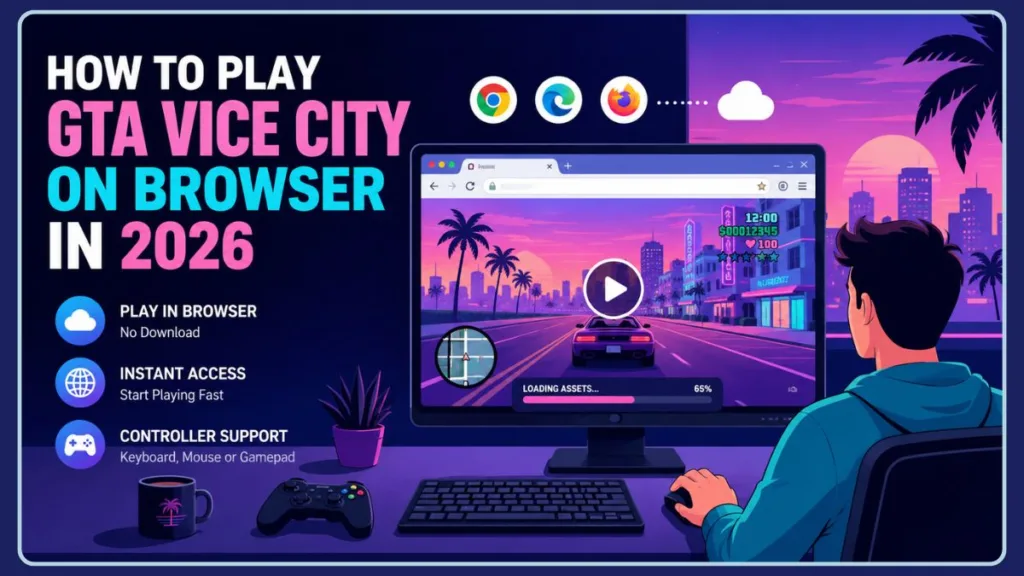
You’ve probably noticed that the gaming community is incredibly excited about this breakthrough. The sheer nostalgia factor of jumping into Vice City instantly, right from your daily web browser, is hard to beat. If you are wondering if it actually works, the quick answer is yes! You can absolutely enjoy a browser-based demo of the game on compatible platforms. Whether you’re looking for GTA Vice City online play for free or just a quick hit of Vice City free play online, this technological feat has you covered and we’re here to walk you through exactly how it works.
Quick Answer
Yes, GTA Vice City can be played in a browser through a browser-based port of the original game. You don’t need to install any traditional software, as the game runs directly inside compatible web browsers using modern technologies like WebAssembly. Most browser versions offer a free demo, while access to the full game typically requires legally owned GTA Vice City files. Below, we’ll show you how to play GTA Vice City on your browser and what to expect from the experience.
Can You Play GTA Vice City in a Browser?
Yes, a dedicated browser port of the original Grand Theft Auto: Vice City allows you to launch the game directly through a modern web browser.
This isn’t magic; it’s a combination of impressive web technologies. The project utilizes HTML5, WebAssembly, and the reverse-engineered reVC engine alongside powerful Browser APIs to render the game natively inside your browser window.
To give you a better understanding of how this works, the GTA Vice City reVC browser port leverages WebAssembly (Wasm). This cutting-edge web technology takes complex game code—originally written in C++ for classic PC hardware—and translates it so your web browser can read and execute it at near-native speeds. It effectively turns your web browser into a virtual machine capable of rendering a 3D open-world environment.
If you’re familiar with Xbox Cloud Gaming or NVIDIA GeForce NOW, you might be wondering how this differs. Here is a quick, practical breakdown of why a GTA Vice City full browser experience is structurally different from cloud streaming:
| Feature | Browser Port | Cloud Gaming |
| Processing | Runs locally right in your browser | Runs entirely on remote servers |
| Data Delivery | Loads and caches actual game assets | Streams compressed video to your screen |
| Latency | Generally lower, hardware-dependent | Heavily dependent on your internet speed |
Because this browser-based game port processes the graphics using your own computer’s hardware, you aren’t fighting against the video compression artifacts or input lag often associated with cloud gaming. As long as your device has a capable modern processor, you’ll find that the game feels surprisingly responsive.
Why Are Gamers Suddenly Talking About GTA Vice City Browser Version?
If you spend any time in gaming communities like Reddit, you’ve likely seen the buzz surrounding this project. The reaction has been overwhelmingly positive, driven by curiosity and a deep love for nostalgia.
When you read through the discussions, a few common themes emerge. People are shocked, leaving comments like, “I didn’t expect this to work so well,” or sharing personal memories like, “Vice City was my first GTA; the nostalgia is unreal.”
You will often see people expressing pure disbelief that a game which once required a dedicated graphics card and a CD-ROM drive can now open in a Google Chrome tab faster than most modern websites load. The sheer convenience of firing up a childhood classic during a lunch break without triggering administrative installation blocks on a PC has sparked massive excitement.
This matters to all of us because Vice City is one of the most iconic, pioneering open-world classics in gaming history. The fact that you can now play it on almost any device without a dedicated graphics card or complex installation process is a massive win for game preservation.
Game preservation is a growing concern in the gaming community. As older hardware dies out and modern operating systems lose compatibility with 2000s-era software, fan-made ports like this ensure that historically significant games remain accessible to future generations without requiring you to hunt down specialized emulators.
How to Play GTA Vice City on the Web
Ready to try GTA Vice City direct play for yourself? You can follow these simple, step-by-step instructions to get started.
- Open a Modern Browser: For the best performance, you will want to use a fully updated, modern web browser. Google Chrome, Microsoft Edge, Mozilla Firefox, and Apple Safari all support the underlying WebAssembly technology required. Make sure your browser’s “Hardware Acceleration” feature is toggled on in your settings, as this allows the browser to utilize your GPU for smoother frame rates.
- Visit the Browser Demo: Navigate to the platform hosting the browser port. Keep in mind that hosting URLs occasionally change due to copyright enforcement and licensing actions, so you may need to search for the most current live mirror. If you are looking for places to start your search, you can check out platforms like:
- DOS Zone: A popular hub known for preserving classic PC titles and hosting browser-based demos.
- Launch the Demo: Once on the page, hit play. You will experience an initial download of roughly 56–60 MB. Don’t worry, this isn’t a full game installation; it’s just the essential startup package. The remaining graphical and audio assets will load dynamically as you play. If you accidentally close your tab, don’t panic—the initial loading time will be even faster upon your return thanks to browser caching.
- Start Exploring Vice City: You’re in! If you want to know how to play GTA in Chrome comfortably, you have options. You can use standard keyboard and mouse controls, or connect your favorite Bluetooth gamepad, like a standard Xbox or PlayStation controller, for a genuine console feel. If your controller isn’t recognized immediately via Bluetooth, try plugging it in directly via a USB-C cable, as modern browsers often have better plug-and-play API detection through wired connections.
How to Play GTA Vice City Without Downloading
You might be asking, “Wait, if I’m playing it, don’t I have to download something?”
You do not need to perform a traditional installation to enjoy GTA Vice City free play. No executable files (.exe) run on your desktop, and there are no registry changes to your operating system.
When you launch the game, your browser only downloads a very small startup package into its cache. From there, the assets simply stream and load during gameplay, much like buffering a high-quality video on YouTube.
To play GTA Vice City without downloading a traditional setup wizard, you are relying entirely on temporary files. The GTA Vice City online demo handles the heavy lifting by pulling only the specific textures and audio files you need at that exact moment in the game world, discarding them from active memory when they are no longer necessary.
This GTA Vice City download free approach is why it feels instantaneous. Because it skips the traditional installation process and leverages your browser’s caching abilities, you are playing within seconds instead of waiting for a massive file to unpack.
Can You Play GTA Vice City on Mobile?
Yes, if you’re wondering, “Can you play Grand Theft Auto Vice City on a mobile device?” via the browser, it is technically possible.
- Android Support: If you open the GTA Vice City browser online link on an Android tablet or phone, the game does support touch controls. As long as you are using a robust mobile browser like Chrome for Android, it will boot up.
- iPhone Support: Safari on iOS also supports WebAssembly, meaning you can load the game. However, your performance expectations should be kept in check, as mobile browsers cap the amount of RAM a single web page can utilize.
Playing a GTA Vice City mobile browser port does come with some heavy limitations. Rendering a 3D game natively inside a mobile browser is incredibly taxing on your phone’s processor. You will likely experience rapid battery drain, device heating, and occasional frame-rate drops during action-heavy sequences or explosions.
Is it better than the official mobile app?
Honestly, no. If you plan to play extensively on your phone, purchasing the official, highly optimized version from the Google Play Store or Apple App Store is a much smoother experience than running the browser demo. The official apps feature remastered controls, better graphical fidelity, and stability that a browser window simply cannot offer on a smartphone.
Playing GTA Vice City on a Chromebook
Since Chromebooks are designed almost entirely around web browsing, a major question that arises is whether you can get a GTA Vice City Chromebook experience up and running.
The answer is a resounding yes! Because ChromeOS relies heavily on web apps rather than installed software (like Windows .exe files), this browser port is arguably the perfect match for your hardware. You don’t need to enable Linux mode or side-load complicated APK files. Simply open your Chrome browser, navigate to the host link, and the game will boot.
However, you should keep browser performance limitations in mind. Budget Chromebooks powered by low-end Celeron processors might struggle to maintain a stable 30 FPS. If you want the smoothest experience on a Chromebook, make sure you close all your other heavy browser tabs (especially resource-heavy sites like YouTube or Google Docs) to free up your device’s RAM for the game.
Does GTA Vice City Browser Version Actually Run Well?
If you are reading about this project on Reddit or a gaming forum, you likely want to know the truth about its stability. Does a GTA Vice City full browser experience actually run well, or is it just a laggy proof-of-concept?
The reality is that performance is highly impressive, but you will encounter some technical bottlenecks depending on your hardware.
- Performance on PC: If you are playing on a modern Windows or Mac computer with browser hardware acceleration enabled, the game runs beautifully. You can easily achieve a stable 60 frames per second with fully responsive mouse and keyboard controls.
- Performance on Chromebook: As mentioned above, performance here relies heavily on your processor. High-end Chromebooks will handle it flawlessly, but entry-level devices designed strictly for schoolwork might struggle when too many cars are rendering on screen.
- Performance on Mobile: While touch controls do work, mobile web browsers are heavily restricted by Apple and Google to preserve battery life. You can expect your phone to heat up quickly, and the frame rate will likely dip during intense police chases.
Common Issues to Watch Out For:
Even on high-end hardware, forcing a classic PC game into a web browser introduces a few common issues:
- Audio Glitches: The most frequently reported issue is audio stuttering, particularly when switching through the game’s iconic radio stations or listening to overlapping dialogue.
- Stuttering During Action: When large explosions occur or multiple NPCs render at once, the WebAssembly engine might momentarily drop frames as it tries to pull new assets into the cache.
- Browser Memory Limits: Web browsers have hard caps on how much RAM a single tab can use. If you play for several hours without refreshing, you may hit a memory limit that causes the browser tab to crash entirely. Remember to save often!
Why Is GTA Vice City a Browser-Based Demo?
This is an important question. When you load up the browser version, you are only playing a demo. But why is GTA Vice City a browser based demo instead of the whole game?
It comes down to legality and intellectual property. Rockstar Games owns the rights to Grand Theft Auto, its code, its assets, and its incredible 80s soundtrack. Providing the entire game for free on a website would be blatant piracy.
The original PC release featured highly licensed music from artists like Michael Jackson and Hall & Oates. Distributing those audio files without permission invites massive DMCA takedowns. Therefore, developers release this as a technology showcase. The demo limits your gameplay to a specific area or time limit so that it doesn’t cross the line into software theft.
Can you unlock the full game?
Yes! If you want the GTA Vice City full browser experience, you must provide the original game files. The browser port allows you to upload the assets from your legally purchased copy—whether you bought it on Steam or the Rockstar Games Launcher—to unlock the entire map and story. This method effectively transforms the website from a game-hosting platform into an empty “player” that only functions when you provide your own legal copy of the media.
Is GTA Vice City Browser Version Free?
Yes and no. The technology itself is free to access.
You can experience the technology demo and enjoy limited gameplay without paying a dime. However, if you want full story progression and access to the entire map, you must legally own the game files.
It is crucial to set practical expectations: no legitimate, safe website will host the entire unlocked game for free. If you find websites claiming to offer the complete game, they usually inject malware or intrusive popup ads into your browser.
Remember, Rockstar owns the copyright. To keep your gaming experience safe, ethical, and legal, always ensure you are using legally obtained files rather than seeking out pirated copies.
Does GTA Vice City Browser Version Support Saves?
You don’t have to start from scratch every time you close your tab.
The browser port generally supports local saves by storing your progress directly within your browser’s local storage data. Additionally, some hosting platforms utilize tools like js-dos, which offer cloud save functionality. This allows you to create an account, save your progress to the cloud, and pick up right where you left off, even if you switch from your desktop computer to your laptop.
A major warning for local saves: Because your save files live inside your browser’s site data, clearing your browser cache and cookies will permanently delete your game progress. If you are relying on local saves, be extremely careful when using PC cleaning tools or clearing your web history, as your hard-earned Vice City real estate will disappear instantly.
Does GTA Vice City Browser Version Support Cheat Codes?
Half the fun of classic GTA games is wreaking havoc with cheats.
Fortunately, you can absolutely use gta vice city cheat codes in the browser version! Because the engine accurately replicates the original PC game, standard keyboard input is fully supported.
Community testing has confirmed that you can simply type in your favorite classic codes right in the middle of the street. Whether you need an instant health boost (ASPIRINE), a quick weapons package (THUGSTOOLS or NUTTERTOOLS), or want to spawn a Rhino tank (PANZER), they work exactly as you remember.
If you’re returning to Vice City after twenty years, the muscle memory of typing LEAVEMEALONE to clear a wanted level instantly comes rushing back. If you are using a controller connected to your browser, traditional D-pad cheat combinations will also work seamlessly, making it feel exactly like playing on a PlayStation 2.
Can You Play GTA 5 on a Browser Too?
It’s natural to wonder, “Can I play GTA5 on a browser?” now that Vice City works so well.
Currently, a native browser port of GTA 5 does not officially exist. The reason why Vice City works in a browser is due to its relatively small file size and the fact that its engine (RenderWare) was successfully reverse-engineered by the community.
GTA 5 is an entirely different beast. It requires over 100 GB of storage and relies on a highly complex, modern game engine that demands significant hardware power. Web browsers are simply not equipped to handle that level of native processing yet. The sheer volume of RAM needed to load Los Santos directly into an HTML5 container would crash any modern web browser instantly. If you want to play GTA 5 via a browser right now, your only reliable option is utilizing a cloud streaming service like Xbox Cloud Gaming.
GTA Vice City Story Recap for New Players
If you’re using this browser port to experience the game for the very first time, you are in for a treat.
You play as Tommy Vercetti, a freshly released mobster sent down to Vice City (a vibrant parody of 1980s Miami) by his old boss. After a major drug deal is ambushed and the money is stolen, Tommy is left stranded.
The aesthetic is dripping with 80s nostalgia—from the neon pink lights and pastel suits to the incredible synthesizer-heavy soundtrack playing on the radio stations.
So, who is the villain in Vice City? While you will cross paths with plenty of corrupt politicians, rival gang leaders, and eccentric real estate developers, your ultimate antagonist is Sonny Forelli—your ruthless former boss who demands his missing money back at any cost.
Browser Version vs Original Download Version
Not sure if you should stick to the browser or install the actual game? Here is a quick, practical look at the pros and cons:
Advantages of the Browser Version:
- No installation: Jump in instantly without waiting for downloads.
- Quick access: Great for testing the game on work laptops or school computers where you can’t install software.
- Mobile support: Easily testable on tablets and phones.
- Cross-platform flexibility: Works on Mac, Windows, Linux, and Chromebooks seamlessly without needing a compatibility layer like Wine.
Disadvantages of the Browser Version:
- Demo limitations: You must legally own and upload your own files to play the full story.
- Browser performance: Subject to browser memory caps and occasional audio stuttering depending on your hardware.
- Reliability: Hosting websites can go down unexpectedly or be removed by their creators, taking your local access with them.
Is the GTA Vice City Browser Port Still Available?
Because this project relies on navigating strict copyright lines, one major question you need to keep in mind is long-term availability. Is the GTA Vice City browser port still available to play right now?
The reality of these passion projects is that availability varies over time. Shortly after gaining massive attention across the internet, early host URLs for this port faced heavy DMCA takedown notices from Take-Two Interactive’s legal team. When you are looking for the game today, you should know that browser ports may move frequently, and URLs change without warning.
Copyright actions happen swiftly in the gaming industry. Fortunately, because the reVC open-source code was released publicly, the community frequently hosts new mirrors and decentralized repositories. This means that while a specific website link might get taken down, the core technology remains available online for those willing to do a quick search or host the web application on a private server.
Frequently Asked Questions
Can I play GTA Vice City in a browser? Yes, using a community-made reVC engine port.
How to play GTA Vice City without downloading? Simply visit a hosting site and the assets will stream directly into your browser cache as you play.
Is GTA Vice City browser version free? The demo is free, but you must own the legal game files to play the full campaign.
Can I play GTA Vice City online? While you can play the single-player game through an online browser, this does not add multiplayer functionality.
Can I play GTA Vice City on my phone? Yes, the browser version supports touch controls on modern mobile browsers.
How to play GTA Vice City in Chrome? Navigate to the host site, allow the initial 60MB package to load, and play using your keyboard.
Does the browser version support controllers? Yes, you can connect a Bluetooth gamepad just like you would for any other PC game.
Can I save my progress? Yes, through browser local storage and supported cloud-save platforms.
Is the browser version the full game? By default, it is a restricted demo.
Is GTA Vice City available on Android? Yes, there is an official, highly optimized version available for purchase on the Google Play Store.
Is GTA Vice City Age Restricted? Yes, the game holds an ESRB rating of ‘M’ for Mature (17+). It features intense violence, strong language, and adult themes that were controversial upon its original release.
Who owns the rights to the game? Rockstar Games and its parent company hold the rights, which is why a full take2games gta vice city free web port doesn’t officially exist.
Does the browser version feature the original radio stations? The demo limits audio tracks to prevent copyright takedowns. You will only get the full iconic 80s soundtrack if you upload your own legally obtained game files.
What is the best browser to use? Google Chrome and Microsoft Edge generally offer the best WebAssembly performance and stable hardware acceleration for browser gaming.
Will my work or school network block the game? Very likely. Because the game streams assets, most enterprise and school IT firewalls will flag the heavy data usage or block the hosting domains entirely.
Final Thoughts
The ability to play GTA Vice City in a web browser is nothing short of incredible. It is a perfect blend of nostalgia and modern web technology, offering a fantastic way to quickly revisit one of the best games of the 2000s without committing to a full installation.
By pushing the limits of WebAssembly and HTML5, the community has proven that game preservation doesn’t have to rely on complicated emulators. It proves that the games we loved growing up can still be accessible, convenient, and surprisingly smooth on modern hardware.
Whether you’re testing it out of pure curiosity or showing a friend the game for the first time, it’s an experience worth having. Just keep in mind that hosting URLs can fluctuate due to copyright and licensing actions, so be sure to use your legally obtained files if you want to stay in Vice City for the long haul.
Have you tried the browser version yet, or are you sticking to the classic PC installation? Let us know about your experience, or ask any troubleshooting questions in the comments below!
Visit Our Post Page: Blog Page
Discover more from Izoate
Subscribe to get the latest posts sent to your email.