
Want to play Modern Warfare 4 early? Here is your step-by-step guide to claiming MW4 beta codes, exact start times, PC system specs, and unlockable rewards.
FPS fans, it is officially that time of the year. Call of Duty: Modern Warfare 4 officially drops on October 23, 2026, but Activision is unlocking the servers early so you can get a head start on the meta, test out the new weapon balancing, and explore the new maps.
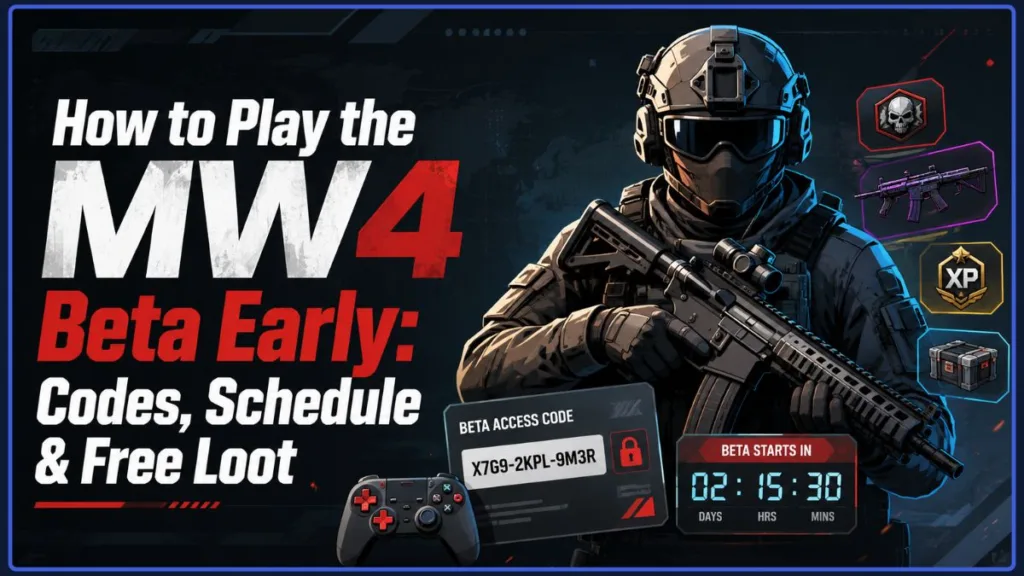
Whether you are trying to figure out if your digital preorder gives you instant access, hunting your Gmail for a beta code, or double-checking to see if your PC rig can handle the frames, we have got you covered. Here is your ultimate, step-by-step gamer’s guide to jumping into the MW4 beta, downloading the standalone client, and grinding out those exclusive rewards before launch day.
Call of Duty: Modern Warfare 4 Beta Schedule and Global Start Times
Activision is splitting the MW4 Beta into two distinct five-day sessions. The first weekend is the sweaty Early Access period, while the second weekend opens the floodgates for a free Open Beta across all supported platforms.
Here is exactly when you and your squad can drop in:
| Beta Phase | Supported Platforms | Start Time | End Time |
| Weekend 1: Early Access | PS5, Xbox Series X|S, PC | Friday, August 21 at 11:00 AM PT / 2:00 PM ET | Tuesday, August 25 at 10:00 AM PT / 1:00 PM ET |
| Weekend 2: Open Beta | PS5, Xbox Series X|S, PC, Nintendo Switch 2 | Friday, August 28 at 10:00 AM PT / 1:00 PM ET | Tuesday, September 1 at 10:00 AM PT / 1:00 PM ET |
When Can You Preload the Beta?
You definitely don’t want to waste the first few hours of the beta watching a progress bar while your friends are already leveling up. Pre-install the game files during these windows so you are ready to hit “Play” the second the servers go live:
- Weekend 1 Preload: Begins Thursday, August 20 at 9:00 AM PT / 12:00 PM ET.
- Weekend 2 Preload: Begins Wednesday, August 26 at 9:00 AM PT / 12:00 PM ET (this includes players hopping on the Nintendo Switch 2).
Hardware Note: Modern Warfare 4 is officially leaving last-gen hardware in the dust. The beta and the full release will not be playable on PlayStation 4 or Xbox One.
How to Get an MW4 Early Access Beta Code (and Who Can Skip It)
Before you start scrolling through Reddit or Twitter looking for a spare code giveaway, check how you bought the game—you might already be whitelisted.
- Digital Preorders (No Code Needed): If you locked in your preorder digitally through the PlayStation Store, Microsoft Store, or on PC via Battle.net or Steam, you are good to go. Your Activision account is automatically enrolled, so just head to your digital storefront and download the beta client.
- Physical Retail Preorders: If you prefer physical discs and preordered from Amazon, Best Buy, or GameStop, you will need a 13-digit beta code. Check the bottom of your physical store receipt or look through your email confirmation (and do not forget to check your spam/promotions folder). You can preorder directly on Amazon to secure your physical Early Access code today:
- Discord Nitro Rewards Perk: If you are already paying for a Discord Nitro subscription ($9.99/month) to boost your server or stream in HD, you get a free Early Access code! Open your Discord app, head to your Direct Messages, click on Nitro Home, and grab your key from the Nitro Rewards tab.
- Livestream Drops & Creator Giveaways: You can also secure a code by linking your accounts and tuning into the official Call of Duty: NEXT broadcast, or by watching partnered streamers on Twitch and YouTube.
Step-by-Step Tutorial: How to Redeem Your Modern Warfare 4 Beta Code
If you scored a code from a retail receipt, Discord Nitro, or a Twitch drop, you have to register it with Activision first. Doing this translates that 13-digit code into a token you can actually use on your console or PC launcher.
Step 1: Register on the Call of Duty Website
- Open up your browser and head to the official Call of Duty Beta Redemption Page.
- Sign in with your Activision Account (have your 2FA authenticator app ready if you use one).
- Type your 13-character Beta Code exactly as it appears.
- Select your Gaming Platform (PlayStation, Xbox, Battle.net, or Steam) from the dropdown list.
- Select your Account Region.
(Still need a code? Secure your beta access by grabbing a copy right now:)
- Preorder PlayStation 5 (Standard Edition) on Amazon
- Preorder Xbox Series X (Standard Edition) on Amazon
- Preorder Xbox Series X/S and Windows Digital (Standard Edition) on Amazon
Crucial Warning: Make sure the region you select perfectly matches the region of your PlayStation Network or Xbox Live account. If you claim an EU token for an NA account, the code will fail when you try to redeem it on your console!
Step 2: Redeem Your Platform Token
Once you hit submit, Activision will show your final platform token on the screen and shoot a copy to your email. Here is how you claim it:
- On PlayStation 5:
- Go to your PS5 dashboard and open Settings (the gear icon).
- Go to Users and Accounts > Account > Payment and Subscriptions.
- Select Redeem Codes, type in your token, and hit Redeem.
- On Xbox Series X|S:
- Open the Store app.
- Press the View button (the overlapping squares) on your controller to open the side menu.
- Hit Redeem, enter your 25-character code, and confirm.
- On PC (Battle.net / Steam):
- Open your launcher.
- Click “Redeem a Code” on your Battle.net profile dropdown, or click “Games” > “Activate a Product on Steam” if you are on Valve’s platform.
Detailed Walkthrough: Downloading the Standalone MW4 Beta Client
Huge W for the community: you don’t have to launch the massive Call of Duty HQ app to play this year. The MW4 Beta is a completely independent, standalone download.
Downloading on PlayStation 5 and Xbox Series X|S
- Boot up your console and open the PlayStation Store or Xbox Store.
- Go to the search bar and type “Call of Duty: Modern Warfare 4 Beta”.
- Click on the beta client in the results and hit Download or Install.
- Once it is done, you can boot the game straight from your home screen as soon as the servers are live.
Downloading on PC (Battle.net & Steam)
- Using Steam: Search for Call of Duty: Modern Warfare 4 in the Steam Store. If your account has access, the beta client will automatically show up in your Steam Library ready to install.
- Using Battle.net: Open the app, click the Call of Duty tab, look right above the big “Play” button for the Game Version dropdown, select Call of Duty: MW4 Beta, and hit Install.
PC Tech Tip: MW4 features background shader preloading. Let the shaders compile in the main menu before you queue into your first match to completely avoid those annoying frame-drops and micro-stutters!
Downloading on Nintendo Switch 2 (Weekend 2 Only)
- Launch the Nintendo eShop starting August 26.
- Search for the Modern Warfare 4 Beta and hit Download.
- Reminder: You must have an active Nintendo Switch Online membership to play multiplayer games on the Switch 2.
Modern Warfare 4 PC System Requirements
Before you try to push 144 FPS, check your rig against the official system requirements. Now is also the perfect time to open GeForce Experience or AMD Adrenalin and update your graphics drivers!
| Hardware Component | Minimum System Requirements | Recommended System Requirements |
| Operating System | Windows 10 64-Bit (Latest Update) | Windows 11 64-Bit (Latest Update) |
| Processor (CPU) | Intel Core i5-8400 or AMD Ryzen 5 1600 | Intel Core i7-8700 or AMD Ryzen 5 3600 |
| Memory (RAM) | 12 GB | 16 GB |
| Graphics Card (GPU) | NVIDIA GTX 970 / 1060, AMD RX 470, Intel Arc A580 | NVIDIA RTX 3060 Ti, AMD RX 6700 XT, Intel Arc B580 |
| Video Memory (VRAM) | 3 GB | 8 GB |
| Storage Type | Solid State Drive (SSD Required) | Solid State Drive (SSD Required) |
| DirectX / Sound | DirectX Compatible Sound Card | DirectX Compatible Sound Card |
Anti-Cheat Warning: Ricochet Anti-Cheat is getting stricter. To play online, PC gamers must have TPM 2.0 and Secure Boot enabled in their motherboard BIOS.
What Can You Actually Play? Maps, Game Modes, and the Campaign
This beta isn’t just a couple of maps. You are getting standard 6v6 modes, massive Ground War battles, and even a taste of the single-player campaign.
Multiplayer Maps
- Weekend 1 Maps: You can queue up for Rooftops, Silkworm, Transit 213, Cachette, Lotus (exclusive to Weekend 1), and Kill Block.
- The Kill Block Feature: This is a fully dynamic map. Its layout and cover geometry physically change every single time you play it, so you can’t just memorize the sightlines.
- Weekend 2 Additions: Lithium steps in to permanently replace Lotus. Plus, Ground War goes live with Imjin Farmland and Wolves Stadium, and Warzone players get access to the brand-new Zodiac Resurgence map.
Available Game Modes
- Core Playlists: Sweat it out in Team Deathmatch, Domination, Hardpoint, Kill Confirmed, and Search & Destroy.
- Specialty Modes: Jump into 3v3 Gunfight, 10v10 Moshpit, Hijack, the Mobility Course, and a mysterious classified mode called Inflation.
Single-Player Preview: The “Entrenched” Campaign Mission
Need a break from sweaty multiplayer lobbies? In a super rare move, Activision is letting you play a full single-player mission called “Entrenched.” This is a great way to check out Infinity Ward’s graphics and storytelling before October.
All Unlockable Modern Warfare 4 Beta Progression Rewards
The grind is absolutely worth it this year. Every level milestone you hit in the beta unlocks an exclusive cosmetic that will permanently carry over to your full game account on October 23.
Level Cap Progression Unlocks
- Level 4: “Through the Paces” Legendary Emblem
- Level 8: “First Served” Weapon Charm
- Level 12: “Meonjeo” Legendary Weapon Sticker
- Level 16: “Last Charge” Legendary Calling Card
- Level 20 (Weekend 1 Level Cap): “Dread Tiger” Operator Skin for Reece
- Level 23: “Field Tested” Epic Spray
- Level 26: “Beta Rights” Epic Loading Screen
- Level 30 (Weekend 2 Level Cap): “Beta Forged” ISO Nightshade Weapon Blueprint
Call of Duty: NEXT Twitch & YouTube Drops
Link your Activision account to your Twitch or YouTube profile, kick back, and watch the Call of Duty: NEXT broadcast to score free loot:
- 15 Minutes Watched: “Gas Ready” Emblem
- 30 Minutes Watched: “Rapple Repel” Calling Card
- 45 Minutes Watched: “Ghost Helmet” Weapon Charm
Troubleshooting Guide: Fixing Common MW4 Beta Download Errors
If your download is stuck or your game won’t launch, try these quick fixes so you can get back to gaming:
- Clear SSD Storage: COD games are notoriously massive, and they need extra room to unpack files during installation. Make sure you have at least 20–30 GB of free space after the initial download size to avoid install errors.
- Find Missing Token Emails: If you registered your code successfully but your inbox is empty, just log back into callofduty.com/betaredeem. Your platform token will be sitting right at the top of the webpage.
- Fix Ping & Download Speeds: Console networks get slammed during beta launches. Plug in an Ethernet cable instead of using Wi-Fi, kill any background apps like Spotify or Netflix, and pause other game updates in your queue.
- Fix Region Mismatch Errors: If the PlayStation or Xbox store says your token is invalid, double-check that your console’s region matches the country on your Activision profile.
The Modern Warfare 4 beta is your best shot to learn the map rotations, dial in your controller settings, and secure the Level 30 ISO Nightshade blueprint before the global launch on October 23, 2026. Preload your game, get your squad together, and we will see you in the lobby!
Visit Our Post Page: Blog Page
Discover more from Izoate
Subscribe to get the latest posts sent to your email.