
Struggling with Facebook adding an ‘AI Info’ label to your photos? Learn why it happens, how metadata triggers it, and the proven methods to remove or avoid the AI label in 2026.
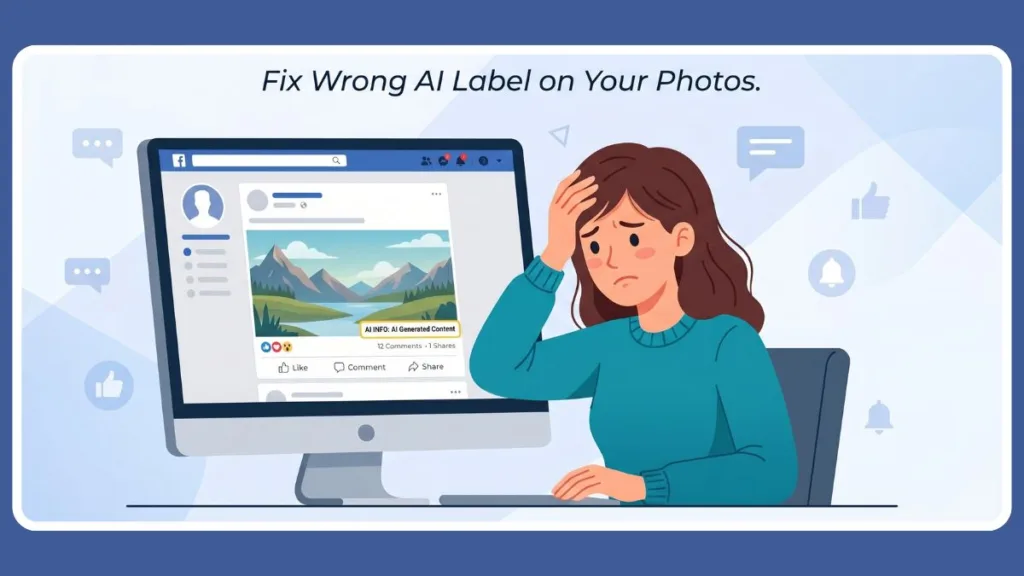
You just spent hours perfectly retouching a photograph, only for Facebook to slap a prominent “AI Info” label on it the second you hit publish. For photographers, digital artists, and everyday users, this feature has become a massive source of frustration. Your genuine photo looks like it was generated by a bot, and worse, there is no clear “remove” button anywhere in sight. In 2026, Meta has doubled down on these labels due to global regulatory pressure, making them more persistent and harder to dodge than ever before.

Based on our deep dive into real user experiences across Reddit, as well as Meta’s most recent 2026 policy updates, we have found that there is a massive amount of confusion regarding what this label actually is, how it gets there, and how to get rid of it.
This comprehensive guide will give you the reality check you need. We are going to cover exactly what you can remove, what you are stuck with, and the technical workarounds that actually work to keep your authentic posts label-free.
What Does “AI Info” on Facebook Mean? (And Why Facebook Wrongly Labeled Post as AI)
To defeat the label, you first have to understand how Meta’s detection system operates. The “AI Info” label (formerly known as “Made with AI”) is part of Meta’s overarching transparency system designed to flag synthetic media. In 2026, this system is almost entirely automated and relies on a global standard called C2PA (Coalition for Content Provenance and Authenticity).
Facebook’s algorithm relies heavily on automated metadata detection. When you use modern editing software like Adobe Photoshop, Lightroom, or Topaz Photo AI, these programs embed invisible digital signatures known as C2PA manifests or specific EXIF data into the file. These manifests act as a “tamper-evident” chain of custody. Interestingly, as of 2026, even some high-end hardware like the Nikon Z-series and Leica M11-P cameras natively embed these credentials. If Facebook’s server-side scanner detects even a single “AI-generated” ingredient in your image’s history, it automatically applies the label.
Important Reality Check: There is no direct “remove AI label” button for system-detected metadata. If Facebook’s algorithm reads the C2PA tag in your image file, the label stays. Furthermore, trying to submit an official “opt-out” request through Meta’s Privacy Center often results in rejection and is heavily restricted by regional laws (such as the EU’s GDPR).
The Great Reddit Confusion: AI Labels vs. AI Training
A common misconception floating around social media forums is that if you opt out of Meta’s AI features, the labels on your photos will disappear. This is entirely false. These are two completely separate systems.
| The AI Label System | The AI Training Policy |
| Purpose: Tells viewers if an image was edited or generated using AI tools. | Purpose: Dictates whether Meta can use your public posts to train its Llama AI models. |
| Trigger: Hidden C2PA metadata in your image file. | Trigger: Your account privacy settings and regional data laws. |
| The Fix: Stripping metadata from the image before uploading. | The Fix: Submitting a complex privacy objection form (rarely approved outside the EU). |
Because Meta relies on automated pattern detection and metadata, even completely real images get flagged if you used an AI tool for something as minor as removing a dust spot. Because the system is built on this invisible “paper trail” of data, your only hope is to break the digital chain before it hits the upload button.
How to Bypass Facebook AI Detection: What Actually Works
Since you cannot politely ask Facebook to remove the label, you have to break the technical chain of information that triggers it. Here are the top five proven methods to bypass the system in 2026.
Method 1: Edit & Re-upload the Post
If you uploaded a photo and immediately saw the label, do not bother trying to dig through the post settings to turn it off.
- Delete the original post entirely. Facebook’s algorithm caches the “AI” status of a post, so simply editing it won’t work.
- Go back to your original source file on your device.
- Apply one of the metadata-stripping methods below to your image file to ensure it’s “clean.”
- Re-upload the fresh, cleaned version as a brand-new post.
Method 2: Remove AI Metadata from Image Before Upload (Remove C2PA Metadata Online)
This is the most technically sound way to prevent the label. Facebook cannot flag what it cannot read. You must strip the EXIF and C2PA data from your file before it ever touches Meta’s servers.
- Online Metadata Removers: Search for free web tools like EXIF Purge or AI Metadata Cleaner. These tools rewrite the image file without the “Manifest” block that triggers the label.
- Pro Tool – ExifTool: For the tech-savvy, using the command-line tool ExifTool to wipe all tags (
-all=) is the gold standard for privacy and bypassing detection. - EXIF Scrubber Apps: Both iOS and Android have dedicated apps (like “ViewExif”) that allow you to wipe metadata from your camera roll with a single tap.
Method 3: Remove AI Tag Photoshop to Facebook by Avoiding AI Tools
If you want to guarantee your work remains label-free, you must avoid the tools that leave detectable traces.
- Avoid generative fill features in Photoshop. Even if you only use it on 1% of the image, the entire file is tagged.
- Avoid AI-driven sharpness or noise reduction enhancers like Topaz or Luminar, as they embed their own distinct AI markers.
- Rely on legacy tools like the standard clone stamp or traditional healing brush, which do not embed AI content credentials into the file’s export data.
Method 4: The Screenshot Trick (Highly Effective)
This is the most popular, fastest, and most heavily utilized workaround among frustrated Reddit users.
- Open your fully edited, high-resolution image on your phone or desktop screen.
- Take a standard screenshot of the image.
- Crop the borders to fit the original image dimensions.
- Upload the screenshot to Facebook.
Taking a screenshot creates a brand-new digital file with its own unique metadata. It visually duplicates your image but completely destroys the hidden AI markers and metadata attached to the original file.
Method 5: Change File Format / Compress Image
Sometimes, simply breaking the file’s format chain is enough to scramble the metadata so Facebook’s algorithm cannot read it.
- Convert your image from a PNG to a JPG using a basic, non-AI program like Microsoft Paint or Apple Preview. These older programs don’t “understand” C2PA manifests and often discard them during the save process.
- Run the image through a web compressor. Heavy compression often strips auxiliary EXIF data to save file size, inadvertently removing the AI tracking tags in the process.
How to Prevent AI Labels in Future Posts: How to Remove Made with AI Label Facebook
If you want to maintain control over your digital footprint and your reach on the platform, you need to adopt a proactive workflow. By 2026, the detection bots have gotten smarter, so your preparation must be more thorough.
How-To: Your 5-Step Step-by-Step Prevention Protocol
- Use Traditional Edits: Stick to standard contrast, brightness, and color curves. Avoid “Generative” or “Magic” tools that rely on cloud-based AI.
- Scrub Before You Export: If using Photoshop, use the “Save for Web (Legacy)” option instead of the modern “Export As.” The legacy version is much more likely to drop modern C2PA manifests.
- Verify the File: Before uploading, visit a site like contentcredentials.org/verify. If it says “No Content Credentials found,” you are safe from the metadata-based label.
- Avoid AI Filters: Do not use the built-in “AI Filters” provided by the Facebook or Instagram camera apps, as these will trigger an automatic label that is impossible to remove later.
- Upload Original Files: Whenever possible, rely on the original, unedited camera files for critical posts. If you must edit, keep a “metadata-free” copy specifically for social media.
Upload Behavior Tips
- Upload directly through the native Facebook app or website. Third-party scheduling tools (like Hootsuite or Later) can sometimes alter metadata or trigger algorithmic suspicion by adding their own tracking data.
- Avoid heavy, surrealistic color grading. While Meta primarily looks for metadata, their 2026 algorithm also utilizes pattern detection. If an image looks hyper-realistic or synthetically altered, it is more likely to be flagged for manual or algorithmic review even without metadata.
Reduce AI Content on Facebook Feed: Can You Turn Off AI Info Facebook?
Are you tired of seeing bizarre, AI-generated “slop” flooding your timeline? In 2026, Meta’s algorithm proactively recommends content from non-followed accounts in roughly 30% of your feed. You cannot install a magic blocker, but you can train the algorithm to stop serving it to you.
How-To: The Algorithmic Training Guide
Step 1: Use “Not Interested”: When an AI image appears, click the three dots (…) on the top right. Select “Not Interested” or “Show less.” Doing this 5–10 times in a row significantly reduces that specific content type in your feed.
Step 2: Hide Specific Pages: If a specific page is a known “AI farm,” select “Hide all from [Page Name]” to banish them forever.
Step 3: Never Engage: This is the most important step. Do not leave an angry comment calling it fake. Do not react with a “laugh” or “angry” emoji. The 2026 algorithm prioritizes “Meaningful Interactions,” and a comment—even a negative one—tells Facebook you find the post engaging, which will trigger more AI content.
Step 4: Pivot to Private Shares: Facebook now values “Private Shares” (sending a post via Messenger) more than Likes. Share authentic, human content with friends to tell the AI that that is what you value.
You are training the algorithm, not removing AI from the platform. Your goal is to make your personal feed highly hostile to synthetic content metrics.
Limitations You Should Know
It is crucial to approach this with realistic expectations. Meta is constantly updating its detection frameworks to keep up with user workarounds.
- The “Always-On” Push: As of 2026, several governments (including India’s MeitY and the EU) are proposing laws that require AI labels to be “always-on” and visible for the entire duration of a piece of content. This may eventually lead to unremovable watermarks embedded directly into the pixels.
- No Guaranteed Removal: Because the AI detection system is imperfect and relies on machine learning, a workaround that functions perfectly today might get patched tomorrow.
- Platform Control: Facebook ultimately controls the system infrastructure. If they roll out an update that aggressively flags all highly edited photos regardless of metadata, users will have limited recourse.
- The Transparency Trade-off: Sometimes, accepting the label is the path of least resistance. Meta’s algorithm actively downranks content it believes is misleading or hiding its synthetic nature.
Alternatives (If Nothing Works)
If you absolutely cannot get rid of the label and it is ruining the context of your post, you have a few final options. You can restrict the post’s audience to “Only Me” or “Friends” to limit public exposure. Alternatively, you can share your professional photography and digital art on dedicated platforms like Vero, Flickr, or personal portfolio sites. By 2026, many creators have moved to the Fediverse (decentralized social media like Mastodon), which does not enforce aggressive, automated AI tagging and allows for much stricter personal content control.
Conclusion
AI labels are deeply integrated into Meta’s ecosystem—they are not an optional feature you can simply opt out of. While you cannot fully disable Facebook’s detection algorithm, you are not entirely powerless. By understanding how C2PA metadata works, utilizing screenshot workarounds, and avoiding traceable generative tools, you can heavily reduce your chances of being wrongly flagged.
Control the input, and you control the outcome.
FAQ
Can I remove the AI label from a Facebook post?
If the label was automatically applied by Facebook’s system due to metadata detection, you cannot toggle it off. You must delete the post, remove the AI metadata from your image file (using a stripper tool or the screenshot trick), and re-upload it.
Why is my real photo marked as AI-generated?
Facebook scans the hidden data (C2PA manifests) in your image files. If you used a tool like Photoshop’s Generative Fill to make even a minor edit—like removing a background object or extending a sky—the software embeds an “AI-used” signature into the file. Facebook detects this and flags the entire image as synthetic.
Does Facebook automatically detect AI images?
Yes. Facebook uses automated systems that scan for industry-standard indicators (C2PA content credentials) and utilize pattern recognition to flag synthetic or heavily altered media without human review. In 2026, this detection happens almost instantly upon upload.
How do I stop Facebook from tagging AI content?
You must scrub your image’s EXIF and metadata before uploading. You can use free online metadata removers, or bypass the data entirely by taking a screenshot of your image and uploading the screenshot instead. Avoid using “Generative” tools in your editing suite.
Is the AI opt-out available in India?
As of 2026, Meta’s official forms to object to AI training are heavily restricted. While Indian regulations are pushing for more transparency, Meta’s “Objection Request” forms often require users to provide specific screenshots of their data being misused, making it difficult for the average user to successfully opt out.
Does removing metadata help avoid the AI label?
Yes. Stripping EXIF and C2PA metadata is currently the most effective way to prevent Facebook’s algorithm from reading the software signatures that automatically trigger the AI label. Without that “digital fingerprint,” the algorithm has nothing to anchor the label to.
Visit Our Post Page: Blog Page
Discover more from Izoate
Subscribe to get the latest posts sent to your email.