
Need to send back more than one Amazon purchase? This guide shows you how to return multiple items using the app or desktop site, what to do when the multi-item option is missing, how to handle labels, QR codes and fees, and how to track your refunds.
Returning one item on Amazon is simple. Returning three or four at once is where things get confusing. Amazon may let you select several products in one request, then give you separate QR codes, different labels, or instructions to prepare more than one package.
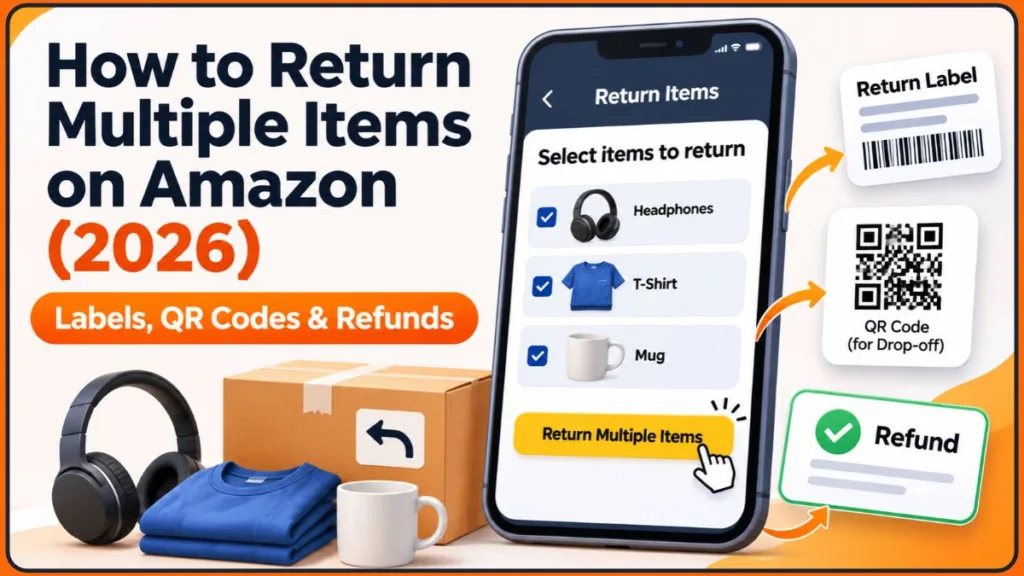
The key point is this: selecting multiple items in one return request is not the same as sending them in one box. Once you understand that difference, the rest of the process is easy to follow.
Can You Return Multiple Items on Amazon at Once?
Yes, in many cases. Amazon doesn’t publish a separate “multiple returns” policy. Its general return rules cover it, and one line from the Amazon Return Policy matters most here:
- Official Amazon Statement: “Do not include items from separate orders in the same return.”
This means:
- You can start a return for several eligible items, but each item follows the instructions assigned to it.
- Each return label is tied to one specific return, so a label or QR code only works for the return it was created for.
- If Amazon splits your items into separate returns, that’s normal and doesn’t mean something went wrong.
What to Check Before Returning Multiple Items
Products from the same order don’t always share the same return rules. Open each item’s order details in Your Orders and check:
- Return eligibility: Whether Amazon currently offers a return, replacement or exchange for that product.
- Return-by date: Each item can have its own deadline, especially if you bought them on different days.
- Condition requirements: Most items must be returned in original or unused condition, with tags, seals, accessories, manuals and original packaging included.
- Seller: Items sold by third-party sellers can have different return instructions.
- Size and weight: Heavy or bulky items can have different return rules and fees.
Amazon Return Windows (Including the 2026 Holiday Window)
Most items can be returned within 30 days of delivery. Some categories differ, according to Amazon’s return policy:
| Item type | Typical return window |
|---|---|
| Most items | 30 days from delivery |
| Apple-brand products sold new | 15 days |
| Select Amazon Renewed items, most nonperishable baby products, mattresses | 90 days |
| Unread Kindle books bought by accident | 7 days |
Holiday window: Items bought between November 1 and December 31, 2026 can be returned through January 31, 2027, with Apple products ending January 15. This comes from Amazon’s October 2026 announcement to sellers, which also states the policy will apply every year (Value Added Resource report, PPC Land report). The standard policy page doesn’t list it, so confirm the exact date on your order page, because the “return by” date shown there is the one that counts.
Items You Can’t Return on Amazon
Some products are non-returnable, including perishables, items with health and safety risks, customized products, redeemable products, certain digital products, Amazon Pharmacy items, and anything marked “Final Sale.” If one of these arrives damaged, defective or very different from the listing, contact Customer Service and keep photos of the item and packaging.
Step-by-Step: How to Return Multiple Items on Amazon
Using the Amazon App
Button names vary by app version and marketplace, but the flow looks like this:
- Open the Amazon app and tap the profile icon.
- Go to Your Orders and find the first product you want to return.
- Tap Return or Replace Items and choose a return reason.
- Look for Add More Items to This Return or Show more items to return. If you see See More, tap it.
- Select the other eligible products and tap Done.
- Choose an accurate reason for each item. Use the comments box to describe the problem clearly.
- If Amazon offers a choice, pick refund or replacement, then select your return method.
- Check the refund amount, return-by dates and any fees before confirming.
- Submit the request.
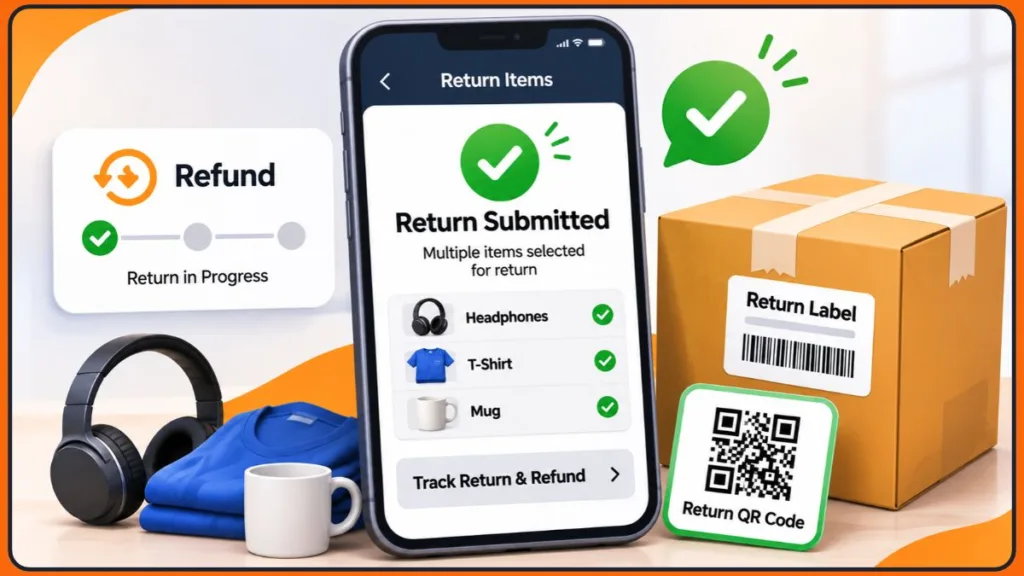
What you should see: a confirmation screen and email showing the return-by date and either a QR code, a printable label, or pickup details. Save these until your refunds are complete.
Don’t assume the method you pick for the first item applies to all the others. Review the arrangement for each one before you pack anything.
Using the Desktop Website
- Sign in and go to Accounts & Lists > Your Orders.
- Find the first item and click Return or Replace Items.
- Select the product and choose a return reason.
- If an option to add more items appears, select the additional products and give each a reason.
- Review the refund destination and return method, then confirm.
- Print the label if one is required, or keep the QR code on your phone.
App or desktop? The app is convenient for QR-code drop-offs because the code is already on your phone. The desktop site is better for printing labels or comparing several orders side by side. Switching devices won’t make a missing “add items” option appear.
What to Do If “Add More Items to This Return” Is Missing
That option isn’t guaranteed. It usually disappears when the products have different return deadlines, one item is sold by a third-party seller, or the items need different return methods.
The fix is simple. Go back to Your Orders and start a separate return for each remaining eligible item. You don’t need to force everything into one request, and separate requests are often the safer route.
Can You Return Multiple Items in One Box?
Only when Amazon assigns those items to the same return shipment and its instructions allow you to pack them together. Being in the same order, or the same return request, isn’t enough.
Before sealing a package:
- Check your confirmation to see which items belong to which shipment.
- Use only the label assigned to that shipment.
- Keep items from different orders, shipments or sellers in separate packages.
- Remove or cover old shipping labels and barcodes.
If you receive two labels, don’t attach both to one box. Check which products each label covers and pack accordingly.
Return Methods for Multiple Items
Amazon shows the available options during the return process. Which ones you see depends on the item, seller and your address. The main options are:
- Label-free, box-free drop-off: covered below.
- Printed-label return: Print the label, pack the item and hand it to the carrier shown in your instructions.
- Carrier pickup: Some items qualify for a pickup, and heavy or bulky items may need a scheduled collection.
- Seller-directed return: For third-party items, follow the seller’s address and label instructions.
Label-Free, Box-Free Drop-Off
Select a drop-off location, receive a QR code, and take the item and the code to the location. You don’t need a box or label. Amazon says most items can be returned free at over 8,000 locations, typically within five miles of your address. Participating locations include Whole Foods Market, Kohl’s, Staples, FedEx Office and The UPS Store (Amazon’s returns announcement).
Watch for the UPS Store fee: Amazon says a UPS Store drop-off is free unless another free option is closer to your delivery address. In that case a small fee (reported as $1) may apply, so check the cost shown before you confirm.
How to Handle Multiple QR Codes
If you get more than one QR code, open the return details to see which item or shipment each one covers. Don’t assume the first code covers everything. A QR code and a printed label are not interchangeable, so use the method Amazon assigned to each return.
A simple note can keep you organized:
| Product | Return method | Code or label |
|---|---|---|
| Keyboard | Printed label | Label A |
| Phone case | QR drop-off | QR code B |
| Headphones | Separate return | QR code C |
This is only an example. Use the assignments shown in your own confirmation.
How to Pack Items Shipped With a Label
If you’re shipping rather than doing a box-free drop-off:
- Include everything that came with the item, including accessories, manuals and tags.
- Use a sturdy box and protect fragile items.
- Make sure the barcode on the return label is readable.
- Keep your handover receipt or tracking number.
Special Cases When Returning Multiple Items
Returning Items From Third-Party Sellers
For items shipped by a third-party seller, the return goes to the seller rather than Amazon. The seller must offer a US return address, a prepaid return label, or a refund without a return. More detail is on Amazon’s Returns to Third-Party Sellers page.
You’ll submit a return request and the seller reviews it. If you don’t get a response within two business days, you can request an A-to-z Guarantee refund. Never add a seller-fulfilled item to another package without checking its instructions.
Returning Part of a Bundle or Discounted Order
Returning part of a purchase can affect the amount you get back:
- Bundle with Savings: You must return every item in the bundle to receive a refund. Partial refunds aren’t available.
- Discounted purchases: If a returned item helped you qualify for a discount, Amazon reduces your refund to account for it.
- Promotional certificates: No refund is issued for these.
Review the refund amount before you confirm. If it looks wrong, contact Customer Service before you send anything back.
Returning Electronics
Before returning a phone, tablet, laptop or camera, back up your files, sign out of your accounts, remove SIM and memory cards, and erase your data using the manufacturer’s instructions. Amazon’s Return Items You Ordered page also advises this. Deleting a few files isn’t enough.
Amazon Return Fees to Watch For
Returns are usually free, but these situations can cost you:
- Late fee: 20% of the item price for up to 30 days after the return-by date, and 100% after that.
- Damage fee: Up to 50% of the item price for items that are damaged, missing parts, have tags removed or show obvious use.
- Restocking fee: 100% of the item price for opened collectible cards, board games, and similar items, plus opened or used software and video games.
- Return shipping fee: May apply if you choose a non-free option, return a heavy or bulky item (50 lbs or more, or very large), or have an unusually high return rate.
The simplest way to avoid these is to return items on time, in their original condition, using the method Amazon assigned.
How to Track Returns and Refunds
Return status is tracked per item, so check each one separately.
- Open Your Returns, or go to Your Orders and find the returned product.
- Select View Return/Refund Status where it appears.
- Repeat for each item.
It’s normal for items returned on the same day to show different statuses. One package may already be with the carrier while another waits for pickup.
Refund Timelines by Payment Method
Amazon’s Refunds page says refunds can take up to 30 days after it receives and processes your return, depending on the order type, return shipping speed, processing time and payment method. Think of 30 days as the upper limit rather than the usual wait. Once Amazon issues the refund, your payment method decides most of the timing:
| Refund method | Typical time |
|---|---|
| Amazon gift card balance | 2-3 hours |
| Credit card | 3-5 business days |
| Shop with Reward Points | Up to 5 business days |
| Debit card or checking account | Up to 10 business days |
| Prepaid credit card | Up to 30 days |
If Amazon can’t use your original payment method, such as an expired card, the refund goes to your Amazon account balance.
What Is an Advanced Refund?
Sometimes Amazon refunds you when the carrier first scans your return rather than when it arrives. You still need to return the item. To avoid a charge, return it by the date in your confirmation email, in its original condition, using the correct label and an approved drop-off location. If the return doesn’t arrive in time, Amazon sends a reminder first and then charges your account. Any charge is reversed once the return is processed.
Why Is My Refund Lower Than Expected?
Amazon inspects returns against the expected item. Refunds can be reduced for signs of use, damage, or missing parts, accessories or manuals. Discounts and bundles can also change the amount, as covered above.
Common Problems When Returning Multiple Items
- No return label: You may have chosen a QR code or pickup option. Check your confirmation email and return details. If a printed label should have been provided, contact Customer Service before shipping. Never create your own label.
- One package shows received, another doesn’t: Each shipment tracks separately. Compare tracking with your return confirmation, and contact support with that package’s tracking number if it stalls.
- Received but no refund: Check Your Returns first. If the time shown for your payment method has passed, contact support with your order number, product name, return confirmation, and tracking or drop-off receipt. If you returned an item more than 30 days ago and have seen no refund notification, contact Customer Service.
- Wrong item sent: Contact Customer Service as soon as possible. Amazon says it may not be able to locate items sent by mistake and can’t provide compensation in those cases. If you haven’t handed the package over, open it, remove the wrong item and reseal it.
Limitations to Keep in Mind
- Not every item is returnable, and return windows vary by category.
- The multi-item option isn’t available for every account, order or product.
- Items from different orders, shipments and sellers need separate packages.
- Refunds may arrive at different times for different items.
- Amazon may ask for additional information or ID during return processing, and can limit or deny returns or add fees if it identifies abuse.
- Global Store orders follow separate return terms, usually with a prepaid UPS label, so follow the instructions shown for that order.
Final Thoughts on Returning Multiple Items on Amazon
To make the process smooth:
- Check eligibility and the return-by date for every item first.
- Add items to one return only if Amazon offers the option, and start separate returns if it doesn’t.
- Match every product to its assigned label or QR code before packing.
- Keep separate packages separate unless your confirmation says otherwise.
- Save your receipts and track each return and refund individually.
A few minutes of organizing now can save you from late fees, mix-ups and delayed refunds later.
Frequently Asked Questions (FAQ)
Can I return multiple items to Amazon at the same time?
Yes, if Amazon shows an option like Add More Items to This Return or Show more items to return. If it doesn’t, submit a separate return for each item.
Can I return multiple Amazon items in one box?
Only when Amazon’s instructions assign them to the same return shipment. Items from separate orders shouldn’t be combined.
Do I need a separate label for each item?
Not always. Amazon may give one label per shipment or separate labels for different returns. Use each label only for the package it’s assigned to.
Can I return items without the original box?
Many eligible items qualify for a box-free, label-free drop-off with a QR code. Items should still be returned in original or unused condition with their accessories and packaging.
How long do I have to return Amazon purchases?
Most items have 30 days from delivery, though some categories differ. Items bought from November 1 to December 31, 2026 get an extended window through January 31, 2027 (January 15 for Apple), but check the return-by date on your order.
Does Amazon charge a fee for returning multiple items?
Returns are usually free, but fees can apply for late returns, damaged or incomplete items, heavy or bulky items, non-free drop-off options, and certain opened products like games and collectibles. The cost is shown before you confirm.
What if I get only one refund?
Items are processed separately, especially when sent in separate packages. Check each item’s status in Your Returns, and contact Customer Service if a refund is missing after the timeline for your payment method.
What happens if I accidentally send the wrong item?
Contact Customer Service immediately. Amazon may not be able to locate it or compensate you.
Visit Our Post Page: Blog Page
Discover more from Izoate
Subscribe to get the latest posts sent to your email.