
Learn how to switch Amazon Prime to monthly membership in 2026, even if the option is missing. Discover workarounds, billing changes, refunds, and Prime membership settings.
You might expect Amazon to let you switch between annual and monthly billing with a single click. Unfortunately, that’s not always the case.
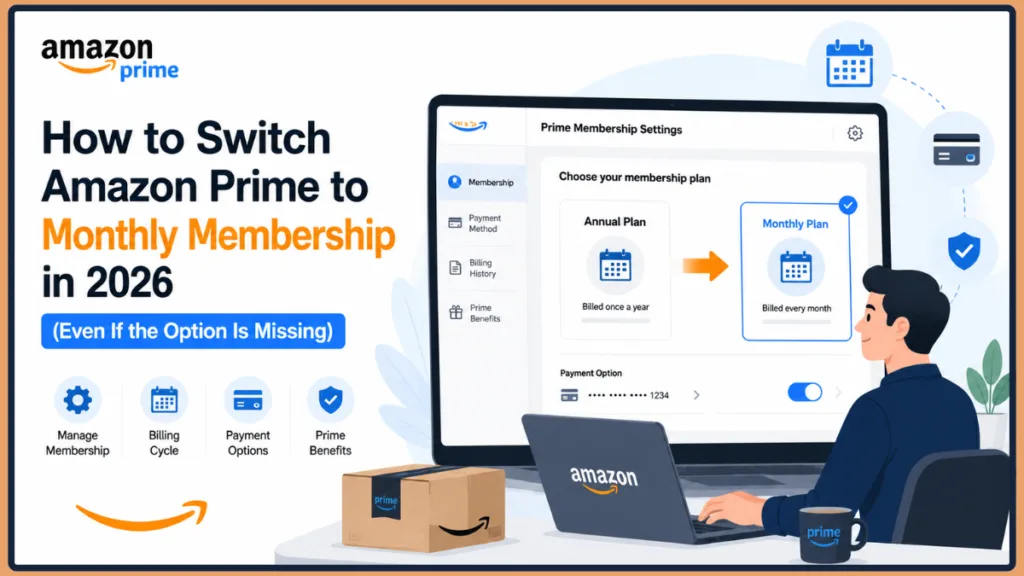
Many users discover that the monthly option is missing entirely from their Subscription Settings, leaving them wondering whether they’re stuck with their annual Amazon Prime Membership.
If you’re trying to switch Amazon Prime from annual to monthly billing, you’re not alone. The good news is that there are still several ways to change your membership, and we’ll walk you through each one so you can take control of your subscription.
Quick Answer: Can You Switch Amazon Prime to Monthly?
Yes, but not always directly. Some Amazon Prime members can change their billing frequency through Manage Membership > Change Payment Option.
However, many annual members do not see this option and must cancel their Annual Prime Membership and rejoin using a Monthly Membership instead.
Tip: Before making any changes, always check your current Amazon Prime Membership Settings to see your exact renewal date and verify your current Amazon Prime Payment Plan.
Amazon Prime Annual vs Monthly at a Glance
| Feature | Monthly Prime | Annual Prime |
| Upfront Cost | Lower | Higher |
| Flexibility | High | Lower |
| Total Yearly Cost | Higher | Lower |
| Easy to Cancel | Yes | Yes |
| Prime Benefits | Same | Same |
Choosing between these options depends largely on how you use your account. If you frequently order items year-round and regularly stream Prime Video, the annual plan offers the most economical value.
However, if you only need the service for holiday shopping or specific deal events, the monthly tier provides the flexibility to pause or end your subscription without a large upfront financial commitment.
Amazon Prime Switch to Monthly: What You Need to Know
If you’re currently enrolled in an Annual Prime Membership, you may be wondering whether you can simply change your Amazon Prime subscription to a monthly plan.
Amazon doesn’t make this process as straightforward as you’d expect. While some members can easily click a button to change prime membership payment option directly, others find that the amazon prime monthly option not available issue plagues their account settings.
Fortunately, there are still several ways to switch Amazon Prime from annual to monthly, and we’ll walk you through every available option to switch your Prime billing from annual to monthly.
Whether you are on a standard plan or a discounted tier, navigating how to manage your Prime account can be tricky. Understanding the precise steps to change your Prime billing cycle is key.
Why You Might Want to Change Amazon Prime to Monthly
There are quite a few reasons you might want to switch your prime membership plan. Here are the most common reasons people look for an Amazon Prime membership downgrade.
You might want to reduce upfront membership costs or better manage your monthly household budget to avoid large annual renewal charges. Others prefer to use Prime only during certain times of the year (like the holidays or Prime Day) to gain more flexibility with their membership options.
Additionally, a monthly vs annual Amazon Prime comparison is a great way to test whether the Prime Benefits are worth the ongoing cost before committing to a full year.
Regardless of your reason, understanding your Amazon Prime Renewal Options can help you choose the best subscription plan. If you are a student, you might also want to explore our related guide on discounted Prime membership options, such as Amazon Prime Student, to save even more.
Can You Switch Amazon Prime From Annual to Monthly?
This is one of the most commonly asked questions among Prime members. The answer is: In some cases, yes.
However, Amazon does not always provide a direct “Change Payment Option” button for annual Prime members. According to Amazon forum discussions, while monthly-to-annual switching is often available directly in your account, annual-to-monthly switching is frequently restricted.
Because of this, you must often cancel your Annual Prime Membership and rejoin with an Amazon Prime Monthly Membership.
This limitation is exactly why you might be frustrated with issues such as feeling like you can’t switch Amazon Prime to monthly or noticing that the amazon prime monthly option not available error persists in your dashboard.
Many people search for a solution because there is no Change Payment Option for Amazon Prime, leaving their Amazon Prime annual membership stuck on the yearly billing cycle.
Important: Amazon allows many users to switch from monthly to annual billing directly, but annual-to-monthly changes often require canceling and rejoining.
Why Amazon Doesn’t Always Allow Annual-to-Monthly Switching
Amazon treats annual and monthly subscriptions differently when it comes to their billing infrastructure. In most cases, monthly-to-annual upgrades are often available directly because the system easily processes an upgrade to a longer commitment.
However, annual-to-monthly downgrades are frequently restricted. Amazon does not always provide the same switching options to annual members, which can make it feel confusing when you want to switch Amazon Prime renewal plan.
Official Amazon Help documentation and 2026 community forums indicate that promotional trials, gift memberships, or accounts with active third-party billing (like cell phone carriers) often face these restrictions. In these cases, the system locks the billing cycle to prevent pro-rated billing errors.
Important: Based on Amazon forum discussions, annual Prime members frequently report that the Change Payment Option button is unavailable, leaving cancellation and re-enrollment as the only available workaround.
How to Switch Amazon Prime From Annual to Monthly
If your account shows the required settings, follow these steps to manage your membership billing cycle.
Method 1: Change Prime Membership Payment Option
- Sign in to your Amazon account. (If you have multiple accounts, check our guide on checking logged-in devices on Amazon for account security to ensure you’re on the right profile.)
- Go to Accounts & Lists at the top right of the navigation bar.
- Select Prime Membership (or look under Membership & Subscriptions).
- Click Manage Membership.
- Look for Change Payment Option.
- Select Monthly Membership.
- Confirm your new billing frequency.
If available, your Prime Renewal plan will be updated automatically.
What Happens After Switching?
When you successfully switch your Prime billing from annual to monthly, your Prime Benefits remain active, but your membership renewal date changes.
Future charges occur on an Amazon Prime monthly billing schedule instead of annually, and your Prime Video and shipping benefits continue uninterrupted.
Note: Prime Benefits generally remain unchanged regardless of whether you pay monthly or annually.
What If the Monthly Option Is Missing?
You might discover that the monthly prime plan does not appear under your membership settings.
Common complaints include the Amazon Prime monthly option missing or the amazon prime monthly plan unavailable. Users frequently ask “why can’t I change my Prime membership to monthly?” when they see there is no Change Payment Option for Amazon Prime in their account dashboard.
This usually happens because Amazon restricts amazon prime yearly to monthly conversions in certain regions, or for specific account types (such as Prime Video-only accounts trying to downgrade improperly).
Before You Cancel Your Annual Prime Membership
It can be tempting to immediately hit the cancel button when the options you want are missing, but taking a moment to review your account details is crucial.
First, always check your exact Membership Renewal date under your Prime Membership Management settings so you know exactly how much time is left on your current billing cycle.
It is also important to review your refund eligibility, as recent heavy usage of shipping or streaming perks may affect any prorated returns.
Additionally, confirm whether the monthly option appears on a desktop browser, as the mobile app occasionally hides certain billing features. Finally, contacting customer support should be your first line of defense before terminating your benefits.
Tip: Before ending your membership, check whether Amazon Customer Service can manually update your billing plan. Some users have reported success without needing to cancel their membership.
How to Cancel Annual Prime and Switch to Monthly
If Amazon does not offer a direct switch option in your dashboard, this amazon prime annual to monthly workaround is often recommended.
Step 1: Cancel Your Annual Prime Membership
- Open your Amazon Prime Membership Settings.
- Select Manage Your Prime Membership.
- Click End Membership (sometimes labeled as “End My Benefits” or “Pause or Cancel”).
- Follow the cancellation prompts to finalize the end date.
Step 2: Wait for Membership Expiration or Refund
Depending on your account status, Amazon may issue a partial refund based on your Refund Eligibility, or Amazon may allow benefits to continue until the official Prime Renewal date.
In rare cases where the membership was just purchased, your membership may end immediately if unused.
Step 3: Rejoin Using a Monthly Plan
After you cancel your annual Prime membership:
- Visit the Amazon Prime Membership sign-up page.
- Select Join Prime.
- Choose Monthly Membership.
- Complete your payment setup.
This method effectively converts your Amazon Prime yearly plan to a monthly plan.
Tip: If you don’t see the “Change Payment Option” button, contact Amazon Customer Service before canceling your membership. They can sometimes process the change on the backend.
Can Amazon Customer Service Switch Your Prime Membership?
If you’re unable to find a solution through your Prime Membership Management dashboard, contacting Amazon Customer Service may help.
Customer support may be able to review your account eligibility and explain your available membership options. They can also assist with your Refund Eligibility or provide region-specific billing solutions tailored to your Amazon Prime Payment Plan.
Many people have reported success after contacting support directly to change their membership plan on Amazon Prime. For more detailed instructions on navigating support, take a look at our complete Amazon subscription management guide.
Will Amazon Refund an Annual Prime Membership?
Your Refund Eligibility depends on several factors. Depending on your situation, Amazon may offer full refunds for recently renewed memberships, partial refunds for unused membership periods, or no refund if your Prime Benefits have been extensively used.
If you want to dive deeper into this process, check out our related guide about cancelling Amazon Prime and requesting refunds for step-by-step guidance.
Factors That Affect Refunds
When determining your refund, Amazon evaluates several criteria including your overall membership usage and the time since the last Membership Renewal.
They also look closely at your Prime Video activity and any shipping benefits you have already used during your current Amazon Prime billing cycle.
Warning: Always review your Refund Eligibility before canceling your Annual Prime Membership, as heavy use of free shipping or Prime Video could mean you won’t get a prorated refund.
Monthly vs Annual Amazon Prime: Which Is Better?
Choosing between monthly and annual Prime billing depends entirely on your needs. A quick monthly vs annual Amazon Prime comparison helps clarify the best value.
Monthly Prime Plan
Pros
- Lower upfront cost.
- Easier budgeting.
- Flexible cancellation.
Cons
- Higher total yearly cost.
Annual Prime Membership
Pros
- Lower overall cost.
- One payment per year.
- Best value for frequent Prime users.
Cons
- Large upfront charge.
- Less flexibility.
For long-term users, annual memberships are usually more economical. For occasional users, monthly memberships often provide better flexibility.
Troubleshooting Amazon Prime Billing Issues
Why Can’t I Change My Prime Membership to Monthly?
If you are wondering why you can’t switch your plan, possible reasons include regional restrictions or account-specific limitations.
You may also be dealing with a missing Change Payment Option button or existing annual renewal commitments that prevent an immediate amazon prime membership downgrade.
Why Is the Monthly Prime Option Not Showing?
Amazon may not offer monthly billing changes directly to all annual members. It can be incredibly frustrating when you see the amazon prime monthly option not available, but using the workaround or contacting support usually resolves the issue.
Can I Switch Prime Plans Without Losing Benefits?
Usually, yes. If handled correctly, your Prime Benefits continue until the transition is complete.
Additional Ways to Manage Your Prime Membership
Even if you can’t switch immediately, you can still take control of your account.
You can review your Prime Renewal settings to monitor upcoming renewal charges, or update your Prime payment methods to change your cards before the automatic renewal hits.
Additionally, you can manage your membership billing frequency by reviewing your available Amazon Prime Membership Settings regularly, and compare Prime membership plans to check whether monthly or annual billing provides better value for your actual usage.
What Amazon and Reddit Users Say About Switching Prime to Monthly
When looking across forums, many users report the monthly option is missing from their account settings, causing confusion about how to proceed.
Some users successfully switched their plans after contacting Amazon Customer Service, noting that representatives were able to process the request manually on their end. Others simply switched by canceling their current plan and rejoining immediately on a monthly schedule. Keep in mind that different regions and account types may show different options, which explains why the user experience often varies so wildly.
Forum discussions show that many users never see the Change Payment Option button at all. Several members report that contacting Amazon Customer Service resolved the issue, while others found that canceling their annual membership and rejoining with a monthly plan was the only option available. Experiences vary depending on account type, region, and how the membership was originally purchased.
Final Thoughts on Amazon Prime Switch to Monthly
While Amazon doesn’t always provide a direct way to switch Amazon Prime from annual to monthly, there are still effective solutions to help you manage your Amazon Prime Payment Plan.
To summarize:
- Use Change Payment Option if available.
- Contact Amazon Customer Service for assistance.
- Cancel your annual membership and rejoin with a monthly plan if necessary.
- Review your Refund Eligibility before making changes.
- Compare monthly vs annual Prime costs before deciding.
By understanding your prime account settings and renewal options, you can choose the billing frequency that best fits your budget and shopping habits.
While Amazon doesn’t always provide a one-click way to switch Amazon Prime from annual to monthly billing, you’re not necessarily stuck with your current plan. Whether you use the Change Payment Option, contact Amazon Customer Service, or cancel and rejoin with a Monthly Membership, there are several ways to adjust your subscription. The best option depends on your account, region, and Refund Eligibility.
Frequently Asked Questions (FAQ)
Can I Change Amazon Prime From Yearly to Monthly Without Canceling?
Yes, but many users must cancel their annual membership and rejoin using a monthly plan.
Why Is the Monthly Prime Option Not Showing in My Account?
Amazon does not offer direct annual-to-monthly conversions for all accounts. Promotional pricing or third-party billing setups often hide this menu.
How Do I Find the Change Payment Option in Amazon Prime?
Go to Prime Membership → Manage Membership → Change Payment Option if available in your 2026 settings.
Does Amazon Offer a Monthly Prime Plan Instead of Yearly?
Yes, Amazon offers an Amazon Prime monthly membership plan in many regions.
Can I Downgrade Amazon Prime From Yearly Plan to Monthly Plan?
In most cases, you’ll need to cancel your annual membership and re-enroll in a Monthly Membership.
Will I Get a Refund If I Cancel My Amazon Prime Annual Membership?
Possibly. Refund Eligibility depends on your usage and how recently you renewed.
What Happens When You Switch Amazon Prime From Annual to Monthly?
Your billing frequency changes, but Prime Benefits generally remain the same.
Can Amazon Customer Service Change My Prime Membership Plan?
Amazon Customer Service may be able to help with account-specific membership changes and refund requests, especially if the option is missing online.
Can I Switch Amazon Prime From Monthly Back to Annual Later?
Yes. Amazon generally allows monthly members to switch to annual billing through Manage Membership > Change Payment Option, although availability may vary by region and account type.
If you make this change, your new annual billing cycle will typically take effect immediately or upon the expiration of your current monthly term, depending on how Amazon processes the upgrade.
Visit Our Post Page: Blog Page
Discover more from Izoate
Subscribe to get the latest posts sent to your email.