
Accidentally liked someone’s Facebook Story? Let’s learn how to unlike a Story on Facebook and remove an unwanted reaction using desktop, Android, or iPhone.
Have you accidentally liked or reacted to someone’s Facebook Story while viewing it? It can happen easily when you’re tapping through Stories, especially if you accidentally touch the Like button or send an emoji reaction.
Unlike regular Facebook posts, where you can simply tap the Like button again to remove your like, finding a previous Story reaction may require a few additional steps. Fortunately, Facebook lets you review your past activities, including Story interactions, through its Activity Log.
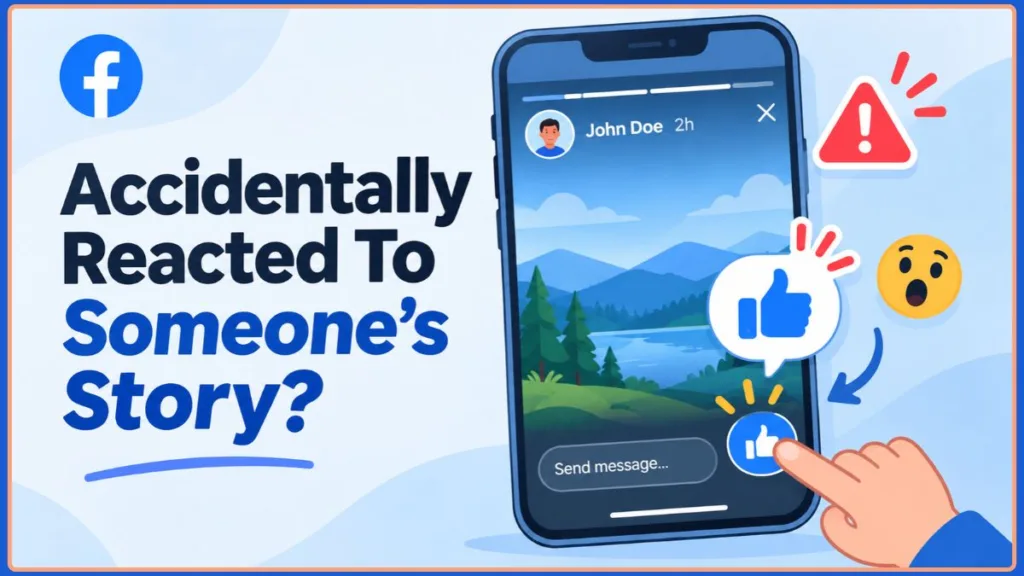
Let’s learn how to unlike a Story on Facebook using your desktop browser or the Facebook app on your mobile device. You’ll also learn how to manage different types of Story reactions, deal with accidental interactive sticker responses, and understand whether someone can see that you’ve liked and unliked their Story.
Can You Undo a Like or Reaction on a Facebook Story?
Yes, you can remove a reaction that you’ve accidentally sent to someone’s Facebook Story, provided Facebook offers a removal option for that interaction.
However, removing a Story reaction is slightly different from unliking a regular Facebook post. You cannot always remove an old Story reaction simply by opening the original Story, particularly if it has expired or is no longer available.
Instead, you can use Facebook’s Activity Log to find the relevant Story activity and access the available removal option.
Once you locate the reaction, select the three-dot menu beside the activity and choose Remove reaction, if available.
How to Remove an Accidental Facebook Story Reaction
You can unlike a Facebook Story using the Activity Log on both desktop and mobile devices. However, the navigation is slightly different depending on whether you’re using a web browser or the Facebook app.
Follow the instructions below to find and remove your accidental Story reaction.
How to Remove a Facebook Story Like or Reaction
If you’re using Facebook on a computer or mobile device, you can access your Activity Log to find your previous Story interactions.
Visit the Facebook Activity Log using the direct link.
If the link doesn’t work, you can navigate to Activity Log through your Facebook profile settings by following the instructions below.
For Desktop
Here’s how to remove a Facebook Story reaction on desktop:
- Open Facebook in your preferred web browser and make sure you’re logged into your account.
- Click your profile picture in the top-right corner.
- Select Settings & privacy from the available options.
- Click Activity log to open your Facebook activity history.
- Find and open Your Facebook activity from the left sidebar.
- Look for the Stories section and expand it to view your previous Story activities.
- Browse the available activities to find the Story reaction you accidentally sent. Look for the relevant person’s name or interaction.
- Once you find it, click the three-dot menu beside the activity.
- Select Remove reaction to undo your accidental Facebook Story reaction.
That’s it! If Facebook successfully processes your request, the selected reaction will be removed from your Story activity.
For Android and iPhone
If you’re using the Facebook mobile app on an Android phone or iPhone, you can also find your previous Story interactions through Activity Log.
Follow these steps:
- Open the Facebook app on your Android or iPhone.
- Tap your profile picture to visit your Facebook profile page.
- Tap the three-dot menu near your profile information to open the profile options.
- Look for Activity log in the available options and open it.
- Navigate to the relevant Story activity section.
- Browse your previous Story activities to find the reaction you want to remove.
- Tap the three-dot menu beside the relevant activity.
- Select Remove reaction, if the option is available.
Facebook will remove the selected reaction when the removal action is available and successfully completed.
Note: The Facebook app’s interface may look slightly different on Android and iOS. Menu names and the placement of Activity Log options can also change with app updates.
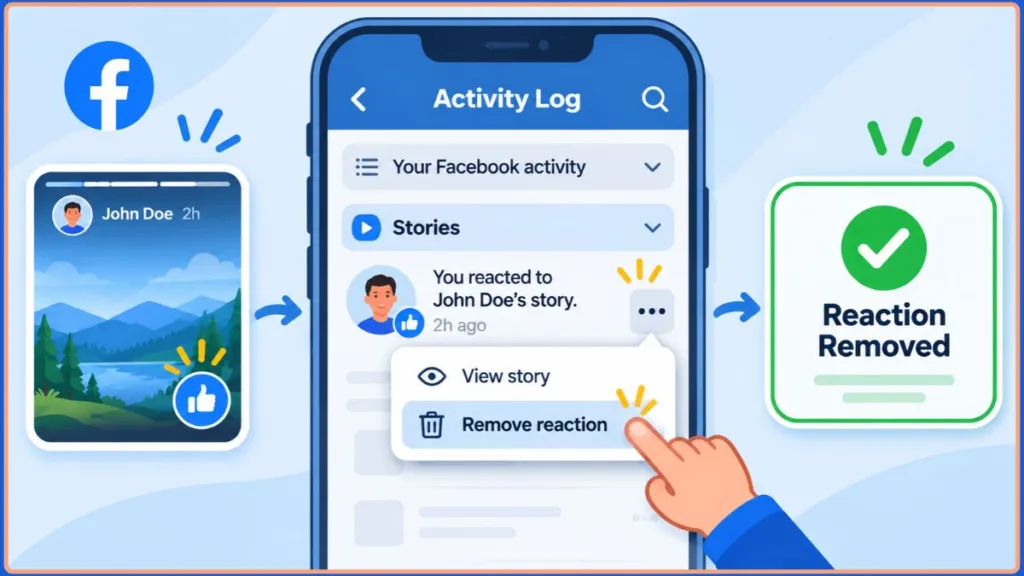
Where to Find Your Facebook Story Reactions in Activity Log
If you cannot remember whose Story you accidentally liked or reacted to, you can use Facebook’s Activity Log to find the interaction. It’s particularly useful when the original Story is no longer visible in your feed or has disappeared after its usual 24-hour availability period.
On desktop, open Your Facebook activity from the left sidebar and expand the Stories section. On the Facebook mobile app, navigate to the relevant Story activity category within Activity Log.
Browse the available entries to find the person’s name or the Story interaction you’re looking for. Once you locate it, click or tap the three-dot menu beside the activity to check whether the Remove reaction option is available.
Tips for Finding and Removing Facebook Story Reactions
1. Use the approximate date to narrow your search
If you remember approximately when you viewed the Story, use that timeframe to narrow down the relevant activity instead of checking every entry.
2. Verify the Story before removing a reaction
Check the person’s name and the activity details carefully before selecting Remove reaction, especially if you’ve interacted with multiple Stories from the same person.
3. Check the correct Story activity category
If you cannot find the reaction, make sure you’re viewing the correct Story activity category in Activity Log. Facebook may organize interactions differently across app versions.
4. Try Activity Log on a desktop browser
If the Remove reaction option isn’t available in the Facebook app, try checking Activity Log from a desktop browser. Some options may appear differently across devices.
Note: The available Story activity categories and removal options may vary depending on your Facebook app version and device.
Can You Remove a Thumbs-Up Reaction from a Facebook Story?
Yes, you can remove an accidental thumbs-up reaction from a Facebook Story if Facebook provides a removal option for that interaction in your Activity Log.
Find the relevant interaction under the Stories section, select the three-dot menu beside it, and choose Remove reaction, if available.
This is useful if you accidentally tap the Like button while viewing someone’s Story and want to undo the interaction.
Tip: If you’ve interacted with multiple Stories from the same person, check the person’s name and Story details carefully before removing a reaction. This helps you avoid selecting the wrong interaction.
Can You Remove Heart, Love, or Other Emoji Reactions?
The same general approach may apply to other Facebook Story emoji reactions, including Love, Haha, Wow, Sad, and Angry.
If the reaction appears in your Activity Log with a Remove reaction option, you can use it to undo the interaction.
You don’t need to send another emoji just because you selected the wrong one. First, check whether Facebook lets you remove the existing reaction.
Can You Change Your Facebook Story Reaction Without Removing It?
If you accidentally send the wrong emoji, you may prefer to replace it with a different reaction rather than remove it completely.
Check whether Facebook lets you select a different emoji on the original Story. If that option isn’t available, you may need to remove the existing reaction first and then send the correct one.
You can only send a replacement if the Story is still available and Facebook allows you to interact with it.
Important: Removing a reaction and replacing it are two different actions. If the original Story is no longer accessible, you may not be able to send a new reaction.
What If You Accidentally Reacted to a Facebook Story with an Interactive Sticker?
Facebook Stories can include interactive stickers, such as polls and question stickers, that let viewers participate in different ways. Unlike ordinary emoji reactions, these interactions involve submitting a vote or written response, so their removal options may differ.
Can You Undo a Facebook Story Poll Response?
Facebook Story polls let you choose from the available answer options. Once you submit a response, it becomes part of the poll’s results.
If you accidentally select the wrong option, check the original poll to see whether Facebook allows you to change your selection. The available controls may depend on the poll and Facebook’s current interface.
Note: Don’t assume that removing an emoji reaction will withdraw your poll vote. Check the original poll for any available response-management options.
Is It Possible to Delete a Facebook Question Sticker Answer?
Facebook question stickers allow you to submit a written response to a Story creator’s question.
If you accidentally send an answer, check the available options for that interaction. If Facebook delivers your response through Messenger, review the relevant conversation to see whether any message-management options are available.
Tip: If your question sticker response appears in Messenger, check the conversation for available message options rather than looking for it as an ordinary Story reaction.
Privacy reminder: Removing a reaction does not guarantee that the Story owner hasn’t already seen the original notification or reaction.
Will Someone Know If You Accidentally Liked and Unliked Their Facebook Story?
Possibly. When you react to someone’s Facebook Story, the creator may receive a notification about the interaction. Removing the reaction afterward doesn’t necessarily mean the original notification will disappear.
For example, imagine you’re viewing someone’s Story and accidentally tap the thumbs-up button. You immediately open Activity Log and remove the reaction. Although the reaction may no longer appear as an active interaction, the person might already have seen the notification.
Therefore, you shouldn’t assume that unliking a Story makes the original interaction completely invisible.
Tip: Avoid repeatedly checking the person’s profile or Story to find out whether they’ve noticed your reaction. It won’t tell you whether they’ve already seen the original notification.
Does Facebook Notify Someone When You Remove a Story Reaction?
Removing a reaction is different from initially reacting to a Story. Facebook doesn’t guarantee that the Story creator will receive a separate notification when you undo your reaction.
The person may or may not notice the change, depending on their notification settings and when they check Facebook.
Important: Facebook’s notification behavior can vary depending on the recipient’s settings, device, and app version. You cannot reliably determine whether someone has viewed or dismissed a notification about your reaction.
Can Someone Still See Your Reaction After You Remove It?
Once Facebook successfully removes your reaction, it should no longer appear as an active reaction on that Story interaction.
However, removing the reaction doesn’t erase anything the Story creator may have already seen. If they noticed the original notification or reaction before you removed it, they may still remember the interaction.
Tip: If you’re unsure whether the reaction was successfully removed, revisit your Activity Log and check the relevant Story interaction, if the activity status is available.
Privacy reminder: An accidental Story reaction usually doesn’t require an explanation. Avoid sending an unnecessary follow-up message unless the person asks you about it.
Frequently Asked Questions
Can I Unlike a Facebook Story After 24 Hours?
Yes, you may still be able to unlike a Facebook Story after 24 hours if its interaction appears in your Activity Log with a Remove reaction option. Although the Story usually disappears after 24 hours, its previous activity may remain available for you to review.
How Do I Find My Previous Facebook Story Reactions in Activity Log?
You can find your previous Story interactions through Facebook’s Activity Log by opening the Stories activity category and browsing the available entries. This is particularly useful when you cannot remember whose Story you reacted to or when the original Story is no longer visible in your feed.
If I Unlike a Facebook Story, Will the Person Get a Notification?
Facebook may notify someone when you initially react to their Story, but removing that reaction doesn’t guarantee that they will receive another notification. However, the person might already have seen the original notification before you removed the reaction, so unliking a Story doesn’t necessarily make the interaction completely invisible.
Can I Remove Someone Else’s Reaction from My Facebook Story?
Removing your own reaction from someone else’s Story is different from managing reactions received on your own Story. You can review your Story audience and privacy settings to manage who can interact with your Stories, but Facebook may not provide a direct option to delete every reaction submitted by another person.
Can I Remove a Facebook Story Reaction on Android and iPhone?
Yes, you can check and manage previous Story interactions through the Activity Log in the Facebook mobile app. The available removal options may vary depending on your device, app version, and interaction type, so check whether Remove reaction is available for the relevant Story activity.
What If the Remove Reaction Option Doesn’t Appear in Facebook Activity Log?
If the Remove reaction option doesn’t appear beside your Facebook Story activity, first check whether you’re viewing the correct Stories category in Activity Log. You can also try accessing Activity Log through a desktop browser if the option isn’t available in the mobile app. Facebook’s available controls may vary depending on your device, app version, and interaction type, so the removal option may not be available for every Story interaction.
Visit Our Post Page: Blog Page
Discover more from Izoate
Subscribe to get the latest posts sent to your email.