
Sitting on hidden Amazon digital rewards? Stop letting your free no-rush shipping credits expire! Here is exactly where to find your balance and how to spend it.
Have you been selecting the slower shipping option at checkout to be helpful, but you aren’t quite sure where your rewards are actually going? You are not alone! Many shoppers earn an Amazon no rush credit without realizing they are sitting on a hidden stash of “free money.” Unfortunately, people dealing with this feature often completely forget to use their credits because the balance is buried deep within the account settings.
If you love the idea of funding your digital entertainment on a budget, this guide is your ultimate smart shopping hack. We are going to walk you through exactly how to track down your balance and redeem those hidden freebies for your next movie night or reading marathon.
What Does an Amazon Digital Credit Mean?
An Amazon digital credit is essentially free promotional money that Amazon owes you for your patience. Often referred to interchangeably as No-Rush Shipping Credits, No-Rush Rewards, promotional credits, Prime Day credits, or Amazon Day Rewards, this program generously rewards you for not being in a hurry. By allowing Amazon to ship items to your house within six business days instead of the standard two-day window, or by opting for an “Amazon Day” delivery where all your weekly packages arrive on one single day, you earn a digital reward.
These credits typically range from $1 to $4 per order, though you might even spot occasional offers up to a $20 discount on Amazon Home Services. To earn this free money, the physical items you purchase must be strictly “sold and shipped by Amazon.” You won’t see this offer for products sold by third-party sellers, even if they are marked as “Prime Eligible” or “Fulfilled by Amazon.”
Also, while all shoppers might occasionally be eligible for instant discounts at checkout, only Prime members receive these specific digital reward offers. Keep in mind, you cannot receive a No-Rush reward and an instant discount on the same order; Amazon will only surface one type of offer per transaction.
Do You Need Amazon Prime to Get No-Rush Credits?
Yes. Amazon No-Rush Shipping Rewards are available to Prime members when Amazon presents an eligible reward at checkout.
When you select FREE No-Rush Shipping on an eligible order, Amazon can offer a digital reward in exchange for choosing slower delivery. The reward becomes available after the qualifying package ships, and you can then use it on eligible digital purchases according to the reward’s terms.
It’s important to understand that not every No-Rush Shipping option comes with a digital reward. Amazon decides which offers appear at checkout, and the reward amount and eligible products can vary.
Also, No-Rush Rewards and instant discounts are different offers. While shoppers may sometimes see an instant discount for choosing slower delivery, you cannot receive both an instant discount and a No-Rush reward on the same order. Amazon will show only one type of offer for that transaction.
So, if you’re specifically trying to earn Amazon Digital Rewards through No-Rush Shipping, you’ll need an active Amazon Prime membership.
Want to start earning No-Rush rewards? Join Amazon Prime and unlock Prime member benefits.
Where Do I Find My Digital Credits on Amazon?
Locating the balance dashboard is a major user experience frustration for most shoppers. Because the balance isn’t prominently displayed on your main account page, you need to know exactly where to look to unlock your hidden freebies. Remember, pending rewards only become available rewards when your qualifying package has actually shipped, so don’t be alarmed if they don’t show up immediately after you check out!
Finding Digital Rewards on Amazon From a Desktop
The absolute fastest method for finding digital rewards on Amazon is bypassing the messy account menus entirely. Here are the exact steps to fix this navigational headache:
- Open your preferred web browser on your computer.
- Log into your Amazon account.
- Go directly to amazon.com/norushcredits.
- Once you enter the No-Rush portal, click on the yellow button that says “Check Prime No-Rush Rewards Balance.”
This direct link takes you straight to the No-Rush Rewards Summary dashboard. Here, you can instantly see your total available rewards, what specific products they can be used for, and those all-important expiration dates.
How to Find Your Amazon Digital Credit Balance on Mobile and Smart TVs
If you are already curled up on the couch ready for movie night, you can check your balance directly through your streaming devices:
- Open the Prime Video app on your phone, tablet, or smart TV.
- Select a movie you want to rent or buy.
- Click on More purchase options or Redeem a gift or promotion code to view your available balance right on the screen.
Using Amazon Digital Credits: What Can You Buy?
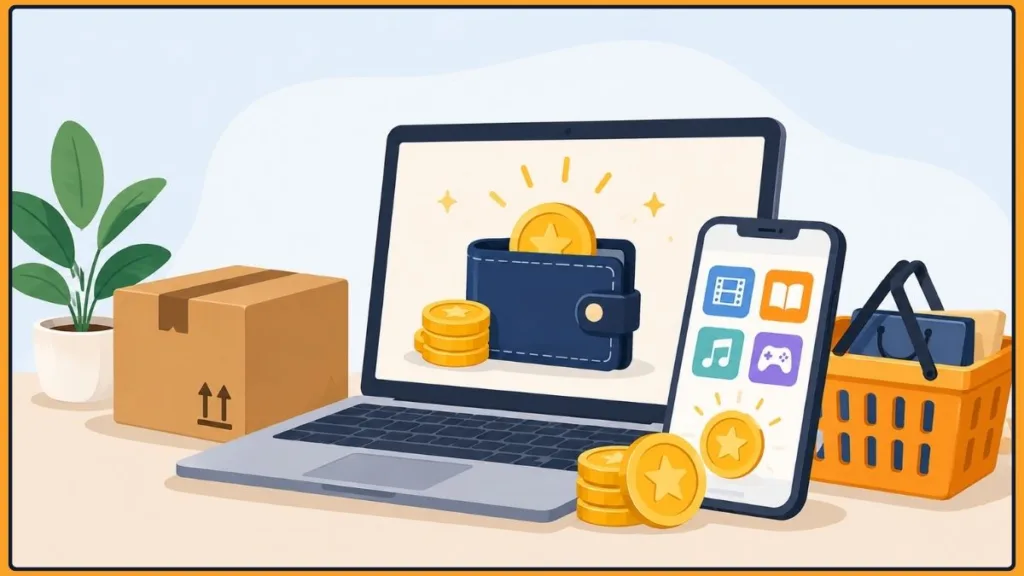
Your promotional balance applies exclusively to specific items, but it is a fantastic way to effortlessly fund your entertainment. You can use these credits across various forms of digital content, including:
- Kindle eBooks
- Prime Video rentals and purchases (perfect for scoring new movie rentals or specific TV episodes for free!)
- Digital music tracks and albums
- Apps from the Amazon Appstore
- Occasional non-digital offers like Amazon Pantry or groceries, depending on the specific reward details.
To avoid any checkout confusion, remember there are a few strict exclusions. You cannot use these rewards to purchase physical items, Audible audiobooks, or Amazon gift cards (both digital and physical).
The process of using Amazon digital credits is incredibly simple because the balance automatically applies as a discount on the checkout screen for qualifying digital goods. If you have a $2 credit and want to rent a $3.99 movie, your checkout price will instantly reflect the $1.99 total. If your balance doesn’t cover the full cost, Amazon will simply request that you use your default payment method to pay the remaining balance. And if the digital item is the same price or less than your available credit, you get it completely for free!
Troubleshooting Tip: If you are having trouble redeeming promotion codes related to Amazon Video, it is essential that you navigate through the complete web version of the website on a desktop rather than using a mobile app or other restricted mobile browser versions.
How to Maximize Your Amazon Digital Reward Credits
Want to act like a true strategic shopper? You can easily multiply your credits and maximize your earnings by changing how you place your physical orders.
Separate your physical orders: The digital reward amount does increase slightly with the more items you add to your cart, but you can usually get more free money by splitting them up! For example, if Amazon offers a $2 digital credit when you add three eligible items to your cart, check to see if you can do three separate purchases. You might score three individual $1 rewards instead, instantly multiplying your earnings.
Track expiration dates: Amazon digital credits do expire, and the catch is that you won’t know the exact expiration date until after you’ve already chosen No-Rush delivery at checkout. You will find out your free credit’s expiration date in the confirmation email Amazon sends after your physical item ships. Empower yourself to spend before you lose out by checking your dashboard regularly!
Watch for promotions: Try to align the redemption of your rewards with Amazon’s promotional periods, such as discounted music or streaming events, to substantially boost your cost savings.
Giving up two-day shipping is an effortless, brilliant way to fund your movie nights and reading habits without touching your bank account. Now that you know exactly how to unlock and confidently apply your balance, what digital goodies do you plan to buy with your discovered credits? Let us know in the comments below!
Visit Our Post Page: Blog Page
Discover more from Izoate
Subscribe to get the latest posts sent to your email.