
You’re scrolling Facebook, and there it is again: the same friend’s fifth post of the morning. You don’t want to be rude, and unfriending feels like a big move, so you start searching, “how do I unfollow someone on Facebook without unfriending them?”
Here’s the good news: you can. When you unfollow someone, you won’t see their posts in Feed, but you’ll still be friends with them. Facebook doesn’t send them a notification, and you can still visit their profile or message them whenever you like.
This guide walks you through exactly how to do it on iPhone, Android, and desktop. It also explains what happens when you unfollow, how it differs from unfriending and blocking, and how to manage your unfollowed list, groups, and pages.
Can You Unfollow Someone on Facebook but Remain Friends?
Yes. Facebook treats “friend” and “follow” as two separate things. Being friends means you’re connected. Following means you see someone’s posts in your feed. You can turn off the second without touching the first.
What Does Unfollowing Mean on Facebook?
When you unfollow someone, Facebook stops showing their posts, photos, and updates in your News Feed. Nothing else changes. You remain friends, and your friend list looks exactly the same as before.
Is There a Way to Unfollow Someone on Facebook Without Unfriending Them?
There is, and it takes about ten seconds. You can unfollow from the person’s profile, from one of their posts in your feed, or from your feed settings. The step-by-step sections below cover each route.
Unfollow a Friend on Facebook: What Will Happen?
Here’s what changes and what doesn’t:
- Their posts stop appearing in your News Feed.
- You stay friends, and they remain on your friend list.
- You can still message them and visit their profile.
- Facebook doesn’t send them a notification.
- They can still see your posts, unless they unfollow you too.
Tip: If you only need a short break, use Snooze for 30 days instead. Meta notes you can snooze a person, Page or group to unfollow them temporarily. It hides their posts for a while and brings them back on its own.
How to Unfollow Someone on Facebook Without Unfriending (Step-by-Step)
Tired of a friend’s constant posts? Learn how to unfollow someone on Facebook without unfriending them, with simple steps for mobile and desktop.
Facebook’s menus change from time to time, so your screen may look slightly different. The core steps stay the same.
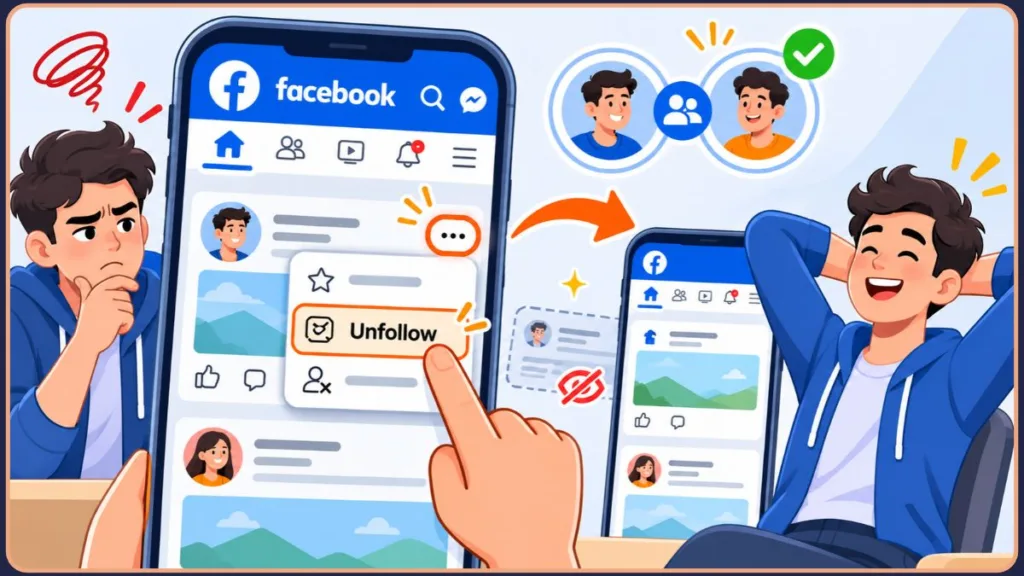
Step-by-Step on iPhone
If you’re looking for how to unfollow without unfriending on Facebook on iPhone, this is the quickest way:
- Open the Facebook app and go to the friend’s profile.
- Tap the Following button below their name. (On some profiles and app versions, this button appears as Friends.)
- Select Unfollow from the menu.
- Confirm if Facebook asks you to.
You can also do this straight from your feed. Tap the three dots (…) on any of their posts and choose Unfollow [Name].
Tip: Unfollowing from a post in your feed is often the fastest option. You do it right when the post annoys you, with no need to search for the profile.
Step-by-Step on the Facebook App for Android
The steps for unfollowing without unfriending on the Facebook app for Android are nearly identical:
- Open the Facebook app and search for your friend’s name.
- Open their profile and tap Following (or Friends).
- Tap Unfollow.
- Check that the button now offers to follow them again. That confirms it worked.
Prefer the feed route? Tap the three dots (…) on one of their posts and select Unfollow.
Step-by-Step on Desktop
- Go to Facebook.com and open your friend’s profile.
- Click Following, then click Unfollow. If the button says Friends instead, open it and choose Unfollow from the dropdown.
You can also open the Options menu (three dots) on one of their posts in your feed and choose Unfollow [Name].
Tip: If you only want to see fewer posts of a certain kind, select Not Interested on individual posts instead of unfollowing.
Can You Unfollow on Facebook Messenger?
Unfollowing is a News Feed setting, so you do it in the Facebook app or on the website rather than inside Messenger. If what bothers you is the chat itself, you can mute the conversation in Messenger, which stops the alerts without removing the person. If you ever need to stop someone’s messages entirely, Messenger also lets you block messages and calls from someone without blocking their Facebook profile.
What Is the Easiest Way to Unfollow on Facebook?
The easiest method is to tap the three dots (…) on any post from that person and choose Unfollow. It works on every device and takes two taps.
How to Unfollow on Facebook Without Them Knowing
Many readers worry about this part, and the answer is mostly reassuring.
Does Unfollowing Notify the Other Person?
No. Facebook doesn’t send a notification when you unfollow someone. Reader’s Digest likewise reports that the person you unfollow isn’t notified that you’ve stopped seeing their posts. They won’t get an alert or a message.
How to Secretly Unfollow Someone on Facebook
The unfollow methods above are already the discreet way to do it. Just use the Following > Unfollow option or the three-dot menu on a post. Avoid unfriending or blocking, because those change what the other person sees and can be noticed.
Tip: Because nothing visible changes on your friend list, unfollowing is the lowest-drama way to tidy your feed.
When You Unfollow Someone on Facebook, Will They Still See Your Posts?
Yes. Unfollowing only affects what you see. Your posts still appear in their feed if you’re friends, and restricting them is the way to stop that. If you’d rather limit what they see, you can adjust your audience for future posts or restrict them. If that’s what you want, you might also like to learn how to restrict someone on Facebook to control who sees your posts without unfriending them.
Unfollow vs. Unfriend vs. Block on Facebook: What’s the Difference?
These three actions sound similar, but they do very different things.
Difference Between Unfriend and Unfollow
Unfollow hides their posts from your feed, and you stay friends. Unfriend removes the friendship completely. If you unfriend someone, you’re also removed from their friends list, and you’d need to add them again to be friends.
Blocking vs. Unfriending on Facebook
Does blocking unfriend on Facebook? Yes. If you’re Facebook friends, blocking someone also unfriends them, but blocking goes much further. The person can’t message, call or find your profile. Unfriending is much softer. They can still find your profile and send a new friend request.
Blocking vs. Unfollowing on Facebook
Blocking cuts off all contact. Unfollowing only trims your feed. If someone is just posting too often, unfollow is the right tool. If someone is harassing you, block is.
Does Unfriending on Facebook Notify the Person?
No. Meta’s help page states that the person you unfriended won’t be notified. They may notice later if they look at their friend list or visit your profile.
What Happens If You Unfriend Someone on Facebook?
You both disappear from each other’s friend lists. You’ll stop seeing their posts, and they’ll only see what you’ve made public. If you change your mind, you’d need to send a new friend request.
Should You Unfriend or Block Someone on Facebook?
A simple way to decide:
- Unfollow if you want to stay friends but see less of them.
- Unfriend if you want distance but don’t need to cut off contact.
- Block if you need to stop contact entirely, such as for harassment or safety reasons. Meta points to blocking if you don’t want someone to see your profile, add you as a friend or message you.
Quick Comparison
| Unfollow | Unfriend | Block | |
|---|---|---|---|
| Still friends? | Yes | No | No |
| You see their posts? | No | Only if public | No |
| They see your posts? | Yes | Only if public | No |
| Can they message you? | Yes | Yes | No |
| Do they get notified? | No | No | No |
Tip: Not sure which to choose? Start with unfollow. It’s the easiest to undo, and you can always unfriend or block later.
How to Manage Your Unfollowed Friends and Your Feed
How to See Unfollowed Friends on Facebook
To reconnect with someone you’ve unfollowed, go to Settings & Privacy > Settings > Feed > Reconnect. That’s also where you can review the people you’ve unfollowed and choose to follow anyone you’d like to see again.
How to Unfollow Multiple Friends on Facebook
Open your Feed settings and look for Unfollow people and groups (on the website, this sits under Manage your Feed). That list lets you unfollow people and groups from one place. It’s much faster than visiting each profile, though the exact label can vary by device and app version.
How to Unfollow Everyone on Facebook
We couldn’t find an official one-tap “unfollow all” option in Meta’s help pages. The practical route is to go through the Unfollow people and groups list in your Feed settings and unfollow people there. Lists can be long, so work through them in short sessions.
On Facebook Lite, menu labels may differ from the main app. Open a friend’s profile, look for the Following (or Friends) button, and choose Unfollow. Meta doesn’t publish separate Lite steps, so check what your version shows.
Tip: Don’t try to unfollow everyone at once. Start with the five accounts that clutter your feed most and see how it feels.
How to Unfollow Someone on Facebook That Is Not a Friend
If you follow a public profile or a Page, open it, click or tap Following, then choose Unfollow. For a Page, click Update to confirm. You don’t need to be friends for this to work.
How to Unfollow a Group on Facebook
- Go to the group’s page.
- Click or tap Joined, then select Unfollow group.
You stay a member but stop seeing the group’s posts in your feed. If you’d rather keep following but reduce noise, adjust the group’s notification settings instead.
Why Do People Unfollow You but Not Remove You as a Friend?
If you’ve noticed someone unfollowed you, don’t panic. It’s very common.
Common Reasons People Unfollow but Stay Friends
- They want a cleaner, less crowded feed.
- They see your posts as frequent or off-topic for them.
- They want to avoid awkwardness while staying politely connected.
- They’re taking a break from social media.
Should You Be Worried If Someone Unfollowed You?
Usually not. For most people, unfollowing is housekeeping, not a judgment. Facebook doesn’t notify you when someone unfollows you, so it’s hard to know for sure, and it’s rarely worth worrying about.
What to Do If You Think Someone Unfollowed You
- Do nothing. It’s usually nothing personal.
- Check your own audience. Make sure your posts reach the people you want.
- Reach out. If it’s someone close, a friendly message is easier than guessing.
Tip: Focus on posting for the people who do engage. A feed that’s useful to its audience matters more than any single follower.
FAQs About Unfollowing on Facebook
1. How do I unfollow someone on Facebook?
Open their profile, tap Following, and select Unfollow. Or use the three-dot menu on one of their posts.
2. How do I unfollow a person or an FB friend from the app?
Use the same steps in the Facebook app on iPhone or Android: Following > Unfollow on their profile.
3. Can you unfollow someone on Facebook but remain friends?
Yes. Unfollowing only hides their posts, and the friendship stays intact.
4. Will they know if I unfollow them?
No. Facebook doesn’t notify people when you unfollow them.
5. Does blocking unfriend someone on Facebook?
Yes. Blocking ends the friendship and also stops all contact between you.
6. How do I see who I’ve unfollowed?
Go to Settings & Privacy > Settings > Feed > Reconnect. From there you can follow anyone again.
7. How do I unfollow everyone on Facebook Lite?
There’s no confirmed one-tap option. Unfollow people one at a time from their profiles, or use the Feed settings where your version shows them.
8. How do I unfollow multiple friends at once?
Use Unfollow people and groups in your Feed settings to go through your list in one sitting.
Conclusion: Keep Your Feed Calm Without Unfriending
Facebook gives you three levels of control, and unfollowing is the gentlest. It lets you keep the friendship while cleaning up your feed, with no notification and no awkward conversations. Unfriending creates distance, and blocking is for situations where you need full separation.
By following this guide, you can tidy your feed, keep your friendships intact, and choose the right option for each situation without second-guessing yourself.
Tip: Review your unfollowed list every few months. People’s posting habits change, and you may want to reconnect with a few of them.
Visit Our Post Page: Blog Page
Discover more from Izoate
Subscribe to get the latest posts sent to your email.