
Stuck on the WARDOGS loading screen with Error Code 1413677057? Find out why it’s happening and how to fix the server handshake timeout.
If you’ve been hyped to jump into WARDOGS only to be stopped in your tracks by a vague popup box reading, “Error Code: 1413677057. An unexpected error has occurred,” take a deep breath. You are definitely not alone.
During the Early Access launch window, this specific error code became incredibly widespread. In fact, so many players ran into this exact wall that users on the official r/WarDogs subreddit reported being over 3,000 tickets deep in the support queue.
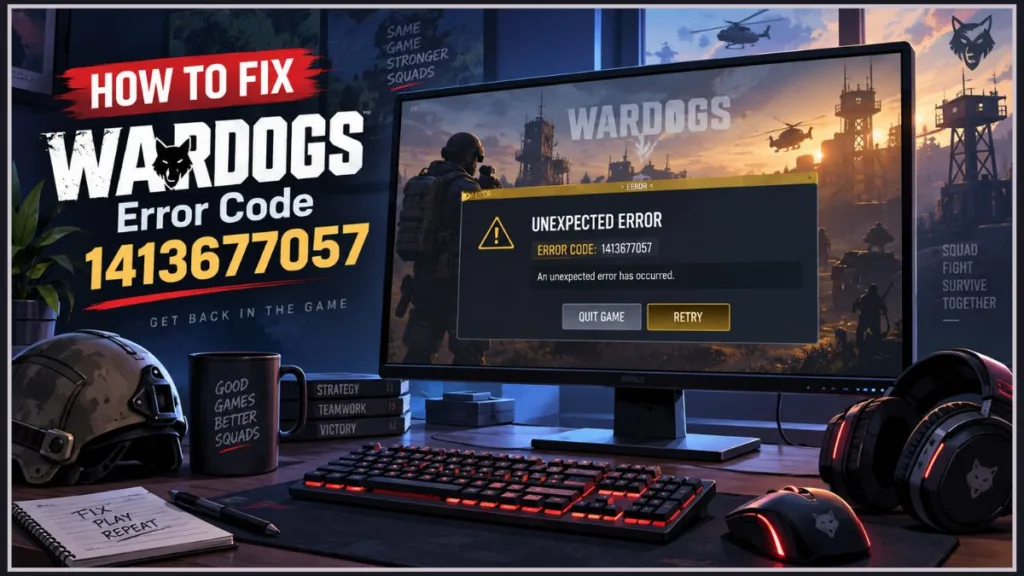
The good news? Your game files are likely perfectly fine. This isn’t a broken installation—it’s a network handshake issue. Below, we’ll break down exactly what causes this error, what you absolutely shouldn’t waste your time doing, and the community-tested fixes that are actually getting players into the server browser.
Why Error 1413677057 Happens: Online Service Timeouts at the Loading Screen
According to community telemetry, Error Code 1413677057 happens at a very specific time: during the initial loading screen, strictly before you ever see the server browser.
This error triggers when your game client asks the WARDOGS online services for a response (essentially an authentication handshake) and times out. Community tracking sites group this issue with Error 1628505085 (“Failed to initialize player session”) because both are symptoms of the game failing to communicate with its backend servers.
Historically, this error spikes when server load is at its highest. Players first reported massive waves of it during the Closed Beta 02 weekend (September 4–5), and it aggressively returned when Early Access opened (September 11–12). When the servers are slammed, your game client gives up waiting for a response and throws this unexpected error.
Skip the Reinstall: Why Redownloading WARDOGS Won’t Fix It
When faced with a game-breaking error, a PC gamer’s first instinct is often to uninstall and completely redownload the game. Do not do this.
Reinstalling WARDOGS will simply burn your bandwidth and waste your time. Community hubs have tracked zero confirmed cases where a full reinstall fixed Error 1413677057. Because this is a server/network communication timeout—not a corrupted local file—a fresh install won’t change the outcome. If you are extremely concerned about file integrity, run a file verification directly through the WARDOGS Steam Library page instead.
Proven Fix Confirmed by the WARDOGS Player Community
Before resigning yourself to the massive support ticket queue, run through these community-verified troubleshooting steps.
1. Check Backend Health and Steam Server Maintenance
Because this error is tied to backend authentication, your very first step should be checking if the servers are down or buckling under pressure.
- Check the announcements channel in the official WARDOGS Discord.
- Look at the Steam Server Status tracker to ensure standard Tuesday maintenance isn’t blocking authentication.
- Check the
r/WarDogssubreddit. If the sidebar is flooded with posts about “BACKEND ERROR” or “Failed to authenticate,” the issue is on the developer’s end. - If a server outage is active, local fixes won’t work. You just have to wait it out.
2. Fully Restart Steam with Administrator Privileges
Simply closing the game window and clicking “Play” again rarely clears this error. The most commonly reported success comes from a total Steam client refresh.
- Close WARDOGS.
- Do not just click the “X” on Steam. Go to your Windows system tray (bottom right corner of your screen), right-click the Steam icon, and click Exit Steam.
- Search for Steam in your Windows search bar, right-click it, and select Run as administrator.
- Launch WARDOGS again.
3. Cycle Steam Offline and Online to Refresh Network Tokens
Sometimes, Steam silently drops its connection in the background or gets stuck in an ambiguous network state. Forcing a refresh of your network tokens can push the handshake through.
- Click Steam in the top-left corner of the Steam client.
- Select Go Offline… and confirm.
- Wait about 10 seconds.
- Click Steam again and select Go Online…
- Once reconnected, attempt to launch the game.
4. Switch to a Mobile Hotspot to Bypass ISP Routing Issues
Interestingly, some players who experienced this error also reported being completely unable to access the official WARDOGS website without a VPN. This points toward an ISP routing bottleneck to the game’s servers.
- The Hotspot Test: Temporarily disconnect your PC from your home network and connect to a mobile phone hotspot.
- If the game successfully loads past the error screen on your cellular data, the problem lies in the routing path from your home Internet Service Provider. In this scenario, running a trusted gaming VPN can bypass the bottleneck.
Edge Case: Investigating Manually Renamed Windows User Folders
There is one highly specific, unconfirmed report worth mentioning if you fall into a very niche category.
A user reported that Error 1413677057 was caused by a pathing conflict after they manually renamed their Windows profile folder under C:\Users\ (changing it from Chinese characters to English). Because the game retained the old path in its local configuration, it was looking for files that no longer existed.
The Advice: Unless you have manually altered the name of your core Windows user directories recently, skip this entirely. This is a very rare edge case.
Still Getting the Error? Submitting a Ticket and Navigating the Queue
WARDOGS is an Early Access title, and backend concurrency limits are a normal (if frustrating) part of the process. Developers Bulkhead and Team17 are actively scaling up to meet demand.
If you have verified that Steam is online, fully restarted the client, and ruled out your ISP, it’s time to submit a diagnostic ticket through the official Team17 Support Portal. Just remember the Reddit reports: you may be thousands of places back in the queue. Have a little patience while the backend team works to stabilize the servers!
Visit Our Post Page: Blog Page
Discover more from Izoate
Subscribe to get the latest posts sent to your email.